Introduction
Digital proofing tools are software platforms that enable teams to review, annotate, and approve creative work — including graphics, videos, documents, presentations, and audio files — in a centralized, collaborative environment. In simple terms, these tools ensure that content is accurate, on-brand, and approved by all stakeholders before final delivery, eliminating manual feedback loops and reducing errors.
By, creative teams operate at high velocity with distributed teams, multiple asset types, and tight deadlines. Digital proofing tools accelerate the approval process, provide version control, integrate with creative and project management platforms, and ensure that every change is tracked, transparent, and compliant. They help businesses save time, reduce rework, and improve overall quality of deliverables.
Real-World Use Cases:
- Marketing campaigns: Collecting feedback on graphics, banners, videos, and social content from multiple stakeholders.
- Publishing and editorial teams: Proofing articles, eBooks, brochures, and PDFs before publication.
- Product design and packaging: Approving artwork, labels, and product designs with regulatory compliance checks.
- Video production: Frame-level comments and annotations for edits and approvals.
- Internal communications: Approving presentations, reports, and training materials with clear versioning.
What Buyers Should Evaluate:
- Real-time collaborative proofing and commenting
- Version control and history tracking
- Multi-format support (image, video, audio, PDF)
- Annotation and markup capabilities
- Integration with DAM, CMS, or creative tools
- Workflow automation and approval routing
- User roles, permissions, and access control
- Audit trails for compliance
- Reporting and analytics on review cycles
- Scalability for teams and projects
Best for: Marketing, creative, product, video, and publishing teams; agencies; enterprises managing multi-step approval workflows.
Not ideal for: Organizations with minimal review cycles or small teams relying solely on manual feedback processes.
Key Trends in Digital Proofing Tools
- AI-assisted annotations and feedback: Automatic detection of errors or inconsistencies in designs and documents.
- Integrated review workflows: Multi-step approvals with conditional routing.
- Cross-platform file support: Image, PDF, video, and audio proofing in a single interface.
- Version comparison and history tracking: Easily see changes between versions with side-by-side previews.
- Real-time collaboration: Stakeholders can comment and approve simultaneously.
- Integration with creative suites and DAMs: Seamless connection to Adobe Creative Cloud, Figma, DAM systems, and CMS platforms.
- Audit logs and compliance reporting: Track who approved what and when.
- Mobile-friendly proofing: Annotate and approve on smartphones or tablets.
- Automated notifications: Alerts for pending reviews, approvals, and changes.
- Performance analytics: Insights on review turnaround times, bottlenecks, and workflow efficiency.
How We Selected These Tools (Methodology)
- Reviewed core proofing capabilities including markup, annotations, and multi-format support.
- Assessed collaboration features for distributed teams.
- Evaluated integration with creative, DAM, and CMS platforms.
- Tested ease of use and adoption, including setup and onboarding.
- Measured version control, audit logs, and approval workflows.
- Analyzed scalability and team size support.
- Considered reporting and analytics features.
- Prioritized 2026 relevance including AI features, cross-format support, and mobile capabilities.
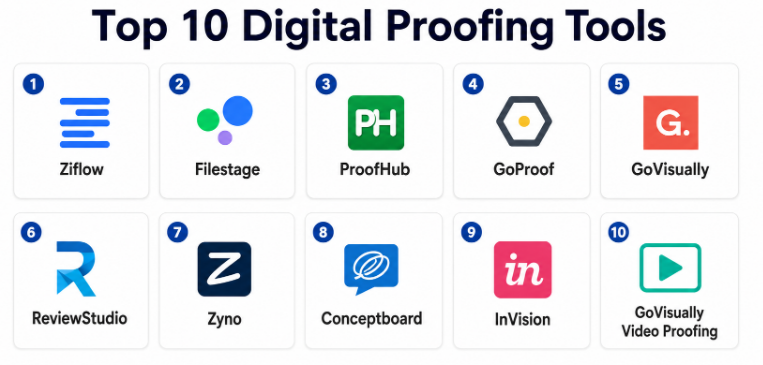
Top 10 Digital Proofing Tools
#1 — Ziflow
Short description: Ziflow is a cloud-based proofing platform that centralizes feedback for images, videos, PDFs, and creative files. Ideal for marketing and creative teams that require multi-step review workflows and real-time collaboration.
Key Features
- Real-time collaborative proofing
- Version comparison and history tracking
- Approval workflow automation
- Multi-format support including video and audio
- AI-assisted review suggestions
- Integrations with DAM, Adobe Creative Cloud, and CMS
Pros
- Strong multi-format support
- Streamlines review and approval processes
Cons
- Premium pricing
- Advanced features require onboarding
Platforms / Deployment
- Web / iOS / Android
- Cloud
Security & Compliance
- Role-based access, encryption, audit logs
- Not publicly stated
Integrations & Ecosystem
Integrates with DAM systems, CMS platforms, and creative suites.
Support & Community
Documentation, onboarding support, and active community.
#2 — Filestage
Short description: Filestage provides a collaborative proofing platform for documents, videos, and images with feedback loops, automated notifications, and clear approval pathways.
Key Features
- Proofing for video, image, and PDF
- Customizable approval workflows
- Version control and comparison
- Comment threads and annotations
- Notifications for stakeholders
Pros
- Simple and intuitive UI
- Efficient feedback cycles
Cons
- Limited advanced AI features
- Best suited for small to mid-sized teams
Platforms / Deployment
- Web / Mobile
- Cloud
Security & Compliance
- Encryption and role-based access
- Not publicly stated
Integrations & Ecosystem
Integrates with DAM, project management, and cloud storage tools.
Support & Community
Documentation and customer support.
#3 — ProofHub
Short description: ProofHub combines proofing, project management, and collaboration features, allowing creative teams to review, comment, and approve multiple types of assets from a centralized platform.
Key Features
- Multi-format proofing
- Approval workflow automation
- Task and project management integration
- Annotation and markup tools
- Version control
Pros
- Combines proofing with project oversight
- Supports large teams with multiple projects
Cons
- Interface may be complex for beginners
- Some integrations require premium plan
Platforms / Deployment
- Web / iOS / Android
- Cloud
Security & Compliance
- Encryption, role-based permissions
- Not publicly stated
Integrations & Ecosystem
Integrates with cloud storage, DAM, and creative tools.
Support & Community
Onboarding guides and customer support.
#4 — GoProof
Short description: GoProof is a real-time online proofing tool that integrates with Adobe Creative Cloud, enabling designers and marketers to collect feedback directly within the creative suite.
Key Features
- Adobe Creative Cloud integration
- Real-time annotations
- Multi-format file proofing
- Automated notifications for reviewers
- Approval workflow management
Pros
- Direct integration with Adobe suite
- Fast and efficient feedback loops
Cons
- Limited standalone functionality outside Adobe
- Best for Adobe-centric teams
Platforms / Deployment
- Web / Desktop / Adobe CC
- Cloud
Security & Compliance
- Role-based access and encryption
- Not publicly stated
Integrations & Ecosystem
Adobe Creative Cloud, DAM platforms, cloud storage.
Support & Community
Documentation and support resources.
#5 — GoVisually
Short description: GoVisually is a cloud-based proofing tool that emphasizes simple, intuitive annotations and feedback collection for images, videos, and PDFs.
Key Features
- Visual annotations and comments
- Multi-format support
- Version control
- Approval workflows
- Real-time collaboration
Pros
- Easy for non-technical stakeholders
- Quick setup and adoption
Cons
- Limited advanced workflow automation
- Fewer enterprise integrations
Platforms / Deployment
- Web / Mobile
- Cloud
Security & Compliance
- Encryption and role-based access
- Not publicly stated
Integrations & Ecosystem
DAM systems, creative tools, and project management software.
Support & Community
Support documentation and tutorials.
#6 — ReviewStudio
Short description: ReviewStudio offers online proofing with collaboration tools for video, image, and document projects, including detailed markup, annotations, and approval tracking.
Key Features
- Multi-format proofing
- Annotations and markup
- Approval workflow automation
- Version history and comparisons
- Notifications and reminders
Pros
- Strong markup capabilities
- Good for cross-team collaboration
Cons
- Interface may require learning curve
- Limited mobile features
Platforms / Deployment
- Web / Desktop
- Cloud
Security & Compliance
- Role-based access and encryption
- Not publicly stated
Integrations & Ecosystem
DAM platforms, cloud storage, creative suites.
Support & Community
Documentation and customer support.
#7 — Zyno
Short description: Zyno is a digital proofing platform focused on agency workflows, providing annotations, real-time collaboration, and approval management for creative projects.
Key Features
- Multi-format support
- Annotation and comment threads
- Real-time feedback
- Version control
- Custom approval workflows
Pros
- Tailored for agency workflows
- Easy collaboration across distributed teams
Cons
- Less known in enterprise settings
- Fewer integrations than competitors
Platforms / Deployment
- Web / Mobile
- Cloud
Security & Compliance
- Role-based access, encryption
- Not publicly stated
Integrations & Ecosystem
Creative tools, DAM, project management systems.
Support & Community
Documentation and onboarding.
#8 — Conceptboard
Short description: Conceptboard is a collaborative visual workspace for proofing and brainstorming creative content, supporting annotations, comments, and project review in real-time.
Key Features
- Visual boards for proofing
- Real-time annotations
- Multi-format file support
- Approval workflow management
- Team collaboration features
Pros
- Excellent for brainstorming and visual feedback
- Intuitive interface
Cons
- Limited advanced workflow automation
- Focused on visual feedback only
Platforms / Deployment
- Web / Desktop
- Cloud
Security & Compliance
- Encryption, role-based permissions
- Not publicly stated
Integrations & Ecosystem
DAM, creative tools, cloud storage.
Support & Community
Support documentation and tutorials.
#9 — InVision
Short description: InVision is a collaborative design platform with proofing tools, enabling teams to review, comment, and approve UI/UX designs and prototypes efficiently.
Key Features
- Design and prototype proofing
- Annotation and comment threads
- Version control
- Real-time collaboration
- Approval workflows
Pros
- Industry standard for UI/UX feedback
- Tight integration with design workflows
Cons
- Limited support for video/audio proofing
- Best suited for digital design teams
Platforms / Deployment
- Web / Desktop / Mobile
- Cloud
Security & Compliance
- Role-based access, encryption
- Not publicly stated
Integrations & Ecosystem
Adobe, Sketch, Figma, DAM platforms.
Support & Community
Documentation, community, and training.
#10 — GoVisually Video Proofing (Video-centric)
Short description: Focused on video proofing, this GoVisually module allows creative teams to annotate and approve video frames, timelines, and edits with precise feedback.
Key Features
- Frame-level annotations
- Time-stamped comments
- Version comparison
- Approval workflow
- Real-time collaboration
Pros
- Ideal for video production teams
- Precise frame-level feedback
Cons
- Limited image/document support
- Needs integration for broader creative workflows
Platforms / Deployment
- Web / Mobile
- Cloud
Security & Compliance
- Role-based permissions, encryption
- Not publicly stated
Integrations & Ecosystem
DAM, cloud storage, creative suites.
Support & Community
Documentation and support.
Comparison Table (Top 10)
| Tool Name | Best For | Platforms Supported | Deployment | Standout Feature | Public Rating |
|---|---|---|---|---|---|
| Ziflow | Multi-format creative | Web, iOS, Android | Cloud | Real-time collaboration | N/A |
| Filestage | Documents & video | Web, Mobile | Cloud | Approval workflows | N/A |
| ProofHub | Project+proofing | Web, iOS, Android | Cloud | Multi-format management | N/A |
| GoProof | Adobe-integrated | Web, Adobe CC | Cloud | Adobe proofing | N/A |
| GoVisually | Image/video/PDF | Web, Mobile | Cloud | Visual annotations | N/A |
| ReviewStudio | Creative collaboration | Web, Desktop | Cloud | Markup & comments | N/A |
| Zyno | Agency workflows | Web, Mobile | Cloud | Real-time feedback | N/A |
| Conceptboard | Visual brainstorming | Web, Desktop | Cloud | Collaborative boards | N/A |
| InVision | UI/UX design | Web, Desktop, Mobile | Cloud | Prototype proofing | N/A |
| GoVisually Video | Video production | Web, Mobile | Cloud | Frame-level annotations | N/A |
Evaluation & Scoring of Digital Proofing Tools
| Tool Name | Core Features | Ease | Integrations | Security | Performance | Support | Value | Weighted Total |
|---|---|---|---|---|---|---|---|---|
| Ziflow | 9 | 8 | 8 | 8 | 9 | 8 | 7 | 8.3 |
| Filestage | 8 | 9 | 7 | 7 | 8 | 8 | 7 | 7.9 |
| ProofHub | 8 | 7 | 7 | 7 | 8 | 7 | 7 | 7.6 |
| GoProof | 8 | 8 | 7 | 7 | 8 | 7 | 7 | 7.7 |
| GoVisually | 8 | 9 | 7 | 7 | 8 | 7 | 7 | 7.8 |
| ReviewStudio | 8 | 7 | 7 | 7 | 8 | 7 | 7 | 7.6 |
| Zyno | 7 | 8 | 7 | 7 | 7 | 7 | 7 | 7.4 |
| Conceptboard | 7 | 8 | 7 | 7 | 7 | 7 | 7 | 7.4 |
| InVision | 8 | 8 | 8 | 7 | 8 | 8 | 7 | 7.8 |
| GoVisually Video | 8 | 8 | 7 | 7 | 8 | 7 | 7 | 7.7 |
Which Digital Proofing Tool Is Right for You?
Solo / Freelancer
- GoVisually, Conceptboard, or Filestage offer lightweight, intuitive proofing for small teams.
SMB
- Ziflow, GoProof, or ProofHub provide scalable proofing, annotations, and approval workflows.
Mid-Market
- Ziflow, ReviewStudio, and GoVisually offer cross-format proofing, version control, and analytics.
Enterprise
- Ziflow, InVision, and GoProof support multi-format, multi-team workflows with enterprise governance.
Budget vs Premium
- Budget: Conceptboard, GoVisually
- Premium: Ziflow, InVision, ReviewStudio
Feature Depth vs Ease of Use
- Depth: Ziflow, InVision, ReviewStudio
- Ease: GoVisually, Filestage, Conceptboard
Integrations & Scalability
- Enterprise tools integrate with DAM, creative suites, CMS, and storage platforms.
Security & Compliance Needs
- Enterprise teams should prioritize SSO, role-based access, MFA, and audit logs.
Frequently Asked Questions (FAQs)
- What is a digital proofing tool?
A software platform that allows teams to review, annotate, and approve creative assets like images, videos, PDFs, and audio collaboratively. - Why do creative teams need proofing tools?
To replace manual feedback processes, ensure version control, and reduce errors before final delivery. - What file formats can these tools handle?
Most support images, PDFs, video, audio, and some support interactive media. - Can remote teams use these platforms?
Yes — they are cloud-based with real-time collaboration features. - Do they support version control?
Yes — all platforms track revisions, comments, and approvals. - Can these tools integrate with creative suites?
Yes — integrations with Adobe Creative Cloud, Figma, DAM, and project management tools are common. - Do these tools include approval workflows?
Yes — multi-step, conditional approval routing is a core feature. - Are analytics included?
Some tools provide metrics on review cycles, asset usage, and turnaround times. - Can I annotate videos or audio?
Specialized video proofing modules allow frame-by-frame comments and time-stamped annotations. - How to select the right tool?
Consider file types, team size, workflow complexity, integrations, and proofing requirements.
Conclusion
Digital proofing tools are essential for creative teams to streamline feedback, maintain version control, and accelerate approval processes. Small teams benefit from GoVisually, Filestage, or Conceptboard, while SMBs can leverage Ziflow, GoProof, and ProofHub. Mid-market and enterprise teams should consider Ziflow, InVision, and ReviewStudio for multi-format proofing, versioning, analytics, and enterprise-scale workflows.
