Introduction
Speech‑to‑Text (STT) platforms automatically convert spoken language into written text using advanced AI and machine learning. These tools are fundamental for modern workflows across industries — from content creation and media production to customer support, accessibility services, legal documentation, and enterprise analytics. By transforming audio and video speech into searchable, editable text, STT platforms accelerate operations, improve accessibility, and enhance productivity.
As digital audio and video content volumes continue to explode, manual transcription becomes impractical, expensive, and slow. AI‑powered Speech‑to‑Text platforms significantly reduce turnaround time and cost while improving accuracy. These solutions support real‑time captions, searchable archives, voice analytics, and automated workflows that power modern communication and accessibility standards such as closed captions and voice interactions.
Real World Use Cases
- Media & Production: Automatically transcribing interviews, podcasts, and videos.
- Accessibility & Compliance: Live captions and transcripts for ADA/WCAG compliance.
- Customer Support Analytics: Transcribing call center audio for quality and sentiment analysis.
- Legal & Healthcare Documentation: Reliable, timestamped transcripts for records.
- Education & E‑Learning: Transcribing lectures and webinars for searchable references.
Evaluation Criteria for Buyers
- Transcription Accuracy: Quality of speech recognition, including in noisy or multi‑speaker environments.
- Language & Dialect Support: Number of languages, dialects, and accents supported.
- Real‑Time vs. Batch: Support for live & realtime transcription and bulk file processing.
- Customization & Vocabulary: Ability to add custom terms, industry jargon, and speaker tagging.
- Integration & API Access: Developer tools for embedding STT into apps and workflows.
- Security & Compliance: Data privacy, encryption, enterprise governance.
- Ease of Use & Workflow: UI quality, editing tools, export formats, and collaboration features.
Best for
Enterprises, content creators, broadcasters, educators, and service providers needing reliable, scalable, and accurate transcription.
Not ideal for
Users who only need occasional, manual transcriptions without automation or integration needs.
Key Trends
- Neural Speech Recognition: Deep learning models delivering near‑human accuracy.
- Real‑Time Captioning: Live transcription for meetings, events, and broadcasts.
- Multilingual & Multidialect Support: Broadening global language coverage.
- Speaker Identification & Analytics: Tagging speakers and sentiment analysis.
- Cloud + Edge Deployments: Combining cloud scalability with on‑device transcription for privacy.
Methodology
We evaluated platforms based on accuracy, language support, real‑time capability, custom vocabulary controls, developer APIs, integration options, security features, ease of use, and value for money. Each platform’s ecosystem maturity and real‑world adoption were also considered.
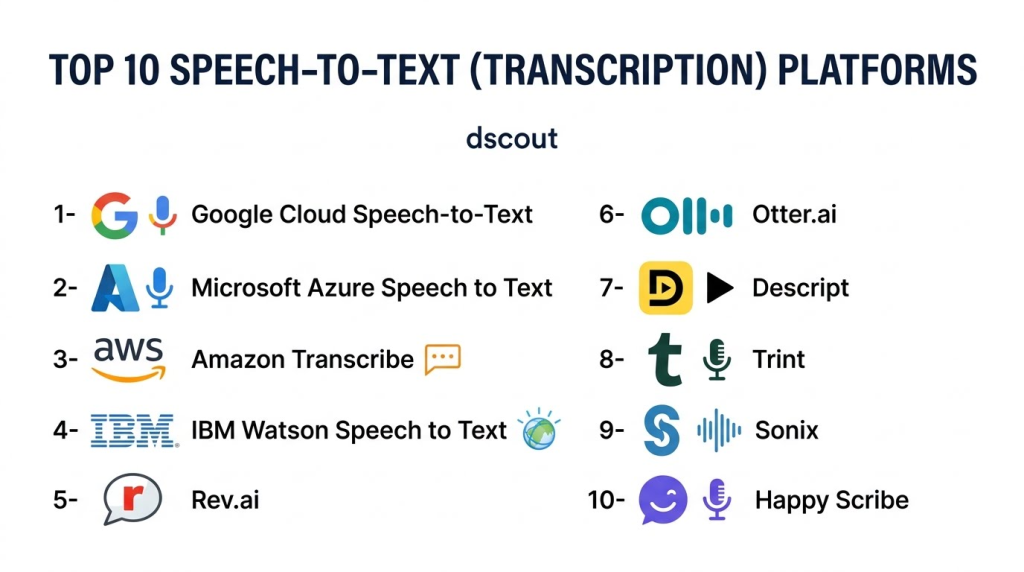
Top 10 Speech‑to‑Text (Transcription) Platforms
1‑ Google Cloud Speech‑to‑Text
Short description: Google’s STT service uses advanced neural models (including WaveNet) to deliver high‑accuracy transcription in real time and batch mode for a wide range of languages and use cases.
Key Features:
- Real‑time streaming APIs
- Batch audio file transcription
- Auto punctuation & speaker diarization
- Custom vocabulary
- Broad language and dialect support
Pros:
- High accuracy at scale
- Strong real‑time performance
- Enterprise‑grade infrastructure
Cons:
- Requires Google Cloud expertise
- Pricing can grow with usage
Platforms / Deployment: Cloud / API
Security & Compliance: Google Cloud security standards
Integrations & Ecosystem: Cloud suite, analytics tools, media pipelines
Support & Community: Google Cloud support tiers
2‑ Microsoft Azure Speech to Text
Short description: Azure’s STT leverages neural models and deep learning to transcribe speech with contextual understanding, speaker identification, and customization.
Key Features:
- Real‑time and batch transcription
- Custom speech models & custom vocabularies
- Speaker diarization
- Punctuation and formatting models
Pros:
- Enterprise‑ready integration
- Strong customization
- Deep developer tooling
Cons:
- Cloud learning curve
- Pricing complexity
Platforms / Deployment: Azure Cloud / API
Security & Compliance: Azure security and compliance
Integrations & Ecosystem: Microsoft 365, Teams, Power Platform
Support & Community: Azure enterprise support
3‑ Amazon Transcribe
Short description: Amazon’s STT solution on AWS offers scalable, accurate transcriptions with advanced features like channel identification and medical/legal models.
Key Features:
- Streaming & batch transcription
- Medical & legal specialty transcriptions
- Speaker recognition
- Custom vocabulary & rules
Pros:
- Tight integration with AWS stack
- Specialized domain models
- Streaming support
Cons:
- AWS setup complexity
- Cost at scale for high‑volume workloads
Platforms / Deployment: AWS / API
Security & Compliance: AWS standards
Integrations & Ecosystem: AWS analytics and storage services
Support & Community: AWS support plans
4‑ IBM Watson Speech to Text
Short description: IBM’s STT service provides real‑time and batch processing backed by enterprise security, customizable language models, and speaker analytics.
Key Features:
- Real‑time API
- Custom acoustic and language models
- Word alternatives and timestamps
- Speaker diarization
Pros:
- Enterprise security
- Accuracy with customization
Cons:
- Setup and tuning complexity
Platforms / Deployment: IBM Cloud / API
Security & Compliance: Enterprise compliance
Integrations & Ecosystem: Watson AI suite
Support & Community: Enterprise support
5‑ Rev.ai
Short description: Rev.ai combines AI transcription with optional human review pipelines to deliver high‑accuracy outputs suitable for media, legal, and enterprise needs.
Key Features:
- Streaming & batch APIs
- Automatic punctuation & timestamps
- Optional human‑assisted corrections
- Custom vocabularies
Pros:
- Very high accuracy
- Flexible human + AI options
Cons:
- Human review adds cost/time
Platforms / Deployment: Cloud/API
Security & Compliance: Secure processing
Integrations & Ecosystem: Developer APIs
Support & Community: Developer documentation
6‑ Otter.ai
Short description: Otter.ai is a user‑friendly platform that delivers automatic transcription and live captioning with collaboration, editing, and export tools — widely used in meetings, education, and remote work.
Key Features:
- Live meeting transcription
- Collaboration & editing
- Speaker labeling
- Integration with Zoom & Teams
Pros:
- Easy to use
- Great for meetings and teams
Cons:
- Accuracy can vary with accents/noise
Platforms / Deployment: Web / Mobile / API
Security & Compliance: Enterprise plans available
Integrations & Ecosystem: Zoom, Teams, calendar integrations
Support & Community: Help center & tutorials
7‑ Descript
Short description: Descript combines transcription with a powerful editor that lets users edit audio/video by editing text, making it ideal for creators, podcasters, and media teams.
Key Features:
- Text‑based audio/video editing
- Automatic transcription
- Speaker labels
- Export captions and transcripts
Pros:
- Unique editor workflow
- Great for content workflows
Cons:
- Not enterprise transcription platform per se
Platforms / Deployment: Web / Desktop
Security & Compliance: Secure cloud
Integrations & Ecosystem: Podcast workflows, video editors
Support & Community: Tutorials and docs
8‑ Trint
Short description: Trint provides AI transcription with strong editing, collaboration, version control, and export workflows designed for media teams.
Key Features:
- Browser‑based transcription editor
- Team collaboration
- Timestamped transcripts
- Export options
Pros:
- Excellent editing tools
- Team features
Cons:
- Subscription required
Platforms / Deployment: Web
Security & Compliance: Business security plans
Integrations & Ecosystem: Export to editors
Support & Community: Support center
9‑ Sonix
Short description: Sonix focuses on fast, accurate transcription with multilingual support, editing tools, and easy export formats for creators and enterprises.
Key Features:
- Multilingual transcription
- Automated timestamps & captions
- Speaker identification
- Batch processing
Pros:
- Good language coverage
- Simple workflow
Cons:
- Accuracy varies with audio quality
Platforms / Deployment: Web
Security & Compliance: Secure hosting
Integrations & Ecosystem: CMS and media export
Support & Community: Help center
10‑ Happy Scribe
Short description: Happy Scribe offers automated transcription and subtitle generation with strong language support, a powerful editor, and translation features for global teams.
Key Features:
- Automatic transcription
- Subtitle exports (SRT/VTT)
- Language translations
- Collaborative editor
Pros:
- Strong multilingual support
- Export and translation features
Cons:
- Accuracy depends on audio quality
Platforms / Deployment: Web
Security & Compliance: GDPR compliant
Integrations & Ecosystem: API access
Support & Community: Docs and support
Comparison Table
| Platform | Accuracy | Real‑Time | Language Support | Customization | API | Enterprise Ready | Ease of Use |
|---|---|---|---|---|---|---|---|
| Google Cloud STT | Very High | Yes | Very Many | Yes | Yes | High | Moderate |
| Azure Speech | Very High | Yes | Very Many | Yes | Yes | High | Moderate |
| Amazon Transcribe | Very High | Yes | Many | Yes | Yes | High | Moderate |
| IBM Watson STT | High | Yes | Many | Yes | Yes | High | Moderate |
| Rev.ai | Very High | Yes | Many | Yes | Yes | Medium | Moderate |
| Otter.ai | High | Yes | Moderate | Limited | Yes | Medium | High |
| Descript | High | Batch | Moderate | Limited | No | Low | Very High |
| Trint | High | Batch | Many | Moderate | Yes | Medium | High |
| Sonix | High | Batch | Many | Limited | Yes | Medium | High |
| Happy Scribe | High | Batch | Many | Moderate | Yes | Medium | High |
Evaluation & Scoring Table
| Platform | Accuracy 25% | Language Support 20% | Real‑Time 15% | Customization 15% | API/Dev 15% | Ease 10% | Total |
|---|---|---|---|---|---|---|---|
| Google Cloud STT | 25 | 20 | 15 | 14 | 15 | 8 | 97 |
| Azure Speech | 25 | 20 | 15 | 15 | 14 | 8 | 97 |
| Amazon Transcribe | 24 | 18 | 15 | 14 | 15 | 8 | 94 |
| Rev.ai | 24 | 18 | 14 | 13 | 14 | 8 | 91 |
| IBM Watson STT | 23 | 18 | 14 | 14 | 14 | 8 | 91 |
| Otter.ai | 20 | 15 | 15 | 10 | 12 | 9 | 81 |
| Trint | 19 | 18 | 10 | 13 | 12 | 9 | 81 |
| Sonix | 19 | 17 | 10 | 12 | 12 | 9 | 79 |
| Happy Scribe | 18 | 18 | 10 | 13 | 12 | 9 | 80 |
| Descript | 18 | 15 | 8 | 10 | 8 | 10 | 69 |
Which Speech‑to‑Text Platform Is Right for You?
- Enterprise & Global Scale: Google Cloud STT, Azure Speech, or Amazon Transcribe for robust, scalable use.
- Media & Content Teams: Rev.ai, Trint, Sonix, or Happy Scribe for integrated editing and export workflows.
- Teams & Meetings: Otter.ai for collaborative team transcripts and live meeting captions.
- Content Creators: Descript for text‑first editing and transcription workflows.
- Multilingual Projects: Google Cloud STT or Happy Scribe for broad language coverage.
Implementation Playbook
30 Days:
- Pilot 2–3 top candidates with real sample audio.
- Evaluate accuracy, turnaround time, and language support.
- Set up API keys and initial workflows.
60 Days:
- Integrate chosen platform into content pipelines or apps.
- Build custom vocabulary and speaker models.
- Train users on editing and collaboration features.
90 Days:
- Optimize real‑time settings and batch workflows.
- Standardize export formats and naming conventions.
- Establish monitoring, quality checks, and cost tracking.
Common Mistakes
- Choosing a platform solely on price, ignoring accuracy and support.
- Ignoring custom vocabulary needs for industry terms.
- Not testing with real noisy audio or multiple speakers.
- Failing to plan for enterprise security or compliance.
- Skipping integration testing with workflows or apps.
Frequently Asked Questions
- Can STT handle multiple speakers?
Yes, many platforms offer speaker diarization that labels different speakers in the transcript. - What affects transcription accuracy?
Audio quality, background noise, accents, and speaker clarity all affect accuracy. - Can STT work in real time?
Yes — platforms like Google Cloud, Azure, AWS, and Otter.ai support real‑time streaming transcription. - Is customization important?
Yes — custom vocabularies improve accuracy with industry jargon or names. - Can I export captions for video?
Most platforms allow exporting transcripts in caption formats like SRT or VTT. - Does STT support multiple languages?
Top services support dozens of languages and dialects. - Are these APIs easy to integrate?
Cloud API platforms offer SDKs and extensive docs to simplify integration. - Is STT secure for sensitive audio?
Enterprise plans include encryption, access control, and compliance. - Can I combine STT with analytics?
Yes — transcribed text can feed into analytics, search, and sentiment tools. - How do I choose a platform?
Assess expected volume, languages, real‑time needs, accuracy targets, and integration complexity.
Conclusion
Speech‑to‑Text platforms are critical for transforming spoken content into actionable text, powering accessibility, analytics, documentation, and engagement across industries. Leading platforms like Google Cloud STT, Azure Speech, and Amazon Transcribe deliver scalable, accurate, and real‑time capabilities for enterprise workflows, while Rev.ai, Otter.ai, Trint, and Sonix provide creator‑friendly and media‑focused features. By evaluating accuracy, language support, real‑time performance, and integration options, you can choose the right solution for your needs. Implement pilot tests, build workflows, refine custom vocabularies, and align STT output with your broader content strategy to unlock the full value of spoken language automation in your organization.
