Introduction
Grammar & spell checking tools are software applications that automatically analyze written text to identify and correct grammatical errors, spelling mistakes, punctuation issues, stylistic inconsistencies, and clarity concerns. In, the explosion of digital communication, remote work, content marketing, and AI‑driven writing has made grammar and spelling accuracy indispensable. These tools help professionals, students, businesses, and content creators produce clear, error‑free text across emails, documents, web content, and social platforms.
Real‑world use cases include:
- Professional writers and editors producing error‑free content at scale.
- Students and educators ensuring academic submissions meet language standards.
- Business communications such as proposals, reports, and internal documentation.
- Content marketing teams optimizing SEO‑friendly content with strong readability.
- Global teams collaborating in non‑native languages who need linguistic assistance.
What buyers should evaluate:
- Accuracy of grammar and spelling detection
- Style, clarity, and tone suggestions
- Integration with writing environments (browser, desktop, mobile, IDE)
- Support for multiple languages
- AI‑driven rewrite and paraphrase capabilities
- Customization and organization‑wide consistency rules
- Privacy, security, and compliance controls
- Reporting and analytics for organizational use
- Offline vs online capabilities
- Support and customer education resources
Best for: Students, professional writers, marketing teams, business users, developers embedding writing assistance, enterprises ensuring content quality.
Not ideal for: Projects requiring specialized linguistic expertise beyond automated checks or tools that solely focus on raw machine translation without grammar assistance.
Key Trends in Grammar & Spell Checking Tools
- AI‑driven contextual suggestions that understand tone, intent, and style.
- Real‑time correction across devices including browsers, mobile, and office suites.
- Multi‑language support with regional grammar variations (US/UK/IN/ES).
- Integration with communication platforms and developer environments (Slack, IDEs).
- Advanced writing analysis like readability scoring and audience targeting.
- Personalized style profiles for teams and brand voice enforcement.
- Privacy‑first and enterprise governance controls for sensitive content.
- Plug‑ins and APIs for seamless integration into CMS and SaaS workflows.
- Cloud and offline modes for flexible access.
- Cross‑platform ecosystems enabling collaboration and feedback loops.
How We Selected These Tools (Methodology)
- Market adoption / mindshare: Used by diverse user segments including students, enterprises, and writers.
- Feature completeness: Depth of grammar, style, spell, tone, and clarity checks.
- Accuracy & AI innovation: Context awareness and AI suggestions beyond basic rule‑based checking.
- Security posture signals: Presence of privacy policies, encryption, and enterprise controls.
- Integrations & ecosystem: Browser extensions, office integrations, APIs, and platform reach.
- Multi‑language capabilities: Support for more than one primary language where applicable.
- Usability & accessibility: Ease of use across different devices and skill levels.
- Support & documentation: Quality of help resources, onboarding, and community support.
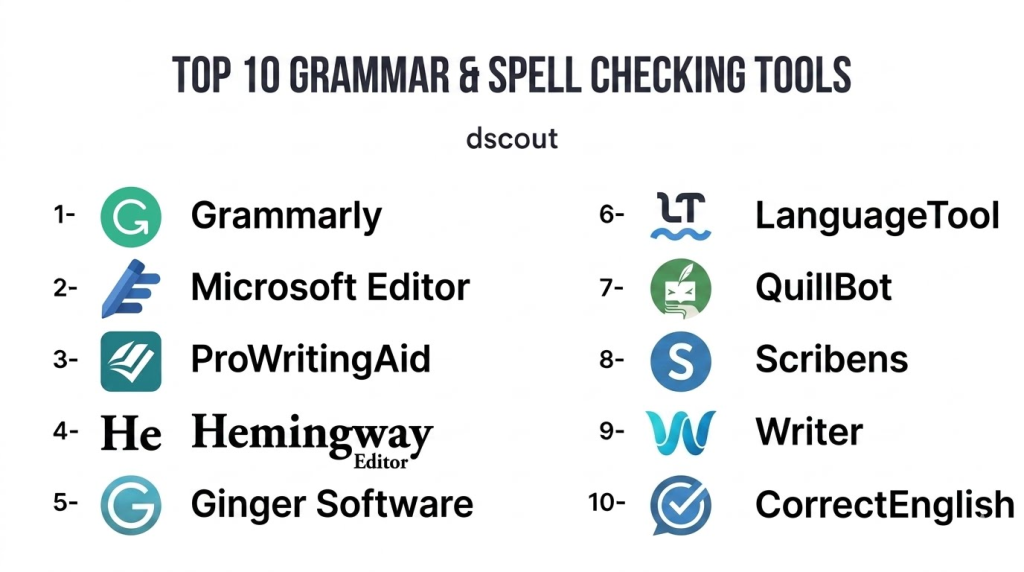
Top 10 Grammar & Spell Checking Tools
1 — Grammarly
Short description : Grammarly is one of the most widely adopted grammar and spell check platforms globally. It leverages AI and ML to provide contextual grammar, spelling, punctuation, tone, and clarity suggestions for individual and enterprise users. Grammarly operates across browsers, desktop apps, mobile keyboards, and integrations with productivity suites.
Key Features
- Real‑time grammar and spell checking
- Style, clarity, tone, and engagement recommendations
- Browser extensions and integrations (email, docs, social)
- Personalized writing goals (audience, tone, formality)
- Plagiarism detection for content originality
- Multi‑platform support (desktop, mobile, web)
- Team and enterprise management dashboards
Pros
- Highly accurate and context‑aware suggestions
- Strong integrations across everyday writing environments
- Powerful analytics and team management features
Cons
- Premium pricing for advanced features
- Some suggestions may feel overly prescriptive
- Internet connection generally required for full functionality
Platforms / Deployment
- iOS, Android, Windows, macOS, Web
- Cloud
Security & Compliance
- Not publicly stated
Integrations & Ecosystem
Grammarly integrates broadly into writing environments with APIs and extensions.
- Browser extensions (Chrome, Safari, Edge)
- Office suite add‑ins
- Email client integration
- Enterprise admin and analytics dashboards
Support & Community
- Knowledge base and help center
- Email and enterprise support
- Learning resources and writing guides
2 — Microsoft Editor
Short description: Microsoft Editor is a grammar and spell checking tool embedded within Microsoft 365 products and as a browser extension, helping users improve writing across documents, emails, and web applications.
Key Features
- Grammar, spelling, and clarity suggestions
- Formality and tone detection
- Integration with Word and Outlook
- Web extension for browser‑based writing
- Multi‑language support
- Style and refinement recommendations
- Suggestion tracking and history
Pros
- Seamless integration with Microsoft 365 ecosystem
- Deep alignment with Word and Outlook workflows
- Enterprise‑ready admin controls
Cons
- Advanced suggestions require Microsoft 365 subscription
- Less robust than specialized tools in deep style analysis
- Feature set tied closely to Microsoft ecosystem
Platforms / Deployment
- Windows, macOS, Web
- Cloud
Security & Compliance
- Not publicly stated; typically aligned with Microsoft 365 compliance
Integrations & Ecosystem
- Office suite (Word, Outlook)
- Browser extensions
- Enterprise identity and management tools
Support & Community
- Microsoft support channels
- Documentation and in‑product help
- Office user community forums
3 — ProWritingAid
Short description: ProWritingAid is a comprehensive writing assistant targeting authors, editors, and professionals with deep grammar checks, style reports, readability scores, and writing improvement insights.
Key Features
- Grammar and spell checking
- Style and structure recommendations
- Readability scoring and reporting
- Consistency and repeated phrase detection
- Contextual thesaurus and word choice insights
- Integrations with writing tools and editors
- Detailed writing analytics
Pros
- Deep style and structural analysis
- Detailed reporting valuable for authors and editors
- Competitive pricing for advanced features
Cons
- UI may feel complex for casual users
- Real‑time suggestions slightly slower than competitors
- Integration setup varies by platform
Platforms / Deployment
- Windows, macOS, Web
- Cloud
Security & Compliance
- Not publicly stated
Integrations & Ecosystem
- Desktop writing suites
- Browser extensions
- Dedicated plugin for document editors
Support & Community
- Email support
- Tutorials and writing guides
- Active user community
4 — Hemingway Editor
Short description: Hemingway Editor focuses on improving readability and clarity by highlighting overly complex sentences, passive voice, and hard‑to‑read structures, making it ideal for clear, concise writing.
Key Features
- Readability analysis
- Highlights complex and hard‑to‑read sentences
- Passive voice and adverb usage detection
- Color‑coded writing suggestions
- Word and character counts
- Focus suggestions for clearer writing
Pros
- Simple, visual feedback for clarity improvement
- Helps writers achieve concise writing goals
- Great for bloggers, authors, and content teams
Cons
- Limited grammar depth compared to AI tools
- No real‑time browser integration
- Lacks spelling suggestions
Platforms / Deployment
- Windows, macOS, Web
- Cloud / Desktop
Security & Compliance
- Not publicly stated
Integrations & Ecosystem
Hemingway primarily works as a standalone editor.
- Desktop apps
- Web editor
Support & Community
- Support FAQs
- Help documentation
- User guides
5 — Ginger Software
Short description: Ginger Software provides grammar and spell checking with multilingual support and writing enhancement tools, including sentence rephrasing, translation, and dictionary features.
Key Features
- Grammar and spell check
- Sentence rephrase suggestions
- Dictionary and translation tools
- Text reader and dictionary definitions
- Language learning support
- Keyboard apps for mobile writing
Pros
- Useful for non‑native English writers
- Multilingual support for translation and suggestions
- Rephrase tool enhances creativity
Cons
- UI sometimes feels dated
- Limited enterprise features
- Some advanced tools require subscription
Platforms / Deployment
- Windows, macOS, iOS, Android, Browser
- Cloud
Security & Compliance
- Not publicly stated
Integrations & Ecosystem
- Browser extensions
- Desktop apps
- Mobile keyboards
Support & Community
- Help center
- Tutorials
- User community
6 — LanguageTool
Short description: LanguageTool is an open‑core grammar and style checker supporting multiple languages with extensions and APIs, appealing to teams and developers seeking flexible integration.
Key Features
- Grammar and spell checking for multiple languages
- Style and readability suggestions
- Extensions for browsers and document editors
- API access for custom integrations
- Rule‑based and AI‑assisted detections
- User‑configurable rule sets
Pros
- Strong multi‑language support
- Extendable via API and rules configuration
- Free tier available
Cons
- Enterprise‑grade analytics limited
- Some languages have basic coverage
- UI not as refined as premium tools
Platforms / Deployment
- Windows, macOS, Linux, Web
- Cloud / Self‑hosted (via API)
Security & Compliance
- Varies / N/A
Integrations & Ecosystem
- Browser and editor plugins
- API for documentation workflows
- Custom rule configurations
Support & Community
- Community‑driven
- Documentation
- Developer forums
7 — QuillBot
Short description: QuillBot combines grammar checking with paraphrasing, summarization, and writing style tools, aimed at students, content creators, and professionals wanting versatile writing help.
Key Features
- Grammar and spell checking
- Paraphrasing and rewriting modes
- Summarizer and citation tools
- Tone and clarity suggestions
- Browser extensions and editor plugins
Pros
- Multi‑purpose writing tool
- Paraphrasing increases writing flexibility
- Useful for academic and creative writing
Cons
- Grammar checks not as deep as specialist tools
- Some features behind paywall
- Limited enterprise controls
Platforms / Deployment
- Web, Browser Extensions
- Cloud
Security & Compliance
- Not publicly stated
Integrations & Ecosystem
- Browser extensions
- Embeddable editor interfaces
- Paraphrasing toolkits
Support & Community
- Tutorials
- Help articles
- User community
8 — Scribens
Short description: Scribens is a grammar and spell checking tool offering strong sentence structure analysis, vocabulary suggestions, and readability recommendations for writers and students.
Key Features
- Grammar and spelling corrections
- Sentence structure feedback
- Vocabulary enhancements
- Style suggestions
- Detailed explanations for corrections
Pros
- Clear explanations help learning
- Strong structural feedback
- Free tier with robust features
Cons
- Less deep than premium AI tools
- Limited integrations
- UI can feel cluttered
Platforms / Deployment
- Web
- Cloud
Security & Compliance
- Varies / N/A
Integrations & Ecosystem
- Browser access
- Limited editor extensions
- Copy/paste workflow
Support & Community
- Help documentation
- FAQs
- User guides
9 — Writer
Short description: Writer is an AI‑powered writing assistant built for teams and enterprises, emphasizing style guides, brand voice enforcement, grammar checks, and clarity suggestions across business content.
Key Features
- Grammar and spell checking
- Custom style guides and brand templates
- AI‑driven tone and clarity suggestions
- Enterprise dashboards and analytics
- Collaboration workflows
- Integrations with productivity platforms
Pros
- Enterprise‑grade governance and consistency
- Custom brand voice enforcement
- Strong analytics for teams
Cons
- Premium pricing for advanced features
- More complex setup for small teams
- Requires admin governance
Platforms / Deployment
- Web, Browser Extensions
- Cloud
Security & Compliance
- Not publicly stated
Integrations & Ecosystem
- Browser and productivity integrations
- Enterprise APIs
- Custom style guide support
Support & Community
- Enterprise support tiers
- Tutorials and documentation
- User community
10 — CorrectEnglish
Short description: CorrectEnglish combines grammar and spell checking with writing improvement features like style suggestions, clarity enhancement, and educational feedback, catering to student and professional writing.
Key Features
- Grammar and pronunciation checks
- Style and clarity suggestions
- Sentence structure insights
- Educational feedback modules
- Reporting and analytics
Pros
- Educational focus helps learning
- Robust clarity suggestions
- Useful for academic writing
Cons
- Smaller ecosystem than mainstream tools
- Enterprise features limited
- UI and integrations less mature
Platforms / Deployment
- Web
- Cloud
Security & Compliance
- Varies / N/A
Integrations & Ecosystem
- Browser access
- Basic add‑ons
- Reporting dashboards
Support & Community
- Help center
- Educational resources
- Limited forums
Comparison Table (Top 10)
| Tool Name | Best For | Platforms Supported | Deployment | Standout Feature | Public Rating |
|---|---|---|---|---|---|
| Grammarly | Broad professional use | iOS, Android, Windows, macOS, Web | Cloud | Context‑aware AI grammar | N/A |
| Microsoft Editor | Office ecosystem users | Windows, macOS, Web | Cloud | Deep Office integration | N/A |
| ProWritingAid | Authors & editors | Windows, macOS, Web | Cloud | In‑depth style & readability | N/A |
| Hemingway Editor | Clarity & readability focus | Windows, macOS, Web | Cloud | Readability scoring | N/A |
| Ginger Software | Multilingual writers | iOS, Android, Windows, macOS, Web | Cloud | Multilingual & rephrasing | N/A |
| LanguageTool | Multi‑language environments | Windows, macOS, Linux, Web | Cloud | Multi‑language grammar | N/A |
| QuillBot | Writing flexibility & paraphrase | Web | Cloud | Paraphrase & summarizer | N/A |
| Scribens | Students & general writers | Web | Cloud | Sentence structure feedback | N/A |
| Writer | Teams & enterprise content | Web | Cloud | Brand voice & custom style | N/A |
| CorrectEnglish | Academic & professional growth | Web | Cloud | Educational improvement | N/A |
Evaluation & Scoring of Grammar & Spell Checking Tools
| Tool Name | Core (25%) | Ease (15%) | Integrations (15%) | Security (10%) | Performance (10%) | Support (10%) | Value (15%) | Weighted Total |
|---|---|---|---|---|---|---|---|---|
| Grammarly | 9 | 9 | 9 | 7 | 9 | 8 | 8 | 8.7 |
| Microsoft Editor | 8 | 8 | 8 | 8 | 8 | 7 | 8 | 8.0 |
| ProWritingAid | 8 | 7 | 7 | 7 | 8 | 7 | 9 | 7.9 |
| Hemingway Editor | 7 | 7 | 5 | 7 | 7 | 6 | 8 | 6.9 |
| Ginger Software | 7 | 7 | 7 | 7 | 7 | 7 | 7 | 7.0 |
| LanguageTool | 7 | 7 | 8 | 7 | 7 | 6 | 8 | 7.3 |
| QuillBot | 7 | 8 | 6 | 7 | 7 | 6 | 8 | 7.1 |
| Scribens | 7 | 7 | 5 | 7 | 7 | 6 | 8 | 6.8 |
| Writer | 8 | 7 | 8 | 7 | 8 | 7 | 7 | 7.6 |
| CorrectEnglish | 6 | 6 | 5 | 7 | 7 | 6 | 7 | 6.6 |
Interpretation: Scores are comparative across core capabilities, usability, ecosystem and integrations, security posture, performance and reliability, support availability, and overall value. Higher weighted totals indicate tools that balance feature depth, ease of adoption, and overall effectiveness across use cases.
Which Grammar & Spell Checking Tool Is Right for You?
Solo / Freelancer
- Grammarly or ProWritingAid offer powerful AI‑assisted suggestions for polished writing, while QuillBot adds paraphrase flexibility.
SMB
- Microsoft Editor fits well if your team uses Office apps extensively, and LanguageTool suits multi‑language internal documentation.
Mid‑Market
- Grammarly Business and Writer provide governance and analytics to ensure consistent communication quality across teams.
Enterprise
- Writer and Grammarly for Enterprise support custom style guidelines, role‑based controls, and organizational reporting.
Budget vs Premium
- Budget‑friendly: Scribens, LanguageTool (free tiers)
- Premium: Grammarly, Writer, ProWritingAid for comprehensive assistance
Feature Depth vs Ease of Use
- Feature‑rich: Grammarly, Writer, ProWritingAid
- Easy to adopt: Microsoft Editor, Hemingway Editor
Integrations & Scalability
- Teams needing broad integration should lean toward Grammarly Business, Microsoft Editor, or LanguageTool API for custom workflows.
Security & Compliance Needs
- Enterprises should confirm privacy policies and governance controls, with preference for solutions compatible with corporate identity and compliance infrastructure.
Frequently Asked Questions (FAQs)
1 — What pricing models do grammar and spell checking tools use?
Most tools offer subscription plans based on individual or team usage. Free tiers are common, with premium features like advanced grammar, tone detection, or analytics unlocked for paid plans.
2 — Are these tools effective for non‑native English speakers?
Yes. Many provide contextual suggestions that help non‑native speakers correct grammar, idioms, and usage patterns while improving writing fluency.
3 — Can these tools integrate into writing workflows?
Many tools offer browser extensions, office add‑ins, and APIs, allowing grammar checks within email, documents, web editors, and third‑party apps.
4 — Do grammar tools check tone and clarity?
Yes. Advanced platforms like Grammarly and Writer analyze tone, clarity, and engagement to help writers tailor content for specific audiences.
5 — Are grammar and spell checking tools secure?
Security varies by provider. Enterprises should assess encryption, data retention policies, and compliance adherence based on their content sensitivity.
6 — Can these tools work offline?
Some desktop applications offer offline modes, but most rely on cloud AI models for deep contextual analysis. Offline capabilities may be limited.
7 — How accurate are AI‑driven suggestions?
Context‑aware AI models provide highly accurate suggestions, but human review remains important for nuance, creativity, and domain‑specific language.
8 — Do these tools support multiple languages?
Several tools support more than one language, but the depth of grammar and stylistic feedback can vary by language and region.
9 — Can these tools help with SEO content?
Yes. Tools with readability analysis and stylistic recommendations can support SEO clarity, keyword readability, and audience engagement metrics.
10 — Are there developer‑friendly grammar tools?
Yes. Tools with APIs such as LanguageTool and Grammarly integrations allow embedding grammar checks in custom applications and content platforms.
Conclusion
Grammar & spell checking tools are essential for producing clear, polished, and professional writing across personal, academic, and business contexts in. From individual use with tools like Grammarly, ProWritingAid, and Microsoft Editor, to enterprise governance with Writer and integrated solutions, the right tool depends on team size, language needs, and workflow integration. Buyers should shortlist a few tools, test them within real workflows, and validate security, integration capabilities, and AI accuracy before committing to a platform. Successful adoption leads to better communication, brand consistency, and writing quality across every organization level.
