Introduction
AI Pair-Programming IDE Plugins bring artificial intelligence directly into developer environments to provide real-time coding assistance, suggestions, debugging support, explanations, and collaborative programming experiences. These plugins act like virtual coding partners by understanding developer intent, analyzing code context, and helping teams build software faster. Unlike traditional autocomplete tools, AI pair-programming plugins provide conversational assistance, code generation, refactoring suggestions, and development guidance within familiar IDE workflows. Real-world use cases include accelerating application development, assisting with debugging, generating tests, learning new frameworks, reviewing code changes, and improving developer productivity. Buyers should evaluate IDE compatibility, code understanding, AI model quality, security controls, customization options, collaboration features, and enterprise readiness.
Best for
Software developers, engineering teams, startups, and enterprises looking to improve productivity through AI-assisted development workflows.
Not ideal for
Organizations requiring completely autonomous coding without human validation or teams operating in highly restricted environments without AI access.
Key Trends
- Growth of AI-assisted software development workflows
- Deeper integration with IDEs and developer environments
- AI-powered debugging and code review assistance
- Natural language-based coding becoming common
- Enterprise focus on secure AI development tools
- Automated test creation and documentation generation
- Support for multiple programming languages
- Integration with DevOps and CI/CD workflows
- Increased focus on private and customized AI models
- AI-powered developer collaboration becoming standard
Methodology
- Selected plugins based on developer adoption and technical capabilities
- Evaluated IDE support, code generation, debugging, security, and integrations
- Considered solutions for individual developers and enterprise teams
- Prioritized tools with strong contextual code understanding
- Reviewed customization, collaboration, and deployment options
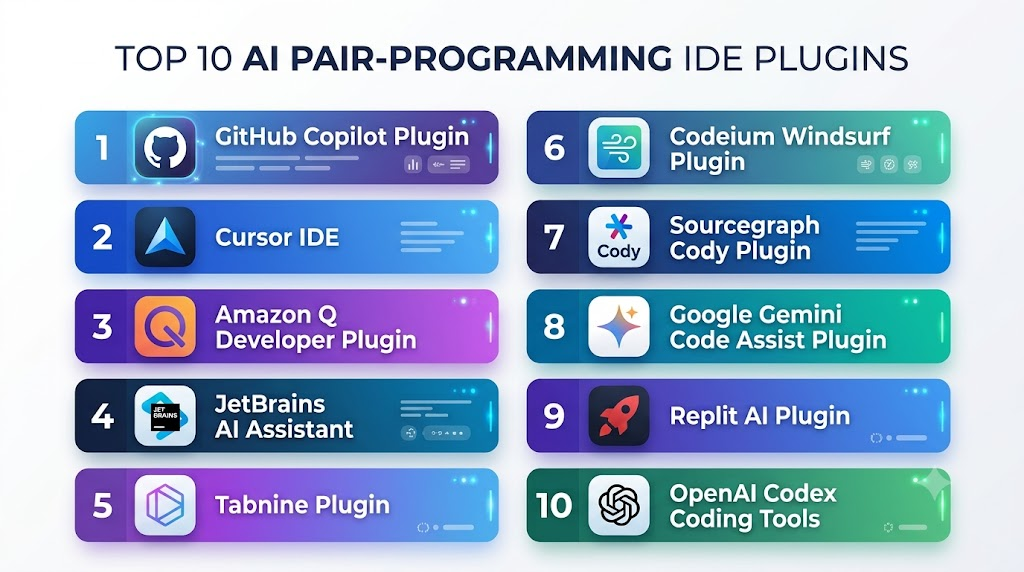
Top 10 AI Pair-Programming IDE Plugins
1- GitHub Copilot Plugin
Verdict: The most widely adopted AI pair-programming plugin for developers.
Short Description: GitHub Copilot integrates AI assistance directly into popular IDEs, helping developers write, understand, refactor, and debug code through contextual suggestions.
Key Features:
- Real-time code suggestions
- AI chat inside IDEs
- Code explanation and refactoring
- Test generation assistance
- Multi-language support
Pros:
- Excellent IDE integration
- Large developer ecosystem
Cons:
- Subscription cost
- Requires human code review
Deployment: IDE plugin and cloud service
Security & Compliance: Enterprise security controls
Integrations & Ecosystem: VS Code, Visual Studio, JetBrains IDEs
Support & Community: Large developer community
Pricing Model: Subscription-based
Best-Fit Scenarios: Individual developers and enterprise teams
2- Cursor IDE
Verdict: AI-first development environment with deep code understanding.
Short Description: Cursor combines an AI-powered editor experience with pair-programming capabilities to help developers modify, analyze, and generate code.
Key Features:
- Codebase understanding
- AI chat editing
- Natural language commands
- Debugging assistance
- Repository analysis
Pros:
- Strong contextual awareness
- Developer-friendly workflow
Cons:
- Requires switching editors
- Enterprise capabilities vary
Deployment: Desktop IDE
Security & Compliance: Depends on configuration
Integrations & Ecosystem: VS Code-compatible ecosystem
Support & Community: Growing developer community
Pricing Model: Subscription-based
Best-Fit Scenarios: Developers seeking AI-native coding workflows
3- Amazon Q Developer Plugin
Verdict: Enterprise AI pair programmer for cloud developers.
Short Description: Amazon Q Developer provides AI coding assistance inside IDEs with strong AWS development support.
Key Features:
- Code generation
- Code explanation
- AWS guidance
- Debugging support
- Application modernization
Pros:
- Strong AWS integration
- Enterprise security focus
Cons:
- Best suited for AWS users
- Limited outside AWS workflows
Deployment: IDE plugin and cloud service
Security & Compliance: AWS enterprise security standards
Integrations & Ecosystem: AWS services, IDEs, developer tools
Support & Community: AWS support ecosystem
Pricing Model: Subscription-based
Best-Fit Scenarios: AWS development teams
4- JetBrains AI Assistant
Verdict: Native AI pair programming for JetBrains developers.
Short Description: JetBrains AI Assistant provides coding support directly inside JetBrains IDEs with code generation, explanations, and productivity features.
Key Features:
- Code generation
- Documentation assistance
- Refactoring support
- Code explanation
- IDE integration
Pros:
- Excellent JetBrains experience
- Familiar developer workflow
Cons:
- Limited outside JetBrains ecosystem
- Subscription requirement
Deployment: IDE-integrated
Security & Compliance: Enterprise security options
Integrations & Ecosystem: IntelliJ IDEA, PyCharm, JetBrains tools
Support & Community: JetBrains community
Pricing Model: Subscription-based
Best-Fit Scenarios: JetBrains users
5- Tabnine Plugin
Verdict: Privacy-focused AI coding companion for teams.
Short Description: Tabnine provides AI code completion and assistance with emphasis on privacy, customization, and enterprise deployment.
Key Features:
- Code completion
- Private AI models
- Team customization
- Multiple IDE integrations
- Secure development workflows
Pros:
- Strong privacy controls
- Enterprise-friendly
Cons:
- Smaller ecosystem
- Suggestions vary by language
Deployment: Cloud and enterprise
Security & Compliance: Enterprise security controls
Integrations & Ecosystem: Multiple IDEs
Support & Community: Enterprise support
Pricing Model: Subscription-based
Best-Fit Scenarios: Security-conscious teams
6- Codeium Windsurf Plugin
Verdict: AI-powered coding environment for faster development.
Short Description: Windsurf provides AI pair-programming capabilities with code understanding, generation, and workflow assistance.
Key Features:
- AI code completion
- Context-aware chat
- Codebase understanding
- Workflow automation
- IDE support
Pros:
- Easy adoption
- Strong AI interaction model
Cons:
- Enterprise features evolving
- Smaller ecosystem
Deployment: IDE and desktop environment
Security & Compliance: Enterprise options available
Integrations & Ecosystem: Development environments
Support & Community: Developer community
Pricing Model: Free and paid options
Best-Fit Scenarios: Developers and small teams
7- Sourcegraph Cody Plugin
Verdict: AI pair programmer designed for large codebases.
Short Description: Sourcegraph Cody helps developers understand, search, and modify complex repositories using AI assistance.
Key Features:
- Repository-aware coding
- Code search
- AI chat
- Code explanation
- Enterprise controls
Pros:
- Excellent for large projects
- Strong code understanding
Cons:
- Requires setup
- Better suited for enterprise environments
Deployment: IDE plugin and enterprise platform
Security & Compliance: Enterprise security controls
Integrations & Ecosystem: Git repositories and developer tools
Support & Community: Enterprise support
Pricing Model: Subscription-based
Best-Fit Scenarios: Large engineering teams
8- Google Gemini Code Assist Plugin
Verdict: Cloud-integrated AI pair programming for developers.
Short Description: Gemini Code Assist provides AI coding support through IDE integrations with Google Cloud development workflows.
Key Features:
- Code generation
- Debugging assistance
- Code explanations
- Cloud development support
- AI chat
Pros:
- Strong Google Cloud integration
- Enterprise capabilities
Cons:
- Best within Google ecosystem
- Features vary by plan
Deployment: IDE plugin and cloud service
Security & Compliance: Google Cloud security standards
Integrations & Ecosystem: Google Cloud, IDEs
Support & Community: Google developer ecosystem
Pricing Model: Subscription-based
Best-Fit Scenarios: Google Cloud developers
9- Replit AI Plugin
Verdict: Beginner-friendly AI pair programming environment.
Short Description: Replit AI provides AI-assisted coding inside a browser-based development environment with collaboration features.
Key Features:
- Code generation
- Debugging assistance
- Project creation
- Collaboration tools
- Learning support
Pros:
- Easy for beginners
- Integrated environment
Cons:
- Less suitable for enterprise systems
- Platform dependency
Deployment: Cloud IDE
Security & Compliance: Platform-dependent
Integrations & Ecosystem: Replit environment
Support & Community: Developer community
Pricing Model: Subscription-based
Best-Fit Scenarios: Learners and rapid prototyping
10- OpenAI Codex Coding Tools
Verdict: Flexible AI coding assistance for custom workflows.
Short Description: OpenAI Codex-based tools provide AI programming capabilities for code generation, analysis, and automation through development integrations.
Key Features:
- Code generation
- Code explanation
- Programming assistance
- Automation workflows
- API integrations
Pros:
- Strong coding capabilities
- Flexible integration
Cons:
- Requires developer validation
- Usage costs vary
Deployment: Cloud/API and developer tools
Security & Compliance: Depends on implementation
Integrations & Ecosystem: APIs and development platforms
Support & Community: Developer ecosystem
Pricing Model: Usage-based
Best-Fit Scenarios: Custom AI development workflows
Comparison Table
| Platform | IDE Support | Code Understanding | AI Chat | Security | Best Use |
|---|---|---|---|---|---|
| GitHub Copilot | Excellent | High | Yes | High | Enterprise coding |
| Cursor | High | Very High | Yes | Medium | AI-native development |
| Amazon Q Developer | High | High | Yes | High | AWS development |
| JetBrains AI Assistant | Excellent | High | Yes | High | JetBrains users |
| Tabnine | High | Medium | Yes | Very High | Secure teams |
| Windsurf | High | High | Yes | Medium | Modern workflows |
| Sourcegraph Cody | High | Very High | Yes | High | Large repositories |
| Gemini Code Assist | High | High | Yes | High | Google Cloud |
| Replit AI | Medium | Medium | Yes | Medium | Learning/prototyping |
| OpenAI Codex Tools | Flexible | High | Yes | High | Custom workflows |
Evaluation & Scoring Table
| Platform | Code Quality 25% | IDE Integration 15% | Security 15% | Context Awareness 15% | Ease 10% | Performance 10% | Value 10% | Total |
|---|---|---|---|---|---|---|---|---|
| GitHub Copilot | 25 | 15 | 14 | 14 | 10 | 10 | 9 | 97 |
| Cursor | 24 | 14 | 12 | 15 | 10 | 10 | 9 | 94 |
| Amazon Q Developer | 24 | 14 | 15 | 13 | 9 | 10 | 9 | 94 |
| JetBrains AI Assistant | 23 | 15 | 14 | 13 | 10 | 9 | 8 | 92 |
| Tabnine | 22 | 14 | 15 | 12 | 9 | 9 | 9 | 90 |
| Windsurf | 23 | 13 | 12 | 14 | 10 | 10 | 9 | 91 |
| Sourcegraph Cody | 23 | 14 | 15 | 15 | 8 | 9 | 8 | 92 |
| Gemini Code Assist | 23 | 14 | 14 | 13 | 9 | 10 | 9 | 92 |
| Replit AI | 20 | 12 | 11 | 11 | 10 | 9 | 10 | 83 |
| OpenAI Codex Tools | 24 | 13 | 13 | 14 | 9 | 10 | 9 | 92 |
Which AI Pair-Programming IDE Plugin Is Right for You?
- Individual Developers: GitHub Copilot, Cursor, Windsurf
- Enterprise Teams: GitHub Copilot, Sourcegraph Cody, Amazon Q Developer
- AWS Developers: Amazon Q Developer
- Google Cloud Developers: Gemini Code Assist
- JetBrains Users: JetBrains AI Assistant
- Security-Focused Teams: Tabnine, Sourcegraph Cody
- Beginners: Replit AI, Windsurf
Common Mistakes
- Accepting generated code without review
- Ignoring privacy and security settings
- Using AI without coding standards
- Expecting fully autonomous development
- Failing to train developers properly
Frequently Asked Questions
What are AI pair-programming IDE plugins?
They are AI-powered extensions that provide coding assistance directly inside developer environments.
How are AI pair-programming plugins different from code autocomplete?
They understand broader code context and provide explanations, debugging, and development guidance.
Can AI pair programmers replace developers?
No. They improve productivity but require human review and decision-making.
Which IDEs support AI pair-programming plugins?
Most support VS Code, JetBrains IDEs, Visual Studio, and other popular environments.
Are AI coding plugins secure for enterprise use?
Many provide enterprise security controls, privacy options, and administration features.
Can these plugins generate tests?
Yes. Many assist with unit tests, test cases, and debugging workflows.
Do AI pair-programming tools support multiple languages?
Yes. Most support popular programming languages and frameworks.
Can companies customize AI coding assistants?
Some enterprise tools support private models and organization-specific configurations.
Are these tools useful for beginners?
Yes. They help users learn programming concepts and understand code.
Can AI plugins improve developer productivity?
Yes. They reduce repetitive tasks and accelerate software delivery.
Do AI coding plugins create security risks?
Poor usage practices can introduce risks, so teams need proper policies and reviews.
How should organizations adopt AI pair programmers?
Start with pilot programs, developer training, security reviews, and gradual rollout.
Conclusion
AI Pair-Programming IDE Plugins are becoming essential tools for modern software development by providing real-time coding support, debugging assistance, and intelligent development guidance. Platforms such as GitHub Copilot, Cursor, Amazon Q Developer, and Sourcegraph Cody offer different strengths based on developer workflows, security requirements, and organizational needs.
Organizations should evaluate these tools based on IDE compatibility, code quality, privacy controls, and integration requirements. A balanced adoption strategy combining AI assistance with human expertise can help teams build software faster while maintaining quality and security.
