Introduction
AI Bug Localization Tools use artificial intelligence to identify, analyze, and prioritize the location of software defects within large codebases. These tools help developers quickly understand where bugs originate by analyzing code changes, execution behavior, logs, test failures, and application patterns. Traditional debugging can be time-consuming, especially in complex applications with thousands of files and dependencies. AI-powered bug localization reduces investigation effort by providing probable root causes, suspicious code areas, and debugging recommendations. Real-world use cases include production incident analysis, automated debugging, regression investigation, large-scale application maintenance, and improving software reliability. Buyers should evaluate debugging accuracy, programming language support, IDE integration, CI/CD compatibility, AI analysis capabilities, security controls, and scalability.
Best for
Software engineering teams, DevOps organizations, enterprises, and developers managing complex applications with frequent code changes.
Not ideal for
Small projects with simple codebases or teams expecting fully automated bug fixing without developer involvement.
Key Trends
- Growth of AI-assisted debugging workflows
- Automated root cause analysis
- Integration with observability platforms
- AI-powered log and error analysis
- Developer-focused debugging assistants
- Automated regression investigation
- Integration with CI/CD pipelines
- Increased support for large codebases
- AI-based code behavior analysis
- Enterprise focus on secure debugging workflows
Methodology
- Selected tools based on debugging capabilities, developer adoption, and AI features
- Evaluated bug detection, root cause analysis, integrations, security, and automation
- Considered solutions for developers, DevOps teams, and enterprises
- Prioritized tools supporting modern software development workflows
- Reviewed scalability, customization, and enterprise readiness
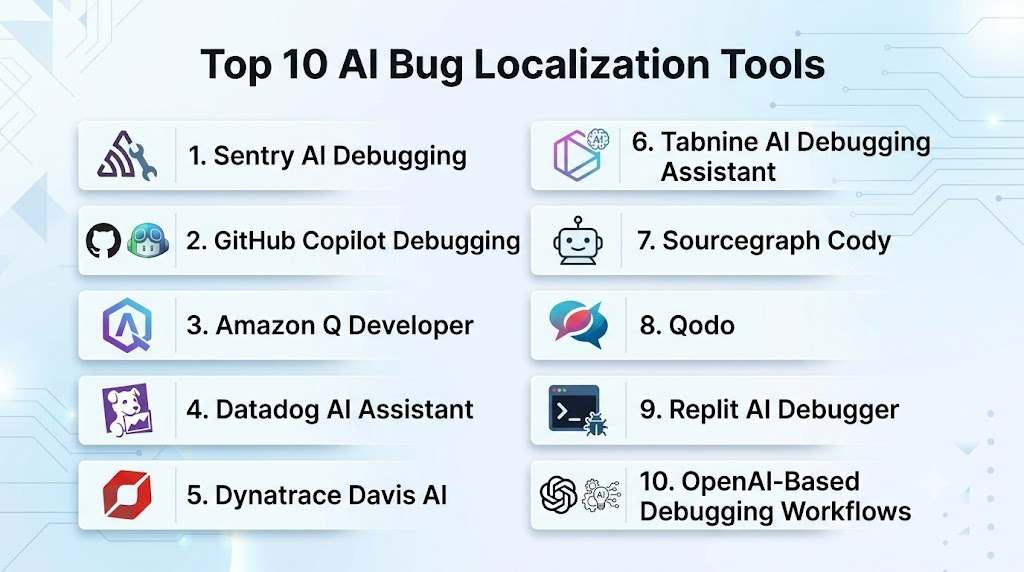
Top 10 AI Bug Localization Tools
1- Sentry AI Debugging
Verdict: AI-powered error tracking and debugging platform.
Short Description: Sentry uses AI-assisted analysis to help developers identify application errors, understand root causes, and resolve production issues faster.
Key Features:
- Error tracking
- Stack trace analysis
- AI issue summaries
- Performance monitoring
- Developer debugging insights
Pros:
- Strong production monitoring
- Easy developer adoption
Cons:
- Focused mainly on application errors
- Advanced features require paid plans
Deployment: Cloud and enterprise
Security & Compliance: Enterprise security controls
Integrations & Ecosystem: GitHub, CI/CD tools, observability platforms
Support & Community: Large developer community
Pricing Model: Subscription-based
Best-Fit Scenarios: Application teams monitoring production issues
2- GitHub Copilot Debugging
Verdict: AI coding assistant with debugging support.
Short Description: GitHub Copilot helps developers investigate bugs by analyzing code context, explaining issues, and suggesting fixes.
Key Features:
- Code explanation
- Debugging suggestions
- Error analysis
- Code refactoring
- IDE integration
Pros:
- Strong developer workflow integration
- Broad language support
Cons:
- Requires human validation
- Not a dedicated debugging platform
Deployment: IDE and cloud-based
Security & Compliance: Enterprise security options
Integrations & Ecosystem: GitHub, VS Code, JetBrains IDEs
Support & Community: Large developer community
Pricing Model: Subscription-based
Best-Fit Scenarios: Developers needing AI debugging assistance
3- Amazon Q Developer
Verdict: AI debugging assistant for cloud application development.
Short Description: Amazon Q Developer helps developers analyze errors, troubleshoot applications, and improve code quality with AI assistance.
Key Features:
- Debugging assistance
- Error explanation
- Code recommendations
- AWS troubleshooting
- Application analysis
Pros:
- Strong AWS integration
- Enterprise security focus
Cons:
- Best within AWS ecosystem
- Limited outside AWS workflows
Deployment: Cloud-based
Security & Compliance: AWS security standards
Integrations & Ecosystem: AWS services, IDEs
Support & Community: AWS ecosystem
Pricing Model: Subscription-based
Best-Fit Scenarios: AWS development teams
4- Datadog AI Assistant
Verdict: AI-powered observability and root cause analysis platform.
Short Description: Datadog uses AI capabilities to analyze application telemetry, logs, and performance data to help identify software issues.
Key Features:
- Log analysis
- Error investigation
- Performance monitoring
- Incident insights
- Infrastructure visibility
Pros:
- Strong observability ecosystem
- Enterprise scalability
Cons:
- Can become expensive
- Requires observability expertise
Deployment: Cloud-based
Security & Compliance: Enterprise security standards
Integrations & Ecosystem: Cloud platforms, monitoring tools
Support & Community: Enterprise support
Pricing Model: Usage-based
Best-Fit Scenarios: Large production environments
5- Dynatrace Davis AI
Verdict: AI-driven automated root cause analysis platform.
Short Description: Dynatrace Davis AI analyzes application performance data to identify problems and provide insights into possible causes.
Key Features:
- Root cause analysis
- Application monitoring
- Dependency analysis
- Automated insights
- Performance analytics
Pros:
- Strong enterprise monitoring
- Advanced AI analysis
Cons:
- Higher complexity
- Enterprise pricing
Deployment: Cloud and enterprise
Security & Compliance: Enterprise compliance options
Integrations & Ecosystem: Cloud, applications, DevOps tools
Support & Community: Enterprise support
Pricing Model: Subscription-based
Best-Fit Scenarios: Large-scale applications
6- Tabnine AI Debugging Assistant
Verdict: AI coding assistant with debugging support.
Short Description: Tabnine helps developers analyze code behavior, understand issues, and improve software quality through AI assistance.
Key Features:
- Code analysis
- Error explanations
- Code suggestions
- Private AI models
- IDE integration
Pros:
- Privacy-focused
- Developer-friendly
Cons:
- Limited dedicated debugging features
- Less observability support
Deployment: Cloud and enterprise
Security & Compliance: Enterprise security controls
Integrations & Ecosystem: IDEs and development tools
Support & Community: Enterprise support
Pricing Model: Subscription-based
Best-Fit Scenarios: Secure development teams
7- Sourcegraph Cody
Verdict: AI debugging assistant for large codebases.
Short Description: Sourcegraph Cody helps developers understand complex repositories, identify issues, and navigate large software systems.
Key Features:
- Codebase understanding
- Code search
- Bug investigation support
- Code explanations
- Repository analysis
Pros:
- Excellent for large repositories
- Strong context awareness
Cons:
- Requires setup
- Enterprise-focused
Deployment: Cloud and enterprise
Security & Compliance: Enterprise security controls
Integrations & Ecosystem: Git repositories, IDEs
Support & Community: Enterprise support
Pricing Model: Subscription-based
Best-Fit Scenarios: Large engineering organizations
8- Qodo
Verdict: AI-powered code quality and debugging assistant.
Short Description: Qodo helps developers analyze code, generate tests, and identify potential problems during development.
Key Features:
- Code analysis
- Test generation
- Quality checks
- AI suggestions
- Development workflow integration
Pros:
- Developer-focused
- Strong testing capabilities
Cons:
- Emerging ecosystem
- Requires validation
Deployment: Cloud and IDE-based
Security & Compliance: Enterprise options
Integrations & Ecosystem: Git workflows and IDEs
Support & Community: Developer community
Pricing Model: Subscription-based
Best-Fit Scenarios: Development teams improving quality
9- Replit AI Debugger
Verdict: Beginner-friendly AI debugging environment.
Short Description: Replit AI helps developers identify errors, understand code behavior, and fix issues inside a cloud development environment.
Key Features:
- Error explanation
- Debugging assistance
- Code suggestions
- Cloud IDE integration
- Learning support
Pros:
- Easy to use
- Good for beginners
Cons:
- Limited enterprise debugging
- Platform dependency
Deployment: Cloud IDE
Security & Compliance: Platform-dependent
Integrations & Ecosystem: Replit environment
Support & Community: Developer community
Pricing Model: Subscription-based
Best-Fit Scenarios: Beginners and prototypes
10- OpenAI-Based Debugging Workflows
Verdict: Flexible AI approach for custom debugging automation.
Short Description: Large language model-based debugging workflows help developers analyze errors, explain failures, and identify suspicious code areas.
Key Features:
- Error analysis
- Code explanation
- Root cause suggestions
- Custom automation
- API integration
Pros:
- Highly flexible
- Adaptable to workflows
Cons:
- Requires engineering effort
- Needs validation
Deployment: API and custom environments
Security & Compliance: Depends on implementation
Integrations & Ecosystem: Development tools and APIs
Support & Community: Developer ecosystem
Pricing Model: Usage-based
Best-Fit Scenarios: Custom debugging solutions
Comparison Table
| Platform | Bug Detection | Root Cause Analysis | Code Understanding | Integration | Best Use |
|---|---|---|---|---|---|
| Sentry AI | High | High | Medium | High | Production debugging |
| GitHub Copilot | High | Medium | High | Excellent | Developer debugging |
| Amazon Q Developer | High | Medium | High | High | AWS applications |
| Datadog AI | High | Very High | Medium | Very High | Observability |
| Dynatrace Davis AI | High | Very High | Medium | High | Enterprise monitoring |
| Tabnine | Medium | Medium | High | High | Secure coding |
| Sourcegraph Cody | High | High | Very High | High | Large codebases |
| Qodo | High | Medium | High | High | Code quality |
| Replit AI | Medium | Medium | Medium | Medium | Learning |
| AI Debugging Workflows | High | High | High | Medium | Custom solutions |
Evaluation & Scoring Table
| Platform | Debugging Quality 25% | Root Cause Analysis 15% | Integrations 15% | Automation 15% | Security 10% | Ease 10% | Value 10% | Total |
|---|---|---|---|---|---|---|---|---|
| Sentry AI | 24 | 14 | 14 | 14 | 9 | 10 | 9 | 94 |
| GitHub Copilot | 24 | 12 | 15 | 14 | 9 | 10 | 9 | 93 |
| Amazon Q Developer | 23 | 13 | 15 | 14 | 10 | 9 | 9 | 93 |
| Datadog AI | 25 | 15 | 15 | 14 | 9 | 8 | 8 | 94 |
| Dynatrace Davis AI | 25 | 15 | 14 | 14 | 9 | 8 | 8 | 93 |
| Tabnine | 21 | 12 | 13 | 12 | 10 | 9 | 9 | 86 |
| Sourcegraph Cody | 24 | 14 | 15 | 13 | 10 | 8 | 8 | 92 |
| Qodo | 22 | 12 | 13 | 13 | 9 | 10 | 9 | 88 |
| Replit AI | 20 | 11 | 11 | 11 | 8 | 10 | 10 | 81 |
| AI Debugging Workflows | 23 | 14 | 12 | 13 | 8 | 8 | 9 | 87 |
Which AI Bug Localization Tool Is Right for You?
- Production Monitoring: Sentry AI, Datadog AI, Dynatrace Davis AI
- Developer Debugging: GitHub Copilot, Amazon Q Developer
- Large Codebases: Sourcegraph Cody
- Security-Focused Teams: Tabnine, Datadog
- AWS Applications: Amazon Q Developer
- Custom Debugging Automation: AI-based debugging workflows
Common Mistakes
- Trusting AI root cause suggestions blindly
- Ignoring application context
- Not integrating debugging tools with monitoring
- Missing security considerations
- Failing to maintain debugging processes
Frequently Asked Questions
What are AI bug localization tools?
They are AI-powered tools that help developers identify the location and possible causes of software bugs.
How do AI tools locate bugs?
They analyze code, logs, errors, execution behavior, and application data to identify suspicious areas.
Can AI debugging tools fix bugs automatically?
Some provide suggested fixes, but developers should review changes before implementation.
Are AI bug localization tools useful for large applications?
Yes. They help manage complex codebases and reduce debugging time.
Do these tools support multiple programming languages?
Many support popular programming languages, depending on the platform.
Can AI debugging tools integrate with CI/CD pipelines?
Yes. Many connect with development and deployment workflows.
Are AI debugging tools secure for enterprises?
Enterprise solutions usually provide security controls and privacy options.
Can AI tools analyze production issues?
Yes. Observability-based tools analyze production errors and performance problems.
Do AI bug localization tools replace developers?
No. They assist developers by reducing investigation effort.
Which teams benefit most from these tools?
Development, DevOps, QA, and enterprise engineering teams.
Can startups use AI debugging tools?
Yes. Many provide scalable options for smaller teams.
How should organizations adopt AI debugging tools?
Start with pilot projects, validate recommendations, and gradually expand usage.
Conclusion
AI Bug Localization Tools are improving software debugging by helping developers identify issues faster, understand root causes, and reduce time spent investigating complex failures. Platforms such as Sentry AI, GitHub Copilot, Datadog AI, and Dynatrace Davis AI provide different approaches based on application monitoring, code analysis, and enterprise debugging requirements.
