Introduction
AI Architecture Diagram Generators use artificial intelligence to automatically create visual representations of software systems, cloud environments, infrastructure designs, application workflows, and technical architectures. These tools help architects, developers, DevOps teams, and engineering leaders quickly transform descriptions, code structures, infrastructure data, or design requirements into understandable diagrams. Traditional architecture documentation often requires significant manual effort, making it difficult to keep diagrams updated as systems evolve. AI-powered diagram generators improve this process by creating architecture views, suggesting components, organizing relationships, and accelerating technical documentation. Real-world use cases include cloud architecture planning, system design documentation, DevOps infrastructure visualization, application modernization, security reviews, and developer onboarding. Buyers should evaluate diagram accuracy, cloud platform support, customization options, collaboration features, export capabilities, integrations, and enterprise security controls.
Best for
Cloud architects, software engineers, DevOps teams, solution architects, technical writers, and enterprises documenting complex systems.
Not ideal for
Teams requiring fully automated architecture decisions without human review or projects where highly specialized diagram standards are mandatory.
Key Trends
- Growth of AI-generated technical documentation
- Automated cloud architecture visualization
- Natural language-based diagram creation
- Integration with infrastructure-as-code workflows
- AI-assisted system design planning
- Better collaboration between engineering teams
- Automated diagram updates from cloud resources
- Increased adoption of visual documentation
- Support for multi-cloud architecture visualization
- Integration with DevOps and security workflows
Methodology
- Selected tools based on AI diagram generation capabilities and technical usefulness
- Evaluated architecture accuracy, customization, integrations, collaboration, and scalability
- Considered solutions for developers, architects, and enterprises
- Prioritized tools supporting cloud and software architecture workflows
- Reviewed usability, export options, and enterprise readiness
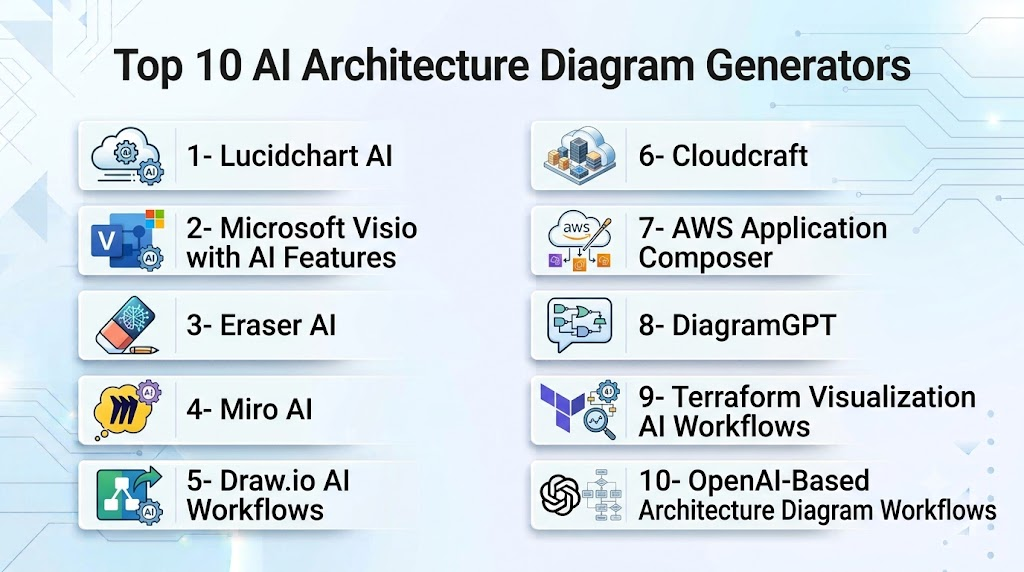
Top 10 AI Architecture Diagram Generators
1- Lucidchart AI
Verdict: Enterprise-friendly AI diagramming platform with strong collaboration features.
Short Description: Lucidchart AI helps teams create architecture diagrams, workflows, and technical visuals using AI-assisted generation and intelligent diagramming capabilities.
Key Features:
- AI diagram generation
- Architecture templates
- Collaboration tools
- Cloud architecture visualization
- Diagram automation
Pros:
- Strong enterprise collaboration
- Easy-to-use interface
Cons:
- Advanced features require paid plans
- Complex diagrams need manual refinement
Deployment: Cloud-based
Security & Compliance: Enterprise security controls
Integrations & Ecosystem: Productivity tools, cloud platforms, collaboration systems
Support & Community: Enterprise support
Pricing Model: Subscription-based
Best-Fit Scenarios: Enterprise architecture teams
2- Microsoft Visio with AI Features
Verdict: Professional diagramming solution integrated with Microsoft workflows.
Short Description: Microsoft Visio provides architecture diagram creation with AI-assisted features, templates, and enterprise collaboration capabilities.
Key Features:
- Architecture templates
- Diagram automation
- Cloud design visualization
- Collaboration support
- Microsoft ecosystem integration
Pros:
- Strong enterprise adoption
- Familiar Microsoft environment
Cons:
- Requires Microsoft ecosystem
- Advanced diagrams need expertise
Deployment: Desktop and cloud
Security & Compliance: Microsoft enterprise security
Integrations & Ecosystem: Microsoft 365 and enterprise tools
Support & Community: Microsoft support ecosystem
Pricing Model: Subscription-based
Best-Fit Scenarios: Enterprise organizations
3- Eraser AI
Verdict: Developer-focused AI diagramming and technical documentation tool.
Short Description: Eraser helps engineering teams create technical diagrams, architecture documentation, and system designs using AI-assisted workflows.
Key Features:
- AI diagram creation
- Architecture sketches
- Technical documentation
- Developer collaboration
- Code-related diagrams
Pros:
- Built for technical teams
- Fast diagram creation
Cons:
- Smaller ecosystem
- Limited enterprise features
Deployment: Cloud-based
Security & Compliance: Security options available
Integrations & Ecosystem: Developer workflows and documentation tools
Support & Community: Developer community
Pricing Model: Subscription-based
Best-Fit Scenarios: Software engineering teams
4- Miro AI
Verdict: Collaborative visual workspace with AI diagram capabilities.
Short Description: Miro AI helps teams create architecture maps, workflows, and technical diagrams through collaborative visual tools.
Key Features:
- AI-assisted diagram creation
- Visual collaboration
- Architecture mapping
- Brainstorming workflows
- Team collaboration
Pros:
- Excellent collaboration
- Flexible visual workspace
Cons:
- Less specialized for architecture
- Large diagrams may require management
Deployment: Cloud-based
Security & Compliance: Enterprise security controls
Integrations & Ecosystem: Productivity and collaboration tools
Support & Community: Large user community
Pricing Model: Subscription-based
Best-Fit Scenarios: Distributed engineering teams
5- Draw.io AI Workflows
Verdict: Flexible diagramming solution enhanced with AI workflows.
Short Description: Draw.io provides customizable architecture diagram creation with AI-assisted approaches for generating technical visuals.
Key Features:
- Architecture diagrams
- Cloud infrastructure visuals
- Custom templates
- Export options
- Collaboration support
Pros:
- Flexible and accessible
- Strong diagram capabilities
Cons:
- AI features depend on integrations
- Requires manual configuration
Deployment: Cloud and desktop
Security & Compliance: Depends on implementation
Integrations & Ecosystem: Documentation platforms and storage tools
Support & Community: Open-source community
Pricing Model: Free and enterprise options
Best-Fit Scenarios: Technical teams needing flexibility
6- Cloudcraft
Verdict: Cloud architecture visualization platform for infrastructure teams.
Short Description: Cloudcraft helps teams create cloud architecture diagrams and visualize infrastructure environments with automation capabilities.
Key Features:
- Cloud architecture diagrams
- Infrastructure visualization
- Cost estimation
- AWS environment mapping
- Architecture documentation
Pros:
- Strong cloud visualization
- Useful for AWS environments
Cons:
- Cloud-focused
- Limited outside infrastructure diagrams
Deployment: Cloud-based
Security & Compliance: Cloud security controls
Integrations & Ecosystem: Cloud platforms and infrastructure tools
Support & Community: Technical support
Pricing Model: Subscription-based
Best-Fit Scenarios: Cloud architects
7- AWS Application Composer
Verdict: Cloud-native architecture design tool for AWS applications.
Short Description: AWS Application Composer helps developers visually design serverless and cloud application architectures.
Key Features:
- Cloud architecture design
- Infrastructure visualization
- AWS service integration
- Template generation
- Application planning
Pros:
- Strong AWS integration
- Useful for serverless architecture
Cons:
- AWS-specific
- Limited multi-cloud support
Deployment: Cloud-based
Security & Compliance: AWS security standards
Integrations & Ecosystem: AWS services
Support & Community: AWS ecosystem
Pricing Model: Service-based
Best-Fit Scenarios: AWS application architects
8- DiagramGPT
Verdict: AI-powered diagram generation from natural language.
Short Description: DiagramGPT creates diagrams from text descriptions, helping users quickly visualize systems, workflows, and technical concepts.
Key Features:
- Natural language diagram creation
- Architecture visualization
- Automated layouts
- Quick prototyping
- Export capabilities
Pros:
- Fast generation
- Simple workflow
Cons:
- Requires manual validation
- Limited enterprise features
Deployment: Cloud-based
Security & Compliance: Depends on provider
Integrations & Ecosystem: Diagram workflows
Support & Community: Community-driven
Pricing Model: Tool dependent
Best-Fit Scenarios: Rapid architecture drafts
9- Terraform Visualization AI Workflows
Verdict: AI-assisted infrastructure visualization approach.
Short Description: AI-powered workflows combined with infrastructure-as-code tools help teams convert cloud configurations into architecture diagrams.
Key Features:
- Infrastructure visualization
- Resource mapping
- Cloud architecture analysis
- Documentation generation
- Automation workflows
Pros:
- Useful for infrastructure teams
- Supports IaC workflows
Cons:
- Requires configuration data
- Depends on connected tools
Deployment: Cloud and enterprise
Security & Compliance: Depends on implementation
Integrations & Ecosystem: Terraform and cloud platforms
Support & Community: Developer ecosystem
Pricing Model: Tool dependent
Best-Fit Scenarios: DevOps teams
10- OpenAI-Based Architecture Diagram Workflows
Verdict: Flexible AI approach for custom architecture visualization.
Short Description: Large language model-based workflows can generate architecture diagrams from technical descriptions, requirements, and system information.
Key Features:
- Natural language diagram generation
- Architecture explanation
- System design assistance
- Custom templates
- Automation workflows
Pros:
- Highly flexible
- Supports custom requirements
Cons:
- Requires validation
- Needs integration effort
Deployment: API and custom environments
Security & Compliance: Depends on implementation
Integrations & Ecosystem: APIs, documentation systems, engineering tools
Support & Community: Developer ecosystem
Pricing Model: Usage-based
Best-Fit Scenarios: Custom architecture documentation
Comparison Table
| Platform | AI Generation | Cloud Architecture Support | Collaboration | Customization | Best Use |
|---|---|---|---|---|---|
| Lucidchart AI | High | High | Excellent | High | Enterprise diagrams |
| Microsoft Visio | Medium | High | High | High | Microsoft environments |
| Eraser AI | Very High | Medium | High | Medium | Developer diagrams |
| Miro AI | High | Medium | Excellent | High | Team collaboration |
| Draw.io | Medium | Medium | High | Very High | Flexible diagrams |
| Cloudcraft | Medium | Very High | Medium | High | Cloud architecture |
| AWS Application Composer | Medium | Very High | Medium | Medium | AWS design |
| DiagramGPT | High | Medium | Medium | Medium | Quick prototypes |
| Terraform AI Workflows | High | Very High | Medium | High | Infrastructure teams |
| OpenAI Workflows | Very High | High | Custom | Very High | Custom solutions |
Evaluation & Scoring Table
| Platform | Diagram Quality 25% | AI Capability 15% | Integrations 15% | Collaboration 15% | Customization 10% | Ease 10% | Value 10% | Total |
|---|---|---|---|---|---|---|---|---|
| Lucidchart AI | 24 | 14 | 15 | 15 | 9 | 10 | 9 | 96 |
| Microsoft Visio | 23 | 12 | 15 | 14 | 10 | 9 | 9 | 92 |
| Eraser AI | 24 | 15 | 13 | 13 | 9 | 10 | 9 | 93 |
| Miro AI | 23 | 14 | 14 | 15 | 10 | 10 | 9 | 95 |
| Draw.io | 22 | 11 | 13 | 14 | 10 | 10 | 10 | 90 |
| Cloudcraft | 24 | 12 | 14 | 12 | 9 | 9 | 9 | 89 |
| AWS Application Composer | 22 | 11 | 15 | 12 | 8 | 10 | 9 | 87 |
| DiagramGPT | 22 | 15 | 11 | 11 | 8 | 10 | 9 | 86 |
| Terraform AI Workflows | 23 | 14 | 14 | 12 | 9 | 8 | 9 | 89 |
| OpenAI Workflows | 24 | 15 | 12 | 11 | 10 | 8 | 9 | 89 |
Which AI Architecture Diagram Generator Is Right for You?
- Enterprise Architecture Teams: Lucidchart AI, Microsoft Visio
- Developer Teams: Eraser AI, Draw.io
- Cloud Architects: Cloudcraft, AWS Application Composer
- Infrastructure Teams: Terraform-based AI workflows
- Collaborative Design Teams: Miro AI
- Custom Architecture Automation: OpenAI-based workflows
Common Mistakes
- Trusting AI-generated diagrams without validation
- Ignoring architecture accuracy
- Not updating diagrams after infrastructure changes
- Using tools without documentation standards
- Overlooking security details
Frequently Asked Questions
What are AI architecture diagram generators?
They are tools that use artificial intelligence to create technical architecture diagrams from descriptions, code, or infrastructure information.
Can AI generate cloud architecture diagrams?
Yes. Many tools support cloud infrastructure visualization and architecture planning.
Can these tools understand source code?
Some AI tools can analyze code structures and create related diagrams.
Are AI-generated architecture diagrams accurate?
They provide useful drafts but require technical review by architects.
Do AI diagram tools support AWS and cloud platforms?
Many support cloud architecture visualization, including major cloud environments.
Can AI tools create software architecture diagrams?
Yes. They can generate system designs, workflows, and component diagrams.
Do these tools integrate with DevOps workflows?
Many integrate with infrastructure tools, repositories, and documentation platforms.
Are AI architecture tools suitable for enterprises?
Yes. Enterprise solutions provide collaboration, security, and governance features.
Can AI diagrams replace solution architects?
No. They assist architects but do not replace technical decision-making.
Can teams customize generated diagrams?
Most tools allow editing, templates, and customization.
Do AI diagram generators support multi-cloud environments?
Some support multiple cloud platforms, while others focus on specific providers.
How should organizations adopt AI diagram tools?
Start with documentation needs, validate outputs, and gradually integrate automation.
Conclusion
AI Architecture Diagram Generators are improving how organizations design, document, and communicate complex technical systems. Tools such as Lucidchart AI, Eraser AI, Miro AI, and Cloudcraft help teams create architecture visuals faster while reducing manual documentation effort.
Organizations should choose solutions based on architecture complexity, cloud requirements, collaboration needs, and customization expectations. Combining AI-generated diagrams with expert review enables clearer documentation, faster planning, and better technical collaboration.
