Introduction
AI UI-to-Code Generators use artificial intelligence to transform visual designs, screenshots, wireframes, prototypes, and natural language descriptions into functional frontend code. These tools help designers and developers accelerate application development by converting user interfaces into reusable components, layouts, and production-ready code structures. Traditional UI implementation often requires significant manual effort to translate design concepts into responsive interfaces. AI-powered UI-to-Code tools reduce this gap by understanding visual patterns, generating frontend components, and improving collaboration between design and engineering teams.
Real-world use cases include converting design files into frontend components, creating application prototypes, generating responsive layouts, accelerating MVP development, improving designer-developer collaboration, modernizing user interfaces, and reducing frontend development effort. Buyers should evaluate code quality, framework support, design accuracy, customization options, responsive behavior, integrations, and enterprise security capabilities.
Best for
Frontend developers, UI/UX teams, startups, product teams, and organizations looking to accelerate interface development.
Not ideal for
Projects requiring highly customized interfaces where generated code requires extensive manual restructuring or teams needing complete replacement of frontend engineering.
Key Trends
- Growth of AI-generated frontend development
- Screenshot-to-code workflows
- Design-to-development automation
- AI-powered component generation
- Better support for modern frontend frameworks
- Increased designer-developer collaboration
- Automated responsive UI creation
- Integration with design platforms
- Faster prototyping workflows
- Enterprise adoption of AI-assisted development
Methodology
- Selected tools based on UI generation capabilities and developer adoption
- Evaluated design conversion accuracy, framework support, customization, integrations, and scalability
- Considered solutions for designers, developers, startups, and enterprises
- Prioritized tools supporting modern frontend workflows
- Reviewed usability, collaboration, and enterprise readiness
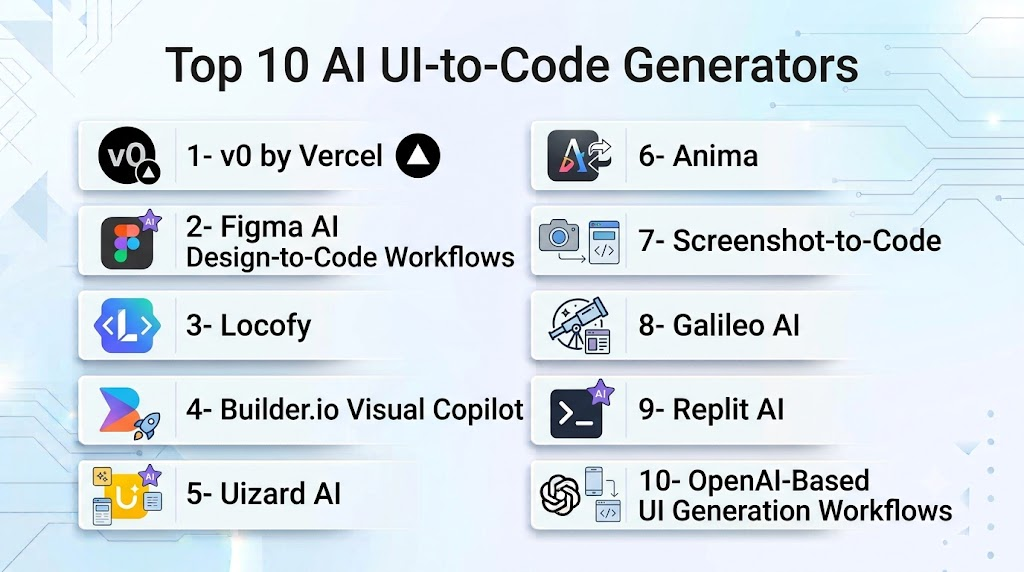
Top 10 AI UI-to-Code Generators
1- v0 by Vercel
Verdict: Advanced AI tool for generating modern frontend interfaces from descriptions.
Short Description: v0 helps developers create UI components and frontend applications using natural language prompts while generating modern frontend code.
Key Features:
- Prompt-to-UI generation
- React component creation
- Responsive layouts
- Modern design patterns
- Frontend code generation
Pros:
- Strong frontend output quality
- Developer-friendly workflow
Cons:
- Best suited for modern web applications
- Requires frontend knowledge for refinement
Deployment: Cloud-based
Security & Compliance: Depends on configuration
Integrations & Ecosystem: Frontend development workflows
Support & Community: Developer community
Pricing Model: Subscription-based
Best-Fit Scenarios: Frontend developers and startups
2- Figma AI Design-to-Code Workflows
Verdict: AI-assisted conversion from design concepts to frontend implementation.
Short Description: Figma AI workflows help teams transform design concepts into developer-ready UI structures and accelerate design handoff processes.
Key Features:
- Design interpretation
- Component generation
- Layout assistance
- Design collaboration
- Prototype support
Pros:
- Strong design ecosystem
- Excellent collaboration
Cons:
- Generated code quality varies
- Requires developer refinement
Deployment: Cloud-based
Security & Compliance: Enterprise security controls
Integrations & Ecosystem: Design and developer workflows
Support & Community: Large design community
Pricing Model: Subscription-based
Best-Fit Scenarios: Design-to-development teams
3- Locofy
Verdict: AI-powered design-to-code platform for frontend development.
Short Description: Locofy converts designs into frontend code for frameworks and platforms, helping teams accelerate UI implementation.
Key Features:
- Design-to-code conversion
- React support
- Responsive layouts
- Component generation
- Developer handoff
Pros:
- Strong design integration
- Saves frontend development time
Cons:
- Requires design cleanup
- Complex interfaces need adjustments
Deployment: Cloud-based
Security & Compliance: Enterprise options available
Integrations & Ecosystem: Design platforms and frontend tools
Support & Community: Developer community
Pricing Model: Subscription-based
Best-Fit Scenarios: Product design teams
4- Builder.io Visual Copilot
Verdict: AI-powered design-to-code solution for modern web applications.
Short Description: Builder.io Visual Copilot converts designs into frontend components while supporting modern frameworks and development workflows.
Key Features:
- Figma-to-code conversion
- Component generation
- Frontend framework support
- Visual editing
- Code export
Pros:
- Strong enterprise workflows
- Good framework support
Cons:
- Requires technical setup
- Advanced usage needs expertise
Deployment: Cloud-based
Security & Compliance: Enterprise security options
Integrations & Ecosystem: Frontend frameworks and design tools
Support & Community: Developer support
Pricing Model: Subscription-based
Best-Fit Scenarios: Enterprise frontend teams
5- Uizard AI
Verdict: AI-powered UI design and prototyping platform.
Short Description: Uizard helps users create interface designs, prototypes, and application concepts using AI-assisted design workflows.
Key Features:
- Screenshot transformation
- Prototype generation
- UI design assistance
- Wireframe creation
- Collaboration tools
Pros:
- Easy for non-designers
- Fast prototyping
Cons:
- Less focused on production code
- Requires developer refinement
Deployment: Cloud-based
Security & Compliance: Platform security controls
Integrations & Ecosystem: Design workflows
Support & Community: User community
Pricing Model: Subscription-based
Best-Fit Scenarios: Product prototyping
6- Anima
Verdict: Design-to-code platform focused on frontend acceleration.
Short Description: Anima converts design files into responsive frontend code and helps teams bridge design and development workflows.
Key Features:
- Design conversion
- Responsive layouts
- Frontend code generation
- Prototype creation
- Collaboration tools
Pros:
- Strong design workflow integration
- Good for prototypes
Cons:
- Generated code may require cleanup
- Limited complex logic support
Deployment: Cloud-based
Security & Compliance: Enterprise options available
Integrations & Ecosystem: Design platforms and frontend tools
Support & Community: Design community
Pricing Model: Subscription-based
Best-Fit Scenarios: Design teams creating prototypes
7- Screenshot-to-Code
Verdict: AI-powered screenshot conversion tool for frontend development.
Short Description: Screenshot-to-Code transforms UI screenshots into frontend code by analyzing visual elements, layouts, and styling patterns.
Key Features:
- Screenshot analysis
- HTML/CSS generation
- Frontend component creation
- Layout recreation
- Code export
Pros:
- Fast conversion process
- Useful for prototypes
Cons:
- Requires code refinement
- Complex designs may vary
Deployment: Cloud and developer environments
Security & Compliance: Depends on implementation
Integrations & Ecosystem: Frontend workflows
Support & Community: Developer community
Pricing Model: Tool dependent
Best-Fit Scenarios: Rapid UI recreation
8- Galileo AI
Verdict: AI design generation platform for creating interface concepts.
Short Description: Galileo AI helps teams generate UI concepts and design layouts from text descriptions.
Key Features:
- AI interface generation
- Design concepts
- Layout creation
- Visual exploration
- Prototype assistance
Pros:
- Fast design ideation
- Useful for product teams
Cons:
- More design-focused than code-focused
- Requires development conversion
Deployment: Cloud-based
Security & Compliance: Platform-dependent
Integrations & Ecosystem: Design workflows
Support & Community: Design community
Pricing Model: Subscription-based
Best-Fit Scenarios: UI exploration and prototyping
9- Replit AI
Verdict: AI coding platform supporting UI generation workflows.
Short Description: Replit AI helps developers create frontend applications from descriptions with AI-assisted coding and development support.
Key Features:
- UI code generation
- Application creation
- Debugging assistance
- Cloud development
- Collaboration
Pros:
- Easy experimentation
- Fast prototype development
Cons:
- Enterprise features vary
- Requires technical review
Deployment: Cloud IDE
Security & Compliance: Platform-dependent
Integrations & Ecosystem: Replit environment
Support & Community: Developer community
Pricing Model: Subscription-based
Best-Fit Scenarios: Developers and learners
10- OpenAI-Based UI Generation Workflows
Verdict: Flexible AI approach for custom UI-to-code automation.
Short Description: Large language model-based workflows help convert design requirements, screenshots, and descriptions into frontend components and application interfaces.
Key Features:
- UI generation
- Component creation
- Code explanation
- Custom workflows
- Frontend automation
Pros:
- Highly customizable
- Supports different frameworks
Cons:
- Requires implementation effort
- Needs frontend validation
Deployment: API and custom environments
Security & Compliance: Depends on implementation
Integrations & Ecosystem: APIs, design tools, development platforms
Support & Community: Developer ecosystem
Pricing Model: Usage-based
Best-Fit Scenarios: Custom UI automation
Comparison Table
| Platform | UI Generation | Code Quality | Framework Support | Design Integration | Best Use |
|---|---|---|---|---|---|
| v0 by Vercel | Very High | High | High | Medium | Frontend development |
| Figma AI Workflows | High | Medium | Medium | Excellent | Design handoff |
| Locofy | High | High | High | Excellent | Design-to-code |
| Builder.io Visual Copilot | High | High | High | High | Enterprise apps |
| Uizard | High | Medium | Low | High | Prototyping |
| Anima | High | Medium | Medium | High | Design conversion |
| Screenshot-to-Code | High | Medium | Medium | Medium | UI recreation |
| Galileo AI | High | Low | Low | High | Design concepts |
| Replit AI | Medium | High | High | Medium | App prototypes |
| OpenAI Workflows | Very High | High | Custom | Custom | Custom solutions |
Evaluation & Scoring Table
| Platform | UI Accuracy 25% | Code Quality 15% | Framework Support 15% | Integrations 15% | AI Capability 10% | Ease 10% | Value 10% | Total |
|---|---|---|---|---|---|---|---|---|
| v0 by Vercel | 25 | 14 | 15 | 13 | 10 | 10 | 9 | 96 |
| Figma AI Workflows | 24 | 12 | 13 | 15 | 9 | 10 | 9 | 92 |
| Locofy | 24 | 14 | 15 | 15 | 9 | 9 | 9 | 95 |
| Builder.io Visual Copilot | 24 | 14 | 15 | 14 | 9 | 9 | 8 | 93 |
| Uizard | 23 | 11 | 10 | 14 | 10 | 10 | 9 | 87 |
| Anima | 23 | 12 | 12 | 14 | 9 | 10 | 9 | 89 |
| Screenshot-to-Code | 22 | 12 | 12 | 11 | 9 | 10 | 9 | 85 |
| Galileo AI | 23 | 10 | 9 | 13 | 10 | 10 | 8 | 83 |
| Replit AI | 21 | 13 | 13 | 11 | 9 | 10 | 10 | 87 |
| OpenAI Workflows | 24 | 14 | 15 | 12 | 10 | 8 | 9 | 92 |
Which AI UI-to-Code Generator Is Right for You?
- Frontend Developers: v0 by Vercel, Replit AI
- Design-to-Code Teams: Locofy, Builder.io Visual Copilot, Anima
- Enterprise Product Teams: Builder.io, Figma workflows
- Rapid Prototyping: Uizard, Galileo AI
- Screenshot Conversion: Screenshot-to-Code
- Custom AI UI Workflows: OpenAI-based solutions
Common Mistakes
- Using generated code without review
- Ignoring responsive behavior
- Skipping accessibility checks
- Expecting perfect production code
- Not maintaining frontend standards
Frequently Asked Questions
What are AI UI-to-Code generators?
They are AI tools that convert designs, screenshots, and descriptions into frontend code.
Can AI create complete frontend applications?
Some tools can generate functional interfaces, but developers need to refine and maintain them.
Which frameworks do AI UI-to-Code tools support?
Many support React, HTML, CSS, JavaScript, and other modern frontend frameworks.
Can AI convert screenshots into code?
Yes. Several tools analyze screenshots and generate similar interface structures.
Are AI-generated UI components production-ready?
They require testing, optimization, and developer review before production use.
Do these tools improve frontend development speed?
Yes. They reduce manual UI implementation effort.
Can designers use AI UI-to-Code tools?
Yes. Many tools help designers create prototypes and developer-ready outputs.
Are AI UI generators secure for enterprises?
Enterprise solutions provide security controls, but organizations should review policies.
Can AI tools maintain design systems?
Some support reusable components and design consistency.
Do these tools replace frontend developers?
No. They assist developers by accelerating UI creation.
Can startups benefit from AI UI generation?
Yes. They help build prototypes and MVPs faster.
How should teams adopt UI-to-Code tools?
Start with prototypes, validate generated code, and gradually expand usage.
Conclusion
AI UI-to-Code Generators are transforming frontend development by helping teams convert designs and ideas into functional interfaces faster. Tools such as v0 by Vercel, Locofy, Builder.io Visual Copilot, and Figma AI workflows provide different approaches for developers, designers, and product teams.
Organizations should select tools based on framework support, code quality, design accuracy, and workflow integration. Combining AI-generated interfaces with frontend expertise helps teams create better user experiences while improving development efficiency.
