Introduction
AI Photo Editing Copilots use artificial intelligence, computer vision, generative models, and automated image analysis to help photographers, designers, marketers, and content creators edit photographs faster. Instead of requiring every adjustment to be performed manually, these tools can recommend corrections, identify subjects, remove distractions, enhance details, retouch portraits, replace backgrounds, and generate new image elements.
Traditional photo editing can involve complex selections, masks, layers, brushes, color adjustments, and retouching techniques. These workflows provide precise creative control but can be time-consuming for beginners and professionals managing large image collections.
An AI photo editing copilot acts as an intelligent assistant within the editing process. It can analyze an image, recognize the sky, people, faces, objects, lighting conditions, noise, blur, and depth, and then suggest or apply appropriate adjustments. Some platforms focus on professional RAW editing, while others emphasize fast social-media content, portrait retouching, image restoration, or generative editing.
Adobe Photoshop, for example, supports prompt-based Generative Fill for adding, removing, and extending image content, while Lightroom includes AI-assisted masking and generative removal tools. (Adobe)
These platforms are commonly integrated with Digital Asset Management systems, cloud storage, creative collaboration tools, marketing platforms, desktop editing applications, and mobile content workflows.
Common Use Cases
- Automatic lighting and color correction
- Portrait and skin retouching
- Background removal or replacement
- Object and distraction removal
- Generative image expansion
- RAW photo processing
- Noise reduction and sharpening
- Face and detail recovery
- Product photo enhancement
- Batch editing
- Old photo restoration
- Social media content creation
What Buyers Should Evaluate
Organizations should compare AI photo editing copilots based on editing quality, manual control, RAW file support, generative editing, batch processing, platform compatibility, privacy, licensing, collaboration, and workflow integration.
Professional photographers usually need nondestructive RAW editing, accurate color management, masking, lens corrections, and export controls. Marketing teams may prioritize templates, background replacement, brand consistency, and fast content resizing. E-commerce teams often need batch processing, product cleanup, shadow creation, and consistent backgrounds.
Key Trends
AI photo editing is moving from one-click enhancement toward conversational and prompt-based editing. Users can increasingly describe the desired change rather than manually selecting every adjustment.
Generative object removal is also becoming more context-aware. Instead of merely cloning neighboring pixels, modern tools can reconstruct missing backgrounds and textures.
Other major developments include automatic subject masking, portrait-specific retouching, intelligent image restoration, browser-based editing, local AI processing, and closer integration between image generation and traditional layer-based editing.
Methodology
The platforms were assessed using the following factors:
- Core editing capabilities
- Ease of use
- Integrations and ecosystem
- Security and governance
- Performance and reliability
- Support and community
- Price and overall value
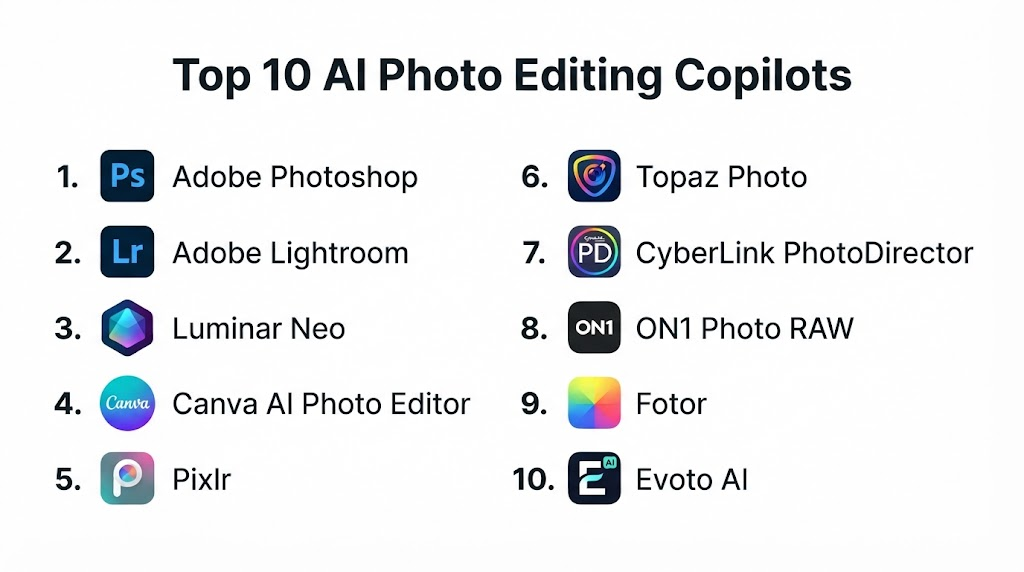
Top 10 AI Photo Editing Copilots
1. Adobe Photoshop
Adobe Photoshop is a professional image editing platform that combines layers, masks, selections, retouching, compositing, and generative AI. Its Generative Fill capability allows users to add, remove, replace, or expand visual content through text instructions while maintaining a nondestructive editing workflow. (Adobe)
Key Features
- Generative Fill
- Generative Expand
- Object removal
- AI-powered selections
- Background replacement
- Layer-based editing
- Neural filters
- Professional retouching
- Composite image creation
- RAW workflow integration
Pros
- Excellent professional editing capabilities
- Precise manual and AI-assisted controls
- Strong Creative Cloud ecosystem
- Suitable for complex compositing
- Extensive plugins, tutorials, and community resources
Cons
- Steeper learning curve than simplified editors
- Subscription pricing may not suit occasional users
- Advanced projects can require powerful hardware
Platforms
Windows, macOS, web, and supported mobile experiences.
Deployment or Support
Cloud-connected desktop and web applications.
Security & Compliance
Enterprise security and compliance capabilities are available through Adobe business offerings. Specific requirements should be confirmed for the selected plan.
Integrations & Ecosystem
Adobe Lightroom, Firefly, Illustrator, Premiere Pro, After Effects, Frame.io, cloud storage, DAM systems, and third-party plugins.
Support & Community
Extensive documentation, training resources, professional communities, and enterprise support.
2. Adobe Lightroom
Adobe Lightroom is designed for photographers who need nondestructive editing, photo organization, RAW processing, cloud synchronization, and efficient batch workflows. Its AI tools support subject selection, sky masking, lens blur, and generative object removal. (Adobe)
Key Features
- AI masking
- Subject and sky selection
- Generative Remove
- RAW processing
- Lens corrections
- Presets
- Batch editing
- Cloud synchronization
- Photo organization
- Mobile editing
Pros
- Strong photography workflow
- Excellent RAW file support
- Nondestructive editing
- Works across multiple devices
- Efficient for large photo collections
Cons
- Complex pixel-level editing generally requires Photoshop
- Subscription required for the complete ecosystem
- Cloud storage requirements may increase costs
Platforms
Windows, macOS, web, iOS, iPadOS, and Android.
Deployment or Support
Cloud-connected and desktop photography workflow.
Security & Compliance
Enterprise controls vary by Adobe plan.
Integrations & Ecosystem
Photoshop, Creative Cloud, cloud storage, camera workflows, portfolio tools, and publishing services.
Support & Community
Extensive tutorials, professional photography resources, and enterprise support.
3. Luminar Neo
Luminar Neo is an AI-focused photo editor designed to simplify creative enhancements, portrait work, sky editing, relighting, and layer-based image composition. It combines automated adjustments with manual editing controls and supports desktop photography workflows. (Skylum)
Key Features
- AI image enhancement
- Portrait retouching
- Sky replacement
- Relighting
- Object removal
- Background tools
- Layers
- Presets
- RAW processing
- Creative effects
Pros
- Beginner-friendly interface
- Strong portrait and landscape tools
- Fast creative enhancements
- Useful automatic recommendations
- Available as a standalone editor
Cons
- Less precise than Photoshop for complex compositing
- Some advanced tools may require extensions or higher plans
- Performance depends on system hardware
Platforms
Windows and macOS, with additional mobile options.
Deployment or Support
Desktop software with cloud-connected services.
Security & Compliance
Not publicly stated for all plans.
Integrations & Ecosystem
Photography plugins, desktop workflows, image export tools, and creative presets.
Support & Community
Product documentation, tutorials, user community, and customer support.
4. Canva AI Photo Editor
Canva combines photo editing, generative design, templates, brand management, social media publishing, and team collaboration. Its AI editing tools are particularly useful for marketers and business users who need quick content production rather than advanced photographic retouching.
Key Features
- Magic Edit
- Background removal
- Object removal
- Generative image tools
- Image expansion
- Templates
- Brand kits
- Automatic resizing
- Collaborative editing
- Social media publishing
Pros
- Very easy to use
- Strong collaboration features
- Extensive template library
- Useful for marketing and social content
- Supports brand-controlled workflows
Cons
- Limited professional RAW editing
- Less precise than layer-based desktop editors
- Some AI features depend on the selected plan
Platforms
Web, Windows, macOS, iOS, and Android.
Deployment or Support
Cloud-based SaaS.
Security & Compliance
Enterprise governance is available through business offerings. Exact certifications vary by plan.
Integrations & Ecosystem
Cloud storage, marketing platforms, social networks, productivity tools, and content publishing systems.
Support & Community
Help center, tutorials, templates, community resources, and business support.
5. Pixlr
Pixlr is a browser-based AI photo editor that combines traditional image editing with generative fill, background removal, image generation, object removal, and rapid design tools. It is well suited to users who want an accessible alternative without installing a large professional application. (Pixlr)
Key Features
- AI background removal
- Generative Fill
- Object removal
- Image generation
- Layers
- Filters and effects
- Collage creation
- Browser-based editing
- Mobile support
- Quick export
Pros
- Easy browser access
- Suitable for beginners
- Combines editing and generation
- Fast for everyday creative work
- Offers accessible entry options
Cons
- Limited advanced color-management workflows
- Less suitable for large professional RAW libraries
- Browser performance depends on device and connection
Platforms
Web, iOS, and Android.
Deployment or Support
Cloud-based SaaS and mobile apps.
Security & Compliance
Not publicly stated for all offerings.
Integrations & Ecosystem
Browser workflows, cloud storage, mobile apps, and image export services.
Support & Community
Online resources, tutorials, help center, and community content.
6. Topaz Photo
Topaz Photo focuses on intelligent image enhancement rather than full creative compositing. It uses AI to sharpen images, reduce noise, restore facial details, correct focus, balance color, adjust lighting, and upscale photographs. (topazlabs.com)
Key Features
- AI denoise
- AI sharpening
- Face recovery
- Focus restoration
- Image upscaling
- Lighting adjustment
- Color balancing
- Automatic enhancement
- Desktop processing
- Browser enhancement options
Pros
- Excellent detail recovery
- Strong noise reduction
- Useful for low-quality or soft photographs
- Preserves photographic intent
- Suitable for professional enhancement workflows
Cons
- Not a complete replacement for a layered editor
- High-resolution processing can require powerful hardware
- Creative design features are limited
Platforms
Windows, macOS, and supported browser workflows.
Deployment or Support
Desktop and cloud-assisted processing.
Security & Compliance
Not publicly stated.
Integrations & Ecosystem
Professional photography software, plugin workflows, and image export pipelines.
Support & Community
Documentation, community forums, tutorials, and customer support.
7. CyberLink PhotoDirector
PhotoDirector combines traditional photo editing, generative AI, object removal, image generation, denoising, retouching, animation, effects, and templates. It is designed for users who want an accessible all-in-one editor with both photographic and creative design features. (CyberLink)
Key Features
- AI object removal
- AI denoise
- Generative image creation
- Background editing
- Portrait retouching
- Image animation
- Layer editing
- Templates
- Color adjustments
- RAW support
Pros
- Beginner-friendly
- Combines editing and generation
- Strong collection of creative effects
- Suitable for marketing and personal photography
- Available on major desktop platforms
Cons
- Interface may feel crowded
- Some advanced features require a subscription
- Professional catalog management is less mature than Lightroom
Platforms
Windows, macOS, and mobile applications.
Deployment or Support
Desktop software with cloud-connected assets.
Security & Compliance
Not publicly stated for all plans.
Integrations & Ecosystem
Creative asset libraries, desktop workflows, plugins, and media tools.
Support & Community
Tutorials, knowledge base, community, and customer support.
8. ON1 Photo RAW
ON1 Photo RAW combines RAW development, image organization, layers, masking, effects, restoration, retouching, and AI-assisted editing in one desktop environment. It is positioned as an all-in-one photography application with both automatic and manual controls. (on1.com)
Key Features
- RAW processing
- AI masking
- Noise reduction
- Image restoration
- Layer editing
- Portrait retouching
- Photo organization
- Effects and presets
- Batch processing
- Plugin support
Pros
- Strong all-in-one photography workflow
- Available with ownership and subscription options
- Good masking and effects tools
- Useful alternative to separate catalog and editing applications
- Supports local desktop workflows
Cons
- Learning curve for first-time users
- Performance depends on hardware
- Smaller ecosystem than Adobe Creative Cloud
Platforms
Windows and macOS.
Deployment or Support
Desktop software with optional cloud synchronization.
Security & Compliance
Not publicly stated.
Integrations & Ecosystem
Plugin workflows, cloud sync, professional photography tools, and image export services.
Support & Community
Documentation, tutorials, user community, and technical support.
9. Fotor
Fotor is an online photo editor designed for quick enhancement, portrait retouching, background removal, object cleanup, image generation, templates, and social-media graphics.
Key Features
- One-click photo enhancement
- Background removal
- Object removal
- Portrait retouching
- AI image generation
- Image upscaling
- Templates
- Batch editing
- Filters
- Collage tools
Pros
- Easy for beginners
- Fast online workflow
- Useful for social media and marketing
- Combines editing with design templates
- Supports multiple devices
Cons
- Limited professional RAW controls
- Advanced features depend on paid plans
- Less suitable for precision commercial retouching
Platforms
Web, Windows, macOS, iOS, and Android.
Deployment or Support
Cloud-based and desktop applications.
Security & Compliance
Not publicly stated.
Integrations & Ecosystem
Cloud storage, social publishing, design templates, and mobile content workflows.
Support & Community
Online help resources, tutorials, and customer support.
10. Evoto AI
Evoto AI is a portrait-focused editing platform that automates skin retouching, facial adjustments, background correction, body reshaping, clothing cleanup, color matching, and batch processing.
Key Features
- Portrait retouching
- Skin cleanup
- Facial adjustments
- Background correction
- Clothing retouching
- Color matching
- Batch processing
- Body adjustments
- Preset synchronization
- Professional portrait workflows
Pros
- Strong portrait automation
- Efficient batch processing
- Useful for studio and event photographers
- Reduces repetitive retouching work
- Consistent edits across image collections
Cons
- Primarily focused on portraits
- Credit-based usage may be less predictable
- Manual review remains necessary for natural results
Platforms
Windows and macOS.
Deployment or Support
Desktop application with cloud-connected processing and account services.
Security & Compliance
Not publicly stated.
Integrations & Ecosystem
Professional studio workflows, RAW exports, image management applications, and retouching pipelines.
Support & Community
Help resources, tutorials, customer support, and creator communities.
Comparison Table
| Tool Name | Best For | Platform(s) Supported | Deployment | Standout Feature | Public Rating |
|---|---|---|---|---|---|
| Adobe Photoshop | Professional compositing | Windows, macOS, web | Desktop and cloud | Generative Fill | N/A |
| Adobe Lightroom | RAW photography workflows | Desktop, web, mobile | Desktop and cloud | AI masking and organization | N/A |
| Luminar Neo | Creative AI enhancement | Windows, macOS | Desktop | Automated portrait and landscape editing | N/A |
| Canva AI Photo Editor | Marketing content | Web, desktop, mobile | Cloud | Templates and collaborative AI editing | N/A |
| Pixlr | Browser-based editing | Web and mobile | Cloud | Accessible generative editing | N/A |
| Topaz Photo | Image enhancement | Windows, macOS, web | Desktop and cloud | Sharpening, denoise, and recovery | N/A |
| CyberLink PhotoDirector | All-in-one creative editing | Windows, macOS, mobile | Desktop and cloud | Generative AI with traditional editing | N/A |
| ON1 Photo RAW | Integrated RAW workflow | Windows, macOS | Desktop | RAW editing, layers, and organization | N/A |
| Fotor | Quick social and marketing edits | Web, desktop, mobile | Cloud and desktop | One-click enhancement | N/A |
| Evoto AI | Portrait retouching | Windows, macOS | Desktop and cloud-assisted | Automated batch portrait editing | N/A |
Weighted Evaluation
The scores below are editorial estimates for general comparison rather than laboratory benchmarks. Buyers should validate performance using their own images, hardware, and workflows.
| Tool Name | Core Features 25% | Ease of Use 15% | Integrations & Ecosystem 15% | Security & Compliance 10% | Performance & Reliability 10% | Support & Community 10% | Price/Value 15% | Total |
|---|---|---|---|---|---|---|---|---|
| Adobe Photoshop | 24 | 11 | 15 | 9 | 9 | 10 | 11 | 89 |
| Adobe Lightroom | 23 | 13 | 15 | 9 | 9 | 10 | 12 | 91 |
| Luminar Neo | 21 | 14 | 11 | 7 | 8 | 8 | 12 | 81 |
| Canva AI Photo Editor | 19 | 15 | 14 | 9 | 9 | 9 | 13 | 88 |
| Pixlr | 18 | 14 | 10 | 6 | 8 | 7 | 14 | 77 |
| Topaz Photo | 21 | 13 | 11 | 7 | 9 | 8 | 12 | 81 |
| CyberLink PhotoDirector | 20 | 14 | 11 | 7 | 8 | 8 | 13 | 81 |
| ON1 Photo RAW | 22 | 12 | 11 | 7 | 8 | 8 | 13 | 81 |
| Fotor | 17 | 15 | 10 | 6 | 8 | 7 | 13 | 76 |
| Evoto AI | 20 | 14 | 9 | 6 | 8 | 7 | 11 | 75 |
Practical Decision Guide
Choose Adobe Photoshop when you need detailed retouching, layered compositing, precise selections, and generative editing within a professional creative workflow.
Choose Adobe Lightroom when your priority is RAW development, photo organization, batch editing, cross-device access, and nondestructive adjustments.
Choose Luminar Neo when you want fast AI enhancement for portraits, landscapes, skies, and creative photography without mastering a complex interface.
Choose Canva AI Photo Editor when marketing templates, collaboration, social publishing, and brand consistency matter more than professional RAW controls.
Choose Pixlr when you need a lightweight browser editor with accessible generative features.
Choose Topaz Photo when sharpening, denoising, upscaling, face recovery, or detail restoration is the primary requirement.
Choose CyberLink PhotoDirector when you want conventional photo editing and generative tools in one beginner-friendly application.
Choose ON1 Photo RAW when you prefer a desktop-centered alternative that combines RAW processing, organization, layers, effects, and AI tools.
Choose Fotor for quick online enhancement, social graphics, portraits, and simple marketing content.
Choose Evoto AI for high-volume portrait, wedding, event, school, or studio retouching.
FAQs
1. What is an AI photo editing copilot?
An AI photo editing copilot analyzes an image and assists with corrections, selections, retouching, enhancement, cleanup, and creative transformations. It can automate repetitive work while allowing the editor to retain control over the final image.
2. Can AI photo editors replace professional editors?
They can automate masking, object removal, noise reduction, skin retouching, and common corrections. Professional editors remain important for artistic direction, complex compositing, brand consistency, and quality assurance.
3. Which tool is best for professional photographers?
Lightroom is strong for RAW processing and catalog management, while Photoshop is better for detailed retouching and compositing. Many photographers use both within the same workflow.
4. Which platform is best for beginners?
Canva, Pixlr, Fotor, Luminar Neo, and PhotoDirector provide accessible interfaces and automated tools that require less technical experience.
5. Can these tools edit RAW photographs?
Lightroom, Photoshop through Camera Raw, Luminar Neo, ON1 Photo RAW, PhotoDirector, and several professional desktop applications support RAW workflows. File compatibility should be checked for the specific camera model.
6. Can AI remove unwanted objects from photos?
Yes. Many platforms can remove people, wires, signs, blemishes, reflections, and background distractions. Results depend on the complexity of the surrounding image.
7. Are AI-edited photos safe for commercial use?
Commercial use depends on the platform’s terms, source-image rights, generated content policy, and applicable laws. Businesses should maintain approval and intellectual-property review processes.
8. Can AI photo editors process many images at once?
Yes. Lightroom, ON1 Photo RAW, Evoto AI, and several other platforms support presets, synchronized adjustments, or batch processing.
9. How should businesses protect sensitive photographs?
Organizations should review storage locations, data retention, model-training policies, account controls, encryption, access permissions, and enterprise agreements before uploading confidential images.
10. What is the biggest limitation of AI photo editing?
AI can produce incorrect textures, unnatural faces, inconsistent details, or excessive retouching. Every customer-facing or commercially important image should be reviewed before publication.
Conclusion
AI Photo Editing Copilots are changing image production by combining automated correction, intelligent masking, generative editing, portrait retouching, restoration, and workflow assistance. They allow creators to complete repetitive edits more quickly while making sophisticated tools accessible to less experienced users.The best platform depends on the required level of control. Photoshop and Lightroom provide strong professional workflows, Luminar Neo and PhotoDirector simplify creative enhancement, Canva and Pixlr support fast digital content production, Topaz Photo specializes in image recovery, ON1 Photo RAW offers an integrated photography environment, and Evoto AI focuses on high-volume portrait retouching.
