Introduction
AI Media Transcoding Optimization with ML tools use artificial intelligence, machine learning, computer vision, content analysis, and adaptive algorithms to improve the efficiency, quality, and scalability of video and audio processing workflows.
Media transcoding converts digital media files from one format, codec, resolution, bitrate, or delivery profile into another. Traditional transcoding workflows often rely on fixed encoding settings, manual optimization, or predefined bitrate ladders. While these methods work, they may consume excessive computing resources, increase storage requirements, and fail to deliver the best quality for every viewer and device.
Machine learning-based transcoding optimization changes this approach by analyzing video complexity, motion patterns, scene changes, visual quality, and network conditions. AI models can recommend encoding parameters, optimize bitrate allocation, reduce file sizes, improve perceptual quality, and automate large-scale media processing.
Streaming platforms, broadcasters, OTT providers, gaming companies, enterprises, and content creators use AI-powered transcoding systems to improve:
- Video quality
- Streaming performance
- Storage efficiency
- Bandwidth utilization
- Encoding speed
- Delivery scalability
- Viewer experience
AI transcoding optimization is especially valuable for organizations managing large media libraries or delivering adaptive streaming content across different devices and network conditions.
How AI Improves Media Transcoding
Traditional encoders usually apply predefined compression settings. AI-powered systems analyze each piece of content and make intelligent decisions based on the characteristics of the media.
Machine learning can optimize:
- Bitrate selection
- Resolution scaling
- Codec selection
- Frame analysis
- Scene complexity detection
- Quality prediction
- Compression efficiency
- Encoding prioritization
- Storage optimization
- Streaming adaptation
For example, a low-motion interview video does not require the same bitrate strategy as a fast-action sports broadcast. AI systems can identify these differences and adjust encoding decisions automatically.
Common Use Cases
AI Media Transcoding Optimization is used for:
- OTT video platforms
- Live streaming services
- Video-on-demand libraries
- Broadcast media
- Cloud video processing
- Video conferencing
- Online education platforms
- Gaming streaming
- Enterprise video platforms
- Social media platforms
- Digital archives
- Surveillance video processing
- Mobile video delivery
Benefits of AI-Powered Transcoding
Improved Video Quality
AI models can maintain visual quality while reducing unnecessary bitrate consumption.
Reduced Storage Costs
Optimized compression reduces the amount of storage required for large media libraries.
Faster Processing
Automated encoding decisions reduce manual configuration and improve workflow efficiency.
Better Streaming Experience
Adaptive optimization helps deliver smoother playback across different network conditions.
Lower Infrastructure Costs
Efficient encoding reduces compute requirements and bandwidth expenses.
Evaluation Criteria for Buyers
When selecting an AI Media Transcoding Optimization platform, organizations should evaluate:
Encoding Efficiency
The platform should improve compression efficiency without creating visible quality degradation.
Codec Support
Support for modern codecs such as H.264, H.265/HEVC, AV1, VP9, and emerging standards is important.
AI Optimization Capability
Evaluate whether the system uses machine learning for:
- Content-aware encoding
- Quality prediction
- Bitrate optimization
- Scene analysis
- Automated presets
Cloud Scalability
Large media companies require scalable processing across thousands or millions of files.
Real-Time Performance
Live broadcasters need low-latency encoding and rapid adaptation.
Integration Support
Useful integrations include:
- Media asset management systems
- Cloud storage
- Content delivery networks
- Video platforms
- Editing workflows
- Broadcast systems
Security and Compliance
Media companies should review:
- Encryption
- Access controls
- Data retention
- Content protection
- DRM compatibility
- Enterprise governance
Key Trends
AI-Based Perceptual Encoding
Modern transcoding systems are moving from measuring technical metrics toward understanding human visual perception. AI models optimize encoding based on what viewers actually notice.
Content-Aware Encoding
Instead of applying identical encoding settings everywhere, AI analyzes scenes individually and applies optimized parameters.
Cloud-Native Media Processing
Organizations increasingly use cloud-based transcoding pipelines that automatically scale according to workload demand.
AI Codec Optimization
Machine learning is helping improve compression efficiency for advanced codecs such as AV1 and next-generation formats.
Edge Transcoding
Edge-based processing reduces latency by moving media optimization closer to viewers.
Automated Quality Monitoring
AI systems increasingly monitor streaming quality, detect artifacts, and recommend encoding improvements.
Methodology
The following tools were evaluated based on:
- Core transcoding capabilities
- AI optimization features
- Ease of use
- Integrations and ecosystem
- Security and compliance
- Performance and reliability
- Support and community
- Price and value
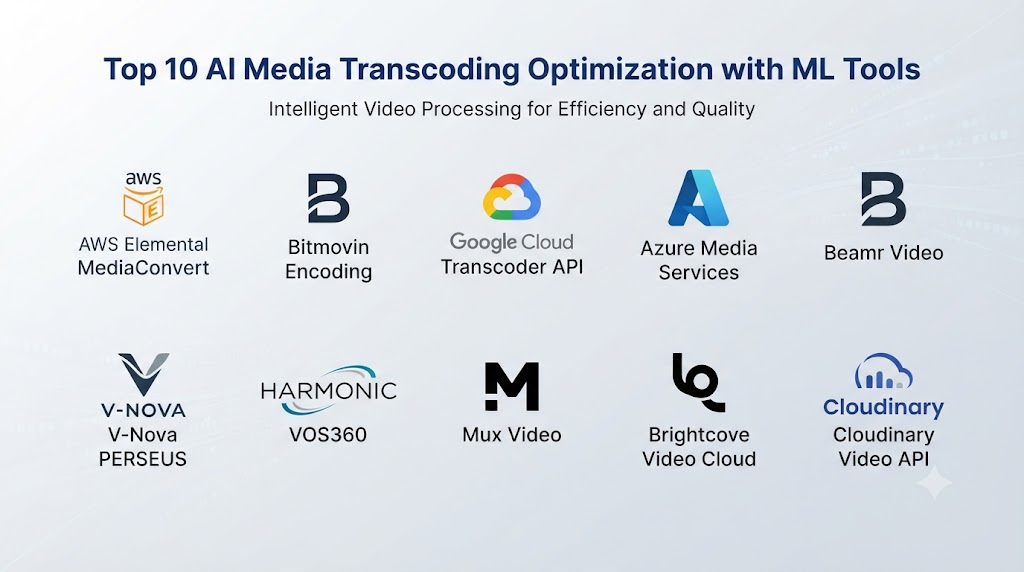
Top 10 AI Media Transcoding Optimization with ML Tools
1. AWS Elemental MediaConvert
AWS Elemental MediaConvert is a cloud-based media processing service designed for professional video workflows. It provides scalable transcoding, broadcast-quality processing, adaptive bitrate packaging, and integration with AWS media services.
Key Features
- Cloud transcoding
- Adaptive bitrate streaming
- H.264, H.265, AV1 support
- Automated encoding workflows
- HDR processing
- Broadcast formats
- Content protection
- Media packaging
- Quality optimization
- Large-scale processing
Pros
- Highly scalable
- Strong cloud ecosystem
- Supports professional media workflows
- Integrates with AWS storage and delivery services
- Suitable for enterprise workloads
Cons
- Requires cloud expertise
- Usage-based pricing can become complex
- Advanced optimization may require configuration
Platforms
AWS Cloud, APIs, SDKs.
Deployment or Support
Cloud-native deployment.
Security & Compliance
AWS security and compliance capabilities depend on architecture, region, and configuration.
Integrations & Ecosystem
Amazon S3, CloudFront CDN, AWS Lambda, MediaLive, MediaPackage, analytics services.
Support & Community
AWS documentation, developer resources, enterprise support.
2. Bitmovin Encoding
Bitmovin provides cloud-based video encoding, player technology, analytics, and streaming infrastructure. Its encoding platform focuses on high-quality compression, automation, and scalable media workflows.
Key Features
- Cloud encoding
- Adaptive bitrate streaming
- Codec optimization
- AV1 encoding
- AI-assisted workflows
- Video analytics
- Quality monitoring
- Multi-cloud deployment
- Automated pipelines
- Live encoding
Pros
- Strong streaming optimization
- Excellent codec support
- Developer-friendly APIs
- High scalability
- Advanced video workflows
Cons
- Enterprise pricing
- Requires technical implementation
- May be complex for small teams
Platforms
Cloud APIs, SDKs, web applications.
Deployment or Support
Cloud-based media platform.
Security & Compliance
Enterprise controls available depending on deployment.
Integrations & Ecosystem
CDNs, OTT platforms, cloud storage, media workflows.
Support & Community
Developer documentation and enterprise support.
3. Google Cloud Transcoder API
Google Cloud Transcoder API provides scalable video transcoding services integrated with Google Cloud infrastructure.
Key Features
- Video transcoding
- Adaptive bitrate streaming
- Preset management
- Cloud storage integration
- Batch processing
- Multiple codec support
- Workflow automation
- Media packaging
- API control
- Cloud scalability
Pros
- Strong cloud infrastructure
- Simple API-based workflow
- Integrates with Google Cloud services
- Suitable for automated pipelines
Cons
- Advanced AI optimization requires additional services
- Requires cloud architecture knowledge
- Limited creative media management features
Platforms
Google Cloud APIs and services.
Deployment or Support
Cloud deployment.
Security & Compliance
Google Cloud security capabilities depend on configuration.
Integrations & Ecosystem
Cloud Storage, CDN services, AI services, analytics platforms.
Support & Community
Google Cloud documentation and developer community.
4. Azure Media Services
Azure Media Services provides cloud-based media encoding, streaming, and content protection capabilities for enterprise video workflows.
Key Features
- Video encoding
- Streaming workflows
- Content protection
- Adaptive bitrate streaming
- Cloud scaling
- Media analytics integration
- API automation
- Enterprise security
- Workflow management
- Broadcast support
Pros
- Strong enterprise ecosystem
- Good security capabilities
- Integrates with Azure services
- Suitable for corporate media
Cons
- Requires Azure expertise
- Complex configurations
- Pricing depends on usage
Platforms
Azure Cloud.
Deployment or Support
Cloud-based deployment.
Security & Compliance
Azure enterprise security controls.
Integrations & Ecosystem
Azure Storage, CDN, AI services, enterprise applications.
Support & Community
Microsoft documentation and enterprise support.
5. Beamr Video
Beamr specializes in video optimization, compression efficiency, and encoding technology designed to reduce storage and bandwidth requirements.
Key Features
- AI-assisted compression optimization
- HEVC optimization
- Quality preservation
- Bitrate reduction
- Encoding automation
- Media analysis
- Enterprise workflows
- Video quality measurement
- Compression improvement
- Cloud integration
Pros
- Strong compression expertise
- Reduces storage costs
- High-quality output
- Suitable for large video libraries
Cons
- Focused mainly on optimization
- Requires integration planning
- Enterprise pricing
Platforms
Cloud and enterprise deployments.
Deployment or Support
Enterprise media workflows.
Security & Compliance
Enterprise requirements vary.
Integrations & Ecosystem
Media archives, OTT platforms, cloud pipelines.
Support & Community
Technical support and enterprise resources.
6. V-Nova PERSEUS
V-Nova PERSEUS is a video compression technology designed to improve compression efficiency and media delivery performance.
Key Features
- Advanced compression
- Video enhancement
- Bandwidth optimization
- Streaming improvement
- Codec integration
- Quality preservation
- Enterprise deployment
- Media processing
- Low-bandwidth optimization
- Video workflow integration
Pros
- Strong compression technology
- Useful for bandwidth optimization
- Supports high-quality delivery
Cons
- Requires ecosystem integration
- Specialized technology
- Adoption depends on workflow requirements
Platforms
Enterprise media environments.
Deployment or Support
Enterprise deployment.
Security & Compliance
Depends on implementation.
Integrations & Ecosystem
Streaming platforms, broadcasters, media companies.
Support & Community
Enterprise technical support.
7. Harmonic VOS360
Harmonic VOS360 provides cloud-native video processing, streaming, and broadcast workflows.
Key Features
- Cloud video processing
- Live streaming
- OTT delivery
- Encoding workflows
- Quality monitoring
- Broadcast support
- Automation
- Media packaging
- Analytics
- Workflow management
Pros
- Broadcast-grade capabilities
- Strong live streaming support
- Enterprise reliability
- Complete media workflow
Cons
- Designed for larger organizations
- Complex deployment
- Premium pricing
Platforms
Cloud and enterprise environments.
Deployment or Support
Cloud-native broadcast platform.
Security & Compliance
Enterprise security features.
Integrations & Ecosystem
Broadcast systems, OTT platforms, CDNs.
Support & Community
Enterprise support.
8. Mux Video
Mux Video provides APIs for video upload, encoding, streaming, analytics, and optimization.
Key Features
- Automated encoding
- Video APIs
- Streaming optimization
- Quality analytics
- Adaptive streaming
- Playback optimization
- Developer workflows
- Cloud processing
- Monitoring
- Content delivery
Pros
- Developer-friendly
- Simple API workflow
- Strong analytics
- Easy integration
- Suitable for applications
Cons
- Less focused on broadcast
- Advanced enterprise workflows may require customization
- Pricing scales with usage
Platforms
Cloud APIs and developer platforms.
Deployment or Support
Cloud SaaS.
Security & Compliance
Enterprise controls available.
Integrations & Ecosystem
Applications, websites, mobile platforms, SaaS products.
Support & Community
Developer documentation and community.
9. Brightcove Video Cloud
Brightcove Video Cloud provides enterprise video hosting, management, streaming, analytics, and content delivery.
Key Features
- Video management
- Cloud transcoding
- Streaming
- Analytics
- Content organization
- Monetization support
- Workflow automation
- Enterprise delivery
- Player integration
- Marketing tools
Pros
- Complete video platform
- Strong enterprise features
- Good analytics
- Supports business video needs
Cons
- Enterprise-focused pricing
- Less developer-centric
- Complex feature set
Platforms
Cloud platform.
Deployment or Support
Cloud SaaS.
Security & Compliance
Enterprise security controls.
Integrations & Ecosystem
Marketing platforms, CMS, analytics systems, streaming workflows.
Support & Community
Enterprise support and documentation.
10. Cloudinary Video API
Cloudinary provides media management, transformation, optimization, and delivery services for images and videos.
Key Features
- Video transformations
- Automated optimization
- Format conversion
- Adaptive streaming
- AI media analysis
- CDN delivery
- Asset management
- Video resizing
- Metadata extraction
- Workflow automation
Pros
- Strong developer ecosystem
- Easy integration
- Powerful media transformations
- Good asset management
Cons
- Advanced video encoding may require configuration
- Pricing depends on usage
- Enterprise features require planning
Platforms
Cloud APIs and SDKs.
Deployment or Support
Cloud-based SaaS.
Security & Compliance
Enterprise controls available depending on plan.
Integrations & Ecosystem
Web applications, mobile apps, CMS, marketing systems.
Support & Community
Developer documentation and community resources.
Comparison Table
| Tool Name | Best For | Platform Supported | Deployment | Standout Feature | Public Rating |
|---|---|---|---|---|---|
| AWS Elemental MediaConvert | Enterprise media processing | Cloud/API | Cloud | Large-scale transcoding | |
| Bitmovin Encoding | OTT streaming platforms | Cloud/API | Cloud | Advanced encoding workflows | |
| Google Cloud Transcoder API | Cloud applications | Google Cloud | Cloud | API-based transcoding | |
| Azure Media Services | Enterprise video | Azure | Cloud | Security integration | |
| Beamr Video | Compression optimization | Enterprise | Cloud/Private | Bitrate reduction | |
| V-Nova PERSEUS | Bandwidth optimization | Enterprise | Private/Cloud | Compression technology | |
| Harmonic VOS360 | Broadcast workflows | Cloud | Cloud | Live streaming | |
| Mux Video | Developers | APIs | Cloud | Video API platform | |
| Brightcove Video Cloud | Business video | Cloud | SaaS | Enterprise video management | |
| Cloudinary Video API | Media developers | APIs | Cloud | Media transformation |
Weighted Evaluation
| Tool Name | Core Features 25% | Ease of Use 15% | Integrations 15% | Security 10% | Performance 10% | Support 10% | Value 15% | Total |
|---|---|---|---|---|---|---|---|---|
| AWS Elemental MediaConvert | 24 | 12 | 15 | 10 | 10 | 10 | 12 | 93 |
| Bitmovin Encoding | 24 | 13 | 15 | 9 | 10 | 9 | 12 | 92 |
| Google Cloud Transcoder API | 21 | 14 | 15 | 10 | 9 | 9 | 13 | 91 |
| Azure Media Services | 22 | 12 | 15 | 10 | 9 | 10 | 12 | 90 |
| Beamr Video | 22 | 11 | 12 | 9 | 10 | 8 | 12 | 84 |
| V-Nova PERSEUS | 21 | 10 | 12 | 9 | 10 | 8 | 11 | 81 |
| Harmonic VOS360 | 23 | 10 | 14 | 10 | 10 | 9 | 9 | 85 |
| Mux Video | 21 | 15 | 13 | 8 | 9 | 9 | 13 | 88 |
| Brightcove Video Cloud | 22 | 12 | 14 | 9 | 9 | 10 | 10 | 86 |
| Cloudinary Video API | 22 | 14 | 15 | 9 | 9 | 9 | 12 | 90 |
Which AI Media Transcoding Optimization Tool Is Right for You?
Choose AWS Elemental MediaConvert for enterprise-scale cloud transcoding and broadcast workflows.
Choose Bitmovin Encoding for advanced OTT streaming, codec optimization, and developer-focused workflows.
Choose Google Cloud Transcoder API for cloud-native applications requiring automated video processing.
Choose Azure Media Services for organizations already operating within Microsoft infrastructure.
Choose Beamr Video when compression efficiency and storage reduction are the primary goals.
Choose V-Nova PERSEUS for specialized compression improvements and bandwidth optimization.
Choose Harmonic VOS360 for broadcast and live-streaming operations.
Choose Mux Video for developers building video-powered applications.
Choose Brightcove Video Cloud for enterprise video management and marketing workflows.
Choose Cloudinary Video API for flexible media transformation and application integration.
Implementation Playbook
Phase 1: Analyze Current Media Workflows
- Identify encoding bottlenecks
- Measure storage consumption
- Review bandwidth costs
- Analyze viewer quality issues
- Document supported devices
Phase 2: Define Optimization Goals
Organizations should define whether they prioritize:
- Lower storage cost
- Faster encoding
- Better quality
- Reduced bandwidth
- Lower latency
- Improved streaming experience
Phase 3: Pilot AI Optimization
- Select representative video samples
- Compare encoding outputs
- Measure quality metrics
- Review human perception
- Validate device compatibility
Phase 4: Production Deployment
- Automate pipelines
- Connect storage systems
- Integrate CDN delivery
- Monitor quality
- Track cost savings
Phase 5: Continuous Improvement
- Retrain optimization models
- Review encoding metrics
- Update codec strategies
- Monitor viewer experience
Common Mistakes
- Optimizing only bitrate instead of viewer quality
- Ignoring device compatibility
- Using outdated codecs
- Failing to test different content types
- Overlooking storage costs
- Not monitoring streaming quality
- Ignoring security requirements
- Applying identical encoding settings everywhere
FAQs
1. What is AI Media Transcoding Optimization?
AI Media Transcoding Optimization uses machine learning models to automatically improve video encoding decisions, compression efficiency, quality, and delivery performance.
2. How does ML improve transcoding?
Machine learning analyzes video complexity, scenes, motion, and visual patterns to recommend or automatically apply better encoding settings.
3. Can AI reduce video storage costs?
Yes. AI-based optimization can reduce bitrate requirements while maintaining acceptable visual quality.
4. Does AI transcoding improve streaming quality?
Yes. Optimized encoding can improve playback consistency, reduce buffering, and provide better quality across different network conditions.
5. Which codecs benefit from AI optimization?
AI optimization can improve workflows using codecs such as H.264, H.265/HEVC, VP9, and AV1.
6. Can AI transcoding support live streaming?
Yes. Some platforms provide low-latency encoding and optimization for live broadcasts and streaming events.
7. Is AI transcoding only for large companies?
No. Cloud APIs and developer platforms allow smaller teams to integrate automated transcoding workflows.
8. How is video quality measured?
Organizations may use objective metrics, human quality evaluation, playback analytics, and viewer experience measurements.
9. What security considerations should companies review?
Companies should evaluate encryption, access controls, DRM support, storage policies, and compliance requirements.
10. What should businesses consider before adoption?
They should evaluate media volume, supported formats, latency requirements, cloud costs, integration needs, security, and expected quality improvements.
Conclusion
AI Media Transcoding Optimization with ML is transforming how organizations process, store, and deliver digital video content. By combining machine learning, adaptive encoding, content analysis, and automated optimization, these solutions help businesses achieve better quality while reducing operational costs.
AWS Elemental MediaConvert, Bitmovin Encoding, Google Cloud Transcoder API, Azure Media Services, and Cloudinary provide strong cloud-based workflows. Beamr and V-Nova focus on compression efficiency, while Harmonic, Brightcove, and Mux support specialized streaming and video delivery requirements.
