Introduction
AI Lecture Transcription & Notes Tools use artificial intelligence, speech recognition, natural language processing, machine learning, and summarization technologies to automatically convert lectures, meetings, classes, webinars, and educational sessions into searchable transcripts and structured notes.
Traditional note-taking requires students and professionals to listen, understand, write, and organize information simultaneously. This can lead to missed details, incomplete notes, and difficulty reviewing important concepts later.
AI-powered lecture transcription platforms solve this challenge by automatically capturing spoken content, generating accurate transcripts, summarizing key points, identifying important topics, creating study materials, and helping learners review information more effectively.
These tools are widely used by:
- Students
- Teachers
- Universities
- Online learning platforms
- Researchers
- Professionals
- Corporate training teams
- Content creators
Modern AI lecture note systems combine speech-to-text technology, speaker identification, automatic summaries, keyword extraction, search capabilities, and AI-generated study assistance.
The purpose of these tools is not only transcription but transforming spoken information into useful learning resources.
How AI Lecture Transcription & Notes Tools Work
Audio Capture
The platform records lectures, classes, meetings, or uploaded audio and video files.
Speech Recognition
AI converts spoken language into written text using advanced speech recognition models.
Content Processing
Natural language processing identifies:
- Important concepts
- Topics
- Keywords
- Questions
- Main discussion points
Summary Generation
AI creates:
- Lecture summaries
- Key points
- Action items
- Study notes
- Review materials
Knowledge Organization
Some platforms organize transcripts into searchable notes, chapters, highlights, and learning resources.
Common Use Cases
- University lecture notes
- Online course summaries
- Meeting transcription
- Research interviews
- Webinar notes
- Training documentation
- Student study materials
- Podcast transcription
- Conference documentation
- Knowledge management
- Professional learning
Why AI Lecture Transcription & Notes Tools Matter
Improved Learning Efficiency
Students can focus on understanding lectures instead of spending all their attention on writing notes.
Better Information Retention
Structured summaries and searchable transcripts make revision easier.
Accessibility Support
Transcription helps learners who need written content, language assistance, or alternative learning formats.
Time Savings
Educators and professionals can quickly convert long recordings into useful summaries.
Better Knowledge Management
Organizations can preserve discussions, training sessions, and important information.
Evaluation Criteria for Buyers
Transcription Accuracy
A good platform should provide reliable speech recognition across different accents, environments, and audio qualities.
Summary Quality
AI-generated notes should capture important concepts without losing essential context.
Language Support
Users should evaluate supported languages and translation capabilities.
Search and Organization
Strong platforms provide searchable transcripts, highlights, tags, and organized notes.
Integration Capability
Important integrations include learning platforms, productivity tools, cloud storage, calendars, and collaboration systems.
Privacy and Security
Organizations should review recording storage, data handling, access controls, and privacy policies.
Ease of Use
The platform should allow quick recording, uploading, transcription, and note generation.
Key Trends
AI-Powered Study Assistants
Lecture transcription tools are evolving into learning assistants that answer questions and explain concepts from recorded content.
Real-Time Transcription
Modern platforms increasingly provide live captions and instant note generation.
Multilingual Learning Support
AI transcription is expanding support for multiple languages and translation workflows.
Automatic Study Material Creation
Platforms are generating flashcards, quizzes, summaries, and revision guides from lectures.
Knowledge Management Integration
Organizations are using transcripts as searchable knowledge repositories.
Personalized Learning Support
AI systems are helping learners review topics based on their individual needs.
Methodology
The following tools were evaluated using:
- Transcription accuracy
- Note-generation capabilities
- Ease of use
- Integrations and ecosystem
- Security and privacy
- Performance and reliability
- Support and community
- Price and value
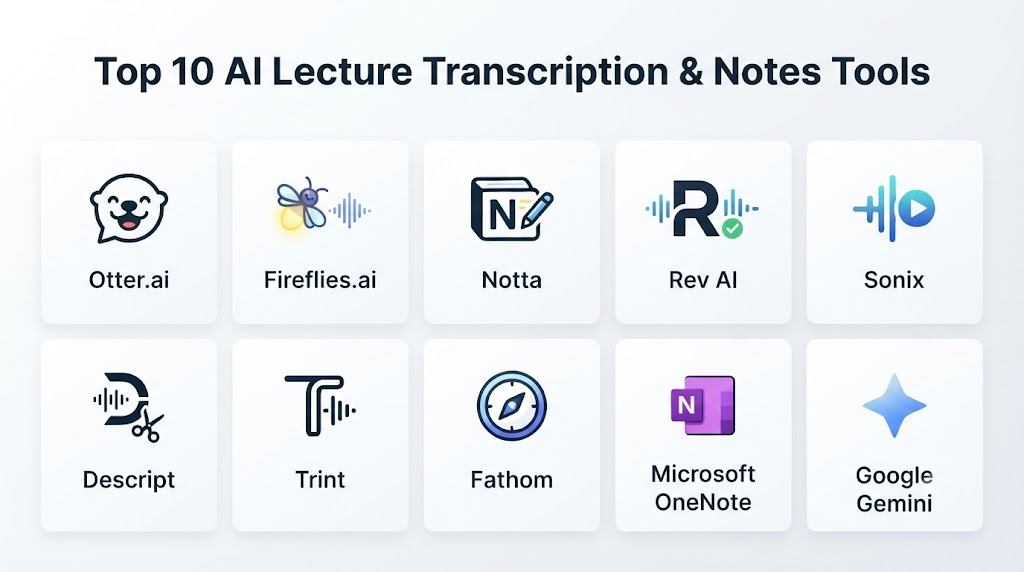
Top 10 AI Lecture Transcription & Notes Tools
1. Otter.ai
Otter.ai is an AI-powered transcription and note-taking platform designed for lectures, meetings, interviews, and educational conversations.
Key Features
- Live transcription
- Lecture recording
- AI summaries
- Speaker identification
- Searchable transcripts
- Keyword highlights
- Collaboration tools
- Meeting notes
- Audio uploads
- Mobile applications
Pros
- Strong transcription capabilities
- Useful AI summaries
- Easy note organization
- Good collaboration features
- Supports educational workflows
Cons
- Accuracy depends on audio quality
- Advanced features may require paid plans
- AI summaries require review
Platforms
Web, iOS, and Android.
Deployment or Support
Cloud-based transcription platform.
Security & Compliance
Privacy controls vary by plan.
Integrations & Ecosystem
Education workflows, meetings, calendars, collaboration tools, and productivity platforms.
Support & Community
Documentation, help center, and user community.
2. Notion AI
Notion AI combines note-taking, knowledge management, writing assistance, and AI-powered organization features for students and professionals.
Key Features
- AI note summaries
- Knowledge organization
- Document writing
- Content restructuring
- Study notes
- Workspace collaboration
- Search assistance
- Task management
- Database organization
- AI assistance
Pros
- Strong note organization
- Combines notes and AI assistance
- Useful for students and teams
- Flexible workspace
- Good knowledge management
Cons
- Not primarily a transcription platform
- Requires integration with recording tools
- AI features depend on workflow setup
Platforms
Web, desktop, and mobile.
Deployment or Support
Cloud-based workspace platform.
Security & Compliance
Security controls vary by plan.
Integrations & Ecosystem
Productivity tools, databases, collaboration workflows, and education environments.
Support & Community
Documentation and large user community.
3. Fireflies.ai
Fireflies.ai provides AI-powered transcription, summaries, and conversation intelligence for meetings, training sessions, and discussions.
Key Features
- Audio transcription
- AI summaries
- Speaker recognition
- Searchable conversations
- Meeting analytics
- Action items
- Conversation insights
- Recording storage
- Collaboration
- Integrations
Pros
- Strong conversation transcription
- Good summaries
- Useful search features
- Works well for teams
- Automation capabilities
Cons
- Designed mainly for meetings
- Educational workflows may require customization
- Accuracy depends on audio conditions
Platforms
Web and integrations.
Deployment or Support
Cloud-based service.
Security & Compliance
Enterprise controls vary by plan.
Integrations & Ecosystem
Meeting platforms, calendars, collaboration tools, and business applications.
Support & Community
Documentation and customer support.
4. Microsoft OneNote with AI Features
Microsoft OneNote provides digital note-taking capabilities enhanced through Microsoft AI tools for organizing, summarizing, and managing learning materials.
Key Features
- Digital notebooks
- Note organization
- Handwritten notes
- Search
- Content organization
- AI assistance
- Collaboration
- Document storage
- Learning notes
- Microsoft ecosystem integration
Pros
- Strong note-taking experience
- Good organization features
- Works well with Microsoft tools
- Useful for students
- Supports handwritten notes
Cons
- Transcription depends on connected AI services
- Requires Microsoft ecosystem
- Advanced AI features vary
Platforms
Web, Windows, macOS, iOS, and Android.
Deployment or Support
Cloud-connected productivity platform.
Security & Compliance
Enterprise Microsoft security controls.
Integrations & Ecosystem
Microsoft 365, cloud storage, collaboration tools, and education workflows.
Support & Community
Microsoft documentation and support resources.
5. Google Gemini for Workspace
Google Gemini integrates AI capabilities into Google Workspace environments to assist with summaries, notes, documents, and information organization.
Key Features
- AI summaries
- Document assistance
- Workspace integration
- Information extraction
- Writing support
- Collaboration assistance
- Productivity workflows
- Content organization
- Knowledge assistance
- Search capabilities
Pros
- Strong productivity ecosystem
- Works with Google tools
- Useful for document workflows
- Good collaboration support
- Enterprise-ready
Cons
- Not a dedicated lecture transcription tool
- Features depend on workspace availability
- Requires Google ecosystem
Platforms
Web and Google Workspace environments.
Deployment or Support
Cloud-based productivity platform.
Security & Compliance
Enterprise security controls depend on configuration.
Integrations & Ecosystem
Google Workspace applications, education platforms, and productivity tools.
Support & Community
Google documentation and support.
6. Descript
Descript is an AI-powered audio and video editing platform with transcription, editing, and content creation features.
Key Features
- Audio transcription
- Video transcription
- Text-based editing
- Speaker labels
- AI summaries
- Content editing
- Recording tools
- Collaboration
- Media processing
- Export options
Pros
- Strong transcription and editing combination
- Useful for recorded lectures
- Good content workflow
- Easy text-based editing
- Supports creators
Cons
- More focused on media production
- Requires learning editing workflows
- Not education-specific
Platforms
Web and desktop applications.
Deployment or Support
Cloud-based media platform.
Security & Compliance
Controls vary by plan.
Integrations & Ecosystem
Content creation workflows, media tools, and collaboration platforms.
Support & Community
Documentation and creator community.
7. Fathom
Fathom provides AI meeting transcription and summaries designed to capture conversations, highlights, and important points.
Key Features
- Meeting transcription
- AI summaries
- Highlights
- Search
- Conversation notes
- Sharing
- Recording management
- Productivity workflows
- Speaker insights
- Integrations
Pros
- Fast summaries
- Simple user experience
- Useful highlights
- Easy sharing
- Good productivity workflows
Cons
- Mainly meeting-focused
- Less specialized for education
- Requires compatible recording workflows
Platforms
Web and integrations.
Deployment or Support
Cloud-based service.
Security & Compliance
Privacy controls vary.
Integrations & Ecosystem
Meeting platforms, productivity tools, and collaboration systems.
Support & Community
Documentation and support.
8. Sonix
Sonix provides automated transcription, translation, and subtitle generation for audio and video content.
Key Features
- Automated transcription
- Translation
- Subtitle creation
- Speaker labeling
- Searchable transcripts
- Editing tools
- File uploads
- Export formats
- Collaboration
- Audio processing
Pros
- Strong transcription workflow
- Supports multiple languages
- Useful export options
- Good media support
- Simple editing
Cons
- Less focused on educational notes
- Summaries may require additional workflows
- Pricing varies
Platforms
Web.
Deployment or Support
Cloud-based transcription platform.
Security & Compliance
Security features vary by plan.
Integrations & Ecosystem
Media workflows, content platforms, and productivity tools.
Support & Community
Documentation and customer support.
9. Trint
Trint provides AI transcription and content analysis tools for journalists, educators, researchers, and organizations.
Key Features
- AI transcription
- Audio and video processing
- Editing tools
- Speaker identification
- Collaboration
- Search
- Translation
- Export options
- Content workflows
- Transcript management
Pros
- Professional transcription workflows
- Good collaboration tools
- Supports multiple media formats
- Useful for research
- Strong editing capabilities
Cons
- More content-focused than education-focused
- Requires review for accuracy
- Advanced features depend on plans
Platforms
Web and mobile.
Deployment or Support
Cloud-based platform.
Security & Compliance
Enterprise controls vary.
Integrations & Ecosystem
Media, research, education, and content workflows.
Support & Community
Documentation and customer support.
10. Read AI
Read AI provides AI-powered meeting summaries, engagement insights, transcription, and productivity analytics.
Key Features
- Meeting transcription
- AI summaries
- Conversation insights
- Engagement analytics
- Highlights
- Reports
- Search
- Collaboration
- Productivity insights
- Integrations
Pros
- Strong summary capabilities
- Useful analytics
- Good productivity insights
- Easy collaboration
- Automated reports
Cons
- Primarily meeting-focused
- Less focused on classroom lectures
- Analytics may not fit all users
Platforms
Web and integrations.
Deployment or Support
Cloud-based platform.
Security & Compliance
Security options vary by plan.
Integrations & Ecosystem
Meeting tools, productivity platforms, and collaboration systems.
Support & Community
Documentation and support resources.
Comparison Table
| Tool Name | Best For | Platform(s) Supported | Deployment | Standout Feature | Public Rating |
|---|---|---|---|---|---|
| Otter.ai | Lecture transcription | Web, mobile | Cloud | AI lecture notes | N/A |
| Notion AI | Organized notes | Web, desktop, mobile | Cloud | AI knowledge management | N/A |
| Fireflies.ai | Meeting and training notes | Web | Cloud | Conversation intelligence | N/A |
| Microsoft OneNote | Digital note-taking | Web, desktop, mobile | Cloud | Notebook organization | N/A |
| Google Gemini | Workspace productivity | Web | Cloud | AI workspace assistance | N/A |
| Descript | Audio/video transcription | Desktop, web | Cloud | Text-based media editing | N/A |
| Fathom | Meeting summaries | Web | Cloud | AI highlights | N/A |
| Sonix | Transcription and translation | Web | Cloud | Multilingual transcription | N/A |
| Trint | Professional transcription | Web, mobile | Cloud | Media transcription workflows | N/A |
| Read AI | AI summaries and insights | Web | Cloud | Conversation analytics | N/A |
Weighted Evaluation
| Tool Name | Core Features 25% | Ease of Use 15% | Integrations & Ecosystem 15% | Security & Compliance 10% | Performance & Reliability 10% | Support & Community 10% | Price/Value 15% | Total |
|---|---|---|---|---|---|---|---|---|
| Otter.ai | 24 | 15 | 14 | 8 | 10 | 10 | 13 | 94 |
| Notion AI | 22 | 15 | 15 | 9 | 10 | 10 | 13 | 94 |
| Fireflies.ai | 23 | 14 | 15 | 9 | 10 | 10 | 12 | 93 |
| Microsoft OneNote | 21 | 15 | 15 | 10 | 10 | 10 | 13 | 94 |
| Google Gemini | 22 | 14 | 15 | 10 | 10 | 10 | 12 | 93 |
| Descript | 22 | 13 | 13 | 8 | 10 | 9 | 12 | 87 |
| Fathom | 21 | 15 | 12 | 8 | 10 | 9 | 13 | 88 |
| Sonix | 21 | 14 | 12 | 8 | 9 | 8 | 12 | 84 |
| Trint | 21 | 13 | 13 | 8 | 9 | 9 | 11 | 84 |
| Read AI | 21 | 14 | 13 | 9 | 10 | 9 | 12 | 88 |
Which AI Lecture Transcription & Notes Tool Is Right for You?
Choose Otter.ai when students and professionals need dedicated AI lecture transcription and summaries.
Choose Notion AI when organizing notes, knowledge, and study materials is the priority.
Choose Fireflies.ai when training sessions, meetings, and discussions need searchable transcripts.
Choose Microsoft OneNote when digital notebooks and Microsoft ecosystem integration matter.
Choose Google Gemini when organizations already use Google Workspace.
Choose Descript when transcription and audio/video editing are combined requirements.
Choose Fathom when meeting summaries and highlights are important.
Choose Sonix when multilingual transcription and subtitles are required.
Choose Trint when professional transcription workflows are needed.
Choose Read AI when conversation analytics and automated summaries are valuable.
Implementation Playbook
Phase 1: Define Recording Needs
- Identify lecture types
- Determine required languages
- Define note formats
- Select storage requirements
- Review privacy needs
Phase 2: Prepare Workflows
- Connect recording tools
- Configure transcription settings
- Organize folders
- Define sharing permissions
- Establish review processes
Phase 3: Generate and Review Notes
- Transcribe recordings
- Review summaries
- Correct errors
- Highlight important concepts
- Create study materials
Phase 4: Integrate Learning Systems
- Connect LMS platforms
- Share notes with learners
- Build searchable knowledge libraries
- Create revision resources
- Monitor usage
Phase 5: Improve Continuously
- Review transcription quality
- Update workflows
- Improve recording quality
- Train users
- Maintain privacy standards
Common Mistakes
- Using poor-quality audio recordings
- Trusting AI summaries without review
- Ignoring privacy policies
- Recording without permission
- Failing to organize transcripts
- Not verifying important information
- Using tools without language support
- Ignoring accessibility requirements
FAQs
1. What are AI Lecture Transcription & Notes Tools?
AI Lecture Transcription & Notes Tools convert spoken lectures, meetings, and recordings into searchable transcripts, summaries, and organized notes.
2. Can AI tools take complete lecture notes?
Yes. Many platforms can create summaries, key points, and structured notes from recorded lectures.
3. Are AI-generated lecture notes accurate?
Accuracy depends on audio quality, language, speakers, and platform capabilities. Reviewing important information is recommended.
4. Can AI transcribe live lectures?
Yes. Many tools support real-time transcription and live captions.
5. Can these tools help students study?
Yes. AI-generated summaries, highlights, and searchable transcripts can support revision and exam preparation.
6. Can AI transcription tools recognize different speakers?
Many platforms support speaker identification, especially for meetings and discussions.
7. Are lecture recordings stored securely?
Security depends on the provider. Users should review privacy controls, storage policies, and permissions.
8. Can AI lecture tools support multiple languages?
Many platforms provide multilingual transcription and translation features.
9. Can teachers use AI lecture notes?
Yes. Educators can use them for documentation, accessibility support, and creating learning materials.
10. What should users consider before choosing an AI lecture transcription tool?
Users should evaluate accuracy, summaries, language support, integrations, privacy, pricing, and ease of use.
Conclusion
AI Lecture Transcription & Notes Tools are changing how students, educators, and professionals capture and use information. By automatically converting spoken content into searchable transcripts, summaries, and learning resources, these platforms improve productivity, accessibility, and knowledge retention.Otter.ai, Notion AI, Microsoft OneNote, and Google Gemini provide strong productivity and learning workflows, while Fireflies.ai, Fathom, and Read AI focus on conversation intelligence. Descript, Sonix, and Trint support professional transcription and content workflows.
