Introduction
AI Classroom Behavior Analytics Tools use artificial intelligence, machine learning, computer vision, learning analytics, and behavioral analysis technologies to help educators understand classroom engagement, participation patterns, learning behaviors, and student interactions.
Traditional classroom observation depends heavily on teacher experience, manual tracking, and periodic assessments. While educators can recognize many behavioral patterns, it becomes challenging to consistently monitor engagement, participation, attention levels, and learning activities across large classrooms.
AI-powered classroom behavior analytics platforms analyze learning environments and digital interactions to provide insights that help educators improve teaching strategies, personalize support, and create more effective learning experiences.
These tools can analyze:
- Student engagement patterns
- Learning activity
- Participation levels
- Attendance trends
- Classroom interactions
- Digital learning behavior
- Assignment activity
- Learning progress indicators
AI classroom analytics is used by:
- Schools
- Universities
- Online education platforms
- Learning management systems
- Teachers
- Academic administrators
- Training organizations
The purpose of these tools is not to replace teachers but to provide additional insights that help educators make better decisions. Responsible implementation requires transparency, privacy protection, and careful consideration of student rights.
How AI Classroom Behavior Analytics Tools Work
Data Collection
AI systems collect learning-related information from:
- LMS platforms
- Classroom applications
- Student activity records
- Digital assignments
- Participation systems
- Learning platforms
Behavioral Analysis
Machine learning models identify patterns related to:
- Engagement
- Participation
- Learning habits
- Interaction trends
- Academic behavior
Insight Generation
AI creates reports and dashboards showing:
- Engagement levels
- Learning patterns
- Participation trends
- Areas requiring support
Educator Action
Teachers use insights to:
- Adjust teaching methods
- Provide support
- Improve classroom experiences
- Personalize learning approaches
Common Use Cases
- Student engagement monitoring
- Classroom participation analysis
- Learning activity tracking
- Early intervention support
- Online course analytics
- Teaching improvement
- Student success programs
- Digital classroom management
- Learning experience optimization
- Academic research
Why AI Classroom Behavior Analytics Matters
Improved Student Engagement
Educators can understand whether students are actively participating and interacting with learning materials.
Personalized Support
Behavior insights help identify students who may need additional assistance.
Better Teaching Decisions
Teachers can adjust lessons based on learner activity and classroom patterns.
Early Identification of Challenges
Analytics can highlight potential engagement issues before they affect learning outcomes.
Data-Driven Education
Schools can use insights to improve programs, resources, and learning strategies.
Evaluation Criteria for Buyers
Analytics Accuracy
The system should provide meaningful insights without creating misleading conclusions.
Privacy Protection
Student data collection should follow responsible privacy practices and institutional policies.
Explainability
Educators should understand how analytics results are generated.
Integration Capability
Important integrations include LMS platforms, student information systems, classroom tools, and education databases.
Real-Time Insights
Useful platforms provide timely engagement and learning indicators.
Customization
Schools should be able to configure analytics according to learning goals and institutional requirements.
Ethical AI Practices
Organizations should evaluate fairness, transparency, consent, and responsible data usage.
Key Trends
AI-Powered Engagement Analytics
Education platforms are increasingly using AI to understand student participation and learning behaviors.
Learning Experience Analytics
Institutions are moving beyond grades to analyze complete learning journeys.
Adaptive Teaching Support
AI insights are helping teachers personalize lessons based on classroom needs.
Privacy-Focused Analytics
Educational organizations are emphasizing responsible data collection and transparent AI usage.
Digital Learning Analytics
Online and hybrid learning environments are increasing demand for behavioral insights.
Early Warning Systems
AI analytics are being combined with student success prediction systems to identify support opportunities.
Methodology
The following tools were evaluated using:
- Behavior analytics capabilities
- Learning insights
- Ease of use
- Integrations and ecosystem
- Security and privacy
- Performance and reliability
- Support and community
- Price and value
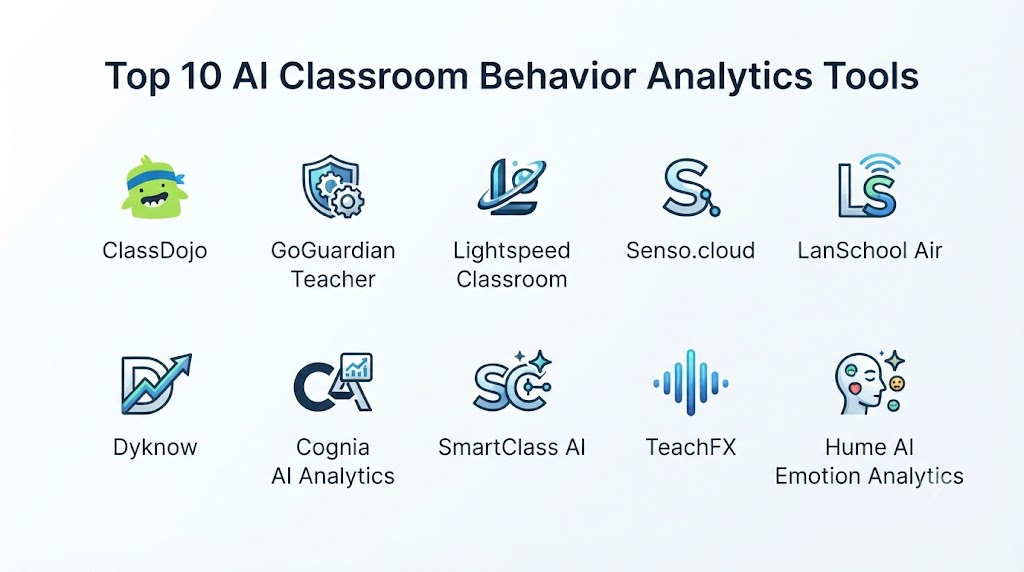
Top 10 AI Classroom Behavior Analytics Tools
1. ClassDojo
ClassDojo is a classroom engagement platform that helps teachers track classroom participation, communication, and student behavior-related activities.
Key Features
- Classroom engagement tracking
- Teacher communication
- Student participation tools
- Parent communication
- Classroom activities
- Feedback features
- Learning community tools
- Behavior tracking
- Student profiles
- Reporting features
Pros
- Easy for teachers to adopt
- Strong classroom communication
- Parent engagement support
- Student-friendly experience
- Useful classroom insights
Cons
- Behavior tracking requires careful implementation
- Analytics depth varies
- Primarily focused on schools
Platforms
Web, iOS, and Android.
Deployment or Support
Cloud-based education platform.
Security & Compliance
Education privacy controls vary by implementation.
Integrations & Ecosystem
Schools, classrooms, communication workflows, and education systems.
Support & Community
Teacher resources, documentation, and community support.
2. GoGuardian
GoGuardian provides classroom management and student activity monitoring solutions designed for digital learning environments.
Key Features
- Student activity monitoring
- Classroom management
- Engagement insights
- Web activity visibility
- Teacher controls
- Digital learning support
- Reporting dashboards
- Device management
- Safety features
- Learning analytics
Pros
- Strong digital classroom management
- Useful student activity visibility
- Supports online learning environments
- Teacher-focused controls
- Helps manage classroom technology
Cons
- Requires careful privacy management
- Mainly focused on digital activity
- Institutional deployment required
Platforms
Web and education devices.
Deployment or Support
Cloud-based education platform.
Security & Compliance
Education security controls vary.
Integrations & Ecosystem
Schools, devices, LMS platforms, and digital classroom systems.
Support & Community
Documentation and educator support.
3. Nearpod
Nearpod provides interactive classroom learning tools with analytics that help educators understand student participation and learning activity.
Key Features
- Interactive lessons
- Student responses
- Engagement analytics
- Classroom activities
- Learning reports
- Digital assessments
- Teacher dashboards
- Student participation tracking
- Lesson creation
- Collaboration tools
Pros
- Strong interactive learning features
- Useful engagement insights
- Teacher-friendly workflows
- Supports multiple activities
- Improves classroom participation
Cons
- Not a dedicated behavior analytics platform
- Analytics depend on classroom activities
- Requires teacher adoption
Platforms
Web, iOS, and Android.
Deployment or Support
Cloud-based education platform.
Security & Compliance
Education privacy controls vary.
Integrations & Ecosystem
Schools, LMS platforms, classroom tools, and digital learning environments.
Support & Community
Teacher resources and support.
4. Canvas Analytics
Canvas Analytics provides learning analytics capabilities within the Canvas learning environment to help educators understand student activity and engagement.
Key Features
- Student activity analytics
- Course engagement insights
- Assignment tracking
- Learning progress analysis
- Instructor dashboards
- Performance reports
- Participation data
- Course analytics
- Student interaction insights
- LMS integration
Pros
- Works with Canvas ecosystem
- Useful instructor insights
- Supports online learning
- Easy access for teachers
- Strong LMS integration
Cons
- Mainly for Canvas users
- Limited physical classroom behavior analysis
- Advanced analytics require configuration
Platforms
Web and Canvas LMS.
Deployment or Support
Cloud-based LMS platform.
Security & Compliance
Institutional controls vary.
Integrations & Ecosystem
LMS systems, student databases, and education workflows.
Support & Community
Documentation and educator community.
5. Google Classroom Analytics
Google Classroom analytics capabilities help educators understand assignment activity, participation, and digital learning engagement.
Key Features
- Assignment tracking
- Student activity insights
- Classroom organization
- Learning workflows
- Performance monitoring
- Digital collaboration
- Teacher dashboards
- Student communication
- Learning reports
- Google ecosystem integration
Pros
- Works with Google education tools
- Easy classroom adoption
- Strong collaboration features
- Familiar interface
- Supports digital learning
Cons
- Analytics capabilities vary
- Less focused on advanced behavior analysis
- Requires Google ecosystem
Platforms
Web and mobile applications.
Deployment or Support
Cloud-based education platform.
Security & Compliance
Google education security controls.
Integrations & Ecosystem
Google Workspace for Education, LMS tools, and classroom applications.
Support & Community
Google documentation and educator resources.
6. Microsoft Education Insights
Microsoft Education Insights provides analytics features that help educators understand student engagement, activity, and learning progress.
Key Features
- Student engagement insights
- Assignment activity
- Communication analysis
- Learning progress tracking
- Classroom analytics
- Digital activity reports
- Teacher dashboards
- Collaboration insights
- Student support indicators
- Microsoft ecosystem integration
Pros
- Strong education ecosystem
- Useful digital learning insights
- Enterprise-grade infrastructure
- Good collaboration support
- Integrates with Microsoft tools
Cons
- Best within Microsoft ecosystem
- Requires configuration
- Analytics vary by setup
Platforms
Web and Microsoft education applications.
Deployment or Support
Cloud-based education platform.
Security & Compliance
Microsoft education security capabilities.
Integrations & Ecosystem
Microsoft 365 Education, Teams, LMS platforms, and education systems.
Support & Community
Microsoft documentation and support.
7. Blackboard Analytics
Blackboard Analytics provides educational institutions with reporting and analytics tools to understand learning activity and student performance.
Key Features
- Student analytics
- Learning reports
- Engagement analysis
- Course insights
- Institutional dashboards
- Performance tracking
- Data visualization
- Academic reporting
- Learning trends
- Decision support
Pros
- Strong institutional analytics
- Supports higher education
- Useful reporting tools
- Large education ecosystem
- Helps administrators
Cons
- Requires institutional deployment
- Analytics capabilities vary
- More administrative than classroom-focused
Platforms
Web-based education systems.
Deployment or Support
Cloud-based analytics platform.
Security & Compliance
Institutional security controls vary.
Integrations & Ecosystem
Universities, LMS platforms, student systems, and academic databases.
Support & Community
Documentation and institutional support.
8. PowerSchool Analytics
PowerSchool provides education analytics solutions that help schools understand student performance, engagement, and learning trends.
Key Features
- Student analytics
- Performance tracking
- Reporting dashboards
- School insights
- Data visualization
- Academic trends
- Student information management
- Progress monitoring
- Administrative analytics
- Education workflows
Pros
- Strong K-12 education focus
- Useful reporting
- Supports administrators
- Large education ecosystem
- Data-driven decision support
Cons
- Primarily school-focused
- Implementation varies
- Requires institutional setup
Platforms
Web-based education systems.
Deployment or Support
Cloud-based education platform.
Security & Compliance
Education security controls vary.
Integrations & Ecosystem
Student information systems, schools, LMS platforms, and education applications.
Support & Community
Customer support and educational resources.
9. D2L Brightspace Insights
D2L Brightspace Insights provides learning analytics to help educators understand learner engagement, progress, and course activity.
Key Features
- Learning analytics
- Engagement tracking
- Student progress
- Course insights
- Performance dashboards
- Assessment analytics
- Reporting tools
- Learner activity analysis
- Instructor insights
- LMS integration
Pros
- Strong LMS analytics
- Useful learning insights
- Supports personalized teaching
- Good reporting capabilities
- Integrated education platform
Cons
- Best suited for Brightspace users
- Requires LMS adoption
- Behavior insights depend on available data
Platforms
Web and LMS environments.
Deployment or Support
Cloud-based education platform.
Security & Compliance
Education security practices vary.
Integrations & Ecosystem
Learning management systems, education tools, and institutional platforms.
Support & Community
Documentation and customer support.
10. Lightspeed Classroom Management
Lightspeed Classroom Management provides digital classroom monitoring and management tools to help educators understand student device activity.
Key Features
- Student device monitoring
- Classroom controls
- Screen visibility
- Digital engagement insights
- Teacher management tools
- Activity reporting
- Learning support
- Device management
- Safety controls
- Classroom workflows
Pros
- Strong digital classroom management
- Useful device insights
- Teacher control features
- Supports technology-based classrooms
- Easy classroom management
Cons
- Focused on device activity
- Requires privacy policies
- Mainly useful for digital environments
Platforms
Web and education devices.
Deployment or Support
Cloud-based classroom management platform.
Security & Compliance
Education security practices vary.
Integrations & Ecosystem
Schools, student devices, and classroom technology environments.
Support & Community
Documentation and customer support.
Comparison Table
| Tool Name | Best For | Platform(s) Supported | Deployment | Standout Feature | Public Rating |
|---|---|---|---|---|---|
| ClassDojo | Classroom engagement | Web, mobile | Cloud | Teacher-student engagement | N/A |
| GoGuardian | Digital classroom monitoring | Web | Cloud | Student activity visibility | N/A |
| Nearpod | Interactive lessons | Web, mobile | Cloud | Engagement analytics | N/A |
| Canvas Analytics | LMS engagement insights | Web | Cloud | Course analytics | N/A |
| Google Classroom Analytics | Digital classrooms | Web, mobile | Cloud | Google education integration | N/A |
| Microsoft Education Insights | Learning engagement | Web | Cloud | Education analytics | N/A |
| Blackboard Analytics | Institutional analytics | Web | Cloud | Education reporting | N/A |
| PowerSchool Analytics | School analytics | Web | Cloud | K-12 insights | N/A |
| D2L Brightspace Insights | LMS analytics | Web | Cloud | Learning insights | N/A |
| Lightspeed Classroom Management | Device monitoring | Web | Cloud | Classroom controls | N/A |
Weighted Evaluation
| Tool Name | Core Features 25% | Ease of Use 15% | Integrations & Ecosystem 15% | Security & Compliance 10% | Performance & Reliability 10% | Support & Community 10% | Price/Value 15% | Total |
|---|---|---|---|---|---|---|---|---|
| ClassDojo | 22 | 15 | 12 | 8 | 9 | 10 | 13 | 89 |
| GoGuardian | 23 | 14 | 13 | 9 | 10 | 9 | 12 | 90 |
| Nearpod | 22 | 14 | 13 | 8 | 9 | 10 | 13 | 89 |
| Canvas Analytics | 22 | 14 | 15 | 9 | 10 | 10 | 12 | 92 |
| Google Classroom Analytics | 21 | 15 | 15 | 10 | 10 | 10 | 13 | 94 |
| Microsoft Education Insights | 22 | 14 | 15 | 10 | 10 | 10 | 12 | 93 |
| Blackboard Analytics | 22 | 12 | 14 | 9 | 10 | 10 | 11 | 88 |
| PowerSchool Analytics | 22 | 13 | 14 | 9 | 10 | 9 | 12 | 89 |
| D2L Brightspace Insights | 23 | 14 | 15 | 9 | 10 | 10 | 12 | 93 |
| Lightspeed Classroom Management | 21 | 14 | 12 | 9 | 10 | 9 | 12 | 87 |
Which AI Classroom Behavior Analytics Tool Is Right for You?
Choose ClassDojo when schools need simple classroom engagement and communication tools.
Choose GoGuardian when digital classroom monitoring and device activity insights are important.
Choose Nearpod when interactive lessons and participation analytics are priorities.
Choose Canvas Analytics when institutions use Canvas LMS and need learning behavior insights.
Choose Google Classroom Analytics when schools already use Google education tools.
Choose Microsoft Education Insights when Microsoft education workflows are preferred.
Choose Blackboard Analytics when universities need institutional-level analytics.
Choose PowerSchool Analytics when K-12 schools need student data insights.
Choose D2L Brightspace Insights when LMS-based learning analytics are required.
Choose Lightspeed Classroom Management when classroom device management is the main requirement.
Implementation Playbook
Phase 1: Define Analytics Goals
- Identify engagement metrics
- Define learning objectives
- Establish privacy guidelines
- Determine reporting needs
- Identify stakeholders
Phase 2: Prepare Data Sources
- Connect LMS platforms
- Configure classroom tools
- Review data permissions
- Validate data quality
- Establish access controls
Phase 3: Deploy Analytics
- Create dashboards
- Configure alerts
- Train educators
- Review insights
- Establish workflows
Phase 4: Take Action
- Adjust teaching strategies
- Support struggling learners
- Improve engagement activities
- Personalize learning
- Monitor outcomes
Phase 5: Continuous Improvement
- Review analytics accuracy
- Improve policies
- Maintain transparency
- Update workflows
- Evaluate impact
Common Mistakes
- Monitoring students without transparency
- Treating AI insights as final judgments
- Ignoring privacy requirements
- Collecting unnecessary data
- Using analytics without teacher involvement
- Failing to explain results
- Ignoring ethical considerations
- Over-relying on engagement scores
FAQs
1. What are AI Classroom Behavior Analytics Tools?
AI Classroom Behavior Analytics Tools use artificial intelligence to analyze learning activities, engagement patterns, participation, and classroom behaviors to support educators.
2. Can AI monitor student behavior in classrooms?
Some tools analyze digital learning activity and engagement patterns. Physical classroom monitoring capabilities depend on the technology and policies involved.
3. Do AI classroom analytics replace teachers?
No. These tools provide insights that help teachers make better decisions but do not replace educator judgment.
4. What data do classroom analytics tools analyze?
They may analyze learning activity, assignments, participation, attendance, digital interactions, and course engagement.
5. Are AI classroom analytics safe for students?
Safety depends on responsible implementation, privacy protection, transparency, and institutional policies.
6. Can AI identify students who need help?
Some systems identify engagement or performance patterns that may indicate students need additional support.
7. How do teachers use classroom analytics?
Teachers use insights to adjust lessons, personalize support, improve engagement, and understand learning patterns.
8. Can these tools work with online learning?
Yes. Many classroom analytics platforms are designed for digital and hybrid learning environments.
9. What privacy concerns exist with classroom analytics?
Organizations should consider consent, data collection limits, security, transparency, and responsible AI usage.
10. What should schools evaluate before adopting these tools?
Schools should evaluate accuracy, privacy, ethical practices, integrations, scalability, cost, and teacher usability.
Conclusion
AI Classroom Behavior Analytics Tools are helping educational institutions better understand learner engagement, classroom participation, and digital learning patterns. These platforms provide valuable insights that support personalized teaching, early intervention, and improved learning experiences.Google Classroom Analytics, Microsoft Education Insights, Canvas Analytics, and D2L Brightspace Insights provide strong learning analytics capabilities, while tools such as ClassDojo, GoGuardian, and Nearpod focus on classroom engagement and interaction.
The most effective classroom analytics strategies combine AI insights with teacher expertise, ethical data practices, and transparent communication. AI should support educators by providing useful information while keeping student privacy, trust, and learning quality at the center.
