Introduction
AI Proctoring with Computer Vision Tools use artificial intelligence, machine learning, facial recognition, video analysis, behavioral detection, and automated monitoring technologies to help organizations conduct secure online examinations and assessments.
Traditional exam monitoring requires physical invigilators who manually observe candidates during tests. While effective, this approach can be expensive, difficult to scale, and challenging for remote learning environments.
AI-powered proctoring platforms use computer vision and analytics to monitor online assessments, detect unusual activities, verify candidate identity, and provide review reports for exam administrators.
These systems analyze visual and behavioral indicators such as:
- Candidate identity verification
- Face presence
- Eye movement patterns
- Multiple-person detection
- Suspicious activity indicators
- Screen activity
- Browser behavior
- Audio signals
AI proctoring solutions are used by:
- Universities
- Online education providers
- Certification organizations
- Recruitment companies
- Corporate training teams
- Professional exam providers
Modern AI proctoring platforms combine computer vision, identity verification, browser monitoring, risk scoring, automated alerts, and human review workflows.
The goal of AI proctoring is to improve exam security while supporting flexible remote assessment options. Responsible implementation requires transparency, privacy protection, accessibility considerations, and appropriate human review.
How AI Proctoring with Computer Vision Works
Identity Verification
AI verifies candidates using:
- Facial recognition
- Identity documents
- Authentication checks
- Profile matching
Environment Analysis
Before exams, systems may analyze:
- Candidate surroundings
- Camera availability
- Device setup
- Testing conditions
Real-Time Monitoring
Computer vision analyzes:
- Face position
- Candidate presence
- Unusual movements
- Multiple individuals
- Suspicious patterns
Behavior Analysis
AI detects possible risk indicators such as:
- Frequent screen changes
- Unusual activity
- External assistance signals
- Exam rule violations
Review and Reporting
The system generates:
- Risk scores
- Recorded sessions
- Event summaries
- Review reports
Common Use Cases
- Online university exams
- Certification testing
- Professional licensing exams
- Employee assessments
- Remote recruitment tests
- Technical evaluations
- Compliance training exams
- Skill certifications
- Distance learning assessments
- Corporate learning programs
Why AI Proctoring with Computer Vision Matters
Remote Assessment Security
Organizations can conduct exams securely without requiring physical test centers.
Scalability
Large numbers of candidates can be monitored across different locations.
Consistent Monitoring
AI provides standardized monitoring processes during assessments.
Flexible Learning
Students and professionals can complete exams remotely.
Faster Review
Automated alerts help reviewers focus on important exam events.
Evaluation Criteria for Buyers
Detection Accuracy
Organizations should evaluate how effectively systems identify relevant events while minimizing incorrect flags.
Privacy Protection
Platforms should provide clear policies for video recording, biometric data, storage, and access.
Computer Vision Capabilities
Important features include identity verification, face detection, and behavior analysis.
Human Review Support
AI alerts should support human decision-making rather than automatically determine outcomes.
Integration Capability
Useful integrations include LMS platforms, testing systems, certification platforms, and HR tools.
Accessibility
Organizations should ensure assessments remain fair and accessible for all candidates.
Security Controls
Important features include encryption, authentication, and secure exam environments.
Key Trends
Advanced Computer Vision Monitoring
AI models are improving visual analysis and suspicious activity detection.
Hybrid AI and Human Review
Organizations are increasingly combining automated monitoring with human exam reviewers.
Remote Certification Growth
Online testing continues increasing demand for secure assessment platforms.
Privacy-Aware Proctoring
Organizations are focusing more on transparency, consent, and responsible data practices.
Browser and Device Intelligence
Modern systems combine video monitoring with secure browser and device analysis.
Adaptive Risk Scoring
AI systems are moving toward contextual risk analysis instead of simple rule-based alerts.
Methodology
The following platforms were evaluated using:
- Computer vision capabilities
- Exam security features
- Ease of use
- Integrations and ecosystem
- Security and privacy
- Performance and reliability
- Support and community
- Price and value
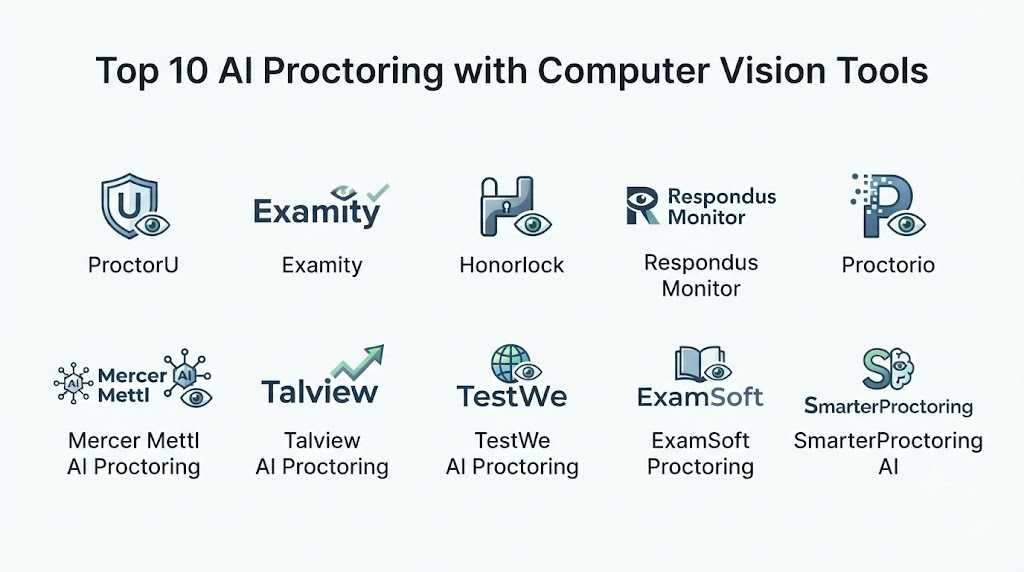
Top 10 AI Proctoring with Computer Vision Tools
- ProctorU
- Examity
- Respondus Monitor
- Honorlock
- Proctorio
- Mercer | Mettl Proctoring
- Pearson VUE OnVUE
- Talview
- TestWe
- Inspera Proctoring
1. ProctorU
ProctorU provides online exam proctoring services that combine AI monitoring, identity verification, and human review support.
Key Features
- AI-assisted monitoring
- Identity verification
- Video recording
- Live proctor support
- Exam security
- Browser monitoring
- Candidate authentication
- Risk indicators
- Assessment reporting
- Remote testing support
Pros
- Supports large-scale online exams
- Combines AI and human review
- Strong certification support
- Flexible testing options
- Established assessment ecosystem
Cons
- Privacy considerations require review
- Pricing varies
- Requires reliable internet and devices
Platforms
Web-based platform.
Deployment or Support
Cloud-based assessment service.
Security & Compliance
Security practices vary by deployment.
Integrations & Ecosystem
Universities, certification providers, LMS platforms, and assessment systems.
Support & Community
Customer support and documentation.
2. Examity
Examity provides online proctoring solutions using identity verification, AI monitoring, and human oversight for secure remote examinations.
Key Features
- Identity verification
- AI monitoring
- Live proctoring
- Recorded exam sessions
- Browser controls
- Candidate authentication
- Exam analytics
- Reporting
- Risk review
- Remote assessments
Pros
- Flexible proctoring options
- Supports educational institutions
- Human review capabilities
- Useful reporting
- Remote exam support
Cons
- Requires careful privacy management
- Implementation varies
- Candidate experience depends on setup
Platforms
Web-based platform.
Deployment or Support
Cloud-based proctoring platform.
Security & Compliance
Institutional security requirements vary.
Integrations & Ecosystem
LMS platforms, universities, certification systems, and testing environments.
Support & Community
Documentation and customer support.
3. Respondus Monitor
Respondus Monitor provides automated exam proctoring integrated with learning management systems.
Key Features
- Automated proctoring
- Webcam monitoring
- Identity verification
- Exam recordings
- AI risk detection
- LMS integration
- Browser lockdown support
- Review dashboards
- Student authentication
- Exam security
Pros
- Strong LMS integration
- Widely used in education
- Automated monitoring
- Easy institutional workflows
- Supports online exams
Cons
- Primarily education focused
- Requires LMS compatibility
- AI flags require review
Platforms
Web and LMS environments.
Deployment or Support
Cloud-based education solution.
Security & Compliance
Education security controls vary.
Integrations & Ecosystem
Learning management systems and educational platforms.
Support & Community
Documentation and education support.
4. Honorlock
Honorlock provides AI-powered online proctoring with automated monitoring and human review capabilities.
Key Features
- AI exam monitoring
- Identity verification
- Browser monitoring
- Video analysis
- Suspicious activity detection
- Live support
- Exam recordings
- LMS integration
- Review tools
- Reporting
Pros
- Combines AI and human review
- Strong education focus
- Good LMS integration
- Flexible exam support
- Useful monitoring reports
Cons
- Privacy concerns require consideration
- Requires technical setup
- AI results need interpretation
Platforms
Web-based platform.
Deployment or Support
Cloud-based proctoring solution.
Security & Compliance
Security controls vary by institution.
Integrations & Ecosystem
Universities, LMS platforms, and assessment systems.
Support & Community
Customer support and documentation.
5. Proctorio
Proctorio provides automated online proctoring solutions using AI monitoring, browser controls, and exam security features.
Key Features
- AI monitoring
- Identity verification
- Browser lockdown
- Video analysis
- Audio monitoring
- Exam recordings
- Automated alerts
- Risk scoring
- LMS integrations
- Reporting
Pros
- Automated monitoring capabilities
- Strong LMS compatibility
- Scalable remote testing
- Flexible configuration
- Useful security controls
Cons
- Privacy considerations
- Requires configuration
- Human review remains important
Platforms
Browser-based platform.
Deployment or Support
Cloud-based proctoring service.
Security & Compliance
Security features vary by deployment.
Integrations & Ecosystem
LMS platforms, educational institutions, and assessment systems.
Support & Community
Documentation and support resources.
6. Mercer | Mettl Proctoring
Mercer | Mettl provides AI-powered assessment and remote proctoring solutions for recruitment, certification, and education.
Key Features
- AI proctoring
- Face recognition
- Browser monitoring
- Remote assessments
- Identity verification
- Video analysis
- Assessment reports
- Skill testing
- Candidate analytics
- Enterprise workflows
Pros
- Combines assessment and proctoring
- Supports enterprise hiring
- Useful analytics
- Multiple assessment types
- Global usage
Cons
- Enterprise setup required
- Pricing varies
- Requires policy planning
Platforms
Web-based platform.
Deployment or Support
Cloud-based assessment platform.
Security & Compliance
Enterprise security controls vary.
Integrations & Ecosystem
HR systems, recruitment platforms, LMS tools, and certification workflows.
Support & Community
Enterprise support and documentation.
7. Pearson VUE OnVUE
Pearson VUE OnVUE provides online exam delivery with identity verification and remote proctoring for professional certification exams.
Key Features
- Remote exam delivery
- Identity verification
- Webcam monitoring
- Secure testing environment
- Candidate authentication
- Exam scheduling
- Certification support
- Test security
- Exam reporting
- Global availability
Pros
- Strong certification ecosystem
- Trusted testing infrastructure
- Global availability
- Professional exam support
- Secure delivery process
Cons
- Mainly certification focused
- Requires strict technical requirements
- Pricing varies
Platforms
Web-based testing environment.
Deployment or Support
Cloud-based assessment service.
Security & Compliance
Testing security standards vary by certification program.
Integrations & Ecosystem
Certification organizations, professional exams, and testing systems.
Support & Community
Candidate support and documentation.
8. Talview
Talview provides AI-powered assessments, remote proctoring, and talent evaluation solutions for organizations.
Key Features
- AI proctoring
- Video monitoring
- Identity verification
- Candidate assessments
- Interview automation
- Behavioral analysis
- Skill testing
- Analytics
- Recruitment workflows
- Reporting
Pros
- Combines assessment and hiring workflows
- Enterprise-focused
- Supports recruitment use cases
- AI-powered analytics
- Multiple evaluation options
Cons
- Enterprise implementation required
- AI analysis requires oversight
- Pricing varies
Platforms
Web-based platform.
Deployment or Support
Cloud-based enterprise solution.
Security & Compliance
Enterprise controls vary.
Integrations & Ecosystem
HR platforms, ATS systems, recruitment workflows, and assessment tools.
Support & Community
Enterprise support.
9. TestWe
TestWe provides secure online examination solutions with remote monitoring and digital assessment capabilities.
Key Features
- Online exams
- Secure testing environment
- Candidate monitoring
- Identity verification
- Exam management
- Digital assessments
- Reporting
- Remote testing
- Assessment workflows
- Security controls
Pros
- Focused exam solution
- Secure assessment environment
- Supports remote exams
- Useful for institutions
- Digital testing workflow
Cons
- AI capabilities vary
- Less broad ecosystem
- Requires setup
Platforms
Web-based platform.
Deployment or Support
Cloud-based testing platform.
Security & Compliance
Security practices vary.
Integrations & Ecosystem
Education systems, assessment platforms, and testing workflows.
Support & Community
Customer support.
10. Inspera Proctoring
Inspera provides secure digital assessment and proctoring solutions for educational institutions and organizations.
Key Features
- Online assessment
- AI proctoring
- Identity verification
- Exam monitoring
- Digital evaluation
- Assessment workflows
- Reporting
- Secure exam environment
- Institution management
- Analytics
Pros
- Comprehensive assessment platform
- Supports institutions
- Digital exam workflows
- Secure testing environment
- Assessment management
Cons
- Enterprise deployment
- Requires configuration
- Pricing varies
Platforms
Web-based platform.
Deployment or Support
Cloud-based assessment platform.
Security & Compliance
Institutional security requirements vary.
Integrations & Ecosystem
Universities, assessment systems, and learning platforms.
Support & Community
Documentation and customer support.
Comparison Table
| Tool Name | Best For | Platform(s) Supported | Deployment | Standout Feature | Public Rating |
|---|---|---|---|---|---|
| ProctorU | Remote exams | Web | Cloud | AI + human proctoring | N/A |
| Examity | Online education exams | Web | Cloud | Flexible proctoring | N/A |
| Respondus Monitor | LMS-based exams | Web/LMS | Cloud | Automated monitoring | N/A |
| Honorlock | University assessments | Web | Cloud | AI exam security | N/A |
| Proctorio | Automated proctoring | Browser | Cloud | Browser monitoring | N/A |
| Mercer Mettl Proctoring | Enterprise assessments | Web | Cloud | AI assessment security | N/A |
| Pearson VUE OnVUE | Certification exams | Web | Cloud | Professional testing | N/A |
| Talview | Hiring assessments | Web | Cloud | Talent evaluation | N/A |
| TestWe | Digital exams | Web | Cloud | Secure testing | N/A |
| Inspera Proctoring | Institutional assessment | Web | Cloud | Digital assessment platform | N/A |
Weighted Evaluation
| Tool Name | Core Features 25% | Ease of Use 15% | Integrations & Ecosystem 15% | Security & Compliance 10% | Performance & Reliability 10% | Support & Community 10% | Price/Value 15% | Total |
|---|---|---|---|---|---|---|---|---|
| ProctorU | 24 | 13 | 14 | 9 | 10 | 10 | 11 | 91 |
| Examity | 23 | 13 | 14 | 9 | 10 | 10 | 11 | 90 |
| Respondus Monitor | 23 | 14 | 15 | 9 | 10 | 10 | 12 | 93 |
| Honorlock | 23 | 14 | 14 | 9 | 10 | 10 | 11 | 91 |
| Proctorio | 22 | 13 | 14 | 9 | 10 | 9 | 12 | 89 |
| Mercer Mettl Proctoring | 23 | 13 | 14 | 9 | 10 | 10 | 11 | 90 |
| Pearson VUE OnVUE | 24 | 12 | 15 | 10 | 10 | 10 | 10 | 91 |
| Talview | 22 | 13 | 14 | 9 | 10 | 9 | 11 | 88 |
| TestWe | 21 | 13 | 12 | 9 | 9 | 8 | 12 | 84 |
| Inspera Proctoring | 22 | 12 | 13 | 9 | 10 | 9 | 11 | 86 |
Which AI Proctoring with Computer Vision Tool Is Right for You?
Choose ProctorU when organizations need scalable remote exam monitoring with human support.
Choose Examity when universities require flexible online proctoring options.
Choose Respondus Monitor when LMS-based automated exam monitoring is needed.
Choose Honorlock when education institutions need AI-powered exam security.
Choose Proctorio when browser monitoring and automated proctoring are priorities.
Choose Mercer | Mettl Proctoring when enterprises need assessments combined with proctoring.
Choose Pearson VUE OnVUE when professional certification exams require secure delivery.
Choose Talview when recruitment assessments and proctoring are combined needs.
Choose TestWe when secure digital examination workflows are required.
Choose Inspera Proctoring when institutions need complete digital assessment management.
Implementation Playbook
Phase 1: Define Exam Requirements
- Identify assessment type
- Define security needs
- Establish privacy policies
- Select monitoring levels
- Determine candidate requirements
Phase 2: Prepare Infrastructure
- Verify devices
- Test internet requirements
- Configure integrations
- Establish support processes
- Train administrators
Phase 3: Deploy Proctoring
- Configure exam settings
- Verify candidates
- Launch assessments
- Monitor sessions
- Review reports
Phase 4: Evaluate Results
- Review flagged events
- Analyze system performance
- Collect feedback
- Improve assessment processes
- Update policies
Phase 5: Maintain Responsible Usage
- Review privacy practices
- Monitor fairness
- Improve accessibility
- Maintain transparency
- Update security measures
Common Mistakes
- Treating AI flags as final decisions
- Ignoring privacy concerns
- Failing to inform candidates
- Using unnecessary monitoring features
- Not testing technical requirements
- Ignoring accessibility needs
- Depending only on automated detection
- Failing to maintain human review
FAQs
1. What are AI Proctoring with Computer Vision Tools?
AI Proctoring with Computer Vision Tools use artificial intelligence and video analysis to monitor online exams, verify candidates, and identify possible security concerns.
2. How does computer vision help in online exams?
Computer vision analyzes visual information such as candidate presence, identity verification, and unusual activity patterns.
3. Can AI proctoring prevent cheating completely?
No system can guarantee complete prevention. AI proctoring helps reduce risks when combined with policies and human review.
4. Are AI proctoring tools safe for students?
Safety depends on responsible implementation, privacy protection, transparency, and appropriate data handling.
5. Do AI proctoring systems replace human invigilators?
No. Many systems combine AI monitoring with human review.
6. What data do AI proctoring tools collect?
Depending on configuration, they may collect video, audio, identity information, screen activity, and exam behavior data.
7. Can AI proctoring work for remote students?
Yes. These platforms are designed to support remote examination environments.
8. What happens when AI detects suspicious behavior?
Usually, the system creates alerts or reports that require review according to institutional policies.
9. Are AI proctoring tools suitable for certification exams?
Yes. Many certification organizations use remote proctoring for secure online testing.
10. What should organizations consider before choosing AI proctoring software?
Organizations should evaluate security, privacy, accuracy, integrations, accessibility, candidate experience, and cost.
Conclusion
AI Proctoring with Computer Vision Tools are transforming remote assessments by enabling secure, scalable, and flexible examination experiences. These platforms combine identity verification, video analysis, browser monitoring, and risk detection to support online testing.Respondus Monitor, Honorlock, and ProctorU provide strong education-focused solutions, while Pearson VUE OnVUE supports professional certification testing. Platforms such as Mercer | Mettl and Talview combine assessment capabilities with enterprise workflows.
