Introduction
AI STEM Coding Coach Tools use artificial intelligence, machine learning, natural language processing, automated feedback, and interactive learning technologies to help students and professionals learn programming, computational thinking, and STEM concepts.
Traditional coding education often depends on textbooks, classroom instruction, and fixed exercises. While these methods build foundational knowledge, learners frequently struggle with debugging, problem-solving, understanding complex concepts, and receiving personalized guidance.
AI-powered coding coach tools provide interactive assistance by explaining programming concepts, reviewing code, identifying mistakes, suggesting improvements, and adapting learning activities based on individual progress.
These tools help learners develop:
- Programming skills
- Logical thinking
- Problem-solving abilities
- Algorithmic understanding
- Debugging skills
- Software development practices
- STEM knowledge
AI STEM coding coaches are used by:
- Schools
- Universities
- Coding bootcamps
- Online learning platforms
- Teachers
- Students
- Professional developers
- Corporate training programs
Modern AI coding education platforms combine AI tutors, coding environments, automated evaluation, project-based learning, personalized recommendations, and real-time feedback.
The goal of these systems is to make programming education more accessible, interactive, and personalized for learners at different skill levels.
How AI STEM Coding Coach Tools Work
Interactive Learning
AI provides explanations, examples, and guided exercises based on learner questions.
Code Analysis
AI reviews code to identify:
- Errors
- Inefficient approaches
- Coding style issues
- Improvement opportunities
Personalized Guidance
The system adapts lessons based on:
- Skill level
- Learning speed
- Previous mistakes
- Learning goals
Automated Feedback
Learners receive:
- Debugging suggestions
- Code explanations
- Practice recommendations
- Performance insights
Project-Based Learning
AI helps learners build practical projects and apply coding concepts.
Common Use Cases
- Programming education
- STEM learning
- Coding practice
- Algorithm training
- Debugging assistance
- Software development training
- Computer science education
- Robotics programming
- Data science learning
- Technical interview preparation
Why AI STEM Coding Coach Tools Matter
Personalized Learning
Students receive guidance based on their individual progress and challenges.
Faster Problem Solving
AI helps learners understand errors and improve debugging skills.
Increased Coding Confidence
Beginners can practice without fear of making mistakes.
Accessible Education
Learners can access coding support anytime.
Practical Skill Development
AI coaches help learners build real programming abilities through projects and exercises.
Evaluation Criteria for Buyers
Coding Support Quality
The platform should provide accurate explanations, debugging help, and programming guidance.
Language Support
Important programming languages include Python, JavaScript, Java, C++, SQL, and others.
Learning Content
Strong platforms provide lessons, exercises, projects, and assessments.
Personalization
AI should adapt learning paths according to learner skills and goals.
Feedback Accuracy
Code reviews and recommendations should be reliable and educational.
Integration Capability
Useful integrations include IDEs, LMS platforms, coding environments, and classroom tools.
Security and Privacy
Student data, code submissions, and learning information should be protected.
Key Trends
AI Coding Tutors
AI assistants are becoming interactive programming mentors for learners.
Adaptive Coding Education
Platforms are adjusting lessons based on individual performance.
Project-Based Learning
AI is supporting practical coding projects rather than only theoretical exercises.
Automated Code Review
AI-powered review systems are helping students understand better coding practices.
STEM Accessibility
AI coding coaches are making programming education available to more learners.
Generative AI Programming Support
Modern tools are helping learners understand, create, and improve software projects.
Methodology
The following tools were evaluated using:
- Coding coaching capabilities
- Learning features
- Ease of use
- Integrations and ecosystem
- Security and privacy
- Performance and reliability
- Support and community
- Price and value
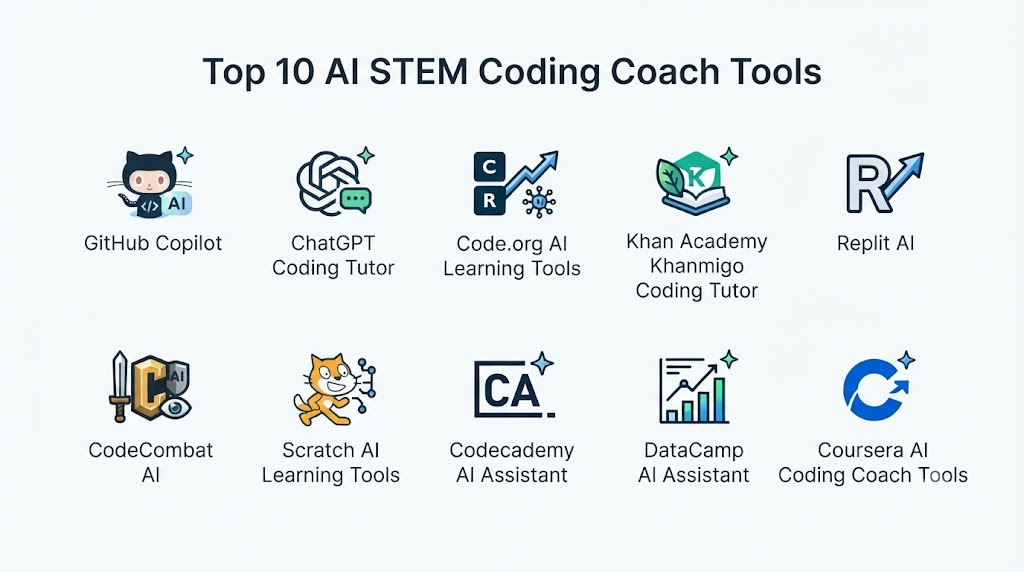
Top 10 AI STEM Coding Coach Tools
1. GitHub Copilot
GitHub Copilot provides AI-powered coding assistance that helps learners understand programming concepts, generate code examples, and improve development skills.
Key Features
- AI coding assistance
- Code explanations
- Programming suggestions
- Debugging support
- Code completion
- Multiple language support
- Developer workflows
- Learning assistance
- Documentation help
- Coding productivity tools
Pros
- Strong programming assistance
- Supports many languages
- Useful for beginners and developers
- Integrated coding workflow
- Helps explain code concepts
Cons
- Requires responsible usage
- Not a complete coding curriculum
- Beginners need learning structure
Platforms
Code editors, development environments, and web-based tools.
Deployment or Support
Cloud-based AI coding assistant.
Security & Compliance
Controls vary by plan and usage environment.
Integrations & Ecosystem
Developer tools, code repositories, IDE environments, and programming workflows.
Support & Community
Documentation and developer community.
2. ChatGPT
ChatGPT provides AI-based coding guidance by helping learners understand programming concepts, solve problems, debug code, and practice software development.
Key Features
- Programming explanations
- Code generation
- Debugging assistance
- Algorithm guidance
- Learning exercises
- Project support
- Multiple language support
- Technical explanations
- Coding discussions
- Personalized tutoring
Pros
- Flexible coding tutor
- Supports many programming languages
- Good for concept explanations
- Useful debugging assistance
- Adaptable learning style
Cons
- Requires learner guidance
- Responses should be verified
- Not a structured coding course by default
Platforms
Web, desktop, and mobile applications.
Deployment or Support
Cloud-based AI assistant.
Security & Compliance
Controls vary by plan and usage.
Integrations & Ecosystem
Developer tools, learning workflows, APIs, and educational applications.
Support & Community
Documentation and user community.
3. Code.org AI Tools
Code.org provides computer science education resources with AI-supported learning experiences for students and educators.
Key Features
- Coding lessons
- Computer science curriculum
- AI education activities
- Programming exercises
- Classroom resources
- Student progress tracking
- Teacher tools
- Interactive learning
- STEM activities
- Coding projects
Pros
- Strong education focus
- Beginner-friendly
- Free learning resources
- Classroom support
- Structured curriculum
Cons
- Mainly focused on school education
- Advanced programming features vary
- Less suitable for professional developers
Platforms
Web-based platform.
Deployment or Support
Cloud-based education platform.
Security & Compliance
Education privacy practices apply.
Integrations & Ecosystem
Schools, classrooms, teachers, and education systems.
Support & Community
Teacher resources and learning community.
4. Codecademy AI
Codecademy AI provides interactive coding education with AI assistance, practice exercises, and personalized learning support.
Key Features
- Coding lessons
- AI learning assistance
- Interactive exercises
- Programming projects
- Code feedback
- Skill paths
- Practice environments
- Career learning paths
- Progress tracking
- Assessments
Pros
- Structured coding education
- Beginner-friendly
- Practical exercises
- Career-focused learning
- Interactive environment
Cons
- Advanced users may need additional resources
- Subscription required for some features
- AI capabilities vary
Platforms
Web and mobile applications.
Deployment or Support
Cloud-based learning platform.
Security & Compliance
Privacy controls vary.
Integrations & Ecosystem
Learning platforms, coding environments, and career programs.
Support & Community
Documentation and learner community.
5. Replit AI
Replit AI provides an AI-assisted coding environment where learners can build projects, receive coding help, and experiment with programming.
Key Features
- AI coding assistance
- Online coding environment
- Code explanations
- Project creation
- Debugging support
- Collaboration tools
- Multiple languages
- Learning projects
- Code execution
- Developer workspace
Pros
- Hands-on coding environment
- Easy project creation
- Supports experimentation
- Useful for beginners
- Collaborative features
Cons
- Requires internet access
- AI suggestions need review
- Advanced projects may require expertise
Platforms
Web and mobile applications.
Deployment or Support
Cloud-based development platform.
Security & Compliance
Security controls vary.
Integrations & Ecosystem
Developer tools, coding environments, and educational workflows.
Support & Community
Documentation and developer community.
6. Khan Academy Khanmigo
Khanmigo provides AI-powered educational assistance designed to support students and teachers across learning subjects, including coding concepts.
Key Features
- AI tutoring
- Coding guidance
- Learning explanations
- Student support
- Teacher tools
- Educational conversations
- Problem-solving guidance
- Personalized learning
- Practice assistance
- Learning feedback
Pros
- Education-focused AI tutor
- Strong learning approach
- Student-friendly
- Supports guided learning
- Teacher support features
Cons
- Coding depth varies
- Availability depends on region and access
- Not a dedicated developer platform
Platforms
Web-based education platform.
Deployment or Support
Cloud-based learning platform.
Security & Compliance
Education privacy practices vary.
Integrations & Ecosystem
Education systems, classrooms, and learning resources.
Support & Community
Educational resources and support.
7. CodeSignal
CodeSignal provides coding assessments and learning tools that help learners improve programming skills through practice and evaluation.
Key Features
- Coding exercises
- Programming assessments
- Skill evaluation
- Practice challenges
- Technical testing
- Coding analytics
- Developer learning
- Interview preparation
- Performance reports
- Programming tasks
Pros
- Strong technical assessment
- Practical coding challenges
- Useful for developers
- Skill measurement
- Industry-focused
Cons
- More assessment-focused
- Beginners may need additional guidance
- Less traditional teaching content
Platforms
Web-based platform.
Deployment or Support
Cloud-based assessment platform.
Security & Compliance
Enterprise controls vary.
Integrations & Ecosystem
Recruitment platforms, developer workflows, and learning systems.
Support & Community
Documentation and support.
8. DataCamp AI Assistant
DataCamp AI Assistant helps learners understand programming, data science, analytics, and technical concepts.
Key Features
- Coding assistance
- Data science learning
- Python support
- SQL guidance
- Exercise explanations
- Learning paths
- Practice projects
- Skill development
- Course support
- Feedback
Pros
- Strong data science focus
- Good learning structure
- Practical exercises
- Supports analytics skills
- Beginner-friendly
Cons
- Focused mainly on data skills
- Less suitable for general programming
- Advanced developers need more resources
Platforms
Web-based platform.
Deployment or Support
Cloud-based learning platform.
Security & Compliance
Privacy controls vary.
Integrations & Ecosystem
Learning platforms, analytics workflows, and coding environments.
Support & Community
Documentation and learner community.
9. Coursera AI Learning Tools
Coursera AI learning tools provide AI-supported learning assistance across programming, computer science, and technical courses.
Key Features
- AI learning support
- Programming courses
- Technical lessons
- Skill development
- Course recommendations
- Practice exercises
- Learning assessments
- Certification programs
- Progress tracking
- Educational resources
Pros
- Large educational ecosystem
- Professional courses
- Certification support
- Structured learning
- University content
Cons
- AI features vary by course
- Less focused on coding coaching alone
- Course quality varies
Platforms
Web and mobile applications.
Deployment or Support
Cloud-based education platform.
Security & Compliance
Education privacy controls vary.
Integrations & Ecosystem
Universities, companies, professional learning systems.
Support & Community
Learner support and resources.
10. CodeHS AI Tutor
CodeHS AI Tutor provides coding education support for students and teachers through programming lessons and AI assistance.
Key Features
- Coding curriculum
- AI tutoring support
- Programming exercises
- Teacher dashboards
- Student progress tracking
- Computer science lessons
- Coding projects
- Assessments
- Classroom tools
- Learning analytics
Pros
- Strong classroom focus
- Structured coding curriculum
- Teacher support
- Beginner-friendly
- Student progress tracking
Cons
- Mainly education focused
- Advanced programming support varies
- Requires classroom implementation
Platforms
Web-based platform.
Deployment or Support
Cloud-based education platform.
Security & Compliance
Education privacy practices vary.
Integrations & Ecosystem
Schools, teachers, LMS platforms, and education systems.
Support & Community
Teacher resources and support.
Comparison Table
| Tool Name | Best For | Platform(s) Supported | Deployment | Standout Feature | Public Rating |
|---|---|---|---|---|---|
| GitHub Copilot | Coding assistance | IDE/Web | Cloud | AI coding support | N/A |
| ChatGPT | Flexible coding tutoring | Web/Mobile | Cloud | Interactive explanations | N/A |
| Code.org AI Tools | School coding education | Web | Cloud | Computer science curriculum | N/A |
| Codecademy AI | Structured learning | Web/Mobile | Cloud | Interactive coding paths | N/A |
| Replit AI | Project-based coding | Web/Mobile | Cloud | Online coding environment | N/A |
| Khanmigo | Student tutoring | Web | Cloud | AI learning assistant | N/A |
| CodeSignal | Coding practice | Web | Cloud | Technical evaluation | N/A |
| DataCamp AI Assistant | Data science learning | Web | Cloud | Data skill coaching | N/A |
| Coursera AI Learning Tools | Professional courses | Web/Mobile | Cloud | Course ecosystem | N/A |
| CodeHS AI Tutor | Classroom coding | Web | Cloud | Teacher-focused learning | N/A |
Weighted Evaluation
| Tool Name | Core Features 25% | Ease of Use 15% | Integrations & Ecosystem 15% | Security & Compliance 10% | Performance & Reliability 10% | Support & Community 10% | Price/Value 15% | Total |
|---|---|---|---|---|---|---|---|---|
| GitHub Copilot | 24 | 14 | 15 | 9 | 10 | 10 | 13 | 95 |
| ChatGPT | 24 | 15 | 15 | 9 | 10 | 10 | 14 | 97 |
| Code.org AI Tools | 21 | 15 | 12 | 9 | 10 | 10 | 15 | 92 |
| Codecademy AI | 22 | 15 | 13 | 9 | 10 | 10 | 13 | 92 |
| Replit AI | 23 | 14 | 14 | 9 | 10 | 10 | 13 | 93 |
| Khanmigo | 21 | 15 | 12 | 9 | 10 | 10 | 14 | 91 |
| CodeSignal | 22 | 13 | 13 | 9 | 10 | 9 | 12 | 88 |
| DataCamp AI Assistant | 21 | 14 | 13 | 9 | 10 | 10 | 13 | 90 |
| Coursera AI Learning Tools | 22 | 15 | 15 | 9 | 10 | 10 | 13 | 94 |
| CodeHS AI Tutor | 21 | 14 | 12 | 9 | 10 | 10 | 13 | 89 |
Which AI STEM Coding Coach Tool Is Right for You?
Choose ChatGPT when learners need flexible coding explanations, debugging support, and personalized tutoring.
Choose GitHub Copilot when developers and advanced learners need AI-assisted programming support.
Choose Code.org AI Tools when schools need beginner-friendly computer science education.
Choose Codecademy AI when structured coding courses and practice environments are important.
Choose Replit AI when learners want to build projects in an interactive coding environment.
Choose Khanmigo when students need guided educational support.
Choose CodeSignal when coding practice and skill evaluation are priorities.
Choose DataCamp AI Assistant when data science and analytics skills are the focus.
Choose Coursera AI Learning Tools when professional technical learning paths are needed.
Choose CodeHS AI Tutor when schools need classroom-focused coding education.
Implementation Playbook
Phase 1: Define Learning Goals
- Identify learner levels
- Select programming languages
- Define STEM objectives
- Choose learning outcomes
- Plan practice activities
Phase 2: Select Learning Environment
- Choose coding platform
- Configure tools
- Prepare curriculum
- Set assessment methods
- Train educators
Phase 3: Begin AI-Assisted Learning
- Practice coding problems
- Receive AI feedback
- Build projects
- Review mistakes
- Improve skills
Phase 4: Measure Progress
- Track coding improvement
- Analyze challenges
- Review completed projects
- Adjust learning paths
- Provide additional support
Phase 5: Continuous Development
- Introduce advanced concepts
- Encourage experimentation
- Update learning materials
- Evaluate outcomes
- Expand STEM skills
Common Mistakes
- Using AI without understanding fundamentals
- Copying generated code without learning
- Ignoring debugging practice
- Choosing tools without learner goals
- Avoiding challenging problems
- Not reviewing AI suggestions
- Focusing only on syntax
- Ignoring project-based learning
FAQs
1. What are AI STEM Coding Coach Tools?
AI STEM Coding Coach Tools use artificial intelligence to help learners understand programming, solve coding problems, debug errors, and develop software skills.
2. Can AI coding coaches teach beginners?
Yes. Many tools provide beginner-friendly explanations, exercises, and guided learning experiences.
3. Can AI replace coding teachers?
No. AI supports learning through explanations and feedback, while teachers provide mentorship and deeper guidance.
4. Which programming languages can AI coding coaches support?
Many support popular languages such as Python, JavaScript, Java, C++, SQL, and others.
5. How do AI coding coaches help with debugging?
They analyze code, identify possible issues, explain errors, and suggest improvements.
6. Are AI coding tools useful for STEM education?
Yes. They help students learn computational thinking, programming, and problem-solving skills.
7. Can professionals use AI coding coaches?
Yes. Developers use them for learning, experimentation, debugging, and improving coding practices.
8. Are AI-generated coding suggestions always correct?
No. Learners should review, test, and understand generated code before using it.
9. Can AI coding coaches support project-based learning?
Yes. Many tools help learners build applications, experiments, and practical coding projects.
10. What should organizations consider before choosing an AI coding coach?
Organizations should evaluate learning quality, programming support, integrations, security, accessibility, and cost.
Conclusion
AI STEM Coding Coach Tools are changing programming education by providing personalized guidance, instant feedback, and interactive coding support. These platforms help beginners learn fundamentals while supporting advanced learners with debugging, experimentation, and project development.ChatGPT, GitHub Copilot, Replit AI, and Coursera AI Learning Tools provide flexible learning experiences, while Code.org, CodeHS, and Khanmigo focus on structured education. Platforms such as Codecademy and DataCamp support guided skill development.
