Introduction
Computer‑Assisted Translation (CAT) tools are software applications that help translators and language professionals work more efficiently by leveraging technology to improve consistency, speed, and quality. Unlike machine translation that automatically generates translated text, CAT tools assist human translators by breaking content into manageable segments, storing translation memory (TM), managing glossaries/terminologies, and offering quality assurance checks. In, CAT tools remain indispensable as global content volume explodes, localization becomes strategic, and multilingual digital experiences are a competitive necessity.
Real‑world use cases include:
- Professional translators managing large dossiers of repetitive content with translation memories.
- Localization teams standardizing product interfaces, software strings, and documentation across regions.
- Marketing departments ensuring brand voice and approved terminology consistency in global campaigns.
- Global services and support teams translating knowledge base articles, FAQs, and support content.
- Translation agencies coordinating distributed linguists with quality checks and workflow management.
What buyers should evaluate:
- Translation memory quality and performance
- Terminology and glossary management
- File formats and encoding support
- Project and workflow automation
- Collaboration and cloud capabilities
- Quality assurance (QA) checks
- Integration with machine translation (MT) providers
- Security and compliance standards
- Usability and learning curve
- Support, training, and community ecosystem
Best for: Translation vendors, localization and L10n teams, enterprises managing multilingual content, freelance translators handling high‑volume work.
Not ideal for: Casual one‑off translations, users without structured localization workflows, or those solely needing raw machine translation without human control.
Key Trends in CAT Tools
- AI‑assisted suggestions: Next‑gen AI embeds within editors to suggest high‑quality translations and predict segment matches.
- Real‑time collaboration: Cloud‑based CAT tools enable multiple translators and reviewers to work simultaneously on shared projects.
- Hybrid MT + TM workflows: Seamless blending of neural MT engines with translation memories to optimize speed and quality.
- Contextual in‑context editing: Translators can preview UI strings, design layouts, or functional interfaces as they translate.
- Advanced QA automation: Automated checks for consistency, terminology usage, formatting, tags, and punctuation.
- API ecosystems: CAT tools expose APIs to integrate with CMS, code repositories, CI/CD pipelines, and content platforms.
- Security & compliance focus: Data encryption, access controls, and enterprise compliance standards (e.g., ISO, GDPR) are increasingly expected.
- Subscription & flexible pricing: Cloud models and per‑seat subscriptions broaden accessibility for small teams and solo translators.
- Multi‑format support: Native handling of web, software, multimedia subtitles, XML/JSON, and headless content sources.
- Analytics & reporting: Real‑time dashboards provide insights on productivity, memory leverage, quality errors, and workflow bottlenecks.
How We Selected These Tools (Methodology)
- Market adoption / mindshare: Tools widely used among translators, agencies, and enterprise localization teams.
- Feature completeness: Breadth and depth of CAT functionality including TM, glossary, QA, workflow, and integrations.
- Reliability / performance signals: Stability under heavy workloads, handling of large corpora, and cloud performance.
- Security posture signals: Encryption, access control, auditing, and stated compliance practices.
- Integrations / ecosystem: Ability to plug into CMS, TMS, MT engines, content pipelines, and developer tools.
- Customer fit across segments: Suitability for solo translators, SMBs, mid‑market, and enterprise localization.
- Innovation alignment: Support for emerging workflows like AI‑assisted suggestions and context previews.
- Usability & adoption: Ease of learning, editor ergonomics, onboarding resources, and community support.
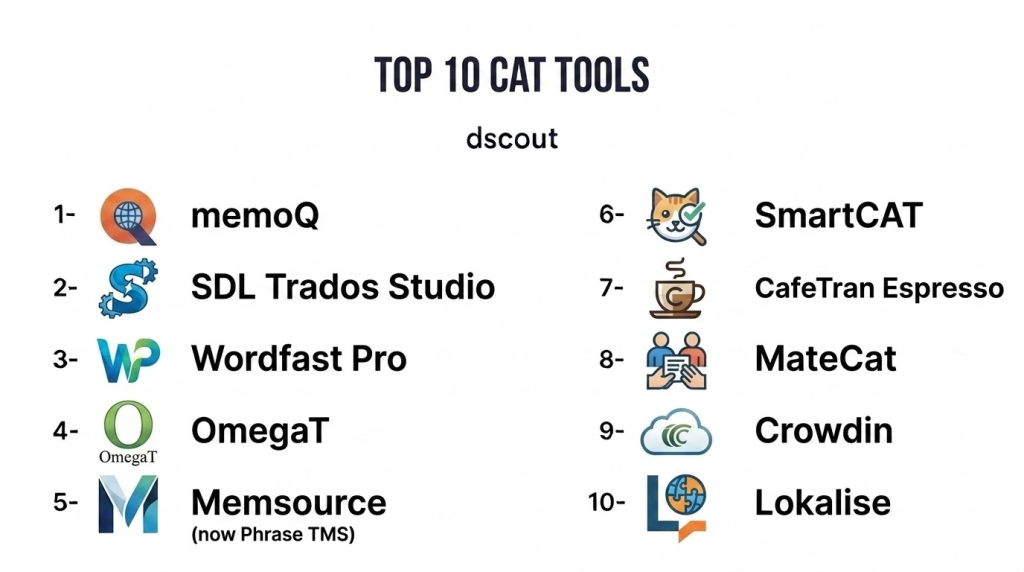
Top 10 CAT Tools
1 — memoQ
Short description : memoQ is a leading CAT tool used by translators and localization teams to manage translation memories, glossaries, and collaborative workflows. It blends desktop power with cloud‑based collaboration, making it a hybrid solution for enterprise and freelance scenarios.
Key Features
- Translation memory (TM) management and fuzzy matching
- Terminology integration with glossaries
- Project and resource sharing in cloud environments
- QA checks and inline validation
- In‑context preview for software and web content
- Integration with MT engines for assisted suggestions
- APIs for automation and CMS connectors
Pros
- Balanced desktop + cloud deployment
- Strong TM and QA capabilities
- Enterprise and team support
Cons
- Licensing complexity for SMBs
- Learning curve for advanced features
- Desktop client may feel dated to cloud‑centric users
Platforms / Deployment
- Windows, macOS, Web
- Hybrid (Cloud + Desktop)
Security & Compliance
- Not publicly stated
Integrations & Ecosystem
memoQ integrates with content platforms and MT engines for streamlined localization.
- MT providers (optional)
- CMS and repository connectors
- Workflow automation APIs
Support & Community
- Vendor support tiers
- Documentation and tutorials
- Active professional community
2 — SDL Trados Studio
Short description: SDL Trados Studio is one of the most recognized CAT tools globally, valued for its comprehensive translation memory system, powerful QA features, and enterprise scalability. It is widely used by professional translators, agencies, and corporate localization teams.
Key Features
- Advanced translation memory and multi‑TM support
- Terminology management with MultiTerm
- Extensive QA tools including tag and formatting checks
- Project automation templates
- Concordance search and alignment tools
- Integration with machine translation
- Batch processing and publishing workflows
Pros
- Industry standard in professional translation
- Deep feature set for complex projects
- Mature ecosystem with add‑ons
Cons
- Steep learning curve
- Desktop‑centric model
- Subscription and licensing can be expensive
Platforms / Deployment
- Windows, Web (via cloud services)
- Hybrid
Security & Compliance
- Not publicly stated
Integrations & Ecosystem
- Professional ecosystem with template libraries
- MT engine connections
- CMS and content platform integration via connectors
Support & Community
- Vendor support
- Training resources
- Large global community
3 — Wordfast Pro
Short description: Wordfast Pro is a versatile CAT tool that prioritizes simplicity and affordability while offering core translation memory, glossary management, and QA features, making it suitable for freelance translators and small teams.
Key Features
- TM and glossary management
- Cross‑platform desktop support
- Real‑time QA checks
- Concordance and search tools
- Collaborative server option
- Lightweight UI for rapid adoption
Pros
- User friendly
- Cost‑effective for solo translators
- Cross‑platform without heavy resource demands
Cons
- Less advanced automation than competitors
- Smaller enterprise ecosystem
- Limited cloud‑native collaboration
Platforms / Deployment
- Windows, macOS, Linux
- Cloud / Desktop
Security & Compliance
- Not publicly stated
Integrations & Ecosystem
- Optional Wordfast Server for team workflows
- Standard formats and export options
- Basic API/extensibility
Support & Community
- Dedicated support
- Documentation
- Active translator community
4 — OmegaT
Short description: OmegaT is an open‑source CAT tool that provides translators with essential TM and glossary functionality. It is popular among freelancers and budget‑conscious teams looking for a free and extendable platform.
Key Features
- TM leverage and fuzzy matches
- Glossary and dictionary support
- Segment filtering and search
- Multiple file format support
- Cross‑platform availability
- Plugin ecosystem for extensibility
Pros
- Free and open‑source
- Cross‑platform
- Flexible with plugins
Cons
- Limited automation and reporting
- Not optimized for enterprise workflows
- UI is functional rather than modern
Platforms / Deployment
- Windows, macOS, Linux
- Desktop
Security & Compliance
- Varies / N/A
Integrations & Ecosystem
- Plugin architecture
- Exportable TM and glossaries
- Basic workflow adaptation
Support & Community
- Community support
- Public documentation
- User forums
5 — Memsource (now Phrase TMS)
Short description: Memsource, recently rebranded as part of Phrase’s broader localization suite, is a cloud‑native CAT and translation platform enabling teams to collaborate, automate workflows, and tap AI‑assisted translations across projects.
Key Features
- Cloud‑based editor and TM
- AI/MT integration for suggestions
- QA automation
- Workflow and role management
- API and extensibility
- Cloud project dashboards
Pros
- Modern cloud UX
- Real‑time collaboration
- Scalability for teams
Cons
- Can feel complex for solo translators
- Subscription pricing
- Desktop app optional
Platforms / Deployment
- Web, iOS, Android
- Cloud
Security & Compliance
- Not publicly stated
Integrations & Ecosystem
- MT engines
- CMS connectors
- Automation APIs
Support & Community
- Enterprise support
- Tutorials and guides
- Growing community
6 — SmartCAT
Short description: SmartCAT is a cloud‑first CAT platform that combines translation memory, glossary management, collaborative editing, and marketplace access to linguistic vendors, offering a full localization environment.
Key Features
- Unified TM across teams
- Glossary & term management
- In‑browser collaborative editor
- Integrated marketplace of linguists
- Workflow automation
- MT suggestions
- QA checks
Pros
- In‑cloud collaboration
- Marketplace ecosystem
- Integrated workflow features
Cons
- Subscription costs for premium tiers
- Overhead for small tasks
- Learning curve for new users
Platforms / Deployment
- Web
- Cloud
Security & Compliance
- Not publicly stated
Integrations & Ecosystem
- Marketplace of linguists
- API for integrations
- Standard content connectors
Support & Community
- Support tiers
- Knowledge base
- Translator community
7 — CafeTran Espresso
Short description: CafeTran is a versatile CAT tool popular with freelance translators, combining translation memory, project management, and QA functions in a lightweight desktop application.
Key Features
- TM and glossary cascade
- Segment memory plus concordance
- Project management tools
- Inline QA checks
- Fuzzy match handling
- Multi‑format support
Pros
- Intuitive interface
- Affordable for freelancers
- Cross‑platform
Cons
- Limited enterprise collaboration
- No cloud native editor
- Smaller ecosystem
Platforms / Deployment
- Windows, macOS, Linux
- Desktop
Security & Compliance
- Not publicly stated
Integrations & Ecosystem
- Basic file format handling
- TM export/import
- Plugin support
Support & Community
- Email support
- Documentation
- Small community
8 — MateCat
Short description: MateCat is an open, web‑based CAT environment emphasizing ease of use, collaboration, and free translation memory leveraging with optional MT suggestions.
Key Features
- Web‑based CAT editor
- TM leverage and fuzzy matches
- MT suggestion integration
- Collaborative project access
- Free standard use
- QA checks
Pros
- Ease of access via browser
- No installation needed
- Collaborative editing
Cons
- Lacks enterprise workflow features
- Limited advanced automation
- Relying on external MT for suggestions
Platforms / Deployment
- Web
- Cloud
Security & Compliance
- Varies / N/A
Integrations & Ecosystem
- TM export/import
- MT connectors
- API Varies / N/A
Support & Community
- Online documentation
- Community support
- Tutorials
9 — Crowdin
Short description: Crowdin is a localization management platform that includes robust CAT editor features for translators, workflow automation, and integrations to automate content flows from source to translated output.
Key Features
- Cloud CAT editor
- TM and glossary support
- Workflow templates
- Real‑time collaboration
- Automated content sync
- Reporting dashboards
Pros
- Team‑friendly cloud solution
- Strong automation features
- Built‑in TM consistency
Cons
- Might be overkill for freelance use
- Subscription cost
- Can require configuration
Platforms / Deployment
- Web
- Cloud
Security & Compliance
- Not publicly stated
Integrations & Ecosystem
- CMS & repository connectors
- APIs and webhooks
- Standard localization plugins
Support & Community
- Customer support
- Tutorials
- Active user community
10 — Lokalise
Short description: Lokalise is a modern cloud‑based localization platform with a built‑in CAT editor, TM, glossary, and workflow automation designed for software, mobile, and web localization pipelines.
Key Features
- In‑browser CAT editor
- TM and glossary
- Workflow automation
- Contextual previews
- API and integration ecosystem
- QA checks and analytics
Pros
- Developer‑friendly workflows
- In‑context translation support
- Scalable for teams
Cons
- Cloud subscription model
- Complexity for small projects
- Premium pricing
Platforms / Deployment
- Web, iOS, Android
- Cloud
Security & Compliance
- Not publicly stated
Integrations & Ecosystem
- API ecosystem
- CI/CD and repository integration
- CMS and MT connectors
Support & Community
- Enterprise support
- Tutorials
- Growing community
Comparison Table (Top 10)
| Tool Name | Best For | Platform(s) Supported | Deployment | Standout Feature | Public Rating |
|---|---|---|---|---|---|
| memoQ | Hybrid workflows | Windows, macOS, Web | Hybrid | Balanced desktop + cloud | N/A |
| SDL Trados Studio | Professional translators | Windows, Web | Hybrid | Deep TM + QA ecosystem | N/A |
| Wordfast Pro | Freelancers & small teams | Windows, macOS, Linux | Cloud / Desktop | Simplicity + affordability | N/A |
| OmegaT | Open‑source users | Windows, macOS, Linux | Desktop | Free cross‑platform option | N/A |
| Memsource (Phrase TMS) | Cloud teams & enterprise | Web, iOS, Android | Cloud | Cloud collaboration | N/A |
| SmartCAT | Collaborative localization | Web | Cloud | Integrated marketplace | N/A |
| CafeTran Espresso | Freelance translators | Windows, macOS, Linux | Desktop | Lightweight, intuitive | N/A |
| MateCat | Browser‑based casual use | Web | Cloud | Web access without installs | N/A |
| Crowdin | Localization & Dev teams | Web | Cloud | Workflow automation | N/A |
| Lokalise | Software localization | Web, iOS, Android | Cloud | Contextual UI localization | N/A |
Evaluation & Scoring of CAT Tools
| Tool Name | Core (25%) | Ease (15%) | Integrations (15%) | Security (10%) | Performance (10%) | Support (10%) | Value (15%) | Weighted Total |
|---|---|---|---|---|---|---|---|---|
| memoQ | 9 | 7 | 8 | 7 | 8 | 8 | 7 | 8.0 |
| SDL Trados Studio | 9 | 6 | 8 | 7 | 8 | 7 | 7 | 7.8 |
| Wordfast Pro | 7 | 8 | 7 | 7 | 7 | 7 | 8 | 7.5 |
| OmegaT | 6 | 7 | 6 | 6 | 6 | 6 | 9 | 6.7 |
| Memsource (Phrase TMS) | 8 | 7 | 8 | 7 | 8 | 7 | 7 | 7.7 |
| SmartCAT | 8 | 7 | 7 | 7 | 8 | 7 | 7 | 7.6 |
| CafeTran Espresso | 7 | 8 | 6 | 7 | 7 | 7 | 7 | 7.2 |
| MateCat | 6 | 8 | 6 | 6 | 7 | 6 | 8 | 7.0 |
| Crowdin | 8 | 7 | 8 | 7 | 8 | 7 | 7 | 7.7 |
| Lokalise | 8 | 7 | 8 | 7 | 8 | 7 | 7 | 7.7 |
Interpretation: Scores are comparative across core CAT capabilities, ease of use, integrations, security posture, performance, support, and overall value. Higher weighted totals indicate tools well‑suited for broad localization needs across teams and use cases.
Which CAT Tool Is Right for You?
Solo / Freelancer
For individuals managing projects independently, tools such as Wordfast Pro, CafeTran Espresso, and OmegaT offer strong translation memory and glossary support without unnecessary complexity. OmegaT is ideal for budget‑conscious users seeking free functionality.
SMB
Small to mid‑sized teams benefit from cloud collaboration. SmartCAT and Memsource (Phrase TMS) provide centralized project management and workflow automation useful for teams working on shared content.
Mid‑Market
Mid‑market companies with structured localization needs should consider memoQ and Crowdin. memoQ blends desktop power with cloud capabilities, while Crowdin’s workflow automation supports continuous localization.
Enterprise
Enterprises with extensive global content should evaluate memoQ, SDL Trados Studio, Memsource, or Lokalise. These platforms serve complex workflows, support governance and compliance demands, and integrate deeply with CMS and DevOps pipelines.
Budget vs Premium
- Budget‑friendly: OmegaT (free), Wordfast Pro (affordable).
- Premium: SDL Trados Studio, memoQ, Memsource for advanced automation and enterprise features.
Feature Depth vs Ease of Use
- Feature‑rich: SDL Trados Studio, memoQ, Memsource.
- Ease of use: Wordfast Pro, CafeTran Espresso, MateCat.
Integrations & Scalability
For workflows demanding integration with CMS, repositories, and continuous deployment pipelines, cloud‑native solutions like Crowdin, Lokalise, and Memsource offer robust APIs and extensibility.
Security & Compliance Needs
Enterprises should prioritize platforms with mature security controls, encryption, access governance, and compatibility with compliance frameworks, especially where sensitive content or regulated industries are involved.
Frequently Asked Questions (FAQs)
1 — What pricing models are used by CAT tools?
Most CAT tools offer subscription licensing based on seats, features, or cloud usage. Desktop‑centric tools may offer perpetual licenses, whereas cloud platforms typically use tiered subscriptions.
2 — Do CAT tools replace human translators?
No. CAT tools augment human translators by improving consistency and productivity, but human linguistic judgment remains essential for quality, cultural relevance, and context.
3 — Can CAT tools be used by non‑technical users?
Yes. Modern CAT tools provide user‑friendly editors and onboarding resources for non‑technical translators, though advanced features may require training.
4 — How do CAT tools handle machine translation?
Many CAT platforms integrate MT engines to provide suggested translations, which translators can accept, edit, or reject, blending speed with quality control.
5 — What file formats do CAT tools support?
Leading CAT tools support a wide range of formats including XML, JSON, PO, XLIFF, DOCX, HTML, software resource files, and more, enabling localization across content types.
6 — How do translation memories work?
Translation memories store previously translated segments and suggest matches in future content. Fuzzy matching helps reuse prior work, improving consistency and reducing effort.
7 — Are CAT tools secure for enterprise content?
Yes, but security varies. Enterprises should verify encryption, access control, audit logging, and compliance options before deployment, especially for sensitive or regulated content.
8 — Can CAT tools integrate with content systems?
Many CAT tools provide APIs, plugins, and connectors to integrate with CMS, code repositories, and content delivery workflows for streamlined localization.
9 — What is real‑time collaboration in CAT tools?
Cloud‑based CAT tools allow multiple translators and reviewers to work on a project simultaneously, with shared memories, glossaries, and live updates.
10 — Which tool is best for continuous localization?
Tools like Crowdin, Memsource (Phrase TMS), and Lokalise are optimized for continuous localization with automation, workflow templates, and integrations into DevOps or content pipelines.
Conclusion
CAT tools remain foundational to professional translation and localization workflows in . Whether you are a freelance translator, a small localization team, or a global enterprise, selecting the right CAT platform depends on your workflows, integration needs, collaboration requirements, and budget. Freelancers often prefer lightweight tools like Wordfast Pro or OmegaT, whereas teams and enterprises benefit from cloud platforms like Memsource, Crowdin, or memoQ with robust automation and API ecosystems. Evaluate 2–3 platforms through pilot projects to validate integration, workflow compatibility, and quality outcomes before fully implementing a solution.
