Introduction
Creative project management tools are software platforms designed to help teams plan, track, collaborate, and deliver creative work — including design, video, campaigns, product launches, content production, and cross-functional creative workflows. These tools bring structure to inherently dynamic and iterative creative work by providing task boards, timelines, asset management, review/approval workflows, and real-time communication.
In and beyond, creative teams face increasing complexity: distributed contributors, multiple asset formats, tight deadlines, and frequent iterations across channels. Traditional task lists and spreadsheets don’t scale for creative velocity. Modern creative project management (CPM) platforms blend collaboration, workflow automation, resource planning, proofing, and analytics in one place to help teams move faster with clarity and accountability.
Real-World Use Cases:
- Campaign execution: Coordinating design, copy, social, and media deliverables.
- Content production pipelines: Managing videos, graphics, blogs, and launch assets.
- Design review and approval: Collecting feedback, versioning, and sign-offs at scale.
- Cross-functional work: Aligning creative, marketing, product, and stakeholder reviews.
- Resource planning: Assigning creative resources based on capacity and project timelines.
What Buyers Should Evaluate:
- Task and project planning capabilities (boards, timelines, calendars)
- Collaboration and communication features
- Version control and proofing workflows
- Integration with creative tools (design, DAM, file storage)
- Reporting and analytics
- Automation and rule-based workflows
- User roles, permissions, and access controls
- Templates and reusable processes
- Mobile access and offline sync
- Scalability and pricing models
Best for: Creative agencies, internal marketing and design teams, product teams, content studios, and any team managing iterative creative deliverables across stakeholders.
Not ideal for: Simple task management needs that don’t require creative workflows, proofing, or asset-centric collaboration.
Key Trends in Creative Project Management Tools
- AI-assisted planning and estimations: Predictive workload suggestions, automated task dependencies, and smart rescheduling.
- Integrated proofing and annotation: Built-in creative review with comment threading, version comparison, and approval gating.
- Cross-tool creative workflows: Deep integrations with DAM, creative suites, and content repositories.
- Resource forecasting and workload balancing: Visual capacity planning and utilization dashboards.
- Automated approvals & rule engines: Conditional routing and automated transitions between states.
- Fine-grained permission controls: Per-asset, per-project, and per-role access governance.
- Unified dashboards for executives: High-level KPIs spanning delivery timelines, bottlenecks, and backlog health.
- Real-time collaboration: Live editing, synchronized comments, and presence detection across roles.
- Mobile-first creative tracking: On-the-go review, capture, and approvals.
- Cross-channel reporting: Central metrics on delivery, quality scores, and stakeholder satisfaction.
How We Selected These Tools (Methodology)
- Reviewed feature completeness including planning, collaboration, proofing, and reporting.
- Evaluated market adoption and mindshare across creative teams and agencies.
- Assessed integration ecosystems: creative suites, DAM, CMS, and martech platforms.
- Tested ease of use: onboarding, templates, and interface clarity.
- Analyzed resource and workflow automation capabilities.
- Considered security and compliance including roles, permissions, and audit logs.
- Measured scalability for expanding creative portfolios and multiple teams.
- Prioritized 2026 relevance: AI features, real-time collaboration, analytics, and mobile access.
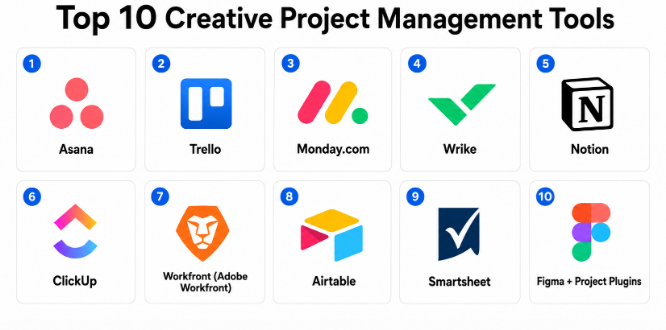
Top 10 Creative Project Management Tools
#1 — Asana
Short description: Asana is a flexible work management platform that supports creative projects with boards, timelines, task dependencies, calendars, and collaboration workflows. It serves mid-market and enterprise teams requiring flexible structure and cross-team alignment.
Key Features
- Task boards, lists, and Gantt-style timelines
- Proofing and approval workflows
- Custom rules and automation
- Portfolios and workload views
- Commenting and @mentions
- Integrations with creative tools and storage
Pros
- Highly flexible and customizable
- Strong automation and reporting
Cons
- Proofing less robust than specialist tools
- Can feel generic for heavy creative workflows
Platforms / Deployment
- Web / iOS / Android / Tablet
- Cloud
Security & Compliance
- SSO/SAML, MFA, role-based permissions
- Encryption at rest and in transit
Integrations & Ecosystem
Integrates with design tools, DAM, file storage, calendars, and communications.
Support & Community
Extensive documentation, tutorials, and active user community.
#2 — Trello
Short description: Trello uses visual boards and cards to help creative teams plan, organize, and track work. It excels for teams seeking simplicity and a visual approach to creative workflows.
Key Features
- Kanban boards and cards
- Custom card templates
- Automation via rule builders
- File attachments and checklists
- Power-ups for advanced capabilities
Pros
- Intuitive and quick to adopt
- Great visual task management
Cons
- Limited native proofing or timelines
- Scaling boards into complex workflows can be challenging
Platforms / Deployment
- Web / iOS / Android / Tablet
- Cloud
Security & Compliance
- Role-based access
- Encryption
- Not publicly stated for certifications
Integrations & Ecosystem
- Creative storage and review tools
- Calendars, communication, and automation
Support & Community
Documentation, community forums.
#3 — Monday.com
Short description: Monday.com offers a highly customizable work OS with templates, automation, dashboards, and resource management that supports creative project lifecycles at scale.
Key Features
- Custom templates and boards
- Timeline, calendar, and Gantt views
- Automation and rule builders
- Shared dashboards
- Proofing and review modules
Pros
- Highly configurable
- Strong visual reporting
Cons
- Customization can be overwhelming
- Proofing workflows as add-ons
Platforms / Deployment
- Web / iOS / Android / Tablet
- Cloud
Security & Compliance
- SSO/SAML, MFA, encryption
- Configurable access roles
Integrations & Ecosystem
Integrates with design tools, DAM, communications, and storage.
Support & Community
Tutorials, user community, and enterprise support.
#4 — Wrike
Short description: Wrike is a robust project management and collaboration platform with built-in proofing, real-time editing, dashboards, and resource planning tailored for creative and marketing teams.
Key Features
- In-tool proofing and annotations
- Custom workflows and approvals
- Dashboards and reports
- Resource planning and time tracking
- Templates and automation
Pros
- Strong proofing and reviews
- Great for enterprise creative workflows
Cons
- Complexity for smaller teams
- Pricing can escalate
Platforms / Deployment
- Web / iOS / Android
- Cloud
Security & Compliance
- SSO, RBAC, audit logs, encryption
- Not publicly stated
Integrations & Ecosystem
DAM, design tools, file storage, communication.
Support & Community
Enterprise support tiers, documentation.
#5 — Notion
Short description: Notion is an all-in-one workspace where creative teams can build docs, task boards, wikis, and embedded assets to support end-to-end creative workflows.
Key Features
- Notes, docs, and task boards
- Flexible templates
- Databases and cross-references
- Inline comments and mentions
- File embeds and asset previews
Pros
- Highly flexible and customizable
- Great for knowledge and task co-location
Cons
- Not specialized for proofing or creative asset lifecycle
- Version control is basic
Platforms / Deployment
- Web / Desktop / iOS / Android
- Cloud
Security & Compliance
- SSO, encryption, permissions
- Not publicly stated
Integrations & Ecosystem
Calendars, communications, DAM via embeds.
Support & Community
Thriving user community and resources.
#6 — ClickUp
Short description: ClickUp is a versatile work platform that supports task management, proofing, docs, goals, and collaboration — enabling creative teams to manage project work end-to-end.
Key Features
- Multiple views (board, list, timeline)
- Proofing and annotations
- Goals and KPIs tracking
- Automations and integrations
- Docs with task linkage
Pros
- Powerful all-in-one platform
- Great value with many built-ins
Cons
- Learning curve due to feature breadth
- Proofing not as advanced as niche tools
Platforms / Deployment
- Web / iOS / Android / Desktop
- Cloud
Security & Compliance
- SSO, RBAC, encryption
- Not publicly stated
Integrations & Ecosystem
Creative tools, DAM, communications, storage.
Support & Community
Knowledge base and support.
#7 — Workfront (Adobe Workfront)
Short description: Workfront is enterprise-grade creative project management that integrates with creative suites and provides structured workflows, approvals, resource planning, and detailed reporting.
Key Features
- Structured workflows and gates
- Integration with creative tools
- Resource and portfolio planning
- Proofing and collaboration
- Executive dashboards
Pros
- Enterprise governance and reporting
- Deep creative tool integrations
Cons
- Enterprise complexity
- Higher price bracket
Platforms / Deployment
- Web / Mobile
- Cloud
Security & Compliance
- SSO/SAML, MFA, RBAC, encryption
- Not publicly stated
Integrations & Ecosystem
Tight creative suite, DAM, CMS, analytics.
Support & Community
Enterprise support and training.
#8 — Airtable
Short description: Airtable is a flexible hybrid database/project management platform with creative workflows enabled by modular views, automations, and rich attachments.
Key Features
- Custom bases and views
- Automations and templates
- Rich media support
- Calendar and timeline views
- Collaboration and comments
Pros
- Extremely customizable
- Great for hybrid workflows
Cons
- Not purpose-built for proofing
- Requires setup for creative flows
Platforms / Deployment
- Web / iOS / Android / Desktop
- Cloud
Security & Compliance
- Encryption, RBAC
- Not publicly stated
Integrations & Ecosystem
Creative tools, DAM, communications.
Support & Community
Documentation and community resources.
#9 — Smartsheet
Short description: Smartsheet is a spreadsheet-powered project system that supports timelines, collaboration, reports, and resource tracking — useful for creative teams needing structure and scalability.
Key Features
- Grid & Gantt views
- Automated workflows
- Dashboards & reporting
- Collaboration and approvals
- Resource management
Pros
- Scalable and structured
- Strong reporting
Cons
- Not optimized for creative proofing
- Spreadsheet paradigm can feel rigid
Platforms / Deployment
- Web / Mobile
- Cloud
Security & Compliance
- SSO, encryption, RBAC
- Not publicly stated
Integrations & Ecosystem
Creative tools, DAM, storage.
Support & Community
Documentation and support.
#10 — Figma + Project Plugins
Short description: While primarily a design tool, Figma combined with project/plugins provides lightweight creative project management embedded in design workflows — excellent for design-centric teams.
Key Features
- Design files linked to tasks
- Comments and real-time edits
- Plugin workflows for tasks
- Shared libraries and asset reuse
Pros
- Native to design workflows
- Real-time collaboration
Cons
- Not a full project management suite
- Needs plugins to fill gaps
Platforms / Deployment
- Web / Desktop
- Cloud
Security & Compliance
- Team permissions, encryption
- Not publicly stated
Integrations & Ecosystem
Plugins connect to tasks, calendars, storage.
Support & Community
Vibrant community and resources.
Comparison Table (Top 10)
| Tool Name | Best For | Platforms Supported | Deployment | Standout Feature | Public Rating |
|---|---|---|---|---|---|
| Asana | Flexible creative PM | Web, iOS, Android | Cloud | Automation & visuals | N/A |
| Trello | Visual task boards | Web, iOS, Android | Cloud | Kanban simplicity | N/A |
| Monday.com | Configurable workflows | Web, iOS, Android | Cloud | Custom boards | N/A |
| Wrike | Enterprise creative ops | Web, iOS, Android | Cloud | Proofing & planning | N/A |
| Notion | Hybrid docs + tasks | Web, Desktop, Mobile | Cloud | Flexible workspace | N/A |
| ClickUp | All-in-one | Web, Mobile, Desktop | Cloud | Feature breadth | N/A |
| Workfront | Enterprise creative | Web, Mobile | Cloud | Creative integrations | N/A |
| Airtable | Modular PM | Web, iOS, Android | Cloud | Custom bases | N/A |
| Smartsheet | Structured PM | Web, Mobile | Cloud | Reporting & resource Mgmt | N/A |
| Figma + Plugins | Design-centric | Web, Desktop | Cloud | Real-time design collaboration | N/A |
Frequently Asked Questions (FAQs)
- What is creative project management?
Creative project management is the structured process of planning, executing, and delivering creative work — including design, video, campaigns, and content — with collaboration, review, and iteration. - Why do creative teams need dedicated tools?
Traditional tools lack proofing, version control, or structured workflows necessary for iterative creative work with multiple stakeholders. - What’s the difference between task management and creative PM?
Creative PM includes review/approval workflows, asset support, and cross-stakeholder collaboration, whereas basic task management tracks simple checklists. - Are these tools good for remote teams?
Yes — all listed tools support cloud access, real-time collaboration, and distributed teams. - Do these tools integrate with creative suites?
Many integrate with DAM, design, and creative tools to link assets directly into workflows. - Can they handle versions and approvals?
Tools like Wrike, Asana, and Workfront include built-in proofing and approval workflows. - Do they support reporting?
Yes — dashboards, burndown reports, workload views, and portfolio summaries are common. - Are mobile apps available?
Most major tools offer iOS/Android apps for on-the-go management. - Can they manage resources?
Yes — enterprise tools include resource planning and capacity visualization. - How do I choose the right tool?
Consider team size, need for proofing, integration needs, and whether enterprise governance or simple tasks are primary requirements.
Conclusion
Creative project management tools are essential for aligning distributed teams, supporting iterative workflows, and ensuring creative work is delivered on time and to spec. Small teams can benefit from Trello, Notion, or Figma + Plugins for lightweight workflows. SMBs should look to Asana, ClickUp, or Monday.com for balanced features. Mid-market and enterprise organizations will appreciate the governance and depth of Wrike and Workfront.
