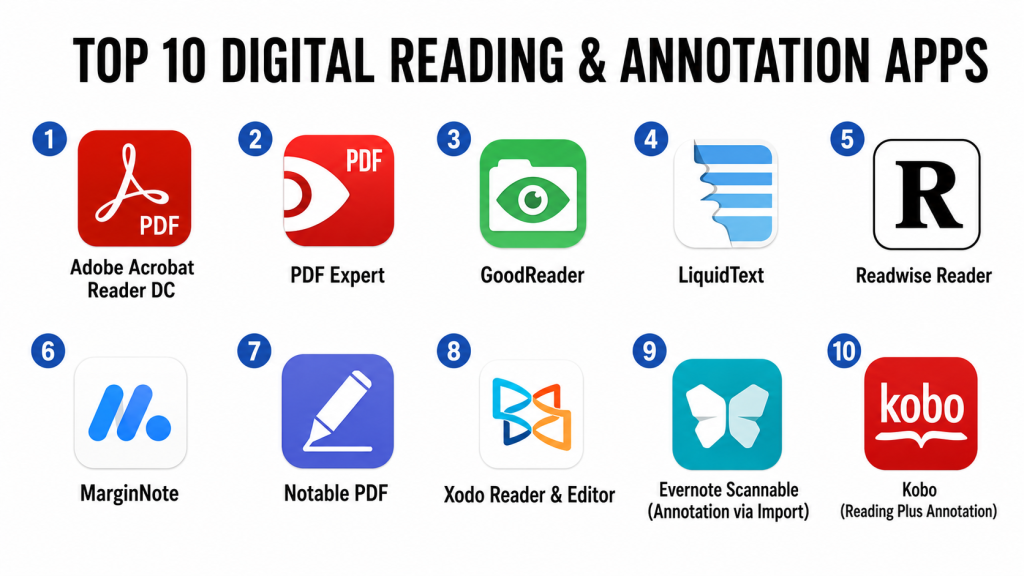
Introduction
Digital reading and annotation apps are software tools that enable users to read, highlight, annotate, bookmark, organize, and interact with digital text across devices. These apps support a wide range of content — from academic papers and ebooks to PDFs, articles, reports, and research documents. In , remote workflows, distributed learning, and hybrid work environments have made these apps essential for students, researchers, writers, professionals, and lifelong learners. Modern platforms often include AI‑assisted summarization, intelligent search, tagging, collaborative annotation, and integration with knowledge management systems.
Real‑world use cases include:
- Students and researchers annotating academic papers and organizing reading notes.
- Professionals and teams reviewing reports, collaborative documents, and documentation.
- Writers and editors marking up drafts and tracking revisions.
- Lifelong readers highlighting books and saving quotes.
- Content professionals aggregating information from articles and PDFs for synthesis.
Best for: Students, researchers, academic professionals, editors, writers, legal professionals, and knowledge workers relying on deep reading and annotation workflows.
Not ideal for: Users who only need simple reading without annotations, or those who prefer physical textbooks and printed documents.
Key Trends in Digital Reading & Annotation Apps
- AI‑Assisted Summarization — Automatic summaries of lengthy documents for faster comprehension.
- Semantic Search — Search based on meaning, enabling users to find insights rather than exact keywords.
- Collaborative Annotation — Real‑time shared annotations with comments and tagging.
- Cross‑Platform Sync — Seamless reading across mobile, tablet, desktop, and web interfaces.
- Integration with Knowledge Systems — Export annotations into notes, knowledge bases, and research tools.
- Multimedia Annotation — Support for audio, image, and video annotations inside documents.
- Offline Mode and Caching — Full access to reading and annotations without connectivity.
- Security & Privacy Standards — Improved encryption and compliance with data protection expectations.
- Citation & Reference Management — Built‑in export to citation formats for academic work.
- Adaptive Reading Aids — AI‑driven reading speed adjustments, comprehension aids, and vocabulary support.
How We Selected These Tools (Methodology)
- Evaluated file format support including PDF, EPUB, and web content.
- Reviewed annotation capabilities (highlights, notes, tagging, shapes, multimedia).
- Assessed search and organizational tools (semantic search, tags, bookmarks).
- Considered AI‑based enhancements such as summarization and key‑point extraction.
- Analyzed collaboration features and real‑time shared annotation.
- Studied cross‑platform sync, offline access, and device support.
- Examined integration potential with storage, citation managers, and knowledge platforms.
- Reviewed user feedback, adoption trends, and expert endorsements.
Top 10 Digital Reading & Annotation Apps
1‑ Adobe Acrobat Reader DC
Short description: Adobe Acrobat Reader DC is a widely used PDF reader and annotation app that offers robust markup tools, PDF management features, and document collaboration suited for professionals, students, and enterprise users.
Key Features
- Highlight, underline, and strikethrough annotations
- Sticky notes and rich text comments
- Signature and form tools
- Advanced search and bookmarks
- Cross‑device sync with cloud storage
- Secure access controls
Pros
- Industry standard for PDF reading and annotation
- Strong security, form filling, and signing features
Cons
- Some advanced features require paid subscription
- Can be overwhelming for basic reading needs
Platforms / Deployment
- Windows, macOS, iOS, Android / Cloud
Security & Compliance
- Encryption and access controls
- Enterprise feature options for compliance
Integrations & Ecosystem
- Integrates with cloud storage platforms
- Document workflows and enterprise systems
- Team commenting and sharing
Support & Community
- Extensive documentation
- Email and enterprise support
- Large user community
2‑ PDF Expert
Short description: PDF Expert is a high‑performance reading and annotation app known for its sleek interface, powerful markup tools, and seamless sync across Apple devices.
Key Features
- Text, highlight, shape, and drawing annotations
- Bookmark and tag management
- Fill and sign forms
- Powerful search and filter tools
- Cross‑device sync
Pros
- Intuitive interface optimized for macOS and iOS
- Excellent annotation and form support
Cons
- No native Windows support
- Some features behind premium tiers
Platforms / Deployment
- macOS, iOS / Cloud
Security & Compliance
- Not publicly stated
Integrations & Ecosystem
- Cloud storage sync
- File‑link integration
- Apple ecosystem support
Support & Community
- Documentation and email support
- Active user forum
3‑ GoodReader
Short description: GoodReader is a powerful PDF reader and annotation tool known for fast rendering, file management, and annotation capabilities for large documents.
Key Features
- Highlight, text notes, and stamp annotations
- File manager with folder structures
- Multiple file format support
- Split‑view multitasking
- Quick search and jump navigation
Pros
- Handles large and complex documents efficiently
- Robust file management features
Cons
- UI feels dated
- Lacks advanced AI features
Platforms / Deployment
- iOS / Cloud
Security & Compliance
- Not publicly stated
Integrations & Ecosystem
- Cloud storage platform sync
- File sharing features
- Local file management
Support & Community
- Tutorials and user guides
- Email support
4‑ LiquidText
Short description: LiquidText is an advanced reading and annotation platform that allows users to extract, link, and reorganize information dynamically, ideal for researchers and analysts.
Key Features
- Dynamic extraction and annotation linking
- Side‑by‑side document workspace
- Sticky notes and touch‑driven annotations
- Visual concept maps of document connections
- PDF and document import
Pros
- Innovative linking and extraction interface
- Excellent for deep analysis workflows
Cons
- Learning curve for new users
- Some features require subscription
Platforms / Deployment
- iOS, Windows / Cloud
Security & Compliance
- Not publicly stated
Integrations & Ecosystem
- Export data to note apps
- Sync with cloud storage
- Multi‑document workspace patterns
Support & Community
- Help guides and onboarding videos
- Email support
5‑ Readwise Reader
Short description: Readwise Reader combines a reading environment with AI‑powered highlights organization, spaced repetition review, and sync across knowledge pipelines.
Key Features
- Smart highlight capture
- AI summaries and key‑point extraction
- Tagging and organizational tools
- Sync with note and knowledge systems
- Reading progress and retention analytics
Pros
- Excellent for long‑term knowledge retention
- AI‑driven insights and review tools
Cons
- Premium tier required for many AI features
- Focus on knowledge retention vs simple annotation
Platforms / Deployment
- iOS, Android, Web / Cloud
Security & Compliance
- Not publicly stated
Integrations & Ecosystem
- Exports to note tools
- API access for syncing annotations
- Collaboration features
Support & Community
- Documentation and knowledge base
- Email support
6‑ MarginNote
Short description: MarginNote is a comprehensive reading and annotation app designed for academic study, providing mind‑map creation, flashcards, and deep note organization.
Key Features
- Multilayered highlights and annotations
- Mind maps and concept connections
- Flashcard generation
- Tagging, bookmarks, and notes
- Cross‑document linking
Pros
- Excellent for deep research and revision workflows
- Integration of flashcards and maps
Cons
- Interface can be overwhelming
- Premium subscription unlocks full power
Platforms / Deployment
- macOS, iOS, Windows / Cloud
Security & Compliance
- Not publicly stated
Integrations & Ecosystem
- Export to note tools and knowledge managers
- Sync with cloud storage
- Collaborative study modes (limited)
Support & Community
- Help documentation
- Tutorials and forum discussions
7‑ Notable PDF
Short description: Notable PDF offers a focused PDF reading and annotation environment with clean tools and simple collaboration, geared toward professionals and students.
Key Features
- Highlight, underline, and note tools
- Shape annotations and stamps
- Organization via tags and folders
- Document search and bookmarks
- Shared annotation review
Pros
- Clean user interface
- Quick annotation workflow
Cons
- Limited advanced AI features
- Collaboration features basic
Platforms / Deployment
- Windows, iOS / Cloud
Security & Compliance
- Not publicly stated
Integrations & Ecosystem
- File sync via cloud storage
- Collaboration review features
- Export annotations
Support & Community
- Documentation and email support
8‑ Xodo Reader & Editor
Short description: Xodo combines fast PDF reading with real‑time annotation and collaboration features, suitable for teams and solo professionals alike.
Key Features
- Markup tools (highlight, text, shapes)
- Real‑time annotation collaboration
- Sync with cloud storage
- PDF fill and sign
- Document bookmarks and search
Pros
- Strong real‑time collaboration
- Fast and responsive reader
Cons
- Design feels utilitarian
- Advanced feature sets less polished than premium tools
Platforms / Deployment
- Web, Windows, macOS, iOS, Android / Cloud
Security & Compliance
- Not publicly stated
Integrations & Ecosystem
- Sync with storage platforms
- Sharing via links
- Team annotation sessions
Support & Community
- User guides and tutorials
- Email support
9‑ Evernote Scannable (Annotation via Import)
Short description: Evernote Scannable focuses on scanning documents and images into digital formats and integrates with Evernote’s annotation capabilities for research and reading workflows.
Key Features
- High‑quality document scanning
- Auto‑crop and enhancement tools
- Export into Evernote for annotations
- Tagging and search in Evernote
- Sync across devices
Pros
- Excellent for scanner‑to‑annotate flows
- Strong integration with note knowledge base
Cons
- Annotation happens mostly post‑import
- Not a full‑featured native reader
Platforms / Deployment
- iOS, Android / Cloud
Security & Compliance
- Not publicly stated
Integrations & Ecosystem
- Evernote ecosystem for note capture
- Sync with devices
- Export formats
Support & Community
- Evernote support docs
- User community forums
10‑ Kobo (Reading Plus Annotation)
Short description: Kobo provides a digital reading platform for ebooks and documents with built‑in annotation, bookmarks, and note highlights, ideal for general reading and light annotation.
Key Features
- Highlighting and notes
- Bookmark and sync across devices
- Reading stats and tracking
- Dictionary and lookup tools
- E‑ink‑optimized reading environments
Pros
- Excellent for ebook reading with light annotations
- Seamless multi‑device sync
Cons
- Annotation features are basic compared to PDF‑focused tools
- Less suitable for academic research
Platforms / Deployment
- iOS, Android, Web / Cloud
Security & Compliance
- Not publicly stated
Integrations & Ecosystem
- Cloud reading sync
- Export highlights to external tools
- Reading stats and tracking
Support & Community
- Help center tutorials
- Community guide discussions
Comparison Table (Top 10)
| Tool Name | Best For | Platform(s) Supported | Deployment | Standout Feature | Public Rating |
|---|---|---|---|---|---|
| Adobe Acrobat Reader DC | Professional PDF annotation | Windows, macOS, iOS, Android | Cloud | Comprehensive PDF tools | N/A |
| PDF Expert | Apple‑centric annotation | macOS, iOS | Cloud | Sleek annotation UI | N/A |
| GoodReader | Large doc management | iOS | Cloud | Fast large doc performance | N/A |
| LiquidText | Deep analysis workflows | iOS, Windows | Cloud | Document linking | N/A |
| Readwise Reader | Knowledge retention | iOS, Android, Web | Cloud | AI highlights & summaries | N/A |
| MarginNote | Academic research | macOS, iOS, Windows | Cloud | Mind maps & flashcards | N/A |
| Notable PDF | Simple annotation | Windows, iOS | Cloud | Quick annotation UX | N/A |
| Xodo Reader & Editor | Team collaboration | Web, Windows, macOS, iOS, Android | Cloud | Real‑time annotation | N/A |
| Evernote Scannable | Scan‑and‑annotate | iOS, Android | Cloud | Scan to research workflows | N/A |
| Kobo | Ebook reading + annotation | iOS, Android, Web | Cloud | Ebook annotation | N/A |
Evaluation & Scoring
| Tool Name | Core (25%) | Ease (15%) | Integrations (15%) | Security (10%) | Performance (10%) | Support (10%) | Value (15%) | Weighted Total |
|---|---|---|---|---|---|---|---|---|
| Adobe Acrobat Reader DC | 9 | 8 | 8 | 8 | 8 | 8 | 8 | 8.4 |
| PDF Expert | 8 | 9 | 7 | 7 | 8 | 8 | 8 | 8.1 |
| GoodReader | 7 | 8 | 6 | 7 | 9 | 7 | 7 | 7.5 |
| LiquidText | 8 | 7 | 7 | 7 | 8 | 7 | 8 | 7.8 |
| Readwise Reader | 7 | 8 | 8 | 7 | 7 | 7 | 8 | 7.7 |
| MarginNote | 8 | 7 | 7 | 7 | 8 | 7 | 8 | 7.8 |
| Notable PDF | 7 | 8 | 6 | 7 | 8 | 7 | 7 | 7.3 |
| Xodo Reader & Editor | 8 | 8 | 8 | 7 | 8 | 7 | 8 | 7.9 |
| Evernote Scannable | 6 | 8 | 7 | 7 | 7 | 7 | 7 | 7.1 |
| Kobo | 6 | 8 | 6 | 7 | 7 | 7 | 7 | 7.0 |
Interpretation:
Scores reflect comparative performance across core capabilities, ease of use, ecosystem integrations, security, performance, support, and value. Higher scores indicate stronger general suitability across a broad set of advanced reading and annotation needs. Users with specialized research workflows may prioritize specific features like knowledge retention or document linking.
Which Digital Reading & Annotation App Is Right for You?
Solo / Freelancer
Best choices: PDF Expert (Apple users), Adobe Acrobat Reader DC — easy setup and powerful annotation features.
SMB & Small Teams
Best choices: Xodo Reader & Editor, Adobe Acrobat Reader DC — collaboration and annotation review features.
Academic / Research
Best choices: LiquidText, MarginNote — deep analytical and concept mapping capabilities.
Enterprise & Professional
Best choices: Adobe Acrobat Reader DC, Xodo Reader & Editor — security controls, collaboration, and wide platform support.
Budget vs Premium
Free or cost‑effective tools like Xodo, GoodReader, Evernote Scannable serve many needs. Premium options like PDF Expert and MarginNote add advanced workflows.
Feature Depth vs Ease of Use
PDF Expert and Adobe balance features with usability; LiquidText and MarginNote prioritize depth over simplicity.
Integrations & Scalability
Readwise Reader excels in knowledge pipelines, while Acrobat and Xodo integrate broadly across storage and collaboration systems.
Security & Compliance Needs
Tools with enterprise validation (Acrobat Reader DC) offer stronger options if compliance and protected workflows are required.
Frequently Asked Questions (FAQs)
1‑ What file formats do these apps support?
Most support PDF as a standard; additional support for ebooks and document types varies by tool.
2‑ Can I annotate offline?
Many apps offer offline annotation, syncing once connected, though real‑time collaboration requires connectivity.
3‑ Are there AI features for summarization?
Apps like Readwise Reader include AI summarization and key‑point extraction; others focus on manual annotations.
4‑ Can multiple users annotate together?
Real‑time collaboration is available in tools like Xodo Reader & Editor and enterprise PDF workflows.
5‑ How do I organize notes and highlights?
Tagging, bookmarks, folders, and organizational dashboards help manage annotations across documents.
6‑ Do these apps integrate with cloud storage?
Yes, most connect with cloud platforms for document storage, sync, and sharing.
7‑ What’s best for ebook annotation?
Kobo provides strong ebook reading with annotation features; PDF‑centric tools handle research documents better.
8‑ Are there tools for academic workflows?
LiquidText and MarginNote excel in research workflows with linking, flashcards, and concept mapping.
9‑ How are security and privacy handled?
Encryption and secure access controls are common; formal compliance certifications are not always publicly stated.
10‑ What alternatives exist?
Alternatives include native OS readers with annotation, knowledge managers with annotation extensions, or cloud document platforms with markup features.
Conclusion
Digital reading and annotation apps in have evolved from basic PDF viewers into intelligent, adaptive platforms supporting collaboration, AI‑assisted comprehension, knowledge retention, and research workflows. Solo users and professionals benefit from the robust capabilities of Adobe Acrobat Reader DC and PDF Expert. Academics and deep researchers may find LiquidText and MarginNote most aligned with analytic workflows. Tools like Readwise Reader emphasize long‑term knowledge retention with AI insights, while Xodo Reader & Editor enables collaborative annotation sessions. Buyers should shortlist a few tools based on specific needs — deep research vs ebook reading, collaboration vs solo use, and AI augmentation — and test workflows for annotation, cross‑device sync, and organizational integration before committing to a subscription.
