Introduction
Goal tracking apps are digital tools designed to help individuals, teams, and organizations set, monitor, and achieve personal and professional goals. They facilitate task breakdowns, progress visualization, reminders, streak tracking, habit formation, and accountability features. In , with remote work, distributed teams, and productivity culture continuing to rise, goal tracking apps have become central to performance, wellness, and growth across personal and professional contexts. Many now integrate AI to suggest next steps, identify progress gaps, and adapt plans based on user behavior.
Real‑world use cases include:
- Individuals setting long‑term personal development goals like fitness, reading, or learning new skills.
- Freelancers and solopreneurs breaking down business milestones into actionable steps.
- Teams and managers aligning objectives with key results across distributed teams.
- Students and educators tracking academic goals, study streaks, and project deadlines.
- Health, wellness, and coaching professionals monitoring client progress and habit adoption.
Best for: Individuals focused on self‑improvement, teams coordinating Objectives and Key Results (OKRs), students organizing milestones, and professionals tracking personal and career goals.
Not ideal for: Users who require simple reminders without planning structure or those satisfied only with native calendar or note apps.
Key Trends in Goal Tracking Apps
- AI‑Augmented Goal Coaching: Apps suggesting next steps and personalized goal paths based on user patterns and behavior.
- Cross‑Platform Synchronization: Native experiences across iOS, Android, Web, desktop, and widgets.
- Habit + Goal Integration: Blending micro‑task habits with long‑term goals (e.g., daily runs toward marathon goals).
- Gamification: Badges, streaks, and community challenges to encourage consistent progress.
- Team OKRs & Alignment: Support for company‑wide Objectives and Key Results frameworks.
- Voice & Assistant Support: Hands‑free goal logging via voice assistants and smart devices.
- Privacy & Security: Encrypted data, user‑controlled data retention, and compliance with modern privacy standards.
- Smart Notifications: Predictive reminders based on schedule patterns and behavior signals.
- Integration Ecosystems: Connections to calendars, task managers, fitness trackers, and third‑party tools.
- Adaptive Goal Adjustments: Real‑time plan shifts when deadlines shift or priorities change.
How We Selected These Tools (Methodology)
- Reviewed market adoption and mindshare among individuals and organizations.
- Evaluated core goal tracking capabilities (hierarchies, progress, reminders).
- Assessed AI‑based features and personalization where available.
- Analyzed reliability, performance, offline support, and multi‑device sync.
- Considered security and privacy posture.
- Reviewed integrations with calendars, productivity ecosystems, and third‑party tools.
- Evaluated user experience, simplicity, and interface design.
- Verified suitability across users (solo, teams, education, coaches).
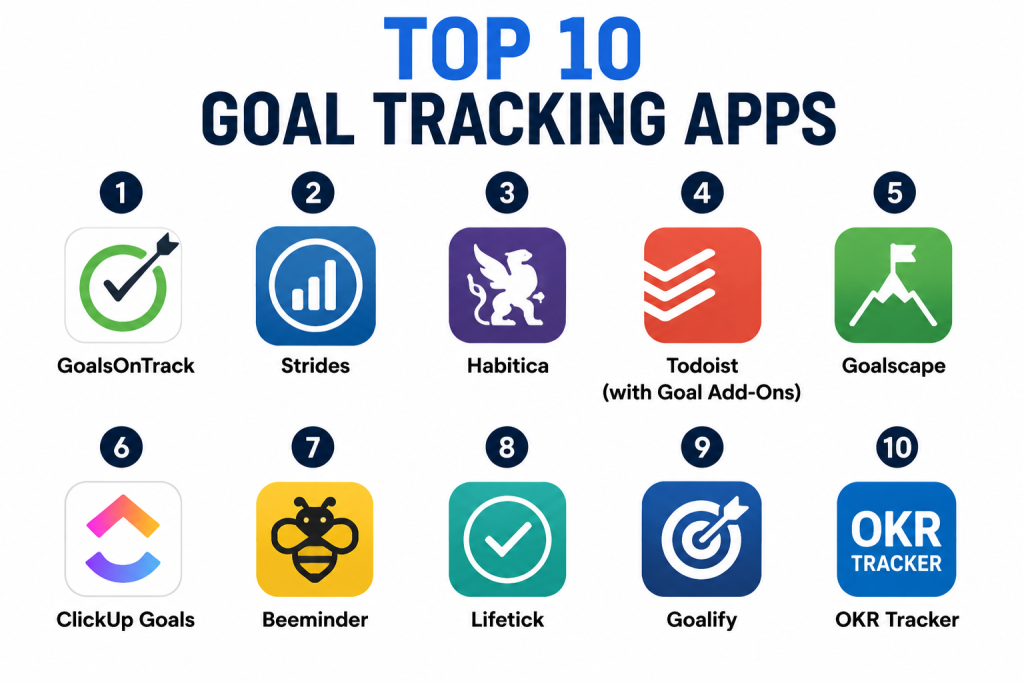
Top 10 Goal Tracking Apps
1‑ GoalsOnTrack
Short description: GoalsOnTrack is a structured goal tracking platform that allows detailed goal creation, breakdown into milestones, and habit tracking. It supports individuals looking to achieve both personal and professional goals.
Key Features
- Nested goal and milestone structures
- Visual progress charts and dashboards
- Built‑in habit tracker linked to goals
- Recurring tasks and reminders
- Journal and note support
- Cross‑device sync
Pros
- Strong breakdown and visualization tools
- Habit + goals alignment
Cons
- Interface feels dated
- Some features require premium subscription
Platforms / Deployment
- Web, iOS, Android / Cloud
Security & Compliance
- Not publicly stated
Integrations & Ecosystem
Supports integration and extensibility:
- Calendar sync
- Third‑party productivity tools
- API access (varies)
Support & Community
- Documentation and onboarding guides
- Email support and help center
2‑ Strides
Short description: Strides is a flexible goal and habit tracking app with data visualization and progress reminders. It is designed for individuals tracking multiple types of goals and habits simultaneously.
Key Features
- Streak tracking and progress charts
- Multiple goal types (habit, target, milestones)
- Custom schedule reminders
- Flexible metric types
- Sync across devices
- Smart alerts
Pros
- Simple yet powerful progress visualization
- Flexible goal modeling
Cons
- No team collaboration features
- Limited third‑party integrations
Platforms / Deployment
- iOS, Web / Cloud
Security & Compliance
- Not publicly stated
Integrations & Ecosystem
- Calendar and reminder syncing
- Widget support for home screen
- Export feature for reports
Support & Community
- Help guides and tutorials
- Email support
3‑ Habitica
Short description: Habitica gamifies goal and habit tracking by turning progress into game mechanics like avatars, quests, and rewards. It works for individuals and communities who enjoy gamified behavior systems.
Key Features
- RPG‑style progress and avatar rewards
- Habit, daily, and to‑do tracking
- Social party and guild features
- Streaks and challenge boards
- Achievements and badges
Pros
- Fun and motivating gamified experience
- Community challenges and accountability
Cons
- Not ideal for serious or professional goal planning
- Game elements can distract from goals
Platforms / Deployment
- iOS, Android, Web / Cloud
Security & Compliance
- Not publicly stated
Integrations & Ecosystem
- Task and to‑do sync
- API and community plugins
- Social challenge sharing
Support & Community
- Active community forums
- Documentation and help guides
4‑ Todoist (with Goal Add‑Ons)
Short description: Todoist is a task manager with robust project and goal tracking via tag structures, boards, and smart scheduling, suitable for individual and professional goal workflows.
Key Features
- Project, sub‑project, and label organization
- Custom filters and boards
- Reminders and priority flags
- AI‑suggested smart scheduling
- Activity logs and progress trends
- Cross‑platform support
Pros
- Strong task‑to‑goal alignment
- Excellent ecosystem and integrations
Cons
- Goal planning not as structured as specialized apps
- Some advanced features require premium
Platforms / Deployment
- iOS, Android, Windows, macOS, Web / Cloud
Security & Compliance
- Not publicly stated
Integrations & Ecosystem
- Calendar and email integrations
- Widgets and voice assistant support
- Cross‑tool productivity integrations
Support & Community
- Extensive documentation
- Premium priority support
5‑ Goalscape
Short description: Goalscape visualizes goals in radial maps, helping users see progress and focus areas at a glance. Best for visual planners and strategy‑oriented users.
Key Features
- Radial goal mapping
- Zoomable visual progress interface
- Milestones and weighted goal priorities
- Progress indicators
- Multi‑project dashboards
Pros
- Highly visual and intuitive mapping
- Clear focus on priorities
Cons
- Less suited for day‑to‑day tasks
- Limited reminders
Platforms / Deployment
- Web, iOS, Android / Cloud
Security & Compliance
- Not publicly stated
Integrations & Ecosystem
- Collaborative workspace connects
- Export to calendars
- API for custom tools
Support & Community
- Support documentation
- Tutorials and onboarding guides
6‑ ClickUp Goals
Short description: Part of ClickUp’s broader productivity suite, ClickUp Goals enables teams to set, measure, and align objectives with key results (OKRs) and milestones.
Key Features
- OKR goal frameworks
- Scorecards and progress measurement
- Alignment to tasks and workflows
- Dashboards and reporting
- Team tagging and responsibility tracking
- Cross‑workspace sync
Pros
- Ideal for team goal alignment
- Powerful reporting and analytics
Cons
- Can be overwhelming for solo users
- Premium subscription required
Platforms / Deployment
- Web, iOS, Android, Desktop / Cloud
Security & Compliance
- Not publicly stated
Integrations & Ecosystem
- Integrates with calendars and third‑party apps
- Workflow automations
- Reporting and export integrations
Support & Community
- Extensive support docs
- Community forums and expert guides
7‑ Beeminder
Short description: Beeminder blends goal tracking with stakes: users pledge outcomes, and if goals are missed, automatic consequences occur. Best for users highly motivated by accountability.
Key Features
- Pledge and stake commitments
- Graph‑based progress tracking
- Integration with trackers and apps
- Auto‑logging via connected apps
- Visual trend graphs
- Goal deadlines
Pros
- High accountability with stakes
- Integrates with fitness and tracking tools
Cons
- Not ideal for casual users
- Requires discipline and stakes commitment
Platforms / Deployment
- Web, iOS, Android / Cloud
Security & Compliance
- Not publicly stated
Integrations & Ecosystem
- Sync with fitness trackers
- API and automation tools
- Third‑party productivity sync
Support & Community
- Email support
- Documentation and onboarding
8‑ Lifetick
Short description: Lifetick provides structured goal setting with values alignment, journaling, and tracking, designed for personal life goals and reflection.
Key Features
- Value‑based goal alignment
- Progress tracking charts
- Journal and notes support
- Reminders and check‑ins
- Offline access
Pros
- Encourages reflective and holistic goal planning
- Simple interface
Cons
- Limited collaboration features
- Less advanced visualization
Platforms / Deployment
- Web, iOS, Android / Cloud
Security & Compliance
- Not publicly stated
Integrations & Ecosystem
- Calendar sync
- Export options
- Basic integration APIs
Support & Community
- Tutorials and UX guides
- Email support
9‑ Goalify
Short description: Goalify helps users set and track personal goals with reminders, statistics, and streaks. It’s designed for individuals and small teams seeking simple motivation and metrics.
Key Features
- Tracking dashboard
- Streaks and reminders
- Notes and metrics
- Categories and tags
- Offline access
Pros
- Clean and intuitive interface
- Good for habit alignment
Cons
- Limited advanced features
- Collaboration minimal
Platforms / Deployment
- iOS, Android, Web / Cloud
Security & Compliance
- Not publicly stated
Integrations & Ecosystem
- Calendar sync
- Reminders integration
- Basic widget support
Support & Community
- Help center
- Email support
10‑ OKR Tracker
Short description: Designed for business and team goals, OKR Tracker focuses specifically on Objectives and Key Results alignment, milestones, tracking, and team transparency.
Key Features
- Objective and key result templates
- Progress dashboards
- Milestone tagging
- Team assignments
- Reporting metrics
Pros
- Strong OKR support
- Business‑oriented analytics
Cons
- Not as well suited for personal goal tracking
- Advanced features require subscription
Platforms / Deployment
- Web, iOS, Android / Cloud
Security & Compliance
- Not publicly stated
Integrations & Ecosystem
- Workflow ecosystem support
- Reporting exports
- Calendar integration
Support & Community
- Documentation and guides
- Email support
Comparison Table (Top 10)
| Tool Name | Best For | Platform(s) Supported | Deployment | Standout Feature | Public Rating |
|---|---|---|---|---|---|
| GoalsOnTrack | Individual achievers | iOS, Android, Web | Cloud | Nested goals + habits | N/A |
| Strides | Habit + goal combos | iOS, Web | Cloud | Streaks & metrics | N/A |
| Habitica | Gamified goal tracking | iOS, Android, Web | Cloud | RPG style progress | N/A |
| Todoist | Task‑linked goals | iOS, Android, Windows, macOS, Web | Cloud | Productivity ecosystem | N/A |
| Goalscape | Visual goal maps | iOS, Android, Web | Cloud | Radial visualization | N/A |
| ClickUp Goals | Team OKRs | iOS, Android, Web, Desktop | Cloud | OKR frameworks | N/A |
| Beeminder | Accountability goals | iOS, Android, Web | Cloud | Stake‑based tracking | N/A |
| Lifetick | Personal life goals | iOS, Android, Web | Cloud | Values alignment | N/A |
| Goalify | Simple goal tracking | iOS, Android, Web | Cloud | Streak and reminders | N/A |
| OKR Tracker | Business goals | iOS, Android, Web | Cloud | OKR focused | N/A |
Evaluation & Scoring
| Tool Name | Core (25%) | Ease (15%) | Integrations (15%) | Security (10%) | Performance (10%) | Support (10%) | Value (15%) | Weighted Total |
|---|---|---|---|---|---|---|---|---|
| GoalsOnTrack | 9 | 7 | 8 | 7 | 8 | 8 | 8 | 8.2 |
| Strides | 8 | 8 | 7 | 7 | 8 | 7 | 8 | 7.9 |
| Habitica | 7 | 8 | 7 | 7 | 8 | 7 | 7 | 7.5 |
| Todoist | 9 | 9 | 9 | 8 | 9 | 8 | 8 | 8.8 |
| Goalscape | 8 | 7 | 7 | 7 | 8 | 7 | 7 | 7.6 |
| ClickUp Goals | 9 | 7 | 8 | 8 | 9 | 8 | 8 | 8.4 |
| Beeminder | 8 | 7 | 7 | 7 | 8 | 7 | 8 | 7.8 |
| Lifetick | 7 | 8 | 7 | 7 | 8 | 7 | 7 | 7.5 |
| Goalify | 7 | 8 | 7 | 7 | 8 | 7 | 7 | 7.6 |
| OKR Tracker | 8 | 7 | 7 | 7 | 8 | 7 | 8 | 7.9 |
Interpretation:
- Scores reflect comparative capabilities across core goal tracking, ease of use, integration reach, security posture, performance, support resources, and value.
- Higher totals indicate broader suitability for more complex or diverse goal tracking needs.
- Solo users may emphasize ease and habit tracking, while teams may prioritize integrations and OKR alignment.
Which Goal Tracking App Is Right for You?
Solo / Freelancer
Best choices: Todoist, Strides, GoalsOnTrack — for individuals needing structure, habit tracking, and task alignment.
SMB
Best choices: ClickUp Goals, Todoist — for small teams aligning tasks with objectives.
Mid‑Market
Best choices: ClickUp Goals, OKR Tracker — for organizations standardizing OKRs and cross‑team alignment.
Enterprise
Best choices: ClickUp Goals, OKR Tracker — for complex workflows, reporting, and alignment across departments.
Budget vs Premium
Free options like Strides and Goalify are excellent for personal routines; premium tools like Todoist and ClickUp Goals deliver advanced analytics and integrations.
Feature Depth vs Ease of Use
Goalscape and Beeminder offer niche approaches — visual mapping or accountability stakes — whereas Todoist balances depth with accessibility.
Integrations & Scalability
Todoist and ClickUp Goals integrate with calendars, productivity tools, and team workflows, scaling from personal to enterprise use.
Security & Compliance Needs
Most tools store personal planning data; formal compliance isn’t publicly disclosed for many, so evaluate privacy policies if storing sensitive information.
Frequently Asked Questions (FAQs)
1- What pricing models do goal tracking apps offer?
Most apps provide free basic versions and premium tiers that unlock advanced features such as analytics, AI recommendations, and team collaboration.
2- How easy is onboarding?
Many apps allow users to begin tracking goals immediately; advanced features like nested milestones and OKRs may require reading guides or setup assistance.
3- Can these apps integrate with calendars?
Yes, many include calendar syncing to show deadlines and reminders in personal or work calendars.
4- Are there AI features?
Some tools incorporate AI suggestions for scheduling, progress patterns, and smart reminders to keep users on target.
5- Can these apps help form habits?
Yes — tools like Strides and Habitica blend habit tracking with goals to encourage consistent progress.
6- Are goal apps useful for teams?
Apps like ClickUp Goals and OKR Tracker are built for team alignment, reporting, and tracking across group objectives.
7- What common mistakes should users avoid?
Overloading goals, skipping milestones, or ignoring reminders can reduce effectiveness; breaking goals into small, measurable tasks improves outcomes.
8- Can these apps work offline?
Most allow offline logging and progress tracking, but data syncing usually requires an internet connection.
9- Are there security concerns?
Privacy policies vary; many do not publicly state compliance certifications, so review policies if sensitive personal data is involved.
10- What alternatives exist to dedicated goal apps?
Native calendar apps, note apps, spreadsheets, and physical planners can track goals but lack reminders, visual progress, and cross‑device sync features.
Conclusion
Goal tracking apps in have evolved into powerful tools providing structure, visualization, reminders, and integrations for individuals and teams alike. Solo users benefit from Todoist and Strides for clarity and habit alignment, while teams and enterprises gain value via ClickUp Goals and OKR Tracker’s structured frameworks. Others like GoalsOnTrack and Habitica offer niche features — deep milestone tracking or gamified progress. Before adoption, shortlist a few tools, test AI reminders and sync capabilities, and validate privacy policies against personal and organizational needs. The “best” goal tracking app ultimately depends on target users, collaboration requirements, and desired depth of planning.
