Introduction
Grocery list apps are digital tools that help users plan, organize, and manage their grocery shopping efficiently. They simplify list creation, allow item categorization, track quantities, and often integrate with recipes, meal plans, and smart home devices. In , these apps have become increasingly important as households seek to reduce food waste, save time, and coordinate shopping among multiple family members. With AI and smart integrations, grocery list apps now recommend items based on shopping habits, detect duplicate purchases, and sync with online grocery platforms.
Real-world use cases include:
- Families coordinating grocery shopping across multiple members.
- Busy professionals streamlining weekly shopping trips.
- Meal planners integrating grocery lists with recipe apps for seamless meal preparation.
- Diet-conscious users tracking ingredients for specific dietary needs.
- Retailers and delivery services integrating app lists to improve e-commerce experience.
Best for: Families, individuals, professional meal planners, and grocery delivery enthusiasts who want efficient, collaborative, and smart shopping experiences.
Not ideal for: Users who prefer handwritten lists, minimal digital interaction, or do not require frequent grocery management.
Key Trends in Grocery List Apps
- AI-driven item suggestions based on purchase history and meal plans
- Integration with voice assistants (Alexa, Google Assistant, Siri) for hands-free list updates
- Smart categorization and automatic sorting based on store layout or frequency
- Real-time syncing among multiple household members
- Integration with online grocery platforms and delivery services
- Barcode scanning and price comparison for cost optimization
- Offline access and cross-device compatibility
- Enhanced security and compliance with privacy standards
- Gamification features to encourage budget-conscious shopping
- Subscription models offering premium features, analytics, and personalized recommendations
How We Selected These Tools (Methodology)
- Market adoption and overall user base
- Feature completeness including AI and smart recommendations
- Reliability and performance in real-world usage
- Security posture and privacy compliance
- Integrations with e-commerce, delivery services, and smart devices
- User experience and interface simplicity
- Suitability across solo users, households, and small businesses
- Community feedback, ratings, and adoption trends
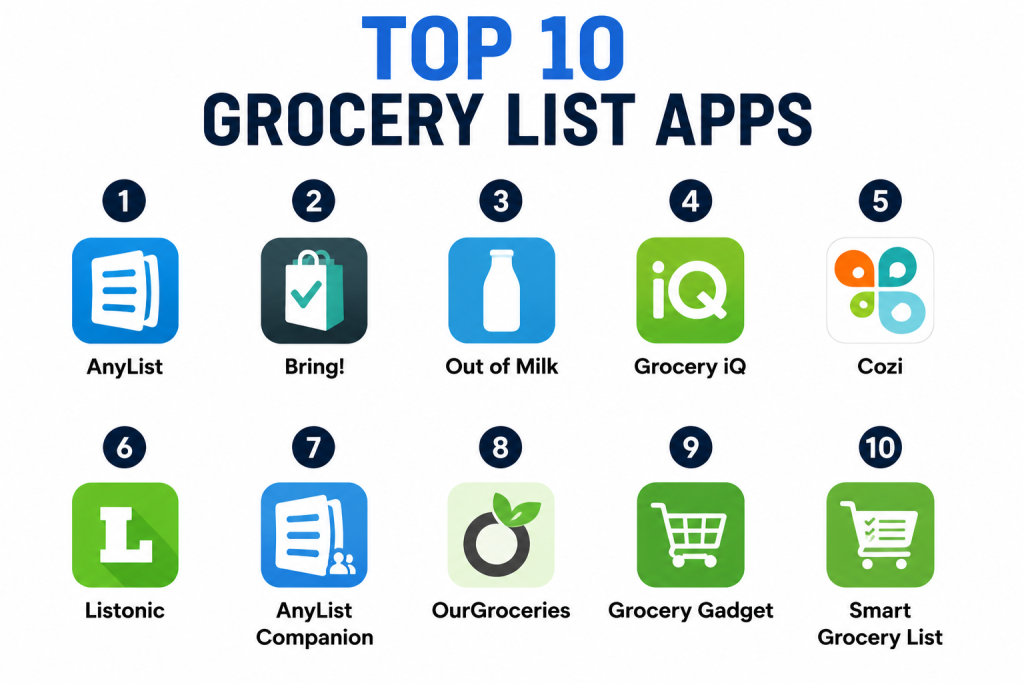
Top 10 Grocery List Apps
1- AnyList
Short description: AnyList is a collaborative grocery list and recipe manager that allows families and roommates to plan shopping together, share lists, and organize items efficiently.
Key Features
- Shared grocery lists with real-time updates
- Recipe import and meal planning
- Categories and sorting for store efficiency
- Barcode scanning for quick item addition
- AI suggestions based on past purchases
- Offline access with cross-device sync
Pros
- Strong collaboration features
- Integrated meal planning enhances convenience
Cons
- Some advanced features require subscription
- UI may feel complex for new users
Platforms / Deployment
- iOS, Android, Web / Cloud
Security & Compliance
- Not publicly stated
Integrations & Ecosystem
- Integrates with Apple Health, Alexa, and smart appliances
- Recipe apps import
- Voice assistants for hands-free input
Support & Community
- Tutorials, FAQs, and email support
- Active user community for tips and shared lists
2- Bring!
Short description: Bring! offers shared grocery lists with intuitive visuals and templates, designed for families and group shopping, making list management simple and visual.
Key Features
- Visual-based item selection
- Shared lists with real-time updates
- Templates for recurring shopping lists
- Notifications for changes or additions
- Integration with smart home assistants
- Offline access
Pros
- Easy-to-use visual interface
- Simplifies recurring shopping
Cons
- Limited AI recommendations
- Free version has restrictions
Platforms / Deployment
- iOS, Android, Web / Cloud
Security & Compliance
- Not publicly stated
Integrations & Ecosystem
- Voice assistants (Alexa, Google Assistant)
- Calendar reminders
- Recipe and meal plan import
Support & Community
- Online guides and tutorials
- Community forum for user ideas
3- Out of Milk
Short description: Out of Milk helps users create grocery and pantry lists with category management, making it ideal for home organization and shopping planning.
Key Features
- Grocery list creation and sorting
- Pantry inventory tracking
- To-do lists for shopping and household tasks
- Barcode scanning for items
- Synchronization across devices
- Offline access
Pros
- Simple interface for quick list creation
- Pantry management reduces food waste
Cons
- UI less modern
- Limited AI personalization
Platforms / Deployment
- iOS, Android / Cloud
Security & Compliance
- Not publicly stated
Integrations & Ecosystem
- Limited integration with delivery platforms
- Barcode scanning for inventory
- Sync with family devices
Support & Community
- FAQs and email support
- User tips and guides
4- Grocery iQ
Short description: Grocery iQ focuses on smart grocery list creation with barcode scanning, coupon integration, and store mapping, suitable for frequent shoppers and deal hunters.
Key Features
- Barcode scanning for item addition
- Smart categorization for store navigation
- Coupons and deals integration
- Reusable shopping lists
- Synchronization across devices
- Offline functionality
Pros
- Saves time with barcode scanning
- Cost-saving through coupon integration
Cons
- Some features limited to premium
- Less collaborative than competitors
Platforms / Deployment
- iOS, Android / Cloud
Security & Compliance
- Not publicly stated
Integrations & Ecosystem
- Coupon providers and retail integrations
- Grocery list sharing
- Voice assistant input
Support & Community
- Tutorials and help center
- Limited community engagement
5- Cozi
Short description: Cozi is a family organizer app that combines grocery lists, calendars, and task management, allowing households to manage shopping alongside daily activities.
Key Features
- Shared grocery lists with multiple contributors
- Family calendar integration
- To-do and task management
- Meal planning and recipes
- Reminders and notifications
- Offline access
Pros
- Combines multiple household management features
- Strong collaboration for families
Cons
- Grocery-specific features less robust
- Premium subscription needed for full access
Platforms / Deployment
- iOS, Android, Web / Cloud
Security & Compliance
- Not publicly stated
Integrations & Ecosystem
- Calendar and task apps
- Voice assistants for hands-free updates
- Meal planning import
Support & Community
- Email support and tutorials
- Active user community
6- Listonic
Short description: Listonic focuses on speed and simplicity, allowing users to create smart grocery lists, share them, and manage shopping efficiently.
Key Features
- Smart list suggestions and item sorting
- Voice input for hands-free adding
- Collaboration and sharing
- Price estimation for shopping
- Offline access
- Barcode scanning
Pros
- Fast and intuitive interface
- AI suggestions for frequent items
Cons
- Advanced features in premium plan
- Limited meal planning functionality
Platforms / Deployment
- iOS, Android / Cloud
Security & Compliance
- Not publicly stated
Integrations & Ecosystem
- Voice assistants integration
- E-commerce platform syncing
- Smart appliance notifications
Support & Community
- Help center and tutorials
- Limited community features
7- AnyList Companion
Short description: Companion app for AnyList, enhancing shared list functionality with quick access, notifications, and smart recommendations for group shopping.
Key Features
- Real-time shared list updates
- Notifications for list changes
- Quick-add item functionality
- AI-based frequent item suggestions
- Offline access
- Integration with main AnyList app
Pros
- Seamless collaboration
- Easy list access on-the-go
Cons
- Relies on primary AnyList subscription
- Limited standalone functionality
Platforms / Deployment
- iOS, Android / Cloud
Security & Compliance
- Not publicly stated
Integrations & Ecosystem
- Main AnyList app sync
- Recipe and meal plan integration
- Voice assistant input
Support & Community
- Documentation via AnyList
- Email support
8- OurGroceries
Short description: OurGroceries offers shared grocery lists with simple syncing, category management, and recipe import for households and small teams.
Key Features
- Shared lists with multiple contributors
- Recipe import and categorization
- Offline access
- Notifications for changes
- Cross-device syncing
- Simple interface
Pros
- Simple and reliable syncing
- Easy for multi-member households
Cons
- Limited advanced features
- Less visually engaging UI
Platforms / Deployment
- iOS, Android, Web / Cloud
Security & Compliance
- Not publicly stated
Integrations & Ecosystem
- Recipe app imports
- Smart device notifications
- Cross-platform syncing
Support & Community
- Email support and online guides
- Community forums
9- Grocery Gadget
Short description: Grocery Gadget focuses on simple grocery list management, barcode scanning, and price tracking for cost-conscious shoppers.
Key Features
- Barcode scanning
- Price and deal tracking
- Shared lists
- Item categorization
- Offline access
Pros
- Helps with budget management
- Simple and lightweight
Cons
- Limited AI or smart recommendations
- Basic interface
Platforms / Deployment
- iOS, Android / Cloud
Security & Compliance
- Not publicly stated
Integrations & Ecosystem
- Barcode databases
- Price comparison integrations
- Shared list syncing
Support & Community
- Email support and tutorials
- Small user community
10- Smart Grocery List
Short description: Smart Grocery List offers AI-assisted grocery tracking, item categorization, and collaboration for families and teams.
Key Features
- AI-powered suggestions
- Shared lists and notifications
- Item categorization by store
- Offline mode
- Recipe integration
- Cross-device sync
Pros
- Intelligent item recommendations
- Good for collaborative shopping
Cons
- Premium subscription required for advanced AI
- Limited integration with retail platforms
Platforms / Deployment
- iOS, Android / Cloud
Security & Compliance
- Not publicly stated
Integrations & Ecosystem
- Recipe apps and meal planning
- Smart home devices
- Voice assistant input
Support & Community
- Email support
- Tutorials and user guides
Comparison Table (Top 10)
| Tool Name | Best For | Platform(s) Supported | Deployment | Standout Feature | Public Rating |
|---|---|---|---|---|---|
| AnyList | Families / roommates | iOS, Android, Web | Cloud | Shared lists with meal planning | N/A |
| Bring! | Families / groups | iOS, Android, Web | Cloud | Visual list templates | N/A |
| Out of Milk | Individuals | iOS, Android | Cloud | Pantry and grocery management | N/A |
| Grocery iQ | Frequent shoppers | iOS, Android | Cloud | Barcode scanning and coupons | N/A |
| Cozi | Families | iOS, Android, Web | Cloud | Combined calendar and grocery lists | N/A |
| Listonic | Busy individuals | iOS, Android | Cloud | AI suggestions and voice input | N/A |
| AnyList Companion | Group shoppers | iOS, Android | Cloud | Quick access and notifications | N/A |
| OurGroceries | Households | iOS, Android, Web | Cloud | Simple shared lists | N/A |
| Grocery Gadget | Budget-conscious | iOS, Android | Cloud | Price tracking and barcode scanning | N/A |
| Smart Grocery List | Families / Teams | iOS, Android | Cloud | AI-assisted item recommendations | N/A |
Evaluation & Scoring
| Tool Name | Core (25%) | Ease (15%) | Integrations (15%) | Security (10%) | Performance (10%) | Support (10%) | Value (15%) | Weighted Total |
|---|---|---|---|---|---|---|---|---|
| AnyList | 9 | 8 | 8 | 7 | 9 | 8 | 8 | 8.3 |
| Bring! | 8 | 9 | 7 | 7 | 8 | 7 | 8 | 8.0 |
| Out of Milk | 7 | 8 | 6 | 7 | 8 | 6 | 7 | 7.2 |
| Grocery iQ | 8 | 7 | 7 | 7 | 8 | 7 | 7 | 7.5 |
| Cozi | 7 | 8 | 7 | 7 | 7 | 7 | 7 | 7.2 |
| Listonic | 8 | 9 | 7 | 7 | 8 | 7 | 8 | 7.9 |
| AnyList Companion | 8 | 8 | 7 | 7 | 8 | 7 | 7 | 7.7 |
| OurGroceries | 7 | 7 | 6 | 6 | 7 | 6 | 7 | 6.7 |
| Grocery Gadget | 6 | 7 | 6 | 6 | 7 | 6 | 6 | 6.5 |
| Smart Grocery List | 8 | 8 | 7 | 7 | 8 | 7 | 8 | 7.8 |
Interpretation: Scores reflect comparative performance across features, usability, integrations, security, and value. Higher scores indicate better alignment with user needs. Buyers should consider context, collaboration needs, and AI assistance when choosing.
Which Grocery List Tool Is Right for You?
Solo / Freelancer
Listonic, Grocery Gadget, and Out of Milk are ideal for individual users prioritizing fast, simple grocery management and offline access.
SMB
AnyList, AnyList Companion, and Smart Grocery List support small teams or households needing collaborative shopping with AI recommendations.
Mid-Market
Bring! and Cozi are suited for medium-sized households or groups with recurring shopping needs and meal planning requirements.
Enterprise
Smart Grocery List Enterprise or Cozi Enterprise can be used for large-scale shared shopping in hospitality, corporate wellness, or multi-family management.
Budget vs Premium
Freemium apps like OurGroceries and Grocery Gadget offer basic functionality. Premium apps like AnyList and Smart Grocery List provide AI recommendations, cross-device sync, and meal planning.
Feature Depth vs Ease of Use
Grocery iQ and Smart Grocery List offer advanced features like coupons and AI suggestions, while Listonic and Bring! prioritize quick, simple usability.
Integrations & Scalability
Apps supporting retail, delivery platforms, voice assistants, and smart home integrations scale better for households, teams, and businesses.
Security & Compliance Needs
Ensure apps meet privacy expectations if shared among multiple users. Most do not disclose formal certifications.
Frequently Asked Questions (FAQs)
1- What pricing models do grocery list apps offer?
Most provide free basic versions with premium subscriptions unlocking AI recommendations, meal planning, and advanced collaboration.
2- How quickly can users get started?
Apps allow immediate list creation and item logging. Advanced features like AI suggestions may require account creation or subscription.
3- Can these apps be used offline?
Most support offline access for basic lists. Cloud sync and collaboration require internet connectivity.
4- Are grocery apps secure?
Apps typically encrypt data, but formal certifications like SOC 2 or GDPR compliance are not always publicly stated.
5- How do these apps integrate with smart devices?
Many integrate with voice assistants, smart fridges, and online grocery services to streamline shopping and inventory management.
6- Can multiple users collaborate on a list?
Yes, apps like AnyList, Bring!, and Cozi allow real-time updates across multiple contributors.
7- What common mistakes should users avoid?
Neglecting list sharing, not using categorization, or relying solely on free versions can limit convenience and efficiency.
8- Are AI features useful?
AI can suggest frequently purchased items, detect duplicates, and optimize shopping routes, saving time and reducing waste.
9- Can these apps help reduce grocery waste?
Yes, features like pantry tracking, quantity recommendations, and expiration notifications help minimize waste.
10- What alternatives exist?
Alternatives include manual handwritten lists, spreadsheets, or standard note-taking apps without AI or collaboration features.
Conclusion
Grocery list apps in are more than simple note-taking tools—they combine AI, collaboration, smart integrations, and meal planning to enhance the shopping experience. Individuals benefit from lightweight, fast apps like Listonic or Grocery Gadget, while households and SMBs gain efficiency with AnyList, Cozi, and Bring!. Advanced users or corporate settings can leverage Smart Grocery List for AI recommendations and multi-user coordination. Buyers should shortlist , pilot features for household or team use, and validate AI recommendations, collaboration functionality, and privacy compliance before adoption. The best choice depends on context, household size, collaboration needs, and integration requirements.
