Introduction
Newsreader apps are digital tools that aggregate and curate news content from multiple sources into a single, personalized feed. They help users stay informed, track topics of interest, and manage information efficiently. In , with the exponential growth of content and information overload, newsreader apps are essential for professionals, researchers, and casual readers who want real-time updates and curated content without distractions.
Real-world use cases include:
- Tracking industry news, trends, and competitor activities.
- Following niche topics, hobbies, or global events efficiently.
- Aggregating feeds from multiple sources into a single, manageable interface.
- Integrating with productivity tools for research and content curation.
- Staying updated with AI-curated or algorithmically recommended news.
Best for: Professionals, knowledge workers, researchers, and news enthusiasts seeking curated, organized, and personalized information feeds.
Not ideal for: Casual readers who prefer browsing individual websites or social media feeds without structured aggregation.
Key Trends in Newsreader Apps
- AI-driven summarization and smart highlights for faster consumption.
- Algorithmic personalization for topics, sources, and preferred authors.
- Integration with productivity tools like Notion, Evernote, and PKM systems.
- Cross-platform support with offline reading, notifications, and syncing.
- Focus on privacy, ad-free experiences, and optional data anonymity.
- Support for multimedia content including podcasts, video news, and newsletters.
- Collaboration features for teams to share curated content.
- Enhanced search and tagging for long-term knowledge retrieval.
- Global coverage with language support and regional customization.
- Subscription-based models offering premium curation, AI summarization, and archive access.
How We Selected These Tools (Methodology)
- Evaluated market adoption among professionals, students, and knowledge workers.
- Assessed feature completeness, including AI summarization, personalization, and cross-source aggregation.
- Considered performance, reliability, and offline sync capabilities.
- Reviewed security posture, privacy policies, and compliance standards.
- Analyzed integrations with PKM, note-taking, and productivity tools.
- Evaluated usability, onboarding experience, and accessibility.
- Balanced suitability for individual, SMB, and enterprise users.
- Prioritized innovation and relevance for 2026 content consumption patterns.
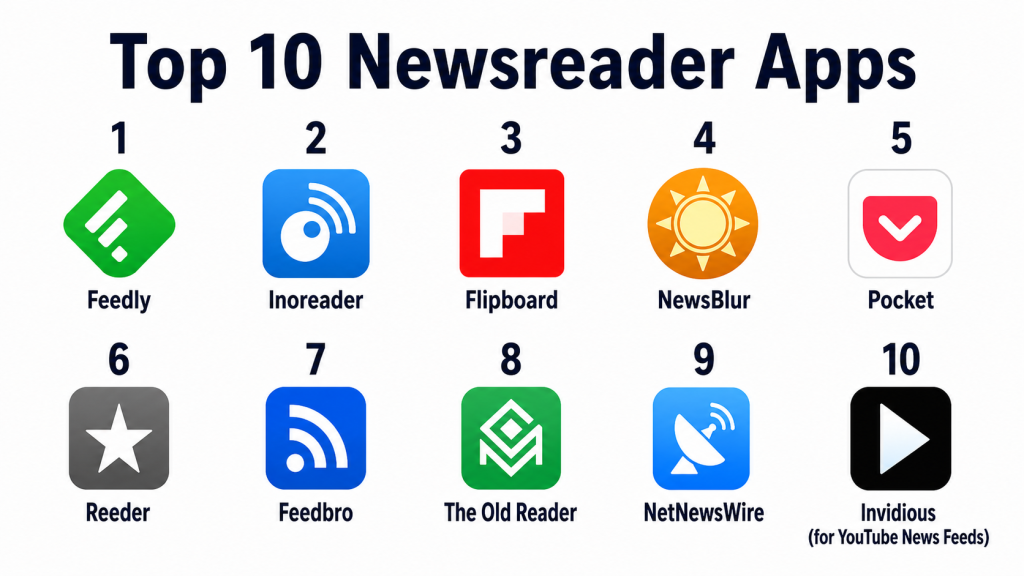
Top 10 Newsreader Apps
1- Feedly
Short description: Feedly aggregates news from RSS feeds, blogs, and publications into a single customizable feed. It is ideal for professionals, researchers, and knowledge workers seeking to organize and consume large amounts of content efficiently.
Key Features
- RSS feed aggregation
- AI-powered Leo feed prioritization
- Topic, keyword, and source filters
- Cross-device sync
- Integration with productivity tools
- Offline reading
Pros
- Highly customizable feed and filtering options.
- AI prioritizes important articles based on user preferences.
Cons
- Free tier has limited integrations.
- Learning curve for AI prioritization setup.
Platforms / Deployment
- Web / iOS / Android
- Cloud-based
Security & Compliance
- Not publicly stated
Integrations & Ecosystem
- Notion, Evernote, OneNote
- Slack and productivity tools
- Export to PDF or email digests
Support & Community
- Help documentation
- Email support
- User community forums
2- Inoreader
Short description: Inoreader provides a feature-rich RSS aggregator and automation tool for professional users, enabling deep content filtering, search, and saved queries.
Key Features
- RSS and social feed aggregation
- Advanced filtering and rules
- Searchable archives
- Offline reading
- Automation workflows
- Tagging and folder organization
Pros
- Powerful search and filtering capabilities.
- Automation for content collection and organization.
Cons
- Interface may feel complex for beginners.
- Some automation requires premium subscription.
Platforms / Deployment
- Web / iOS / Android
- Cloud-based
Security & Compliance
- Not publicly stated
Integrations & Ecosystem
- Evernote, Pocket, Notion
- Zapier automation
- Email digests
Support & Community
- Extensive tutorials
- Email support
- Community discussion boards
3- Flipboard
Short description: Flipboard aggregates news, social content, and blogs into a magazine-style interface, making it suitable for casual readers and professionals who prefer visual layouts.
Key Features
- Magazine-style feed curation
- Topic and source customization
- Offline reading
- Multimedia support (video, audio, images)
- Personalized recommendations
Pros
- Visually appealing and easy to navigate.
- Supports multimedia news consumption.
Cons
- Less powerful search compared to RSS-based tools.
- Free version includes ads.
Platforms / Deployment
- iOS / Android / Web
- Cloud-based
Security & Compliance
- Not publicly stated
Integrations & Ecosystem
- Social sharing (Twitter, LinkedIn)
- Bookmark and save articles
- Limited PKM tool integration
Support & Community
- FAQ and help center
- Community tips and guides
4- NewsBlur
Short description: NewsBlur is a personal news reader that provides training filters and intelligence features to prioritize articles based on user preference.
Key Features
- RSS feed aggregation
- Smart training filters
- Saved stories
- Offline reading
- Cross-device sync
Pros
- Intelligent filtering to surface relevant stories.
- Flexible organizational tools.
Cons
- Interface may appear dated.
- Premium features required for full use.
Platforms / Deployment
- Web / iOS / Android
- Cloud-based
Security & Compliance
- Not publicly stated
Integrations & Ecosystem
- Email notifications
- Social sharing
- Limited external app support
Support & Community
- Documentation and guides
- Email support
- User forums
5- Pocket
Short description: Pocket allows users to save articles, news, and multimedia for offline reading, while providing personalized recommendations for continuous discovery.
Key Features
- Save articles from browsers and apps
- Offline reading and downloads
- Topic-based recommendations
- Highlighting and annotations
- Cross-device sync
Pros
- Simple, intuitive interface for saving content.
- Personalized discovery improves knowledge intake.
Cons
- Less focus on structured feed aggregation.
- Free tier limited in analytics features.
Platforms / Deployment
- Web / iOS / Android
- Cloud-based
Security & Compliance
- Not publicly stated
Integrations & Ecosystem
- Browser extensions
- Social sharing
- Integration with note-taking apps
Support & Community
- Help center
- Tutorials
- Community tips
6- Reeder
Short description: Reeder is a minimalist RSS reader with powerful offline support, offering smooth navigation and clean feed organization.
Key Features
- RSS feed aggregation
- Read-later support
- Offline reading
- Gesture-based navigation
- Tagging and search
Pros
- Clean, distraction-free interface.
- Fast and responsive performance.
Cons
- Limited collaboration or social sharing.
- Primarily for Apple ecosystem.
Platforms / Deployment
- iOS / macOS
- Cloud sync optional
Security & Compliance
- Not publicly stated
Integrations & Ecosystem
- iCloud sync
- Read-later services
- Export to text or note apps
Support & Community
- Documentation
- Email support
- User forums
7- Feedbro
Short description: Feedbro is a browser-based RSS aggregator providing fast feed management, filtering, and offline caching.
Key Features
- Browser extension for RSS feeds
- Filter rules and smart folders
- Offline caching
- Multiple feed sources
- Search and tags
Pros
- Powerful filtering and automation.
- Lightweight and fast.
Cons
- Browser-focused, limited mobile support.
- Advanced features may require setup.
Platforms / Deployment
- Chrome / Firefox / Edge
- Local/browser-based
Security & Compliance
- Not publicly stated
Integrations & Ecosystem
- Bookmarking services
- Export feeds
- RSS source aggregation
Support & Community
- Online documentation
- Forums
- Community support
8- The Old Reader
Short description: The Old Reader mimics classic RSS reading experiences with social sharing, providing a simple interface and collaborative features.
Key Features
- Feed aggregation
- Social sharing
- Tagging and search
- Simple timeline view
- Multi-device sync
Pros
- Familiar RSS interface for long-term users.
- Supports collaborative subscriptions.
Cons
- Minimal multimedia support.
- Limited automation or AI features.
Platforms / Deployment
- Web / iOS / Android
- Cloud-based
Security & Compliance
- Not publicly stated
Integrations & Ecosystem
- Social sharing
- RSS import/export
- Collaboration with friends
Support & Community
- Help center
- Email support
- Community forums
9- NetNewsWire
Short description: NetNewsWire is a macOS and iOS RSS reader focusing on speed, simplicity, and offline reading capabilities.
Key Features
- Clean interface
- RSS aggregation
- Offline reading
- Feed search and filtering
- Multi-account support
Pros
- Fast and lightweight.
- Great for Apple users who want simplicity.
Cons
- Limited advanced analytics or AI features.
- No collaboration tools.
Platforms / Deployment
- macOS / iOS
- Cloud sync optional
Security & Compliance
- Not publicly stated
Integrations & Ecosystem
- iCloud or local feed syncing
- Bookmark export
- Basic note integration
Support & Community
- Documentation
- GitHub community
- Email support
10- Invidious (for YouTube News Feeds)
Short description: Invidious aggregates YouTube content into a lightweight feed without tracking or ads, suitable for curated video news feeds.
Key Features
- Lightweight YouTube feed aggregation
- Privacy-focused
- No ads
- Subscription feed support
Pros
- Fast and privacy-conscious.
- Ideal for curated video news.
Cons
- Limited to YouTube sources.
- No full RSS or text article support.
Platforms / Deployment
- Web
- Cloud
Security & Compliance
- Privacy-focused, open source
Integrations & Ecosystem
- YouTube subscriptions
- Feed export via RSS
- Bookmarking
Support & Community
- Open source community
- Documentation
- GitHub support
Comparison Table (Top 10)
| Tool Name | Best For | Platform(s) Supported | Deployment | Standout Feature | Public Rating |
|---|---|---|---|---|---|
| Feedly | Professionals & knowledge workers | Web / iOS / Android | Cloud | AI-powered feed prioritization | N/A |
| Inoreader | Power users & automation lovers | Web / iOS / Android | Cloud | Advanced filtering & rules | N/A |
| Casual & visual readers | Web / iOS / Android | Cloud | Magazine-style feed | N/A | |
| NewsBlur | Smart filter & priority readers | Web / iOS / Android | Cloud | Smart story training | N/A |
| Offline reading & discovery | Web / iOS / Android | Cloud | Save & discover content | N/A | |
| Reeder | Minimalist Apple ecosystem users | iOS / macOS | Cloud optional | Distraction-free interface | N/A |
| Feedbro | Browser-based RSS automation | Chrome / Firefox / Edge | Browser-based | Filtering & smart folders | N/A |
| The Old Reader | Social RSS collaboration | Web / iOS / Android | Cloud | Classic RSS & social sharing | N/A |
| NetNewsWire | Apple users needing simplicity | macOS / iOS | Cloud optional | Fast, lightweight RSS reader | N/A |
| Invidious | YouTube video news curation | Web | Cloud | Privacy-focused video feed | N/A |
Evaluation & Scoring of Newsreader Apps
| Tool Name | Core (25%) | Ease (15%) | Integrations (15%) | Security (10%) | Performance (10%) | Support (10%) | Value (15%) | Weighted Total |
|---|---|---|---|---|---|---|---|---|
| Feedly | 9 | 8 | 8 | 7 | 9 | 8 | 7 | 8.20 |
| Inoreader | 9 | 7 | 8 | 7 | 8 | 7 | 7 | 7.85 |
| 8 | 9 | 6 | 7 | 8 | 7 | 6 | 7.50 | |
| NewsBlur | 8 | 8 | 7 | 7 | 8 | 7 | 6 | 7.40 |
| 7 | 9 | 6 | 7 | 8 | 7 | 6 | 7.30 | |
| Reeder | 8 | 9 | 6 | 7 | 8 | 7 | 6 | 7.45 |
| Feedbro | 8 | 8 | 7 | 7 | 8 | 7 | 6 | 7.40 |
| The Old Reader | 7 | 8 | 6 | 7 | 7 | 7 | 6 | 7.00 |
| NetNewsWire | 8 | 9 | 6 | 7 | 8 | 7 | 6 | 7.45 |
| Invidious | 7 | 8 | 6 | 8 | 8 | 7 | 6 | 7.10 |
Higher weighted totals indicate stronger alignment with feed aggregation, personalization, and productivity integration.
Which Newsreader App Is Right for You?
Solo / Freelancer
- Feedly, Pocket, or Reeder — ideal for personalized reading and offline access.
SMB
- Inoreader, Flipboard, or NewsBlur — supports team feeds, tagging, and content curation.
Mid-Market
- Feedly, Inoreader, or NetNewsWire — integrates with productivity tools and analytics.
Enterprise
- Feedly, Inoreader, or NewsBlur — AI-powered prioritization, multi-user collaboration, and workflow integration.
Budget vs Premium
- Budget: Reeder, The Old Reader, Pocket — basic aggregation and offline reading.
- Premium: Feedly, Inoreader, NewsBlur — advanced AI, filtering, and analytics.
Feature Depth vs Ease of Use
- Feature Depth: Feedly, Inoreader, NewsBlur — automation, AI, and analytics.
- Ease of Use: Pocket, Flipboard, Reeder — simple, intuitive interfaces.
Integrations & Scalability
- High: Feedly, Inoreader, NewsBlur — supports enterprise and workflow integrations.
- Moderate: Pocket, Flipboard — primarily for personal use.
Security & Compliance
- Privacy-focused options like Invidious or Reeder prioritize anonymity. Enterprise users should check cloud security and encryption standards.
Frequently Asked Questions (FAQs)
1- Can I aggregate multiple news sources?
Yes, all top apps support multiple sources via RSS feeds, blogs, or newsletters.
2- Do these apps support offline reading?
Yes — Pocket, Reeder, and Feedly allow offline access to saved content.
3- Can I filter news by topic or keyword?
Yes, Inoreader, Feedly, and NewsBlur offer advanced keyword filtering and topic prioritization.
4- Are AI recommendations reliable?
AI suggestions use historical reading habits and topic tracking to highlight relevant content.
5- Can I collaborate on news curation?
Yes, Feedly Teams and Inoreader support team-based feed curation.
6- Do these apps integrate with productivity tools?
Yes, many integrate with PKM apps, Notion, Evernote, or task managers.
7- Are multimedia feeds supported?
Yes — Flipboard and Invidious support video, podcasts, and images.
8- Can I track which articles I’ve read?
Most apps include read/unread tracking and tagging.
9- Are notifications supported?
Yes — apps can send alerts for new content or important updates.
10- Is my data private?
Privacy levels vary; Invidious and Reeder are more privacy-focused. Cloud-based apps depend on provider policies.
Conclusion
Newsreader apps in are vital for individuals and teams seeking efficient, personalized, and organized news consumption. Solo users benefit from Feedly, Pocket, or Reeder for personal reading and offline access. SMBs and mid-market teams can streamline information flow using Inoreader, Flipboard, or NewsBlur. Enterprises require AI-powered prioritization, collaborative curation, and workflow integration, achievable with Feedly, Inoreader, or NewsBlur. Start by shortlisting aligned with your interests or business needs, test workflows, validate integrations, and adopt the solution that consistently delivers relevant, organized, and timely information.
