Introduction
Online Proctoring Tools are software solutions designed to monitor and ensure the integrity of exams conducted remotely. They use AI, video, and screen monitoring to verify candidate identity, prevent cheating, and maintain assessment standards.
As digital and hybrid learning continues to grow, online proctoring has become essential for universities, certification bodies, and professional training organizations. These tools are critical for upholding exam credibility, enabling flexible scheduling, and reducing administrative overhead.
Real-world use cases:
- Verifying identity and monitoring during university exams
- Conducting professional certification assessments remotely
- Managing online corporate training tests
- Monitoring academic assessments for distance learning programs
- Facilitating remote recruitment assessments with high security
Buyer evaluation criteria:
- Authentication methods (biometrics, ID verification)
- AI-based cheating detection accuracy
- Integration with LMS and assessment platforms
- Real-time video and screen monitoring
- Reporting and analytics for exam results and flagged behavior
- Compliance with privacy and security standards
- Scalability for large candidate volumes
- Cross-platform and device support
- Ease of use for candidates and administrators
Best for: Universities, certification authorities, corporate learning programs, online training providers.
Not ideal for: Small-scale informal assessments or low-stakes quizzes where monitoring is unnecessary.
Key Trends in Online Proctoring Tools
- AI-powered cheating detection and anomaly recognition
- Integration with major LMS platforms for automated exam delivery
- Multi-device and cross-platform support including mobile exams
- Cloud-first solutions for scalability and accessibility
- Increased focus on candidate privacy and compliance (GDPR, SOC 2, ISO 27001)
- Advanced authentication methods like biometric and facial recognition
- Automated flagging and reporting workflows
- Real-time proctor alerts and intervention tools
- Modular pricing models for institutions of different sizes
- Analytics dashboards for administrators to review exam performance and compliance
How We Selected These Tools (Methodology)
- Evaluated market adoption and recognition in academic and professional sectors
- Assessed feature completeness including monitoring, authentication, and reporting
- Reviewed reliability and performance for high-volume online exams
- Analyzed security posture including encryption, audit logs, and compliance certifications
- Considered integrations with LMS and assessment platforms
- Evaluated flexibility for different exam types and institutional sizes
- Reviewed customer fit across small, mid-market, and enterprise organizations
- Balanced innovation, usability, and scalability for long-term adoption
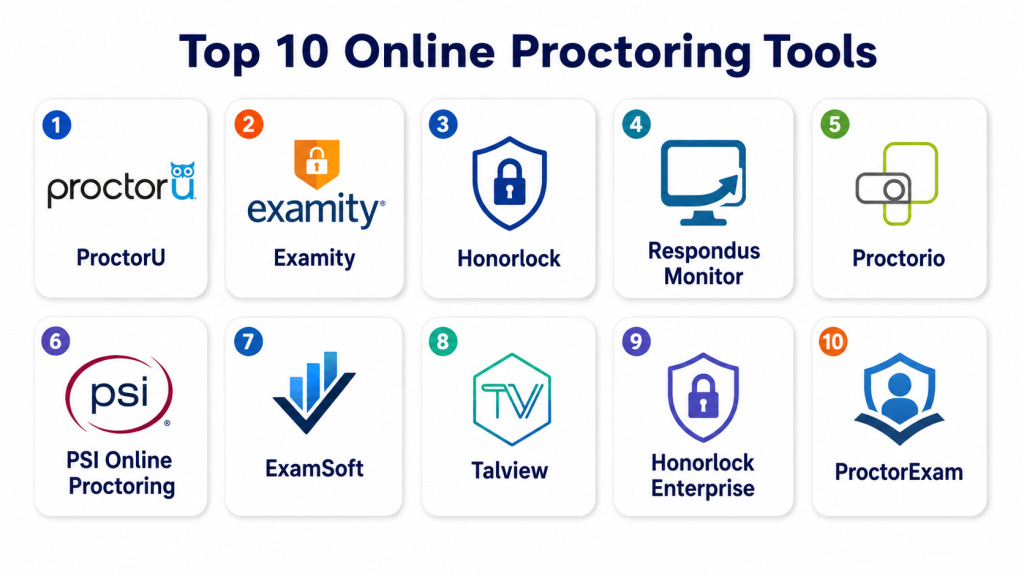
Top 10 Online Proctoring Tools
#1 — ProctorU
Short description: ProctorU provides live and automated online proctoring solutions for academic institutions, professional certifications, and training programs.
Key Features
- Live proctoring with human oversight
- AI-based automated exam monitoring
- Identity verification with photo ID and biometrics
- Browser lockdown for secure testing
- Detailed analytics and reporting
- Candidate support and incident management
Pros
- Strong combination of live and automated proctoring
- Widely adopted and trusted
- Scalable for large exams
Cons
- Costly for smaller institutions
- Live proctor availability depends on time zones
Platforms / Deployment
- Web / Windows / macOS
- Cloud
Security & Compliance
- Encryption, MFA, audit logs
- SOC 2, GDPR
Integrations & Ecosystem
- LMS integration (Canvas, Blackboard)
- API access for exam automation
- Browser lockdown extensions
- Identity verification plugins
Support & Community
- Documentation, training webinars
- Email and phone support
- Active institutional user community
#2 — Examity
Short description: Examity offers automated, live, and on-demand proctoring solutions suitable for universities and certification providers.
Key Features
- Identity verification and authentication
- AI-assisted proctoring and anomaly detection
- Live proctor interventions
- Secure browser lockdown
- Analytics dashboards for exam review
- Multi-language support
Pros
- Flexible proctoring modes
- Integration-ready with LMS
- Scalable for large-scale exams
Cons
- Premium pricing
- May require technical support for advanced integrations
Platforms / Deployment
- Web / Windows / macOS
- Cloud
Security & Compliance
- Encryption, MFA, SSO
- SOC 2, GDPR
Integrations & Ecosystem
- LMS and assessment platform integration
- API for automation
- Identity verification tools
Support & Community
- Documentation and tutorials
- Email and phone support
#3 — Honorlock
Short description: Honorlock provides AI-driven and live proctoring solutions for higher education and online certification programs, emphasizing ease of integration.
Key Features
- AI-assisted exam monitoring
- Browser and desktop lockdown
- Identity verification with photos and government IDs
- Live proctor support when needed
- Reporting and analytics dashboards
- Chrome extension for seamless exam delivery
Pros
- Lightweight setup for institutions
- Flexible AI and human proctoring combination
- Robust analytics
Cons
- Chrome-based exams only
- Premium pricing for live proctoring
Platforms / Deployment
- Web / Windows / macOS
- Cloud
Security & Compliance
- Encryption, MFA
- SOC 2, GDPR
Integrations & Ecosystem
- LMS integrations
- API for exam automation
- Browser plugin support
Support & Community
- Documentation and video tutorials
- Email support
- Online knowledge base
#4 — Respondus Monitor
Short description: Respondus Monitor provides automated proctoring for online exams, combined with LockDown Browser to prevent cheating.
Key Features
- Automated AI monitoring
- Browser lockdown with LockDown Browser
- Identity verification with webcam
- Exam activity logging
- Reports and analytics for flagged behavior
Pros
- Fully automated monitoring
- Easy for students to use
- Integrated with LockDown Browser
Cons
- Limited live proctor options
- Restricted browser compatibility
Platforms / Deployment
- Windows / macOS / Chrome OS
- Cloud
Security & Compliance
- Encryption, MFA
- SOC 2
Integrations & Ecosystem
- LMS integration (Canvas, Blackboard, Moodle)
- API for exam scheduling and reporting
- LockDown Browser compatibility
Support & Community
- Documentation and training resources
- Email support
#5 — Proctorio
Short description: Proctorio is a fully automated proctoring platform using AI to monitor student exams while integrating with LMS platforms for seamless delivery.
Key Features
- AI-driven identity verification
- Screen, webcam, and audio monitoring
- Browser lockdown and activity recording
- Real-time anomaly detection
- Analytics and reporting dashboards
Pros
- Fully automated solution
- Seamless LMS integration
- Scalable for large exam volumes
Cons
- Internet-dependent performance
- Limited live proctoring support
Platforms / Deployment
- Web / Windows / macOS
- Cloud
Security & Compliance
- Encryption, MFA
- GDPR, SOC 2
Integrations & Ecosystem
- LMS integration
- API access for exam automation
- Reporting tools
Support & Community
- Documentation, webinars
- Email and chat support
#6 — PSI Online Proctoring
Short description: PSI Online Proctoring offers live and automated proctoring for certification exams, higher education, and licensure assessments.
Key Features
- Live and automated proctoring
- Identity authentication
- Browser lockdown
- Candidate analytics
- Integration with assessment platforms
Pros
- Suitable for high-stakes exams
- Flexible proctoring modes
- Enterprise-grade security
Cons
- Premium pricing
- Implementation setup can be complex
Platforms / Deployment
- Web / Windows / macOS
- Cloud
Security & Compliance
- Encryption, MFA, audit logs
- SOC 2, GDPR
Integrations & Ecosystem
- LMS and exam platforms
- API for automation
- Reporting tools
Support & Community
- Documentation and training
- Email and phone support
#7 — ExamSoft
Short description: ExamSoft provides secure exam delivery, automated grading, and remote proctoring, mainly for universities and professional certification programs.
Key Features
- Secure offline and online exams
- Automated and live proctoring
- Identity verification
- Analytics for performance and integrity
- Browser lockdown
Pros
- Strong integrity assurance
- Detailed analytics
- Scalable for large candidate groups
Cons
- Technical setup required
- Some features limited for low-volume exams
Platforms / Deployment
- Windows / macOS / Web
- Cloud
Security & Compliance
- Encryption, MFA
- SOC 2, GDPR
Integrations & Ecosystem
- LMS integration
- API for exam automation
- Assessment platform connectivity
Support & Community
- Documentation and webinars
- Email support
#8 — Talview
Short description: Talview provides AI-powered proctoring and video assessments for education and corporate recruitment exams.
Key Features
- AI-based exam monitoring
- Video and audio proctoring
- Identity verification
- Reporting and analytics dashboards
- Candidate behavior insights
Pros
- Advanced AI monitoring
- Video-based candidate assessment
- Scalable solution
Cons
- Premium pricing
- Setup may be complex
Platforms / Deployment
- Web / Windows / macOS
- Cloud
Security & Compliance
- Encryption, MFA
- SOC 2
Integrations & Ecosystem
- LMS and HR platform integrations
- API access
- Reporting tools
Support & Community
- Documentation, tutorials
- Email and chat support
#9 — Honorlock Enterprise
Short description: Honorlock Enterprise is designed for large universities and certification programs, combining AI and live proctoring.
Key Features
- AI-assisted monitoring
- Live proctor intervention
- Identity verification
- Browser lockdown
- Analytics dashboards
Pros
- Suitable for large-scale exams
- AI and live proctor combination
- Strong reporting
Cons
- Premium pricing
- Requires training for administrators
Platforms / Deployment
- Web / Windows / macOS
- Cloud
Security & Compliance
- Encryption, MFA
- SOC 2, GDPR
Integrations & Ecosystem
- LMS integration
- API for exam scheduling and reporting
- Identity verification tools
Support & Community
- Documentation, webinars
- Customer support
#10 — ProctorExam
Short description: ProctorExam offers live and automated online proctoring with multi-layered security for higher education and certification exams.
Key Features
- Live proctoring and AI monitoring
- Candidate authentication
- Browser lockdown
- Analytics and reporting
- Multi-device compatibility
Pros
- Secure and reliable
- Flexible proctoring options
- Scalable for large exams
Cons
- Premium pricing
- Live proctor availability may vary
Platforms / Deployment
- Web / Windows / macOS / iOS / Android
- Cloud
Security & Compliance
- Encryption, MFA
- SOC 2, GDPR
Integrations & Ecosystem
- LMS and assessment platforms
- API support
- Reporting dashboards
Support & Community
- Documentation, training webinars
- Email and phone support
Comparison Table (Top 10)
| Tool Name | Best For | Platform(s) Supported | Deployment | Standout Feature | Public Rating |
|---|---|---|---|---|---|
| ProctorU | Universities & Certification | Web / Windows / macOS | Cloud | Live + AI proctoring | N/A |
| Examity | Universities & Professional Exams | Web / Windows / macOS | Cloud | Flexible proctoring modes | N/A |
| Honorlock | Higher Ed | Web / Windows / macOS | Cloud | AI + Live proctoring | N/A |
| Respondus Monitor | Universities & Colleges | Windows / macOS / Chrome OS | Cloud | Automated AI monitoring | N/A |
| Proctorio | Online Certification | Web / Windows / macOS | Cloud | Fully automated AI proctoring | N/A |
| PSI Online Proctoring | Certification Bodies | Web / Windows / macOS | Cloud | Enterprise proctoring | N/A |
| ExamSoft | Universities & Professional | Windows / macOS / Web | Cloud | Secure delivery & analytics | N/A |
| Talview | Education & Corporate | Web / Windows / macOS | Cloud | AI + video proctoring | N/A |
| Honorlock Enterprise | Large Universities | Web / Windows / macOS | Cloud | AI + live proctor combo | N/A |
| ProctorExam | Higher Ed & Certification | Web / Windows / macOS / iOS / Android | Cloud | Multi-layered proctoring | N/A |
Evaluation & Scoring of Online Proctoring Tools
| Tool Name | Core (25%) | Ease (15%) | Integrations (15%) | Security (10%) | Performance (10%) | Support (10%) | Value (15%) | Weighted Total (0–10) |
|---|---|---|---|---|---|---|---|---|
| ProctorU | 9 | 8 | 8 | 9 | 8 | 8 | 7 | 8.4 |
| Examity | 8 | 8 | 8 | 8 | 8 | 8 | 7 | 8.0 |
| Honorlock | 9 | 8 | 8 | 9 | 8 | 8 | 7 | 8.4 |
| Respondus Monitor | 8 | 8 | 7 | 8 | 8 | 7 | 7 | 7.8 |
| Proctorio | 8 | 8 | 8 | 8 | 8 | 7 | 7 | 7.9 |
| PSI Online Proctoring | 8 | 7 | 7 | 8 | 8 | 7 | 7 | 7.8 |
| ExamSoft | 8 | 7 | 7 | 8 | 8 | 7 | 7 | 7.8 |
| Talview | 8 | 7 | 7 | 8 | 7 | 7 | 7 | 7.6 |
| Honorlock Enterprise | 9 | 8 | 8 | 9 | 8 | 8 | 7 | 8.4 |
| ProctorExam | 8 | 8 | 7 | 8 | 8 | 7 | 7 | 7.8 |
Interpretation: Scores are comparative across core functionality, usability, integrations, security, and value. Higher weighted totals indicate better overall performance. Institutions should choose based on exam scale, security needs, and integration requirements.
Which Online Proctoring Tool Is Right for You?
Solo / Freelancer
Talview or ProctorExam can be used for individual online assessments and smaller training sessions.
SMB
Small colleges or training centers may benefit from ProctorU or Respondus Monitor for scalable, secure exams.
Mid-Market
Universities and professional programs can leverage Examity or Proctorio for high-stakes remote testing.
Enterprise
Large-scale certification programs require Honorlock Enterprise or PSI Online Proctoring for multi-exam, multi-campus management.
Budget vs Premium
Talview and Respondus Monitor offer cost-effective solutions; ProctorU and Honorlock provide enterprise-grade security and features.
Feature Depth vs Ease of Use
Talview and ProctorExam are simpler to use, while ProctorU, Honorlock, and Proctorio offer deeper proctoring features and analytics.
Integrations & Scalability
ProctorU, Examity, and Honorlock integrate seamlessly with LMS and exam platforms, supporting large-scale adoption.
Security & Compliance Needs
Honorlock, ProctorU, and Proctorio provide SOC 2, encryption, MFA, and GDPR compliance to ensure exam integrity and candidate privacy.
Frequently Asked Questions (FAQs)
1. What is an Online Proctoring Tool?
It is software that monitors exams remotely using AI, video, and screen capture to ensure test integrity and prevent cheating.
2. How much do these tools cost?
Pricing varies from free or low-cost for small classes to premium subscriptions for enterprise-level exams with live proctoring.
3. Can students take exams on any device?
Most tools support Windows, macOS, and sometimes iOS/Android. Some may require specific browsers or extensions.
4. How secure are online proctoring platforms?
Top tools provide encryption, MFA, SSO, and adhere to SOC 2 or GDPR compliance to protect candidate data.
5. Are these platforms scalable for large exams?
Yes, tools like Honorlock, ProctorU, and Examity can handle thousands of simultaneous candidates.
6. Can LMS systems integrate with proctoring tools?
Yes, many online proctoring solutions integrate with Canvas, Blackboard, Moodle, and other LMS platforms.
7. What types of exams can be proctored?
Academic exams, professional certification tests, corporate assessments, and recruitment evaluations.
8. Do students need webcams and microphones?
Most tools require webcams and microphones for identity verification and monitoring.
9. Is live proctoring available?
Yes. Platforms like ProctorU and Honorlock provide live proctor options alongside automated AI monitoring.
10. How do I choose the right tool?
Evaluate your exam scale, security requirements, integrations, budget, and candidate experience to select the best online proctoring solution.
Conclusion
Online Proctoring Tools are critical for maintaining exam integrity in remote learning and assessment environments. The best solution depends on institution size, exam volume, security requirements, and integration needs. Institutions should shortlist 2–3 platforms, run pilot tests, and validate compliance and integration before full adoption.
