Introduction
Password sharing tools are digital platforms designed to help individuals and organizations securely store, manage, and share login credentials, secure notes, and access keys. Rather than sending passwords through insecure channels like email or chat, password sharing tools use encryption, access controls, and auditing to protect sensitive credentials and streamline workflows. In , with remote work, distributed teams, and hybrid access to systems growing rapidly, secure password sharing has become essential to reduce risk, improve productivity, and enforce compliance.
Real‑world use cases include:
- Centralized team access to shared systems (VPNs, SaaS apps, databases).
- Temporary credential sharing for contractors and consultants.
- Secure storage and autofill of personal and work passwords.
- Auditing access history and access revocation for employees.
- Managing secrets for DevOps, infrastructure, and service accounts.
Best for: IT teams, security administrators, DevOps, remote teams, SMBs, and enterprise organizations that need secure credential sharing workflows.
Not ideal for: Individual personal password management with no team collaboration needs, or users comfortable with personal password managers without sharing requirements.
Key Trends in Password Sharing Tools
- Zero‑knowledge encryption ensuring only authorized users can decrypt shared secrets.
- Secrets lifecycle automation with automated password rotation and expiration.
- Identity provider integration with SSO, MFA, and conditional access policies.
- API and DevOps secret management for infrastructure and CI/CD pipelines.
- Audit, compliance, and reporting dashboards for governance teams.
- Time‑bound access and on‑demand credentials for contractors and temporary users.
- Password vaulting and autofill synchronized across devices.
- Adaptive access policies using risk signals and geolocation.
- Integration with chatOPS and collaboration tools for seamless sharing.
- Scalability from small teams to global enterprises without losing security controls.
How We Selected These Tools (Methodology)
- Evaluated market adoption in enterprise and SMB environments.
- Assessed encryption, security architecture, and compliance posture.
- Reviewed access control features and granular permissioning.
- Considered integration capabilities with identity systems and workflows.
- Evaluated auditing, reporting, and visibility features.
- Assessed cross‑platform support and developer ecosystem.
- Balanced suitability for solo users, small teams, and large enterprises.
- Prioritized future‑ready capabilities aligned with secure access needs in 2026.
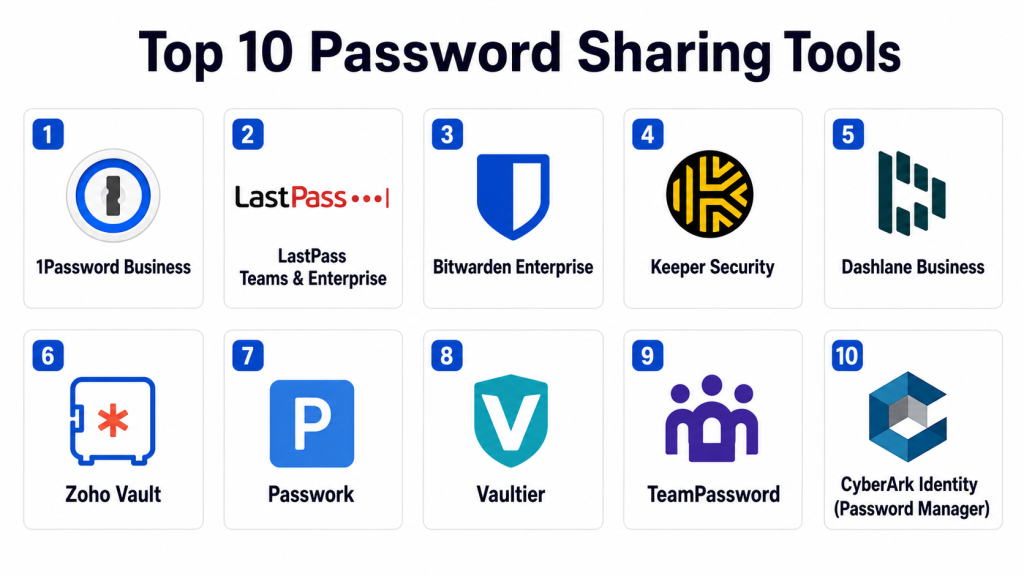
Top 10 Password Sharing Tools
1- 1Password Business
Short description : 1Password Business is a comprehensive password and secret management platform designed for teams and enterprises. It provides encrypted storage, granular access controls, secure sharing features, and administrative dashboards for governance. Ideal for organizations with hybrid workforce and diverse credential types.
Key Features
- Zero‑knowledge encryption
- Shared vaults for teams
- Permission granular controls
- Audit logs and history
- SSO and MFA support
- Cross‑platform sync and autofill
Pros
- Strong security model focused on encryption.
- Easy onboarding with shared vaults and group policies.
Cons
- Enterprise pricing may be high for small teams.
- Some advanced features require configuration.
Platforms / Deployment
- Web / iOS / Android / Windows / macOS / Linux
- Cloud‑based
Security & Compliance
- Zero‑knowledge architecture
- Supports MFA and conditional access
- GDPR compliance
Integrations & Ecosystem
1Password integrates with identity systems and productivity tools:
- SSO providers
- Directory sync
- Browser autofill
- Enterprise provisioning
Support & Community
- Enterprise onboarding support
- Documentation and tutorials
- Community forums
2- LastPass Teams & Enterprise
Short description: LastPass provides team‑oriented password sharing and vaulting with centralized administration, secure sharing folders, and compliance reporting. It’s suitable for SMEs and larger organizations looking for easy adoption and enterprise features.
Key Features
- Shared folders and secure notes
- Admin dashboards
- Password policies
- Audit reporting
- SSO and MFA
- Device management
Pros
- User‑friendly interface for teams.
- Centralized policy enforcement.
Cons
- Historical security incidents raise some concerns for cautious orgs.
- Some advanced enterprise features require higher tiers.
Platforms / Deployment
- Web / Mobile / Desktop
- Cloud
Security & Compliance
- Encryption for stored secrets
- MFA support
- Varies / N/A for specific certifications
Integrations & Ecosystem
- Directory sync
- SSO providers
- Endpoint management
- Browser extensions
Support & Community
- Enterprise support
- Knowledge base
- Community user groups
3- Bitwarden Enterprise
Short description: Bitwarden Enterprise is an open‑source password manager with team sharing, vaults, and self‑hosting capabilities. It appeals to organizations seeking transparency, flexible deployment options, and secure sharing at scale.
Key Features
- Shared organizations and collections
- Self‑hosted deployment option
- Zero‑knowledge encryption
- MFA and SSO support
- API and automation
- Audit logging
Pros
- Transparent open‑source architecture.
- Self‑hosting for full data control.
Cons
- Self‑hosting requires IT resources.
- Interface is less polished than some enterprise tools.
Platforms / Deployment
- Web / iOS / Android / Desktop
- Cloud / Self‑hosted / Hybrid
Security & Compliance
- Zero‑knowledge model
- SOC/SAML support via integrations
- GDPR compliance
Integrations & Ecosystem
- Identity providers
- SIEM integration
- DevOps tooling
- Browser extensions
Support & Community
- Community support
- Enterprise support plans
- Open‑source contributors
4- Keeper Security
Short description: Keeper Security offers password and secrets management with secure sharing, vaulting, and breach monitoring. It focuses on enterprise governance and security controls.
Key Features
- Shared vaults and teams
- Breach monitoring and alerts
- Secure file attachments
- MFA and SSO integrations
- Compliance reporting
Pros
- Strong governance and monitoring.
- Comprehensive admin controls.
Cons
- Feature set can be complex to configure.
- Pricing is often premium.
Platforms / Deployment
- Web / Mobile / Desktop
- Cloud
Security & Compliance
- Zero‑knowledge encryption
- Compliance support
- MFA and access logs
Integrations & Ecosystem
- Identity providers
- Email systems
- Enterprise directories
- Endpoint apps
Support & Community
- Enterprise onboarding
- Documentation
- Support tiers
5- Dashlane Business
Short description: Dashlane Business combines password vaulting, secure sharing, and SSO integration with dark web monitoring and policy enforcement, targeting security‑conscious teams.
Key Features
- Shared credentials and notes
- SSO and MFA integration
- Policy enforcement
- Dark web monitoring
- Reporting and dashboards
Pros
- Combines password sharing with security insights.
- Modern interface and workflows.
Cons
- Some features require higher pricing tiers.
- Dark web monitoring may not be needed for all users.
Platforms / Deployment
- Web / Mobile / Desktop
- Cloud
Security & Compliance
- Encrypted storage
- MFA and SSO compatibility
- Not publicly stated for specific standards
Integrations & Ecosystem
- SSO providers
- Directory sync
- Identity platforms
- Browser extensions
Support & Community
- Dedicated support
- Knowledge base
- Enterprise documentation
6- Zoho Vault
Short description: Zoho Vault provides secured password sharing, centralized vault management, and enterprise policy controls as part of a broader suite of business tools. It’s suitable for organizations standardizing on unified business suites.
Key Features
- Shared vaults and roles
- Password policies and rotation
- Audit trails
- MFA and access control
- Cross‑device sync
Pros
- Easy integration within business productivity suite.
- Good admin control for SMBs.
Cons
- Some controls may require higher plan tiers.
- UI can feel dated.
Platforms / Deployment
- Web / iOS / Android / Desktop
- Cloud
Security & Compliance
- Encrypted credentials
- MFA support
- Varies / N/A for certifications
Integrations & Ecosystem
- Business suite integrations
- Identity providers
- Access logs
- Browser extensions
Support & Community
- Help documentation
- Email support
- Community forums
7- Passwork
Short description: Passwork is a password managing and sharing platform designed for teams and businesses with role‑based access, shared vaults, and extensive audit logging. It caters to organizations needing structured access control.
Key Features
- Shared vault permissions
- Role‑based access
- Audit logs
- API and automation support
- Password rotation
Pros
- Clear permissioning model.
- Strong logging and visibility.
Cons
- Smaller ecosystem than major vendors.
- UI polish varies.
Platforms / Deployment
- Web / Mobile
- Cloud or Self‑hosted
Security & Compliance
- Encrypted storage
- Permission audits
- Not publicly stated for specific certifications
Integrations & Ecosystem
- CI/CD tooling
- Identity providers
- Browser extensions
Support & Community
- Email support
- Documentation
- Smaller user community
8- Vaultier
Short description: Vaultier is a collaborative password manager with shared groups, encrypted note storage, and flexible user roles, suitable for teams needing structured secret sharing.
Key Features
- Group sharing and vaults
- Encrypted notes and files
- Offline access
- Access logs
- MFA support
Pros
- Strong collaboration for teams.
- Encrypted document support.
Cons
- Smaller brand with niche audience.
- Fewer large‑enterprise integrations.
Platforms / Deployment
- Web / Mobile
- Cloud Hosting
Security & Compliance
- Encrypted vaults
- MFA options
- Not publicly stated for detailed certifications
Integrations & Ecosystem
- Identity providers
- Browser extensions
- Export options
Support & Community
- In‑app help
- Email support
9- TeamPassword
Short description: TeamPassword focuses on shared password vaults and simple team credential sharing with role management, ideal for small to mid‑sized teams.
Key Features
- Shared team vaults
- Role‑based permissions
- Audit trails
- Password history
- MFA support
Pros
- Simple onboarding and use.
- Good for small teams.
Cons
- Limited enterprise scale features.
- Fewer advanced integrations.
Platforms / Deployment
- Web / Mobile
- Cloud
Security & Compliance
- Encrypted storage
- MFA
- Not publicly stated for certifications
Integrations & Ecosystem
- Browser extensions
- Team directories
- Reporting
Support & Community
- Help docs
- Email support
10- CyberArk Identity (Password Manager)
Short description: CyberArk offers enterprise‑grade password and secrets management as part of broader identity security suite. It combines secure sharing with privileged access controls and governance.
Key Features
- Enterprise password vault
- Privileged access controls
- Automated credential rotation
- Compliance reporting
- MFA and SSO
Pros
- Built for enterprise security teams.
- Strong privileged access capabilities.
Cons
- Complexity and pricing suited for larger orgs.
- Requires security resources to configure.
Platforms / Deployment
- Web / Mobile
- Cloud / On‑Premise / Hybrid
Security & Compliance
- Enterprise security standards
- Audit logs and controls
- Governance features
Integrations & Ecosystem
- Identity platforms
- SIEM and security tools
- DevOps secrets
Support & Community
- Enterprise support
- Documentation
- Professional services
Comparison Table (Top 10)
| Tool Name | Best For | Platform(s) Supported | Deployment | Standout Feature | Public Rating |
|---|---|---|---|---|---|
| 1Password Business | Enterprise & broad credential sharing | All major platforms | Cloud | Zero‑knowledge encryption & shared vaults | N/A |
| LastPass Teams/Enterprise | Team & SME credentials | All platforms | Cloud | Shared folders + admin policies | N/A |
| Bitwarden Enterprise | Open‑source & flexible deployments | All major platforms | Cloud / Self‑hosted / Hybrid | Self‑hosting + transparent architecture | N/A |
| Keeper Security | Governance & monitoring | All platforms | Cloud | Breach alerts & policies | N/A |
| Dashlane Business | Security insights + sharing | All platforms | Cloud | Dark web monitoring + sharing | N/A |
| Zoho Vault | SMB & business suite integration | All major platforms | Cloud | Vault and rotation policies | N/A |
| Passwork | Structured team access | Web / Mobile | Cloud / Self‑hosted | Permissioned vault sharing | N/A |
| Vaultier | Collaborative note & password sharing | Web / Mobile | Cloud | Group vaults + encrypted note support | N/A |
| TeamPassword | Small teams | Web / Mobile | Cloud | Simple shared vaults | N/A |
| CyberArk Identity | Enterprise identity & PAM | All platforms | Cloud / On‑Prem / Hybrid | Enterprise privileged access + rotation | N/A |
Evaluation & Scoring of Password Sharing Tools
| Tool Name | Core (25%) | Ease (15%) | Integrations (15%) | Security (10%) | Performance (10%) | Support (10%) | Value (15%) | Weighted Total |
|---|---|---|---|---|---|---|---|---|
| 1Password Business | 9 | 9 | 8 | 9 | 9 | 8 | 7 | 8.75 |
| LastPass Teams | 8 | 9 | 8 | 7 | 8 | 7 | 7 | 8.10 |
| Bitwarden Enterprise | 9 | 8 | 8 | 9 | 8 | 7 | 8 | 8.50 |
| Keeper Security | 8 | 7 | 7 | 8 | 8 | 7 | 7 | 7.65 |
| Dashlane Business | 8 | 8 | 7 | 8 | 8 | 7 | 7 | 7.75 |
| Zoho Vault | 7 | 8 | 7 | 7 | 8 | 7 | 7 | 7.35 |
| Passwork | 7 | 7 | 7 | 7 | 7 | 7 | 6 | 7.10 |
| Vaultier | 7 | 8 | 6 | 7 | 7 | 6 | 6 | 7.00 |
| TeamPassword | 6 | 8 | 6 | 7 | 7 | 7 | 6 | 6.80 |
| CyberArk Identity | 9 | 7 | 9 | 9 | 9 | 8 | 7 | 8.50 |
Interpretation: Higher weighted totals indicate more complete and secure tools that balance core features, ease of use, integrations, and support—critical in 2026 secure access environments.
Which Password Sharing Tool Is Right for You?
Solo / Freelancer
- Bitwarden Enterprise or 1Password Business (light team plans) — secure vaulting for personal and occasional shared credentials without complexity.
SMB
- LastPass Teams, Zoho Vault, or Dashlane Business — focuses on shared teams, policies, and easier onboarding with centralized control.
Mid‑Market
- Bitwarden Enterprise, Keeper Security, or Dashlane Business — robust encryption, admin controls, and audit visibility.
Enterprise
- 1Password Business, CyberArk Identity, or Bitwarden Enterprise — enterprise scale, privileged access, compliance reporting, and identity integration.
Budget vs Premium
- Budget: Bitwarden Enterprise (self‑hosted options) or TeamPassword — secure sharing without high subscription costs.
- Premium: 1Password, CyberArk Identity, Keeper Security — advanced governance, automation, and enterprise features.
Feature Depth vs Ease of Use
- Feature Depth: CyberArk Identity, 1Password, Bitwarden Enterprise — depth of security controls and integrations.
- Ease of Use: LastPass Teams, Zoho Vault, TeamPassword — simpler interfaces and faster onboarding.
Integrations & Scalability
- High: CyberArk Identity, 1Password Business, Bitwarden Enterprise — integrate with identity systems and DevOps tooling.
- Moderate: LastPass Teams, Dashlane Business — good directory sync and policy controls.
Security & Compliance Needs
- If compliance and audit rigor matter: CyberArk Identity, 1Password, Bitwarden Enterprise — strong encryption, audit logs, rotation, and governance.
Frequently Asked Questions (FAQs)
1‑ What is a password sharing tool?
A password sharing tool securely stores credentials and allows you to share access with authorized users without exposing plaintext passwords.
2‑ Why not use email or chat for sharing passwords?
Email and chat are insecure and leave credentials exposed to interception or unauthorized access; password sharing tools use encryption and access control to mitigate risk.
3‑ Do these tools support MFA?
Many password sharing tools integrate with MFA and SSO to strengthen authentication and access control.
4‑ Can I revoke access?
Yes — password sharing tools allow administrators to revoke access instantly, preventing further use of shared credentials.
5‑ Are these tools suitable for DevOps secrets?
Some tools support API integration and DevOps workflows for secret storage and rotation, critical for infrastructure access.
6‑ Do these tools work offline?
Most cloud‑based tools provide offline autofill and access to synced vaults; self‑hosted options depend on deployment.
7‑ How do audit logs help?
Audit logs provide visibility into who accessed which credentials and when, supporting compliance and security investigations.
8‑ Can I share credentials temporarily?
Yes — many platforms support time‑bound or temporary access to reduce long‑term credential exposure.
9‑ Are there open‑source options?
Yes — Bitwarden Enterprise, FreshRSS, and some self‑hosted tools offer open‑source trunks for transparency.
10‑ How do password rotation policies work?
Password rotation automates periodic credential changes, reducing risk from stale or leaked password scenarios.
Conclusion
Password sharing tools in are indispensable for organizations and teams that need secure, auditable, and scalable ways to manage credential access. Solo and freelancer users will appreciate accessible options like Bitwarden Enterprise and 1Password Business for lightweight team capabilities. SMBs can streamline access with LastPass Teams, Zoho Vault, and Dashlane Business, while mid‑market and enterprise organizations benefit from the advanced governance, identity integrations, and privileged access workflows offered by 1Password, CyberArk Identity, and Bitwarden Enterprise. Start by identifying your security priorities, user size, and compliance requirements, shortlist aligned to those goals, pilot them with real credential workflows, validate integration with your identity stack, and adopt the solution that consistently enhances security, reduces risk, and improves operational agility. Secure password sharing is not just a convenience — it’s a foundational element of modern digital security and access control.
