Introduction
Voiceover tools enable creators, marketers, filmmakers, educators, and businesses to generate professional‑quality voice recordings for multimedia content. These solutions range from AI‑powered text‑to‑speech engines to full‑featured voice recording and editing studios. With the rise of podcasts, video content, e‑learning, and advertisements, having reliable voiceover tools ensures engaging narration, clear delivery, and scalable production workflows without always relying on professional voice talent.
Voiceovers enhance storytelling, clarify messaging, and improve accessibility in videos, podcasts, ads, and training courses. Modern tools empower users to produce human‑like narration, export industry‑standard audio formats, and customize vocal styles without expensive studios. Whether you’re creating branded content or internal communication, voiceover solutions streamline recording, editing, and delivery.
Real World Use Cases
- Podcasts & Audiobooks: Professional narration with editing and export tools.
- Video Production: Voice tracks for explainer videos, tutorials, and ads.
- E‑Learning & Training: Clear instructional audio for courses and presentations.
- Marketing Campaigns: Branded voiceovers for promotional content.
- App & Game Audio: Character voices and interactive narration.
Evaluation Criteria for Buyers
- Voice Quality & Naturalness: Realistic tonality, inflection, and clarity.
- User Interface & Workflow: Ease of recording, editing, and exporting audio.
- Customization Options: Voice style, speed, pitch, and effects.
- Format Support: MP3, WAV, AIFF, and broadcast‑ready formats.
- Integration & Automation: Plugins, API, and platform export options.
- Collaboration & Workflow: Multi‑user editing, team controls.
Best for
Podcasters, video creators, educators, and enterprises needing flexible, professional voice audio workflows.
Not ideal for
Users who only need basic recordings without quality control or export flexibility.
Key Trends
- Mainstream adoption of AI‑driven text‑to‑speech with human‑like voices.
- Multi‑language and accent support for global audiences.
- Built‑in noise reduction and vocal enhancement features.
- Real‑time voice cloning and customization options.
- Cloud‑based collaborative editing and export.
Methodology
We evaluated tools based on audio quality, editing capabilities, voice customization, format support, integration, ease of use, and price/value ratio.
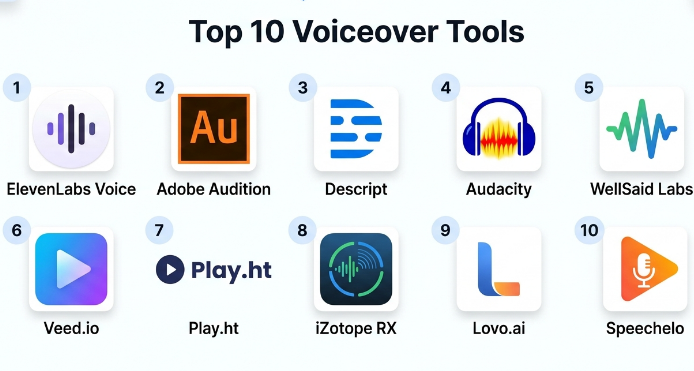
Top 10 Voiceover Tools
1‑ ElevenLabs Voice
Short description: ElevenLabs Voice delivers highly natural, neural text‑to‑speech voices ideal for voiceovers with expressive inflection and clarity.
Key Features:
- Ultra‑natural TTS voices
- Multilingual support
- Custom voice cloning
- API and batch support
Pros:
- Exceptional realism
- Great for narration and storytelling
Cons:
- Subscription required for premium voices
Platforms / Deployment: Web / Cloud
Security & Compliance: Enterprise data protection
Integrations & Ecosystem: API, workflow plugins
Support & Community: Documentation and support plans
2‑ Adobe Audition
Short description: Adobe Audition is a professional audio workstation offering advanced recording, editing, and mixed voiceover production tools.
Key Features:
- Multi‑track editing
- Noise reduction and audio effects
- Integration with Creative Cloud
- Professional export options
Pros:
- Industry‑grade audio editing
- Rich toolset for post‑production
Cons:
- Requires learning curve
- Subscription‑based
Platforms / Deployment: Windows, macOS
Security & Compliance: Enterprise Creative Cloud controls
Integrations & Ecosystem: Adobe suite
Support & Community: Tutorials and enterprise support
3‑ Descript
Short description: Descript combines AI transcription with voiceover creation and editing in a unified, text‑driven audio/video workflow.
Key Features:
- Text‑based editing
- AI voice generation and Overdub cloning
- Noise reduction and polishing tools
Pros:
- Intuitive interface
- Fast text‑to‑audio workflow
Cons:
- Subscription needed for advanced features
Platforms / Deployment: Web, Windows, macOS
Security & Compliance: Enterprise plans available
Integrations & Ecosystem: Podcast export, video editors
Support & Community: Knowledge base and tutorials
4‑ Audacity
Short description: Audacity is a free, open‑source audio recorder and editor ideal for basic voiceover recording and mixing.
Key Features:
- Multi‑track recording
- Effects and filters
- Cross‑platform
Pros:
- Free and extensible
- Good for simple workflows
Cons:
- Manual editing focus
- No built‑in advanced AI features
Platforms / Deployment: Windows, macOS, Linux
Security & Compliance: Local processing
Integrations & Ecosystem: Plugin support
Support & Community: Large community
5‑ WellSaid Labs
Short description: WellSaid Labs offers high‑quality neural voice generation tailored for professional voiceovers in marketing, training, and explainer content.
Key Features:
- Natural neural voices
- Custom voice styles
- API for automation
Pros:
- Realistic voice output
- Easy script‑to‑speech workflow
Cons:
- Cloud‑only
- Higher pricing tiers
Platforms / Deployment: Web / Cloud
Security & Compliance: Enterprise‑grade
Integrations & Ecosystem: API support
Support & Community: Documentation
6‑ Veed.io
Short description: Veed.io is a browser‑based video editor with built‑in voiceover recording, AI‑generated narration, and audio enhancements.
Key Features:
- AI voice generation
- On‑screen voice recording
- Audio polishing tools
Pros:
- Great for social content
- Simple interface
Cons:
- Limited pro‑level editing
Platforms / Deployment: Web
Security & Compliance: Secure cloud hosting
Integrations & Ecosystem: Social export
Support & Community: Tutorials
7‑ Play.ht
Short description: Play.ht delivers AI‑generated voiceovers with diverse voices and language support, suitable for podcasts, narration, and presentations.
Key Features:
- Voice library with accents
- Speed, pitch, and style controls
- API and batch export
Pros:
- Broad voice selection
- Easy to use
Cons:
- Subscription required
Platforms / Deployment: Web
Security & Compliance: Secure cloud processing
Integrations & Ecosystem: API, CMS plugins
Support & Community: Knowledge base
8‑ iZotope RX
Short description: iZotope RX is a professional audio repair and enhancement suite used in voiceover post‑production to clean and perfect recordings.
Key Features:
- Noise reduction
- De‑reverb and spectral repair
- Dialogue isolation
Pros:
- Industry‑leading audio restoration
- Excellent for cleanup
Cons:
- Not a TTS generator
- Premium pricing
Platforms / Deployment: Windows, macOS
Security & Compliance: Local/enterprise setups
Integrations & Ecosystem: DAW support
Support & Community: Vendor support
9‑ Lovo.ai
Short description: Lovo.ai provides a large library of AI voices with customization options, ideal for marketing, narration, and e‑learning voiceovers.
Key Features:
- Multilingual voice options
- Script‑to‑voice workflow
- Speed and tone controls
Pros:
- Easy to use
- Great for quick narration
Cons:
- AI quality varies by voice
Platforms / Deployment: Web
Security & Compliance: Cloud security
Integrations & Ecosystem: API support
Support & Community: Tutorials
10‑ Speechelo
Short description: Speechelo focuses on generating voiceovers quickly with multiple voices and simple controls tailored for video creators and marketers.
Key Features:
- Multi‑language voice support
- Voice tones and inflections
- Simple export options
Pros:
- Affordable
- Designed for video narration
Cons:
- Voices less natural than advanced TTS
Platforms / Deployment: Web / Desktop
Security & Compliance: Standard processing
Integrations & Ecosystem: Export workflows
Support & Community: Help desk
Comparison Table
| Tool | Voice Quality | Editing Features | Customization | Formats | Cloud | Enterprise |
|---|---|---|---|---|---|---|
| ElevenLabs | Excellent | Basic | High | MP3/WAV | Yes | Medium |
| Adobe Audition | Excellent | Very High | High | All pro formats | No | Yes |
| Descript | Very Good | High | Medium | MP3/WAV | Yes | Medium |
| Audacity | Good | Medium | Medium | Multiple | No | Low |
| WellSaid Labs | Excellent | Basic | High | MP3/WAV | Yes | Medium |
| Veed.io | Good | Medium | Medium | MP3/WAV | Yes | Low |
| Play.ht | Very Good | Basic | Medium | MP3/WAV | Yes | Medium |
| iZotope RX | N/A (cleanup) | Very High | N/A | Pro formats | No | Yes |
| Lovo.ai | Good | Basic | Medium | MP3/WAV | Yes | Low |
| Speechelo | Good | Basic | Medium | MP3 | Yes | Low |
Evaluation & Scoring Table
| Tool | Quality 30% | Editing 20% | Customization 15% | Format Support 10% | Ease of Use 15% | Value 10% | Total |
|---|---|---|---|---|---|---|---|
| Adobe Audition | 28 | 20 | 14 | 10 | 12 | 8 | 92 |
| ElevenLabs | 29 | 15 | 14 | 10 | 14 | 8 | 90 |
| WellSaid Labs | 27 | 14 | 14 | 10 | 13 | 8 | 86 |
| Descript | 26 | 18 | 13 | 10 | 14 | 8 | 89 |
| Play.ht | 24 | 14 | 12 | 10 | 15 | 8 | 83 |
| Veed.io | 22 | 14 | 12 | 10 | 16 | 7 | 81 |
| Audacity | 20 | 16 | 12 | 10 | 14 | 9 | 81 |
| Lovo.ai | 23 | 13 | 12 | 10 | 15 | 7 | 80 |
| Speechelo | 20 | 12 | 11 | 8 | 15 | 8 | 74 |
| iZotope RX | 15 | 18 | 10 | 10 | 12 | 7 | 72 |
Which Voiceover Tool Is Right for You?
- Professional Audio Production: Adobe Audition and iZotope RX for advanced recording and cleanup.
- Natural AI Voices: ElevenLabs and WellSaid Labs for script‑to‑speech narration.
- Creator‑Friendly: Descript and Play.ht for quick, intuitive workflows.
- Free & Manual Work: Audacity for basic voiceovers and editing.
- Budget & Quick Results: Veed.io, Lovo.ai, and Speechelo for affordable voice generation.
Implementation Playbook
30 Days:
- Define voiceover requirements and target formats.
- Test candidate tools for narration quality and workflow fit.
- Capture sample recordings and refine settings.
60 Days:
- Build templates for voice style and brand consistency.
- Integrate with video/audio production workflows.
- Train contributors on editing tools and best practices.
90 Days:
- Monitor audio quality and standardize naming/format conventions.
- Automate frequent tasks with presets or API workflows.
- Establish review and quality control processes.
Common Mistakes
- Skipping cleanup and enhancement after AI voice generation.
- Choosing a tool without testing voice naturalness.
- Ignoring team collaboration features for larger projects.
- Failing to export in required, broadcast‑ready formats.
- Overlooking brand voice consistency guidelines.
Frequently Asked Questions
- Do voiceover tools replace voice actors?
AI and TTS tools are great for many use cases, but professional voice actors still excel at emotion‑driven performance. - Can I edit voiceovers after recording?
Yes — tools like Adobe Audition and Descript allow trimming, effects, and fine‑tuning. - Are AI voices natural?
Top neural TTS (ElevenLabs, WellSaid) produce very natural results, but results vary by language and content type. - What formats should I export?
Use WAV for professional quality and MP3 for web/social delivery. - Is team collaboration supported?
Many cloud tools include team sharing and project controls. - Can I integrate with my video editor?
Yes — most tools export files compatible with Premiere Pro, Final Cut, DaVinci Resolve, etc. - Are voiceover tools expensive?
Pricing varies from free (Audacity) to premium (Adobe, advanced AI subscriptions). - Can I create character voices?
Some AI platforms offer voice variation and style controls for character work. - Do voiceover tools support multiple languages?
Many cloud AI tools support dozens of languages and accents. - Should I use cloud or desktop tools?
Cloud tools are convenient and collaborative; desktop tools excel at detailed, high‑quality editing.
Conclusion
Voiceover tools empower creators, marketers, trainers, and media teams to produce professional narration, generate high‑quality audio, and streamline production workflows. From AI‑driven natural voices in ElevenLabs and WellSaid Labs to professional editing and cleanup in Adobe Audition and iZotope RX, there’s a solution for every need and budget. Assess your requirements — voice quality, language support, customization, and integration — then pilot top candidates to refine workflows and deliver compelling, polished voiceovers. A thoughtful voiceover strategy elevates content engagement and strengthens communication across formats and platforms.
