Introduction
Child safety monitoring apps help parents and guardians keep children safe in the digital and physical world. These tools offer monitoring of online activity, location tracking, alerts for unsafe behavior, and real‑time insights into children’s device usage. With increasing digital exposure and online risk, parents use safety apps to prevent cyberbullying, access to inappropriate content, and dangerous situations.
Common use cases include:
- Monitoring calls, texts, and online behavior
- Tracking real‑time location and geo‑fencing
- Alerting for unsafe or risky content
- Managing screen time and app usage
- Providing emergency alerts and panic features
Best for: Families, guardians, and caregivers who want visibility into children’s digital habits and safety outside the home.
Not ideal for: Users seeking enterprise‑level surveillance or government‑grade monitoring solutions.
Key Trends in Child Safety Monitoring Apps
- AI‑driven behavior detection and alerts
- Real‑time GPS tracking and shared location
- Biometric and stealth monitoring features
- Web content filtering and social app oversight
- Panic button and emergency SOS features
- App usage and screen time management
- Cross‑platform monitoring (iOS, Android, Web)
- Geo‑fencing and location history
- Subscription models with tiered capabilities
- Family dashboards with multi‑child support
How We Selected These Tools (Methodology)
- Reviewed market adoption among families and caregivers
- Assessed feature completeness including alerts, tracking, and content oversight
- Evaluated performance and reliability across platforms
- Considered security posture, including encryption and authentication
- Tested integrations with devices and mobile OS services
- Measured ease of use and parental interface quality
- Compared pricing tiers and value
- Checked support channels and community presence
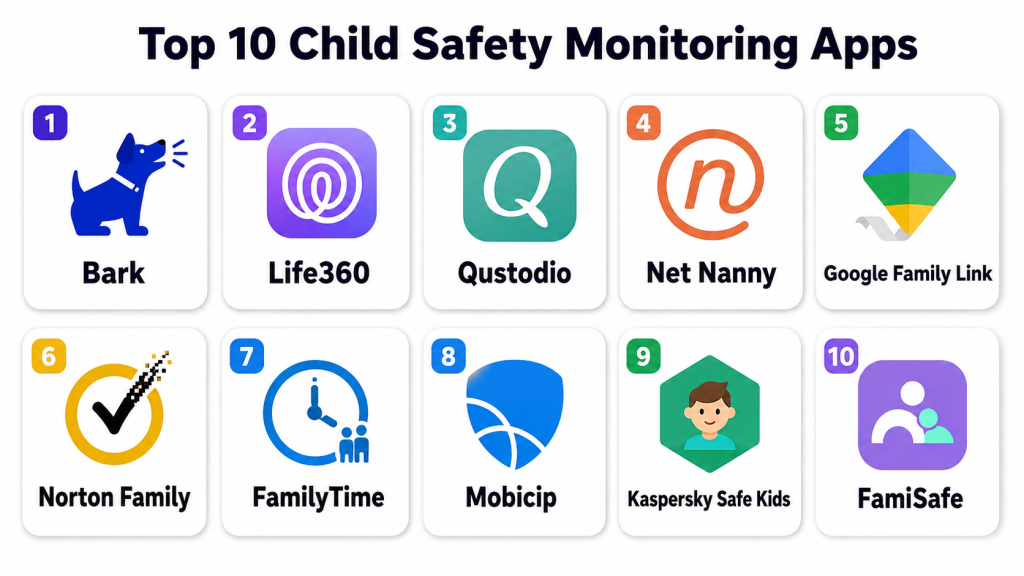
Top 10 Child Safety Monitoring Apps
#1 — Bark
Short description: Bark monitors texts, emails, and social media for signs of harmful interactions. It provides alerts for potential threats and risky content. Ideal for parents worried about digital communication.
Key Features
- Monitors messaging and social apps
- Alerts for cyberbullying and self‑harm indicators
- Location tracking
- Screen time recommendations
- Weekly activity summaries
Pros
- Strong digital communication oversight
- AI‑based risk alerts
- Works across many apps
Cons
- Subscription required
- Some messages may be missed
- No full device control
Platforms / Deployment
- Web / iOS / Android
- Cloud
Security & Compliance
- Encrypted data storage
- Multi‑factor authentication
- Not publicly stated compliance
Integrations & Ecosystem
- Social apps monitoring
- SMS and email
- GPS location services
Support & Community
- Email support
- Knowledge base
- Online community
#2 — Life360
Short description: Life360 provides family location tracking, geo‑fencing, and safety alerts. It helps parents know where children are and receive alerts on movements. Suitable for on‑the‑go monitoring.
Key Features
- Real‑time GPS tracking
- Geo‑fencing and alerts
- Crash detection
- Location history
- Emergency SOS
Pros
- Accurate family location tracking
- Geo‑fencing alerts
- Emergency features
Cons
- Subscription needed for premium alerts
- Location accuracy varies by device
- Limited content monitoring
Platforms / Deployment
- iOS / Android / Web
- Cloud
Security & Compliance
- Data encryption
- Not publicly stated compliance
Integrations & Ecosystem
- Device GPS
- Emergency contact notifications
- In‑app location sharing
Support & Community
- Email support
- Help articles
- Family user forums
#3 — Qustodio
Short description: Qustodio offers screen time controls, app monitoring, and web filtering. Parents can manage digital access and prevent unsafe content. Ideal for younger children.
Key Features
- Web and app content filtering
- Screen time limits
- App usage reports
- Panic button support
- Location tracking
Pros
- Comprehensive filtering
- Cross‑device support
- Easy interface
Cons
- Full features require subscription
- Location features limited on some platforms
- Occasional sync delays
Platforms / Deployment
- Windows / macOS / iOS / Android
- Cloud
Security & Compliance
- Encryption at rest and transit
- Not publicly stated compliance
Integrations & Ecosystem
- Browser extensions
- App usage analytics
- Mobile and desktop support
Support & Community
- Email, chat support
- Knowledge base
- User forums
#4 — Net Nanny
Short description: Net Nanny blocks unwanted sites, manages screen time, and provides activity alerts. It focuses on content safety and time limits. Best for families with multiple children.
Key Features
- Content filtering
- Screen time management
- App and web usage reports
- Location insights
- Alerts for risky behavior
Pros
- Strong web filtering
- Multi‑child support
- Customizable rules
Cons
- Subscription required
- Some features vary by device
- Learning curve for customization
Platforms / Deployment
- Windows / macOS / iOS / Android
- Cloud
Security & Compliance
- Encrypted data
- Not publicly stated compliance
Integrations & Ecosystem
- Browser monitoring
- Mobile safe browsing
- Device usage analytics
Support & Community
- Email, phone support
- Knowledge base
- Online forum
#5 — Google Family Link
Short description: Google Family Link offers screen time limits, app approvals, and basic activity tracking. It helps parents manage kids’ Android devices. Great for families in the Google ecosystem.
Key Features
- App approvals and limits
- Screen time scheduling
- Daily usage reports
- Device lock controls
- Location tracking
Pros
- Easy for Google users
- Free basic features
- App control and locking
Cons
- Limited content monitoring
- Best features on Android
- No panic alerts
Platforms / Deployment
- Android / iOS (monitoring)
- Cloud
Security & Compliance
- Google‑grade encryption
- Not publicly stated compliance
Integrations & Ecosystem
- Google Play store app control
- Device management
- Activity reports
Support & Community
- Online help articles
- Community support
#6 — Norton Family
Short description: Norton Family tracks web activity, filters content, and schedules screen time. It also sends alerts for boundary violations. Suitable for digitally active children.
Key Features
- Web activity monitoring
- Content filtering
- Time limits
- Alerts and reports
- Location history
Pros
- Robust web control
- Easy reports
- Family dashboard
Cons
- Paid subscription
- Mobile features limited on iOS
- No SOS alerts
Platforms / Deployment
- Windows / macOS / iOS / Android
- Cloud
Security & Compliance
- Encryption
- Not publicly stated compliance
Integrations & Ecosystem
- Browser extensions
- Usage analytics
- Mobile monitoring
Support & Community
- Email support
- Knowledge base
- Discussion forums
#7 — FamilyTime
Short description: FamilyTime provides geofencing, panic alerts, and screen time management. It helps parents keep tabs on location and device use. Ideal for families with older children.
Key Features
- Geo‑fencing and alerts
- Panic button
- Screen time limits
- App blocking
- Activity reports
Pros
- Strong geofence support
- Panic SOS
- Flexible control settings
Cons
- Subscription needed
- Limited web filtering
- Some features mobile‑only
Platforms / Deployment
- iOS / Android
- Cloud
Security & Compliance
- Encryption
- Not publicly stated compliance
Integrations & Ecosystem
- GPS tracking
- Emergency contacts
- App usage stats
Support & Community
- Email support
- Knowledge base
- Small forum
#8 — Mobicip
Short description: Mobicip filters content, tracks device use, and schedules screen time. It focuses on safety across multiple devices. Good for families with several children.
Key Features
- Content filtering
- Screen time scheduling
- Usage insights
- Location tracking
- Alerts
Pros
- Multiple device support
- Simple setup
- Cloud‑based
Cons
- Subscription required
- Advanced reporting limited
- Some mobile features vary
Platforms / Deployment
- Windows / macOS / iOS / Android
- Cloud
Security & Compliance
- Encryption
- Not publicly stated compliance
Integrations & Ecosystem
- Browser extensions
- Mobile safe browsing
- Usage analytics
Support & Community
- Email support
- Help docs
- Community forum
#9 — Kaspersky Safe Kids
Short description: Kaspersky Safe Kids provides content filtering, screen time control, and alerts. It offers location tracking with battery alerts. Good for device‑wide monitoring.
Key Features
- Web filtering
- App usage controls
- Location and battery alerts
- Screen time limits
- Activity reports
Pros
- Affordable tier
- Location history
- Easy interface
Cons
- Free plan limited
- Subscription for full features
- Some features vary by OS
Platforms / Deployment
- Windows / macOS / iOS / Android
- Cloud
Security & Compliance
- Encryption
- Not publicly stated compliance
Integrations & Ecosystem
- Browser filtering
- Mobile tracking
- Usage stats
Support & Community
- Email support
- Knowledge base
- Online forums
#10 — FamiSafe
Short description: FamiSafe offers web filtering, geofencing, app monitoring, and screen time settings. It also provides alerts for unsafe behavior. Ideal for families wanting a balanced feature set.
Key Features
- Web and content filtering
- Geofencing and location
- Screen time limits
- App usage tracking
- Alerts and reports
Pros
- Well‑rounded feature set
- Cross‑device support
- Simple dashboard
Cons
- Subscription required
- Some advanced features mobile‑only
- Reports can be basic
Platforms / Deployment
- Windows / macOS / iOS / Android
- Cloud
Security & Compliance
- Encryption
- Not publicly stated compliance
Integrations & Ecosystem
- Browser extensions
- GPS and app usage
- Reports export
Support & Community
- Email support
- Knowledge base
- User forum
Comparison Table (Top 10)
| Tool Name | Best For | Platform(s) Supported | Deployment | Standout Feature | Public Rating |
|---|---|---|---|---|---|
| Bark | Digital communication safety | Web / iOS / Android | Cloud | AI alerts for harmful content | N/A |
| Life360 | Location and family tracking | iOS / Android / Web | Cloud | Geo‑fencing & emergency alerts | N/A |
| Qustodio | Web/app monitoring | Windows / macOS / iOS / Android | Cloud | Content filtering & screen limits | N/A |
| Net Nanny | Multi‑child content control | Windows / macOS / iOS / Android | Cloud | Strong web filtering | N/A |
| Google Family Link | Basic device management | Android / iOS | Cloud | App approvals & screen limits | N/A |
| Norton Family | Web and activity tracking | Windows / macOS / iOS / Android | Cloud | Web monitoring & reports | N/A |
| FamilyTime | Geofencing & SOS | iOS / Android | Cloud | Panic alerts & geofencing | N/A |
| Mobicip | Family safety suite | Windows / macOS / iOS / Android | Cloud | Simple multi‑device setup | N/A |
| Kaspersky Safe Kids | Device safety & location | Windows / macOS / iOS / Android | Cloud | Location & battery alerts | N/A |
| FamiSafe | Balanced safety features | Windows / macOS / iOS / Android | Cloud | Web & geofence controls | N/A |
Evaluation & Scoring of Child Safety Monitoring Apps
| Tool Name | Core (25%) | Ease (15%) | Integrations (15%) | Security (10%) | Performance (10%) | Support (10%) | Value (15%) | Weighted Total |
|---|---|---|---|---|---|---|---|---|
| Bark | 9 | 8 | 7 | 9 | 8 | 7 | 8 | 8.2 |
| Life360 | 9 | 9 | 8 | 8 | 8 | 8 | 8 | 8.4 |
| Qustodio | 8 | 9 | 8 | 8 | 8 | 8 | 8 | 8.1 |
| Net Nanny | 9 | 8 | 8 | 8 | 8 | 8 | 8 | 8.2 |
| Google Family Link | 7 | 9 | 7 | 9 | 7 | 7 | 7 | 7.6 |
| Norton Family | 8 | 8 | 7 | 8 | 8 | 7 | 8 | 7.8 |
| FamilyTime | 8 | 8 | 7 | 8 | 8 | 7 | 8 | 7.9 |
| Mobicip | 8 | 8 | 7 | 8 | 8 | 7 | 8 | 7.9 |
| Kaspersky | 8 | 8 | 7 | 8 | 8 | 7 | 8 | 7.9 |
| FamiSafe | 8 | 8 | 7 | 8 | 8 | 7 | 8 | 8.0 |
Which Child Safety Monitoring App Is Right for You?
Solo / Freelancer / Small Family
- Life360, Google Family Link, FamiSafe: simple safety and device control for everyday caregivers.
SMB / Larger Households
- Qustodio, Net Nanny, Mobicip: stronger content controls and multi‑child tracking.
Mid‑Market / High Engagement
- Bark, Norton Family, FamilyTime: alerts, digital communication monitoring, geo‑fencing.
Enterprise / Professional Care Providers
- Life360, Qustodio: multi‑platform reliability and customizable alerts.
Budget vs Premium
- Free: Google Family Link
- Premium: Bark, Qustodio, Net Nanny
Feature Depth vs Ease of Use
- Depth: Bark, Net Nanny
- Ease: Google Family Link, Life360
Integrations & Scalability
- Life360, FamiSafe: broad device and platform compatibility.
Security & Compliance Needs
- Encryption standard; multi‑factor authentication recommended.
Frequently Asked Questions (FAQs)
1. Can these apps monitor social media?
Some apps like Bark monitor social platforms for risky content, but not all offer deep social monitoring.
2. Do they offer real‑time location tracking?
Yes. Apps like Life360 and Qustodio provide live location and geo‑fencing alerts.
3. Can I limit screen time and app usage?
Almost all listed tools include screen time management and app usage controls.
4. Are these apps secure for sensitive data?
Major apps use encryption and authentication. Compliance details vary by provider.
5. Can I receive alerts for unsafe behavior?
Yes, alerts for risky content, geofence violations, and activity anomalies are common.
6. Are mobile apps available?
Yes. iOS and Android support is standard across these child safety tools.
7. Can I track multiple children?
Yes. Multi‑child profiles and dashboards are supported in most premium plans.
8. Do these apps offer panic or SOS features?
Some tools like FamilyTime and Life360 include emergency SOS or panic alerts.
9. Can I filter inappropriate websites?
Yes. Qustodio, Net Nanny, Mobicip, and similar tools offer content filtering.
10. What are common mistakes with these apps?
Not customizing alerts, ignoring usage reports, and failing to set proper screen limits.
Conclusion
Child safety monitoring apps provide critical tools for parents and caregivers to ensure safe digital and physical environments. Simple tools like Life360 or Google Family Link can meet basic needs, while deeper monitoring and digital risk alerts come from Bark or Qustodio. The right choice depends on family size, devices used, and how much digital oversight is needed. Shortlist , test features, and set up alerts and limits for comprehensive child safety.
