Introduction
AI Curriculum Generation Tools use artificial intelligence, natural language processing, machine learning, educational analytics, and generative AI to help educators, instructional designers, trainers, and organizations create structured learning programs faster and more efficiently.
Developing a high-quality curriculum traditionally requires extensive research, subject expertise, instructional design knowledge, lesson planning, assessment creation, and continuous content updates. AI-powered curriculum tools assist by generating course outlines, lesson plans, learning objectives, activities, quizzes, assignments, reading materials, and personalized learning paths.
These platforms help transform broad learning goals into organized educational experiences. Instead of starting from a blank page, educators can provide a subject, learner level, teaching objective, or competency requirement, and AI can suggest a curriculum structure that can then be reviewed and customized by experts.
AI curriculum generation is increasingly used in:
- Schools and universities
- Online education platforms
- Corporate learning departments
- Professional training organizations
- Certification providers
- Coaching businesses
- Skill development programs
- Government learning initiatives
Modern AI curriculum tools combine content generation, instructional design frameworks, assessment creation, learning analytics, knowledge management, and collaboration features to support faster course development.
How AI Curriculum Generation Tools Work
Learning Goal Analysis
AI analyzes the desired outcome, learner profile, subject area, skill requirements, and educational objectives.
Curriculum Structure Creation
The system creates modules, lessons, topics, learning sequences, and recommended activities.
Content Generation
AI can generate explanations, examples, exercises, quizzes, discussion questions, assignments, and supporting resources.
Assessment Design
Platforms can create tests, rubrics, evaluation criteria, and practice activities aligned with learning goals.
Continuous Improvement
Learning data can be used to refine content recommendations and identify areas requiring updates.
Common Use Cases
- School lesson planning
- University course development
- Employee training programs
- Certification preparation
- Online course creation
- Learning pathway design
- Assessment generation
- Compliance training
- Technical skill programs
- Language learning courses
- Professional development
- Instructor assistance
Why AI Curriculum Generation Tools Matter
Faster Course Development
Educators and instructional designers can reduce the time required for planning, outlining, and content creation.
Consistent Learning Structures
AI helps create organized modules with objectives, activities, assessments, and progression paths.
Personalized Learning Design
Curriculum can be adapted for different learner levels, backgrounds, and skill requirements.
Better Instructor Productivity
Teachers can spend more time supporting learners instead of preparing repetitive materials.
Scalable Training
Organizations can create training programs for large employee groups while maintaining consistency.
Evaluation Criteria for Buyers
Instructional Quality
Generated content should follow educational principles and support meaningful learning outcomes.
Customization Capability
Users should be able to modify generated courses, learning objectives, activities, and assessments.
Subject Accuracy
AI-generated educational content requires expert review to ensure correctness and relevance.
Assessment Generation
Strong platforms should create quizzes, assignments, rubrics, and evaluation methods aligned with curriculum goals.
Integration Support
Important integrations include LMS platforms, content repositories, HR systems, collaboration tools, and authoring environments.
Collaboration Features
Educational teams need shared editing, review workflows, comments, and version management.
Security and Privacy
Organizations should evaluate student data protection, content ownership, access controls, and enterprise security practices.
Key Trends
AI-Assisted Instructional Design
AI is becoming a design partner that helps educators create structured learning experiences instead of simply generating text.
Personalized Curriculum Paths
Learning programs are moving toward adaptive paths based on learner goals, skills, and performance.
AI-Generated Assessments
Platforms increasingly create quizzes, assignments, simulations, and evaluation rubrics automatically.
Skills-Based Curriculum
Organizations are shifting toward competency-based education focused on measurable skills rather than only course completion.
Enterprise Learning Automation
Companies are using AI to create onboarding programs, technical training, compliance courses, and professional development paths.
Multimodal Learning Content
AI-generated curricula increasingly include videos, presentations, interactive activities, images, and simulations.
Methodology
The following platforms were evaluated using:
- Curriculum generation capabilities
- Ease of use
- Integrations and ecosystem
- Security and compliance
- Performance and reliability
- Support and community
- Price and value
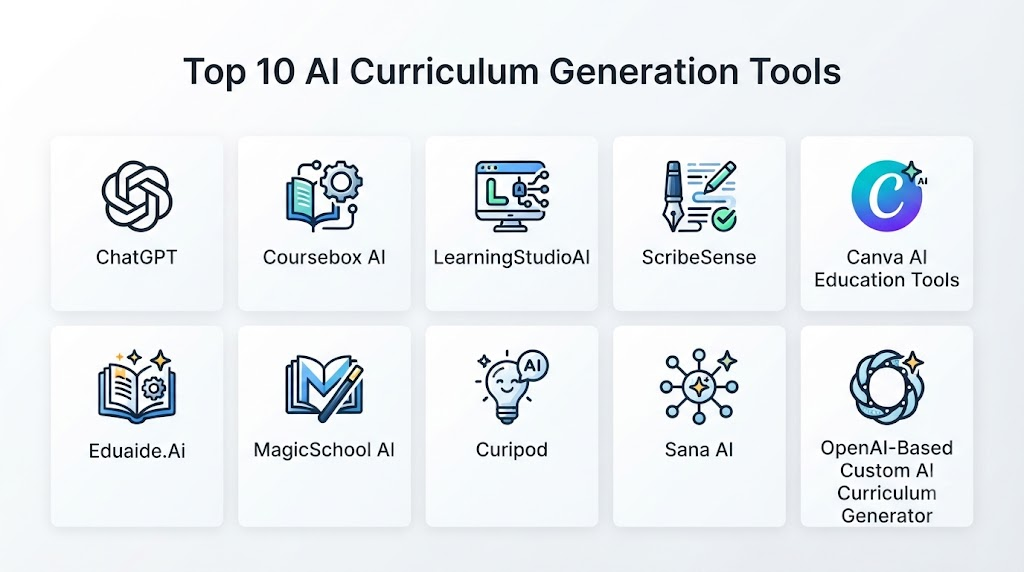
Top 10 AI Curriculum Generation Tools
1. ChatGPT
ChatGPT is a flexible AI assistant used by educators and instructional designers to create curriculum frameworks, lesson plans, learning activities, assessments, explanations, and educational resources.
Key Features
- Curriculum outlines
- Lesson plan generation
- Learning objective creation
- Quiz generation
- Assignment ideas
- Teaching explanations
- Educational content adaptation
- Research assistance
- Course improvement suggestions
- Personalized learning materials
Pros
- Supports many subjects
- Highly customizable
- Strong content-generation capabilities
- Useful for brainstorming and instructional planning
- Supports different learner levels
Cons
- Requires educator review
- Quality depends on prompts and context
- Does not replace instructional expertise
Platforms
Web, desktop applications, and mobile applications.
Deployment or Support
Cloud-based AI assistant.
Security & Compliance
Controls vary by usage environment and plan.
Integrations & Ecosystem
Learning workflows, productivity tools, APIs, document systems, and education applications.
Support & Community
Documentation, user community, and support resources.
2. Coursebox AI
Coursebox AI helps educators, trainers, and organizations generate online courses using AI. It can transform documents, videos, and knowledge resources into structured courses with modules, quizzes, and learning activities.
Key Features
- AI course creation
- Lesson generation
- Quiz creation
- Course structure generation
- Document-to-course conversion
- Learning activities
- Assessments
- LMS features
- Collaboration tools
- Course publishing
Pros
- Designed specifically for course creation
- Faster instructional development
- Useful for trainers and businesses
- Supports structured learning content
- Reduces manual planning effort
Cons
- Generated content requires review
- Advanced customization may require editing
- Pricing varies by plan
Platforms
Web-based platform.
Deployment or Support
Cloud-based SaaS.
Security & Compliance
Enterprise controls vary by plan.
Integrations & Ecosystem
Online learning platforms, training workflows, documents, and course publishing systems.
Support & Community
Documentation, customer support, and creator resources.
3. LearningStudioAI
LearningStudioAI focuses on AI-powered online course creation by generating structured learning experiences from topics, documents, and educational goals.
Key Features
- AI course generation
- Lesson structures
- Learning objectives
- Course summaries
- Assessments
- Educational content creation
- Course organization
- Online publishing
- Learning resources
- Instructor tools
Pros
- Simple course creation workflow
- Useful for educators and trainers
- Generates structured courses quickly
- Supports online learning development
- Reduces planning effort
Cons
- Requires expert review
- Customization depends on generated output
- Enterprise features vary
Platforms
Web.
Deployment or Support
Cloud-based platform.
Security & Compliance
Not publicly stated for all plans.
Integrations & Ecosystem
Online learning platforms and course delivery workflows.
Support & Community
Documentation and customer assistance.
4. ScribeSense
ScribeSense provides AI-powered education workflow support, including assessment creation, grading assistance, and instructional efficiency tools.
Key Features
- AI assessment support
- Automated grading assistance
- Educational workflows
- Teacher productivity tools
- Student response analysis
- Feedback support
- Classroom analytics
- Document processing
- Learning insights
- Teacher assistance
Pros
- Improves educator productivity
- Supports assessment workflows
- Helps analyze student responses
- Useful for schools
- Reduces administrative workload
Cons
- More focused on assessment than complete curriculum creation
- Institutional adoption required
- Availability varies
Platforms
Web-based education platform.
Deployment or Support
Cloud-based service.
Security & Compliance
Education-focused privacy practices.
Integrations & Ecosystem
Schools, classroom systems, educational workflows, and assessment platforms.
Support & Community
Educator resources and customer support.
5. Canva AI Education Tools
Canva provides AI-powered educational design features that help educators create presentations, worksheets, visual lessons, classroom materials, and learning resources.
Key Features
- Educational templates
- AI content generation
- Presentation creation
- Worksheet design
- Visual learning materials
- Brand customization
- Collaboration
- Classroom resources
- Document creation
- Multimedia design
Pros
- Excellent visual content creation
- Easy for educators
- Large template library
- Strong collaboration features
- Useful for classroom materials
Cons
- Not a complete curriculum management system
- Requires educator planning
- Advanced education features depend on plan
Platforms
Web, desktop, and mobile.
Deployment or Support
Cloud-based platform.
Security & Compliance
Education and enterprise controls vary by plan.
Integrations & Ecosystem
Design workflows, classroom resources, cloud storage, collaboration tools, and publishing platforms.
Support & Community
Tutorials, templates, help center, and community resources.
6. Eduaide.Ai
Eduaide.Ai is designed specifically for teachers and helps generate lesson plans, instructional materials, assessments, classroom activities, and educational resources.
Key Features
- Lesson planning
- Teaching resources
- Assessment creation
- Learning objectives
- Differentiated instruction
- Classroom activities
- Rubric generation
- Educational writing support
- Teacher templates
- Resource customization
Pros
- Teacher-focused platform
- Strong classroom workflows
- Saves lesson planning time
- Supports differentiated learning
- Easy to use
Cons
- Primarily designed for educators
- Requires content review
- Limited enterprise training features
Platforms
Web.
Deployment or Support
Cloud-based education platform.
Security & Compliance
Education privacy controls vary by plan.
Integrations & Ecosystem
Teacher workflows, classroom planning, educational resources.
Support & Community
Teacher community, documentation, and support resources.
7. MagicSchool AI
MagicSchool AI provides AI tools designed for educators, helping create lesson plans, assessments, rubrics, communication materials, and instructional resources.
Key Features
- Lesson generation
- Assessment creation
- Rubric creation
- Educational writing
- Teacher assistance
- Classroom planning
- Differentiation support
- Resource generation
- Student feedback tools
- School workflows
Pros
- Built for educators
- Large collection of teacher-focused tools
- Supports classroom efficiency
- Useful for schools
- Strong educational workflow focus
Cons
- Requires teacher oversight
- Not designed primarily for self-paced course businesses
- Enterprise features vary
Platforms
Web.
Deployment or Support
Cloud-based education platform.
Security & Compliance
Education-focused security controls.
Integrations & Ecosystem
Schools, teachers, classroom workflows, and educational platforms.
Support & Community
Teacher resources, training, and support.
8. TeachMateAI
TeachMateAI provides AI-powered tools for teachers to create lessons, resources, explanations, and classroom materials.
Key Features
- Lesson planning
- Resource creation
- Teaching ideas
- Classroom activities
- Assessment support
- Differentiation
- Educational content generation
- Teacher workflows
- Planning assistance
- Learning materials
Pros
- Teacher-friendly design
- Quick resource generation
- Useful for classroom planning
- Supports multiple educational tasks
- Easy adoption
Cons
- Focused mainly on teachers
- Requires human review
- Subject depth varies
Platforms
Web.
Deployment or Support
Cloud-based service.
Security & Compliance
Not publicly stated.
Integrations & Ecosystem
Teacher workflows and educational resource creation.
Support & Community
Documentation and educator community.
9. Curipod
Curipod helps educators create interactive lessons, presentations, activities, discussions, and classroom experiences using AI.
Key Features
- AI lesson creation
- Interactive presentations
- Classroom activities
- Discussion prompts
- Student engagement tools
- Learning activities
- Feedback collection
- Presentation generation
- Teaching resources
- Collaboration
Pros
- Encourages classroom interaction
- Strong presentation workflows
- Easy lesson creation
- Useful engagement features
- Teacher-focused
Cons
- Not a complete LMS
- Requires classroom integration
- Less focused on enterprise training
Platforms
Web.
Deployment or Support
Cloud-based education platform.
Security & Compliance
Education privacy practices vary by plan.
Integrations & Ecosystem
Classroom tools, presentations, student interaction workflows.
Support & Community
Educator resources and support.
10. Sana AI
Sana AI provides AI-powered learning and knowledge-management solutions for organizations. It helps companies create training content, manage knowledge, and personalize employee learning.
Key Features
- AI learning content creation
- Knowledge management
- Training automation
- AI assistants
- Learning recommendations
- Employee development
- Content generation
- Enterprise search
- Collaboration
- Learning analytics
Pros
- Strong enterprise learning focus
- Combines knowledge and training
- Useful for workforce development
- Modern AI capabilities
- Supports organizational learning
Cons
- Enterprise-oriented
- Requires implementation planning
- Pricing is not publicly stated
Platforms
Web and enterprise applications.
Deployment or Support
Cloud-based enterprise platform.
Security & Compliance
Enterprise security capabilities vary by agreement.
Integrations & Ecosystem
Workplace tools, knowledge systems, LMS platforms, and enterprise applications.
Support & Community
Enterprise onboarding and technical support.
Comparison Table
| Tool Name | Best For | Platform(s) Supported | Deployment | Standout Feature | Public Rating |
|---|---|---|---|---|---|
| ChatGPT | Flexible curriculum design | Web, desktop, mobile | Cloud | General AI curriculum assistance | N/A |
| Coursebox AI | Online course creation | Web | Cloud | Document-to-course generation | N/A |
| LearningStudioAI | AI course building | Web | Cloud | Structured course generation | N/A |
| ScribeSense | Assessment workflows | Web | Cloud | AI grading assistance | N/A |
| Canva AI Education Tools | Visual learning materials | Web, desktop, mobile | Cloud | Educational design creation | N/A |
| Eduaide.Ai | Teacher lesson planning | Web | Cloud | Classroom resource generation | N/A |
| MagicSchool AI | School educators | Web | Cloud | Teacher AI toolkit | N/A |
| TeachMateAI | Teacher productivity | Web | Cloud | Lesson resource creation | N/A |
| Curipod | Interactive lessons | Web | Cloud | AI classroom activities | N/A |
| Sana AI | Enterprise learning | Web | Cloud | AI knowledge and training | N/A |
Weighted Evaluation
| Tool Name | Core Features 25% | Ease of Use 15% | Integrations & Ecosystem 15% | Security & Compliance 10% | Performance & Reliability 10% | Support & Community 10% | Price/Value 15% | Total |
|---|---|---|---|---|---|---|---|---|
| ChatGPT | 24 | 15 | 14 | 8 | 10 | 10 | 13 | 94 |
| Coursebox AI | 23 | 14 | 12 | 8 | 9 | 9 | 13 | 88 |
| LearningStudioAI | 22 | 14 | 12 | 8 | 9 | 8 | 13 | 86 |
| ScribeSense | 21 | 13 | 13 | 9 | 9 | 9 | 12 | 86 |
| Canva AI Education Tools | 21 | 15 | 15 | 9 | 10 | 10 | 13 | 93 |
| Eduaide.Ai | 22 | 15 | 11 | 8 | 9 | 10 | 13 | 88 |
| MagicSchool AI | 22 | 14 | 13 | 9 | 9 | 10 | 12 | 89 |
| TeachMateAI | 21 | 15 | 11 | 8 | 9 | 9 | 13 | 86 |
| Curipod | 21 | 14 | 12 | 8 | 9 | 9 | 12 | 85 |
| Sana AI | 23 | 12 | 14 | 10 | 9 | 9 | 11 | 88 |
Which AI Curriculum Generation Tool Is Right for You?
Choose ChatGPT when you need flexible curriculum planning across different subjects, levels, and educational formats.
Choose Coursebox AI when creating complete online courses quickly is the main objective.
Choose LearningStudioAI when you want AI-generated structured courses from topics or resources.
Choose ScribeSense when assessment workflows and teacher productivity are priorities.
Choose Canva AI Education Tools when creating visually engaging educational materials is important.
Choose Eduaide.Ai when teachers need lesson plans, activities, and classroom resources.
Choose MagicSchool AI when schools need a broad AI toolkit for educators.
Choose TeachMateAI when teachers want fast educational resource generation.
Choose Curipod when interactive classroom lessons and student engagement matter.
Choose Sana AI when organizations need enterprise learning content and knowledge management.
Implementation Playbook
Phase 1: Define Learning Objectives
- Identify target learners
- Define required skills
- Establish curriculum goals
- Determine assessment methods
- Map learning outcomes
Phase 2: Prepare Content Requirements
- Collect reference materials
- Identify subject experts
- Define teaching standards
- Prepare existing resources
- Review content accuracy
Phase 3: Generate and Customize Curriculum
- Create course structures
- Review AI-generated lessons
- Adjust difficulty levels
- Add examples and activities
- Align assessments
Phase 4: Pilot the Curriculum
- Test with learners
- Collect feedback
- Measure engagement
- Improve weak areas
- Refine learning paths
Phase 5: Scale Deployment
- Integrate LMS platforms
- Train instructors
- Monitor outcomes
- Update content regularly
- Maintain quality standards
Common Mistakes
- Publishing AI-generated curriculum without review
- Ignoring learner needs
- Creating content without measurable objectives
- Using outdated information
- Failing to align assessments with goals
- Ignoring accessibility requirements
- Replacing educators instead of supporting them
- Not protecting educational data
FAQs
1. What are AI Curriculum Generation Tools?
AI Curriculum Generation Tools are platforms that use artificial intelligence to create course structures, lesson plans, learning materials, assessments, and educational resources.
2. Can AI create a complete course?
Yes, AI can generate course outlines, lessons, activities, and assessments, but educators should review and customize the content before use.
3. Can AI replace instructional designers?
No. AI supports instructional designers by reducing repetitive work, while experts provide educational strategy, accuracy, and learner understanding.
4. Who uses AI curriculum generation tools?
Teachers, universities, corporate trainers, online course creators, certification providers, and educational organizations use these platforms.
5. Can AI create assessments and quizzes?
Yes. Many platforms generate quizzes, assignments, rubrics, discussion questions, and evaluation activities.
6. Are AI-generated curricula accurate?
AI-generated content should be reviewed because models may produce incorrect, outdated, or unsuitable information.
7. Can AI customize curriculum for different learners?
Yes. AI can help adapt content based on learner level, skills, goals, and educational requirements.
8. How do organizations protect curriculum data?
Organizations should use secure platforms, access controls, privacy policies, encryption, and clear content ownership agreements.
9. Can AI curriculum tools integrate with LMS platforms?
Many platforms support integrations with learning management systems, content platforms, collaboration tools, and enterprise applications.
10. What should organizations evaluate before adoption?
Evaluate content quality, customization, assessment features, integrations, security, scalability, pricing, and educator workflows.
Conclusion
AI Curriculum Generation Tools are transforming how educators and organizations design learning experiences by reducing planning effort, accelerating content creation, and enabling more personalized educational pathwayChatGPT provides flexible curriculum assistance, Coursebox AI and LearningStudioAI focus on course creation, Canva supports visual educational materials, Eduaide.Ai and MagicSchool AI empower teachers, Curipod improves interactive lessons, and Sana AI supports enterprise learning environments.
The most effective curriculum development approach combines artificial intelligence with educator expertise, instructional design principles, learner feedback, and continuous improvement. AI should accelerate curriculum creation while maintaining educational quality, accuracy, accessibility, and meaningful learning outcomes.
