Introduction
AI Learning Analytics Dashboards use artificial intelligence, machine learning, data visualization, and educational analytics technologies to help institutions, educators, and learners understand academic performance, engagement patterns, learning progress, and educational outcomes.
Traditional educational reporting systems often focus on historical data such as grades, attendance, and course completion. While useful, these reports may not provide deeper insights into why learners succeed or struggle.
AI-powered learning analytics dashboards transform large amounts of educational data into meaningful insights by identifying patterns, predicting trends, and supporting data-driven decisions.
These platforms help analyze:
- Student engagement
- Course participation
- Learning progress
- Assessment performance
- Skill development
- Retention indicators
- Learning behavior
- Institutional performance
AI learning analytics dashboards are used by:
- Schools
- Universities
- Online learning platforms
- Corporate training teams
- Education administrators
- Teachers
- Academic advisors
- Students
Modern AI analytics dashboards combine predictive analytics, automated reporting, interactive visualization, recommendation systems, and personalized learning insights.
The goal of these tools is not simply to display data but to help educators and institutions take meaningful actions that improve learning outcomes.
How AI Learning Analytics Dashboards Work
Data Collection
AI dashboards collect information from:
- Learning management systems
- Student information systems
- Online courses
- Assessments
- Attendance platforms
- Digital learning tools
Data Processing
AI models analyze:
- Learning behaviors
- Performance trends
- Engagement patterns
- Course interactions
- Academic progress
Insight Generation
The system creates:
- Reports
- Dashboards
- Predictions
- Recommendations
- Alerts
Decision Support
Educators and administrators use insights to:
- Improve teaching strategies
- Support students
- Optimize courses
- Allocate resources
Common Use Cases
- Student performance tracking
- Learning engagement analysis
- Early warning systems
- Course improvement
- Academic advising
- Online learning optimization
- Training effectiveness measurement
- Student retention analysis
- Institutional planning
- Personalized learning support
Why AI Learning Analytics Dashboards Matter
Better Student Support
Analytics help identify students who may need additional guidance or resources.
Data-Driven Teaching
Educators can understand which teaching approaches are effective.
Improved Learning Experiences
Insights help institutions personalize education and improve course design.
Faster Decision-Making
Administrators can access real-time information instead of relying on manual reports.
Learning Outcome Improvement
AI analytics support continuous improvement of educational programs.
Evaluation Criteria for Buyers
Data Integration
A strong dashboard should connect with LMS platforms, student systems, assessment tools, and educational databases.
Analytics Capabilities
Organizations should evaluate reporting, predictive analytics, visualization, and recommendation features.
Dashboard Flexibility
Users should be able to customize views based on roles and objectives.
AI Intelligence
The platform should provide meaningful insights instead of only displaying raw data.
Ease of Use
Teachers and administrators should easily understand and use analytics.
Privacy and Security
Student information requires strong governance, access controls, and responsible data handling.
Scalability
Solutions should support different institution sizes and growing data requirements.
Key Trends
Predictive Learning Analytics
Institutions are moving from historical reporting toward predicting learning challenges and opportunities.
Personalized Learning Insights
AI dashboards are helping create customized learning recommendations.
Real-Time Educational Monitoring
Modern platforms provide faster visibility into student engagement and performance.
Automated Reporting
AI reduces manual reporting efforts through automated insights and summaries.
Learning Experience Optimization
Institutions are using analytics to improve courses, content, and teaching strategies.
Responsible AI in Education
Privacy, fairness, transparency, and ethical analytics practices are becoming increasingly important.
Methodology
The following platforms were evaluated using:
- Analytics capabilities
- Dashboard functionality
- Ease of use
- Integrations and ecosystem
- Security and privacy
- Performance and reliability
- Support and community
- Price and value
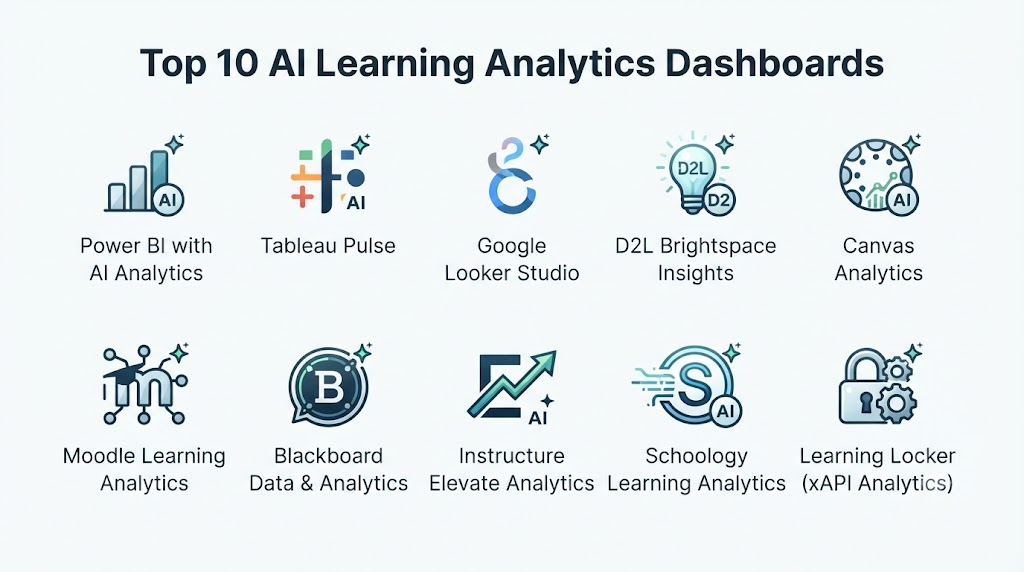
Top 10 AI Learning Analytics Dashboards
1. Power BI Education Analytics
Microsoft Power BI provides powerful data visualization and analytics capabilities that educational institutions use to build customized learning analytics dashboards.
Key Features
- Interactive dashboards
- Data visualization
- Student performance analysis
- Predictive analytics support
- Custom reports
- Data integration
- Trend analysis
- Institutional reporting
- Automated insights
- Role-based dashboards
Pros
- Highly customizable dashboards
- Strong visualization capabilities
- Large integration ecosystem
- Enterprise-ready analytics
- Flexible reporting
Cons
- Requires analytics expertise
- Education features depend on configuration
- Data modeling may require technical skills
Platforms
Web, desktop, and cloud environments.
Deployment or Support
Cloud-based analytics platform.
Security & Compliance
Enterprise security controls vary by configuration.
Integrations & Ecosystem
Microsoft ecosystem, LMS platforms, databases, and education systems.
Support & Community
Large documentation ecosystem and professional community.
2. Tableau Education Analytics
Tableau provides advanced data visualization and analytics capabilities that help educational organizations explore learning data and create interactive dashboards.
Key Features
- Data visualization
- Interactive dashboards
- Student analytics
- Performance reporting
- Trend analysis
- Data exploration
- Custom analytics
- Institutional reporting
- Data storytelling
- Decision support
Pros
- Excellent visualization capabilities
- Flexible dashboard creation
- Strong analytics ecosystem
- Supports large datasets
- Useful for administrators
Cons
- Requires training
- Advanced features need expertise
- Not education-specific by default
Platforms
Web and desktop applications.
Deployment or Support
Cloud and enterprise deployment options.
Security & Compliance
Enterprise controls vary by deployment.
Integrations & Ecosystem
Education databases, LMS platforms, analytics systems, and business intelligence tools.
Support & Community
Documentation, training, and user community.
3. D2L Brightspace Insights
D2L Brightspace Insights provides learning analytics dashboards designed to help educators understand student engagement, progress, and course performance.
Key Features
- Learning analytics
- Student engagement tracking
- Course insights
- Performance dashboards
- Assessment analytics
- Progress reports
- Learner activity analysis
- Instructor dashboards
- Data visualization
- LMS integration
Pros
- Education-focused analytics
- Integrated LMS experience
- Useful instructor insights
- Supports personalized teaching
- Strong reporting features
Cons
- Best suited for Brightspace users
- Analytics depend on available data
- Institutional implementation required
Platforms
Web and LMS environments.
Deployment or Support
Cloud-based education platform.
Security & Compliance
Education security controls vary.
Integrations & Ecosystem
Learning platforms, education systems, and institutional tools.
Support & Community
Documentation and customer support.
4. Canvas Analytics
Canvas Analytics provides learning analytics features within the Canvas LMS environment to help educators monitor course activity and learner progress.
Key Features
- Course analytics
- Student engagement reports
- Assignment insights
- Learning activity tracking
- Performance analysis
- Instructor dashboards
- Student progress monitoring
- LMS reporting
- Data visualization
- Academic insights
Pros
- Integrated with Canvas LMS
- Easy educator access
- Useful course insights
- Supports online learning
- Familiar interface
Cons
- Limited outside Canvas ecosystem
- Advanced analytics require additional tools
- Mainly focused on LMS data
Platforms
Web and Canvas LMS.
Deployment or Support
Cloud-based LMS analytics.
Security & Compliance
Institutional security controls vary.
Integrations & Ecosystem
Canvas LMS, education systems, and academic workflows.
Support & Community
Documentation and educator community.
5. Blackboard Analytics
Blackboard Analytics provides higher education institutions with reporting and analytics capabilities to understand learning performance and institutional trends.
Key Features
- Student analytics
- Academic reporting
- Course analysis
- Institutional dashboards
- Data visualization
- Performance tracking
- Learning trends
- Retention insights
- Reporting automation
- Decision support
Pros
- Strong higher education focus
- Useful institutional reporting
- Supports large institutions
- Established education ecosystem
- Good analytics foundation
Cons
- Requires institutional deployment
- Complexity may vary
- Advanced customization needs expertise
Platforms
Web-based analytics platform.
Deployment or Support
Cloud and enterprise solutions.
Security & Compliance
Institutional security practices vary.
Integrations & Ecosystem
LMS systems, student information systems, and academic databases.
Support & Community
Institutional support and documentation.
6. Google Looker Studio Education Dashboards
Google Looker Studio allows educational organizations to create customized dashboards by connecting educational data sources.
Key Features
- Custom dashboards
- Data visualization
- Reporting automation
- Data connectors
- Performance tracking
- Engagement reports
- Interactive charts
- Sharing capabilities
- Education reporting
- Data exploration
Pros
- Flexible dashboard creation
- Easy sharing
- Google ecosystem integration
- Useful visualization
- Custom reporting
Cons
- Requires dashboard design skills
- AI capabilities depend on connected systems
- Not education-specific
Platforms
Web-based.
Deployment or Support
Cloud-based analytics service.
Security & Compliance
Google cloud security controls apply.
Integrations & Ecosystem
Google Workspace, databases, LMS platforms, and analytics tools.
Support & Community
Google documentation and user community.
7. Microsoft Education Insights
Microsoft Education Insights provides educators with analytics about student engagement, learning activity, and classroom progress.
Key Features
- Student engagement insights
- Learning progress reports
- Assignment analytics
- Classroom analytics
- Digital activity tracking
- Teacher dashboards
- Collaboration insights
- Student support indicators
- Microsoft integration
- Reporting tools
Pros
- Strong education ecosystem
- Good classroom integration
- Enterprise security foundation
- Useful teacher insights
- Supports digital learning
Cons
- Best within Microsoft ecosystem
- Features depend on configuration
- Advanced analytics may require customization
Platforms
Web and Microsoft education applications.
Deployment or Support
Cloud-based education platform.
Security & Compliance
Microsoft education security capabilities.
Integrations & Ecosystem
Microsoft 365 Education, Teams, LMS systems, and school platforms.
Support & Community
Microsoft documentation and support.
8. Ellucian Analytics
Ellucian Analytics provides higher education institutions with data insights to improve student success, operations, and academic decision-making.
Key Features
- Student analytics
- Enrollment insights
- Institutional reporting
- Academic performance analysis
- Dashboards
- Data visualization
- Student success indicators
- Operational analytics
- Reporting workflows
- Decision support
Pros
- Higher education focused
- Supports institutional planning
- Strong academic data workflows
- Useful student insights
- Enterprise capabilities
Cons
- Designed mainly for universities
- Requires implementation
- Pricing varies
Platforms
Web-based institutional platform.
Deployment or Support
Cloud and enterprise deployment.
Security & Compliance
Higher education security practices vary.
Integrations & Ecosystem
Student information systems, academic platforms, and institutional databases.
Support & Community
Enterprise support and services.
9. Instructure Impact
Instructure Impact provides analytics and adoption insights to help educational institutions understand technology usage and improve digital learning experiences.
Key Features
- Platform usage analytics
- User engagement insights
- Adoption tracking
- Learning technology reports
- Dashboards
- User behavior analysis
- Communication tools
- Training insights
- Digital experience analytics
- Reporting
Pros
- Focuses on learning technology adoption
- Useful usage analytics
- Helps improve platform engagement
- Education-focused
- Supports digital transformation
Cons
- Mainly focused on technology adoption
- Requires connected platforms
- Not a complete academic analytics system
Platforms
Web-based.
Deployment or Support
Cloud-based education analytics.
Security & Compliance
Institutional controls vary.
Integrations & Ecosystem
Learning platforms, LMS systems, and education technologies.
Support & Community
Documentation and customer support.
10. Moodle Analytics
Moodle Analytics provides learning analytics features within the Moodle learning management system to help educators monitor learner progress and engagement.
Key Features
- Learning analytics
- Student progress tracking
- Course insights
- Engagement monitoring
- Predictive models
- Reports
- Notifications
- Learning indicators
- LMS integration
- Custom analytics
Pros
- Open-source ecosystem
- Flexible customization
- Strong LMS integration
- Education-focused
- Large community
Cons
- Requires technical management
- Customization may require expertise
- Analytics depend on configuration
Platforms
Web and LMS environments.
Deployment or Support
Cloud, self-hosted, and managed deployments.
Security & Compliance
Depends on implementation and configuration.
Integrations & Ecosystem
Moodle LMS, education tools, plugins, and databases.
Support & Community
Large open-source community and documentation.
Comparison Table
| Tool Name | Best For | Platform(s) Supported | Deployment | Standout Feature | Public Rating |
|---|---|---|---|---|---|
| Power BI Education Analytics | Custom analytics dashboards | Web, desktop | Cloud | Flexible visualization | N/A |
| Tableau Education Analytics | Advanced analytics | Web, desktop | Cloud/Enterprise | Data storytelling | N/A |
| D2L Brightspace Insights | LMS analytics | Web | Cloud | Learning insights | N/A |
| Canvas Analytics | Course analytics | Web | Cloud | LMS integration | N/A |
| Blackboard Analytics | Higher education reporting | Web | Cloud | Institutional analytics | N/A |
| Google Looker Studio | Custom reports | Web | Cloud | Dashboard flexibility | N/A |
| Microsoft Education Insights | Classroom analytics | Web | Cloud | Education ecosystem | N/A |
| Ellucian Analytics | University analytics | Web | Enterprise | Student insights | N/A |
| Instructure Impact | Technology adoption analytics | Web | Cloud | Usage analytics | N/A |
| Moodle Analytics | Open-source LMS analytics | Web | Cloud/Self-hosted | Customization | N/A |
Weighted Evaluation
| Tool Name | Core Features 25% | Ease of Use 15% | Integrations & Ecosystem 15% | Security & Compliance 10% | Performance & Reliability 10% | Support & Community 10% | Price/Value 15% | Total |
|---|---|---|---|---|---|---|---|---|
| Power BI Education Analytics | 24 | 12 | 15 | 10 | 10 | 10 | 13 | 94 |
| Tableau Education Analytics | 24 | 11 | 15 | 10 | 10 | 10 | 12 | 92 |
| D2L Brightspace Insights | 23 | 14 | 15 | 9 | 10 | 10 | 12 | 93 |
| Canvas Analytics | 22 | 14 | 15 | 9 | 10 | 10 | 12 | 92 |
| Blackboard Analytics | 22 | 12 | 14 | 9 | 10 | 10 | 11 | 88 |
| Google Looker Studio | 22 | 13 | 15 | 9 | 10 | 10 | 14 | 93 |
| Microsoft Education Insights | 22 | 14 | 15 | 10 | 10 | 10 | 12 | 93 |
| Ellucian Analytics | 22 | 11 | 14 | 9 | 10 | 9 | 11 | 86 |
| Instructure Impact | 21 | 13 | 13 | 9 | 9 | 9 | 12 | 86 |
| Moodle Analytics | 22 | 11 | 15 | 9 | 10 | 10 | 14 | 91 |
Which AI Learning Analytics Dashboard Is Right for You?
Choose Power BI Education Analytics when institutions need flexible and customized dashboards.
Choose Tableau Education Analytics when advanced visualization and analytics are priorities.
Choose D2L Brightspace Insights when learning analytics inside an LMS is required.
Choose Canvas Analytics when institutions already use Canvas LMS.
Choose Blackboard Analytics when universities need institutional reporting.
Choose Google Looker Studio when customizable cloud dashboards are important.
Choose Microsoft Education Insights when schools use Microsoft education tools.
Choose Ellucian Analytics when higher education planning and student insights are needed.
Choose Instructure Impact when technology adoption analytics matter.
Choose Moodle Analytics when open-source LMS analytics and customization are priorities.
Implementation Playbook
Phase 1: Define Analytics Goals
- Identify learning objectives
- Select key metrics
- Define reporting needs
- Identify users
- Establish privacy policies
Phase 2: Connect Data Sources
- Integrate LMS platforms
- Connect student systems
- Validate data quality
- Configure permissions
- Prepare datasets
Phase 3: Build Dashboards
- Create role-based views
- Configure reports
- Add learning indicators
- Set alerts
- Test usability
Phase 4: Use Insights
- Support students
- Improve courses
- Optimize teaching strategies
- Monitor outcomes
- Guide decisions
Phase 5: Continuous Improvement
- Review dashboard accuracy
- Update analytics models
- Improve reports
- Maintain security
- Evaluate impact
Common Mistakes
- Collecting unnecessary student data
- Ignoring privacy requirements
- Creating dashboards without clear goals
- Showing data without actionable insights
- Failing to train users
- Treating analytics as absolute truth
- Ignoring ethical AI practices
- Not updating reports regularly
FAQs
1. What are AI Learning Analytics Dashboards?
AI Learning Analytics Dashboards use artificial intelligence and analytics technologies to visualize learning data, identify patterns, and support educational decisions.
2. How do learning analytics dashboards help teachers?
They help teachers understand student engagement, performance trends, learning progress, and areas requiring support.
3. Can AI dashboards predict student success?
Some platforms use predictive analytics to identify potential learning challenges and support opportunities.
4. What data do learning analytics dashboards use?
They may analyze grades, course activity, attendance, assignments, assessments, and digital learning interactions.
5. Are AI learning dashboards only for universities?
No. Schools, universities, online learning platforms, and training organizations can use them.
6. Can students access learning analytics dashboards?
Some platforms provide learner dashboards showing progress, goals, and improvement areas.
7. How do institutions protect student data?
They use access controls, privacy policies, security measures, and responsible data governance practices.
8. Can analytics dashboards improve online learning?
Yes. They help identify engagement patterns and improve digital learning experiences.
9. Do AI dashboards replace educational decisions?
No. They provide insights that educators and administrators use alongside human judgment.
10. What should organizations consider before choosing a learning analytics dashboard?
Organizations should evaluate analytics features, integrations, security, customization, usability, scalability, and cost.
Conclusion
AI Learning Analytics Dashboards are helping educational institutions transform large amounts of learning data into actionable insights. These platforms support better teaching decisions, personalized learning, student engagement improvement, and institutional planning.Power BI, Tableau, and Google Looker Studio provide flexible analytics capabilities, while platforms such as D2L Brightspace Insights, Canvas Analytics, Moodle Analytics, and Microsoft Education Insights focus on education-specific learning workflows.The most effective learning analytics strategies combine AI technology with ethical data practices, educator expertise, and clear learning objectives. AI dashboards should empower educators and learners by providing meaningful insights while maintaining transparency, privacy, and trust.
