Introduction
AI Social Clip Generator Tools use artificial intelligence, machine learning, natural language processing (NLP), computer vision, speech recognition, and generative AI to automatically transform long-form videos into short, engaging clips optimized for social media platforms.
These platforms analyze videos, identify important moments, detect highlights, generate captions, adjust aspect ratios, add branding elements, and prepare content for platforms such as YouTube Shorts, Instagram Reels, TikTok, LinkedIn, and other short-form video channels.
Creating social media clips manually requires reviewing long recordings, finding engaging moments, editing footage, adding subtitles, resizing videos, and optimizing content for different platforms. AI-powered clip generators automate many of these repetitive tasks, allowing creators, marketers, educators, and businesses to publish more frequently.
Modern AI social clip generators use speech analysis, engagement prediction, face detection, scene understanding, caption generation, automated editing, and content repurposing workflows to improve video production efficiency.
These tools support industries including media, entertainment, education, marketing, podcasting, gaming, professional services, e-commerce, and corporate communications.
Real-world Use Cases
- Podcast-to-short-video conversion
- YouTube Shorts creation
- Instagram Reels production
- TikTok content generation
- Webinar highlights
- Online course clips
- Interview highlights
- Marketing campaign videos
- Customer testimonial clips
- Corporate social media content
Evaluation Criteria for Buyers
When selecting an AI Social Clip Generator Tool, consider:
- AI highlight detection
- Caption accuracy
- Video quality
- Platform optimization
- Editing controls
- Branding support
- Workflow automation
- Collaboration features
- Export quality
- Pricing value
Best For
- Content creators
- Social media teams
- Podcast creators
- Marketing departments
- Video production agencies
Not Ideal For
Organizations with no short-form video production requirements.
Key Trends
- Automated long-video repurposing
- AI highlight detection
- Auto-generated captions
- Social platform optimization
- AI-powered storytelling
- Multi-platform publishing
- Speaker detection
- Viral moment prediction
- Brand-aware editing
- Creator workflow automation
Methodology
The platforms below were evaluated based on:
- AI capabilities
- Editing quality
- Platform support
- Automation
- Integrations
- Scalability
- Creator adoption
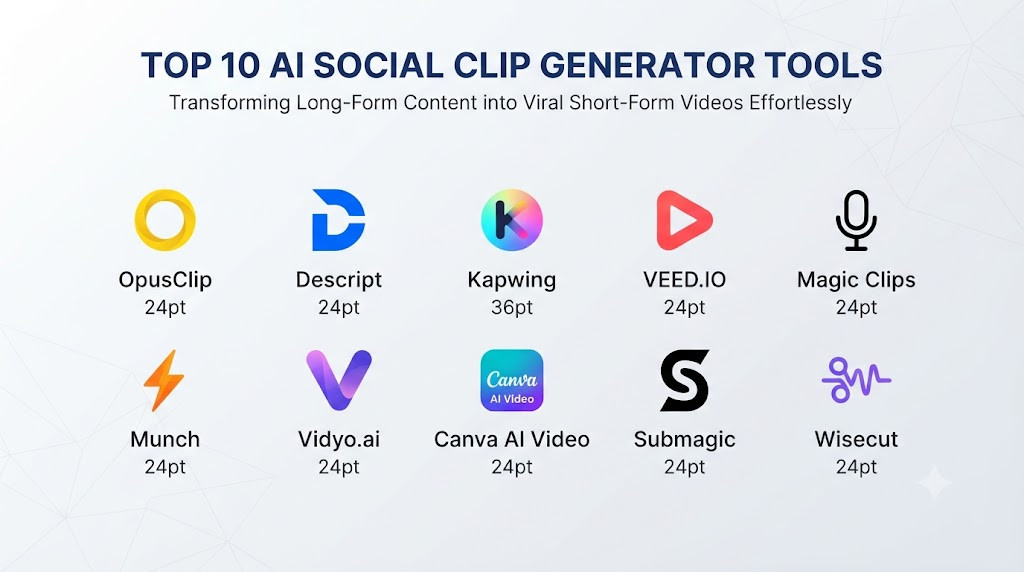
Top 10 AI Social Clip Generator Tools
1. OpusClip
Verdict: Best overall AI social clip generator.
Short Description: OpusClip uses AI to analyze long videos, identify engaging moments, create short clips, add captions, and optimize videos for social media platforms.
Key Features
- AI highlight detection
- Long-video-to-short conversion
- Auto captions
- Smart reframing
- Virality scoring
- Speaker detection
- Social media formatting
- Clip customization
- Multiple aspect ratios
- Content repurposing
Pros
- Excellent automated clipping
- Strong podcast and interview workflows
- Saves significant editing time
- Good social optimization
- Easy for creators
Cons
- AI selections may require manual review
- Advanced editing controls are limited
- Best results depend on source video quality
Deployment: Cloud-based platform
Security & Compliance: Enterprise controls vary by plan
Integrations & Ecosystem: Social platforms, video workflows, cloud storage
Support & Community: Creator resources and customer support
2. Descript
Verdict: Best AI video editing and clip creation platform.
Short Description: Descript combines transcription, AI editing, captions, video production, and social clip creation through text-based editing workflows.
Key Features
- AI transcription
- Text-based video editing
- Clip extraction
- Automatic captions
- Speaker detection
- Filler-word removal
- Screen recording
- Collaboration
Pros
- Powerful editing workflow
- Excellent transcription
- Strong collaboration features
- Useful for podcasts
Cons
- Requires learning the editing workflow
- Advanced production requires additional tools
3. Kapwing
Verdict: Best collaborative AI social video editor.
Short Description: Kapwing provides AI-powered video editing, clipping, subtitles, resizing, templates, and team collaboration features.
Key Features
- AI video editing
- Clip creation
- Subtitle generation
- Smart resizing
- Templates
- Brand assets
- Collaboration
- Video enhancement
Pros
- Excellent team workflow
- Browser-based editing
- Strong social media formats
Cons
- Some advanced features require paid plans
- AI clip selection may need refinement
4. VEED
Verdict: Best browser-based social video creation platform.
Short Description: VEED combines AI video editing, captions, social resizing, templates, and automated clip creation for creators and businesses.
Key Features
- AI editing
- Auto subtitles
- Video trimming
- Templates
- Background removal
- Social formatting
- Brand tools
Pros
- Beginner-friendly
- Fast editing workflow
- Good social media support
Cons
- Less advanced than professional editing software
- Complex projects may require more tools
5. Riverside Magic Clips
Verdict: Best for podcast and interview clips.
Short Description: Riverside uses AI to identify engaging moments from recorded conversations and create short clips optimized for social platforms.
Key Features
- AI highlight detection
- Podcast clipping
- Speaker recognition
- Captions
- Vertical video creation
- Remote recording integration
Pros
- Excellent for interviews
- High-quality recordings
- Simple workflow
Cons
- Primarily focused on conversational content
- Less suitable for cinematic editing
6. Munch
Verdict: Best AI content repurposing platform.
Short Description: Munch analyzes long-form videos and extracts social-ready clips using AI-powered content analysis.
Key Features
- AI clip selection
- Content analysis
- Social optimization
- Caption generation
- Trend insights
- Platform recommendations
Pros
- Strong content intelligence
- Good marketing workflows
- Helps identify valuable moments
Cons
- Less manual editing control
- Best suited for marketing teams
7. Vidyo.ai
Verdict: AI video repurposing platform for creators.
Short Description: Vidyo.ai converts long videos into short clips with captions, templates, and platform-ready formatting.
Key Features
- AI clipping
- Auto captions
- Video resizing
- Templates
- Social formats
- Brand customization
Pros
- Easy workflow
- Good for podcasts
- Fast content production
Cons
- Advanced editing capabilities are limited
8. Canva AI Video
Verdict: Best for social media design teams.
Short Description: Canva combines AI video editing, templates, animations, captions, and branding tools for social content production.
Key Features
- AI video creation
- Templates
- Captions
- Brand kits
- Animations
- Collaboration
- Social publishing
Pros
- Excellent design ecosystem
- Easy collaboration
- Strong branding tools
Cons
- Less specialized for automated clipping
- Professional editing control is limited
9. Submagic
Verdict: Best for caption-focused short videos.
Short Description: Submagic specializes in AI captions, subtitles, effects, and short-form video enhancement for social media creators.
Key Features
- AI captions
- Animated subtitles
- Emoji effects
- Automatic descriptions
- Social formatting
- Video enhancement
Pros
- Excellent captions
- Creator-friendly workflow
- Fast editing
Cons
- Limited long-video analysis
- Focused mainly on short-form enhancement
10. Wisecut
Verdict: AI-powered automated video editor.
Short Description: Wisecut uses AI to remove silence, generate captions, create short clips, and simplify video editing.
Key Features
- Silence removal
- Auto captions
- AI editing
- Background music
- Translation
- Short video creation
Pros
- Simple automation
- Good for educational videos
- Saves editing time
Cons
- Limited advanced customization
- Not designed for complex productions
Comparison Table
| Tool Name | Best For | Platform(s) Supported | Deployment | Standout Feature | Public Rating |
|---|---|---|---|---|---|
| OpusClip | Automated social clips | Web | Cloud | AI highlight extraction | N/A |
| Descript | Podcast and video editing | Web, Desktop | Cloud/Desktop | Text-based editing | N/A |
| Kapwing | Team collaboration | Web | Cloud | Collaborative editing | N/A |
| VEED | Browser video creation | Web | Cloud | Fast social editing | N/A |
| Riverside Magic Clips | Podcast clips | Web | Cloud | Conversation highlights | N/A |
| Munch | Marketing repurposing | Web | Cloud | Content intelligence | N/A |
| Vidyo.ai | Creator workflows | Web | Cloud | AI repurposing | N/A |
| Canva AI Video | Social design | Web, Mobile | Cloud | Templates and branding | N/A |
| Submagic | Caption-heavy videos | Web | Cloud | Animated captions | N/A |
| Wisecut | Automated editing | Web | Cloud | Silence removal | N/A |
Weighted Evaluation
| Tool Name | Core Features 25% | Ease of Use 15% | Integrations & Ecosystem 15% | Security & Compliance 10% | Performance & Reliability 10% | Support & Community 10% | Price/Value 15% | Total |
|---|---|---|---|---|---|---|---|---|
| OpusClip | 24 | 14 | 13 | 8 | 9 | 9 | 13 | 90 |
| Descript | 23 | 13 | 15 | 9 | 9 | 10 | 12 | 91 |
| Kapwing | 21 | 14 | 14 | 8 | 9 | 9 | 13 | 88 |
| VEED | 21 | 15 | 13 | 8 | 9 | 9 | 13 | 88 |
| Riverside Magic Clips | 21 | 14 | 12 | 8 | 9 | 9 | 12 | 85 |
| Munch | 22 | 13 | 12 | 8 | 9 | 8 | 11 | 83 |
| Vidyo.ai | 20 | 14 | 12 | 8 | 9 | 8 | 13 | 84 |
| Canva AI Video | 20 | 15 | 15 | 9 | 9 | 10 | 14 | 92 |
| Submagic | 19 | 15 | 11 | 8 | 9 | 8 | 13 | 83 |
| Wisecut | 18 | 14 | 11 | 8 | 8 | 8 | 13 | 80 |
Which AI Social Clip Generator Tool Is Right for You?
| If your priority is… | Recommended Platform |
|---|---|
| Automatic viral-style clips | OpusClip |
| Professional editing workflow | Descript |
| Team collaboration | Kapwing |
| Quick browser editing | VEED |
| Podcast clips | Riverside Magic Clips |
| Marketing content repurposing | Munch |
| Creator automation | Vidyo.ai |
| Branded social content | Canva AI Video |
| Caption-focused videos | Submagic |
| Simple automated editing | Wisecut |
Implementation Playbook
First 30 Days
- Identify long-form content sources
- Define target social platforms
- Establish branding guidelines
- Select pilot videos
Days 31–60
- Configure AI clipping workflows
- Create caption styles
- Connect publishing workflows
- Review AI-selected highlights
Days 61–90
- Scale content production
- Measure engagement metrics
- Optimize clip formats
- Build repeatable social workflows
Common Mistakes
- Posting clips without reviewing context
- Choosing moments without audience relevance
- Ignoring platform-specific formats
- Using unreadable captions
- Overloading videos with effects
- Publishing without brand consistency
- Ignoring copyright permissions
- Not analyzing performance results
FAQs
1. What are AI Social Clip Generator Tools?
AI Social Clip Generator Tools automatically convert long videos into short-form clips by identifying important moments, adding captions, resizing content, and optimizing videos for social platforms.
2. Can AI automatically find viral moments?
Many tools analyze speech patterns, engagement signals, emotions, and content structure to identify potentially strong moments, but human review is still recommended.
3. Which videos work best with AI clipping tools?
Podcasts, interviews, webinars, educational videos, presentations, livestreams, and long discussions usually produce strong results.
4. Can AI create captions automatically?
Yes. Most platforms provide speech recognition, subtitle generation, styling, and animated caption options.
5. Can these tools optimize videos for different platforms?
Yes. Many automatically resize videos for TikTok, Instagram Reels, YouTube Shorts, LinkedIn, and other formats.
6. Can businesses use AI social clip generators?
Yes. Marketing teams use them for webinars, product videos, customer stories, training content, and promotional campaigns.
7. Do AI clips require human editing?
Usually yes. AI provides a strong first version, but creators should review pacing, accuracy, branding, and context.
8. Are AI-generated clips copyright-safe?
AI editing does not automatically provide copyright permission. Organizations must ensure they own or have rights to the source video, audio, music, and other assets.
9. How do AI clip generators improve productivity?
They reduce manual searching, cutting, captioning, formatting, and exporting tasks, allowing teams to create more content faster.
10. What should companies evaluate before adoption?
Consider AI accuracy, editing controls, caption quality, integrations, security, scalability, workflow compatibility, and overall content goals.
Conclusion
AI Social Clip Generator Tools are transforming video marketing and content production by automating the process of turning long-form videos into engaging short-form content. These platforms help creators identify valuable moments, generate captions, optimize formats, and publish consistently across multiple social channels.
OpusClip and Descript are strong choices for creators who need intelligent editing workflows. Canva, Kapwing, and VEED provide excellent design and collaboration environments. Riverside and Munch work well for podcast and marketing teams, while Submagic focuses on caption-driven content.
