Introduction
AI Thumbnail Optimization Tools use artificial intelligence, generative image models, computer vision, design automation, and performance analytics to help creators produce more effective thumbnails for videos, podcasts, online courses, blogs, and social media content.
A thumbnail often provides the first visual impression of a video. Before viewers evaluate the content itself, they usually see its title and thumbnail. Poorly designed thumbnails can make valuable content appear uninteresting, while clear and relevant thumbnails can communicate the subject, create curiosity, and encourage qualified viewers to click.
Traditional thumbnail creation requires selecting a suitable video frame, removing backgrounds, adjusting colors, adding readable text, arranging visual elements, and exporting the design in the correct dimensions. AI thumbnail tools accelerate these tasks by generating visual concepts, suggesting layouts, removing backgrounds, enhancing faces, creating text treatments, and producing multiple design variations.
Some platforms focus primarily on AI generation. Others combine thumbnail creation with keyword research, video analytics, channel management, or A/B testing. YouTube and creator-focused platforms increasingly support testing different thumbnail and title combinations, allowing creators to evaluate performance using actual audience behavior rather than relying only on personal preference. (TubeBuddy)
The best platform depends on whether the user needs fast generation, professional design controls, channel analytics, collaboration, brand consistency, or systematic performance testing.
Common Use Cases
AI thumbnail optimization platforms are commonly used for:
- YouTube video thumbnails
- Podcast episode covers
- Online course previews
- Gaming video artwork
- Product review thumbnails
- Tutorial and educational videos
- Webinar covers
- Social media video previews
- Blog featured images
- Localized thumbnail variations
- A/B testing
- Channel branding
Why Thumbnail Optimization Matters
Thumbnail optimization is not simply about making an image visually attractive. A successful thumbnail must communicate the video topic accurately, remain readable on small mobile screens, complement the title, and create interest without misleading viewers.
A strong optimization workflow normally considers:
- Subject visibility
- Text readability
- Visual hierarchy
- Contrast
- Facial expression
- Brand consistency
- Mobile preview appearance
- Relevance to the content
- Audience expectations
- Performance against alternative designs
Creators should avoid treating click-through rate as the only success metric. A thumbnail may generate clicks but still perform poorly if it creates expectations that the video does not satisfy. The strongest thumbnail is therefore one that attracts relevant viewers and accurately represents the content.
What Buyers Should Evaluate
Before choosing an AI Thumbnail Optimization Tool, evaluate the following factors.
Generation Quality
The platform should generate clean compositions, recognizable subjects, accurate text, and appropriate backgrounds. AI-generated graphics should not contain distorted faces, hands, logos, or irrelevant visual elements.
Editing Control
Users should be able to modify text, colors, images, positioning, backgrounds, and branding after the initial generation.
Video Understanding
Specialized tools may analyze a video, script, title, description, or URL before generating thumbnail concepts. This can produce more relevant results than a general-purpose image generator.
Testing Capabilities
A platform with thumbnail previewing or A/B testing can help users measure real audience response instead of selecting a design only by appearance.
Brand Consistency
Teams should look for reusable templates, brand kits, fonts, color palettes, logos, and shared asset libraries.
Workflow Integration
Useful integrations may include video editing, channel management, cloud storage, collaboration platforms, and social publishing.
Commercial Usage
Users should review licensing conditions for templates, stock images, uploaded assets, and AI-generated content.
Key Trends
AI thumbnail creation is shifting from static templates toward conversational design. Users can describe a video topic and ask the platform to create, edit, brighten, simplify, or restyle a thumbnail.
Video-aware generation is another major development. Some tools can use an uploaded video, script, URL, or content description to generate several relevant concepts instead of requiring users to design from scratch.
Performance testing is also becoming more important. Creator tools now help compare thumbnails in realistic platform layouts or run audience-facing experiments to identify the strongest option.
Other important trends include:
- Automated background removal
- AI-generated facial expressions
- Brand-aware design generation
- Thumbnail and title optimization together
- Multilingual text replacement
- Mobile-first previews
- Automated video-frame selection
- Performance-based creative recommendations
- Bulk thumbnail production
- Integrated video and thumbnail workflows
Methodology
The following tools were evaluated based on:
- Core thumbnail features
- Ease of use
- Integrations and ecosystem
- Security and compliance
- Performance and reliability
- Support and community
- Price and value
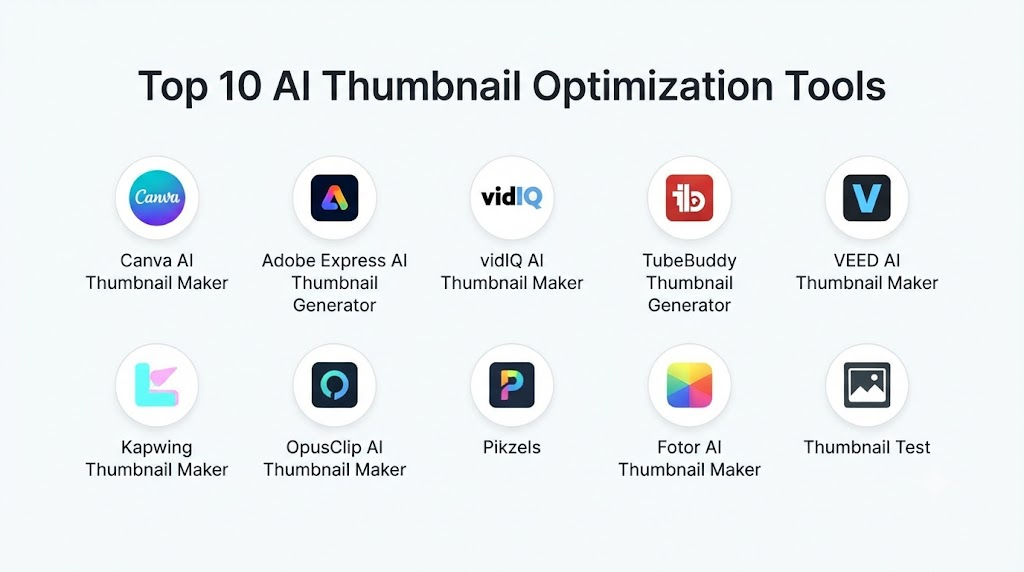
Top 10 AI Thumbnail Optimization Tools
1. Canva AI Thumbnail Maker
Canva AI Thumbnail Maker combines generative design, templates, background removal, image editing, text tools, and brand management in a beginner-friendly platform. Users can create thumbnails through prompts, customize existing templates, or combine uploaded photos with AI-generated elements. Canva provides dedicated AI thumbnail creation alongside its broader Magic Studio design environment. (Canva)
Key Features
- Prompt-based thumbnail generation
- Customizable templates
- Background removal
- AI image generation
- Magic Edit
- Text effects
- Brand kits
- Team collaboration
- Automatic resizing
- Cloud asset library
Pros
- Very easy to use
- Strong template collection
- Suitable for individuals and teams
- Excellent brand management
- Supports multiple content formats
- Useful free entry option
Cons
- Limited channel-performance analytics
- Advanced design control is less precise than professional desktop software
- Some AI tools and assets require paid plans
- Generated designs can appear template-driven without customization
Platforms
Web, Windows, macOS, iOS, and Android.
Deployment or Support
Cloud-based SaaS.
Security & Compliance
Enterprise governance and administrative capabilities vary by plan.
Integrations & Ecosystem
Cloud storage, social platforms, content publishing tools, productivity applications, and brand asset workflows.
Support & Community
Help center, tutorials, templates, creator community, and business support.
2. Adobe Express AI Thumbnail Generator
Adobe Express provides an AI-powered thumbnail generator, templates, background removal, generative imagery, text effects, brand tools, and quick resizing. Its thumbnail generator is powered by Adobe’s creative AI ecosystem and is designed for videos, reels, and other digital content. (Adobe)
Key Features
- AI thumbnail generation
- Adobe Firefly integration
- YouTube thumbnail templates
- Background removal
- Generative image creation
- Text effects
- Brand kits
- Quick resizing
- Stock assets
- Creative Cloud integration
Pros
- Strong visual quality
- Beginner-friendly workflow
- Good brand consistency tools
- Extensive stock and template library
- Integrates with Adobe applications
Cons
- Advanced editing may require Photoshop
- Some premium assets require paid access
- Limited native channel analytics
- Best value is within the Adobe ecosystem
Platforms
Web, desktop, iOS, and Android.
Deployment or Support
Cloud-based creative platform.
Security & Compliance
Enterprise controls vary according to the selected Adobe offering.
Integrations & Ecosystem
Photoshop, Lightroom, Creative Cloud libraries, cloud storage, marketing tools, and publishing workflows.
Support & Community
Extensive Adobe documentation, tutorials, forums, and enterprise support.
3. vidIQ AI Thumbnail Maker
vidIQ AI Thumbnail Maker is designed specifically for YouTube creators. Users can upload a video, provide a URL, or describe an idea, after which the platform generates multiple thumbnail concepts. Designs can be refined through editing instructions and exported in a YouTube-ready format. (vidIQ)
Key Features
- Video-aware thumbnail generation
- URL-based generation
- Prompt-based concepts
- Multiple design variations
- Conversational editing
- YouTube-ready export
- Channel analytics
- Keyword research
- Video idea generation
- Creator optimization tools
Pros
- Built specifically for YouTube
- Combines thumbnails with channel strategy
- Generates multiple concepts
- Useful for creators without design skills
- Strong creator education ecosystem
Cons
- Primarily focused on YouTube
- Advanced features vary by subscription
- Less detailed manual editing than dedicated design platforms
- AI concepts still require accuracy review
Platforms
Web and supported browser workflows.
Deployment or Support
Cloud-based creator platform.
Security & Compliance
Not publicly stated for every plan.
Integrations & Ecosystem
YouTube channel analytics, keyword research, title generation, content ideas, and creator workflows.
Support & Community
Creator education, help resources, tutorials, and community content.
4. TubeBuddy Thumbnail Generator
TubeBuddy provides a thumbnail generator, preview tools, reusable templates, and video A/B testing features. Users can create thumbnails from video frames, uploaded images, or custom backgrounds, then add text, shapes, images, and other visual elements. Its testing tools help creators compare alternatives using channel performance data. (TubeBuddy)
Key Features
- Video-frame selection
- Text and image overlays
- Reusable templates
- Thumbnail previewing
- Thumbnail comparison
- Video A/B testing
- Channel management tools
- Keyword research
- Metadata optimization
- Workflow integration
Pros
- Strong YouTube integration
- Useful thumbnail testing capabilities
- Supports consistent channel branding
- Combines design and performance optimization
- Suitable for data-driven creators
Cons
- Generator is less advanced than dedicated generative design tools
- Some testing features require paid plans
- Primarily useful for YouTube
- Template design capabilities are relatively basic
Platforms
Web and browser extension.
Deployment or Support
Cloud-connected browser-based platform.
Security & Compliance
Not publicly stated for all plans.
Integrations & Ecosystem
YouTube, channel management, keyword tools, metadata optimization, and creator analytics.
Support & Community
Help center, creator education, blog resources, and community support.
5. VEED AI Thumbnail Maker
VEED combines prompt-based thumbnail generation, templates, AI editing, image generation, and video production within one browser platform. Users can generate visuals from a description, select templates, request changes through text, and move assets directly into a video workflow. (VEED)
Key Features
- Prompt-based generation
- AI thumbnail templates
- Conversational editing
- Background creation
- Image generation
- Text editing
- Brand elements
- Video editing
- Caption creation
- Browser-based export
Pros
- Thumbnails and videos in one platform
- Beginner-friendly
- No desktop installation required
- Useful for social media teams
- Fast creative workflow
Cons
- Less precise than professional image editors
- Some exports may contain watermarks on free plans
- Limited native thumbnail performance testing
- Browser performance depends on connection and hardware
Platforms
Web.
Deployment or Support
Cloud-based SaaS.
Security & Compliance
Enterprise capabilities vary by plan.
Integrations & Ecosystem
Video editing, captions, screen recording, brand tools, cloud storage, and social content workflows.
Support & Community
Online help resources, templates, tutorials, and customer support.
6. Kapwing Thumbnail Maker
Kapwing provides a browser-based thumbnail creator with generative AI, one-click editing, background removal, collaborative design, and a large template library. It supports YouTube thumbnails, podcast covers, social media previews, and other digital graphics. (kapwing.com)
Key Features
- AI image generation
- Thumbnail templates
- Background removal
- Layer-based editing
- Text tools
- Collaborative editing
- Brand assets
- Automatic resizing
- Video integration
- Cloud projects
Pros
- Easy team collaboration
- Large template selection
- Combines image and video editing
- Accessible through a browser
- Useful for social content production
Cons
- Advanced exports may require paid access
- Limited YouTube-specific analytics
- Browser editing may slow with complex projects
- AI output requires manual review
Platforms
Web.
Deployment or Support
Cloud-based collaborative platform.
Security & Compliance
Enterprise and administrative capabilities vary by plan.
Integrations & Ecosystem
Video editing, subtitles, social media formats, cloud storage, and team workspaces.
Support & Community
Tutorials, templates, support documentation, and creator resources.
7. OpusClip AI Thumbnail Maker
OpusClip provides AI-powered thumbnail creation alongside automated video clipping and short-form content repurposing. Its thumbnail tool is designed to generate visually compelling concepts quickly for creators who already use the platform to convert long videos into shorter content. (clip.opus.pro)
Key Features
- AI thumbnail generation
- Video content repurposing
- Short-form clip creation
- Automated captions
- Social media formatting
- Multiple content variations
- Video analysis
- Creator workflows
- Cloud processing
- Quick export
Pros
- Strong video-to-social workflow
- Useful for high-volume creators
- Reduces manual content repurposing
- Combines clips and thumbnails
- Fast browser-based operation
Cons
- Less detailed editing than design-focused tools
- Best value depends on using its video repurposing features
- Limited professional design control
- Performance analytics may require external platform data
Platforms
Web.
Deployment or Support
Cloud-based SaaS.
Security & Compliance
Not publicly stated for all plans.
Integrations & Ecosystem
Video repurposing, captioning, short-form content, social publishing, and creator workflows.
Support & Community
Help documentation, creator resources, and customer support.
8. Pikzels
Pikzels is a specialized AI thumbnail platform designed for creators who want rapid thumbnail generation from video ideas, titles, prompts, or reference concepts. Its narrow focus makes it useful for users who prefer automated thumbnail workflows over general-purpose graphic design.
Key Features
- AI thumbnail generation
- Prompt-based design
- Thumbnail variations
- Creator-oriented visual styles
- Reference-image workflows
- Text and layout customization
- Fast generation
- YouTube-focused formats
- Design history
- Export tools
Pros
- Specialized for thumbnails
- Fast concept generation
- Useful for creators without design experience
- Produces multiple alternatives
- Reduces repetitive design work
Cons
- Smaller ecosystem than Canva or Adobe
- Limited broader content-design capabilities
- Public security information is limited
- AI-generated faces and text require review
Platforms
Web.
Deployment or Support
Cloud-based SaaS.
Security & Compliance
Not publicly stated.
Integrations & Ecosystem
Creator workflows, image uploads, reference designs, and thumbnail exports.
Support & Community
Online support and creator resources.
9. Fotor AI Thumbnail Maker
Fotor combines AI image generation, templates, background removal, object removal, photo enhancement, portrait retouching, and design tools. It is suitable for users who need thumbnails as part of a broader lightweight photo and social-media editing workflow.
Key Features
- AI image generation
- Thumbnail templates
- Background removal
- Object cleanup
- Photo enhancement
- Portrait retouching
- Text tools
- Design effects
- Batch editing
- Mobile support
Pros
- Beginner-friendly
- Strong photo enhancement tools
- Useful for portraits and social media
- Supports multiple devices
- Provides quick design workflows
Cons
- Limited creator analytics
- Less advanced collaboration than Canva
- Professional typography controls are limited
- Advanced tools may require paid credits or plans
Platforms
Web, Windows, macOS, iOS, and Android.
Deployment or Support
Cloud and desktop applications.
Security & Compliance
Not publicly stated.
Integrations & Ecosystem
Photo editing, mobile content, cloud storage, social design, and image generation.
Support & Community
Help center, tutorials, templates, and customer support.
10. Thumbnail Test
Thumbnail Test focuses on evaluating thumbnail performance rather than only generating designs. It helps creators compare thumbnail alternatives and use audience response to determine which visual performs best.
Key Features
- Thumbnail experimentation
- Variant comparison
- Performance measurement
- Click-through analysis
- Testing workflows
- YouTube optimization
- Historical results
- Creative decision support
- Thumbnail rotation
- Reporting dashboards
Pros
- Data-driven thumbnail selection
- Reduces subjective design decisions
- Useful for established channels
- Supports continuous optimization
- Complements design and AI-generation tools
Cons
- Not a complete graphic design platform
- Requires sufficient traffic for useful results
- Results may vary by audience and video topic
- Testing needs careful interpretation
Platforms
Web.
Deployment or Support
Cloud-based optimization platform.
Security & Compliance
Not publicly stated.
Integrations & Ecosystem
YouTube workflows, thumbnail variants, performance analytics, and creator reporting.
Support & Community
Online documentation and creator support.
Comparison Table
| Tool Name | Best For | Platform(s) Supported | Deployment | Standout Feature | Public Rating |
|---|---|---|---|---|---|
| Canva AI Thumbnail Maker | Beginners and marketing teams | Web, desktop, mobile | Cloud | Templates and brand kits | N/A |
| Adobe Express AI Thumbnail Generator | Adobe creative workflows | Web, desktop, mobile | Cloud | Firefly-powered generation | N/A |
| vidIQ AI Thumbnail Maker | YouTube growth workflows | Web | Cloud | Video-aware generation | N/A |
| TubeBuddy Thumbnail Generator | Thumbnail testing | Web, browser extension | Cloud | YouTube A/B testing | N/A |
| VEED AI Thumbnail Maker | Integrated video production | Web | Cloud | Conversational thumbnail editing | N/A |
| Kapwing Thumbnail Maker | Collaborative content teams | Web | Cloud | Shared image and video workspace | N/A |
| OpusClip AI Thumbnail Maker | Video repurposing | Web | Cloud | Clips and thumbnails together | N/A |
| Pikzels | Rapid AI thumbnail generation | Web | Cloud | Creator-specific thumbnail concepts | N/A |
| Fotor AI Thumbnail Maker | Photo-based thumbnails | Web, desktop, mobile | Cloud and desktop | AI photo enhancement | N/A |
| Thumbnail Test | Performance optimization | Web | Cloud | Thumbnail experiment analytics | N/A |
Weighted Evaluation
The following scores are editorial estimates intended for general comparison. Actual suitability depends on channel size, workflow, design experience, and testing requirements.
| Tool Name | Core Features 25% | Ease of Use 15% | Integrations & Ecosystem 15% | Security & Compliance 10% | Performance & Reliability 10% | Support & Community 10% | Price/Value 15% | Total |
|---|---|---|---|---|---|---|---|---|
| Canva AI Thumbnail Maker | 23 | 15 | 15 | 9 | 9 | 10 | 14 | 95 |
| Adobe Express AI Thumbnail Generator | 23 | 14 | 15 | 9 | 9 | 10 | 13 | 93 |
| vidIQ AI Thumbnail Maker | 22 | 14 | 14 | 7 | 9 | 9 | 13 | 88 |
| TubeBuddy Thumbnail Generator | 21 | 13 | 14 | 7 | 9 | 9 | 13 | 86 |
| VEED AI Thumbnail Maker | 21 | 14 | 13 | 8 | 9 | 8 | 13 | 86 |
| Kapwing Thumbnail Maker | 21 | 14 | 13 | 8 | 9 | 8 | 13 | 86 |
| OpusClip AI Thumbnail Maker | 20 | 14 | 12 | 7 | 9 | 8 | 13 | 83 |
| Pikzels | 21 | 14 | 9 | 6 | 8 | 7 | 12 | 77 |
| Fotor AI Thumbnail Maker | 19 | 14 | 10 | 6 | 8 | 8 | 13 | 78 |
| Thumbnail Test | 20 | 12 | 12 | 7 | 9 | 8 | 12 | 80 |
Which AI Thumbnail Optimization Tool Is Right for You?
Choose Canva AI Thumbnail Maker when you need fast designs, extensive templates, team collaboration, and consistent branding.
Choose Adobe Express AI Thumbnail Generator when you already work within Creative Cloud or want Firefly-powered generation with accessible editing tools.
Choose vidIQ AI Thumbnail Maker when you want thumbnail generation alongside keyword research, content ideas, titles, and YouTube channel analytics.
Choose TubeBuddy Thumbnail Generator when testing and performance optimization are more important than advanced generative design.
Choose VEED AI Thumbnail Maker when thumbnails are part of a browser-based video production workflow.
Choose Kapwing Thumbnail Maker when multiple team members need to create, review, and edit thumbnails and videos together.
Choose OpusClip AI Thumbnail Maker when you frequently repurpose long videos into social clips and want matching creative assets.
Choose Pikzels when you want a dedicated AI thumbnail generator without the complexity of a full design suite.
Choose Fotor AI Thumbnail Maker when your thumbnails depend heavily on photo enhancement, portrait editing, or image cleanup.
Choose Thumbnail Test when your main priority is measuring which thumbnail performs better with actual viewers.
FAQs
1. What are AI Thumbnail Optimization Tools?
They are platforms that use AI to generate, edit, test, preview, or improve thumbnails for videos and other digital content.
2. Can AI generate an entire YouTube thumbnail?
Yes. Many tools can create backgrounds, subjects, text layouts, and complete designs from a video, script, URL, title, or text prompt.
3. Which tool is best for beginners?
Canva, Adobe Express, VEED, Kapwing, and Fotor provide accessible editing interfaces that require little design experience.
4. Which tool is best for YouTube analytics?
vidIQ and TubeBuddy combine thumbnail workflows with channel analytics, keyword research, optimization tools, or testing features.
5. Can AI predict which thumbnail will perform best?
AI can estimate visual effectiveness, but actual performance depends on the audience, video topic, title, competition, and recommendation context. Real audience testing is more reliable.
6. Should the thumbnail repeat the video title?
Usually, it is better for the title and thumbnail to complement each other. Repeating the same long message wastes limited visual space.
7. How much text should a thumbnail contain?
Use only enough text to communicate the central idea. Short, bold wording is generally easier to understand on mobile screens.
8. Can thumbnails be A/B tested?
Yes. YouTube and creator optimization platforms can test thumbnail or title-and-thumbnail variations, subject to channel eligibility and platform limitations. (The Verge)
9. Are AI-generated thumbnails safe for commercial use?
Commercial usage depends on the platform’s licensing terms, source assets, uploaded images, and generated content policies. Users should review these conditions before publication.
10. What is the biggest risk of AI-generated thumbnails?
AI can create inaccurate text, unnatural faces, misleading visual claims, or generic compositions. Every thumbnail should be reviewed and customized before uploading.
Conclusion
AI Thumbnail Optimization Tools help creators move from slow manual design toward faster generation, editing, previewing, and performance testing. They can create multiple concepts, remove backgrounds, enhance subjects, apply branding, and support systematic creative experimentation.Canva and Adobe Express are strong options for accessible design and brand consistency. vidIQ and TubeBuddy are better suited to creators who want YouTube-specific optimization. VEED, Kapwing, and OpusClip combine thumbnails with video production, while Pikzels focuses on specialized AI generation. Fotor supports photo-centered designs, and Thumbnail Test provides performance-focused experimentation.
