Introduction
AR Education Apps are software applications that leverage augmented reality (AR) to enhance learning experiences. These apps overlay digital information—such as 3D models, animations, and interactive simulations—onto the real world, making abstract concepts tangible and engaging. By combining visual, auditory, and kinesthetic learning, AR apps help learners retain information more effectively while encouraging interactive exploration.
In, AR education is rapidly gaining traction across K-12 schools, universities, vocational training, and corporate learning programs. With advances in AR glasses, mobile devices, and cloud-based content delivery, educators can now deliver immersive experiences at scale. The shift towards hybrid and remote learning further accelerates adoption, making AR a critical tool in modern learning strategies.
Real-world use cases include:
- STEM education: Visualizing complex physics, chemistry, and biology concepts in 3D.
- Vocational training: Simulating hands-on tasks in healthcare, engineering, or manufacturing.
- Language learning: Overlaying vocabulary and contextual information in immersive scenarios.
- History and culture: Bringing historical artifacts, cultural landmarks, and events to life.
- Corporate onboarding: Training employees with interactive procedures and safety protocols.
What buyers should evaluate:
- Content quality and interactivity levels
- Device compatibility (AR glasses, mobile, tablets)
- Curriculum alignment and educational standards
- Ease of deployment and administration
- Integration with Learning Management Systems (LMS)
- AI-driven personalization and adaptive learning
- Security and data privacy features
- Scalability for large classrooms or enterprise use
- Analytics and reporting capabilities
- Support for offline or low-connectivity scenarios
Best for: Educators, corporate trainers, e-learning specialists, school districts, universities, and edtech startups seeking to create interactive, hands-on learning experiences.
Not ideal for: Organizations with minimal access to AR-capable devices or learners who prefer traditional text-based instruction.
Key Trends in AR Education Apps
- AI-powered adaptive learning personalizing content to student needs.
- Cross-platform AR experiences accessible on mobile, tablet, and AR glasses.
- Gamification and immersive engagement to increase learner retention.
- Integration with LMS and classroom management systems for streamlined reporting.
- Cloud-based content delivery enabling real-time updates and collaborative learning.
- Enhanced AR hardware adoption including lightweight glasses and headset-free AR.
- Interactive 3D simulations for STEM, vocational, and corporate training.
- Data analytics and performance tracking for learners and instructors.
- Compliance with educational data privacy standards (FERPA, GDPR).
- Offline AR support for remote or low-bandwidth environments.
How We Selected These Tools (Methodology)
- Evaluated market adoption and educator adoption trends.
- Assessed richness of interactive AR content and engagement features.
- Measured platform reliability and cross-device performance.
- Reviewed security and data privacy features for educational contexts.
- Analyzed integrations with LMS, curriculum standards, and third-party tools.
- Considered scalability and suitability for schools, universities, and corporate environments.
- Examined ease of content creation, onboarding, and instructor support.
- Weighted innovation and AI-driven personalization in the evaluation.
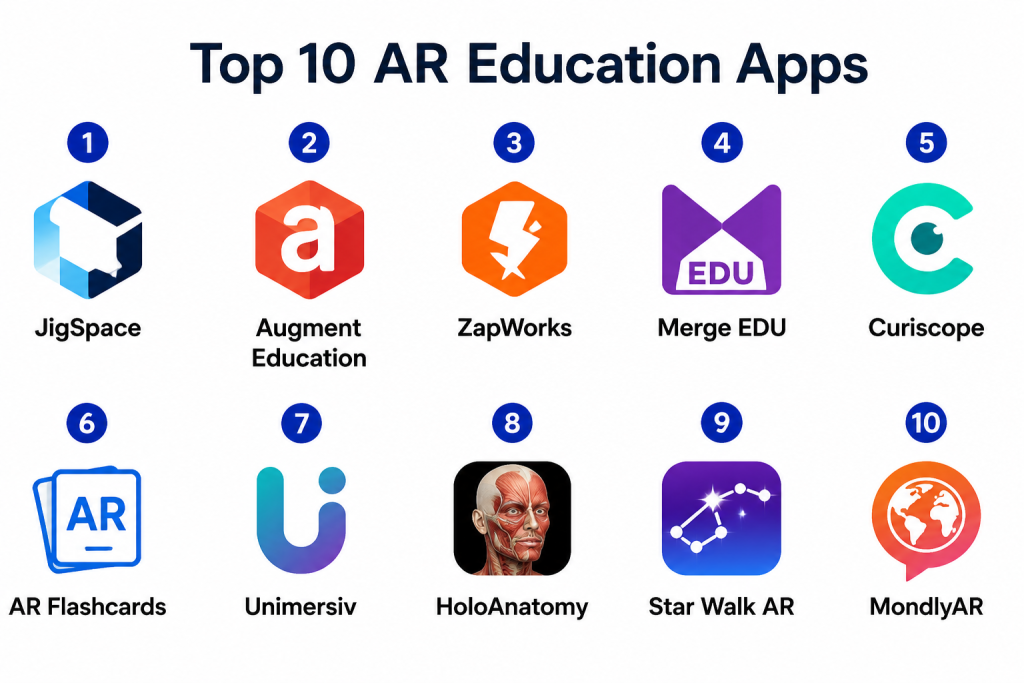
Top 10 AR Education Apps
1- JigSpace
Short description: JigSpace allows learners to explore 3D models and interactive AR experiences covering science, history, and engineering topics. Ideal for K-12 and STEM education.
Key Features
- Interactive 3D models with step-by-step exploration
- Prebuilt curriculum-aligned lessons
- Real-time AR overlays using mobile devices
- Annotation and highlighting tools
- Offline mode for classroom use
Pros
- Highly engaging and intuitive interface
- Supports multiple learning disciplines
Cons
- Limited depth for higher education STEM topics
- Some models require in-app purchases
Platforms / Deployment
- iOS / Android / Cloud
Security & Compliance
- Not publicly stated
Integrations & Ecosystem
Works with popular LMS platforms and classroom tools.
- Apple Classroom
- Google Classroom
- LMS APIs
- Collaboration tools
Support & Community
- Documentation, tutorials, and responsive support team
2- Augment Education
Short description: Augment Education enables educators to deploy AR visualizations for subjects like chemistry, biology, and geography. Students can interact with models in 3D within the classroom or remotely.
Key Features
- AR visualization of complex concepts
- Real-time collaborative sessions
- Custom 3D model upload
- Gamified quizzes and activities
- Cross-device compatibility
Pros
- Supports educator-generated content
- Engages learners with interactive challenges
Cons
- Requires device with AR capabilities
- May need network connectivity for full functionality
Platforms / Deployment
- Web / iOS / Android / Cloud
Security & Compliance
- Not publicly stated
Integrations & Ecosystem
- LMS integration
- Teacher dashboards
- Analytics reporting
- API for custom content
Support & Community
- Tutorials, knowledge base, and active customer support
3- ZapWorks
Short description: ZapWorks is an AR creation platform for educators and institutions to design interactive experiences without extensive coding knowledge. Focused on creating immersive educational content.
Key Features
- Drag-and-drop AR content builder
- Interactive 3D and 2D elements
- Real-time preview and testing
- Multi-platform publishing
- Analytics and learner tracking
Pros
- Minimal coding required
- Customizable and versatile for any subject
Cons
- Advanced features may require premium plan
- Steeper learning curve for large-scale content creation
Platforms / Deployment
- Web / iOS / Android / Cloud
Security & Compliance
- Not publicly stated
Integrations & Ecosystem
- LMS integration
- Export to AR-enabled devices
- Collaboration tools
Support & Community
- Documentation, webinars, and active forum
4- Merge EDU
Short description: Merge EDU offers a hands-on AR experience for K-12 education, including science experiments, anatomy models, and interactive lessons.
Key Features
- Interactive 3D science models
- Classroom-ready AR activities
- Remote AR sessions
- Quizzes and assessments
- Multi-device support
Pros
- Extremely engaging for younger learners
- Curriculum-aligned content
Cons
- Less suited for higher education
- Subscription-based content access
Platforms / Deployment
- iOS / Android / Cloud
Security & Compliance
- Not publicly stated
Integrations & Ecosystem
- LMS integration
- Teacher dashboards
- Analytics tools
Support & Community
- Support portal and tutorials available
5- Curiscope
Short description: Curiscope focuses on anatomy and science education using AR and VR, making abstract concepts like human anatomy tangible and interactive.
Key Features
- AR human anatomy models
- Interactive labeling and exploration
- VR experiences for deeper immersion
- Lesson plans and activities
- Mobile and tablet AR support
Pros
- Highly specialized for science and anatomy
- Engaging multi-sensory learning
Cons
- Narrow subject focus
- May require additional hardware for VR
Platforms / Deployment
- iOS / Android / Cloud
Security & Compliance
- Not publicly stated
Integrations & Ecosystem
- LMS integration
- Collaboration tools
- Analytics dashboard
Support & Community
- Documentation and dedicated support
6- AR Flashcards
Short description: AR Flashcards enhances language and literacy learning by overlaying interactive AR animations on physical or digital flashcards.
Key Features
- Language-specific AR content
- Interactive animations for vocabulary
- Custom flashcard creation
- Gamified learning modes
- Offline mode available
Pros
- Simple and intuitive
- Encourages active learning
Cons
- Limited subject coverage
- Best suited for younger learners
Platforms / Deployment
- iOS / Android / Cloud
Security & Compliance
- Not publicly stated
Integrations & Ecosystem
- LMS integration
- Teacher dashboards
- API for custom content
Support & Community
- Knowledge base and support chat
7- Unimersiv
Short description: Unimersiv delivers AR-based educational experiences focused on history, science, and culture, providing immersive explorations for learners.
Key Features
- 3D historical and scientific models
- Interactive storytelling
- Cross-platform access
- Teacher guides and lesson plans
- Collaborative AR experiences
Pros
- Highly immersive content
- Engaging for multiple age groups
Cons
- Limited interactivity for advanced subjects
- Content library smaller than some competitors
Platforms / Deployment
- iOS / Android / Cloud
Security & Compliance
- Not publicly stated
Integrations & Ecosystem
- LMS and classroom software
- Analytics dashboards
- Collaboration features
Support & Community
- Tutorials and active community
8- HoloAnatomy
Short description: HoloAnatomy provides AR anatomy education via 3D holograms, enabling medical students to explore human anatomy interactively.
Key Features
- 3D AR holograms of anatomy
- Multi-layer exploration
- Interactive labeling and notes
- Collaborative classroom features
- VR/AR device support
Pros
- Specialized for medical education
- High-quality visualizations
Cons
- Hardware-dependent
- Subscription may be expensive
Platforms / Deployment
- iOS / Windows / Cloud
Security & Compliance
- Not publicly stated
Integrations & Ecosystem
- LMS integration
- VR/AR devices
- Analytics
Support & Community
- Professional support and tutorials
9- Star Walk AR
Short description: Star Walk AR enables astronomy education, letting students explore stars, planets, and constellations with real-time AR overlays.
Key Features
- Real-time star map
- AR planetarium experiences
- Night sky tracking
- Interactive info on celestial objects
- Multi-device support
Pros
- Engaging astronomy learning
- Real-time AR experience
Cons
- Narrow subject focus
- Requires location and device sensors
Platforms / Deployment
- iOS / Android / Cloud
Security & Compliance
- Not publicly stated
Integrations & Ecosystem
- LMS integration
- Educational modules
- Teacher dashboards
Support & Community
- Documentation and tutorials
10- MondlyAR
Short description: MondlyAR enhances language learning with AR conversations, interactive scenarios, and immersive vocabulary practice.
Key Features
- AR-based conversational practice
- Vocabulary and grammar games
- Interactive scenarios with avatars
- Speech recognition feedback
- Multi-language support
Pros
- Highly engaging language learning
- Supports multiple languages
Cons
- Less suitable for non-language subjects
- Some content behind paywall
Platforms / Deployment
- iOS / Android / Cloud
Security & Compliance
- Not publicly stated
Integrations & Ecosystem
- LMS integration
- Analytics dashboards
- API for content updates
Support & Community
- Knowledge base and community support
Comparison Table (Top 10)
| Tool Name | Best For | Platform(s) Supported | Deployment | Standout Feature | Public Rating |
|---|---|---|---|---|---|
| JigSpace | K-12 STEM | iOS, Android | Cloud | Interactive 3D models | N/A |
| Augment Education | Classroom learning | Web, iOS, Android | Cloud | Real-time collaborative AR | N/A |
| ZapWorks | Educators & content creators | Web, iOS, Android | Cloud | Drag-and-drop AR builder | N/A |
| Merge EDU | K-12 education | iOS, Android | Cloud | Hands-on science AR | N/A |
| Curiscope | Anatomy & science | iOS, Android | Cloud | AR/VR science experiences | N/A |
| AR Flashcards | Language & literacy | iOS, Android | Cloud | Interactive AR flashcards | N/A |
| Unimersiv | History & culture | iOS, Android | Cloud | 3D immersive experiences | N/A |
| HoloAnatomy | Medical students | iOS, Windows | Cloud | 3D holographic anatomy | N/A |
| Star Walk AR | Astronomy education | iOS, Android | Cloud | Real-time celestial AR | N/A |
| MondlyAR | Language learners | iOS, Android | Cloud | AR-based conversational practice | N/A |
Evaluation & Scoring of AR Education Apps
| Tool Name | Core (25%) | Ease (15%) | Integrations (15%) | Security (10%) | Performance (10%) | Support (10%) | Value (15%) | Weighted Total (0–10) |
|---|---|---|---|---|---|---|---|---|
| JigSpace | 9 | 8 | 7 | 7 | 9 | 8 | 8 | 8.2 |
| Augment Education | 8 | 8 | 8 | 7 | 8 | 8 | 7 | 7.9 |
| ZapWorks | 8 | 7 | 7 | 7 | 8 | 7 | 7 | 7.6 |
| Merge EDU | 8 | 8 | 7 | 7 | 8 | 7 | 7 | 7.7 |
| Curiscope | 8 | 7 | 6 | 7 | 8 | 7 | 7 | 7.4 |
| AR Flashcards | 7 | 8 | 7 | 7 | 7 | 7 | 7 | 7.3 |
| Unimersiv | 7 | 7 | 7 | 7 | 7 | 7 | 7 | 7.0 |
| HoloAnatomy | 8 | 7 | 6 | 7 | 8 | 7 | 7 | 7.4 |
| Star Walk AR | 7 | 8 | 6 | 7 | 7 | 7 | 7 | 7.1 |
| MondlyAR | 8 | 8 | 7 | 7 | 8 | 7 | 7 | 7.6 |
Interpretation: Weighted totals provide comparative insights on overall functionality, usability, integration, and value. Higher scores indicate better suitability for immersive, engaging, and scalable AR learning experiences.
Which AR Education App Is Right for You?
Solo / Freelancer
- AR Flashcards or Star Walk AR for individual or small-scale learning projects.
- Lightweight, cost-effective, and mobile-friendly.
SMB
- Merge EDU or Augment Education for classrooms or small training programs.
- Cloud deployment simplifies administration.
Mid-Market
- JigSpace or ZapWorks for scalable interactive learning.
- Integration with LMS and analytics crucial.
Enterprise
- Curiscope or HoloAnatomy for specialized training (medical, STEM).
- Full AR/VR integration and collaborative features recommended.
Budget vs Premium
- Open-access apps like Star Walk AR or AR Flashcards are cost-effective.
- Premium tools like Curiscope or HoloAnatomy offer high-quality content and support but at higher cost.
Feature Depth vs Ease of Use
- Merge EDU and JigSpace for feature-rich and intuitive learning experiences.
- ZapWorks offers customization with moderate complexity.
Integrations & Scalability
- Select apps compatible with LMS, classroom management, and cross-device usage.
- Cloud-based AR apps scale better for multiple users.
Security & Compliance Needs
- For educational institutions, confirm FERPA/GDPR compliance where applicable.
- Most consumer-focused AR apps may require additional configuration for data privacy.
Frequently Asked Questions (FAQs)
1. How much do AR Education Apps cost?
Pricing varies from free apps with limited content to subscription-based premium platforms. Enterprise deployments may include licensing and support fees.
2. Do these apps require AR-specific devices?
Many work on smartphones and tablets; some advanced apps benefit from AR glasses or VR headsets.
3. Can AR apps integrate with LMS?
Yes, most enterprise-ready AR apps support LMS integration and student progress tracking.
4. How do AR apps enhance learning outcomes?
By providing interactive 3D visuals, gamified experiences, and hands-on exploration, AR apps increase engagement and retention.
5. Are these apps suitable for remote learning?
Yes, cloud-based AR apps allow students to interact with content from home or hybrid environments.
6. Do AR apps support multiple subjects?
Some apps are subject-specific (anatomy, astronomy), while platforms like JigSpace or Merge EDU cover STEM, history, and general education.
7. Is there offline functionality?
Several apps offer offline AR content, though full interactivity may require internet access.
8. How easy is content creation in AR apps?
Tools like ZapWorks offer drag-and-drop builders; others provide prebuilt lessons requiring minimal setup.
9. Are analytics available for educators?
Yes, most enterprise AR apps include dashboards for tracking engagement, completion, and learning outcomes.
10. What are common challenges when implementing AR in education?
Challenges include device compatibility, infrastructure requirements, training educators, and ensuring curriculum alignment.
Conclusion
AR Education Apps are transforming the learning experience by making education immersive, interactive, and visually engaging. The choice of app depends on age group, subject matter, deployment scale, and budget. Small teams can start with lightweight apps like AR Flashcards or Star Walk AR, while mid-market and enterprise users benefit from platforms like JigSpace, Merge EDU, and HoloAnatomy. Next steps include shortlisting 2–3 apps, piloting AR lessons, and validating device compatibility, content alignment, and analytics to ensure effective adoption.
