Introduction
B2B Customer Portals are secure digital platforms that enable businesses to interact efficiently with their customers, partners, and distributors. They provide a centralized interface for managing orders, invoices, support tickets, and personalized content, enhancing transparency and operational efficiency.
In , these portals are increasingly powered by AI-driven automation, predictive analytics, and real-time collaboration tools. Organizations now expect portals that not only streamline transactions but also provide actionable insights into customer behavior, support trends, and self-service adoption.
Real-world use cases include:
- Enterprises providing clients with real-time order tracking and invoice access.
- Manufacturers giving distributors access to pricing, inventory, and promotional materials.
- Service organizations enabling ticket submission, progress tracking, and knowledge resources.
- Financial institutions offering secure account and transaction management for corporate clients.
- Technology vendors delivering usage analytics, onboarding, and subscription management tools.
Evaluation criteria for buyers:
- User experience and interface customization
- Security and compliance features
- Integration with CRM, ERP, and billing systems
- Analytics and reporting capabilities
- Scalability for multiple business units
- Multi-language and multi-region support
- Self-service capabilities for customers
- Workflow automation and approval routing
- AI-driven insights and recommendations
- Total cost of ownership and ROI
Best for: Mid-to-large enterprises, account management teams, customer success managers, and organizations with multi-tiered client bases.
Not ideal for: Small businesses with limited client volume, organizations requiring only basic web forms, or companies without complex multi-department workflows.
Key Trends in B2B Customer Portals
- AI-assisted personalization and recommendations for clients.
- Enhanced self-service functionality, reducing support load.
- Real-time analytics dashboards for order, usage, and engagement metrics.
- Seamless integration with ERP, CRM, and financial systems.
- Multi-language and multi-region support for global operations.
- Cloud-native and hybrid deployments for scalability and flexibility.
- Advanced workflow automation for approvals, order processing, and service requests.
- Focus on security and compliance, including SSO, MFA, and data privacy regulations.
- Embedded collaboration tools for document sharing and messaging.
- Subscription-based and usage-based pricing models for predictable costs.
How We Selected These Tools (Methodology)
- Assessed market adoption and mindshare in B2B customer portal solutions.
- Evaluated feature completeness, including self-service, analytics, and workflow automation.
- Considered reliability and performance signals from client case studies and reviews.
- Reviewed security posture, including encryption, audit trails, and compliance certifications.
- Analyzed integration ecosystem with ERP, CRM, billing, and support tools.
- Reviewed customer fit across segments, from SMBs to large enterprises.
- Considered AI/automation capabilities for modern B2B operations.
- Prioritized platforms with practical ROI and scalability potential.
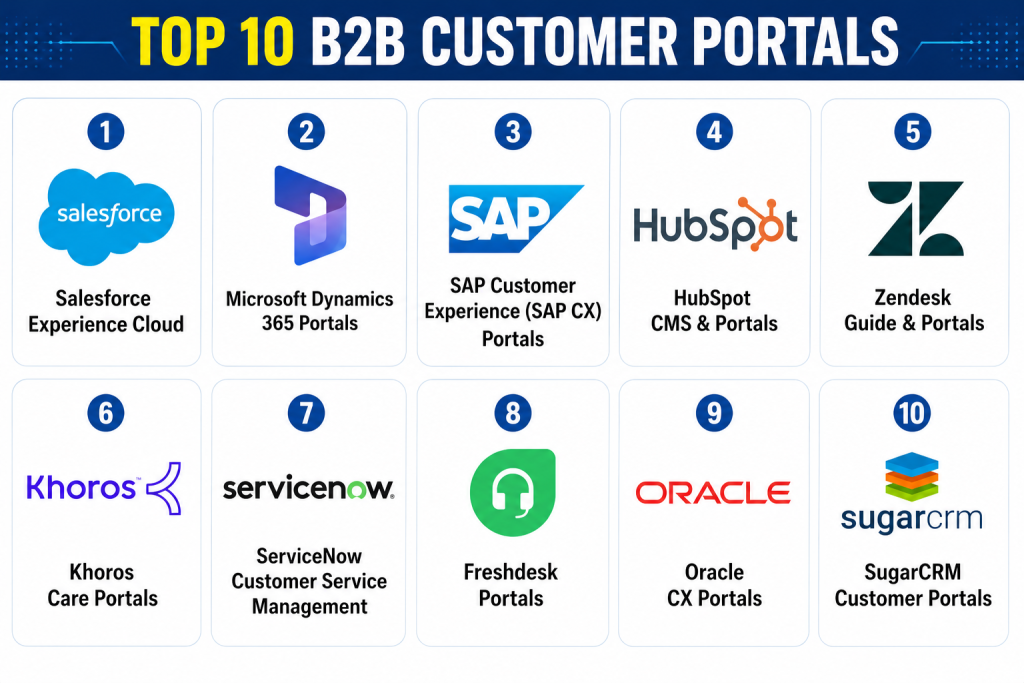
Top 10 B2B Customer Portals
1- Salesforce Experience Cloud
Short description: Salesforce Experience Cloud allows organizations to build branded portals for customers, partners, and employees. Ideal for enterprises seeking deep CRM integration and personalization.
Key Features
- Customizable portal layouts and branding
- Real-time customer data from Salesforce CRM
- Self-service knowledge bases
- AI-driven recommendations for upsells/cross-sells
- Workflow automation for approvals and tickets
- Multi-language support
Pros
- Seamless integration with Salesforce ecosystem
- Powerful analytics and reporting
- Highly scalable for large organizations
Cons
- Can be expensive for SMBs
- Customization may require Salesforce expertise
- Complexity for first-time users
Platforms / Deployment
- Web, Cloud
Security & Compliance
- SSO/SAML, MFA, encryption
- SOC 2, GDPR
Integrations & Ecosystem
Supports rich Salesforce integrations plus external systems:
- ERP connectors, API support
- CRM and marketing automation
- Analytics and BI tool integrations
Support & Community
- Extensive documentation and training
- Dedicated account managers
- Large community of users and developers
2- Microsoft Dynamics 365 Portals
Short description: Microsoft Dynamics 365 Portals provides secure, scalable portals for customers and partners. It integrates seamlessly with Dynamics 365 CRM modules, offering analytics and automation.
Key Features
- Personalized dashboards for customers
- Integration with Dynamics 365 CRM and ERP
- AI-assisted insights and recommendations
- Multi-channel support (chat, email, tickets)
- Workflow automation and approval routing
Pros
- Tight Microsoft ecosystem integration
- Strong security and compliance features
- Enterprise-grade scalability
Cons
- Best suited for Dynamics users
- Licensing can be complex
- Customization may require technical support
Platforms / Deployment
- Web, Cloud
Security & Compliance
- SSO/SAML, MFA, encryption
- SOC 2, GDPR, ISO 27001
Integrations & Ecosystem
- Dynamics 365 CRM and ERP
- Power BI for analytics
- API support for third-party apps
Support & Community
- Microsoft Learn documentation
- Onboarding and dedicated support tiers
- Active user community
3- SAP Customer Experience (SAP CX) Portals
Short description: SAP CX Portals allow enterprises to provide self-service portals integrated with SAP ERP and commerce systems. Suitable for global organizations with complex client hierarchies.
Key Features
- Personalized portal experiences
- Integration with SAP ERP and commerce modules
- Real-time analytics and reporting
- Multi-language and region support
- Workflow automation and ticket management
Pros
- Enterprise-grade capabilities
- Strong analytics integration
- Scalable for global clients
Cons
- Implementation can be complex
- Requires SAP ecosystem adoption
- Licensing can be costly
Platforms / Deployment
- Web, Cloud
Security & Compliance
- SSO, encryption, audit logs
- GDPR, Not publicly stated
Integrations & Ecosystem
- SAP ERP and commerce modules
- API support for custom extensions
- BI and analytics tools
Support & Community
- SAP documentation and training
- Vendor support tiers
- Customer forums
4- HubSpot CMS & Portals
Short description: HubSpot provides customer portals integrated with its CRM, marketing, and service hubs. Ideal for mid-market companies seeking streamlined onboarding and self-service.
Key Features
- CRM-integrated dashboards
- Ticketing and support workflows
- Knowledge base and self-service
- AI-based recommendations for customer engagement
- Marketing and sales integration
Pros
- Easy to implement and manage
- Strong self-service capabilities
- Seamless CRM integration
Cons
- Limited advanced customization
- May not scale for large enterprises
- Some features require premium plan
Platforms / Deployment
- Web, Cloud
Security & Compliance
- SSO, encryption
- GDPR
Integrations & Ecosystem
- HubSpot CRM and Marketing Hub
- Zapier for extended integrations
- API access for custom workflows
Support & Community
- Knowledge base and onboarding
- Vendor support tiers
- Active community forums
5- Zendesk Guide & Portals
Short description: Zendesk provides portals focused on support and ticketing with self-service knowledge bases, suitable for service-centric B2B organizations.
Key Features
- Ticket submission and tracking
- Knowledge base and FAQs
- Multi-channel support integration
- Workflow automation
- Customer satisfaction tracking
Pros
- Strong support-focused features
- Scales with growing service teams
- Easy knowledge management
Cons
- Limited e-commerce or ERP integrations
- Less suitable for complex workflows
- Customization requires coding
Platforms / Deployment
- Web, Cloud
Security & Compliance
- SSO, encryption
- SOC 2, GDPR
Integrations & Ecosystem
- CRM and helpdesk integrations
- API for custom workflows
- BI tool connectors
Support & Community
- Vendor documentation and onboarding
- Multi-tier support
- Community forums
6- Khoros Care Portals
Short description: Khoros provides community and customer engagement portals, emphasizing digital self-service and AI-driven support for mid-to-large enterprises.
Key Features
- Community-driven self-service
- AI chatbots and recommendations
- Ticket tracking and escalation workflows
- Analytics for engagement and satisfaction
- Multi-language support
Pros
- Engaging community features
- Reduces support load
- AI-powered insights
Cons
- Primarily support-focused
- Less ERP/financial integration
- May require dedicated admin team
Platforms / Deployment
- Web, Cloud
Security & Compliance
- SSO, encryption
- GDPR
Integrations & Ecosystem
- CRM and service platforms
- API access
- BI reporting connectors
Support & Community
- Vendor-led onboarding
- Knowledge base resources
- Active community support
7- ServiceNow Customer Service Management
Short description: ServiceNow portals focus on enterprise-scale self-service and case management, integrating workflows with IT and operations teams.
Key Features
- Case and ticket management
- Knowledge base integration
- AI-driven routing and recommendations
- Workflow automation across departments
- Reporting dashboards
Pros
- Enterprise-grade automation
- Scales across departments
- Strong analytics capabilities
Cons
- Implementation complexity
- Licensing can be expensive
- Requires ServiceNow ecosystem
Platforms / Deployment
- Web, Cloud
Security & Compliance
- SSO, encryption, audit logs
- SOC 2, GDPR
Integrations & Ecosystem
- ITSM, CRM, ERP integration
- API for custom workflows
- BI and reporting tools
Support & Community
- Vendor support tiers
- Extensive documentation
- Active user community
8- Freshdesk Portals
Short description: Freshdesk offers customer portals with ticketing, knowledge bases, and automation, ideal for SMBs and mid-market companies.
Key Features
- Ticket submission and tracking
- Knowledge base access
- Automated workflows and notifications
- Multi-channel support
- Analytics dashboards
Pros
- Easy onboarding
- Affordable for SMBs
- Good self-service features
Cons
- Limited enterprise-scale features
- Fewer ERP integrations
- Customization may be basic
Platforms / Deployment
- Web, Cloud
Security & Compliance
- SSO, encryption
- GDPR
Integrations & Ecosystem
- CRM and chat integrations
- API for custom workflows
- BI tool exports
Support & Community
- Vendor documentation
- Support tiers
- Community forums
9- Oracle CX Portals
Short description: Oracle CX Portals offer enterprise-grade self-service, analytics, and workflow automation integrated with Oracle CX Suite.
Key Features
- Personalized dashboards
- Workflow automation
- Multi-channel support
- Analytics and reporting
- Multi-region and language support
Pros
- Strong enterprise integration
- Scalable globally
- AI-driven recommendations
Cons
- Complex implementation
- Requires Oracle ecosystem
- Licensing cost
Platforms / Deployment
- Web, Cloud
Security & Compliance
- SSO/SAML, encryption
- SOC 2, GDPR
Integrations & Ecosystem
- Oracle ERP and CRM
- API for custom apps
- BI and analytics integration
Support & Community
- Documentation and onboarding
- Vendor support tiers
- Enterprise community
10- SugarCRM Customer Portals
Short description: SugarCRM portals provide secure customer access for data, tickets, and self-service, suitable for mid-market and enterprise clients.
Key Features
- Case management and ticket tracking
- Knowledge base access
- Customizable dashboards
- Analytics and reporting
- Multi-language support
Pros
- CRM-integrated portals
- Flexible configuration
- Scales for mid-market and enterprise
Cons
- Less advanced AI insights
- Smaller community than Salesforce
- Customization may need technical support
Platforms / Deployment
- Web, Cloud
Security & Compliance
- SSO, encryption
- GDPR
Integrations & Ecosystem
- SugarCRM modules
- API for external apps
- BI tools integration
Support & Community
- Documentation and training
- Vendor support tiers
- Moderate community
Comparison Table (Top 10)
| Tool Name | Best For | Platform(s) Supported | Deployment | Standout Feature | Public Rating |
|---|---|---|---|---|---|
| Salesforce Experience | Enterprise CRM teams | Web | Cloud | AI-driven personalization | N/A |
| Microsoft Dynamics 365 | Dynamics users | Web | Cloud | CRM integration and AI insights | N/A |
| SAP CX Portals | Global enterprises | Web | Cloud | Enterprise scalability | N/A |
| HubSpot CMS & Portals | Mid-market companies | Web | Cloud | CRM integration simplicity | N/A |
| Zendesk Portals | Support-focused B2B | Web | Cloud | Ticketing and self-service | N/A |
| Khoros Care Portals | Customer engagement | Web | Cloud | AI-driven community support | N/A |
| ServiceNow CSM | Enterprise IT & ops | Web | Cloud | Workflow automation | N/A |
| Freshdesk Portals | SMBs and mid-market | Web | Cloud | Easy onboarding | N/A |
| Oracle CX Portals | Enterprise global ops | Web | Cloud | AI-driven recommendations | N/A |
| SugarCRM Portals | Mid-market clients | Web | Cloud | CRM-integrated portal | N/A |
Evaluation & Scoring of B2B Customer Portals
| Tool Name | Core (25%) | Ease (15%) | Integrations (15%) | Security (10%) | Performance (10%) | Support (10%) | Value (15%) | Weighted Total (0–10) |
|---|---|---|---|---|---|---|---|---|
| Salesforce Experience | 9 | 8 | 9 | 8 | 9 | 8 | 7 | 8.6 |
| Microsoft Dynamics 365 | 9 | 7 | 8 | 8 | 9 | 7 | 7 | 8.3 |
| SAP CX Portals | 9 | 7 | 8 | 8 | 8 | 7 | 7 | 8.1 |
| HubSpot CMS & Portals | 8 | 8 | 7 | 7 | 7 | 7 | 7 | 7.5 |
| Zendesk Portals | 7 | 8 | 7 | 8 | 7 | 7 | 7 | 7.4 |
| Khoros Care Portals | 8 | 7 | 7 | 8 | 8 | 7 | 7 | 7.6 |
| ServiceNow CSM | 9 | 7 | 8 | 8 | 9 | 7 | 7 | 8.1 |
| Freshdesk Portals | 7 | 8 | 7 | 7 | 7 | 7 | 7 | 7.2 |
| Oracle CX Portals | 9 | 7 | 8 | 8 | 8 | 7 | 7 | 8.0 |
| SugarCRM Portals | 8 | 7 | 7 | 7 | 7 | 7 | 7 | 7.3 |
Interpretation: Weighted totals compare tools based on core functionality, usability, integrations, security, performance, support, and value. Higher scores indicate stronger overall suitability for enterprise B2B portal needs.
Which B2B Customer Portal Tool Is Right for You?
Solo / Freelancer
Simple self-service portals like Freshdesk or HubSpot can provide ticketing and client dashboards without complexity.
SMB
HubSpot, Zendesk, or SugarCRM are ideal, balancing cost, ease of use, and basic CRM integration.
Mid-Market
Khoros, HubSpot CMS, or SugarCRM offer richer analytics, workflow automation, and multi-department visibility.
Enterprise
Salesforce Experience Cloud, Microsoft Dynamics 365 Portals, SAP CX, and Oracle CX Portals provide scalable, AI-powered, and fully integrated portals for global clients.
Budget vs Premium
Small budgets benefit from Freshdesk or HubSpot; enterprises seeking advanced AI, analytics, and automation may prefer Salesforce, Microsoft, SAP, or Oracle.
Feature Depth vs Ease of Use
Khoros and HubSpot strike balance; Salesforce and SAP offer depth but require more training.
Integrations & Scalability
Salesforce, Microsoft, SAP, and Oracle integrate deeply with ERP, CRM, and analytics platforms and scale for global operations.
Security & Compliance Needs
Enterprise tools maintain strong compliance with SSO, MFA, audit logs, and GDPR; essential for regulated industries.
Frequently Asked Questions (FAQs)
1- What are the pricing models?
Most B2B customer portals are subscription-based, with tiers based on users, clients, or feature access. Enterprises often require custom quotes.
2- How long is implementation?
SMBs can implement in weeks; enterprise deployments may take months due to integrations, custom workflows, and data migration.
3- Can portals integrate with ERP/CRM?
Yes. Tools like Salesforce, Microsoft, SAP, and Oracle support deep ERP and CRM integration; API support enables custom connections.
4- How secure are customer portals?
Enterprise tools offer encryption, SSO, MFA, and audit logs. GDPR, SOC 2, and ISO 27001 compliance is common for regulated industries.
5- What mistakes should be avoided during deployment?
Avoid skipping user training, ignoring data governance, or underestimating integration complexity.
6- Can SMBs benefit?
Yes. HubSpot, Zendesk, and SugarCRM provide cost-effective solutions without enterprise complexity.
7- How do AI features help?
AI can recommend upsells, detect support issues, automate workflows, and provide predictive engagement insights.
8- Is support sufficient for complex portals?
Enterprise tools offer dedicated account managers, onboarding programs, and multi-tier support to ensure smooth adoption.
9- How easy is switching tools?
Switching may be complex due to data migration, integrations, and custom workflows. Planning and vendor support are key.
10- Are there alternatives?
For small-scale needs, simple CRM dashboards, spreadsheets, or low-code portal builders can suffice, though they lack advanced automation and AI.
Conclusion
B2B Customer Portals streamline interactions, enhance self-service, and deliver actionable insights for enterprises and mid-market organizations. The best choice depends on company size, budget, existing technology stack, and client needs. Tools like Salesforce Experience Cloud, SAP CX, and Microsoft Dynamics 365 excel at enterprise-scale integration, AI-driven insights, and workflow automation, while HubSpot, Freshdesk, and SugarCRM provide accessible, cost-effective solutions for smaller teams.
