Introduction
IT Helpdesk Chatbots are automated conversational systems designed to assist users with technical support, troubleshooting, ticket creation, and information retrieval through natural language interaction. Instead of waiting for an agent to respond, employees can interact with a chatbot to get instant answers to common issues, escalate problems, track ticket status, and even perform automated diagnostics.
In , IT helpdesk teams are managing increasingly remote and hybrid workforces, a growing variety of devices and applications, and expectations for faster response times. Chatbots help reduce ticket volume, shorten resolution times, and improve employee satisfaction while freeing IT staff to focus on higher‑complexity issues.
Real‑world use cases include:
- Automated ticket creation: Users describe issues in plain language, and the chatbot logs structured helpdesk tickets.
- Knowledge base access: Chatbots surface articles, how‑tos, and diagnostic steps in real time.
- First‑contact resolution: Common tasks like password resets, access requests, and system checks are automated.
- Status updates: Users ask for the status of tickets and get real‑time information without agent interaction.
- Scheduled maintenance and notifications: Chatbots proactively notify users about outages, maintenance windows, and service disruptions.
What buyers should evaluate:
- Accuracy of natural language understanding (NLU)
- Integration with ITSM systems and ticketing tools
- Ability to escalate to human agents
- Self‑service workflows and knowledge‑driven answers
- Multi‑channel accessibility (web, chat apps, mobile)
- Security and access controls
- Analytics and reporting
- Customization and persona training
- Multi‑language support
- Ease of setup and ongoing management
Best for: IT managers, support teams, service desk leaders, and organizations with high helpdesk ticket volume seeking automation and better service SLAs.
Not ideal for: Very small teams with minimal ticket load or organizations with highly specialized issues that require almost all human intervention.
Key Trends in IT Helpdesk Chatbots
- AI‑driven natural language understanding (NLU) that reduces misclassification and improves user intent detection.
- Contextual awareness to reference past tickets, user history, and system health for smarter responses.
- Multi‑channel support across web portals, messaging apps, workplace chat tools, and mobile apps.
- Automated ticket routing and escalation based on intent classification and urgency.
- Self‑healing workflows where chatbots can initiate resets, diagnostics, and remediations safely.
- Voice‑enabled helpdesk interactions as part of digital workplace assistants.
- Predictive suggestions offering solutions before users finish typing based on patterns.
- Integrated analytics and leaderboards to optimize bot performance and coverage gaps.
- AI‑augmented human collaboration where bot and agent conversations hand off seamlessly.
- Security and compliance capabilities with RBAC, SSO, and audit trails for sensitive information.
How We Selected These Tools (Methodology)
We used the following criteria to choose the “Top 10”:
- Market adoption and relevance across enterprises and mid‑market IT teams.
- Feature completeness in AI/NLU, ticketing integration, workflows, and escalation.
- Reliability/performance signals such as uptime, accuracy, and responsiveness.
- Security posture indicators, including encryption, access control, and logging.
- Integrations/ecosystem compatibility with ITSM, ticketing, knowledge bases, chat apps, and analytics tools.
- Customer fit across segments, from SMB helpdesk to global enterprise operations.
- Ease of deployment and ongoing maintenance.
- Scalability to support multiple languages, multi‑domain environments, and remote workforce needs.
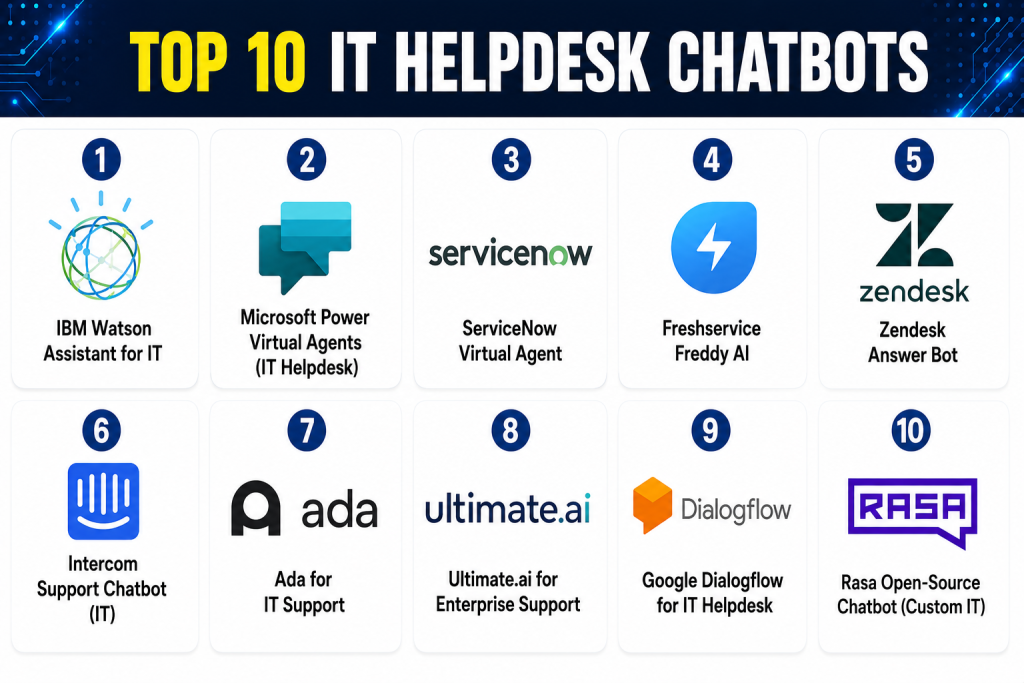
Top 10 IT Helpdesk Chatbots
1 — IBM Watson Assistant for IT
Short description: IBM Watson Assistant uses advanced natural language processing and AI to provide conversational support for IT helpdesks. It connects to knowledge bases and ticketing systems to automate support interactions and agent handoff.
Key Features
- Enterprise‑grade NLU
- Automated ticket creation and routing
- Integration with major ITSM systems
- Multi‑channel deployment (web, mobile, chat apps)
- Context retention and follow‑up questions
- Analytics dashboards
Pros
- Strong AI and contextual understanding
- Scales to global organizations
- Flexible multi‑channel support
Cons
- Higher cost for enterprise modules
- Implementation complexity
- Training required for optimal accuracy
Platforms / Deployment
- Web / Mobile / Chat platforms
- Cloud / Hybrid
Security & Compliance
- SSO/SAML, encryption, audit logs
- Not publicly stated specific certifications
Integrations & Ecosystem
IBM Watson Assistant integrates with:
- ITSM and ticketing tools
- Knowledge management systems
- Messaging platforms
- Custom APIs
Support & Community
- Enterprise support tiers
- Documentation and professional services
2 — Microsoft Power Virtual Agents (IT Helpdesk)
Short description: Microsoft Power Virtual Agents provides chatbot creation capabilities within the Microsoft ecosystem, enabling IT teams to build conversational bots that integrate with Azure, Teams, and other Microsoft services.
Key Features
- No‑code chatbot builder
- Integration with Azure and Microsoft 365
- Automated ticket creation via connectors
- Natural language understanding
- Deployment across Teams, web, and portals
- Analytics and bot insights
Pros
- Great fit for Microsoft‑centric environments
- No‑code authoring for IT admins
- Native Teams support
Cons
- Best value when Microsoft ecosystem used
- Some connectors require configuration
- Advanced NLU tuning needed
Platforms / Deployment
- Web / Microsoft Teams / Portals
- Cloud
Security & Compliance
- Enterprise security with Microsoft identity
- Encryption, access controls
- Microsoft compliance stack
Integrations & Ecosystem
- Microsoft 365 and Azure services
- CRM and ITSM via connectors
- Analytics and reporting
Support & Community
- Microsoft documentation
- Community forums and support plans
3 — ServiceNow Virtual Agent
Short description: ServiceNow Virtual Agent delivers intelligent conversational support as part of the ServiceNow ITSM platform. It automates tasks, helps resolve tickets faster, and integrates deeply with workflows.
Key Features
- Conversational ticket creation
- Task automation and guided assistance
- Integration with ITSM workflows
- Knowledge base query support
- Escalation to live agents
- Analytics and reporting
Pros
- Deep integration with ServiceNow workflows
- Strong enterprise governance
- Rich automation engine
Cons
- Enterprise cost and implementation effort
- Requires ServiceNow footprint
- Configuration complexity
Platforms / Deployment
- Web / Mobile / Portals
- Cloud
Security & Compliance
- SSO/SAML, encryption, access controls
- Audit logs
- Not publicly stated specific certifications
Integrations & Ecosystem
- ServiceNow ITSM modules
- Messaging tools
- Knowledge management
- Enterprise systems
Support & Community
- ServiceNow support tiers
- Documentation and developer community
4 — Freshservice Freddy AI
Short description: Freshservice includes Freddy AI — a conversational assistant that automates support requests, delivers instant answers from knowledge bases, and can generate structured tickets.
Key Features
- Natural language ticket creation
- AI‑predicted responses
- Knowledge base search integration
- Chat and portal support
- Automated workflows
- Reporting dashboards
Pros
- Easy implementation for Freshservice users
- Good automation for common issues
- Low learning curve
Cons
- Best experience when tied to Freshservice
- Not as advanced NLU as enterprise‑only AI
- Customization limitations
Platforms / Deployment
- Web / Mobile
- Cloud
Security & Compliance
- Encryption and access control
- Not publicly stated specific certifications
Integrations & Ecosystem
- ITSM workflows
- Knowledge base tools
- Messaging systems
Support & Community
- Documentation and guided help
- Support plans
5 — Zendesk Answer Bot
Short description: Zendesk Answer Bot uses AI to help users self‑serve by suggesting relevant articles, gathering ticket details, and escalating to agents when required.
Key Features
- AI article suggestions
- Automated ticket creation
- Multi‑channel bot deployment
- Contextual follow‑up questions
- Performance reporting
Pros
- Deep integration with Zendesk Support
- Helps deflect tickets with knowledge articles
- Easy to configure
Cons
- Best fit for Zendesk customers
- Not as robust for IT‑specific workflows
- Advanced automation needs coding
Platforms / Deployment
- Web / Chat channels
- Cloud
Security & Compliance
- Encryption
- Role‑based access
Integrations & Ecosystem
- Zendesk Support and chat
- Knowledge bases
- Custom APIs
Support & Community
- Zendesk support tiers
- Community forums
6 — Intercom Support Chatbot (IT)
Short description: Intercom’s conversational chatbot platform can be trained to handle IT helpdesk queries, deliver self‑service responses, and route complex issues to support agents.
Key Features
- In‑app and web chat bot
- Automation flows
- Knowledge base suggestions
- Tagging and routing
- AI response suggestions
- Reporting
Pros
- Excellent conversational UI
- Works well for SaaS products and in‑app support
- Easy for end‑users
Cons
- Generic helpdesk focus
- IT‑specific ticket workflows may need custom setup
- Pricey with advanced features
Platforms / Deployment
- Web / Mobile / In‑app
- Cloud
Security & Compliance
- Encryption
- Access controls
- Not publicly stated specific certifications
Integrations & Ecosystem
- CRM tools
- Help desks
- Knowledge base systems
- APIs
Support & Community
- Documentation
- Support packages
7 — Ada for IT Support
Short description: Ada provides an AI‑driven chatbot that automates support at scale, delivers personalized answers, and integrates with helpdesk tools for ticket creation and routing.
Key Features
- AI natural language understanding
- Self‑service workflows
- Knowledge base recommendations
- Escalation to human support
- Analytics and reporting
Pros
- Scales for large support volumes
- Excellent NLU capabilities
- Multi‑channel deployment
Cons
- Enterprise pricing
- Implementation requires planning
- Custom workflows may need experts
Platforms / Deployment
- Web / Messaging apps
- Cloud
Security & Compliance
- Encryption, access controls
- Not publicly stated specific certifications
Integrations & Ecosystem
- Helpdesk systems
- CRM tools
- Knowledge bases
- APIs
Support & Community
- Documentation
- Implementation support
8 — Ultimate.ai for Enterprise Support
Short description: Ultimate.ai delivers AI‑assisted support automation with deep language understanding and self‑learning capabilities for enterprise helpdesks.
Key Features
- Self‑learning chatbot
- Intent detection and routing
- Ticket summarization
- Multi‑language support
- Analytics dashboards
Pros
- Strong enterprise NLU
- Improves over time with data
- Supports global languages
Cons
- Enterprise cost
- Requires initial training
- Best suited for large volumes
Platforms / Deployment
- Web / Chat channels
- Cloud
Security & Compliance
- Encryption and access controls
- Not publicly stated specific certifications
Integrations & Ecosystem
- CRM and helpdesk tools
- Messaging apps
- Analytics
Support & Community
- Professional support
- Documentation
9 — Google Dialogflow for IT Helpdesk
Short description: Google Dialogflow is an AI conversational engine that can be tailored for IT helpdesk chatbots, offering flexible NLU and integrations with multiple platforms.
Key Features
- Natural language understanding
- Intent and entity recognition
- Multi‑channel deployment
- Integration with backend systems
- Custom bot flows
Pros
- Highly flexible and powerful
- Can support large enterprises
- Backed by Google AI
Cons
- Requires developer configuration
- Not a ready‑to‑use helpdesk product
- Needs integration with IT ticketing
Platforms / Deployment
- Web / Mobile / Multi‑channel
- Cloud
Security & Compliance
- Google encryption standards
- Enterprise security controls
Integrations & Ecosystem
- APIs for custom helpdesk integration
- CRM and knowledge bases
- Messaging platforms
Support & Community
- Google Cloud support
- Developer community
10 — Rasa Open‑Source Chatbot (Custom IT)
Short description: Rasa provides an open‑source conversational AI framework that can be customized to build sophisticated IT helpdesk chatbots tailored to an organization’s processes.
Key Features
- Fully customizable NLU and dialogue
- On‑premises or cloud deployment
- Integration with backend ITSM
- Custom workflows and slots
- Support for complex intent flows
Pros
- Complete control and flexibility
- Cost‑effective for sophisticated builds
- Supports complex contexts
Cons
- Requires developer expertise
- No out‑of‑the‑box helpdesk product
- Ongoing maintenance required
Platforms / Deployment
- Web / Server environments
- Cloud / On‑premises
Security & Compliance
- Varies with deployment
- Controlled by implementer
Integrations & Ecosystem
- ITSM systems
- CRM and analytics
- Messaging platforms
Support & Community
- Strong open‑source community
- Documentation
Comparison Table (Top 10)
| Tool Name | Best For | Platform(s) Supported | Deployment | Standout Feature | Public Rating |
|---|---|---|---|---|---|
| IBM Watson Assistant for IT | Enterprise AI helpdesk | Web/Mobile/Chat | Cloud/Hybrid | Contextual AI | N/A |
| Microsoft Power Virtual Agents | Microsoft environments | Web/Teams/Portals | Cloud | No‑code chatbot | N/A |
| ServiceNow Virtual Agent | Enterprise + ITSM | Web/Mobile | Cloud | Workflow integration | N/A |
| Freshservice Freddy AI | Helpdesk + automation | Web/Mobile | Cloud | Simple AI | N/A |
| Zendesk Answer Bot | Support automation | Web/Chat | Cloud | Article suggestions | N/A |
| Intercom Support Chatbot | Conversational support | Web/Mobile | Cloud | In‑app messaging | N/A |
| Ada for IT Support | High‑volume support | Web/Messaging | Cloud | Scalable NLU | N/A |
| Ultimate.ai | Enterprise NLU | Web/Chat channels | Cloud | Self‑learning AI | N/A |
| Google Dialogflow | Custom NLU chatbot | Multi‑channel | Cloud | Flexible AI engine | N/A |
| Rasa Open‑Source Chatbot | Custom enterprise bots | Web/Server | Cloud/On‑prem | Full customization | N/A |
Evaluation & Scoring
| Tool Name | Core (25%) | Ease (15%) | Integrations (15%) | Security (10%) | Performance (10%) | Support (10%) | Value (15%) | Weighted Total |
|---|---|---|---|---|---|---|---|---|
| IBM Watson Assistant for IT | 9 | 8 | 9 | 8 | 9 | 8 | 7 | 8.7 |
| Microsoft Power Virtual Agents | 8 | 9 | 8 | 9 | 8 | 8 | 7 | 8.3 |
| ServiceNow Virtual Agent | 9 | 7 | 9 | 8 | 9 | 8 | 7 | 8.4 |
| Freshservice Freddy AI | 7 | 9 | 7 | 7 | 8 | 8 | 8 | 7.9 |
| Zendesk Answer Bot | 7 | 8 | 8 | 7 | 8 | 8 | 8 | 7.8 |
| Intercom Support Chatbot | 7 | 8 | 7 | 7 | 8 | 7 | 7 | 7.4 |
| Ada for IT Support | 8 | 7 | 7 | 7 | 8 | 7 | 7 | 7.6 |
| Ultimate.ai | 8 | 7 | 8 | 8 | 8 | 7 | 7 | 7.8 |
| Google Dialogflow | 8 | 6 | 8 | 8 | 8 | 6 | 8 | 7.6 |
| Rasa Open‑Source Chatbot | 7 | 6 | 7 | Varies | 8 | 6 | 9 | 7.2 |
Interpretation: Scores compare overall capability of each platform across core helpdesk automation features, ease of use, integration flexibility, security, performance, support, and value. Higher totals reflect stronger general suitability for IT helpdesk chatbot use cases.
Which IT Helpdesk Chatbot Is Right for You?
Solo / Small IT Team
- Freshservice Freddy AI or Zendesk Answer Bot — easy to deploy, good automation for common issues.
Mid‑Market
- Microsoft Power Virtual Agents or Intercom Support Chatbot — great conversational support with broad use cases.
Enterprise
- IBM Watson Assistant for IT, ServiceNow Virtual Agent, or Ultimate.ai — robust AI, integration power, and scalability.
Budget vs Premium
- Budget: Zendesk Answer Bot, Freshservice Freddy AI
- Premium: IBM Watson, ServiceNow, Ultimate.ai
Feature Depth vs Ease of Use
- Feature Depth: IBM Watson, ServiceNow, Google Dialogflow
- Ease of Use: Power Virtual Agents, Freshservice, Zendesk
Integrations & Scalability
- Best for deep integrations: IBM Watson, ServiceNow, Google Dialogflow
- Easier setups: Freshservice, Zendesk, Intercom
Security & Compliance Needs
- Enterprise compliance: ServiceNow, Microsoft Power Virtual Agents
- SMB‑oriented security: Zendesk, Freshservice
Frequently Asked Questions (FAQs)
1 — What pricing models do IT helpdesk chatbots use?
Most platforms use subscription pricing, often per user, agent, or volume tier. Enterprise AI modules may cost extra.
2 — How long does chatbot implementation take?
Simple chatbots can go live within days; enterprise deployments with integrations and training may take weeks.
3 — Do chatbots replace human agents?
No — they handle common requests and automate repetitive tasks, but complex issues still require human escalation.
4 — What integrations are essential?
Integrations with ITSM/ticketing systems, CRM, knowledge bases, messaging platforms, and authentication services are key.
5 — Are chatbots secure for internal IT use?
Yes — enterprise systems include encryption, access control, audit trails, and authentication integration (SSO/MFA).
6 — Can chatbots learn over time?
Advanced solutions (e.g., Ultimate.ai, Watson) improve with data and feedback loops.
7 — Do they support multiple languages?
Many enterprise chatbots support multi‑language NLU and responses.
8 — Can chatbots automate fixes?
Some automate simple operations like password resets or status checks but require careful configuration.
9 — What analytics do chatbots provide?
Dashboards often include resolution rates, escalations, user satisfaction, and intent trends.
10 — What alternatives exist?
Rule‑based virtual assistants or shared support knowledge bases can serve small teams without full AI.
Conclusion
IT Helpdesk Chatbots are no longer optional; they are essential to scale support operations, improve employee satisfaction, and reduce manual workload in and beyond. For small teams, Freshservice Freddy AI or Zendesk Answer Bot offer a quick path to automation. Mid‑market organizations benefit from Microsoft Power Virtual Agents and Intercom Support Chatbot. Enterprises requiring deep automation and robust governance should consider IBM Watson Assistant for IT, ServiceNow Virtual Agent, or Ultimate.ai.
