Introduction
Medical Imaging PACS (Picture Archiving and Communication System) platforms are essential healthcare solutions that store, retrieve, manage, and distribute diagnostic images such as X‑rays, MRIs, CT scans, and ultrasounds.
They eliminate film‑based imaging workflows and support rapid access to images across departments and facilities, improving diagnostic accuracy and clinical collaboration.
Modern PACS systems integrate with modalities, modality worklists, EMRs, and advanced analytics to support radiologists, clinicians, and multidisciplinary care teams.
Choosing the right PACS enhances image accessibility, streamlines interpretation workflows, and supports compliance with healthcare imaging standards.
Real‑world use cases:
- Centralized storage and viewing of multimodality imaging studies
- Radiologist interpretation workflows with reading lists and annotations
- Cross‑department sharing and tele‑radiology support
- Integration with EMR/EHR for clinical access and reporting
- Image analytics and AI‑assisted interpretation support
Key buyer evaluation criteria:
- Standards compliance (DICOM, HL7, FHIR)
- Scalability (enterprise multi‑site support)
- Viewer performance and multi‑modality support
- Integration with EMR/EHR and RIS
- Advanced tools: 3D/4D visualization, AI tools
- Security and HIPAA compliance
- Storage options and disaster recovery
- Workflow automation and reporting
- Support and community resources
Best for: Hospitals, imaging centers, radiology departments, tele‑radiology providers, and enterprise health systems.
Not ideal for: Clinics without imaging needs or single‑modality use only.
Key Trends in PACS Systems
- Cloud‑based PACS for scalable storage and remote access
- AI‑assisted tools for detection, triage, and prioritization
- Zero‑footprint web viewers accessible anywhere
- Multimodality support including 3D/4D and advanced fusion views
- Deep EMR/RIS integration via standards (FHIR, DICOM, HL7)
- Edge‑to‑cloud workflows with hybrid storage
- Vendor‑neutral archives (VNA) for long‑term imaging data
- Mobile viewing optimized for tablets and smartphones
- Automated workflow orchestration for reading lists and priorities
- Secure sharing and tele‑radiology connectivity
How We Selected These Tools (Methodology)
- Adoption in radiology and imaging departments
- Feature completeness: multimodality support, viewers, workflows
- Standards compliance and integration capabilities
- Cloud, hybrid, and on‑premises deployment options
- Security posture (encryption, access control, audit logging)
- Advanced tools: 3D visualization, AI integration
- Scalability from single facility to enterprise
- Support resources, documentation, and community
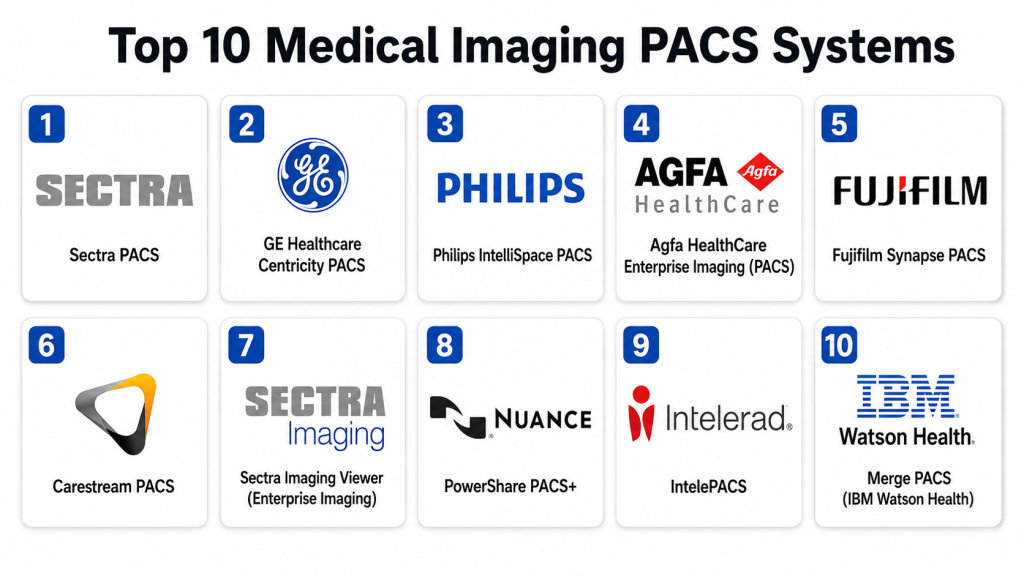
Top 10 Medical Imaging PACS Systems
#1 — Sectra PACS
Short description:
Sectra PACS is an enterprise imaging platform known for performance and scalability.
Supports multimodal imaging, radiology, and subspecialty workflows.
Offers advanced tools for image sharing and interpretation.
Ideal for large hospitals and enterprise imaging departments.
Key Features
- High‑performance multimodality viewer
- Vendor‑neutral archive (VNA)
- Tele‑radiology and sharing tools
- Integration with EMR/RIS
Pros
- Scales well for enterprise
- Strong support for tele‑radiology
- Fast image performance
Cons
- Higher cost for full suite
- Onboarding complexity
Platforms / Deployment
- Web / Desktop
- Cloud / On‑premises / Hybrid
Security & Compliance
- Encryption, audit trails
- HIPAA compliant
Integrations & Ecosystem
- DICOM, HL7, FHIR standards
- RIS and EMR integration
- APIs for workflow automation
Support & Community
- Vendor support
- Documentation and training
#2 — GE Healthcare Centricity PACS
Short description:
Centricity PACS is a robust imaging platform from a major medical technology company.
Provides comprehensive radiology workflows and high‑resolution viewing.
Includes advanced reporting and multimodality support.
Ideal for hospitals and imaging centers.
Key Features
- Diagnostic image viewing
- Reporting and collaboration tools
- Multi‑department workflows
- Storage and archive management
Pros
- Trusted enterprise platform
- Strong modality support
- Comprehensive tools
Cons
- Complex for smaller sites
- Licensing cost
Platforms / Deployment
- Desktop / Web
- Cloud / On‑premises
Security & Compliance
- Encryption, access controls
- HIPAA compliant
Integrations & Ecosystem
- EMR and RIS integrations
- DICOM standard support
- Vendor APIs
Support & Community
- Vendor support
- Training programs
#3 — Philips IntelliSpace PACS
Short description:
IntelliSpace PACS offers high‑performance PACS with advanced visualization and collaboration.
Supports multimodal imaging, reporting, and workflow automation.
Designed for radiology and enterprise imaging.
Ideal for health systems with complex imaging needs.
Key Features
- Multi‑modality viewer
- AI‑ready platform
- Workflow orchestration
- EMR integration
Pros
- Modern UI
- Strong analytics and dashboards
- Cloud and on‑prem options
Cons
- Premium pricing
- Requires training
Platforms / Deployment
- Web / Desktop
- Cloud / On‑premises
Security & Compliance
- Encryption, logging
- HIPAA compliant
Integrations & Ecosystem
- DICOM, FHIR
- EMR/RIS connectivity
Support & Community
- Documentation
- Vendor support
#4 — Agfa HealthCare Enterprise Imaging (PACS)
Short description:
Agfa Enterprise Imaging PACS provides comprehensive tools for radiology and image management.
Includes zero‑footprint viewers, intelligent workflows, and multimodality support.
Designed for enterprise and imaging centers.
Ideal for integrated imaging ecosystems.
Key Features
- Zero‑footprint viewer
- Workflow automation
- Archive management
- EMR/RIS integration
Pros
- Strong viewer performance
- Good enterprise workflows
- Flexible deployment
Cons
- Some custom setup needed
- UI complexity
Platforms / Deployment
- Web / Desktop
- Cloud / On‑premises
Security & Compliance
- Encryption, audit logs
- HIPAA compliant
Integrations & Ecosystem
- DICOM and HL7
- RIS/EMR connectors
Support & Community
- Vendor support
- Training resources
#5 — Fujifilm Synapse PACS
Short description:
Synapse PACS delivers high‑speed image access, archiving, and radiology tools.
Supports multimodality and advanced visualization.
Integrates with EMR and reporting systems.
Ideal for busy radiology departments.
Key Features
- Fast image retrieval
- Advanced visualization
- Reporting interfaces
- Archive solutions
Pros
- Performance oriented
- Scales well
- Strong visualization
Cons
- Cost may be high for smaller sites
- Learning curve
Platforms / Deployment
- Web / Desktop
- Cloud / On‑premises
Security & Compliance
- Encryption, access controls
- HIPAA compliant
Integrations & Ecosystem
- DICOM, HL7, FHIR
- APIs
Support & Community
- Vendor training
- Support
#6 — Carestream PACS
Short description:
Carestream PACS provides flexible image management with robust tools for radiology and enterprise workflows.
Includes shared archives, multi‑site access, and reporting tools.
Ideal for imaging centers and hospitals.
Key Features
- Shared archive
- Multi‑site access
- Reporting and collaboration
- Modality support
Pros
- Affordable mid‑range option
- Strong multi‑site support
- Reliable tools
Cons
- UI feels slightly dated
- Analytics depth limited
Platforms / Deployment
- Web / Desktop
- Cloud / On‑premises
Security & Compliance
- Encryption, audit trails
- HIPAA compliant
Integrations & Ecosystem
- DICOM standard
- RIS/EMR linking
Support & Community
- Vendor support
- Guides
#7 — Sectra Imaging Viewer (Enterprise Imaging)
Short description:
Sectra Imaging Viewer focuses on fast, web‑based interpretation and collaboration workflows.
Provides advanced viewing tools, DICOM support, and reading lists.
Ideal for radiologists and subspecialty workflows.
Key Features
- Zero‑footprint web viewer
- Reading lists and workflows
- Collaboration tools
- Multi‑modality support
Pros
- Fast and lightweight viewer
- Excellent performance
- Collaboration focus
Cons
- Main PACS features rely on Sectra suite
- Licensing size varies
Platforms / Deployment
- Web
- Cloud / Hybrid
Security & Compliance
- Encryption
- HIPAA compliant
Integrations & Ecosystem
- DICOM
- EMR integrations
Support & Community
- Vendor documentation
- Support
#8 — Nuance PowerShare PACS+
Short description:
PowerShare PACS+ provides advanced cloud‑centric image sharing and interpretation workflows.
Supports collaborative radiology workflows, secure sharing, and reporting.
Ideal for tele‑radiology and cross‑system image exchange.
Key Features
- Cloud sharing
- Interpretation tools
- Reporting suite
- Collaboration workflows
Pros
- Excellent image sharing
- Cloud‑first design
- Tele‑radiology focus
Cons
- Narrower standalone feature set than full PACS
- Additional modules cost extra
Platforms / Deployment
- Web / Mobile
- Cloud
Security & Compliance
- Encryption, MFA
- HIPAA compliant
Integrations & Ecosystem
- APIs
- DICOM links
Support & Community
- Vendor support
#9 — Intelerad IntelePACS
Short description:
IntelePACS offers enterprise‑grade imaging, interpretation, and collaboration tools.
Supports multimodality viewer, workflows, and tele‑radiology.
Ideal for medium to large imaging departments.
Key Features
- Secure viewer
- Workflow orchestration
- Multi‑site access
- EMR/RIS integration
Pros
- Strong performance
- Good workflows
- Scales well
Cons
- Licensing complexity
- Training recommended
Platforms / Deployment
- Web / Desktop
- Cloud / On‑premises
Security & Compliance
- Encryption
- HIPAA compliant
Integrations & Ecosystem
- DICOM/HL7
- APIs
Support & Community
- Vendor support
#10 — Merge PACS (IBM Watson Health)
Short description:
Merge PACS offers diagnostic imaging, advanced workflows, and enterprise readiness.
Includes performance‑oriented viewing and reporting.
Ideal for radiology departments seeking advanced tools.
Key Features
- Diagnostic reader
- Reporting interface
- Performance tuning
- Multi‑modality support
Pros
- Trusted radiology workflows
- Scales for enterprise
- Comprehensive modality handling
Cons
- Older interface than rivals
- Premium price
Platforms / Deployment
- Web / Desktop
- Cloud / On‑premises
Security & Compliance
- Encryption
- HIPAA compliant
Integrations & Ecosystem
- DICOM
- EMR and RIS connectors
Support & Community
- Vendor support
- Documentation
Comparison Table (Top 10)
| Tool Name | Best For | Platform(s) | Deployment | Standout Feature | Public Rating |
|---|---|---|---|---|---|
| Sectra PACS | Enterprise imaging | Web/Desktop | Cloud/Hybrid/On‑prem | High performance & tele‑radiology | N/A |
| GE Centricity PACS | Hospitals & imaging centers | Web/Desktop | Cloud/On‑prem | Comprehensive modality support | N/A |
| Philips IntelliSpace PACS | Enterprise & analytics | Web/Desktop | Cloud/On‑prem | AI‑ready workflows | N/A |
| Agfa Enterprise Imaging | Enterprise imaging | Web/Desktop | Cloud/On‑prem | Zero‑footprint viewers | N/A |
| Fujifilm Synapse PACS | Busy radiology departments | Web/Desktop | Cloud/On‑prem | Fast image retrieval & visualization | N/A |
| Carestream PACS | Imaging centers & hospitals | Web/Desktop | Cloud/On‑prem | Flexible multi‑site | N/A |
| Sectra Imaging Viewer | Radiologist workflows | Web | Cloud/Hybrid | Lightweight fast viewer | N/A |
| Nuance PowerShare PACS+ | Tele‑radiology & sharing | Web/Mobile | Cloud | Advanced cloud sharing | N/A |
| Intelerad IntelePACS | Enterprise imaging | Web/Desktop | Cloud/On‑prem | Workflow orchestration | N/A |
| Merge PACS | Diagnostic workflows | Web/Desktop | Cloud/On‑prem | Diagnostic reader performance | N/A |
Evaluation & Scoring
| Tool | Core (25%) | Ease (15%) | Integrations (15%) | Security (10%) | Performance (10%) | Support (10%) | Value (15%) | Weighted Total |
|---|---|---|---|---|---|---|---|---|
| Sectra PACS | 10 | 7 | 9 | 8 | 9 | 8 | 6 | 8.5 |
| GE Centricity PACS | 9 | 7 | 8 | 8 | 8 | 7 | 6 | 7.8 |
| Philips IntelliSpace | 9 | 7 | 8 | 8 | 8 | 7 | 6 | 7.8 |
| Agfa Enterprise Imaging | 8 | 8 | 8 | 8 | 8 | 7 | 7 | 7.9 |
| Fujifilm Synapse PACS | 8 | 7 | 8 | 8 | 8 | 7 | 6 | 7.6 |
| Carestream PACS | 8 | 8 | 7 | 8 | 7 | 7 | 7 | 7.7 |
| Sectra Imaging Viewer | 7 | 9 | 7 | 8 | 8 | 7 | 7 | 7.7 |
| Nuance PowerShare PACS+ | 7 | 8 | 7 | 8 | 7 | 7 | 7 | 7.6 |
| Intelerad IntelePACS | 8 | 7 | 8 | 8 | 8 | 7 | 6 | 7.7 |
| Merge PACS | 8 | 7 | 8 | 8 | 8 | 7 | 6 | 7.6 |
Decision Guide
Enterprise & Multi‑Site Imaging
Sectra PACS, Philips IntelliSpace, and Agfa Enterprise Imaging excel for large hospitals and multi‑facility deployments with advanced workflows and analytics.
Comprehensive Hospital Imaging
GE Centricity PACS and Fujifilm Synapse PACS deliver strong modality support and fast visualization for busy departments.
Tele‑Radiology & Sharing
Nuance PowerShare PACS+ focuses on cloud‑centric sharing and collaborative radiology workflows.
Lightweight but Powerful Viewing
Sectra Imaging Viewer and Carestream PACS provide responsive viewing and multi‑site access ideal for cross‑facility reads.
Diagnostic‑Focused Workflows
Merge PACS and Intelerad IntelePACS offer robust tools for diagnostic interpretation and integrated reporting.
Frequently Asked Questions (FAQs)
1. What imaging standards do PACS systems support?
PACS systems rely on DICOM for imaging data, plus HL7/FHIR for clinical integration.
2. Can PACS systems integrate with EMRs?
Yes — leading PACS platforms support EMR/RIS integrations using standards and APIs.
3. Are cloud PACS systems secure?
Top cloud PACS systems use encryption at rest/in transit, audit logging, and access controls to meet compliance standards like HIPAA.
4. Do PACS systems support advanced visualization?
Yes — most modern PACS include 3D/4D viewers and multiplanar tools for radiology interpretation.
5. Can PACS be used for tele‑radiology?
Yes — systems like Sectra and Nuance PowerShare support remote sharing and tele‑radiology workflows.
6. Are mobile viewing options available?
Many solutions offer web and mobile access via responsive viewers or apps.
7. Do PACS platforms include analytics?
Enterprise PACS often include dashboards and performance analytics for utilization and quality measures.
8. How is image storage managed?
PACS uses a mix of on‑premises, cloud, or hybrid archives with VNAs and disaster recovery safeguards.
9. Do PACS systems assist with AI?
Many are AI‑ready, supporting third‑party AI tools for detection and decision support.
10. Is training required for radiologists?
Yes — enterprise PACS often benefit from vendor‑led training and onboarding for full utilization.
Conclusion
Choosing the right Medical Imaging PACS system depends on imaging volume, modality mix, and integration needs. Enterprise platforms like Sectra PACS and Philips IntelliSpace PACS provide scalable workflows, tele‑radiology support, and advanced analytics. Hospital imaging centers may prefer GE Centricity PACS or Fujifilm Synapse PACS for comprehensive modality handling and high‑performance viewers. Solutions like Agfa Enterprise Imaging and Sectra Imaging Viewer balance flexibility with strong viewing capabilities, while PowerShare PACS+ specializes in cloud‑centric sharing. Evaluating EMR integration, deployment flexibility, security, and support ensures optimized imaging operations and improved diagnostic workflows.
