Introduction
School Management Systems (SMS) are comprehensive software platforms that streamline administrative, academic, and communication processes in educational institutions. They centralize key functions such as attendance tracking, grade management, timetable scheduling, fee processing, and parent-teacher communication. By unifying these tasks into one system, schools can reduce administrative overhead, improve accuracy, and create better learning experiences for students.
In and beyond, SMS platforms are evolving to address modern educational challenges. The rise of remote learning, hybrid classrooms, and digital-first administrative workflows has made these systems essential. Schools now demand solutions that offer AI-driven analytics, cloud accessibility, mobile-first interfaces, and robust security and compliance measures.
Real-world use cases include:
- Automating attendance, grading, and timetable scheduling.
- Managing fees, billing, and financial reporting.
- Facilitating parent-teacher-student communication through portals and apps.
- Monitoring student performance with dashboards and data analytics.
- Streamlining admissions, enrollment, and examination management.
Key evaluation criteria for buyers:
- User-friendly interface and ease of adoption.
- Integration with existing tools such as LMS and communication platforms.
- Mobile and cloud accessibility for staff, students, and parents.
- Security and compliance features including MFA, encryption, and GDPR.
- Flexibility to customize workflows for specific school needs.
- Reporting and analytics capabilities.
- Multi-campus or multi-branch management.
- Cost-effectiveness and licensing models.
- Technical support and available community resources.
- Scalability for growing institutions.
Best for: School administrators, teachers, and parents in K-12 and higher education; small to large institutions seeking centralized management.
Not ideal for: Schools with minimal administrative needs, or those preferring manual or lightweight solutions.
Key Trends in School Management Systems
- AI-driven analytics for personalized student learning insights.
- Cloud-first deployment models supporting remote and hybrid learning.
- Mobile-first design to enhance parent, teacher, and student engagement.
- Seamless integration with e-learning platforms and video conferencing tools.
- Automation of administrative tasks to reduce staff workload.
- Advanced security features including MFA, encryption, and GDPR compliance.
- Modular and subscription-based pricing models suitable for various school sizes.
- Interoperability with third-party assessment and content tools.
- Real-time reporting dashboards for academic, operational, and financial metrics.
- Support for multi-campus or multi-branch institutions with centralized oversight.
How We Selected These Tools (Methodology)
- Evaluated market adoption and widespread usage in schools and districts.
- Reviewed feature completeness covering administrative, academic, and communication needs.
- Analyzed reliability and performance based on real-world deployments.
- Assessed security posture including authentication, encryption, and compliance.
- Examined integration capabilities with LMS, payment systems, and communication tools.
- Considered customer fit for institutions ranging from small schools to large districts.
- Measured community strength, documentation, and technical support.
- Checked readiness for future trends, including AI analytics, cloud deployment, and mobile accessibility.
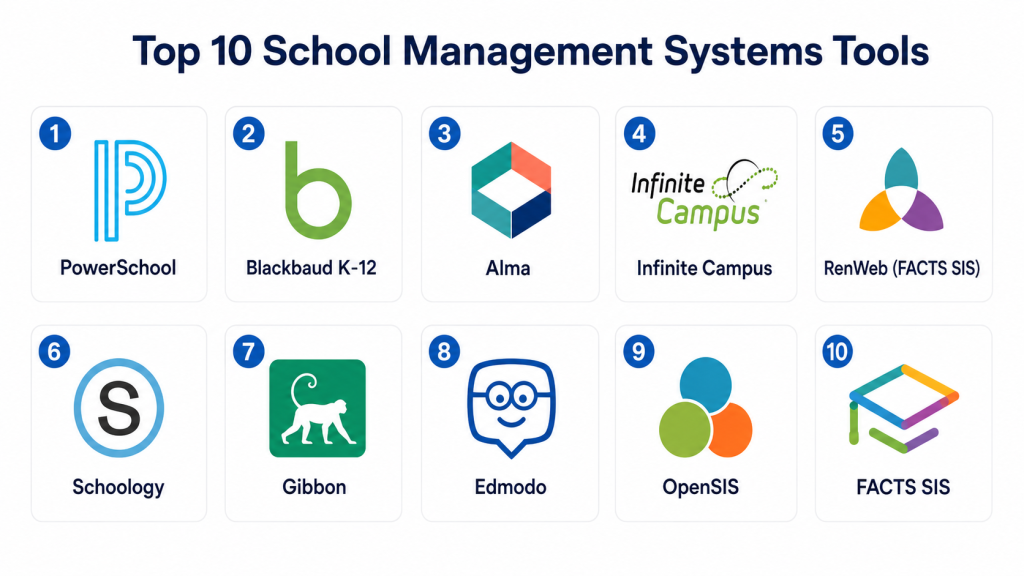
Top 10 School Management Systems Tools
#1 — PowerSchool
Short description: PowerSchool is a comprehensive cloud-based SMS designed for K-12 schools and districts. It centralizes student information, grading, attendance, and parent communications while offering real-time analytics dashboards. PowerSchool is ideal for medium to large institutions looking for a scalable, robust solution with mobile accessibility.
Key Features
- Gradebook and attendance tracking.
- Parent and student portals.
- Analytics and performance dashboards.
- Mobile access for teachers, students, and parents.
- Integrated learning management system.
- Automated notifications and alerts.
- Enrollment and registration management.
Pros
- Scalable for large school districts.
- Strong reporting and analytics capabilities.
- Cloud-based with mobile support.
Cons
- Initial configuration can be complex.
- Cost may be higher for smaller schools.
- Some advanced features require additional modules.
Platforms / Deployment
- Web / iOS / Android
- Cloud
Security & Compliance
- SSO, MFA, encryption
- Not publicly stated: SOC 2, ISO 27001
Integrations & Ecosystem
Integrates with LMS platforms, assessment tools, and communication apps.
- Google Workspace and Microsoft 365
- Zoom integration
- API access for custom integrations
Support & Community
- Extensive documentation and onboarding guides.
- Tiered support options.
- Active community forums.
#2 — Blackbaud K-12
Short description : Blackbaud K-12 offers a unified SMS platform for private and charter schools. It emphasizes parent engagement, student tracking, and alumni relations while providing academic and financial management tools.
Key Features
- Academic management and scheduling.
- Tuition and fee tracking.
- Parent and student portals.
- Communication and messaging tools.
- Reporting and analytics dashboards.
- Alumni engagement module.
- Mobile app access.
Pros
- Strong financial and operational tracking.
- Comprehensive parent engagement tools.
- Suitable for private and charter schools.
Cons
- Requires staff training for full utilization.
- Less suited for very small schools.
- Certain features are add-ons with extra costs.
Platforms / Deployment
- Web / iOS / Android
- Cloud
Security & Compliance
- SSO, encryption
- GDPR-compliant
Integrations & Ecosystem
Supports LMS, finance, and communication integrations.
- Google Classroom
- Payment gateways
- API and webhooks
Support & Community
- Dedicated support team.
- Training and implementation services.
- Online community resources.
#3 — Alma
Short description: Alma is a cloud-based SMS for modern K-12 schools. It combines administration, curriculum, and assessment tracking, providing actionable insights and reporting for educators and administrators.
Key Features
- Student information management.
- Attendance and behavior tracking.
- Curriculum and assessment management.
- Parent and student portals.
- Mobile-friendly dashboards.
- Automated alerts and notifications.
- Reporting and analytics.
Pros
- Intuitive user interface.
- Mobile access for teachers and parents.
- Strong reporting functionality.
Cons
- Advanced features may require premium plans.
- Smaller schools may find it feature-heavy.
- Customization can be time-consuming.
Platforms / Deployment
- Web / iOS / Android
- Cloud
Security & Compliance
- SSO, encryption
- Not publicly stated: SOC 2, HIPAA
Integrations & Ecosystem
Connects to third-party learning and communication apps.
- Google Workspace integration
- LMS connectors
- API for custom applications
Support & Community
- Documentation and guides.
- Customer support tiers.
- Active online user community.
#4 — Infinite Campus
Short description: Infinite Campus centralizes student information, assessment, and communication for K-12 districts. It provides real-time dashboards and multi-campus support for administrators.
Key Features
- Student information system.
- Attendance and scheduling.
- Parent and teacher portals.
- Gradebook management.
- Communication and notifications.
- Reporting and analytics.
- Multi-campus support.
Pros
- Strong district-level reporting.
- Supports multi-campus management.
- Customizable dashboards.
Cons
- Setup can be complex.
- Steep learning curve for small schools.
- Some modules require additional costs.
Platforms / Deployment
- Web / iOS / Android
- Cloud
Security & Compliance
- SSO, encryption
- GDPR-compliant
Integrations & Ecosystem
- LMS and assessment tools
- Email and messaging apps
- API support
Support & Community
- Training and support tiers.
- Comprehensive guides.
- Community forums.
#5 — RenWeb (FACTS SIS)
Short description : RenWeb, part of FACTS, serves private and faith-based schools. It combines administration, student tracking, parent engagement, and financial management tools.
Key Features
- Attendance and gradebook management.
- Parent and student portals.
- Tuition and payment management.
- Reporting and analytics.
- Communication tools.
- Mobile-friendly platform.
- Scheduling and calendar features.
Pros
- Strong parent engagement.
- Cloud-based with mobile access.
- Comprehensive financial management.
Cons
- Interface can feel dated.
- Some advanced features limited to higher-tier plans.
- Custom reporting requires training.
Platforms / Deployment
- Web / iOS / Android
- Cloud
Security & Compliance
- SSO, encryption
- Not publicly stated
Integrations & Ecosystem
- LMS integration
- Payment processors
- API for custom apps
Support & Community
- Customer support available.
- Training resources.
- Online user community.
#6 — Schoology
Short description: Schoology blends SMS and LMS functionality, enabling curriculum management, assessments, collaboration, and reporting.
Key Features
- Curriculum and assessment management.
- Attendance and gradebook tracking.
- Parent and student portals.
- Communication tools.
- Mobile access.
- Analytics dashboards.
- Third-party content integration.
Pros
- Combines SMS and LMS in one platform.
- Intuitive interface.
- Mobile-ready.
Cons
- Can be complex for smaller schools.
- Feature overlap requires configuration.
- Some analytics require premium plans.
Platforms / Deployment
- Web / iOS / Android
- Cloud
Security & Compliance
- SSO, encryption
- GDPR-compliant
Integrations & Ecosystem
- Third-party content and LMS integration
- Google Workspace and Microsoft 365
- API support
Support & Community
- Documentation and guides
- Online support tiers
- Active community forums
#7 — Gibbon
Short description : Gibbon is an open-source SMS designed for K-12 schools, offering modular workflows for administration, teaching, and learning.
Key Features
- Student information and attendance.
- Gradebook and reporting.
- Timetable management.
- Parent and student portal.
- Assessment tracking.
- Modular extensions.
- Customizable workflows.
Pros
- Open-source and flexible.
- No licensing fees.
- Supports custom workflows.
Cons
- Requires technical expertise for setup.
- Limited commercial support.
- Interface less polished than commercial products.
Platforms / Deployment
- Web
- Self-hosted / Cloud (Varies)
Security & Compliance
- Not publicly stated
Integrations & Ecosystem
- API and extensions for customization
- LMS connectors
- Communication tool integration
Support & Community
- Community forums
- Documentation available
- Limited official support
#8 — Edmodo
Short description : Edmodo is a learning-focused SMS emphasizing student engagement and collaboration alongside administrative functionality.
Key Features
- Assignment management.
- Attendance tracking.
- Gradebook and assessments.
- Parent and student portal access.
- Messaging and collaboration.
- Mobile accessibility.
- Analytics dashboards.
Pros
- Strong engagement and collaboration tools
- Mobile-first platform
- Easy adoption
Cons
- Limited administrative depth
- Advanced analytics restricted
- Some features require paid plans
Platforms / Deployment
- Web / iOS / Android
- Cloud
Security & Compliance
- SSO, encryption
- Not publicly stated
Integrations & Ecosystem
- LMS and content integration
- Google Workspace compatibility
- API access limited
Support & Community
- Online help center
- Teacher guides and resources
- Community forums
#9 — OpenSIS
Short description : OpenSIS is a flexible open-source SMS for small to medium schools, handling attendance, grades, scheduling, and communication, with optional commercial support.
Key Features
- Student and attendance management.
- Gradebook and transcripts.
- Scheduling and timetable management.
- Parent and student portals.
- Reporting and analytics.
- Mobile interface.
- Modular extensions.
Pros
- Open-source flexibility
- Cost-effective for smaller schools
- Supports customization
Cons
- Technical setup required
- Limited advanced features
- Community support varies
Platforms / Deployment
- Web
- Self-hosted / Cloud (Varies)
Security & Compliance
- Not publicly stated
Integrations & Ecosystem
- API and LMS integrations
- Communication tools
- Optional commercial add-ons
Support & Community
- Community forums
- Documentation available
- Optional commercial support
#10 — FACTS SIS
Short description : FACTS SIS provides administration, parent communication, and financial management tools for private schools, with cloud-based accessibility and mobile support.
Key Features
- Attendance and gradebook management.
- Tuition and fee tracking.
- Parent and student portals.
- Communication tools.
- Reporting and analytics.
- Scheduling and timetables.
- Mobile access.
Pros
- Strong financial and operational management
- Cloud-based with mobile access
- Parent engagement tools
Cons
- More suited for private schools
- Premium subscription required for some features
- Learning curve for new users
Platforms / Deployment
- Web / iOS / Android
- Cloud
Security & Compliance
- SSO, encryption
- Not publicly stated
Integrations & Ecosystem
- LMS integration
- Payment gateway integration
- API access limited
Support & Community
- Tiered support and onboarding
- Documentation and training
- Active user community
Comparison Table (Top 10)
| Tool Name | Best For | Platform(s) Supported | Deployment | Standout Feature | Public Rating |
|---|---|---|---|---|---|
| PowerSchool | Medium to large schools | Web / iOS / Android | Cloud | Analytics dashboards | N/A |
| Blackbaud K-12 | Private & charter schools | Web / iOS / Android | Cloud | Parent engagement | N/A |
| Alma | K-12 schools | Web / iOS / Android | Cloud | Curriculum and assessment tracking | N/A |
| Infinite Campus | Multi-campus districts | Web / iOS / Android | Cloud | Multi-campus support | N/A |
| RenWeb (FACTS SIS) | Private / faith-based schools | Web / iOS / Android | Cloud | Financial management | N/A |
| Schoology | Schools combining LMS & SMS | Web / iOS / Android | Cloud | Blended SMS & LMS features | N/A |
| Gibbon | Customizable small-medium schools | Web | Self-hosted / Cloud | Open-source modular system | N/A |
| Edmodo | Student engagement & collaboration | Web / iOS / Android | Cloud | Collaboration-focused | N/A |
| OpenSIS | Small to medium schools | Web | Self-hosted / Cloud | Open-source flexibility | N/A |
| FACTS SIS | Private schools | Web / iOS / Android | Cloud | Financial & operational management | N/A |
Evaluation & Scoring
| Tool Name | Core (25%) | Ease (15%) | Integrations (15%) | Security (10%) | Performance (10%) | Support (10%) | Value (15%) | Weighted Total (0–10) |
|---|---|---|---|---|---|---|---|---|
| PowerSchool | 9 | 7 | 8 | 8 | 9 | 8 | 7 | 8.3 |
| Blackbaud K-12 | 8 | 7 | 7 | 7 | 8 | 7 | 7 | 7.5 |
| Alma | 8 | 8 | 7 | 7 | 8 | 7 | 8 | 7.8 |
| Infinite Campus | 9 | 6 | 8 | 8 | 9 | 8 | 7 | 8.2 |
| RenWeb (FACTS SIS) | 7 | 8 | 7 | 7 | 7 | 7 | 8 | 7.5 |
| Schoology | 8 | 8 | 7 | 7 | 8 | 7 | 7 | 7.7 |
| Gibbon | 7 | 6 | 6 | 6 | 7 | 6 | 8 | 6.7 |
| Edmodo | 6 | 8 | 6 | 6 | 7 | 6 | 7 | 6.7 |
| OpenSIS | 7 | 7 | 6 | 6 | 7 | 6 | 8 | 7.0 |
| FACTS SIS | 7 | 7 | 6 | 7 | 7 | 7 | 8 | 7.2 |
Interpretation: Weighted totals provide a comparative overview; higher scores reflect stronger functionality, usability, integrations, and value. Schools should consider their unique needs when shortlisting platforms for trials.
Which School Management System Tool Is Right for You?
Solo / Freelancer
- Gibbon or OpenSIS provide cost-effective, flexible solutions.
- Self-hosted options are suitable if technical expertise exists.
SMB
- Alma or Schoology offer balanced functionality and usability.
- Mobile access is important for parents and teachers.
Mid-Market
- PowerSchool or Infinite Campus for robust multi-campus management.
- Strong analytics and reporting capabilities recommended.
Enterprise
- PowerSchool or Blackbaud K-12 support large-scale deployment.
- Comprehensive security and integrations are essential.
Budget vs Premium
- OpenSIS and Gibbon are budget-friendly and open-source.
- Premium platforms like PowerSchool offer advanced features and support.
Feature Depth vs Ease of Use
- Alma and Schoology provide a balance of rich features and ease of adoption.
- Gibbon is flexible but requires technical skill.
Integrations & Scalability
- Choose platforms with API and LMS integration to future-proof the investment.
- Cloud deployment ensures scalability for growing institutions.
Security & Compliance Needs
- Prioritize SSO, MFA, encryption, and GDPR compliance.
- FACTS SIS and PowerSchool offer robust operational security.
Frequently Asked Questions (FAQs)
1. What pricing models are common for SMS?
Most providers offer subscription-based pricing with tiers based on student count and feature access. Open-source platforms like Gibbon are free but require self-hosting.
2. How long does onboarding typically take?
Small schools can onboard in a few weeks; larger districts may require several months for full deployment and training.
3. Can SMS integrate with existing LMS platforms?
Yes, most modern SMS platforms offer LMS integrations, APIs, and data export capabilities.
4. How secure are these systems?
Cloud-based SMS often include encryption, MFA, and SSO. Compliance with GDPR or other local regulations varies by platform.
5. Do these tools support mobile access?
Most SMS tools provide mobile apps or responsive web portals for teachers, students, and parents.
6. Are reporting and analytics included?
Yes, most platforms provide dashboards for academic performance, attendance, and administrative metrics.
7. Can SMS handle multi-campus schools?
Platforms like PowerSchool, Infinite Campus, and Blackbaud K-12 are designed for multi-campus or district-level deployment.
8. How customizable are these platforms?
Open-source solutions like Gibbon are highly customizable; commercial platforms may allow configuration within defined modules.
9. Are there hidden costs?
Some features may require add-ons, premium subscriptions, or third-party integrations. Always review licensing details.
10. What support options are available?
Support varies: documentation, community forums, and tiered customer support are common. Premium platforms may include dedicated onboarding and training.
Conclusion
Selecting the right School Management System depends heavily on your institution’s size, needs, and technical capabilities. While platforms like PowerSchool and Blackbaud K-12 offer enterprise-grade features for large schools, options like Alma and Schoology provide a balanced approach for mid-sized institutions. Open-source solutions such as Gibbon and OpenSIS deliver flexibility and cost-efficiency but require technical expertise. Schools should shortlist platforms, run pilot programs, and validate integrations, usability, and security before committing to a full-scale deployment.
