Introduction
Stock media libraries are digital platforms that provide ready-to-use visual and audio assets — including photos, illustrations, video clips, icons, templates, and soundtracks — for creative, marketing, and production teams. In simple terms, they let teams access a vast catalog of high-quality media without commissioning custom content, saving time, cost, and effort.
In , with the explosion of content marketing, social media, and digital campaigns, businesses need fast access to professional visuals that match brand standards. Modern stock media libraries offer AI-powered search, smart filters, licensing clarity, and integrations with creative workflows, helping teams quickly locate and deploy assets across campaigns, presentations, ads, and multimedia projects.
Real-World Use Cases:
- Content marketing: Sourcing visuals for blogs, eBooks, and infographics.
- Social media campaigns: Using images and videos that resonate with audiences.
- Advertising and paid media: Accessing high-resolution visuals for banners, ads, and sponsored posts.
- Presentations and sales enablement: Enhancing pitch decks and product sheets.
- Multimedia production: Adding music tracks, sound effects, or stock footage to video content.
What Buyers Should Evaluate:
- Quality and diversity of assets
- Licensing options and flexibility
- AI-powered search and filtering
- Integration with creative and DAM tools
- Price and subscription plans
- Multi-format support (image, video, audio, templates)
- Custom collections and team portals
- Download formats and resolution options
- Analytics and reporting
- Security and user permissions
Best for: Marketing teams, creative agencies, content creators, social media managers, small businesses, and enterprises requiring high-quality media at scale.
Not ideal for: Organizations producing entirely custom content with minimal need for external assets.
Key Trends in Stock Media Libraries
- AI-enhanced search and discovery: Semantic search and visual recognition for faster asset retrieval.
- Subscription and credit models: Flexible licensing models for teams of different sizes.
- High-resolution and diverse content: 4K+ video, 3D graphics, and multicultural imagery.
- Integrated creative workflows: Seamless integration with Adobe, Canva, Figma, and DAM platforms.
- Personalized collections: Curated asset folders for teams and brands.
- Rights and compliance tracking: Clear licensing terms and expiration management.
- Mobile and cloud-first access: Download and preview assets on mobile devices.
- Collaborative boards and sharing: Teams can review, approve, and annotate selected assets.
- Subscription analytics: Insights into usage, downloads, and campaign efficiency.
- AI-generated stock content: Emerging AI-powered stock images and audio tracks for faster ideation.
How We Selected These Tools (Methodology)
- Evaluated asset library size and diversity.
- Reviewed licensing models and compliance safeguards.
- Tested search and filtering efficiency, including AI capabilities.
- Assessed integration with creative, DAM, and CMS tools.
- Measured team collaboration and portal functionality.
- Checked multi-format support (images, videos, audio, templates).
- Considered security features, permissions, and encryption.
- Prioritized relevance: AI features, cloud access, and collaboration tools.
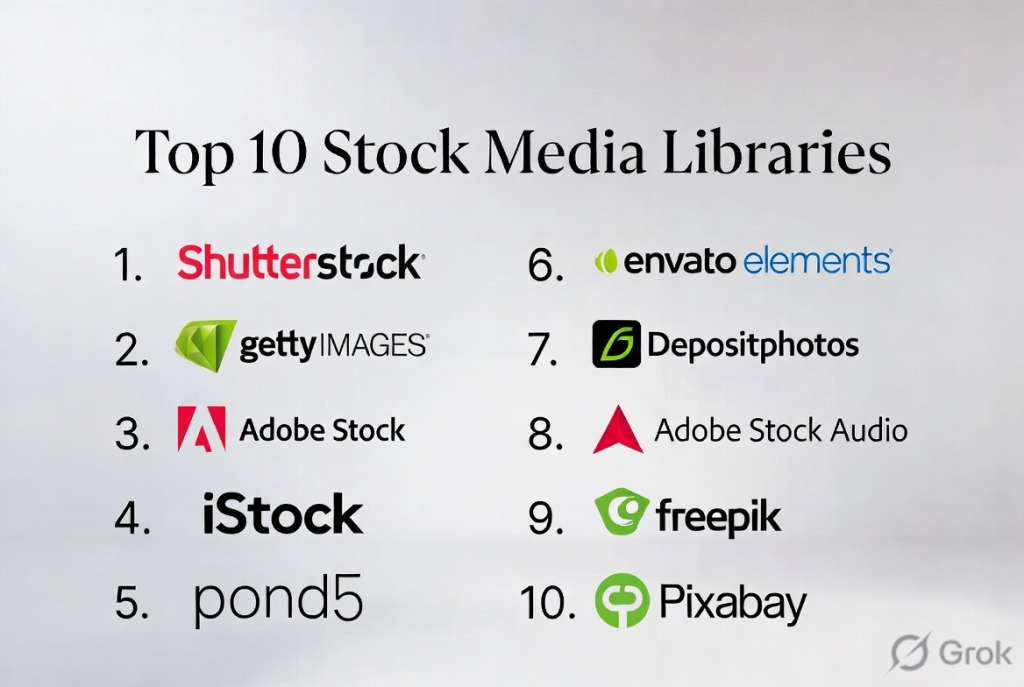
Top 10 Stock Media Libraries
#1 — Shutterstock
Short description: Shutterstock is a widely recognized stock media library providing millions of high-quality images, videos, and music tracks. It serves enterprises, agencies, and freelancers needing extensive creative resources.
Key Features
- Large image, video, and audio libraries
- AI-powered search and keyword suggestions
- Curated collections for teams
- Flexible licensing options
- Contributor network for diverse assets
- Integration with Adobe, Canva, and DAM systems
Pros
- Massive asset library
- Reliable licensing and compliance
Cons
- Subscription cost can be high for smaller teams
- Limited customization of asset collections
Platforms / Deployment
- Web / iOS / Android
- Cloud
Security & Compliance
- Role-based access, encryption
- Not publicly stated
Integrations & Ecosystem
Integrates with creative suites, DAM, and CMS tools.
Support & Community
Documentation, customer support, and tutorials.
#2 — Getty Images
Short description: Getty Images offers premium stock photography, editorial content, and videos with flexible licensing for creative, marketing, and media teams.
Key Features
- High-quality professional imagery
- Editorial and news content
- Video footage and animations
- Advanced search with filters
- Rights-managed and royalty-free licensing
Pros
- Trusted, high-quality assets
- Extensive editorial content
Cons
- Licensing costs are higher than competitors
- Limited subscription flexibility
Platforms / Deployment
- Web / Mobile
- Cloud
Security & Compliance
- Encryption and access controls
- Not publicly stated
Integrations & Ecosystem
Creative tools and DAM integrations.
Support & Community
Documentation and support channels.
#3 — Adobe Stock
Short description: Adobe Stock integrates with Creative Cloud apps, offering stock images, graphics, templates, and video content for designers and marketers directly within Adobe workflows.
Key Features
- Integration with Photoshop, Illustrator, Premiere Pro
- Templates and vector graphics
- High-resolution images and 4K videos
- Curated collections and search
- Flexible subscription and licensing
Pros
- Seamless Adobe integration
- High-quality assets
Cons
- Cost can accumulate for frequent downloads
- Primarily Adobe-centric workflows
Platforms / Deployment
- Web / Desktop / Mobile
- Cloud
Security & Compliance
- SSO, role-based access
- Not publicly stated
Integrations & Ecosystem
Creative Cloud, DAM, CMS integrations.
Support & Community
Adobe support, tutorials, and community forums.
#4 — iStock
Short description: iStock, a Getty Images brand, offers affordable stock photos, illustrations, videos, and audio content with flexible plans for SMBs and agencies.
Key Features
- Affordable subscription and credit plans
- Millions of images, vectors, and videos
- Searchable collections by keyword or style
- Contributor-based diversity in assets
Pros
- Cost-effective for SMBs
- Wide range of assets
Cons
- Smaller than Shutterstock or Getty library
- Limited advanced search features
Platforms / Deployment
- Web / Mobile
- Cloud
Security & Compliance
- Role-based permissions
- Not publicly stated
Integrations & Ecosystem
DAM, creative suites, CMS.
Support & Community
Documentation and online support.
#5 — Pond5
Short description: Pond5 specializes in stock video, music, and sound effects for media production, advertising, and creative content teams.
Key Features
- 4K+ video content
- Royalty-free audio and sound effects
- Collections and curated playlists
- Contributor marketplace
Pros
- Strong for video and audio production
- Affordable licensing
Cons
- Less focus on images
- Limited integration outside creative suites
Platforms / Deployment
- Web
- Cloud
Security & Compliance
- Encryption and access controls
- Not publicly stated
Integrations & Ecosystem
Creative software, DAM, CMS.
Support & Community
Documentation and support.
#6 — Envato Elements
Short description: Envato Elements provides a subscription-based stock library including images, video, audio, graphics, templates, and design assets for creatives and marketers.
Key Features
- Unlimited downloads with subscription
- Graphics, templates, videos, and music
- AI-assisted search and categorization
- Curated collections
Pros
- Cost-effective unlimited access
- Wide range of digital assets
Cons
- Less premium quality for high-end campaigns
- Limited enterprise workflow support
Platforms / Deployment
- Web
- Cloud
Security & Compliance
- Role-based access
- Not publicly stated
Integrations & Ecosystem
DAM and creative suites.
Support & Community
Documentation and support.
#7 — Depositphotos
Short description: Depositphotos offers a stock library of images, vectors, videos, and editorial content suitable for marketing and creative teams.
Key Features
- Large image and video repository
- Flexible subscription and pay-per-download plans
- Editorial and royalty-free content
- AI-powered search filters
Pros
- Affordable and flexible plans
- Diverse content
Cons
- Library smaller than Shutterstock or Getty
- Advanced features limited
Platforms / Deployment
- Web / Mobile
- Cloud
Security & Compliance
- Encryption and permissions
- Not publicly stated
Integrations & Ecosystem
DAM and creative software.
Support & Community
Documentation and tutorials.
#8 — Adobe Stock Audio
Short description: Adobe Stock Audio specializes in royalty-free music and soundtracks integrated with Creative Cloud apps for video, advertising, and multimedia projects.
Key Features
- Music, sound effects, and loops
- Curated collections
- Searchable by genre, mood, or tempo
- Integration with Premiere Pro and After Effects
Pros
- High-quality audio
- Direct Creative Cloud integration
Cons
- Limited visual assets
- Cost per track can be high
Platforms / Deployment
- Web / Desktop
- Cloud
Security & Compliance
- Encryption and access controls
- Not publicly stated
Integrations & Ecosystem
Creative Cloud apps.
Support & Community
Adobe support and tutorials.
#9 — Freepik
Short description: Freepik offers vectors, illustrations, photos, and PSD files for design teams and marketers needing affordable, ready-to-use assets.
Key Features
- Vector graphics and illustrations
- Templates and PSD files
- Free and premium content
- Curated collections
Pros
- Affordable
- Wide variety of design assets
Cons
- Limited video/audio content
- Free plan assets require attribution
Platforms / Deployment
- Web
- Cloud
Security & Compliance
- Standard access controls
- Not publicly stated
Integrations & Ecosystem
Creative software and DAM.
Support & Community
Documentation and online support.
#10 — Pixabay
Short description: Pixabay provides free and premium stock images, illustrations, vector graphics, and video for marketing, social media, and creative projects.
Key Features
- Free and royalty-free assets
- Images, illustrations, and video
- Easy search and filtering
- Curated collections
Pros
- Free assets available
- User-friendly interface
Cons
- Limited high-resolution and premium options
- Smaller library compared to premium providers
Platforms / Deployment
- Web
- Cloud
Security & Compliance
- Standard encryption
- Not publicly stated
Integrations & Ecosystem
DAM and creative software.
Support & Community
Documentation and support resources.
Comparison Table (Top 10)
| Tool Name | Best For | Platforms Supported | Deployment | Standout Feature | Public Rating |
|---|---|---|---|---|---|
| Shutterstock | Enterprise & marketing | Web, iOS, Android | Cloud | Large library & licensing | N/A |
| Getty Images | Professional & editorial | Web, Mobile | Cloud | Premium images & videos | N/A |
| Adobe Stock | Creative Cloud users | Web, Desktop, Mobile | Cloud | Direct Adobe integration | N/A |
| iStock | SMB & agencies | Web, Mobile | Cloud | Affordable stock assets | N/A |
| Pond5 | Video/audio production | Web | Cloud | Video & audio content | N/A |
| Envato Elements | Designers & marketers | Web | Cloud | Subscription with unlimited downloads | N/A |
| Depositphotos | Marketing & creative | Web, Mobile | Cloud | Affordable flexible plans | N/A |
| Adobe Stock Audio | Multimedia teams | Web, Desktop | Cloud | Royalty-free audio | N/A |
| Freepik | Designers | Web | Cloud | Vectors & illustrations | N/A |
| Pixabay | Small teams & hobbyists | Web | Cloud | Free & easy-to-use assets | N/A |
Evaluation & Scoring of Stock Media Libraries
| Tool Name | Core Features | Ease | Integrations | Security | Performance | Support | Value | Weighted Total |
|---|---|---|---|---|---|---|---|---|
| Shutterstock | 9 | 8 | 8 | 8 | 9 | 8 | 7 | 8.3 |
| Getty Images | 9 | 7 | 8 | 8 | 9 | 8 | 7 | 8.1 |
| Adobe Stock | 9 | 8 | 9 | 8 | 9 | 8 | 7 | 8.4 |
| iStock | 8 | 8 | 7 | 7 | 8 | 7 | 7 | 7.6 |
| Pond5 | 8 | 7 | 7 | 7 | 8 | 7 | 7 | 7.5 |
| Envato Elements | 8 | 9 | 7 | 7 | 8 | 7 | 7 | 7.8 |
| Depositphotos | 8 | 8 | 7 | 7 | 8 | 7 | 7 | 7.6 |
| Adobe Stock Audio | 8 | 8 | 8 | 7 | 8 | 7 | 7 | 7.7 |
| Freepik | 7 | 9 | 7 | 7 | 7 | 7 | 8 | 7.6 |
| Pixabay | 7 | 9 | 6 | 7 | 7 | 7 | 8 | 7.5 |
Which Stock Media Library Tool Is Right for You?
Solo / Freelancer
- Freepik or Pixabay provide cost-effective access to high-quality images and vectors.
SMB
- iStock, Envato Elements, or Depositphotos offer a balance between affordability and content diversity.
Mid-Market
- Adobe Stock, Shutterstock, and Pond5 provide extensive libraries, search efficiency, and workflow integrations.
Enterprise
- Shutterstock, Getty Images, and Adobe Stock deliver global scalability, licensing management, and creative workflow integrations.
Budget vs Premium
- Budget: Pixabay, Freepik
- Premium: Shutterstock, Getty Images, Adobe Stock
Feature Depth vs Ease of Use
- Depth: Shutterstock, Getty, Adobe Stock
- Ease: Freepik, Pixabay, Envato Elements
Integrations & Scalability
- Enterprise-grade stock libraries integrate with DAM, CMS, creative suites, and collaboration platforms.
Security & Compliance Needs
- Large enterprises require licensing compliance, audit tracking, and SSO access.
Frequently Asked Questions (FAQs)
- What is a stock media library?
A platform providing ready-to-use images, videos, audio, and templates for creative, marketing, and multimedia projects. - Why use a stock library instead of creating assets?
It saves time, cost, and resources, giving teams immediate access to professional-quality media. - What file types are supported?
Commonly images, vectors, video, audio, PSD, AI, and some interactive formats. - Can multiple users access stock libraries?
Yes — most platforms support team accounts, shared collections, and collaboration features. - Are stock assets royalty-free?
Most platforms offer both royalty-free and rights-managed assets, with licensing details per asset. - Can stock libraries integrate with creative tools?
Yes — integrations exist with Adobe, Canva, Figma, DAM systems, and CMS platforms. - Do these platforms offer analytics?
Some provide download metrics, asset usage reports, and engagement tracking. - Are subscription or pay-per-download options available?
Yes — platforms offer flexible subscriptions, credit packs, and enterprise licenses. - Can stock media be used commercially?
Licensing agreements specify commercial usage; most premium libraries provide clear commercial rights. - How do I choose the right stock library?
Consider asset variety, licensing needs, team size, budget, integrations, and workflow compatibility.
Conclusion
Stock media libraries are essential for content-heavy teams needing quick access to professional visuals and audio. Freelancers and small teams benefit from Freepik and Pixabay, SMBs from iStock, Envato Elements, or Depositphotos, mid-market teams from Adobe Stock, Shutterstock, and Pond5, and enterprise teams from Shutterstock, Getty Images, and Adobe Stock.
