Introduction
Tax filing consumer apps are digital solutions that help individuals prepare, file, and manage their taxes efficiently. They automate calculations, guide users through deductions and credits, and submit returns to relevant tax authorities. These apps simplify complex tax laws and reduce the risk of errors, making them essential for self-preparing taxpayers.
Common use cases include:
- Preparing federal and state tax returns
- Maximizing eligible deductions and credits
- Filing electronically with confirmation
- Tracking tax refund status
- Storing tax records for future reference
Best for: Individuals, freelancers, and small business owners who want a simple, guided, and accurate tax filing experience.
Not ideal for: Users with highly complex or international tax situations that require specialized accounting or CPA support.
Key Trends in Tax Filing Consumer Apps
- AI-assisted deduction and credit recommendations
- Automatic import of W-2, 1099, and other tax forms
- Mobile-first and cross-platform filing experiences
- Integration with banks, payroll, and financial apps
- Enhanced security: encryption, MFA, and audit logging
- Real-time error checking and compliance verification
- Cloud-based storage of prior tax filings
- Tiered pricing: freemium, subscription, or pay-per-file
- Personalized refund predictions and tracking
- Multi-year return preparation and archive
How We Selected These Tools (Methodology)
- Evaluated market adoption and popularity among individual taxpayers
- Assessed feature completeness, including form coverage, import capabilities, and e-filing
- Reviewed performance and reliability, such as calculation accuracy and submission success rates
- Considered security and compliance, including encryption, MFA, and privacy policies
- Tested integration capabilities with banks, payroll providers, and financial software
- Measured ease of use and interface clarity
- Verified pricing models and value
- Checked support channels and community feedback
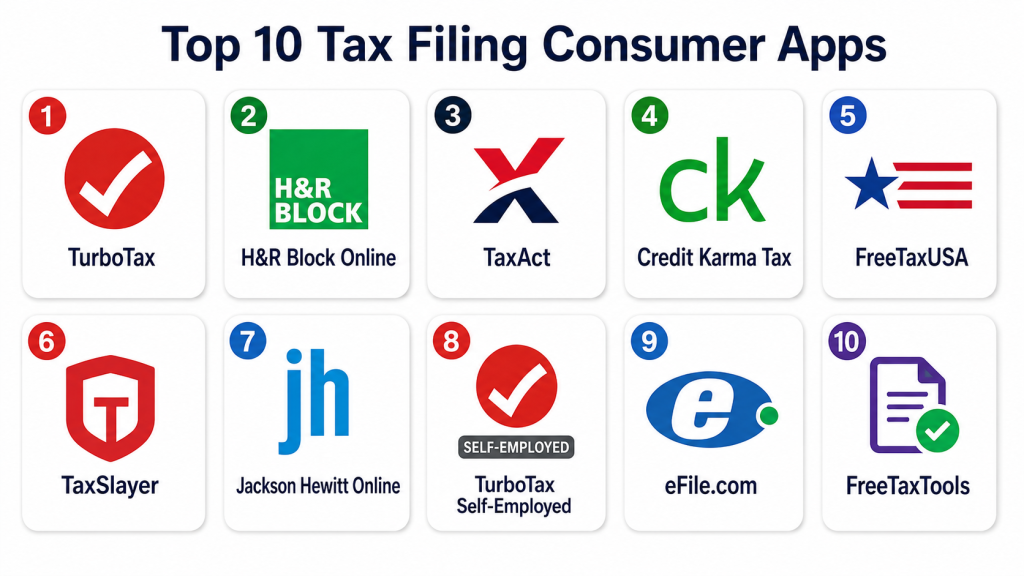
Top 10 Tax Filing Consumer Apps
#1 — TurboTax
Short description: TurboTax offers guided tax preparation with step-by-step instructions. It supports federal and state returns and helps maximize deductions. Ideal for individual taxpayers and freelancers.
Key Features
- Step-by-step tax guidance
- Automatic import of W-2 and 1099 forms
- Deduction and credit suggestions
- E-filing with confirmation
- Refund estimation and tracking
Pros
- Easy-to-use interface
- Accurate and reliable calculations
- Strong customer support
Cons
- Paid versions required for complex returns
- Premium features can be expensive
- Some upsell prompts
Platforms / Deployment
- Web / iOS / Android
- Cloud
Security & Compliance
- MFA, encryption
- SOC 2
Integrations & Ecosystem
- Bank and payroll integration
- Import from financial apps
- Export data to CSV
Support & Community
- Email and phone support
- Knowledge base
- Community forums
#2 — H&R Block Online
Short description: H&R Block Online provides guided tax preparation and access to tax professionals. It supports individual and small business returns. Suitable for taxpayers seeking professional backup.
Key Features
- Step-by-step online guidance
- Access to tax experts
- W-2 and 1099 import
- Error-checking and validation
- Refund tracking
Pros
- Professional assistance available
- Easy navigation
- Accurate calculations
Cons
- Some features require in-person support
- Premium plans are expensive
- Limited international tax support
Platforms / Deployment
- Web / iOS / Android
- Cloud
Security & Compliance
- MFA, encryption
- SOC 2
Integrations & Ecosystem
- Bank and payroll syncing
- Form import
- Limited API support
Support & Community
- Email and chat support
- Knowledge base
- Online community
#3 — TaxAct
Short description: TaxAct provides affordable online tax preparation with guided help. It supports federal and state returns and offers calculation guarantees. Ideal for cost-conscious taxpayers.
Key Features
- Guided tax filing
- Form import from prior years
- Deduction optimization
- Refund estimation
- E-filing
Pros
- Affordable pricing
- Clear guidance
- Calculation accuracy guarantee
Cons
- Interface less modern
- Limited customer support on free plan
- Fewer integrations than competitors
Platforms / Deployment
- Web / iOS / Android
- Cloud
Security & Compliance
- Encryption, MFA
- SOC 2
Integrations & Ecosystem
- Bank and payroll import
- CSV export
- Limited third-party integrations
Support & Community
- Email support
- Knowledge base
- Community forum
#4 — Credit Karma Tax
Short description: Credit Karma Tax offers free federal and state tax filing. It provides deduction guidance and e-filing. Suitable for simple individual returns.
Key Features
- Free federal and state filing
- Deduction and credit recommendations
- W-2 and 1099 import
- Error checking
- Refund tracking
Pros
- Completely free
- Easy-to-use
- Supports standard deductions
Cons
- Limited advanced features
- Customer support is basic
- No audit support
Platforms / Deployment
- Web / iOS / Android
- Cloud
Security & Compliance
- Encryption, MFA
- Not publicly stated
Integrations & Ecosystem
- Bank and payroll import
- Limited export options
Support & Community
- Email support
- Knowledge base
- Small community
#5 — FreeTaxUSA
Short description: FreeTaxUSA provides free federal tax filing with affordable state filing. It guides users through deductions and credits. Ideal for budget-conscious filers.
Key Features
- Free federal filing
- Affordable state filing
- Step-by-step guidance
- Import W-2 forms
- Audit support available
Pros
- Low cost
- Supports various tax forms
- Simple interface
Cons
- State filing not free
- Limited advanced features
- Customer support limited
Platforms / Deployment
- Web / iOS / Android
- Cloud
Security & Compliance
- MFA, encryption
- Not publicly stated
Integrations & Ecosystem
- Bank import
- Form import
- CSV export
Support & Community
- Email support
- Knowledge base
- Small forum
#6 — TaxSlayer
Short description: TaxSlayer offers online filing with federal and state support. It provides deduction guidance and multiple pricing tiers. Suitable for self-preparing taxpayers.
Key Features
- Guided online tax preparation
- W-2 and 1099 import
- Deduction and credit recommendations
- E-filing
- Audit support
Pros
- Affordable pricing
- Easy to navigate
- Multiple plans for complexity
Cons
- Limited advanced support
- Interface slightly outdated
- State filing cost
Platforms / Deployment
- Web / iOS / Android
- Cloud
Security & Compliance
- MFA, encryption
- SOC 2
Integrations & Ecosystem
- Bank and payroll syncing
- Export to CSV
- Limited APIs
Support & Community
- Email support
- Knowledge base
- Online community
#7 — Jackson Hewitt Online
Short description: Jackson Hewitt Online provides guided tax filing with access to professionals. It supports federal and state returns and simple audit assistance. Ideal for users seeking backup support.
Key Features
- Step-by-step guidance
- Access to tax experts
- W-2 and 1099 import
- E-filing
- Refund tracking
Pros
- Professional backup available
- User-friendly interface
- Reliable calculations
Cons
- Paid support required for complex returns
- Less automation
- Limited integrations
Platforms / Deployment
- Web / iOS / Android
- Cloud
Security & Compliance
- MFA, encryption
- Not publicly stated
Integrations & Ecosystem
- Bank and payroll import
- Export options
- Limited API
Support & Community
- Email and chat support
- Knowledge base
- Small community
#8 — TurboTax Self-Employed
Short description: TurboTax Self-Employed specializes in freelance and small business taxes. It provides expense tracking and deduction optimization. Suitable for independent workers.
Key Features
- Expense and income tracking
- Self-employment deduction guidance
- W-2 and 1099 import
- E-filing
- Refund estimates
Pros
- Tailored for self-employed
- Maximize deductions
- Easy-to-use interface
Cons
- Premium cost
- Limited free tier
- Some upsell prompts
Platforms / Deployment
- Web / iOS / Android
- Cloud
Security & Compliance
- MFA, encryption
- SOC 2
Integrations & Ecosystem
- Bank and payment apps
- Export CSV
- Limited API
Support & Community
- Email, chat support
- Knowledge base
- Active community
#9 — eFile.com
Short description: eFile.com provides simple online tax filing with deduction guidance. It supports federal and state returns and audit protection. Ideal for standard individual filings.
Key Features
- Guided tax preparation
- Federal and state filing
- Form import
- Audit support
- Refund estimation
Pros
- Affordable
- Easy navigation
- Basic audit support
Cons
- Limited advanced features
- Customer support minimal
- Some forms may require paid tier
Platforms / Deployment
- Web / iOS / Android
- Cloud
Security & Compliance
- MFA, encryption
- Not publicly stated
Integrations & Ecosystem
- Bank import
- CSV export
- Limited API
Support & Community
- Email support
- Knowledge base
- Small forum
#10 — FreeTaxTools
Short description: FreeTaxTools provides free federal filing and guides users through deductions. It supports multiple filing types for budget-conscious filers.
Key Features
- Free federal filing
- Step-by-step guidance
- W-2 and 1099 import
- Refund tracking
- Deduction suggestions
Pros
- Completely free for federal
- Simple interface
- Basic guidance
Cons
- State filing may cost
- Limited advanced features
- Support limited
Platforms / Deployment
- Web / iOS / Android
- Cloud
Security & Compliance
- MFA, encryption
- Not publicly stated
Integrations & Ecosystem
- Bank import
- CSV export
- Limited external integration
Support & Community
- Email support
- Knowledge base
- Small online forum
Comparison Table (Top 10)
| Tool Name | Best For | Platform(s) Supported | Deployment | Standout Feature | Public Rating |
|---|---|---|---|---|---|
| TurboTax | General & freelancers | Web / iOS / Android | Cloud | Step-by-step guidance | N/A |
| H&R Block Online | Individual & professional backup | Web / iOS / Android | Cloud | Access to tax experts | N/A |
| TaxAct | Cost-conscious filers | Web / iOS / Android | Cloud | Affordable plans | N/A |
| Credit Karma Tax | Simple returns | Web / iOS / Android | Cloud | Completely free | N/A |
| FreeTaxUSA | Budget filing | Web / iOS / Android | Cloud | Low-cost state filing | N/A |
| TaxSlayer | Self-preparing taxpayers | Web / iOS / Android | Cloud | Affordable tiers | N/A |
| Jackson Hewitt Online | Backup & guidance | Web / iOS / Android | Cloud | Expert support | N/A |
| TurboTax Self-Employed | Freelancers | Web / iOS / Android | Cloud | Expense deduction optimization | N/A |
| eFile.com | Standard filings | Web / iOS / Android | Cloud | Basic audit support | N/A |
| FreeTaxTools | Free federal filing | Web / iOS / Android | Cloud | Free federal filing | N/A |
Evaluation & Scoring of Tax Filing Consumer Apps
| Tool Name | Core (25%) | Ease (15%) | Integrations (15%) | Security (10%) | Performance (10%) | Support (10%) | Value (15%) | Weighted Total |
|---|---|---|---|---|---|---|---|---|
| TurboTax | 9 | 9 | 8 | 9 | 9 | 8 | 8 | 8.7 |
| H&R Block Online | 8 | 8 | 7 | 8 | 8 | 8 | 8 | 8.0 |
| TaxAct | 8 | 8 | 7 | 8 | 8 | 7 | 8 | 7.95 |
| Credit Karma Tax | 7 | 9 | 6 | 8 | 8 | 7 | 7 | 7.3 |
| FreeTaxUSA | 7 | 8 | 6 | 8 | 8 | 7 | 7 | 7.2 |
| TaxSlayer | 8 | 8 | 7 | 8 | 8 | 7 | 8 | 7.9 |
| Jackson Hewitt | 8 | 8 | 7 | 8 | 8 | 7 | 8 | 7.9 |
| TurboTax Self-Employed | 9 | 9 | 8 | 9 | 9 | 8 | 8 | 8.7 |
| eFile.com | 7 | 8 | 6 | 8 | 8 | 7 | 7 | 7.2 |
| FreeTaxTools | 7 | 8 | 6 | 8 | 8 | 7 | 7 | 7.2 |
Which Tax Filing App Is Right for You?
Solo / Freelancer
- TurboTax, TurboTax Self-Employed, TaxSlayer: easy guidance, deductions, expense tracking
SMB
- H&R Block Online, Jackson Hewitt: professional backup, multiple return support
Mid-Market
- TaxAct, FreeTaxUSA: affordable, comprehensive filing for standard forms
Enterprise / Professional Advisors
- H&R Block Online, Jackson Hewitt: multi-client support, expert review
Budget vs Premium
- Free: Credit Karma Tax, FreeTaxTools
- Premium: TurboTax, H&R Block Online
Feature Depth vs Ease of Use
- Depth: TurboTax Self-Employed, H&R Block Online
- Ease: Credit Karma Tax, FreeTaxTools
Integrations & Scalability
- TurboTax, TaxSlayer: bank, payroll, and document import
Security & Compliance Needs
- MFA and encryption recommended; SOC 2 where stated
Frequently Asked Questions (FAQs)
1. What pricing models do these apps use?
Freemium, subscription, and pay-per-file models are common. Free tiers usually cover basic federal returns.
2. Can I import my W-2 and 1099 forms?
Yes. Most apps support automatic import or manual upload of key tax documents.
3. Are these apps secure?
Encryption and multi-factor authentication are standard. SOC 2 compliance is mentioned for major apps; some are Not publicly stated.
4. Can these apps handle self-employment taxes?
Yes, apps like TurboTax Self-Employed and TaxSlayer provide guidance for freelancers and gig workers.
5. Do apps calculate state taxes?
Yes, most support federal and state tax filings, though some may charge extra for state returns.
6. Are mobile apps available?
Yes. All major apps provide iOS and Android apps for mobile filing and tracking.
7. Can I get professional support?
TurboTax, H&R Block Online, and Jackson Hewitt offer access to tax professionals for guidance or review.
8. Can I track refund status?
Yes. Most apps provide real-time tracking of refunds from tax authorities.
9. Can I file past-year returns?
Many apps allow filing prior-year federal and state returns with specific forms.
10. What are common mistakes using these apps?
- Not double-checking auto-imported info
- Overlooking deductions or credits
- Ignoring guidance for complex situations
Conclusion
Tax filing consumer apps simplify preparation, maximize deductions, and reduce errors. Casual users may prefer Credit Karma Tax or FreeTaxTools for cost-free filing, while freelancers and self-employed individuals benefit from TurboTax Self-Employed or TaxSlayer. Selecting the right app depends on complexity, budget, and need for professional support. Shortlist apps, test usability, and validate integration with your accounts.
