Introduction
Writing assistance tools are software platforms designed to help users improve the quality, clarity, accuracy, and impact of written content across documents, emails, social posts, web pages, reports, and more. They use a mix of rule‑based checks and AI‑driven intelligence to catch grammar and spelling mistakes, elevate style, refine tone, suggest structure improvements, and ensure content aligns with audience intent. In , as digital communication becomes ubiquitous and content expectations rise, these tools have evolved into essential companions for professionals, students, marketers, developers, and global teams.
Real‑world use cases include:
- Content marketing teams streamlining production of blog posts, landing pages, and SEO‑optimized copy.
- Sales and support teams generating clear, on‑brand responses and proposals.
- Students and academics polishing essays, theses, and research papers.
- Non‑native speakers learning and producing confident English content.
- Developers and technical writers maintaining accuracy and clarity in documentation and code comments.
What buyers should evaluate:
- Quality of grammar, spelling, and style suggestions
- Tone, clarity, and engagement insights
- Integration across devices, editors, browsers, and collaboration tools
- Support for multilingual content and regional linguistic preferences
- Industry‑ and audience‑specific writing modes
- Real‑time vs offline capabilities
- Collaboration and workflow features for teams
- Security, privacy, and compliance controls
- Reporting and analytics for team usage
- Accessibility and ease of adoption
Best for: Content creators, marketing teams, business professionals, students, writing educators, technical communicators, and enterprises seeking consistent quality and style across their content footprint.
Not ideal for: Users needing specialized linguistic research tools (e.g., academic linguistic corpora), raw machine translation without editing support, or creative writing that deliberately eschews prescriptive norms.
Key Trends in Writing Assistance Tools
- AI‑driven context and tone analysis that adapts suggestions based on intent, audience, and platform goals.
- Deep style and genre‑aware suggestions for formats like legal, academic, technical, or narrative content.
- Real‑time, cross‑platform integration in browsers, IDEs, email clients, collaboration apps, and CMS.
- Personalized and team style guides embedded into suggestions for brand consistency.
- Increased privacy and enterprise governance, including encryption, data residency choices, SSO, and audit logging.
- Multilingual support and localized grammar checks, including regional variations.
- Voice‑to‑text and generative assistance for rapid ideation and drafting.
- Embedded analytics and usage reporting for teams and compliance oversight.
- Plug‑n‑play APIs enabling developers to embed writing intelligence into apps and workflows.
- Offline and hybrid modes for secure content environments and intermittent connectivity.
How We Selected These Tools (Methodology)
To compile this list of the Top 10 Writing Assistance Tools, we considered:
- Market adoption and usage across industries and user segments.
- Feature completeness including grammar, style, tone, clarity, and actionable suggestions.
- AI integration and innovation in context‑aware writing intelligence.
- Security and privacy posture for individual and enterprise use.
- Integrations and ecosystem reach including browsers, editors, and APIs.
- Performance and accuracy across diverse writing scenarios.
- Support, documentation, and community engagement.
- Multi‑language support and adaptability to global content needs.
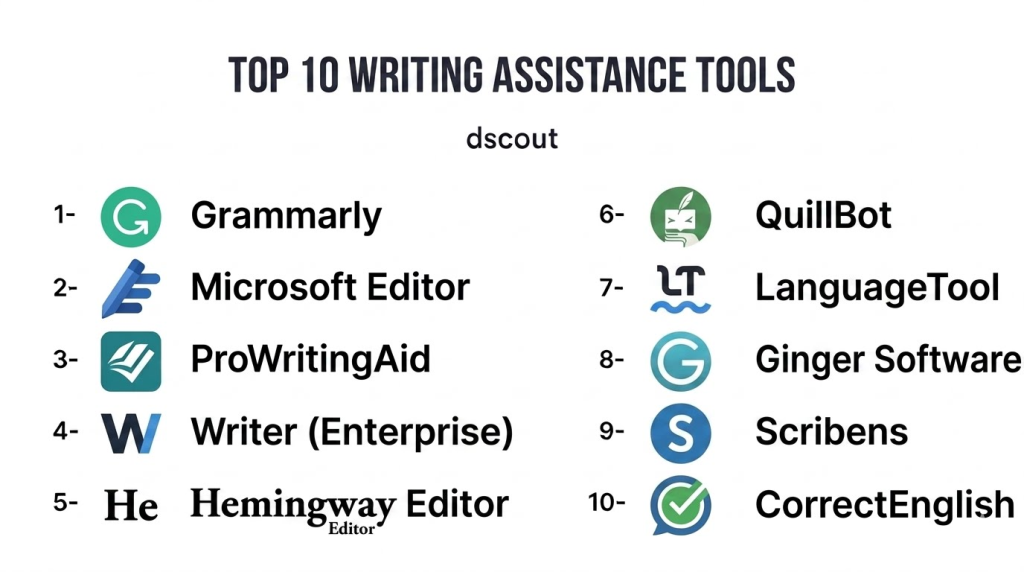
Top 10 Writing Assistance Tools
1 — Grammarly
Short description: Grammarly is one of the most widely adopted writing assistance tools globally, blending advanced grammar, spell checking, style suggestions, and AI‑driven clarity and tone insights. It operates across browsers, desktop apps, mobile keyboards, and integrates with productivity suites, making it suitable for individuals and teams seeking real‑time writing support.
Key Features
- Real‑time grammar, spelling, and style suggestions
- Tone and clarity analysis with audience intent adjustments
- Plagiarism detection and originality checks
- Team dashboards for usage and consistency
- Browser extensions and document integrations
- AI‑powered rewrite suggestions and sentence enhancement
- Custom brand or style guide enforcement
Pros
- Highly accurate contextual suggestions
- Broad integration across writing environments
- Scales from individuals to enterprise teams
Cons
- Premiumtier features behind subscription
- Can feel prescriptive for creative writing
- Cloud dependency for full feature set
Platforms / Deployment
- iOS, Android, Windows, macOS, Web
- Cloud
Security & Compliance
- Not publicly stated
Integrations & Ecosystem
Grammarly provides broad integrations and extensibility.
- Browser extensions (Chrome, Edge, Safari)
- Office suite plugins
- Email and web editors
- Enterprise admin dashboards
Support & Community
- Knowledge base and writing guides
- Email and enterprise support
- Active user community
2 — Microsoft Editor
Short description: Microsoft Editor embeds writing assistance directly into Microsoft 365 applications and as a browser extension, helping users catch grammar, clarity, and stylistic issues while drafting emails, documents, and web content.
Key Features
- Grammar and spelling checks
- Formality, clarity, and conciseness suggestions
- Integration with Word, Outlook, and Teams
- Browser extension for web‑based writing
- Multi‑language support
- Suggestion tracking and history
Pros
- Seamless integration for Microsoft 365 users
- Real‑time suggestions integrated within familiar workflows
- Enterprise‑ready admin controls
Cons
- Advanced features tied to Microsoft 365 subscription
- Less deep style guidance compared to specialist tools
- Feature set largely bound to Microsoft ecosystem
Platforms / Deployment
- Windows, macOS, Web
- Cloud
Security & Compliance
- Not publicly stated; aligned with Microsoft 365 compliance standards
Integrations & Ecosystem
- Microsoft 365 apps
- Browser extensions
- Enterprise identity and management integrations
Support & Community
- Microsoft support channels
- Documentation and in‑product help
- Large Office user community
3 — ProWritingAid
Short description: ProWritingAid is a comprehensive writing assistant geared toward authors, editors, and professional communicators. It offers deep readability, style, and structural analyses alongside grammar and spell checking, making it a valuable tool for content quality refinement.
Key Features
- Grammar and syntax checking
- Style, pacing, and structure suggestions
- Readability scores and trend reports
- Consistency and repetition analysis
- Integrations with writing tools and editors
- Detailed writing analytics
- Dashboard and customizable reports
Pros
- In‑depth analysis for long‑form content
- Reporting and educational feedback
- Competitive pricing
Cons
- Interface complexity for casual users
- Real‑time browser performance slightly slower
- Integration setup varies by platform
Platforms / Deployment
- Windows, macOS, Web
- Cloud
Security & Compliance
- Not publicly stated
Integrations & Ecosystem
- Browser extensions
- Desktop writers and editors
- APIs for custom integration
Support & Community
- Email support
- Learning resources and tutorials
- Active writing community
4 — Writer (Enterprise)
Short description: Writer is an AI‑powered writing assistant built for enterprise communication, offering grammar checks alongside custom style guides, brand voice enforcement, and analytics to maintain consistency across business content at scale.
Key Features
- Grammar and clarity suggestions
- Custom style and brand templates
- Team content analytics and dashboards
- Real‑time collaboration and comments
- Integrations with productivity and communication platforms
- AI‑driven tone and audience insights
- Enterprise governance controls
Pros
- Brand‑consistent writing at scale
- Strong enterprise admin features
- Collaboration and analytics for teams
Cons
- Premium pricing tier
- More complex setup for small teams
- Requires governance guidance to fully leverage
Platforms / Deployment
- Web, Browser Extensions
- Cloud
Security & Compliance
- Not publicly stated
Integrations & Ecosystem
- Productivity platform connectors
- API access for custom workflows
- Collaboration integrations
Support & Community
- Enterprise support tiers
- Tutorials and documentation
- User community forums
5 — Hemingway Editor
Short description: Hemingway Editor focuses on improving clarity and readability by highlighting complex sentences, passive voice, and hard‑to‑read structures. It’s highly useful for bloggers, authors, and content creators aiming for clear, concise writing.
Key Features
- Readability scoring
- Highlights passive voice, adverbs, and complex sentences
- Color‑coded writing feedback
- Word and character counts
- Focus suggestions for clearer writing
Pros
- Visual guidance for readability improvement
- Simple, distraction‑free interface
- Great for conciseness and clarity
Cons
- Limited grammar checks compared to AI tools
- No real‑time browser integrations
- Lacks spell checking
Platforms / Deployment
- Windows, macOS, Web
- Desktop / Cloud
Security & Compliance
- Not publicly stated
Integrations & Ecosystem
- Works primarily as a standalone editor
- Export and import content
- Limited extensibility
Support & Community
- Help documentation
- Tutorials
- User guides
6 — QuillBot
Short description: QuillBot is a multi‑purpose writing assistant that blends grammar and spell checking with paraphrasing, summarization, and clarity tools — appealing to students, writers, and content creators who want flexible writing assistance.
Key Features
- Grammar and spell checking
- Paraphrasing and rewrite modes
- Summarizer and citation suggestions
- Tone and clarity diagnostics
- Browser extensions and editor plugins
Pros
- Strong paraphrase and idea generation tools
- Useful for academic writing and rewriting
- Multi‑purpose writing support
Cons
- Grammar depth is not as deep as specialist tools
- Some features behind paywalls
- Limited enterprise controls
Platforms / Deployment
- Web, Browser Extensions
- Cloud
Security & Compliance
- Not publicly stated
Integrations & Ecosystem
- Browser plugins
- Embeddable editor
- Workspace support
Support & Community
- Tutorials
- Help articles
- User community
7 — LanguageTool
Short description: LanguageTool is an open‑core grammar and style checker supporting a wide range of languages and regional variations, making it valuable for global teams and multilingual writing workflows.
Key Features
- Grammar and spell checking across multiple languages
- Style and clarity suggestions
- Browser and editor extensions
- API for custom integration
- Rule‑based and AI‑assisted checks
- Configurable rule sets
Pros
- Strong multi‑language support
- Flexible API for integration
- Free tier available
Cons
- Enterprise analytics limited
- Some languages have less coverage
- UI not as refined as premium tools
Platforms / Deployment
- Windows, macOS, Linux, Web
- Cloud / Self‑hosted (via API)
Security & Compliance
- Varies / N/A
Integrations & Ecosystem
- Browser and document plugins
- API for custom workflows
- Configurable rules
Support & Community
- Community‑driven forums
- Documentation
- Developer support
8 — Ginger Software
Short description: Ginger Software offers writing assistance with grammar checks, sentence rephrasing, translation, and language learning support, making it valuable for non‑native speakers and casual writers.
Key Features
- Grammar and spell checking
- Sentence rephraser
- Dictionary and translation tools
- Text reader and language learning features
- Mobile keyboards
Pros
- Helpful for non‑native English writers
- Rephrase and dictionary support
- Multilingual suggestions
Cons
- Dated interface
- Limited enterprise tooling
- Some advanced features require subscription
Platforms / Deployment
- Windows, macOS, iOS, Android, Browser
- Cloud
Security & Compliance
- Not publicly stated
Integrations & Ecosystem
- Browser extension
- Mobile keyboard
- Desktop app
Support & Community
- Help center
- Tutorials
- Community resources
9 — Scribens
Short description: Scribens offers grammar and sentence structure feedback with vocabulary enhancements and detailed explanations for corrections, appealing to students and casual writers seeking clarity and learning.
Key Features
- Grammar and spelling corrections
- Sentence structure suggestions
- Vocabulary and style recommendations
- Detailed explanations for corrections
Pros
- Clear feedback with educational explanations
- Free tier available
- Helpful for learners
Cons
- Not as deep as AI‑first tools
- Limited integrations
- UI can feel dated
Platforms / Deployment
- Web
- Cloud
Security & Compliance
- Varies / N/A
Integrations & Ecosystem
- Browser access
- Limited plugins
Support & Community
- FAQs
- Help docs
- User guides
10 — CorrectEnglish
Short description: CorrectEnglish combines grammar and spell checking with educational feedback, clarity enhancement, and writing improvement modules, catering primarily to students and professional learners.
Key Features
- Grammar and clarity checks
- Style and structure suggestions
- Feedback modules for learning
- Reporting and analytics
Pros
- Educational focus aids learning
- Strong clarity suggestions
- Useful for academic contexts
Cons
- Smaller ecosystem
- Limited integrations
- UI and features less comprehensive
Platforms / Deployment
- Web
- Cloud
Security & Compliance
- Varies / N/A
Integrations & Ecosystem
- Browser access
- Export features
Support & Community
- Help center
- Educational resources
- Limited user forums
Comparison Table (Top 10)
| Tool Name | Best For | Platforms Supported | Deployment | Standout Feature | Public Rating |
|---|---|---|---|---|---|
| Grammarly | Broad professional use | Web, Windows, macOS, iOS, Android | Cloud | Context‑aware AI recommendations | N/A |
| Microsoft Editor | Office ecosystem writers | Windows, macOS, Web | Cloud | Deep Microsoft 365 integration | N/A |
| ProWritingAid | Authors & editors | Web, Windows, macOS | Cloud | Structural and style analysis | N/A |
| Writer (Enterprise) | Teams & enterprise | Web, Browser | Cloud | Brand voice & governance | N/A |
| Hemingway Editor | Readability & clarity focus | Web, Windows, macOS | Cloud | Readability emphasis | N/A |
| QuillBot | Paraphrasing and rewriting | Web, Browser | Cloud | Paraphrase and summarization | N/A |
| LanguageTool | Multilingual environments | Web, Windows, macOS, Linux | Cloud / API | Multi‑language grammar | N/A |
| Ginger Software | Non‑native speakers & learners | Web, Desktop, Mobile | Cloud | Sentence rephraser & translation | N/A |
| Scribens | Students & casual writers | Web | Cloud | Educational grammar feedback | N/A |
| CorrectEnglish | Academic & professional learning | Web | Cloud | Educational writing improvement | N/A |
Evaluation & Scoring of Writing Assistance Tools
| Tool Name | Core (25%) | Ease (15%) | Integrations (15%) | Security (10%) | Performance (10%) | Support (10%) | Value (15%) | Weighted Total |
|---|---|---|---|---|---|---|---|---|
| Grammarly | 9 | 9 | 9 | 7 | 9 | 8 | 8 | 8.7 |
| Microsoft Editor | 8 | 8 | 8 | 8 | 8 | 7 | 8 | 8.0 |
| ProWritingAid | 8 | 7 | 7 | 7 | 8 | 7 | 9 | 7.9 |
| Writer | 9 | 7 | 8 | 7 | 8 | 8 | 7 | 8.0 |
| Hemingway Editor | 7 | 7 | 5 | 7 | 7 | 6 | 8 | 6.9 |
| QuillBot | 7 | 8 | 6 | 7 | 7 | 6 | 8 | 7.1 |
| LanguageTool | 7 | 7 | 8 | 7 | 7 | 6 | 8 | 7.3 |
| Ginger Software | 7 | 7 | 7 | 7 | 7 | 7 | 7 | 7.0 |
| Scribens | 7 | 7 | 5 | 7 | 7 | 6 | 8 | 6.8 |
| CorrectEnglish | 6 | 6 | 5 | 7 | 7 | 6 | 7 | 6.4 |
Interpretation: Scores compare core writing assistance capabilities, ease of use, ecosystem integrations, security posture, performance, support, and overall value. Higher totals suggest tools well‑suited for broad writing tasks across individual, team, and enterprise contexts.
Which Writing Assistance Tool Is Right for You?
Solo / Freelancer
For independent writers or freelancers, Grammarly, ProWritingAid, and QuillBot offer powerful writing improvement and idea‑generation tools without steep complexity.
SMB
Teams in small to mid‑sized businesses benefit from Microsoft Editor (especially with Office 365) or LanguageTool for multi‑language support and integrated workflows.
Mid‑Market
Growing teams requiring style consistency and analytics should consider Writer (Enterprise) or Grammarly for Teams for governance, customization, and collaboration tracking.
Enterprise
Large organizations with brand voice needs should prioritize Writer (Enterprise) and Grammarly for Enterprise, as they provide custom style guides, admin governance, analytics, and integration ecosystems.
Budget vs Premium
- Budget‑friendly: LanguageTool, Scribens offer essential grammar help with free or low‑cost tiers.
- Premium: Grammarly, ProWritingAid, and Writer bring advanced AI, analytics, and governance for professional use.
Feature Depth vs Ease of Use
- Feature‑rich: Grammarly, Writer, ProWritingAid excel in depth.
- Ease of adoption: Microsoft Editor, Hemingway Editor are intuitive for most users.
Integrations & Scalability
Tools with strong integration ecosystems such as Grammarly, Microsoft Editor, and LanguageTool scale across browsers, editors, and collaborative environments.
Security & Compliance Needs
Enterprises requiring strong privacy and governance should assess API and data governance features with their security teams before wide deployment.
Frequently Asked Questions (FAQs)
1 — What pricing models do writing assistance tools use?
Most tools offer tiered subscription models, with free or freemium plans providing basic grammar checks and premium subscriptions unlocking advanced features like AI style suggestions, tone insights, collaboration dashboards, and analytics.
2 — Do these tools support multiple languages?
Yes. Tools like LanguageTool and Ginger Software support multiple languages, though depth of grammar and style guidance may vary by language.
3 — Can these tools be used offline?
Some desktop implementations offer offline capabilities, but most advanced AI‑powered suggestions rely on cloud connectivity for deep contextual analysis.
4 — Are writing assistance tools secure?
Security varies by provider. Many follow standard encryption practices and align with enterprise data governance, but organizations should verify compliance with internal policies before adoption.
5 — How accurate are AI‑driven suggestions?
Modern AI models provide highly contextual suggestions, but human review remains important for nuance, domain‑specific language, and audience tailoring.
6 — Do these tools integrate into writing workflows?
Yes. Tools offer browser extensions, office plugins, and APIs to integrate with email, CMS, documentation platforms, and collaboration apps.
7 — Can writers customize style preferences?
Many tools allow custom rules, team style guides, and presets to enforce brand voice and writing consistency across teams.
8 — Are these tools helpful for academic writing?
Absolutely. Tools like ProWritingAid and Grammarly provide clarity, structure feedback, and plagiarism insights helpful for academic contexts.
9 — What is tone analysis?
Tone analysis is the tool’s ability to assess whether writing feels formal, casual, confident, or persuasive, guiding the writer to adjust language for the intended audience.
10 — Can developers embed writing assistance in apps?
Yes. Tools like LanguageTool and Grammarly provide APIs or SDKs enabling developers to embed writing intelligence into custom applications and workflows.
Conclusion
Writing assistance tools are indispensable in 2026 for anyone producing written content — from students and independent creators to global enterprises. Whether you need deep style insights, collaborative governance, multilingual support, or seamless integrations across platforms, there’s a tool tailored to your needs. Grammarly and Writer (Enterprise) lead in context‑aware suggestions and team governance, Microsoft Editor offers tight Office ecosystem integration, while LanguageTool and ProWritingAid support multi‑language and deep analytical workflows. To choose the right solution, shortlist , pilot them in real workflows, assess integration fit, and validate security and compliance with internal requirements. Effective adoption can elevate communication quality, brand voice consistency, and writing confidence across your organization.
