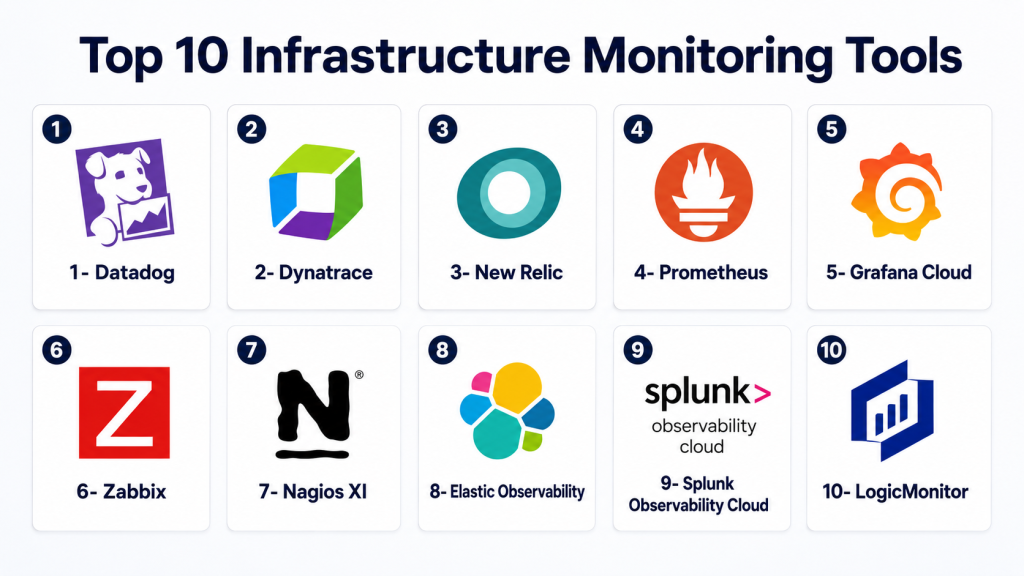
Introduction
Infrastructure Monitoring Tools help IT, DevOps, SRE, and platform teams track the health, performance, availability, and reliability of servers, networks, databases, containers, cloud services, and applications. These tools collect metrics, logs, events, traces, alerts, and usage data so teams can quickly detect issues before they impact users or business operations.
In and beyond, infrastructure monitoring is more important because organizations now operate across hybrid cloud, Kubernetes, microservices, edge systems, SaaS platforms, and multi-cloud environments. Manual monitoring is no longer enough. Teams need real-time visibility, automated alerting, AI-assisted anomaly detection, incident correlation, and observability across complex distributed systems.
Real-World Use Cases
- Server and VM monitoring: Track CPU, memory, disk, processes, uptime, and system health across Linux and Windows environments.
- Cloud infrastructure visibility: Monitor AWS, Azure, Google Cloud, Kubernetes, containers, and managed cloud services from one place.
- Network and device monitoring: Detect bandwidth issues, latency, packet loss, device failures, and connectivity problems.
- Incident response: Use alerts, dashboards, and root-cause insights to reduce downtime and speed up troubleshooting.
- Capacity planning: Analyze resource usage trends to forecast scaling needs and avoid overprovisioning or outages.
Evaluation Criteria for Buyers
When evaluating Infrastructure Monitoring Tools, buyers should consider:
- Supported infrastructure types
- Metrics, logs, traces, and event coverage
- Cloud, hybrid, and on-premises support
- Kubernetes and container monitoring
- Alerting, escalation, and incident workflows
- Dashboards and visualization quality
- AI-assisted anomaly detection and correlation
- Security, RBAC, encryption, and audit logs
- Integrations with DevOps and ITSM tools
- Pricing model, data retention, and scalability
Best for: IT operations teams, DevOps teams, SRE teams, cloud architects, platform engineers, MSPs, SaaS companies, enterprises, e-commerce platforms, financial services, healthcare organizations, and any business that depends on reliable digital infrastructure.
Not ideal for: Very small teams with only a few low-risk systems, simple static websites, or organizations that only need basic uptime checks and do not require full metrics, logs, alerts, or root-cause visibility.
Key Trends in Infrastructure Monitoring Tools
- Observability is replacing basic monitoring: Teams now expect metrics, logs, traces, events, user experience signals, and dependency mapping in one platform.
- AI-assisted incident detection is growing: Monitoring tools increasingly use machine learning to detect anomalies, reduce alert noise, and identify likely root causes.
- Kubernetes monitoring is now essential: Modern infrastructure tools must understand pods, nodes, clusters, services, workloads, and container performance.
- Multi-cloud visibility is a top priority: Organizations want one monitoring layer across AWS, Azure, Google Cloud, private cloud, and edge environments.
- SRE workflows are becoming standard: SLIs, SLOs, error budgets, burn-rate alerts, and service reliability dashboards are becoming common requirements.
- Cost observability is expanding: Infrastructure monitoring is increasingly connected with cloud cost, resource optimization, and FinOps reporting.
- Security and observability are converging: Teams want monitoring tools that help detect suspicious infrastructure behavior, misconfigurations, and unusual access patterns.
- OpenTelemetry adoption is increasing: Vendor-neutral telemetry collection is becoming important for avoiding lock-in and standardizing data pipelines.
- Automation and remediation are gaining attention: Monitoring tools increasingly integrate with runbooks, auto-remediation workflows, and incident management systems.
- Data retention and pricing transparency matter more: As telemetry volumes grow, buyers need clear retention, ingestion, and usage-based pricing controls.
How We Selected These Tools
The following Infrastructure Monitoring Tools were selected using a practical SaaS, enterprise IT, and DevOps evaluation approach:
- Market adoption and recognition: Tools widely used by IT, DevOps, SRE, MSP, and enterprise teams were prioritized.
- Feature completeness: Metrics, logs, traces, alerts, dashboards, cloud monitoring, and infrastructure visibility were reviewed.
- Cloud-native readiness: Kubernetes, containers, microservices, serverless, and multi-cloud support were considered.
- Reliability and performance: Tools suitable for production monitoring, large telemetry volumes, and real-time alerting scored higher.
- Security posture signals: RBAC, SSO, audit logs, encryption, and access controls were evaluated where confidently known.
- Integration ecosystem: DevOps, CI/CD, ITSM, incident management, cloud providers, and automation integrations were considered.
- Customer fit: The final list balances enterprise platforms, open-source options, SMB-friendly tools, and cloud-native observability solutions.
- Support and maturity: Documentation, community strength, enterprise support, partner ecosystem, and long-term adoption influenced selection.
Top 10 Infrastructure Monitoring Tools
1- Datadog
Short description: Datadog is a cloud-based monitoring and observability platform used by DevOps, SRE, security, and cloud teams to monitor infrastructure, applications, logs, networks, and user experience. It is widely adopted by organizations running cloud-native, hybrid, Kubernetes, and microservices environments. Datadog provides real-time dashboards, alerting, anomaly detection, service maps, infrastructure metrics, and integrations with many cloud and SaaS systems. Teams use it to reduce troubleshooting time, improve visibility, and connect infrastructure performance with application health. It is especially valuable for organizations that want one platform for infrastructure monitoring, APM, logs, security signals, and cloud cost visibility. Its strongest value is broad observability coverage with a large integration ecosystem.
Key Features
- Infrastructure metrics and host monitoring
- Kubernetes and container monitoring
- Logs, traces, and APM support
- Cloud infrastructure integrations
- Dashboards and alerting
- Anomaly detection and service maps
- Network and user experience monitoring options
Pros
- Broad observability coverage
- Strong cloud and Kubernetes integrations
- Good for DevOps and SRE workflows
Cons
- Pricing can grow with telemetry volume
- Advanced use cases require careful configuration
- Large environments need governance around tagging and data retention
Platforms / Deployment
- Cloud
- Hybrid
- Agent-based monitoring
- Kubernetes and container support
Security & Compliance
Supports SSO, RBAC, encryption, audit logs, and enterprise security controls depending on plan and configuration. Specific compliance certifications should be verified during procurement.
Integrations & Ecosystem
Datadog integrates with a wide range of cloud, DevOps, application, and infrastructure platforms.
- AWS
- Microsoft Azure
- Google Cloud
- Kubernetes
- Docker
- CI/CD and incident management tools
Support & Community
Datadog provides documentation, training resources, customer support, enterprise onboarding, and a strong community of cloud and DevOps practitioners.
2- Dynatrace
Short description: Dynatrace is an observability and application performance monitoring platform with strong infrastructure monitoring, AI-assisted root-cause analysis, cloud-native visibility, and automation capabilities. It is commonly used by enterprises that need deep visibility into applications, infrastructure, Kubernetes, cloud services, and digital experience. Dynatrace focuses on automatic discovery, dependency mapping, and intelligent problem detection. It is especially relevant for large organizations with complex, distributed systems where manual correlation is difficult. Teams use Dynatrace to reduce mean time to resolution and improve service reliability. Its strongest value is AI-assisted observability and automatic dependency analysis.
Key Features
- Infrastructure and cloud monitoring
- Automatic discovery and dependency mapping
- Kubernetes and container visibility
- AI-assisted root-cause analysis
- Application performance monitoring
- Log and event analysis
- Service-level objective monitoring
Pros
- Strong automatic discovery capabilities
- Useful for complex enterprise environments
- AI-assisted correlation helps reduce investigation time
Cons
- Can be complex for smaller teams
- Enterprise pricing may require careful planning
- Best results require proper instrumentation and onboarding
Platforms / Deployment
- Cloud
- Hybrid
- Agent-based monitoring
- Kubernetes and container environments
Security & Compliance
Supports enterprise access control, encryption, SSO, auditability, and governance features depending on deployment and contract. Specific compliance certifications should be verified directly.
Integrations & Ecosystem
Dynatrace integrates with cloud platforms, DevOps workflows, and enterprise IT systems.
- AWS
- Microsoft Azure
- Google Cloud
- Kubernetes
- ServiceNow
- CI/CD tools
Support & Community
Dynatrace offers enterprise support, documentation, training, certification programs, and professional services for complex observability deployments.
3- New Relic
Short description: New Relic is an observability platform that provides infrastructure monitoring, application performance monitoring, logs, distributed tracing, synthetics, browser monitoring, and dashboards. It is widely used by software teams that want unified telemetry across applications and infrastructure. New Relic is useful for cloud-native environments, SaaS companies, DevOps teams, and organizations needing real-time visibility into system health. Infrastructure teams use it to track hosts, containers, Kubernetes clusters, cloud resources, and service dependencies. Its flexible dashboards and telemetry data platform make it useful for troubleshooting and performance optimization. Its strongest value is unified observability with developer-friendly workflows.
Key Features
- Infrastructure monitoring
- Kubernetes and container monitoring
- APM, logs, and distributed tracing
- Custom dashboards and alerts
- Cloud integrations
- Synthetic monitoring options
- Telemetry data exploration
Pros
- Developer-friendly observability platform
- Strong dashboards and telemetry analysis
- Good fit for application and infrastructure correlation
Cons
- Pricing and data ingestion need careful management
- Large teams need governance around telemetry usage
- Advanced troubleshooting requires instrumentation planning
Platforms / Deployment
- Cloud
- Hybrid
- Agent-based monitoring
- Kubernetes and container support
Security & Compliance
Supports SSO, access controls, encryption, audit-related features, and enterprise governance options depending on plan. Specific certifications should be verified during procurement.
Integrations & Ecosystem
New Relic integrates with cloud, application, DevOps, and alerting ecosystems.
- AWS
- Microsoft Azure
- Google Cloud
- Kubernetes
- Slack
- CI/CD systems
Support & Community
New Relic provides documentation, customer support, community resources, tutorials, and enterprise onboarding options.
4- Prometheus
Short description: Prometheus is an open-source monitoring and alerting toolkit widely used in cloud-native, Kubernetes, and microservices environments. It collects metrics using a pull-based model and stores time-series data for querying and alerting. Prometheus is especially popular among DevOps and SRE teams that want flexible, open-source infrastructure monitoring. It is often paired with Grafana for dashboards and Alertmanager for alert routing. Prometheus is a strong fit for Kubernetes-native environments and custom metrics collection. Its strongest value is open-source, cloud-native metrics monitoring with a powerful query language.
Key Features
- Time-series metrics collection
- PromQL query language
- Pull-based scraping model
- Alertmanager integration
- Kubernetes-native monitoring
- Exporter ecosystem
- Open-source and extensible architecture
Pros
- Strong open-source ecosystem
- Excellent fit for Kubernetes and cloud-native metrics
- Flexible querying and alerting
Cons
- Long-term storage requires additional setup
- Operating at large scale needs careful architecture
- Logs and traces require separate tools
Platforms / Deployment
- Linux
- Kubernetes
- Cloud
- Self-hosted
- Hybrid
Security & Compliance
Security depends on deployment architecture, authentication layer, network controls, encryption, and access policies. Specific compliance certifications are not publicly stated for the open-source tool.
Integrations & Ecosystem
Prometheus integrates with Kubernetes, exporters, dashboards, and alerting workflows.
- Kubernetes
- Grafana
- Alertmanager
- Node Exporter
- Blackbox Exporter
- OpenTelemetry pipelines
Support & Community
Prometheus has a large open-source community, strong documentation, many exporters, and commercial ecosystem support through managed monitoring platforms.
5- Grafana Cloud
Short description: Grafana Cloud is a managed observability platform built around Grafana dashboards, metrics, logs, traces, profiles, and alerting. It is commonly used by teams that want the flexibility of Grafana without operating every backend service themselves. Grafana Cloud supports infrastructure monitoring across Kubernetes, cloud services, Linux hosts, databases, applications, and OpenTelemetry-based systems. It is a strong option for teams using Prometheus, Loki, Tempo, and Grafana-based observability workflows. It provides managed scalability while preserving open-source-friendly observability patterns. Its strongest value is flexible visualization and managed observability for modern infrastructure.
Key Features
- Managed metrics, logs, and traces
- Grafana dashboards and visualizations
- Prometheus-compatible metrics
- Kubernetes monitoring
- Alerting and incident visibility
- OpenTelemetry support
- Cloud and infrastructure integrations
Pros
- Strong visualization and dashboard flexibility
- Good fit for Prometheus and open telemetry users
- Managed service reduces operational overhead
Cons
- Dashboard governance can become complex at scale
- Pricing depends on usage and telemetry volume
- Some teams may still need strong observability design skills
Platforms / Deployment
- Cloud
- Hybrid monitoring support
- Kubernetes and infrastructure agents
Security & Compliance
Supports access controls, authentication options, encryption, and enterprise governance features depending on plan. Specific compliance details should be verified during procurement.
Integrations & Ecosystem
Grafana Cloud integrates with cloud-native and open-source observability ecosystems.
- Prometheus
- Loki
- Tempo
- Kubernetes
- AWS
- OpenTelemetry
Support & Community
Grafana has a large open-source community, strong documentation, managed support options, plugins, and active observability ecosystem adoption.
6- Zabbix
Short description: Zabbix is an open-source infrastructure monitoring tool used for servers, networks, applications, databases, and cloud environments. It provides metrics collection, alerting, dashboards, templates, discovery, and reporting. Zabbix is popular among IT operations teams, MSPs, and organizations that want strong monitoring capabilities without relying only on commercial SaaS platforms. It supports agent-based and agentless monitoring patterns and can monitor a wide range of infrastructure components. Zabbix is especially useful for traditional IT infrastructure, network devices, and mixed environments. Its strongest value is open-source infrastructure monitoring with broad coverage and mature alerting.
Key Features
- Server and network monitoring
- Agent-based and agentless monitoring
- Templates and auto-discovery
- Alerting and escalation
- Dashboards and reporting
- Database and application monitoring
- Distributed monitoring support
Pros
- Open-source and cost-effective
- Strong for traditional IT and network monitoring
- Broad device and infrastructure coverage
Cons
- UI and setup may feel complex for beginners
- Scaling large deployments requires planning
- Cloud-native observability may need additional tooling
Platforms / Deployment
- Linux
- Windows agents
- Cloud
- Self-hosted
- Hybrid
Security & Compliance
Supports encryption, user roles, authentication controls, and secure communication options depending on configuration. Compliance depends on deployment and operational controls.
Integrations & Ecosystem
Zabbix integrates with infrastructure, alerting, and IT operations workflows.
- Linux and Windows servers
- Network devices
- Databases
- Cloud services
- Alerting systems
- IT operations workflows
Support & Community
Zabbix has extensive documentation, open-source community support, templates, training, and commercial support options.
7- Nagios XI
Short description: Nagios XI is an infrastructure monitoring platform built on the Nagios monitoring ecosystem. It is used by IT operations teams to monitor servers, network devices, applications, services, databases, and infrastructure availability. Nagios XI provides dashboards, alerting, reports, configuration wizards, and monitoring plugins. It is popular in traditional IT environments where uptime, device monitoring, and service checks are important. While it may not be as cloud-native as newer observability platforms, it remains useful for organizations with mixed infrastructure and established Nagios skills. Its strongest value is mature infrastructure and network monitoring with a large plugin ecosystem.
Key Features
- Server and network monitoring
- Application and service checks
- Alerting and escalation
- Dashboards and reports
- Configuration wizards
- Plugin ecosystem
- Capacity planning reports
Pros
- Mature monitoring ecosystem
- Strong plugin availability
- Good for traditional infrastructure monitoring
Cons
- Less modern cloud-native experience
- Advanced scaling needs careful planning
- Interface and configuration may require training
Platforms / Deployment
- Linux
- Windows monitoring through agents and plugins
- Self-hosted
- Hybrid
Security & Compliance
Supports user access controls, authentication options, monitoring permissions, and secure deployment patterns. Specific compliance certifications are not publicly stated and should be verified if required.
Integrations & Ecosystem
Nagios XI integrates with infrastructure and IT operations systems.
- Linux servers
- Windows servers
- Network devices
- Databases
- SNMP systems
- Alerting workflows
Support & Community
Nagios has a long-standing user community, documentation, plugin ecosystem, training resources, and commercial support options.
8- Elastic Observability
Short description: Elastic Observability is part of the Elastic platform and provides infrastructure monitoring, logs, APM, metrics, traces, synthetics, and security-adjacent visibility. It is commonly used by teams already using Elasticsearch and Kibana for search, logging, and analytics. Elastic Observability helps organizations collect and analyze infrastructure telemetry across cloud, hybrid, Kubernetes, and application environments. It is especially useful when teams want powerful search, flexible dashboards, and correlation across logs, metrics, and traces. Elastic can be deployed as a managed cloud service or self-managed depending on requirements. Its strongest value is unified observability with powerful search and log analytics.
Key Features
- Infrastructure metrics monitoring
- Logs, traces, and APM support
- Kubernetes and cloud monitoring
- Dashboards through Kibana
- Alerting and anomaly detection options
- Synthetics and uptime monitoring
- Flexible search and analytics
Pros
- Strong log analytics and search capabilities
- Flexible deployment options
- Good fit for teams already using Elastic
Cons
- Requires careful data and index management
- Scaling can require experienced administrators
- Cost and storage planning are important
Platforms / Deployment
- Cloud
- Self-hosted
- Hybrid
- Kubernetes support
Security & Compliance
Supports access controls, encryption, role-based access, audit logging, and enterprise security features depending on plan and deployment. Specific compliance details should be verified during procurement.
Integrations & Ecosystem
Elastic Observability integrates with infrastructure, cloud, and telemetry ecosystems.
- Elasticsearch
- Kibana
- Beats and Elastic Agent
- Kubernetes
- AWS
- OpenTelemetry
Support & Community
Elastic provides documentation, community resources, commercial support, training, and a large ecosystem around search and observability.
9- Splunk Observability Cloud
Short description: Splunk Observability Cloud provides infrastructure monitoring, metrics, traces, logs correlation, APM, synthetics, and real-time analytics for modern environments. It is commonly used by enterprises with complex cloud-native applications and high reliability requirements. Splunk’s observability tools help teams detect performance issues, analyze infrastructure behavior, and correlate telemetry across distributed systems. It is especially relevant for organizations already using Splunk for logs, security analytics, or IT operations. The platform supports SRE workflows, service monitoring, and high-volume telemetry environments. Its strongest value is enterprise observability connected with Splunk’s broader analytics ecosystem.
Key Features
- Infrastructure monitoring
- Metrics and real-time analytics
- APM and distributed tracing
- Synthetic monitoring
- Kubernetes and cloud visibility
- Alerting and incident workflows
- Correlation across telemetry sources
Pros
- Strong enterprise telemetry analytics
- Good fit for Splunk-centered organizations
- Useful for SRE and cloud-native operations
Cons
- Pricing can be significant for large telemetry volumes
- Requires thoughtful data governance
- Smaller teams may find it complex
Platforms / Deployment
- Cloud
- Hybrid monitoring support
- Kubernetes and cloud environments
Security & Compliance
Supports enterprise access controls, encryption, authentication integrations, and audit-related features depending on plan and configuration. Specific certifications should be verified during procurement.
Integrations & Ecosystem
Splunk Observability Cloud integrates with infrastructure, DevOps, and IT operations environments.
- AWS
- Microsoft Azure
- Google Cloud
- Kubernetes
- CI/CD platforms
- Incident management tools
Support & Community
Splunk provides enterprise support, training, documentation, partner services, and a large ecosystem across IT operations and security teams.
10- LogicMonitor
Short description: LogicMonitor is a cloud-based infrastructure monitoring platform used by IT operations teams, MSPs, and enterprises to monitor networks, servers, cloud resources, applications, and data centers. It provides automated discovery, dashboards, alerting, topology views, and hybrid infrastructure monitoring. LogicMonitor is especially useful for organizations that need visibility across traditional infrastructure and modern cloud environments. MSPs often use it because of its multi-site and managed monitoring capabilities. The platform helps teams detect infrastructure issues, reduce downtime, and improve operational visibility. Its strongest value is hybrid IT monitoring with strong automated discovery and network visibility.
Key Features
- Automated infrastructure discovery
- Server, network, and cloud monitoring
- Dashboards and alerting
- Hybrid IT visibility
- Topology and dependency insights
- Reporting and forecasting
- MSP-friendly monitoring workflows
Pros
- Strong hybrid infrastructure coverage
- Useful for MSPs and IT operations teams
- Automated discovery reduces setup effort
Cons
- Less developer-focused than some observability platforms
- Pricing should be reviewed for large device counts
- Deep cloud-native telemetry may require complementary tools
Platforms / Deployment
- Cloud
- Hybrid monitoring support
- Agent and collector-based monitoring
Security & Compliance
Supports role-based access, authentication controls, encryption, and administrative governance depending on plan and configuration. Specific compliance details should be verified during procurement.
Integrations & Ecosystem
LogicMonitor integrates with IT operations, cloud, and alerting ecosystems.
- AWS
- Azure
- Google Cloud
- Network devices
- ServiceNow
- Incident management tools
Support & Community
LogicMonitor provides documentation, customer support, onboarding resources, MSP-focused guidance, and enterprise services.
Comparison Table
| Tool Name | Best For | Platform(s) Supported | Deployment | Standout Feature | Public Rating |
|---|---|---|---|---|---|
| Datadog | Cloud-native observability | Cloud, Kubernetes, hybrid infrastructure | Cloud / Hybrid | Broad observability ecosystem | N/A |
| Dynatrace | Enterprise AI-assisted observability | Cloud, Kubernetes, hybrid infrastructure | Cloud / Hybrid | Automatic root-cause analysis | N/A |
| New Relic | Developer-friendly observability | Cloud, containers, applications, infrastructure | Cloud / Hybrid | Unified telemetry platform | N/A |
| Prometheus | Open-source metrics monitoring | Kubernetes, Linux, cloud-native systems | Self-hosted / Hybrid | PromQL and exporter ecosystem | N/A |
| Grafana Cloud | Managed open observability | Cloud, Kubernetes, Prometheus ecosystems | Cloud / Hybrid | Flexible dashboards and managed metrics | N/A |
| Zabbix | Traditional IT and network monitoring | Linux, Windows, networks, databases | Self-hosted / Hybrid | Open-source infrastructure monitoring | N/A |
| Nagios XI | Classic infrastructure monitoring | Servers, networks, services | Self-hosted / Hybrid | Plugin-based monitoring ecosystem | N/A |
| Elastic Observability | Logs, metrics, and search analytics | Cloud, Kubernetes, applications, infrastructure | Cloud / Self-hosted / Hybrid | Search-powered observability | N/A |
| Splunk Observability Cloud | Enterprise telemetry analytics | Cloud, Kubernetes, distributed systems | Cloud / Hybrid | Real-time analytics and tracing | N/A |
| LogicMonitor | Hybrid IT and MSP monitoring | Cloud, networks, servers, data centers | Cloud / Hybrid | Automated discovery for hybrid IT | N/A |
Evaluation & Scoring of Infrastructure Monitoring Tools
| Tool Name | Core 25% | Ease 15% | Integrations 15% | Security 10% | Performance 10% | Support 10% | Value 15% | Weighted Total |
| Datadog | 10 | 8 | 10 | 9 | 9 | 9 | 7 | 8.9 |
| Dynatrace | 10 | 8 | 9 | 9 | 9 | 9 | 7 | 8.7 |
| New Relic | 9 | 9 | 9 | 8 | 8 | 8 | 8 | 8.5 |
| Prometheus | 8 | 7 | 9 | 7 | 9 | 8 | 10 | 8.3 |
| Grafana Cloud | 9 | 8 | 9 | 8 | 8 | 8 | 8 | 8.4 |
| Zabbix | 8 | 7 | 8 | 8 | 8 | 8 | 9 | 8.0 |
| Nagios XI | 7 | 7 | 8 | 7 | 7 | 8 | 8 | 7.4 |
| Elastic Observability | 9 | 7 | 9 | 9 | 8 | 8 | 7 | 8.2 |
| Splunk Observability Cloud | 9 | 8 | 9 | 9 | 9 | 9 | 7 | 8.5 |
| LogicMonitor | 8 | 8 | 8 | 8 | 8 | 9 | 8 | 8.1 |
These scores are comparative and should not be treated as universal rankings. A higher score means the tool performs strongly across monitoring coverage, integrations, security, performance, support, and value. Cloud-native teams may prioritize Kubernetes, traces, and OpenTelemetry, while traditional IT teams may prioritize device monitoring, SNMP, dashboards, and ticketing workflows. The best choice depends on your environment, data volume, alerting needs, team skills, and budget.
Which Infrastructure Monitoring Tool Is Right for You?
Solo / Freelancer
Solo developers and freelancers usually need simple monitoring without enterprise complexity. Prometheus, Grafana Cloud, New Relic, or basic cloud-native monitoring services can be practical depending on the project. If the application is small, a lightweight uptime monitor plus basic host metrics may be enough. The priority should be easy setup, low cost, and clear alerts.
SMB
SMBs typically need reliable dashboards, automated alerts, and simple integrations. New Relic, Grafana Cloud, Datadog, Zabbix, and LogicMonitor are strong candidates depending on whether the environment is cloud-native, traditional IT, or hybrid. SMBs should prioritize ease of onboarding, pricing predictability, built-in integrations, and alert quality.
Mid-Market
Mid-market organizations often need stronger observability, infrastructure visibility, cloud monitoring, and incident workflows. Datadog, Dynatrace, New Relic, Grafana Cloud, Elastic Observability, and LogicMonitor can be good fits. These teams should evaluate telemetry volume, alert routing, dashboards, Kubernetes monitoring, and ITSM integrations.
Enterprise
Enterprises should prioritize scalability, governance, compliance, security controls, multi-cloud visibility, SLO tracking, and enterprise support. Datadog, Dynatrace, Splunk Observability Cloud, Elastic Observability, LogicMonitor, and Grafana Cloud are strong candidates. Enterprises with traditional infrastructure may also evaluate Zabbix and Nagios XI for specific use cases. Large teams should plan telemetry governance early to control cost and reduce alert noise.
Budget vs Premium
Budget-conscious teams may prefer Prometheus, Zabbix, Nagios XI, or Grafana-based approaches because they can reduce licensing cost, especially if internal expertise is available. Premium buyers may prefer Datadog, Dynatrace, Splunk Observability Cloud, New Relic, or LogicMonitor for managed scalability, advanced analytics, support, and integrated workflows. Cost should include license fees, data ingestion, storage, engineering time, and incident reduction value.
Feature Depth vs Ease of Use
Datadog, Dynatrace, New Relic, and LogicMonitor provide strong managed experiences with broad feature sets. Prometheus and Zabbix offer flexibility and cost control but require more operational ownership. Elastic Observability is powerful for log-heavy environments but requires careful data management. Grafana Cloud offers a strong balance between open observability and managed operations.
Integrations & Scalability
For Kubernetes and cloud-native environments, Datadog, Dynatrace, New Relic, Prometheus, Grafana Cloud, Elastic Observability, and Splunk Observability Cloud are strong options. For network-heavy and hybrid IT environments, LogicMonitor, Zabbix, and Nagios XI are practical. For organizations already using Splunk or Elastic, their observability platforms may provide better continuity.
Security & Compliance Needs
Security-focused buyers should evaluate RBAC, SSO, encryption, audit logs, data residency, retention controls, alert permissions, and compliance reporting. Enterprise tools such as Datadog, Dynatrace, Splunk, Elastic, New Relic, and LogicMonitor often provide stronger governance options, but buyers should verify specific requirements directly. Monitoring data can contain sensitive operational details, so access control and retention policies matter.
Frequently Asked Questions
1- What is an infrastructure monitoring tool?
An infrastructure monitoring tool tracks the health, performance, and availability of servers, networks, containers, cloud services, and related systems. It helps teams detect problems, investigate incidents, and prevent outages.
2- Why is infrastructure monitoring important?
Infrastructure monitoring helps teams reduce downtime, improve performance, detect failures early, and plan capacity. Without monitoring, teams may only discover issues after users or customers are affected.
3- What is the difference between monitoring and observability?
Monitoring usually focuses on known metrics and alerts, while observability helps teams investigate unknown problems using metrics, logs, traces, and context. Modern platforms often combine both approaches.
4- Do infrastructure monitoring tools support Kubernetes?
Yes, most modern tools support Kubernetes monitoring. They can track nodes, pods, containers, namespaces, services, workloads, resource usage, and cluster health.
5- How much do infrastructure monitoring tools cost?
Pricing varies by host count, telemetry volume, users, data retention, features, and support level. Buyers should review ingestion, storage, and retention costs carefully before selecting a platform.
6- What are common infrastructure monitoring mistakes?
Common mistakes include too many noisy alerts, missing critical dashboards, poor tagging, no escalation process, weak retention planning, and monitoring systems without testing alerts during real incidents.
7- Can infrastructure monitoring tools help with capacity planning?
Yes, these tools can show resource usage trends, growth patterns, bottlenecks, and underused infrastructure. This helps teams plan scaling, reduce waste, and avoid performance issues.
8- Are open-source monitoring tools good enough?
Open-source tools like Prometheus and Zabbix can be very effective, especially for teams with technical expertise. Managed platforms may be better when teams want faster setup, support, and lower operational burden.
9- What integrations should buyers look for?
Buyers should look for integrations with cloud providers, Kubernetes, CI/CD tools, incident management systems, ITSM platforms, logging systems, and collaboration tools such as chat or ticketing platforms.
10- How should teams choose an infrastructure monitoring platform?
Start by mapping infrastructure types, cloud providers, application architecture, alerting needs, team skills, data volume, and budget. Then run a pilot, test alert quality, review dashboards, and validate incident workflows before full rollout.
Conclusion
Infrastructure Monitoring Tools are essential for keeping modern digital systems reliable, secure, and performant. Datadog, Dynatrace, New Relic, Splunk Observability Cloud, Elastic Observability, and Grafana Cloud are strong choices for cloud-native and enterprise observability needs. Prometheus offers powerful open-source metrics monitoring, while Zabbix and Nagios XI remain useful for traditional infrastructure and network-heavy environments. LogicMonitor is especially practical for hybrid IT, MSPs, and organizations that need automated discovery across networks, servers, and cloud resources. The best tool depends on your infrastructure model, monitoring depth, cloud strategy, compliance needs, data volume, and team maturity. Start by shortlisting two or three platforms, run a pilot on real systems, test alert quality and dashboard usefulness, validate security controls, and then scale the tool that best supports your long-term reliability strategy.
