Introduction
API Testing Tools are software platforms that allow developers and QA teams to validate, monitor, and optimize application programming interfaces (APIs) for performance, functionality, security, and reliability. These tools help ensure that APIs behave as expected, return correct data, handle errors gracefully, and integrate smoothly with front-end applications, services, or microservices architectures.
In and beyond, APIs form the backbone of modern software ecosystems, connecting cloud services, SaaS applications, mobile apps, and IoT devices. With distributed architectures, microservices, and serverless computing growing rapidly, API testing has become crucial to prevent downtime, security breaches, and data inconsistencies. Modern API testing tools are increasingly incorporating AI features, automated test generation, continuous integration support, and observability features to streamline workflows and improve reliability.
Real-World Use Cases:
- Microservices validation: Test and validate the APIs connecting multiple microservices for consistent behavior.
- Third-party integrations: Ensure SaaS or external APIs function correctly and handle data reliably.
- Performance testing: Identify bottlenecks and optimize API response times under load.
- Security testing: Validate authentication, authorization, and encryption to prevent API vulnerabilities.
- Regression testing: Ensure that API changes do not break existing functionality during iterative development.
Evaluation Criteria for Buyers:
- Supported protocols (REST, SOAP, GraphQL, gRPC)
- Automation and CI/CD integration
- Load and performance testing capabilities
- Security and penetration testing features
- Test environment simulation and mocking
- Reporting and analytics dashboards
- Ease of use and learning curve
- Cross-platform and cloud compatibility
- Community and support ecosystem
- Pricing and licensing flexibility
Best for: QA teams, DevOps teams, software developers, API engineers, enterprises, SaaS providers, fintech firms, healthcare organizations, and teams deploying complex API-driven applications.
Not ideal for: Teams with minimal API exposure, simple applications with few endpoints, or those relying solely on manual testing for low-traffic internal systems.
Key Trends in API Testing Tools
- AI-assisted test generation: AI tools can create API test cases automatically based on schema and historical data.
- Automated regression testing: Continuous API monitoring with automated test execution integrated into CI/CD pipelines.
- Shift-left testing: Integrating API tests earlier in the development cycle to catch defects sooner.
- Cloud-native testing: Tools increasingly support distributed cloud deployments and serverless API testing.
- Enhanced security testing: Automated scanning for OWASP vulnerabilities, authentication issues, and access control flaws.
- Integration with observability platforms: API testing data feeds into monitoring dashboards for proactive issue detection.
- Support for multiple protocols: REST, SOAP, GraphQL, and emerging protocols are supported in a single platform.
- Self-healing test scripts: Automated adaptation of test scripts to minor API changes reduces maintenance.
- Collaborative testing workflows: Teams can share test cases, mocks, and data sets for distributed QA efforts.
- Scalable load testing: Native support for high-volume stress and performance testing across APIs.
How We Selected These Tools
- Evaluated market adoption and reputation among enterprise and SaaS teams.
- Assessed feature completeness for automated, functional, performance, and security testing.
- Reviewed reliability and performance for handling large-scale API tests.
- Considered security features, encryption, authentication testing, and compliance support.
- Checked integration capabilities with CI/CD, monitoring, and DevOps pipelines.
- Evaluated customer fit for enterprises, SMBs, and developer-first organizations.
- Considered community support, documentation quality, and available professional services.
- Analyzed deployment options: cloud, on-premises, or hybrid capabilities.
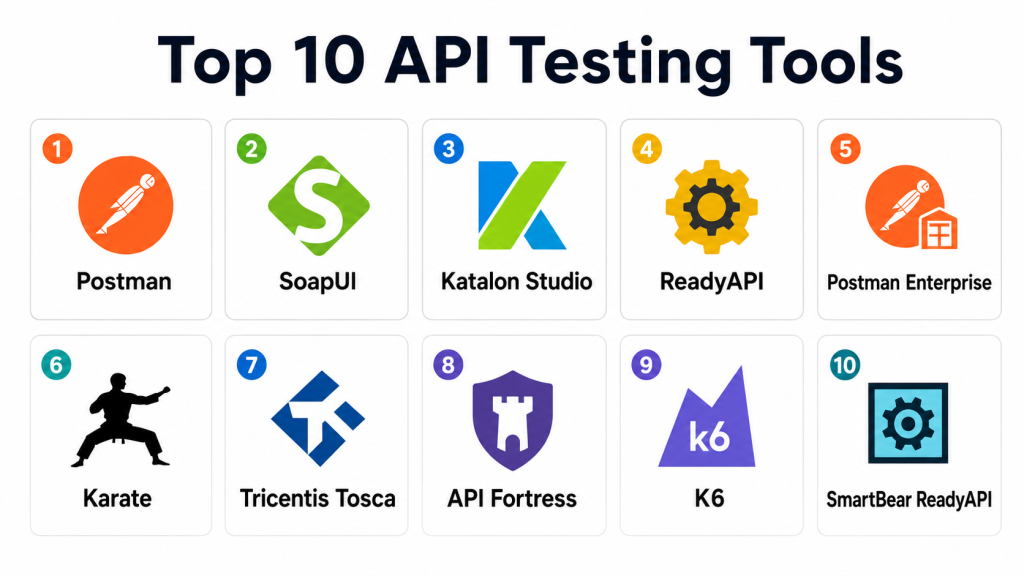
Top 10 API Testing Tools
1- Postman
Short description: Postman is a popular API testing and collaboration platform designed for developers and QA teams. It provides a user-friendly interface to create, execute, and automate API tests for REST, SOAP, and GraphQL APIs. Postman supports test scripting, environment management, mock servers, automated workflows, and CI/CD integration. Teams use it to streamline API testing across development, QA, and operations, ensuring consistent API behavior and performance across releases.
Key Features
- API request building and testing
- Automated test scripting with JavaScript
- Environment and variable management
- Mock servers and API simulation
- Collection runner for automated test suites
- CI/CD pipeline integration
- Reporting and analytics dashboards
Pros
- Easy to learn and widely adopted
- Supports multiple API protocols
- Collaboration-friendly with team sharing features
Cons
- Advanced load testing requires additional tools
- Limited native security testing
- Large-scale enterprise reporting can be complex
Platforms / Deployment
- Web / Windows / macOS / Linux / iOS / Android
- Cloud / Hybrid
Security & Compliance
- MFA support, secure API key storage
- Data encryption in transit
- Not publicly stated: SOC 2 or ISO certifications
Integrations & Ecosystem
Supports integrations with CI/CD and DevOps tools:
- GitHub / GitLab
- Jenkins
- Azure DevOps
- Slack
- Docker
- Monitoring tools via APIs
Support & Community
- Strong documentation, tutorials, community forums
- Paid support and enterprise plans
- Active developer and QA community
2- SoapUI
Short description: SoapUI is an enterprise-grade API testing platform primarily for SOAP and REST APIs. It enables functional testing, load testing, security testing, and mocking of APIs. SoapUI is widely used by enterprises to validate critical API workflows, simulate API responses, and perform stress testing. It is suitable for QA teams that require comprehensive API validation including complex SOAP-based services or hybrid API environments.
Key Features
- Functional and regression testing
- Security scanning for vulnerabilities
- Load and performance testing
- Mock services for test environment simulation
- Supports SOAP, REST, GraphQL
- Automated test suite execution
- Reporting and analytics
Pros
- Enterprise-ready with extensive protocol support
- Strong security and performance testing
- Mock services reduce dependency on live systems
Cons
- UI and usability may be less intuitive for beginners
- Advanced scripting requires experience
- Limited cloud-native integration in older versions
Platforms / Deployment
- Windows / macOS / Linux
- Self-hosted / Hybrid
Security & Compliance
- Supports secure connection testing, authentication
- Not publicly stated: SOC 2 / ISO certifications
Integrations & Ecosystem
- CI/CD tools (Jenkins, Bamboo)
- Version control (Git)
- Monitoring dashboards via API
- Plugin support for extended functionality
Support & Community
- Paid enterprise support
- Active forums and knowledge base
- Tutorials and documentation for all skill levels
3- Katalon Studio
Short description: Katalon Studio is a comprehensive automation platform for API, web, mobile, and desktop testing. Its API testing features include functional testing, data-driven testing, and integration with CI/CD pipelines. Katalon is often chosen by QA teams seeking an all-in-one solution that simplifies test creation, management, and execution without requiring extensive programming knowledge.
Key Features
- Automated API testing
- Data-driven and keyword-driven testing
- REST and SOAP support
- CI/CD pipeline integration
- Built-in reporting and analytics
- Test environment management
- Test case versioning
Pros
- User-friendly interface
- Supports cross-platform testing
- Integrates well with DevOps tools
Cons
- Some advanced features require premium license
- Limited custom scripting flexibility compared to open-source frameworks
- Performance testing may require third-party tools
Platforms / Deployment
- Windows / macOS / Linux
- Cloud / Self-hosted
Security & Compliance
- Supports authentication testing, secure API calls
- Not publicly stated: SOC 2, ISO 27001
Integrations & Ecosystem
- Jenkins, Azure DevOps, GitHub
- Jira and project management tools
- Slack notifications
- Docker support for test execution
Support & Community
- Active community forum
- Tutorials, webinars, documentation
- Paid enterprise support
4- ReadyAPI
Short description: ReadyAPI is a commercial platform built for advanced API testing, including functional, load, and security tests. It is an enterprise-grade solution supporting REST, SOAP, and GraphQL APIs. ReadyAPI is widely used by QA teams in financial services, healthcare, and large enterprises to ensure API reliability, validate complex workflows, and automate regression testing.
Key Features
- Functional API testing
- Load and performance testing
- Security testing (OWASP vulnerabilities)
- Data-driven testing
- Mock services and simulation
- Automated test execution
- CI/CD integration
Pros
- Strong enterprise focus with security testing
- Comprehensive functional and load testing
- Mocking reduces dependency on unavailable systems
Cons
- Requires paid license
- Learning curve for non-technical testers
- Limited collaboration in some versions
Platforms / Deployment
- Windows / macOS / Linux
- Cloud / Self-hosted
Security & Compliance
- Supports authentication, authorization testing
- Encryption and secure API testing
- Not publicly stated: SOC 2, ISO certifications
Integrations & Ecosystem
- Jenkins, Bamboo
- Version control systems
- CI/CD pipelines
- Monitoring dashboards
Support & Community
- Enterprise-level support
- Extensive documentation
- Knowledge base and community forums
5- Postman Enterprise
Short description: Postman Enterprise adds team and governance features to the popular Postman API platform. It supports large organizations with shared workspaces, collaboration, automated test pipelines, and API governance policies. Enterprise teams use it to manage complex API portfolios, automate testing, and maintain compliance standards.
Key Features
- Automated API testing
- Team collaboration and versioning
- Shared workspaces and collections
- Mock servers and monitoring
- CI/CD integration
- Governance and approval workflows
- Reporting dashboards
Pros
- Scalable for large teams
- Maintains governance across API lifecycle
- Simplifies collaboration and CI/CD integration
Cons
- Licensing cost for enterprise
- May be overkill for small teams
- Some advanced testing requires scripting
Platforms / Deployment
- Web / Windows / macOS / Linux / iOS / Android
- Cloud / Hybrid
Security & Compliance
- MFA, SSO, encrypted storage
- Role-based access control
- Not publicly stated: SOC 2, ISO certifications
Integrations & Ecosystem
- CI/CD pipelines (Jenkins, GitHub Actions)
- Slack, Jira
- Monitoring dashboards
- Version control systems
Support & Community
- Enterprise support plan
- Extensive documentation
- Community and webinars
6- Karate
Short description: Karate is an open-source framework for API testing that supports BDD (Behavior Driven Development) syntax. It enables developers and QA teams to write tests for REST and GraphQL APIs using simple scripting. Karate integrates API testing with functional testing and supports automation in CI/CD pipelines. Its strongest value is for teams that want open-source flexibility and readable, maintainable test scripts.
Key Features
- REST and GraphQL API testing
- BDD syntax for readability
- Data-driven testing
- CI/CD integration
- Automated mock servers
- Test reporting and logs
- Open-source extensibility
Pros
- Free and open-source
- Simple BDD syntax simplifies test scripts
- Integrates well with DevOps pipelines
Cons
- Learning curve for new users unfamiliar with BDD
- Limited native UI, scripting required
- Performance/load testing requires add-ons
Platforms / Deployment
- Windows / macOS / Linux
- Self-hosted / Cloud
Security & Compliance
- Supports authentication testing and secure API calls
- Not publicly stated: SOC 2, ISO certifications
Integrations & Ecosystem
- CI/CD tools like Jenkins, GitHub Actions
- Test reporting platforms
- Docker for containerized execution
- Monitoring integration
Support & Community
- Open-source community support
- Documentation, forums, GitHub resources
- Commercial support through third-party providers
7- Tricentis Tosca
Short description: Tricentis Tosca is a commercial testing suite that supports API testing along with UI, mobile, and performance testing. Its API testing module enables functional, security, and load testing for SOAP, REST, and GraphQL endpoints. Enterprise teams often select Tosca for end-to-end automation across multiple application layers, including APIs, services, and front-end workflows.
Key Features
- Functional API testing
- Security and load testing
- Supports SOAP, REST, GraphQL
- End-to-end automation
- CI/CD integration
- Test data management
- Reporting and analytics
Pros
- Enterprise-grade automation
- Multi-layer testing including APIs
- Robust reporting and traceability
Cons
- Commercial licensing cost
- Requires training for complex use cases
- Some advanced features may be overkill for small teams
Platforms / Deployment
- Windows / macOS / Linux
- Cloud / Self-hosted
Security & Compliance
- Supports API authentication testing
- Role-based access and test governance
- Not publicly stated: SOC 2, ISO certifications
Integrations & Ecosystem
- CI/CD pipelines
- Jira, GitHub
- Monitoring dashboards
- Test data management tools
Support & Community
- Enterprise support with documentation
- Training and certification programs
- Community forums and knowledge base
8- API Fortress
Short description: API Fortress is an API testing and monitoring platform designed for continuous validation of REST and SOAP APIs. It enables automated testing, performance analysis, and monitoring to detect API failures before impacting applications. Teams use API Fortress to ensure API reliability and monitor SLA compliance across multiple environments.
Key Features
- Automated API functional testing
- Performance and SLA monitoring
- REST and SOAP support
- Test orchestration and scheduling
- CI/CD integration
- Reporting dashboards
- Mocking and simulation
Pros
- Continuous monitoring and alerting
- Integration with DevOps pipelines
- Good performance and SLA validation
Cons
- Enterprise licensing required
- Limited open-source community support
- May require setup for complex scenarios
Platforms / Deployment
- Web / Windows / macOS / Linux
- Cloud / Hybrid
Security & Compliance
- Supports secure API testing
- Role-based access control and encrypted storage
- Not publicly stated: SOC 2, ISO certifications
Integrations & Ecosystem
- CI/CD pipelines (Jenkins, GitHub)
- Slack and notification channels
- Monitoring dashboards
- Version control integration
Support & Community
- Enterprise support and professional services
- Documentation and tutorials
- Technical forums
9- K6
Short description: K6 is an open-source load testing tool that supports API performance testing and functional testing. It allows developers and QA engineers to simulate high loads on REST and GraphQL APIs to validate scalability and reliability. K6 is used in DevOps environments for stress testing APIs before production deployment, and it integrates well with CI/CD pipelines to provide automated load testing.
Key Features
- REST and GraphQL API load testing
- Performance and scalability metrics
- Scripting in JavaScript
- CI/CD integration
- Automated test execution
- Test reporting and analysis
- Cloud and self-hosted execution
Pros
- Open-source with strong developer support
- Easy CI/CD integration
- Focus on performance and scalability
Cons
- Functional testing capabilities are limited compared to dedicated API testing platforms
- Scripting required for advanced scenarios
- Limited UI interface for non-technical users
Platforms / Deployment
- Windows / macOS / Linux
- Cloud / Self-hosted
Security & Compliance
- Supports secure connections and authentication testing
- Not publicly stated: SOC 2, ISO certifications
Integrations & Ecosystem
- CI/CD pipelines (Jenkins, GitHub Actions)
- Cloud execution for load testing
- Reporting dashboards
- Scripting extensibility
Support & Community
- Active open-source community
- Documentation and examples
- Commercial support available through vendors
10- SmartBear ReadyAPI
Short description: SmartBear ReadyAPI is a comprehensive commercial API testing suite with functional, security, and load testing capabilities. It supports REST, SOAP, and GraphQL APIs and is used by enterprise QA teams for full lifecycle API validation. ReadyAPI also integrates with CI/CD pipelines and supports automated test execution, data-driven testing, and test reporting.
Key Features
- Functional, security, and load testing
- REST, SOAP, GraphQL support
- Data-driven test execution
- CI/CD integration
- Test environment simulation
- Mock services
- Reporting and dashboards
Pros
- Complete enterprise API testing solution
- Supports multiple API types
- Strong integration with CI/CD and automation workflows
Cons
- Requires paid licensing
- Learning curve for complex scenarios
- May be resource-heavy for small teams
Platforms / Deployment
- Windows / macOS / Linux
- Cloud / Self-hosted
Security & Compliance
- Supports authentication testing, encryption
- Not publicly stated: SOC 2, ISO certifications
Integrations & Ecosystem
- Jenkins, Bamboo, Azure DevOps
- Jira, Slack
- Docker for containerized execution
- Reporting and analytics tools
Support & Community
- Enterprise support and training
- Documentation and tutorials
- Community forums and knowledge base
Comparison Table
| Tool Name | Best For | Platform(s) Supported | Deployment | Standout Feature | Public Rating |
|---|---|---|---|---|---|
| Postman | Developer-friendly API testing | Web / Windows / macOS / Linux / iOS / Android | Cloud / Hybrid | Collaboration and test automation | N/A |
| SoapUI | Enterprise API testing | Windows / macOS / Linux | Self-hosted / Hybrid | Security and load testing for SOAP | N/A |
| Katalon Studio | Cross-platform automation | Windows / macOS / Linux | Cloud / Self-hosted | Functional and data-driven testing | N/A |
| ReadyAPI | Advanced enterprise API testing | Windows / macOS / Linux | Cloud / Self-hosted | Load, functional, and security tests | N/A |
| Postman Enterprise | Team-scale API governance | Web / Windows / macOS / Linux / iOS / Android | Cloud / Hybrid | Enterprise collaboration and governance | N/A |
| Karate | Developer-first BDD API testing | Windows / macOS / Linux | Self-hosted / Cloud | BDD syntax for readable scripts | N/A |
| Tricentis Tosca | Multi-layer testing | Windows / macOS / Linux | Cloud / Self-hosted | End-to-end API automation | N/A |
| API Fortress | Continuous API validation | Web / Windows / macOS / Linux | Cloud / Hybrid | Monitoring and SLA validation | N/A |
| K6 | API performance testing | Windows / macOS / Linux | Cloud / Self-hosted | Load testing and metrics | N/A |
| SmartBear ReadyAPI | Full lifecycle API testing | Windows / macOS / Linux | Cloud / Self-hosted | Functional, security, load testing | N/A |
Evaluation & Scoring of API Testing Tools
| Tool Name | Core 25% | Ease 15% | Integrations 15% | Security 10% | Performance 10% | Support 10% | Value 15% | Weighted Total |
| Postman | 9 | 10 | 9 | 8 | 8 | 9 | 9 | 9.0 |
| SoapUI | 8 | 7 | 8 | 9 | 8 | 8 | 8 | 8.1 |
| Katalon Studio | 8 | 9 | 8 | 8 | 7 | 8 | 8 | 8.1 |
| ReadyAPI | 9 | 7 | 8 | 9 | 8 | 8 | 7 | 8.1 |
| Postman Enterprise | 9 | 9 | 9 | 8 | 8 | 9 | 7 | 8.3 |
| Karate | 8 | 8 | 8 | 7 | 7 | 8 | 8 | 7.9 |
| Tricentis Tosca | 9 | 7 | 8 | 8 | 8 | 8 | 7 | 8.0 |
| API Fortress | 8 | 7 | 8 | 8 | 8 | 7 | 7 | 7.7 |
| K6 | 7 | 8 | 7 | 7 | 9 | 7 | 8 | 7.7 |
| SmartBear ReadyAPI | 9 | 7 | 8 | 8 | 8 | 8 | 7 | 8.0 |
The weighted scores reflect performance across criteria. Teams should compare scores in the context of their API protocols, workflow complexity, load testing requirements, team skill levels, and budget.
Which API Testing Tool Is Right for You?
Solo / Freelancer
Freelancers or solo developers benefit from Postman, Karate, and K6 due to low cost, flexibility, and ease of setup. These tools provide quick API validation and lightweight automation without enterprise overhead.
SMB
Small and mid-sized teams should consider Postman Enterprise, Katalon Studio, or API Fortress for managed collaboration, automation, and moderate load testing capabilities. These tools balance usability and enterprise features.
Mid-Market
Mid-market organizations benefit from ReadyAPI, Tricentis Tosca, and Postman Enterprise to manage multiple APIs, integrate with CI/CD pipelines, and implement automation and governance.
Enterprise
Enterprises need SmartBear ReadyAPI, ReadyAPI, Tricentis Tosca, and API Fortress for full lifecycle management, security testing, load testing, and CI/CD integration at scale.
Budget vs Premium
Open-source tools like Postman, Karate, and K6 are budget-friendly, while enterprise-grade platforms such as ReadyAPI, SmartBear, and Tricentis Tosca provide premium capabilities, enhanced support, and governance for large teams.
Feature Depth vs Ease of Use
Managed platforms provide ease of use with dashboards and automation, while open-source frameworks require technical expertise but allow deeper customization and flexibility.
Integrations & Scalability
Postman Enterprise and SmartBear ReadyAPI integrate with CI/CD, version control, and monitoring platforms. Katalon, API Fortress, and K6 scale well for multi-environment testing pipelines.
Security & Compliance Needs
Teams with sensitive data or compliance requirements should focus on platforms that support authentication testing, SSL/TLS validation, encryption, and audit logs. Enterprise tools provide more governance and compliance features.
Frequently Asked Questions
1- What is an API testing tool?
API testing tools validate API functionality, performance, and security. They simulate requests, analyze responses, and automate testing workflows for continuous integration and quality assurance.
2- Do API testing tools support REST, SOAP, and GraphQL?
Yes. Modern API testing tools often support multiple protocols, including REST, SOAP, GraphQL, and emerging APIs like gRPC.
3- Can API testing tools perform security testing?
Many API testing tools provide automated security testing, including authentication, authorization, encryption validation, and OWASP vulnerability scanning.
4- How do API testing tools integrate with CI/CD?
API testing tools integrate with pipelines such as Jenkins, GitLab CI/CD, and Azure DevOps to automate test execution, enable regression testing, and provide test reporting.
5- Are open-source API testing tools effective?
Yes. Tools like Postman, Karate, and K6 provide effective testing capabilities and flexibility, though they may require more technical setup compared with enterprise platforms.
6- What are common mistakes in API testing?
Common mistakes include inadequate coverage of edge cases, ignoring negative testing, skipping performance testing, and failing to update tests when APIs change.
7- Can API testing tools test microservices?
Yes. API testing tools are ideal for microservices architectures, validating individual services, inter-service communication, and event-driven API workflows.
8- How do teams monitor API performance?
API testing tools often provide dashboards, metrics, alerts, and reporting to track response times, latency, throughput, and SLA compliance.
9- Do API testing tools support automation?
Most modern tools provide scripting, CI/CD integration, and data-driven test execution for automation across development, QA, and production environments.
10- How to choose the right API testing tool?
Identify supported protocols, scale of testing, automation needs, integration with pipelines, security requirements, team skill levels, and budget. Run a pilot before committing to full deployment.
Conclusion
API Testing Tools are essential for modern development, QA, and DevOps teams to ensure reliable, secure, and high-performing APIs. Postman and Karate are ideal for developers and smaller teams seeking flexibility and low-cost solutions, while ReadyAPI, SmartBear ReadyAPI, and Tricentis Tosca offer enterprise-grade testing, automation, and governance. Teams should choose tools based on protocol support, integration with CI/CD, performance and load testing needs, team expertise, and compliance requirements. Begin with shortlisting two or three tools, run a pilot to validate capabilities, and scale to support your long-term API testing strategy.
