Introduction
Secure DNS Clients are tools that help users, teams, and organizations protect DNS traffic from tracking, spoofing, malware domains, phishing sites, and unsafe internet destinations. In simple terms, they make the process of looking up websites safer by encrypting DNS requests and applying filtering or security rules before users reach a risky domain.
In modern environments, Secure DNS Clients matter because employees work across offices, homes, mobile networks, cloud apps, and unmanaged devices. Attackers often use malicious domains, fake login pages, command-and-control infrastructure, and typosquatting websites to bypass traditional security controls.
Real-world use cases include:
- Blocking phishing and malware domains before users connect
- Protecting remote employees outside the corporate network
- Enforcing family-safe or business-safe browsing policies
- Encrypting DNS traffic using DoH, DoT, or similar standards
- Improving visibility into risky domain requests
Buyers should evaluate:
- DNS encryption support
- Threat intelligence quality
- Malware and phishing protection
- Device and OS compatibility
- Policy customization
- Reporting and analytics
- Roaming user protection
- Ease of deployment
- Privacy controls
- Pricing and scalability
Best for: IT teams, security teams, MSPs, remote-first companies, schools, SMBs, enterprises, and privacy-focused users that need safer DNS resolution across networks and devices.
Not ideal for: Users who only need basic internet access without filtering, organizations already using a full secure web gateway with DNS controls, or teams that require deep browser isolation instead of DNS-layer protection.
Key Trends in Secure DNS Clients
- Encrypted DNS adoption is becoming standard, with DoH and DoT increasingly used to protect DNS queries from interception.
- DNS-layer phishing protection is growing because many attacks begin with malicious domains before payload delivery.
- Remote workforce protection is a major driver, especially for users outside office networks.
- AI-assisted domain classification is improving filtering, helping platforms detect newly created suspicious domains faster.
- Zero Trust security strategies now include DNS controls as an early inspection layer for user activity.
- Privacy-first DNS services are gaining demand, especially among individual users and regulated organizations.
- MSP-focused DNS platforms are expanding, offering multi-tenant dashboards and customer-level policy management.
- Cloud-managed DNS policies are replacing static network-only filtering, making protection easier across laptops, phones, and remote endpoints.
- Security reporting is becoming more important, especially for compliance, investigations, and executive visibility.
- Device-level DNS agents are becoming more common, allowing consistent protection even when users move between networks.
How We Selected These Tools
The following Secure DNS Clients were selected using practical evaluation logic focused on real-world adoption and security usefulness.
- Considered market recognition and adoption across personal, SMB, MSP, and enterprise environments
- Evaluated DNS encryption support such as DoH and DoT where applicable
- Reviewed malware, phishing, and malicious domain filtering capabilities
- Compared endpoint, mobile, browser, and network-level deployment flexibility
- Considered policy management, visibility, reporting, and analytics depth
- Assessed fit for remote users, distributed teams, and managed service providers
- Balanced privacy-focused tools with enterprise security platforms
- Included tools with strong usability, clear use cases, and credible ecosystem presence
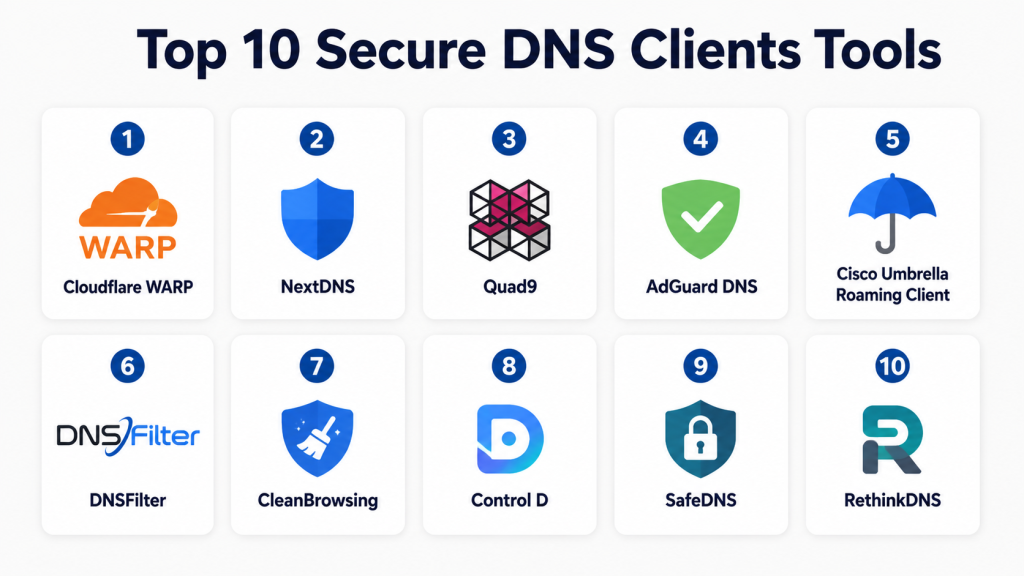
Top 10 Secure DNS Clients Tools
#1 — Cloudflare WARP
Short description:
Cloudflare WARP is a secure connectivity and DNS protection client designed for individuals, teams, and organizations that want encrypted DNS, safer browsing, and improved internet security. It extends Cloudflare’s DNS and network security capabilities to user devices, making it useful for remote workers and mobile users. WARP is often used for privacy-focused DNS resolution, secure traffic routing, and Zero Trust access scenarios. For businesses, it can become part of a broader secure access strategy when paired with Cloudflare’s security platform.
Key Features
- Encrypted DNS support
- Device-level secure client
- Malware and phishing filtering options
- Zero Trust policy support in business environments
- Mobile and desktop compatibility
- Fast global DNS resolution
- Useful for remote user protection
Pros
- Strong performance and global network reach
- Easy to deploy for individuals and teams
- Good fit for privacy and security-focused DNS use cases
Cons
- Advanced security features may require broader platform setup
- Reporting depth depends on plan and configuration
- Some users may need technical support for enterprise policies
Platforms / Deployment
- Windows / macOS / Linux / iOS / Android
- Cloud / Hybrid
Security & Compliance
- DNS encryption
- MFA and SSO available through broader business platform
- RBAC and audit capabilities vary by plan
- Compliance details vary by product and plan
Integrations & Ecosystem
Cloudflare WARP works best when used with Cloudflare’s broader security ecosystem for Zero Trust, access control, DNS filtering, and traffic protection.
- Cloudflare Gateway
- Cloudflare Access
- Identity provider integrations
- Device posture workflows
- Security policy dashboards
Support & Community
Cloudflare provides documentation, community resources, and business support options. Enterprise onboarding depends on the selected plan and security architecture.
#2 — NextDNS
Short description:
NextDNS is a privacy-focused secure DNS platform that gives individuals, families, and teams strong control over DNS filtering and visibility. It supports encrypted DNS, customizable blocklists, analytics, parental controls, and security filtering. NextDNS is especially useful for users who want granular control without deploying a heavy enterprise security stack. It works well across devices and networks, making it practical for remote work, home offices, schools, and small businesses.
Key Features
- DNS-over-HTTPS and DNS-over-TLS support
- Custom blocklists and allowlists
- Malware and phishing protection
- Analytics and query logs
- Parental control options
- Device-specific configuration
- Cross-platform setup flexibility
Pros
- Highly customizable filtering
- Strong privacy-focused positioning
- Easy for individuals and small teams to adopt
Cons
- Enterprise governance features are limited compared to large security platforms
- Requires careful policy tuning to avoid overblocking
- Advanced reporting may not satisfy large compliance teams
Platforms / Deployment
- Web / Windows / macOS / Linux / iOS / Android
- Cloud
Security & Compliance
- DNS encryption
- Logging controls
- MFA availability varies
- Compliance certifications not publicly stated
Integrations & Ecosystem
NextDNS works across many operating systems, routers, browsers, and mobile platforms through standard encrypted DNS configuration.
- Router-level DNS setup
- Browser secure DNS settings
- Mobile profiles
- Desktop configuration
- Custom blocklists
Support & Community
NextDNS has clear documentation and an active user community. Business-level support details vary by plan.
#3 — Quad9
Short description:
Quad9 is a secure DNS resolver focused on blocking malicious domains while protecting user privacy. It is widely used by individuals, organizations, and security-conscious teams that want a simple DNS-layer defense without complex configuration. Quad9 blocks known malicious domains based on threat intelligence and supports encrypted DNS options. It is suitable for users who want straightforward protection without heavy policy administration.
Key Features
- Malicious domain blocking
- Privacy-focused DNS resolution
- DNS-over-HTTPS support
- DNS-over-TLS support
- No-cost usage model for many users
- Global resolver infrastructure
- Simple setup across devices and routers
Pros
- Easy to use and configure
- Strong focus on privacy
- Good lightweight protection layer
Cons
- Limited custom policy controls
- Not a full enterprise DNS filtering dashboard
- Reporting and user management are limited
Platforms / Deployment
- Web / Windows / macOS / Linux / iOS / Android through DNS configuration
- Cloud
Security & Compliance
- DNS encryption
- Malware domain blocking
- Privacy-focused logging approach
- Enterprise compliance controls not publicly stated
Integrations & Ecosystem
Quad9 integrates mainly through standard DNS configuration rather than heavy platform integrations.
- Router DNS configuration
- Operating system DNS settings
- Mobile DNS profiles
- Browser secure DNS settings
- Network-level DNS forwarding
Support & Community
Quad9 provides public documentation and community guidance. Formal enterprise support options may vary.
#4 — AdGuard DNS
Short description:
AdGuard DNS is a secure DNS service focused on blocking ads, trackers, phishing domains, malware, and unsafe content. It is useful for individuals, families, small businesses, and privacy-conscious users who want DNS-level filtering without installing a full endpoint security product. AdGuard DNS can be configured across devices, routers, and browsers, and it pairs well with AdGuard’s broader privacy and ad-blocking ecosystem.
Key Features
- Ad and tracker blocking
- Malware and phishing protection
- Family protection options
- DNS-over-HTTPS support
- DNS-over-TLS support
- Device-level profiles
- Custom filtering options
Pros
- Strong privacy and filtering features
- Useful for home, family, and small business use
- Easy setup across many devices
Cons
- Enterprise-grade controls may be limited
- Some websites may require allowlist tuning
- Advanced analytics depth varies by plan
Platforms / Deployment
- Web / Windows / macOS / Linux / iOS / Android
- Cloud
Security & Compliance
- DNS encryption
- Filtering and privacy controls
- MFA and audit controls vary
- Compliance certifications not publicly stated
Integrations & Ecosystem
AdGuard DNS works well with browsers, devices, routers, and AdGuard apps.
- AdGuard apps
- Router configuration
- Browser secure DNS
- Mobile DNS profiles
- Custom filtering rules
Support & Community
AdGuard has broad documentation, active community discussion, and user-friendly setup guides. Support options vary by product and plan.
#5 — Cisco Umbrella Roaming Client
Short description:
Cisco Umbrella Roaming Client is an enterprise-focused DNS security client designed to protect users wherever they work. It provides DNS-layer security, threat intelligence, policy enforcement, and visibility for remote and roaming devices. It is best suited for organizations that need stronger governance, reporting, and security controls than consumer DNS tools provide. Cisco Umbrella is commonly used by security teams looking to reduce phishing, malware, and command-and-control risks at the DNS layer.
Key Features
- DNS-layer threat protection
- Roaming user security
- Malware and phishing domain blocking
- Centralized policy management
- Security reporting and analytics
- Identity and network policy support
- Integration with broader Cisco security ecosystem
Pros
- Strong enterprise security positioning
- Good fit for distributed workforces
- Mature policy and reporting capabilities
Cons
- More complex than lightweight DNS tools
- Pricing may be higher for small teams
- Best value often comes within broader Cisco ecosystem
Platforms / Deployment
- Windows / macOS
- Cloud / Hybrid
Security & Compliance
- Encryption and DNS-layer protection
- SSO/SAML and MFA support vary by deployment
- Audit logs and policy controls available in enterprise environments
- Compliance details vary by plan
Integrations & Ecosystem
Cisco Umbrella integrates well with enterprise security and network environments.
- Cisco Secure ecosystem
- SIEM workflows
- Identity provider integrations
- Endpoint security tools
- Network security controls
Support & Community
Cisco provides enterprise support, documentation, onboarding resources, and partner-led implementation options.
#6 — DNSFilter
Short description:
DNSFilter is a cloud-based DNS security and content filtering platform designed for businesses, schools, MSPs, and distributed teams. It provides DNS-layer protection against malware, phishing, botnets, and unwanted content. DNSFilter is especially strong for organizations that need centralized policy management, roaming clients, reporting, and multi-site deployment. MSPs often value its multi-tenant management capabilities and customer-friendly policy controls.
Key Features
- DNS threat protection
- AI-assisted domain categorization
- Roaming client support
- Content filtering policies
- Reporting and analytics
- MSP-friendly management
- Multi-site policy control
Pros
- Strong business and MSP fit
- Good reporting and policy flexibility
- Easy cloud-based administration
Cons
- Requires policy tuning for complex environments
- Advanced enterprise needs may require higher-tier plans
- Users must validate compatibility with existing security stack
Platforms / Deployment
- Windows / macOS / iOS / Android / network-level deployment
- Cloud / Hybrid
Security & Compliance
- DNS-layer protection
- Encryption support varies by configuration
- RBAC and reporting controls available
- Compliance details not publicly stated unless plan-specific
Integrations & Ecosystem
DNSFilter supports business security workflows and MSP operations through centralized management and integrations.
- MSP dashboards
- SIEM workflows
- Directory integrations
- Router and network deployments
- Endpoint roaming clients
Support & Community
DNSFilter provides documentation, customer support, and onboarding resources. MSP support options are a notable strength.
#7 — CleanBrowsing
Short description:
CleanBrowsing is a Secure DNS service focused on content filtering, family safety, education environments, and business-safe browsing. It helps block adult content, malware, phishing, proxies, and other unwanted categories through DNS-level filtering. CleanBrowsing is useful for families, schools, small businesses, libraries, and organizations that want simple DNS controls without a heavy security deployment. It is easy to configure across routers, devices, and networks.
Key Features
- Family-safe DNS filtering
- Malware and phishing protection
- Category-based blocking
- DNS-over-HTTPS support
- DNS-over-TLS support
- Network-level filtering
- Custom allowlist and blocklist options
Pros
- Simple and practical filtering
- Good fit for schools and family use
- Easy router-level deployment
Cons
- Less advanced than enterprise DNS security platforms
- Reporting depth may be limited for large organizations
- Requires tuning for business-specific policies
Platforms / Deployment
- Web / Windows / macOS / Linux / iOS / Android through DNS configuration
- Cloud
Security & Compliance
- DNS encryption support
- Malware and phishing filtering
- Compliance certifications not publicly stated
- Advanced enterprise audit controls vary
Integrations & Ecosystem
CleanBrowsing integrates mainly through DNS configuration and device policies.
- Router DNS settings
- Mobile profiles
- Browser secure DNS
- School network filtering
- Business DNS policies
Support & Community
CleanBrowsing offers documentation and support resources. Community and enterprise support depth varies by plan.
#8 — Control D
Short description:
Control D is a customizable DNS service focused on privacy, content filtering, traffic control, and advanced DNS customization. It is suitable for power users, remote workers, families, and teams that want more control over DNS behavior. Control D allows users to block categories, redirect traffic, apply profiles, and customize DNS rules. It is especially attractive for technically capable users who want more flexibility than basic secure DNS services.
Key Features
- Secure DNS filtering
- Custom rule management
- Ad, tracker, and malware blocking
- DNS-over-HTTPS support
- DNS-over-TLS support
- Traffic redirection options
- Device and profile-based controls
Pros
- Highly flexible DNS customization
- Strong privacy-focused use cases
- Good fit for power users and small teams
Cons
- May feel complex for beginners
- Enterprise governance features are limited
- Requires careful configuration for best results
Platforms / Deployment
- Web / Windows / macOS / Linux / iOS / Android through apps or DNS configuration
- Cloud
Security & Compliance
- DNS encryption
- Filtering and privacy controls
- MFA and compliance details not publicly stated
- Enterprise audit capabilities vary
Integrations & Ecosystem
Control D supports flexible DNS deployment across users, devices, and networks.
- Router configuration
- Browser secure DNS
- Mobile profiles
- Device-level profiles
- Custom DNS rules
Support & Community
Documentation is available, and the platform has an active privacy-focused user base. Support options vary by plan.
#9 — SafeDNS
Short description:
SafeDNS is a cloud-based DNS filtering and web security platform built for businesses, schools, ISPs, and organizations that need controlled internet access. It provides category-based filtering, malware protection, policy management, and reporting. SafeDNS is useful for organizations that want a practical DNS-layer filtering solution without deploying a complex secure web gateway. It works across network and device-level configurations.
Key Features
- DNS content filtering
- Malware and phishing protection
- Category-based policy control
- Cloud management dashboard
- Reporting and analytics
- Multi-location support
- User and group policy options
Pros
- Suitable for education and business filtering
- Cloud-based policy management
- Useful for multi-location organizations
Cons
- Interface and feature depth may vary by plan
- Advanced enterprise integrations may be limited
- Requires planning for large distributed deployments
Platforms / Deployment
- Web / Windows / macOS / Linux / iOS / Android through DNS or client configuration
- Cloud / Hybrid
Security & Compliance
- DNS-layer filtering
- Encryption support varies by configuration
- Compliance certifications not publicly stated
- Reporting and policy controls available
Integrations & Ecosystem
SafeDNS supports common organizational DNS filtering workflows.
- Network DNS configuration
- Endpoint deployment
- School filtering policies
- Business dashboards
- Multi-site management
Support & Community
SafeDNS provides documentation and business support options. Community depth is moderate compared with larger platforms.
#10 — RethinkDNS
Short description:
RethinkDNS is a privacy-focused DNS and firewall tool designed mainly for mobile users who want control over DNS filtering, app connections, and network privacy. It is especially useful for Android users who want an open-source approach to DNS security and traffic visibility. RethinkDNS combines DNS filtering with firewall-style controls, making it practical for privacy-conscious users, developers, and technical professionals.
Key Features
- Secure DNS support
- App-level firewall controls
- Blocklists and filtering
- Privacy-focused design
- Open-source availability
- Mobile-first experience
- Traffic visibility controls
Pros
- Strong privacy and control focus
- Good for mobile DNS protection
- Open-source-friendly approach
Cons
- Not designed as a full enterprise DNS platform
- Mobile-first scope may limit broader business use
- Requires technical understanding for advanced configuration
Platforms / Deployment
- Android / Web-based DNS configuration
- Cloud / Self-hosted options vary
Security & Compliance
- DNS encryption support
- App-level blocking controls
- Compliance certifications not publicly stated
- Enterprise SSO and RBAC not publicly stated
Integrations & Ecosystem
RethinkDNS works best in privacy-focused mobile and technical DNS workflows.
- Android devices
- Custom DNS resolvers
- Blocklists
- Firewall rules
- Privacy-focused configurations
Support & Community
RethinkDNS has open-source community support and documentation. Enterprise support is not publicly stated.
Comparison Table
| Tool Name | Best For | Platform(s) Supported | Deployment | Standout Feature | Public Rating |
|---|---|---|---|---|---|
| Cloudflare WARP | Remote users and Zero Trust DNS protection | Windows, macOS, Linux, iOS, Android | Cloud / Hybrid | Fast encrypted DNS and secure client | N/A |
| NextDNS | Privacy-focused users and small teams | Web, Windows, macOS, Linux, iOS, Android | Cloud | Custom DNS filtering profiles | N/A |
| Quad9 | Simple malicious domain blocking | Cross-platform DNS configuration | Cloud | Privacy-focused threat blocking | N/A |
| AdGuard DNS | Ad, tracker, and family-safe DNS filtering | Web, Windows, macOS, Linux, iOS, Android | Cloud | Ad and tracker blocking | N/A |
| Cisco Umbrella Roaming Client | Enterprise DNS security | Windows, macOS | Cloud / Hybrid | Enterprise policy and threat intelligence | N/A |
| DNSFilter | SMBs, MSPs, and distributed teams | Windows, macOS, iOS, Android, network deployment | Cloud / Hybrid | AI-assisted DNS filtering | N/A |
| CleanBrowsing | Families, schools, and safe browsing | Cross-platform DNS configuration | Cloud | Family-safe content filtering | N/A |
| Control D | Power users and customizable DNS control | Web, Windows, macOS, Linux, iOS, Android | Cloud | Advanced DNS customization | N/A |
| SafeDNS | Schools and business content filtering | Cross-platform DNS and client configuration | Cloud / Hybrid | Category-based filtering | N/A |
| RethinkDNS | Mobile privacy and app-level DNS control | Android, Web DNS configuration | Cloud / Self-hosted varies | Mobile firewall plus DNS filtering | N/A |
Evaluation & Scoring of Secure DNS Clients
| Tool Name | Core (25%) | Ease (15%) | Integrations (15%) | Security (10%) | Performance (10%) | Support (10%) | Value (15%) | Weighted Total |
| Cloudflare WARP | 9 | 8 | 9 | 9 | 9 | 8 | 8 | 8.55 |
| NextDNS | 8 | 9 | 7 | 8 | 8 | 7 | 9 | 8.10 |
| Quad9 | 7 | 9 | 6 | 8 | 8 | 7 | 10 | 7.80 |
| AdGuard DNS | 8 | 8 | 7 | 8 | 8 | 7 | 8 | 7.75 |
| Cisco Umbrella Roaming Client | 9 | 7 | 9 | 9 | 8 | 9 | 7 | 8.35 |
| DNSFilter | 9 | 8 | 8 | 8 | 8 | 8 | 8 | 8.25 |
| CleanBrowsing | 7 | 8 | 6 | 7 | 8 | 7 | 8 | 7.25 |
| Control D | 8 | 7 | 7 | 8 | 8 | 7 | 8 | 7.65 |
| SafeDNS | 7 | 8 | 6 | 7 | 7 | 7 | 8 | 7.15 |
| RethinkDNS | 7 | 7 | 6 | 8 | 7 | 6 | 9 | 7.10 |
These scores are comparative and should be used as a practical shortlisting guide, not as fixed universal rankings. A large enterprise may value integrations, auditability, and identity controls more than pricing. A freelancer or family user may prioritize ease of use, privacy, and value. MSPs should pay close attention to multi-tenant management, policy control, and reporting. Always validate the final choice through a pilot before full deployment.
Which Secure DNS Client Tool Is Right for You?
Solo / Freelancer
Solo users and freelancers should prioritize ease of setup, privacy, and low cost. NextDNS, Quad9, AdGuard DNS, Control D, and RethinkDNS are strong options depending on how much customization is needed. Quad9 is simple for malicious domain blocking, while NextDNS and Control D offer more granular control.
SMB
SMBs need simple deployment, predictable filtering, and manageable reporting. DNSFilter, NextDNS, Cloudflare WARP, and AdGuard DNS are practical options. Businesses with remote employees should look closely at roaming device support and centralized policy management.
Mid-Market
Mid-market companies usually need stronger reporting, identity alignment, and policy consistency across locations. DNSFilter, Cloudflare WARP, Cisco Umbrella, and SafeDNS can fit well depending on existing security architecture. Teams should test policy enforcement across office, remote, and mobile environments.
Enterprise
Enterprises should prioritize governance, scalability, reporting, identity integration, and security ecosystem fit. Cisco Umbrella and Cloudflare WARP are strong enterprise-focused choices, while DNSFilter may fit distributed and MSP-style environments. Enterprises should validate SSO, RBAC, audit logging, SIEM workflows, and compliance needs before selecting.
Budget vs Premium
Quad9, RethinkDNS, and basic DNS configurations can work well for budget-conscious users. Premium platforms such as Cisco Umbrella, DNSFilter, and Cloudflare’s business security stack offer stronger controls, reporting, and enterprise management. The right balance depends on risk level, team size, and operational needs.
Feature Depth vs Ease of Use
Quad9 and CleanBrowsing are easier for basic protection. NextDNS and Control D offer more customization but require more tuning. Cisco Umbrella, DNSFilter, and Cloudflare WARP provide deeper organizational controls but may need more planning during rollout.
Integrations & Scalability
Organizations using identity providers, SIEM tools, endpoint security, or Zero Trust platforms should prioritize Cloudflare WARP, Cisco Umbrella, and DNSFilter. Smaller teams can rely on DNS configuration-based tools, but scaling policies across many users may become harder without centralized management.
Security & Compliance Needs
Security-focused teams should prioritize encrypted DNS, malware blocking, phishing protection, audit visibility, access control, and reporting. Compliance-sensitive organizations should avoid assuming certifications and must verify documentation directly during procurement. For regulated environments, enterprise-grade platforms are usually better than consumer DNS tools.
Frequently Asked Questions
1. What is a Secure DNS Client?
A Secure DNS Client protects DNS requests by encrypting them and applying filtering rules before users connect to websites. It helps block malware, phishing, tracking, unsafe content, and suspicious domains.
2. Why do businesses need Secure DNS Clients?
Businesses need Secure DNS Clients because many attacks begin with malicious domains. DNS-layer protection can stop users from reaching risky destinations before a page loads or malware connects outward.
3. Are Secure DNS Clients expensive?
Pricing varies widely. Some tools offer free or low-cost usage for individuals, while enterprise platforms charge based on users, devices, locations, or feature tiers.
4. What is the difference between secure DNS and a VPN?
Secure DNS protects and filters domain lookups, while a VPN routes traffic through an encrypted tunnel. Some products combine secure DNS with broader secure access features, but they are not always the same.
5. Do Secure DNS Clients block phishing sites?
Many Secure DNS Clients block known phishing domains using threat intelligence and filtering rules. However, protection quality depends on the provider’s threat data, update speed, and policy configuration.
6. Can Secure DNS Clients protect remote workers?
Yes. Roaming DNS clients can protect laptops and mobile devices even when users are outside the office network. This is important for hybrid work, remote teams, and traveling employees.
7. What are common mistakes when deploying Secure DNS?
Common mistakes include weak policy planning, overblocking legitimate sites, not testing remote devices, ignoring reporting, and failing to align DNS controls with endpoint or identity security.
8. Do Secure DNS tools support integrations?
Enterprise-focused tools often support integrations with identity providers, SIEM platforms, endpoint tools, and Zero Trust systems. Consumer-focused tools usually rely more on DNS profiles and device configuration.
9. Is encrypted DNS enough for complete security?
No. Encrypted DNS improves privacy and DNS integrity, but it should be part of a broader security stack that includes endpoint protection, email security, identity controls, and user awareness.
10. How difficult is switching Secure DNS providers?
Switching is usually manageable, but organizations should test policies, allowlists, blocklists, roaming clients, and reporting before migration. Large deployments should use a phased rollout.
Conclusion
Secure DNS Clients are now an important layer of modern internet security because they help stop threats before users reach dangerous domains. The best tool depends on whether the buyer is an individual, family, SMB, MSP, school, or enterprise security team. Lightweight tools such as Quad9, AdGuard DNS, CleanBrowsing, and RethinkDNS can work well for simple privacy and filtering needs, while NextDNS and Control D offer more customization for power users. Businesses that need centralized policies, reporting, roaming protection, and security integrations should evaluate Cloudflare WARP, DNSFilter, Cisco Umbrella, and SafeDNS. Before choosing a final platform, shortlist two or three tools, test them across real devices and networks, validate filtering accuracy, review security requirements, and confirm that reporting and integrations match your operational needs.
