Introduction
Terminal Emulators are software applications that provide a command-line interface for developers, system administrators, DevOps engineers, security teams, and power users. They allow users to run shells, execute commands, manage servers, connect through SSH, work with containers, run scripts, debug applications, and automate technical workflows from one interface.
Modern Terminal Emulators are no longer simple command windows. They now include tabs, panes, GPU acceleration, AI assistance, command history, workflow blocks, SSH management, theming, session persistence, shell integration, and collaboration features. As development environments become more cloud-native and automation-heavy, the terminal remains one of the most important productivity tools for technical teams.
Real World Use Cases
- Running development commands and build scripts
- Managing Linux servers through SSH
- Working with Docker, Kubernetes, and cloud CLIs
- Running Git workflows and automation scripts
- Debugging applications and infrastructure issues
- Managing multiple shells, tabs, and sessions
- Improving productivity with command history and shortcuts
- Supporting DevOps, SRE, and security operations workflows
Evaluation Criteria for Buyers
- Platform support across Windows, macOS, and Linux
- Performance and rendering speed
- Tabs, panes, and session management
- Shell integration and command history
- SSH and remote workflow support
- Customization and theming options
- AI-assisted command workflows
- Security and privacy controls
- Developer experience and keyboard productivity
- Community support and long-term stability
Best for: developers, DevOps engineers, SREs, system administrators, security analysts, platform engineers, cloud engineers, data engineers, and technical power users who spend significant time in command-line workflows.
Not ideal for: users who only need occasional basic command execution and do not require tabs, panes, SSH workflows, advanced customization, or developer productivity features. In simple cases, the default operating system terminal may be enough.
Key Trends in Terminal Emulators
- AI-assisted terminals are becoming popular for command explanation, shell help, and coding workflows.
- GPU-accelerated rendering is improving performance for large outputs and text-heavy workflows.
- Cross-platform terminal experiences are becoming more important for distributed engineering teams.
- Terminal multiplexing features like panes, tabs, and persistent sessions are now expected.
- Developer experience is shifting toward searchable history, command blocks, and smarter completions.
- SSH and remote development workflows are becoming more deeply integrated.
- Custom themes, fonts, prompts, and shell integrations remain important for productivity.
- Privacy and security expectations are increasing as terminals handle credentials, tokens, and production access.
- Integrated terminals inside IDEs are becoming common, but dedicated terminal apps still offer more power.
- Open-source terminal emulators continue to attract developers who want speed, control, and transparency.
How We Selected These Tools
The tools in this list were selected using a practical developer productivity and operations evaluation framework.
- Adoption across developer, DevOps, and system administration communities
- Platform support and deployment flexibility
- Performance and rendering efficiency
- Support for tabs, panes, SSH, and session workflows
- Developer productivity features such as search, history, completions, and command blocks
- Customization, theme, and font support
- Security, privacy, and enterprise readiness
- Community strength, documentation quality, and long-term relevance
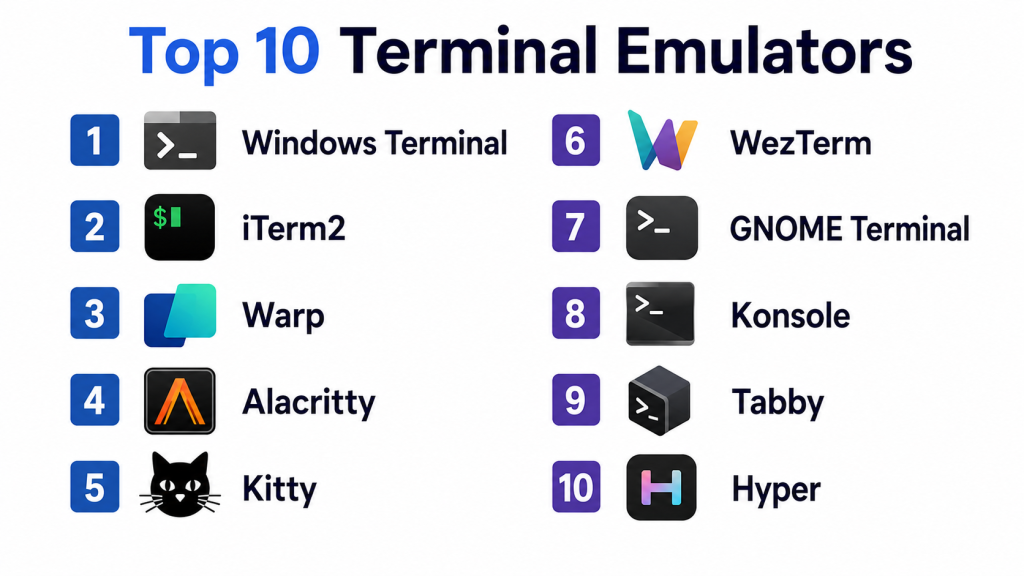
Top 10 Terminal Emulators
1- Windows Terminal
Short description:
Windows Terminal is Microsoft’s modern terminal application for Windows users working with PowerShell, Command Prompt, WSL, Azure CLI, Git, SSH, and development workflows. It supports tabs, panes, themes, Unicode, GPU-accelerated rendering, and profile-based configuration. It is especially useful for developers and system administrators who work across Windows and Linux environments through WSL. Windows Terminal provides a clean and powerful interface while remaining tightly integrated with the Windows ecosystem. For enterprises already using Microsoft tools, it is one of the most practical default choices.
Key Features
- Tabbed terminal interface
- Split panes for multiple sessions
- GPU-accelerated text rendering
- PowerShell, Command Prompt, and WSL support
- Custom profiles and themes
- Unicode and UTF-8 support
- Keyboard shortcut customization
Pros
- Excellent fit for Windows and WSL users
- Strong performance and modern interface
- Free and actively maintained by Microsoft
Cons
- Windows-focused tool
- Advanced customization requires JSON or settings knowledge
- Not designed as a cross-platform terminal for macOS or Linux
Platforms / Deployment
- Windows
- Local / Cloud through remote shells and WSL workflows
Security & Compliance
- Uses Windows security model
- Profile and shell permissions depend on system configuration
- Enterprise controls depend on Windows device management
- Not publicly stated as a standalone compliance product
Integrations & Ecosystem
Windows Terminal fits naturally into Microsoft and developer workflows.
- PowerShell
- Command Prompt
- WSL
- Azure CLI
- Git
- SSH
- Visual Studio Code
Support & Community
Windows Terminal has strong Microsoft documentation, active community usage, and broad adoption among Windows developers and administrators.
2- iTerm2
Short description:
iTerm2 is a popular macOS terminal emulator designed as a powerful replacement for the default macOS Terminal app. It is known for split panes, hotkey windows, search, autocomplete, paste history, profiles, shell integration, and strong customization. iTerm2 is especially popular among developers, DevOps engineers, and macOS power users who want a fast and flexible terminal environment. It works well with shells like Zsh, Bash, Fish, and tools like tmux and SSH. For macOS users, it remains one of the most mature terminal options available.
Key Features
- Split panes and tabs
- Hotkey window
- Search and autocomplete
- Paste history
- Shell integration
- Profile-based customization
- tmux integration support
Pros
- Excellent macOS productivity features
- Strong customization and keyboard workflows
- Mature and widely adopted among developers
Cons
- macOS-only
- Many features can feel overwhelming initially
- Enterprise management may require additional configuration standards
Platforms / Deployment
- macOS
- Local / Remote through SSH and shell workflows
Security & Compliance
- Security depends on macOS configuration
- Profile and shell access controls depend on local system policy
- Not publicly stated as a compliance-focused product
Integrations & Ecosystem
iTerm2 integrates well with common macOS developer workflows.
- Zsh
- Bash
- Fish
- tmux
- SSH
- Git
- Oh My Zsh
Support & Community
iTerm2 has extensive documentation, a long-standing macOS developer community, and strong usage among technical professionals.
3- Warp
Short description:
Warp is a modern terminal designed for developers who want a more intelligent and interactive command-line experience. It introduces features such as command blocks, modern editing, AI assistance, agent workflows, rich completions, and collaborative terminal experiences. Warp is especially useful for developers who want command explanations, better command history, and integrated help without leaving the terminal. It is built for modern software teams working with coding agents, cloud tools, Git, and development automation. Warp is a strong choice for teams exploring AI-enhanced developer productivity.
Key Features
- AI-assisted terminal workflows
- Command blocks and structured output
- Modern text editing experience
- Rich command completions
- Agent and coding workflow support
- Searchable command history
- Collaboration-oriented terminal features
Pros
- Modern and user-friendly interface
- Strong AI and productivity features
- Helpful for developers learning or automating commands
Cons
- Some users may prefer traditional terminal behavior
- Cloud-connected features may require privacy review
- Advanced team features may require paid plans
Platforms / Deployment
- Windows / macOS / Linux
- Cloud / Local / Hybrid depending on features used
Security & Compliance
- Access controls and enterprise features vary by plan
- Cloud features should be reviewed for privacy-sensitive environments
- Not publicly stated for all compliance certifications in this context
Integrations & Ecosystem
Warp fits into modern developer and AI-assisted coding workflows.
- Git
- Docker
- Kubernetes
- Claude Code
- Codex
- Gemini CLI
- Shell workflows
Support & Community
Warp has growing developer adoption, active documentation, and strong interest from AI-assisted development communities.
4- Alacritty
Short description:
Alacritty is a cross-platform, OpenGL-based terminal emulator focused on speed, simplicity, and performance. It avoids adding many built-in features and instead relies on external tools like tmux, shell plugins, and window managers for advanced workflows. Alacritty is popular among developers who want a lightweight, fast, keyboard-driven terminal without heavy interface layers. It supports Linux, macOS, Windows, and BSD environments. It is especially attractive for users who prefer minimalism and performance over integrated features.
Key Features
- OpenGL-based rendering
- Cross-platform support
- Lightweight configuration
- High-performance terminal rendering
- Minimal interface design
- Works well with tmux
- Keyboard-focused workflow
Pros
- Very fast and lightweight
- Strong cross-platform compatibility
- Great for minimalist terminal users
Cons
- No built-in tabs or panes
- Requires external tools for advanced workflows
- Configuration may feel technical for beginners
Platforms / Deployment
- Linux / Windows / macOS / BSD
- Local / Remote through shell and SSH workflows
Security & Compliance
- Security depends on host system and shell configuration
- Minimal terminal surface area
- Not publicly stated as a compliance-focused product
Integrations & Ecosystem
Alacritty works best with external command-line productivity tools.
- tmux
- Zsh
- Bash
- Fish
- SSH
- Git
- Neovim
Support & Community
Alacritty has an active open-source community and strong adoption among performance-focused developers.
5- Kitty
Short description:
Kitty is a fast, feature-rich terminal emulator focused on performance, extensibility, and modern terminal workflows. It supports GPU rendering, tabs, windows, layouts, image display, keyboard-driven navigation, and scripting. Kitty is popular among Linux and macOS developers who want a highly configurable terminal with more built-in features than minimalist alternatives. It is especially useful for users who want fast rendering, remote workflows, and advanced terminal graphics capabilities. Kitty offers a strong balance between speed and feature depth.
Key Features
- GPU-accelerated rendering
- Tabs, windows, and layouts
- Image and graphics protocol support
- Keyboard-driven workflows
- Remote control capabilities
- Strong configuration options
- Scriptable terminal behavior
Pros
- Excellent performance and feature depth
- Strong customization options
- Useful for power users and advanced workflows
Cons
- Configuration can feel advanced
- Windows support is less central than Linux and macOS workflows
- May be too feature-rich for simple users
Platforms / Deployment
- Linux / macOS
- Local / Remote through shell and SSH workflows
Security & Compliance
- Security depends on host system and shell configuration
- Remote control features should be configured carefully
- Not publicly stated as a compliance-focused product
Integrations & Ecosystem
Kitty integrates well with advanced command-line and terminal productivity workflows.
- Zsh
- Bash
- Fish
- tmux alternatives
- SSH
- Neovim
- Shell scripting
Support & Community
Kitty has strong open-source documentation and an active community of Linux and macOS power users.
6- WezTerm
Short description:
WezTerm is a modern, GPU-accelerated, cross-platform terminal emulator and multiplexer. It is designed for users who want performance, configurability, tabs, panes, SSH support, scripting, and cross-platform consistency. WezTerm is especially attractive for developers working across Linux, macOS, and Windows who want one terminal experience across environments. It supports Lua-based configuration, advanced customization, and terminal multiplexing features. WezTerm is a strong option for power users who want both speed and built-in workflow depth.
Key Features
- GPU-accelerated rendering
- Cross-platform support
- Tabs and panes
- Built-in multiplexing concepts
- Lua-based configuration
- SSH workflow support
- Strong customization
Pros
- Excellent cross-platform consistency
- Powerful built-in panes and customization
- Strong fit for advanced developer workflows
Cons
- Lua configuration may require learning
- Advanced features can be complex for new users
- Smaller mainstream adoption than Windows Terminal or iTerm2
Platforms / Deployment
- Windows / macOS / Linux
- Local / Remote / Hybrid through SSH workflows
Security & Compliance
- Security depends on system and SSH configuration
- Configuration should be governed in enterprise environments
- Not publicly stated as a compliance-focused product
Integrations & Ecosystem
WezTerm fits advanced cross-platform developer workflows.
- SSH
- Zsh
- Bash
- Fish
- Git
- Neovim
- tmux-style workflows
Support & Community
WezTerm has strong documentation and an active open-source community focused on modern terminal workflows.
7- GNOME Terminal
Short description:
GNOME Terminal is a widely used terminal emulator for Linux desktop environments, especially GNOME-based distributions. It provides a simple and reliable command-line interface for shell sessions, SSH access, scripts, and Linux administration workflows. GNOME Terminal is not the flashiest tool, but it is stable, familiar, and easy to use. It is especially suitable for Linux users who want a dependable default terminal without heavy configuration. It works well for administrators, developers, and desktop Linux users who prefer a straightforward experience.
Key Features
- Linux terminal sessions
- Tabs and profiles
- Shell command execution
- Basic customization
- UTF-8 support
- Desktop environment integration
- SSH and local shell workflows
Pros
- Stable and familiar Linux terminal
- Easy to use for daily workflows
- Good desktop integration
Cons
- Fewer advanced productivity features
- Less customizable than power-user terminals
- Mainly focused on GNOME desktop environments
Platforms / Deployment
- Linux
- Local / Remote through SSH workflows
Security & Compliance
- Security depends on Linux user permissions and shell configuration
- Enterprise governance depends on Linux desktop management
- Not publicly stated as a compliance-focused product
Integrations & Ecosystem
GNOME Terminal integrates naturally with Linux desktop and shell workflows.
- Bash
- Zsh
- SSH
- Linux package managers
- Git
- System administration tools
Support & Community
GNOME Terminal benefits from the broader GNOME and Linux desktop communities, with strong distribution-level support.
8- Konsole
Short description:
Konsole is the terminal emulator for the KDE desktop environment and is widely used by Linux developers and administrators. It supports tabs, split views, profiles, bookmarks, search, and strong desktop integration. Konsole is especially useful for users who prefer KDE Plasma and want a reliable terminal with more built-in productivity features than very basic Linux terminal apps. It works well for local development, remote administration, shell scripting, and multi-session workflows. Konsole offers a practical balance of simplicity, power, and Linux desktop integration.
Key Features
- Tabs and split views
- Profile management
- Search and bookmarks
- KDE desktop integration
- SSH workflow support
- Session management
- Custom color schemes
Pros
- Strong Linux desktop integration
- Useful split-view workflow
- Good balance of simplicity and features
Cons
- Best fit for KDE users
- Less common outside Linux desktop workflows
- Fewer AI or modern collaboration features
Platforms / Deployment
- Linux
- Local / Remote through SSH workflows
Security & Compliance
- Security depends on Linux permissions and shell configuration
- Desktop management depends on organization policy
- Not publicly stated as a compliance-focused product
Integrations & Ecosystem
Konsole integrates with Linux development and KDE desktop workflows.
- KDE Plasma
- Bash
- Zsh
- SSH
- Git
- Linux system tools
Support & Community
Konsole benefits from KDE community support and strong adoption among Linux desktop users.
9- Tabby
Short description:
Tabby is a modern, cross-platform terminal emulator with SSH client capabilities, tabs, panes, themes, plugins, and profile management. It is designed for developers and administrators who want a polished interface for local shells and remote server access. Tabby is especially useful for users who manage multiple remote machines and want built-in SSH workflows without relying on separate tools. It provides a more graphical and approachable experience than minimalist terminals. Tabby is a strong option for users who value convenience, customization, and remote session management.
Key Features
- Cross-platform terminal interface
- Built-in SSH client
- Tabs and panes
- Themes and customization
- Plugin ecosystem
- Profile management
- Serial and remote connection support
Pros
- Good remote workflow experience
- Modern and approachable interface
- Strong customization and plugin support
Cons
- Can feel heavier than minimalist terminals
- Advanced use may require plugin management
- Smaller enterprise footprint than Microsoft or Apple ecosystem tools
Platforms / Deployment
- Windows / macOS / Linux
- Local / Remote through SSH and connection workflows
Security & Compliance
- SSH key handling depends on configuration
- Security depends on local storage and connection practices
- Not publicly stated as a compliance-focused product
Integrations & Ecosystem
Tabby fits remote administration and developer productivity workflows.
- SSH
- Serial connections
- PowerShell
- Bash
- Zsh
- Git
- Plugin workflows
Support & Community
Tabby has an active open-source community and is popular among users who want a modern SSH-friendly terminal.
10- Hyper
Short description:
Hyper is a terminal emulator built with web technologies and designed for extensibility, themes, and plugins. It appeals to developers who want a visually customizable terminal and a plugin-driven ecosystem. Hyper is often chosen by users who value design, theming, and JavaScript-based extensibility. It may not be the fastest terminal for all workloads, but it provides a polished and flexible interface. It is suitable for frontend developers, creative technical users, and teams that prefer a modern-looking terminal experience.
Key Features
- Plugin-based architecture
- Theme customization
- Cross-platform support
- JavaScript-based extensibility
- Tabs and panes through extensions or configuration
- Modern visual interface
- Developer-friendly customization
Pros
- Highly customizable appearance
- Strong plugin and theme orientation
- Good fit for design-focused developers
Cons
- Can be heavier than native terminals
- Performance may vary on large outputs
- Plugin quality can vary
Platforms / Deployment
- Windows / macOS / Linux
- Local / Remote through shell and SSH workflows
Security & Compliance
- Plugin security should be reviewed carefully
- Security depends on local system and shell configuration
- Not publicly stated as a compliance-focused product
Integrations & Ecosystem
Hyper fits customizable developer terminal workflows.
- JavaScript plugins
- Themes
- Bash
- Zsh
- Fish
- Git
- SSH
Support & Community
Hyper has an open-source community and appeals strongly to developers who value themes and extensibility.
Comparison Table
| Tool Name | Best For | Platform Supported | Deployment | Standout Feature | Public Rating |
|---|---|---|---|---|---|
| Windows Terminal | Windows and WSL users | Windows | Local / Remote | GPU-accelerated tabs and panes | N/A |
| iTerm2 | macOS power users | macOS | Local / Remote | Split panes and shell integration | N/A |
| Warp | AI-assisted developers | Windows, macOS, Linux | Cloud / Local / Hybrid | AI and command block workflows | N/A |
| Alacritty | Minimalist performance users | Windows, macOS, Linux, BSD | Local / Remote | OpenGL-based fast rendering | N/A |
| Kitty | Linux and macOS power users | Linux, macOS | Local / Remote | GPU rendering and advanced terminal graphics | N/A |
| WezTerm | Cross-platform power users | Windows, macOS, Linux | Local / Remote | GPU terminal with panes and scripting | N/A |
| GNOME Terminal | Linux desktop users | Linux | Local / Remote | Simple GNOME desktop integration | N/A |
| Konsole | KDE Linux users | Linux | Local / Remote | Split views and KDE integration | N/A |
| Tabby | Remote server administrators | Windows, macOS, Linux | Local / Remote | Built-in SSH client and profiles | N/A |
| Hyper | Theme and plugin-focused users | Windows, macOS, Linux | Local / Remote | JavaScript-based plugin ecosystem | N/A |
Evaluation and Scoring of Terminal Emulators
| Tool Name | Core 25% | Ease 15% | Integrations 15% | Security 10% | Performance 10% | Support 10% | Value 15% | Weighted Total |
| Windows Terminal | 9 | 9 | 9 | 8 | 9 | 9 | 10 | 9.0 |
| iTerm2 | 9 | 8 | 9 | 8 | 9 | 9 | 10 | 8.9 |
| Warp | 9 | 9 | 8 | 7 | 8 | 8 | 7 | 8.1 |
| Alacritty | 8 | 7 | 8 | 8 | 10 | 8 | 10 | 8.4 |
| Kitty | 9 | 7 | 8 | 8 | 10 | 8 | 10 | 8.6 |
| WezTerm | 9 | 7 | 9 | 8 | 9 | 8 | 10 | 8.5 |
| GNOME Terminal | 7 | 9 | 7 | 8 | 8 | 8 | 10 | 8.0 |
| Konsole | 8 | 8 | 8 | 8 | 8 | 8 | 10 | 8.2 |
| Tabby | 8 | 8 | 8 | 7 | 7 | 7 | 9 | 7.7 |
| Hyper | 7 | 8 | 8 | 6 | 7 | 7 | 9 | 7.4 |
These scores are comparative and should be interpreted based on the user’s operating system and workflow. Windows users will often prefer Windows Terminal, while macOS power users commonly choose iTerm2. Performance-focused users may prefer Alacritty, Kitty, or WezTerm. Developers interested in AI-assisted workflows may evaluate Warp. Linux desktop users may find GNOME Terminal or Konsole sufficient for daily work.
Which Terminal Emulator Is Right for You?
Solo / Freelancer
Solo developers should choose a terminal based on operating system and daily workflow. Windows users should start with Windows Terminal because it works well with PowerShell, WSL, and SSH. macOS users who want more power than the default Terminal app should evaluate iTerm2. Developers who want a modern AI-assisted workflow may prefer Warp. Minimalist users who want speed may choose Alacritty or Kitty.
SMB
Small teams should prioritize easy onboarding, cross-platform support, and consistent developer environments. Windows-heavy teams can standardize on Windows Terminal, while macOS-heavy teams can standardize on iTerm2. Mixed teams may evaluate Warp, WezTerm, Tabby, or Alacritty. SMBs should also document shell setup, fonts, prompts, SSH practices, and profile configuration to reduce onboarding friction.
Mid-Market
Mid-market engineering organizations often need consistency across operating systems, remote development workflows, and cloud tooling. WezTerm, Warp, Tabby, and Alacritty are strong cross-platform candidates. Teams using Kubernetes, cloud CLIs, and remote servers should evaluate SSH workflows, panes, profiles, history search, and command productivity features. A standard terminal setup can improve developer productivity and reduce support overhead.
Enterprise
Enterprises should evaluate terminal tools through security, privacy, manageability, and support requirements. Windows Terminal is a natural fit for Microsoft-managed environments. iTerm2 is strong for macOS developer fleets. Warp may require additional privacy and enterprise review because of AI and cloud-connected features. Open-source tools like Alacritty, Kitty, WezTerm, GNOME Terminal, and Konsole may fit teams that prioritize transparency and local control.
Budget vs Premium
Many excellent terminal emulators are free or open source, including Windows Terminal, iTerm2, Alacritty, Kitty, WezTerm, GNOME Terminal, Konsole, Tabby, and Hyper. Premium or paid features are more common in AI-assisted or team-oriented products like Warp. Budget planning should include training, configuration management, secure SSH practices, and developer environment standardization rather than software cost alone.
Feature Depth vs Ease of Use
Windows Terminal and iTerm2 provide a strong balance of usability and power. Alacritty focuses on speed and simplicity but leaves advanced panes and sessions to tools like tmux. Kitty and WezTerm offer more built-in power but require deeper configuration. Warp is easier for modern command workflows but may feel different for traditional terminal users.
Integrations & Scalability
Teams should evaluate integrations with shells, SSH, Git, Docker, Kubernetes, cloud CLIs, editors, IDEs, password managers, and remote development tools. Cross-platform teams should also consider whether configuration can be shared across operating systems. Enterprises should standardize profiles, fonts, keybindings, shell plugins, and security practices for scalable developer onboarding.
Security & Compliance Needs
Terminal emulators often handle sensitive commands, tokens, SSH keys, cloud credentials, and production access. Security teams should evaluate local storage, plugin behavior, AI features, telemetry, SSH handling, profile management, and enterprise policy controls. Terminals should be paired with strong credential management, least privilege access, MFA, session logging where appropriate, and secure shell configuration.
Frequently Asked Questions
1. What is a Terminal Emulator?
A Terminal Emulator is an application that lets users interact with a command-line shell. It allows developers and administrators to run commands, scripts, SSH sessions, cloud tools, Git workflows, and system administration tasks.
2. Why do developers use advanced Terminal Emulators?
Developers use advanced terminal emulators for tabs, panes, search, command history, themes, shortcuts, SSH workflows, GPU rendering, and productivity enhancements. These features make daily command-line work faster and easier.
3. Which Terminal Emulator is best for Windows?
Windows Terminal is one of the best choices for Windows users because it supports PowerShell, Command Prompt, WSL, tabs, panes, custom profiles, and GPU-accelerated rendering in a modern interface.
4. Which Terminal Emulator is best for macOS?
iTerm2 is one of the most popular terminal emulators for macOS power users. It offers split panes, profiles, hotkey windows, search, paste history, shell integration, and strong customization.
5. Which Terminal Emulator is best for Linux?
Linux users have many strong choices, including GNOME Terminal, Konsole, Kitty, Alacritty, and WezTerm. The best option depends on whether the user values simplicity, performance, desktop integration, or advanced customization.
6. Are GPU-accelerated terminals better?
GPU-accelerated terminals can improve rendering performance, especially with large outputs, rich prompts, text-heavy workflows, and modern display environments. However, they do not automatically make commands themselves execute faster.
7. Is Warp suitable for enterprise teams?
Warp can be useful for enterprise developers interested in AI-assisted workflows and modern terminal UX. However, enterprises should review privacy, telemetry, access controls, cloud features, and policy settings before broad adoption.
8. What is the difference between a shell and a terminal emulator?
A shell is the command interpreter, such as Bash, Zsh, Fish, or PowerShell. A terminal emulator is the application window that runs the shell and provides the interface for typing commands and viewing output.
9. Do Terminal Emulators replace IDE terminals?
Not always. IDE terminals are convenient inside code editors, but dedicated terminal emulators usually offer better customization, performance, SSH workflows, panes, profiles, and productivity features for heavy command-line users.
10. What mistakes should teams avoid when choosing a Terminal Emulator?
Teams should avoid choosing only based on appearance, ignoring security settings, using unmanaged plugins, failing to standardize shell configuration, and not testing terminal behavior across operating systems, SSH sessions, and development workflows.
Conclusion
Terminal Emulators remain essential productivity tools for developers, DevOps engineers, SREs, system administrators, and cloud teams. Windows Terminal is a strong default for Windows and WSL users, while iTerm2 remains a powerful macOS choice. Warp brings AI-assisted workflows and a modern command experience, while Alacritty, Kitty, and WezTerm serve performance-focused and power-user communities. GNOME Terminal and Konsole remain dependable Linux desktop options, while Tabby is useful for SSH-heavy workflows and Hyper appeals to users who value themes and plugins. The best terminal depends on operating system, workflow complexity, security requirements, performance needs, and team standardization. A practical next step is to shortlist two or three tools, test them with real shells, SSH sessions, Git workflows, Docker, Kubernetes, and cloud CLIs, then standardize configuration and security practices before wider team rollout.
