Introduction
Data Migration Tools help organizations move data from one system, database, warehouse, application, cloud platform, or storage environment to another while maintaining accuracy, structure, security, and business continuity. These tools are used when companies modernize infrastructure, consolidate systems, move to cloud platforms, replace legacy applications, or create analytics-ready data pipelines. In and beyond, data migration is no longer only a one-time IT project. It is closely connected with cloud adoption, AI readiness, compliance, data governance, real-time analytics, and digital transformation. Businesses need clean, trusted, and accessible data before they can use modern analytics, automation, or AI models effectively.
Real-World Use Cases
- Cloud database migration: Moving on-premises databases to AWS, Azure, Google Cloud, Snowflake, Databricks, or other cloud platforms.
- Data warehouse modernization: Migrating legacy warehouse data into modern cloud data platforms for analytics and reporting.
- Application replacement: Moving customer, finance, HR, sales, or operational data from older systems to new SaaS applications.
- Real-time data replication: Keeping source and target systems synchronized during migration or modernization.
- AI and analytics preparation: Consolidating clean business data into platforms where teams can build dashboards, machine learning models, and AI workflows.
Evaluation Criteria for Buyers
When evaluating data migration tools, buyers should consider:
- Supported sources and targets
- Batch and real-time migration capabilities
- Data transformation and mapping features
- Data quality and validation controls
- Security, encryption, and access management
- Scalability for large data volumes
- Cloud, hybrid, and on-premises compatibility
- Monitoring, error handling, and rollback support
- Governance and compliance support
- Pricing model and long-term operational value
Best for: Data engineering teams, cloud architects, IT leaders, analytics teams, enterprise architects, SaaS administrators, financial services, healthcare, retail, manufacturing, and organizations planning cloud migration, warehouse modernization, or system consolidation.
Not ideal for: Very small teams with simple file transfers, organizations with only occasional manual data exports, or businesses that do not require ongoing synchronization, validation, governance, or large-scale migration automation.
Key Trends in Data Migration Tools
- AI-assisted migration planning: Modern tools increasingly use automation and intelligent recommendations to identify schema mismatches, transformation rules, data quality issues, and migration risks.
- Real-time replication demand: Businesses want near real-time migration and continuous synchronization instead of long downtime windows.
- Cloud-native migration growth: Data migration is becoming tightly connected with Snowflake, Databricks, AWS, Azure, Google Cloud, and modern lakehouse architectures.
- Governance-first migration: Organizations are paying more attention to lineage, access controls, masking, privacy, and compliance during migration.
- ELT over traditional ETL: Many teams now prefer loading raw data into cloud platforms first and transforming it later using scalable warehouse or lakehouse compute.
- Hybrid and multi-cloud support: Enterprises increasingly need tools that work across on-premises, private cloud, public cloud, and multiple cloud providers.
- Low-code data pipeline builders: Business teams and smaller data teams want visual mapping, prebuilt connectors, and easier workflow creation.
- Data quality automation: Validation, profiling, deduplication, and reconciliation are becoming core migration requirements.
- Migration plus modernization: Tools are being used not only to move data but also to prepare it for analytics, AI, governance, and application modernization.
- Usage-based pricing models: Many cloud data migration platforms use consumption, connector, row volume, or compute-based pricing, making cost planning important.
How We Selected These Tools
The following tools were selected using a practical SaaS and enterprise evaluation approach:
- Market adoption and recognition: Tools widely used by enterprises, cloud teams, data engineers, and analytics teams were prioritized.
- Feature completeness: Preference was given to platforms supporting migration, replication, transformation, monitoring, and validation.
- Source and target coverage: Tools with broad support for databases, SaaS apps, warehouses, lakes, files, and cloud platforms were considered stronger.
- Cloud readiness: Platforms with strong compatibility across AWS, Azure, Google Cloud, Snowflake, Databricks, and modern warehouses scored higher.
- Security posture signals: Encryption, access control, SSO, audit logs, and governance support were reviewed where confidently known.
- Ease of use: Tools with managed connectors, low-code interfaces, and clear monitoring workflows were favored.
- Scalability: Enterprise-grade handling of large data volumes, real-time replication, and mission-critical workloads was important.
- Customer fit: The final list balances enterprise platforms, cloud-native services, developer-friendly tools, and SMB-friendly options.
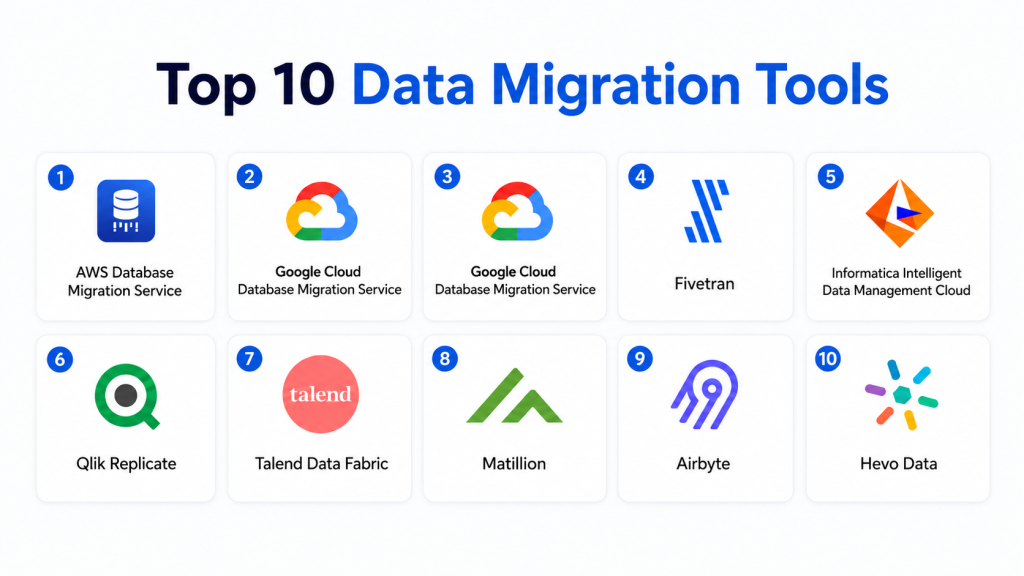
Top 10 Data Migration Tools
1- AWS Database Migration Service
Short description: AWS Database Migration Service is a cloud-based data migration tool designed to help organizations move databases and data workloads into AWS environments. It supports homogeneous migrations, such as Oracle to Oracle, and heterogeneous migrations, such as Oracle to Amazon Aurora or SQL Server to PostgreSQL. It is widely used by cloud teams planning database modernization, cloud migration, and ongoing replication. AWS DMS is especially useful for organizations already committed to AWS because it connects closely with AWS storage, database, monitoring, and security services. It can support minimal downtime migration when configured correctly, making it valuable for business-critical systems. For enterprises, its main strength is its native AWS ecosystem alignment and ability to support large migration projects.
Key Features
- Database migration and continuous replication support
- Homogeneous and heterogeneous migration capabilities
- Support for relational databases and selected data stores
- Schema conversion support through AWS ecosystem tools
- Monitoring through AWS-native services
- Integration with AWS security and access management
- Useful for cloud database modernization projects
Pros
- Strong fit for AWS-centered migration projects
- Supports ongoing replication for reduced downtime
- Scales well for enterprise cloud migration programs
Cons
- Best suited for AWS environments rather than broad multi-cloud strategies
- Complex heterogeneous migrations may require careful planning and testing
- Advanced setup can require experienced cloud and database engineers
Platforms / Deployment
- Cloud
- AWS ecosystem
Security & Compliance
AWS DMS supports encryption, access control through AWS IAM, and monitoring through AWS services. Certifications and compliance details depend on the broader AWS environment and customer configuration.
Integrations & Ecosystem
AWS DMS works best inside AWS migration and modernization programs. It integrates with AWS databases, storage, monitoring, and security services.
- Amazon RDS
- Amazon Aurora
- Amazon Redshift
- Amazon S3
- AWS IAM
- Amazon CloudWatch
Support & Community
AWS provides extensive documentation, cloud migration guidance, training resources, and enterprise support plans. The AWS partner ecosystem is also strong for large migration projects.
2- Azure Database Migration Service
Short description: Azure Database Migration Service helps organizations migrate databases into Microsoft Azure with assessment, planning, and execution support. It is commonly used for moving SQL Server, PostgreSQL, MySQL, and other database workloads into Azure-managed database services. Microsoft-focused enterprises often use it as part of broader application modernization and cloud transformation projects. The platform is useful when companies want to reduce on-premises database management overhead and modernize with Azure SQL, Azure Database for PostgreSQL, or related services. It supports cloud migration workflows and provides a practical path for organizations already using Microsoft infrastructure. Its strongest value is the native connection with Azure’s database, identity, monitoring, and governance services.
Key Features
- Database migration to Azure-managed services
- Assessment and migration planning support
- SQL Server modernization workflows
- Migration monitoring and reporting
- Integration with Azure security services
- Support for online and offline migration scenarios
- Alignment with Azure cloud modernization programs
Pros
- Strong option for Microsoft and Azure environments
- Useful for SQL Server modernization
- Native integration with Azure governance and monitoring
Cons
- Less suitable for organizations not adopting Azure
- Complex database migrations still need detailed testing
- Some workloads may require additional Azure tools or manual preparation
Platforms / Deployment
- Cloud
- Azure ecosystem
Security & Compliance
Supports Azure identity and access control, encryption, and monitoring capabilities. Specific compliance alignment depends on the Azure services and customer configuration used.
Integrations & Ecosystem
Azure Database Migration Service works closely with Azure database, monitoring, and identity services.
- Azure SQL Database
- Azure SQL Managed Instance
- Azure Database for PostgreSQL
- Azure Database for MySQL
- Microsoft Entra ID
- Azure Monitor
Support & Community
Microsoft provides strong documentation, migration guidance, enterprise support, and a large partner ecosystem for Azure modernization projects.
3- Google Cloud Database Migration Service
Short description: Google Cloud Database Migration Service helps organizations migrate databases into Google Cloud with managed workflows and cloud-native support. It is commonly used for moving databases into Cloud SQL and other Google Cloud database services. The platform is useful for teams adopting Google Cloud for analytics, application modernization, and infrastructure transformation. It supports migration planning, replication, and database modernization patterns where businesses want to reduce legacy infrastructure dependency. Google Cloud customers benefit from integration with cloud monitoring, identity, and data platform services. Its strongest fit is for organizations standardizing on Google Cloud and looking to modernize database operations.
Key Features
- Managed database migration workflows
- Migration into Google Cloud database services
- Continuous replication support for selected scenarios
- Cloud-native monitoring and management
- Support for modernization initiatives
- Integration with Google Cloud IAM
- Useful for cloud database consolidation
Pros
- Strong fit for Google Cloud adoption
- Managed service reduces operational overhead
- Useful for modernization and analytics-driven cloud strategies
Cons
- Best suited for Google Cloud environments
- May require additional tools for complex enterprise migrations
- Source and target support should be validated before selection
Platforms / Deployment
- Cloud
- Google Cloud ecosystem
Security & Compliance
Supports Google Cloud identity, encryption, and access management features. Compliance details depend on the Google Cloud services and configuration used.
Integrations & Ecosystem
Google Cloud Database Migration Service integrates with Google Cloud database, monitoring, and security services.
- Cloud SQL
- AlloyDB
- Google Cloud IAM
- Cloud Monitoring
- BigQuery ecosystem
- Google Cloud operations tools
Support & Community
Google Cloud provides documentation, migration guidance, technical support options, and partner support for cloud transformation programs.
4- Fivetran
Short description: Fivetran is a managed data movement platform used for automated ELT pipelines, SaaS data integration, database replication, and analytics migration workflows. It is popular among analytics teams that need reliable data movement from business applications, databases, and operational systems into cloud warehouses and lakehouses. Fivetran reduces engineering effort by offering managed connectors and automated schema handling. It is especially useful for organizations building modern analytics stacks around Snowflake, BigQuery, Databricks, Redshift, or similar platforms. While it is not only a one-time migration tool, it is highly relevant for ongoing data migration, synchronization, and warehouse modernization. Its strongest value is operational simplicity and broad connector coverage.
Key Features
- Managed ELT connectors
- Automated schema updates
- Database replication support
- SaaS application data movement
- Cloud warehouse and lakehouse support
- Pipeline monitoring and alerting
- Low-maintenance data ingestion workflows
Pros
- Reduces manual data pipeline maintenance
- Strong connector ecosystem
- Good fit for analytics modernization
Cons
- Pricing can grow with usage and data volume
- Limited flexibility compared with fully custom pipelines
- Advanced transformation logic may require external tools
Platforms / Deployment
- Cloud
Security & Compliance
Fivetran supports encryption, access controls, SSO options, and audit-related capabilities depending on plan and configuration. Specific certification requirements should be verified directly during procurement.
Integrations & Ecosystem
Fivetran integrates with many SaaS, database, warehouse, and transformation platforms.
- Snowflake
- Google BigQuery
- Amazon Redshift
- Databricks
- dbt
- Salesforce
Support & Community
Fivetran provides documentation, support plans, onboarding resources, and a strong ecosystem among modern data stack teams.
5- Informatica Intelligent Data Management Cloud
Short description: Informatica Intelligent Data Management Cloud is an enterprise data management platform covering data integration, migration, quality, governance, cataloging, and automation. It is commonly used by large organizations with complex hybrid environments, multiple data sources, compliance requirements, and enterprise-scale governance needs. Informatica supports data migration across cloud, on-premises, SaaS, and enterprise application environments. Its strength is not only moving data but also managing data quality, metadata, lineage, and governance across the migration lifecycle. It is a strong fit for regulated industries, global enterprises, and organizations that need deep data management maturity. While it can be more complex than lightweight ELT tools, it offers broad enterprise functionality.
Key Features
- Enterprise data integration
- Cloud and hybrid data migration
- Data quality and cleansing
- Metadata management and cataloging
- Data governance support
- API and application integration
- Automation and intelligence-assisted workflows
Pros
- Strong enterprise data management depth
- Good fit for regulated and complex environments
- Combines migration, governance, and quality capabilities
Cons
- Can be complex for smaller teams
- Implementation may require experienced specialists
- Pricing and packaging can vary by enterprise needs
Platforms / Deployment
- Cloud
- Hybrid
Security & Compliance
Supports enterprise security features such as access controls, encryption, SSO options, audit logging, and governance-related controls. Specific compliance certifications should be verified during vendor evaluation.
Integrations & Ecosystem
Informatica has a broad ecosystem for enterprise data platforms, applications, and cloud environments.
- AWS
- Azure
- Google Cloud
- Snowflake
- Salesforce
- SAP
Support & Community
Informatica offers enterprise support, partner services, training, documentation, and implementation resources for large-scale programs.
6- Qlik Replicate
Short description: Qlik Replicate is a data replication and migration platform designed for moving data from databases, mainframes, files, and enterprise systems into cloud data platforms, warehouses, and lakes. It is commonly used for real-time replication, change data capture, and data warehouse modernization. Organizations use Qlik Replicate when they need continuous data movement with minimal impact on source systems. It is especially valuable for enterprises that need to migrate operational data while keeping analytics environments up to date. The tool supports a broad range of sources and targets, making it useful for hybrid and heterogeneous environments. Its biggest strength is reliable replication and CDC-focused migration.
Key Features
- Change data capture support
- Real-time data replication
- Broad source and target coverage
- Data lake and warehouse migration
- Minimal impact on source databases
- Monitoring and automation
- Hybrid and cloud deployment support
Pros
- Strong for continuous replication
- Useful for large-scale data warehouse modernization
- Supports heterogeneous environments
Cons
- May require specialist setup for complex systems
- Not as simple as managed ELT tools
- Best suited for teams with data engineering maturity
Platforms / Deployment
- Cloud
- Hybrid
Security & Compliance
Supports encryption, access control, and enterprise security configurations. Specific certification claims should be verified based on deployment and contract.
Integrations & Ecosystem
Qlik Replicate integrates with many database, warehouse, and analytics platforms.
- Oracle
- SQL Server
- Snowflake
- Databricks
- Amazon Redshift
- Google BigQuery
Support & Community
Qlik provides enterprise documentation, customer support, partner services, and training resources for replication and analytics modernization.
7- Talend Data Fabric
Short description: Talend Data Fabric is a data integration and management platform used for migration, transformation, quality, governance, and pipeline automation. It supports data movement across cloud, on-premises, SaaS, and big data environments. Organizations use Talend to build repeatable migration workflows, cleanse data, and prepare information for analytics and operational systems. It is especially relevant for teams that need a mix of integration, transformation, and quality controls in one platform. Talend can support both batch and more advanced data workflows depending on architecture. Its value comes from combining migration with broader data management capabilities.
Key Features
- Data integration and transformation
- Data quality and cleansing
- Cloud and hybrid pipeline support
- Batch data migration workflows
- Metadata and governance capabilities
- API and application integration
- Visual development environment
Pros
- Good balance of migration and data quality
- Useful for hybrid data environments
- Supports reusable pipeline development
Cons
- Can require technical expertise for complex workflows
- Enterprise features may involve higher cost
- Smaller teams may prefer simpler managed platforms
Platforms / Deployment
- Cloud
- Hybrid
Security & Compliance
Supports enterprise access controls, encryption options, and governance features. Specific compliance details should be verified during procurement.
Integrations & Ecosystem
Talend integrates with many databases, cloud platforms, SaaS applications, and analytics tools.
- AWS
- Azure
- Google Cloud
- Snowflake
- Databricks
- Salesforce
Support & Community
Talend offers documentation, customer support, training resources, and community knowledge for data integration teams.
8- Matillion
Short description: Matillion is a cloud-native data integration and transformation platform designed for modern analytics environments. It helps teams move and transform data into cloud warehouses and lakehouses while providing visual pipeline creation and orchestration. Matillion is popular with teams using Snowflake, Databricks, Amazon Redshift, Google BigQuery, and Azure Synapse. It is often used during data warehouse migration, analytics modernization, and ELT pipeline development. Matillion is not only for one-time migration but is highly useful for ongoing migration and transformation workflows. Its main strength is combining low-code usability with cloud data platform alignment.
Key Features
- Cloud-native data integration
- Visual pipeline builder
- ELT transformation workflows
- Data warehouse and lakehouse support
- Scheduling and orchestration
- Connector ecosystem
- Developer and team collaboration features
Pros
- Strong fit for cloud analytics teams
- Visual workflow design improves usability
- Works well with modern data warehouses
Cons
- Less focused on traditional database replication
- Cloud platform fit should be validated by architecture
- Advanced use cases may require data engineering skills
Platforms / Deployment
- Cloud
Security & Compliance
Supports access controls, encryption, and enterprise security options. Specific compliance claims should be validated during vendor review.
Integrations & Ecosystem
Matillion integrates with major cloud data platforms and business data sources.
- Snowflake
- Databricks
- Amazon Redshift
- Google BigQuery
- Azure Synapse
- Salesforce
Support & Community
Matillion provides documentation, support resources, training, and community content for cloud data teams.
9- Airbyte
Short description: Airbyte is an open-source and commercial data integration platform focused on moving data from many sources into warehouses, lakes, and analytics environments. It is popular among developer-first teams that want flexibility, connector extensibility, and control over their data pipelines. Airbyte supports both self-managed and cloud options, making it attractive for teams with different governance and infrastructure needs. It is commonly used for SaaS data migration, analytics ingestion, and warehouse modernization. Its open-source foundation gives technical teams the ability to customize connectors and workflows. The main advantage is flexibility, while the trade-off is that self-hosted deployments require operational ownership.
Key Features
- Open-source connector framework
- Cloud and self-hosted deployment options
- SaaS and database data movement
- Connector customization
- ELT pipeline support
- Data warehouse and lake integration
- Developer-friendly ecosystem
Pros
- Flexible and extensible
- Strong fit for technical data teams
- Self-hosted option supports control needs
Cons
- Self-hosting requires operations effort
- Connector quality may vary by source
- Enterprise governance needs careful planning
Platforms / Deployment
- Cloud
- Self-hosted
- Hybrid
Security & Compliance
Supports access controls and security configurations depending on deployment model. Specific compliance requirements should be reviewed based on cloud or self-hosted setup.
Integrations & Ecosystem
Airbyte integrates with many SaaS tools, databases, warehouses, and cloud platforms.
- PostgreSQL
- MySQL
- Snowflake
- BigQuery
- Redshift
- Databricks
Support & Community
Airbyte has an active open-source community, documentation, and commercial support options for teams using its managed or enterprise offerings.
10- Hevo Data
Short description: Hevo Data is a no-code and low-code data pipeline platform used for moving data from applications, databases, and files into warehouses and analytics platforms. It is often selected by small and mid-sized data teams that want quick setup, managed connectors, and reduced engineering overhead. Hevo supports data migration, synchronization, and analytics pipeline use cases across common business systems. It is useful for teams modernizing reporting environments or consolidating operational data into cloud warehouses. The platform emphasizes simplicity and speed, making it a practical choice for teams without large data engineering departments. Its strongest fit is managed data movement for analytics and business intelligence.
Key Features
- No-code and low-code data pipelines
- Managed connectors
- Data warehouse loading
- Basic transformation workflows
- Pipeline monitoring
- Error handling and alerts
- SaaS and database ingestion
Pros
- Easy to set up for smaller teams
- Good fit for analytics pipeline migration
- Reduces manual engineering work
Cons
- Less suitable for highly complex enterprise migrations
- Advanced customization may be limited
- Pricing should be reviewed based on data volume
Platforms / Deployment
- Cloud
Security & Compliance
Supports standard security features such as encryption and access controls. Specific certifications and compliance details should be verified during vendor evaluation.
Integrations & Ecosystem
Hevo connects with common SaaS applications, databases, and cloud warehouses.
- Snowflake
- BigQuery
- Amazon Redshift
- PostgreSQL
- MySQL
- Salesforce
Support & Community
Hevo provides documentation, onboarding resources, customer support, and product guidance for business and data teams.
Comparison Table
| Tool Name | Best For | Platform(s) Supported | Deployment | Standout Feature | Public Rating |
|---|---|---|---|---|---|
| AWS Database Migration Service | AWS database migration | AWS databases and supported sources | Cloud | Native AWS migration and replication | N/A |
| Azure Database Migration Service | Microsoft and Azure modernization | Azure database ecosystem | Cloud | Azure database migration workflows | N/A |
| Google Cloud Database Migration Service | Google Cloud database migration | Google Cloud database ecosystem | Cloud | Managed migration into Google Cloud | N/A |
| Fivetran | Managed ELT and analytics migration | SaaS apps, databases, warehouses | Cloud | Managed connector automation | N/A |
| Informatica IDMC | Enterprise data management | Cloud, on-premises, SaaS, enterprise systems | Cloud / Hybrid | Migration plus governance and quality | N/A |
| Qlik Replicate | Real-time replication and CDC | Databases, warehouses, lakes | Cloud / Hybrid | Change data capture | N/A |
| Talend Data Fabric | Data integration and quality | Cloud, hybrid, SaaS, databases | Cloud / Hybrid | Integration plus data quality | N/A |
| Matillion | Cloud warehouse migration | Cloud data platforms | Cloud | Visual ELT pipeline builder | N/A |
| Airbyte | Developer-friendly data integration | SaaS apps, databases, warehouses | Cloud / Self-hosted / Hybrid | Open-source connector flexibility | N/A |
| Hevo Data | SMB analytics pipelines | SaaS apps, databases, warehouses | Cloud | No-code pipeline setup | N/A |
Evaluation & Scoring of Data Migration Tools
| Tool Name | Core 25% | Ease 15% | Integrations 15% | Security 10% | Performance 10% | Support 10% | Value 15% | Weighted Total |
| AWS Database Migration Service | 9 | 8 | 9 | 9 | 9 | 9 | 8 | 8.7 |
| Azure Database Migration Service | 9 | 8 | 9 | 9 | 8 | 9 | 8 | 8.6 |
| Google Cloud Database Migration Service | 8 | 8 | 8 | 9 | 8 | 8 | 8 | 8.1 |
| Fivetran | 9 | 9 | 10 | 8 | 9 | 8 | 8 | 8.8 |
| Informatica IDMC | 10 | 7 | 10 | 9 | 9 | 9 | 7 | 8.8 |
| Qlik Replicate | 9 | 7 | 9 | 8 | 9 | 8 | 7 | 8.2 |
| Talend Data Fabric | 8 | 7 | 9 | 8 | 8 | 8 | 8 | 8.0 |
| Matillion | 8 | 9 | 8 | 8 | 8 | 8 | 8 | 8.2 |
| Airbyte | 8 | 8 | 9 | 7 | 8 | 7 | 9 | 8.1 |
| Hevo Data | 8 | 9 | 8 | 7 | 8 | 8 | 8 | 8.1 |
These scores are comparative and should not be treated as universal rankings. A higher score means the tool performs strongly across the selected criteria, but the right choice depends on your data architecture, cloud provider, compliance needs, team skills, and migration goals. Enterprise teams may prioritize governance, replication, and security, while smaller teams may prioritize ease of use, connector availability, and lower operational effort. Always validate tools through a pilot migration before making a final platform decision.
Which Data Migration Tool Is Right for You?
Solo / Freelancer
Solo data professionals and freelancers usually need simplicity, fast setup, and low maintenance. Hevo Data, Airbyte, and Matillion can be practical options depending on whether the user wants managed pipelines, open-source flexibility, or cloud warehouse transformation support. For database-specific migration into AWS, Azure, or Google Cloud, native cloud migration tools may be enough.
SMB
SMBs often need reliable data movement without building a large data engineering team. Fivetran, Hevo Data, Matillion, and Airbyte are strong choices for SaaS-to-warehouse migration, analytics pipelines, and business reporting. If the company is migrating core databases to a specific cloud provider, AWS DMS, Azure Database Migration Service, or Google Cloud Database Migration Service may be more direct choices.
Mid-Market
Mid-market organizations usually have more complex data sources, growing analytics teams, and stronger governance needs. Fivetran, Matillion, Talend, Qlik Replicate, and Airbyte can support a mix of migration and ongoing synchronization. These organizations should prioritize tools that support monitoring, error handling, transformations, and integrations with their cloud warehouse or lakehouse.
Enterprise
Enterprises need scalability, reliability, governance, security, and support for complex hybrid environments. Informatica IDMC, Qlik Replicate, AWS DMS, Azure Database Migration Service, Fivetran, and Talend are strong candidates depending on the migration strategy. Enterprises should also evaluate lineage, access control, compliance reporting, data quality, and vendor support before selecting a platform.
Budget vs Premium
Budget-conscious teams may prefer Airbyte because of its open-source flexibility or native cloud migration tools when they are already committed to a cloud provider. Premium enterprise buyers may prefer Informatica, Qlik Replicate, or Fivetran for managed operations, enterprise features, and stronger support. The best approach is to compare not only license cost but also engineering effort, maintenance time, downtime risk, and long-term scalability.
Feature Depth vs Ease of Use
Hevo Data and Fivetran emphasize ease of use and managed connectors. Informatica, Qlik Replicate, and Talend provide deeper enterprise functionality but may require more planning and expertise. Matillion offers a middle ground for cloud warehouse teams that want visual development with meaningful transformation control.
Integrations & Scalability
For broad SaaS and analytics integrations, Fivetran, Airbyte, Hevo Data, and Matillion are strong options. For complex enterprise systems, mainframe-style workloads, CDC, or hybrid database replication, Qlik Replicate and Informatica may be better suited. For cloud-native database migration, AWS, Azure, and Google Cloud services are often the cleanest fit.
Security & Compliance Needs
Regulated organizations should prioritize encryption, access control, SSO, audit logs, data masking, governance, and compliance documentation. Informatica, Qlik Replicate, and cloud-native migration services are often considered for enterprise governance needs. However, every buyer should verify certifications, hosting region options, role-based access, and data handling responsibilities before final selection.
Frequently Asked Questions
1- What is a data migration tool?
A data migration tool helps move data from one system to another while preserving accuracy, structure, and usability. It may support databases, SaaS applications, files, warehouses, data lakes, and cloud platforms.
2- What is the difference between data migration and data integration?
Data migration often refers to moving data during a system change, cloud migration, or modernization project. Data integration is usually ongoing and keeps data flowing between systems for reporting, operations, or analytics.
3- Do data migration tools support real-time replication?
Many modern tools support real-time or near real-time replication through change data capture or continuous synchronization. This is especially useful when downtime must be reduced during migration.
4- How much do data migration tools cost?
Pricing varies widely based on data volume, connectors, users, deployment model, cloud usage, and enterprise features. Buyers should evaluate both platform cost and operational cost before selecting a tool.
5- What are common data migration mistakes?
Common mistakes include poor source data profiling, weak mapping rules, insufficient testing, missing rollback plans, and ignoring data quality issues. Teams should always validate migrated data before cutover.
6- Are data migration tools secure?
Most enterprise tools provide encryption, access controls, and monitoring features, but security depends on configuration and deployment. Buyers should verify SSO, RBAC, audit logs, region control, and data handling policies.
7- Can these tools migrate data to cloud warehouses?
Yes, many tools support migration into Snowflake, BigQuery, Redshift, Databricks, Azure Synapse, and other modern cloud data platforms. Connector support should always be confirmed before purchase.
8- Do data migration tools require coding?
Some tools offer no-code or low-code interfaces, while others require SQL, scripting, or data engineering knowledge. The right choice depends on team skills and migration complexity.
9- How do organizations validate migrated data?
Validation usually includes row counts, checksum comparison, sample record checks, schema validation, business rule testing, and user acceptance testing. Strong tools also provide monitoring and reconciliation reports.
10- Can data migration tools help with AI readiness?
Yes, data migration tools can consolidate clean and governed data into platforms used for analytics and AI. However, AI readiness also requires data quality, metadata, lineage, governance, and responsible access controls.
Conclusion
Data migration tools are essential for organizations modernizing infrastructure, adopting cloud platforms, consolidating applications, and preparing data for analytics and AI. The best tool depends on your migration type, data volume, source systems, target platform, security requirements, and team skills. AWS Database Migration Service, Azure Database Migration Service, and Google Cloud Database Migration Service are strong fits for cloud-specific database migration. Fivetran, Matillion, Airbyte, and Hevo Data are practical choices for analytics and SaaS data movement. Informatica, Qlik Replicate, and Talend offer deeper enterprise functionality for complex, governed, and hybrid environments. Before making a final decision, shortlist two or three tools, run a pilot migration, validate data accuracy, test security and integrations, and then scale the platform that best supports your long-term data strategy.
