Introduction
Configuration Management Tools help IT teams automate, standardize, and control the configuration of servers, applications, cloud resources, containers, and infrastructure environments. Instead of manually setting up systems one by one, teams define desired configurations through scripts, policies, templates, or code-based workflows. These tools help reduce human error, improve consistency, speed up deployments, and maintain compliance across complex infrastructure.
In and beyond, configuration management remains important because organizations now operate across hybrid cloud, multi-cloud, Kubernetes, edge infrastructure, virtual machines, containers, and DevOps pipelines. As environments grow more distributed, teams need reliable tools to manage drift, enforce policies, automate updates, and maintain secure infrastructure at scale.
Real-World Use Cases
- Server provisioning: Automatically configure Linux and Windows servers with required packages, users, services, and security settings.
- Cloud infrastructure consistency: Standardize configurations across AWS, Azure, Google Cloud, private cloud, and hybrid infrastructure.
- Application deployment: Automate deployment steps, dependencies, environment variables, and service configuration.
- Compliance enforcement: Ensure systems follow security baselines, patch policies, and operational standards.
- Configuration drift correction: Detect and correct changes that move systems away from approved configurations.
Evaluation Criteria for Buyers
When evaluating Configuration Management Tools, buyers should consider:
- Agent-based vs agentless architecture
- Supported operating systems and platforms
- Cloud, hybrid, and on-premises support
- Infrastructure as Code compatibility
- Policy enforcement and compliance reporting
- Drift detection and remediation
- Integration with CI/CD pipelines
- Security, RBAC, secrets handling, and audit logs
- Scalability across large environments
- Community, enterprise support, and learning curve
Best for: DevOps teams, SRE teams, IT operations teams, cloud architects, platform engineers, security teams, MSPs, enterprises, SaaS companies, financial services, healthcare, education, and organizations managing many servers or cloud environments.
Not ideal for: Very small teams with only a few static systems, organizations with no automation maturity, or teams already using a fully managed platform that handles all configuration needs without custom automation.
Key Trends in Configuration Management Tools
- Infrastructure as Code is now standard: Configuration management increasingly overlaps with Terraform, Pulumi, GitOps, policy as code, and cloud automation workflows.
- Hybrid cloud management is becoming critical: Enterprises need consistent configuration across public cloud, private cloud, containers, and legacy infrastructure.
- Security and compliance automation is growing: Teams want automated baseline enforcement, patch validation, audit reporting, and policy remediation.
- Agentless automation remains popular: Tools that do not require agents are attractive because they reduce endpoint overhead and simplify onboarding.
- Configuration drift detection is more important: Infrastructure changes quickly, and teams need visibility into unauthorized or accidental configuration changes.
- Kubernetes and container support is expanding: Configuration management now extends into container platforms, cluster policies, and application runtime settings.
- AI-assisted operations are emerging: Some platforms use automation intelligence to identify risky changes, suggest remediation, and improve operational workflows.
- GitOps-driven configuration is increasing: Teams are storing configuration changes in Git and applying them through automated workflows.
- Policy as code is becoming a core requirement: Security and compliance teams want machine-readable policies that can be tested, reviewed, and enforced.
- Enterprise automation platforms are consolidating: Larger vendors are combining configuration management, orchestration, patching, compliance, and observability.
How We Selected These Tools
The following Configuration Management Tools were selected using a practical DevOps, cloud, and enterprise operations evaluation approach:
- Market adoption and recognition: Tools widely used by DevOps, SRE, platform engineering, and IT operations teams were prioritized.
- Feature completeness: Automation, configuration enforcement, orchestration, drift correction, reporting, and compliance features were reviewed.
- Platform coverage: Linux, Windows, cloud, hybrid, virtual machines, containers, and Kubernetes compatibility were considered.
- Security posture signals: RBAC, encrypted communication, secrets handling, audit logs, and compliance workflows were evaluated where confidently known.
- Ease of use: Syntax simplicity, learning curve, documentation, templates, and community resources influenced scoring.
- Integration ecosystem: CI/CD, cloud providers, monitoring tools, GitOps platforms, and infrastructure automation tools were considered.
- Scalability: Tools suitable for small teams, mid-market environments, and large enterprise fleets were included.
- Support and maturity: Open-source activity, enterprise support, documentation quality, and ecosystem stability were reviewed.
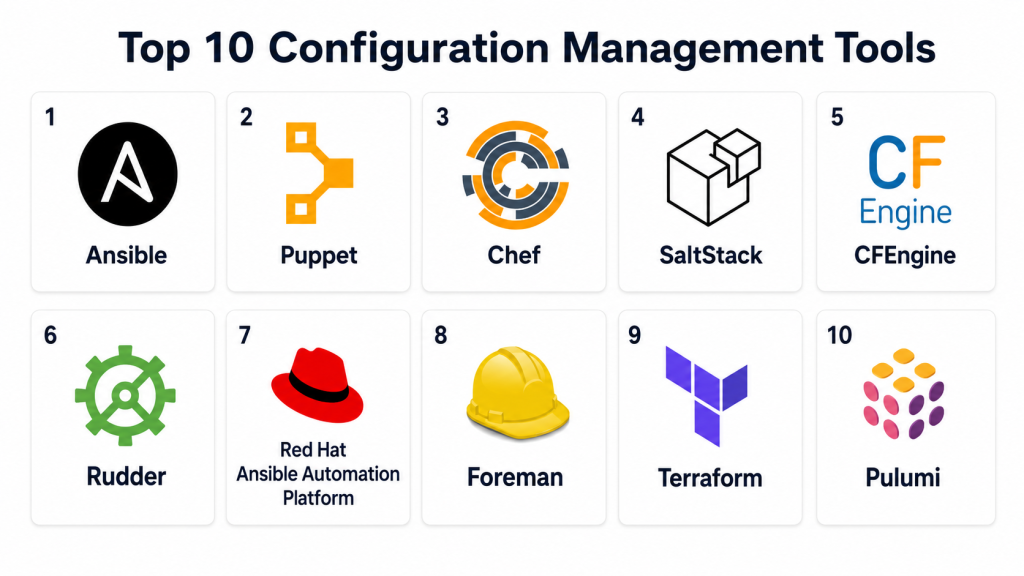
Top 10 Configuration Management Tools
1- Ansible
Short description: Ansible is a widely adopted configuration management and automation tool known for its agentless architecture and simple YAML-based playbooks. It helps teams automate server configuration, application deployment, cloud provisioning, patching, and operational tasks. Ansible connects to systems using SSH or WinRM, which reduces the need to install agents on every managed node. It is popular among DevOps teams, cloud engineers, SREs, and IT administrators because it is easy to learn and flexible enough for many use cases. Ansible works well across Linux, Windows, cloud, network devices, and container environments. Its strongest value is simple, readable automation that can scale from small teams to enterprise environments.
Key Features
- Agentless configuration management
- YAML-based playbooks
- Infrastructure and application automation
- Multi-cloud and hybrid support
- Large module ecosystem
- Idempotent task execution
- CI/CD and orchestration integration
Pros
- Easy to learn compared with many alternatives
- No agent installation required on managed nodes
- Strong community and enterprise ecosystem
Cons
- Very large environments may need careful performance tuning
- Complex playbooks can become difficult to maintain
- Advanced governance often requires additional platform components
Platforms / Deployment
- Linux
- Windows
- macOS control workflows vary
- Cloud
- Self-hosted
- Hybrid
Security & Compliance
Supports SSH, WinRM, encrypted variables, role-based workflows through enterprise platforms, and secure automation patterns. Specific compliance alignment depends on deployment, configuration, and enterprise platform usage.
Integrations & Ecosystem
Ansible integrates broadly with infrastructure, cloud, DevOps, and security workflows.
- AWS
- Microsoft Azure
- Google Cloud
- Kubernetes
- Jenkins
- GitLab CI
Support & Community
Ansible has a large open-source community, extensive documentation, many reusable roles and modules, and commercial support through Red Hat Ansible Automation Platform.
2- Puppet
Short description: Puppet is a mature configuration management platform designed to define, enforce, and report infrastructure state across large environments. It uses a declarative language to describe the desired configuration of systems, then continuously checks and applies that state. Puppet is commonly used by enterprises with large server fleets, compliance requirements, and long-running infrastructure environments. It works well for organizations that need repeatable policy enforcement, auditability, and strong reporting. Puppet is especially useful when configuration drift needs to be detected and corrected consistently. Its strongest value is mature enterprise configuration enforcement at scale.
Key Features
- Declarative configuration language
- Agent-based configuration enforcement
- Desired state management
- Drift detection and correction
- Compliance and reporting workflows
- Large module ecosystem
- Enterprise dashboard and governance options
Pros
- Strong enterprise maturity
- Good for compliance-heavy infrastructure
- Scales well across large server fleets
Cons
- Steeper learning curve than simpler tools
- Agent management adds operational overhead
- Enterprise features may require paid licensing
Platforms / Deployment
- Linux
- Windows
- Cloud
- Self-hosted
- Hybrid
Security & Compliance
Supports secure agent-server communication, role-based access in enterprise editions, reporting, audit workflows, and policy enforcement. Specific certifications should be verified during procurement.
Integrations & Ecosystem
Puppet integrates with enterprise infrastructure and DevOps ecosystems.
- VMware
- AWS
- Azure
- ServiceNow
- CI/CD pipelines
- Monitoring platforms
Support & Community
Puppet has long-standing documentation, a module ecosystem, enterprise support options, training resources, and a mature administrator community.
3- Chef
Short description: Chef is a configuration management and infrastructure automation platform that uses code-based recipes to define how systems should be configured. It is especially known for its flexibility, Ruby-based DSL, and strong focus on automation, compliance, and infrastructure as code. Chef is used by enterprises that need deep control over complex environments and repeatable configuration workflows. It supports server configuration, application deployment, compliance automation, and infrastructure governance. Chef can be powerful, but it requires teams to be comfortable with code-driven automation. Its strongest value is flexible configuration as code for complex enterprise environments.
Key Features
- Recipe-based configuration management
- Ruby-based DSL
- Infrastructure as Code workflows
- Compliance automation options
- Policy-based configuration control
- Cloud and hybrid infrastructure support
- CI/CD and DevOps integration
Pros
- Highly flexible for complex automation
- Strong compliance and policy capabilities
- Good fit for code-driven DevOps teams
Cons
- Learning curve can be high for non-developers
- Agent and server architecture requires management
- Smaller teams may prefer simpler tools
Platforms / Deployment
- Linux
- Windows
- macOS
- Cloud
- Self-hosted
- Hybrid
Security & Compliance
Supports encrypted communication, access controls, audit workflows, and compliance automation features depending on deployment and licensing. Specific compliance details should be verified during procurement.
Integrations & Ecosystem
Chef integrates with cloud, DevOps, testing, and compliance workflows.
- AWS
- Azure
- Google Cloud
- Jenkins
- GitHub
- Compliance reporting systems
Support & Community
Chef has documentation, community cookbooks, enterprise support options, training materials, and long-standing use in infrastructure automation.
4- SaltStack
Short description: SaltStack, also known as Salt, is a configuration management and remote execution tool designed for speed, scalability, and event-driven automation. It can manage large infrastructure fleets and execute commands across many systems quickly. Salt supports agent-based and agentless patterns, making it flexible for different environments. It is used for server configuration, orchestration, patching, cloud automation, and event-driven remediation. Salt is especially useful for teams that need fast command execution and automation across distributed infrastructure. Its strongest value is high-speed orchestration combined with configuration enforcement.
Key Features
- Remote execution at scale
- Configuration state management
- Agent-based and agentless options
- Event-driven automation
- Cloud and hybrid infrastructure support
- Orchestration workflows
- Fast command execution across many nodes
Pros
- Strong performance for large environments
- Flexible architecture
- Good fit for event-driven operations
Cons
- Salt-specific concepts require learning
- Complex states can become difficult to manage
- Enterprise features and support may depend on vendor packaging
Platforms / Deployment
- Linux
- Windows
- macOS
- Cloud
- Self-hosted
- Hybrid
Security & Compliance
Supports encrypted communication, access controls, authentication, and secure execution patterns. Compliance depends on deployment architecture and operational controls.
Integrations & Ecosystem
SaltStack integrates with infrastructure and operations environments.
- Cloud providers
- Kubernetes
- Monitoring tools
- CI/CD pipelines
- Event systems
- IT operations workflows
Support & Community
Salt has open-source documentation, community modules, commercial ecosystem support, and adoption among operations teams managing large infrastructure.
5- CFEngine
Short description: CFEngine is one of the oldest and most mature configuration management tools, designed for lightweight, secure, and scalable infrastructure automation. It uses a policy-based approach to define desired system state and continuously enforce it. CFEngine is often used in environments where stability, efficiency, and low resource usage are important. It is suitable for large server fleets, regulated environments, and organizations that need consistent system policies. While it may not have the same modern popularity as Ansible or Puppet, it remains valuable for teams that prioritize reliability and performance. Its strongest value is lightweight policy-driven configuration enforcement.
Key Features
- Policy-based configuration management
- Lightweight agent architecture
- Desired state enforcement
- Drift detection and correction
- Strong scalability for large fleets
- Security-focused automation
- Cross-platform support
Pros
- Lightweight and efficient
- Mature and reliable
- Strong for policy enforcement at scale
Cons
- Smaller modern community than newer tools
- Learning curve for policy language
- Less modern UI and ecosystem compared with newer platforms
Platforms / Deployment
- Linux
- Windows
- macOS
- Cloud
- Self-hosted
- Hybrid
Security & Compliance
Supports encrypted communication, policy enforcement, access controls, and secure automation workflows. Specific compliance details depend on deployment and should be verified during evaluation.
Integrations & Ecosystem
CFEngine integrates with infrastructure and compliance workflows.
- Linux environments
- Windows systems
- Monitoring tools
- Compliance workflows
- Cloud infrastructure
- Enterprise reporting systems
Support & Community
CFEngine has documentation, commercial support options, and long-standing knowledge in infrastructure automation communities.
6- Rudder
Short description: Rudder is a configuration management and continuous compliance platform designed to help teams automate system configuration while maintaining visibility into compliance status. It provides a policy-driven approach with a web interface, reporting, and remediation workflows. Rudder is useful for organizations that want configuration automation combined with compliance monitoring. It supports Linux and Windows environments and can be deployed in self-hosted or hybrid infrastructure. Security and operations teams use Rudder to enforce system baselines and track configuration drift. Its strongest value is combining configuration management with continuous compliance reporting.
Key Features
- Policy-driven configuration management
- Continuous compliance reporting
- Drift detection and remediation
- Web-based management console
- Linux and Windows support
- Audit and reporting dashboards
- Role-based administration options
Pros
- Strong focus on compliance visibility
- Easier dashboard experience than many traditional tools
- Useful for security and operations teams
Cons
- Smaller ecosystem than Ansible or Puppet
- Advanced customization may require learning Rudder concepts
- May be less suited for highly cloud-native workflows
Platforms / Deployment
- Linux
- Windows
- Cloud
- Self-hosted
- Hybrid
Security & Compliance
Supports access control, encrypted communication, compliance reporting, audit workflows, and policy enforcement. Specific certifications should be verified during procurement.
Integrations & Ecosystem
Rudder integrates with IT operations and reporting workflows.
- Linux servers
- Windows servers
- Monitoring systems
- Reporting tools
- IT operations processes
- Compliance workflows
Support & Community
Rudder offers documentation, open-source community resources, enterprise support options, and guidance for compliance-focused deployments.
7- Red Hat Ansible Automation Platform
Short description: Red Hat Ansible Automation Platform is the enterprise automation platform built around Ansible. It provides automation controller, role-based access control, job scheduling, analytics, content collections, automation mesh, and enterprise governance. Organizations use it when they want the simplicity of Ansible with stronger management, scale, and enterprise support. It is especially useful for large teams that need controlled automation across infrastructure, cloud, security, networking, and application operations. The platform helps standardize automation practices and reduce risk in production workflows. Its strongest value is enterprise-grade governance for Ansible automation.
Key Features
- Enterprise Ansible automation controller
- Role-based access control
- Job scheduling and workflow automation
- Automation mesh for distributed execution
- Certified content collections
- Centralized logging and reporting
- API-driven automation
Pros
- Adds governance and scale to Ansible
- Strong enterprise support through Red Hat
- Good fit for multi-team automation programs
Cons
- Requires paid licensing
- Teams still need Ansible skills
- Platform setup and governance require planning
Platforms / Deployment
- Linux
- Cloud
- Self-hosted
- Hybrid
Security & Compliance
Supports RBAC, credential management, logging, audit workflows, encrypted automation, and enterprise governance. Specific compliance details should be verified based on deployment and contract.
Integrations & Ecosystem
Red Hat Ansible Automation Platform integrates with enterprise automation, cloud, and operations workflows.
- Red Hat Enterprise Linux
- OpenShift
- AWS
- Azure
- ServiceNow
- CI/CD pipelines
Support & Community
Red Hat provides enterprise support, certified content, documentation, training, partner services, and a large Ansible ecosystem.
8- Foreman
Short description: Foreman is an open-source lifecycle management platform for physical and virtual servers. It helps teams provision systems, manage configuration, monitor host status, and integrate with tools such as Puppet, Ansible, and Chef. Foreman is useful for organizations that need centralized visibility across server environments and want to connect provisioning with configuration management. It supports bare metal, virtual machines, and cloud-like infrastructure workflows depending on plugins and configuration. Foreman is often used by Linux infrastructure teams managing larger server fleets. Its strongest value is combining provisioning, lifecycle management, and configuration management integration.
Key Features
- Server lifecycle management
- Host provisioning and inventory
- Integration with Puppet, Ansible, and Chef
- Web-based management console
- Role-based access controls
- Reporting and monitoring
- Plugin-based extensibility
Pros
- Strong lifecycle management capabilities
- Works with multiple configuration management tools
- Useful for server fleet visibility
Cons
- Setup can be complex
- Depends on external tools for some configuration workflows
- Interface may require administrator training
Platforms / Deployment
- Linux
- Cloud
- Self-hosted
- Hybrid
Security & Compliance
Supports RBAC, secure communication patterns, audit-related workflows, and host management controls. Compliance depends on deployment and integrated tools.
Integrations & Ecosystem
Foreman integrates with provisioning, configuration management, and infrastructure tools.
- Puppet
- Ansible
- Chef
- VMware
- DNS and DHCP systems
- Monitoring platforms
Support & Community
Foreman has open-source documentation, community support, plugin ecosystem resources, and commercial support options through related vendors and partners.
9- Terraform
Short description: Terraform is primarily an Infrastructure as Code tool, but it is often used alongside configuration management workflows to provision and manage cloud infrastructure consistently. It uses declarative configuration files to define infrastructure resources across cloud providers, SaaS platforms, and infrastructure systems. While Terraform is not a traditional server configuration tool like Ansible or Puppet, it is essential for managing infrastructure state and provisioning modern environments. Teams use Terraform to create networks, compute resources, databases, Kubernetes clusters, IAM policies, and cloud services. It is especially valuable in cloud, hybrid, and multi-cloud automation. Its strongest value is infrastructure provisioning and state management across providers.
Key Features
- Declarative Infrastructure as Code
- Multi-cloud provider support
- State management
- Plan and apply workflows
- Module ecosystem
- Version-controlled infrastructure changes
- Automation through CI/CD pipelines
Pros
- Strong multi-cloud infrastructure automation
- Clear plan-before-apply workflow
- Large provider and module ecosystem
Cons
- Not designed for deep OS-level configuration
- State management requires discipline
- Complex environments need strong module design
Platforms / Deployment
- Linux
- Windows
- macOS
- Cloud
- Self-hosted automation
- Hybrid
Security & Compliance
Supports secure provider authentication patterns, policy as code through related tools, state encryption depending on backend, and access controls through platform configuration. Compliance depends on deployment and workflow design.
Integrations & Ecosystem
Terraform integrates broadly with cloud, SaaS, and infrastructure platforms.
- AWS
- Azure
- Google Cloud
- Kubernetes
- GitHub
- CI/CD pipelines
Support & Community
Terraform has extensive documentation, a large provider ecosystem, strong community usage, enterprise support options, and many reusable modules.
10- Pulumi
Short description: Pulumi is an Infrastructure as Code platform that lets teams define cloud and infrastructure resources using general-purpose programming languages. Like Terraform, it is not a traditional configuration management tool for OS-level state, but it plays an important role in modern configuration and infrastructure automation. Pulumi supports cloud resources, Kubernetes, serverless, and SaaS infrastructure through code-based workflows. It is useful for developers and platform teams that prefer TypeScript, Python, Go, C#, Java, or YAML over domain-specific languages. Pulumi helps teams create reusable infrastructure components and integrate infrastructure changes into software engineering workflows. Its strongest value is developer-friendly infrastructure automation using familiar programming languages.
Key Features
- Infrastructure as Code using real programming languages
- Multi-cloud and Kubernetes support
- Reusable infrastructure components
- CI/CD integration
- Policy as code capabilities
- State and deployment management
- Developer-friendly automation workflows
Pros
- Uses familiar programming languages
- Strong fit for developer-led platform teams
- Good for cloud-native and Kubernetes automation
Cons
- Not a traditional server configuration tool
- Requires software engineering discipline
- Teams must manage code quality and state carefully
Platforms / Deployment
- Linux
- Windows
- macOS
- Cloud
- Self-hosted automation
- Hybrid
Security & Compliance
Supports policy as code, secure secrets handling options, access control through platform configuration, and deployment governance. Specific compliance details should be verified during procurement.
Integrations & Ecosystem
Pulumi integrates with modern cloud and software development workflows.
- AWS
- Azure
- Google Cloud
- Kubernetes
- GitHub Actions
- CI/CD systems
Support & Community
Pulumi provides documentation, examples, community support, commercial support options, and developer-focused learning resources.
Comparison Table
| Tool Name | Best For | Platform(s) Supported | Deployment | Standout Feature | Public Rating |
|---|---|---|---|---|---|
| Ansible | Agentless automation and configuration | Linux, Windows, macOS workflows | Cloud / Self-hosted / Hybrid | Simple YAML playbooks | N/A |
| Puppet | Enterprise desired-state management | Linux, Windows | Cloud / Self-hosted / Hybrid | Continuous configuration enforcement | N/A |
| Chef | Code-driven configuration and compliance | Linux, Windows, macOS | Cloud / Self-hosted / Hybrid | Recipe-based automation | N/A |
| SaltStack | Fast remote execution and orchestration | Linux, Windows, macOS | Cloud / Self-hosted / Hybrid | Event-driven automation | N/A |
| CFEngine | Lightweight policy-based management | Linux, Windows, macOS | Cloud / Self-hosted / Hybrid | Scalable policy enforcement | N/A |
| Rudder | Continuous compliance and drift control | Linux, Windows | Cloud / Self-hosted / Hybrid | Compliance-focused dashboard | N/A |
| Red Hat Ansible Automation Platform | Enterprise Ansible governance | Linux and enterprise infrastructure | Cloud / Self-hosted / Hybrid | Automation controller and RBAC | N/A |
| Foreman | Server lifecycle and provisioning | Linux and infrastructure systems | Cloud / Self-hosted / Hybrid | Provisioning plus CM integration | N/A |
| Terraform | Infrastructure provisioning | Cloud, Kubernetes, SaaS platforms | Cloud / Self-hosted / Hybrid | Multi-cloud state management | N/A |
| Pulumi | Developer-led infrastructure automation | Cloud, Kubernetes, SaaS platforms | Cloud / Self-hosted / Hybrid | IaC with programming languages | N/A |
Evaluation & Scoring of Configuration Management Tools
| Tool Name | Core 25% | Ease 15% | Integrations 15% | Security 10% | Performance 10% | Support 10% | Value 15% | Weighted Total |
| Ansible | 9 | 9 | 9 | 8 | 8 | 9 | 9 | 8.8 |
| Puppet | 9 | 7 | 8 | 9 | 8 | 8 | 7 | 8.1 |
| Chef | 8 | 6 | 8 | 9 | 8 | 8 | 7 | 7.7 |
| SaltStack | 8 | 7 | 8 | 8 | 9 | 7 | 8 | 7.9 |
| CFEngine | 8 | 6 | 7 | 8 | 9 | 7 | 8 | 7.6 |
| Rudder | 8 | 8 | 7 | 8 | 8 | 7 | 8 | 7.8 |
| Red Hat Ansible Automation Platform | 9 | 8 | 9 | 9 | 8 | 9 | 7 | 8.4 |
| Foreman | 7 | 7 | 8 | 8 | 7 | 7 | 8 | 7.4 |
| Terraform | 9 | 8 | 10 | 8 | 9 | 9 | 9 | 8.9 |
| Pulumi | 8 | 8 | 9 | 8 | 8 | 8 | 8 | 8.1 |
These scores are comparative and should not be treated as universal rankings. A higher score means the tool performs strongly across automation, integrations, security, performance, support, and value. Traditional configuration management tools are strongest for OS and application state, while Terraform and Pulumi are strongest for infrastructure provisioning. Buyers should evaluate tools based on environment size, cloud strategy, compliance needs, team skills, and existing DevOps workflows.
Which Configuration Management Tool Is Right for You?
Solo / Freelancer
Solo developers and freelancers usually need simple automation without heavy platform overhead. Ansible is often the easiest starting point because it is agentless, readable, and flexible. Terraform is also useful for cloud resource provisioning. Pulumi can be attractive for developers who prefer using familiar programming languages. Puppet, Chef, and larger enterprise platforms may be too heavy for small individual projects.
SMB
SMBs typically need practical automation, predictable deployments, and minimal maintenance. Ansible, Terraform, Pulumi, and Rudder are strong options depending on whether the focus is server configuration, cloud provisioning, or compliance. If the team is small, avoid overly complex architectures unless there is a clear need. SMBs should prioritize ease of use, community support, reusable templates, and simple CI/CD integration.
Mid-Market
Mid-market organizations often need more governance, repeatability, auditability, and cross-team collaboration. Ansible, Red Hat Ansible Automation Platform, Puppet, Terraform, Pulumi, and Foreman can be strong candidates. These teams should evaluate role-based access, drift detection, reporting, secret handling, cloud integrations, and workflow automation. A combination of Terraform for provisioning and Ansible for configuration is common in many environments.
Enterprise
Enterprises should prioritize scalability, governance, compliance, security controls, reporting, and enterprise support. Red Hat Ansible Automation Platform, Puppet, Chef, Terraform, SaltStack, and CFEngine can be strong options depending on architecture and operational maturity. Large organizations should also evaluate audit logs, change approvals, policy enforcement, secrets management, and integration with ITSM systems. Enterprise adoption should include training and standardization.
Budget vs Premium
Budget-conscious teams can start with open-source Ansible, Terraform, Pulumi, Salt, CFEngine, Rudder, or Foreman. Premium buyers may choose Red Hat Ansible Automation Platform, Puppet Enterprise, Chef commercial offerings, or supported Terraform and Pulumi platforms for governance, collaboration, support, and enterprise controls. Cost should include licensing, support, learning curve, maintenance time, and incident reduction value.
Feature Depth vs Ease of Use
Ansible is easier to learn and widely useful, while Puppet and Chef provide deeper desired-state and enterprise configuration patterns. SaltStack is strong for fast orchestration and event-driven automation. CFEngine is efficient and policy-focused but less modern in usability. Terraform and Pulumi are excellent for infrastructure provisioning but should be paired with configuration tools when OS-level state is required.
Integrations & Scalability
Terraform and Pulumi are strong for cloud and Kubernetes provisioning. Ansible integrates broadly with servers, networks, cloud providers, and applications. Puppet and Chef are well suited for large server fleets and compliance-oriented workflows. Foreman is useful where provisioning and lifecycle management must connect with configuration tools. SaltStack is useful where fast remote execution and scalable orchestration matter.
Security & Compliance Needs
Security-focused teams should evaluate secrets handling, encryption, RBAC, audit logs, drift reporting, policy enforcement, and change approval workflows. Puppet, Chef, Rudder, CFEngine, Red Hat Ansible Automation Platform, Terraform enterprise workflows, and Pulumi policy capabilities can support stronger governance when implemented correctly. Compliance depends on configuration quality, operational process, and evidence reporting.
Frequently Asked Questions
1- What is a configuration management tool?
A configuration management tool automates the setup and maintenance of systems, applications, and infrastructure. It helps ensure servers and environments stay consistent, secure, and aligned with approved standards.
2- Why are configuration management tools important?
They reduce manual work, prevent configuration drift, improve reliability, speed up deployments, and support compliance. They are especially important when teams manage many systems or cloud environments.
3- What is configuration drift?
Configuration drift happens when systems gradually move away from the approved or expected configuration. This can occur due to manual changes, failed updates, emergency fixes, or inconsistent deployment practices.
4- What is the difference between configuration management and Infrastructure as Code?
Configuration management focuses on system and application settings, while Infrastructure as Code focuses on provisioning infrastructure resources. In practice, teams often use both together for complete automation.
5- Is Ansible better than Puppet or Chef?
Ansible is often easier to learn and agentless, while Puppet and Chef offer mature enterprise desired-state management. The best choice depends on team skills, environment complexity, compliance needs, and operational goals.
6- Do configuration management tools work with cloud platforms?
Yes, many tools work with AWS, Azure, Google Cloud, Kubernetes, and hybrid infrastructure. Terraform and Pulumi are especially strong for cloud provisioning, while Ansible, Puppet, Chef, and SaltStack help with configuration and automation.
7- Are these tools secure?
They can be secure when configured properly. Buyers should evaluate secrets handling, encrypted communication, role-based access, audit logs, credential storage, and integration with identity systems.
8- What are common mistakes when using configuration management tools?
Common mistakes include poor code organization, weak secrets management, no version control, inconsistent naming, lack of testing, and manually changing systems outside automation. Good governance helps avoid these problems.
9- Can configuration management tools help with compliance?
Yes, many tools can enforce baselines, generate reports, detect drift, and help prove that systems follow approved standards. Compliance success depends on policy design, documentation, and regular validation.
10- How should teams choose a configuration management tool?
Start by mapping your infrastructure, operating systems, cloud providers, compliance needs, team skills, and deployment workflows. Then test two or three tools in a pilot before standardizing across production environments.
Conclusion
Configuration Management Tools are essential for organizations that want consistent, secure, and automated infrastructure operations. Ansible is a strong choice for agentless automation and broad usability, while Red Hat Ansible Automation Platform adds enterprise governance and scale. Puppet, Chef, SaltStack, CFEngine, and Rudder are useful for teams that need deeper configuration enforcement, compliance, and large-scale infrastructure control. Foreman is valuable when provisioning and lifecycle management must connect with configuration workflows. Terraform and Pulumi are not traditional OS-level configuration tools, but they are important for modern infrastructure provisioning and cloud automation. The best choice depends on your infrastructure model, cloud strategy, team skills, security requirements, and automation maturity. Start by shortlisting two or three tools, run a pilot on real infrastructure, validate security and drift handling, and then standardize the tool that best supports your long-term automation roadmap.
