Introduction
AI Content Moderation for Media Tools use artificial intelligence, machine learning, computer vision, natural language processing, speech recognition, and multimodal analysis to identify potentially harmful, inappropriate, illegal, misleading, or policy-violating content across images, videos, audio, live streams, captions, comments, and other media formats.
Media companies, streaming platforms, publishers, broadcasters, social networks, gaming services, and creator platforms process enormous volumes of user-generated and professionally produced content. Reviewing every upload manually is expensive, slow, and difficult to scale.
AI moderation platforms help automate the initial screening process. They can classify images, inspect video frames, analyze speech transcripts, detect unsafe text, identify synthetic media, and assign confidence or severity scores. Content that clearly violates policy may be blocked automatically, while ambiguous cases can be routed to trained human moderators.
Modern media moderation systems may detect:
- Adult or sexually explicit material
- Graphic violence
- Hate speech
- Harassment and abusive language
- Self-harm-related content
- Dangerous activities
- Weapons
- Controlled substances
- Spam and scams
- Deepfakes and manipulated media
- Copyright-sensitive material
- Brand-safety risks
- Policy-specific violations
The strongest moderation programs do not rely on a single automated model. They combine AI classification, configurable policies, human review, appeals, audit logs, moderator wellbeing controls, and continuous quality testing.
Why AI Content Moderation Matters for Media Companies
Media organizations must balance audience safety, freedom of expression, legal obligations, advertiser requirements, cultural differences, and business policies. A moderation system that is too permissive can expose users and brands to harmful material. A system that is too restrictive can remove legitimate journalism, education, documentary footage, satire, art, or public-interest reporting.
Context is particularly important in media. The same visual element may be inappropriate in entertainment content but necessary in a news report, historical documentary, medical lesson, or safety-training program.
AI moderation supports media operations by reducing the amount of content requiring manual review. Amazon Rekognition, for example, provides image and video moderation labels and can be connected to human-review workflows for uncertain cases.
Hive supports moderation across images, video, GIFs, audio, and live streams through a unified platform, making it suitable for media businesses managing several content formats.
Common Use Cases
- Pre-publication video screening
- Live-stream moderation
- User-uploaded image review
- Podcast and audio moderation
- Comment and caption filtering
- Advertising brand-safety checks
- Archive classification
- Age-rating support
- Graphic-content warnings
- Deepfake detection
- AI-generated media identification
- Marketplace media moderation
- Creator policy enforcement
- Human-review prioritization
- Compliance reporting
Evaluation Criteria for Buyers
Multimodal Coverage
The platform should support the media formats relevant to the organization. Some tools focus on text and images, while others can analyze video, audio, animated files, or live streams.
Classification Accuracy
Buyers should test false-positive and false-negative rates using their own content. Vendor demonstrations may not represent regional languages, niche genres, documentary content, or platform-specific policy categories.
Contextual Understanding
The system should distinguish between endorsement, reporting, criticism, education, satire, and fictional depiction wherever possible.
Custom Policy Support
Organizations need different thresholds based on audience age, geography, content category, advertiser requirements, and publishing context.
Human Review Workflows
Moderation teams should be able to review uncertain cases, understand model decisions, add notes, escalate incidents, and record final outcomes.
Real-Time Performance
Streaming, gaming, messaging, and live-event platforms need low-latency detection. Batch-processing speed may be more important for archives and post-production libraries.
Explainability
Confidence scores, category labels, severity levels, timestamps, and visual evidence help reviewers understand why content was flagged.
Privacy and Security
Media files may contain confidential productions, personal data, unreleased footage, or sensitive user content. Buyers should review encryption, data retention, regional processing, access control, model-training policies, and audit logging.
Moderator Wellbeing
Human moderation can expose workers to disturbing material. Organizations should provide workload controls, blurred previews, wellness support, rotation policies, and access to trained mental-health resources.
Key Trends
Multimodal Policy Enforcement
Moderation systems are moving beyond isolated text or image classifiers. They increasingly analyze combinations of visuals, spoken words, captions, metadata, and user behavior.
Generative Media Detection
Media platforms are adding detection and labeling workflows for AI-generated images, synthetic audio, manipulated video, and deepfakes. Hive, for example, provides AI-generated and deepfake detection across image, video, and audio formats.
Configurable Safety Policies
Media businesses increasingly need policy layers that reflect their own audience, jurisdiction, category, and editorial standards rather than using one universal threshold.
Human-in-the-Loop Moderation
AI is being used to prioritize and classify content while human reviewers handle contextual, sensitive, and high-impact decisions.
Real-Time Moderation
Streaming platforms, live commerce services, gaming communities, and social-video applications increasingly require near-real-time moderation.
Provenance and Authenticity
Detection is being supplemented by content credentials, watermarking, source verification, metadata analysis, and disclosure requirements.
Methodology
The following platforms were evaluated using these weighted criteria:
- Core features: 25%
- Ease of use: 15%
- Integrations and ecosystem: 15%
- Security and compliance: 10%
- Performance and reliability: 10%
- Support and community: 10%
- Price and value: 15%
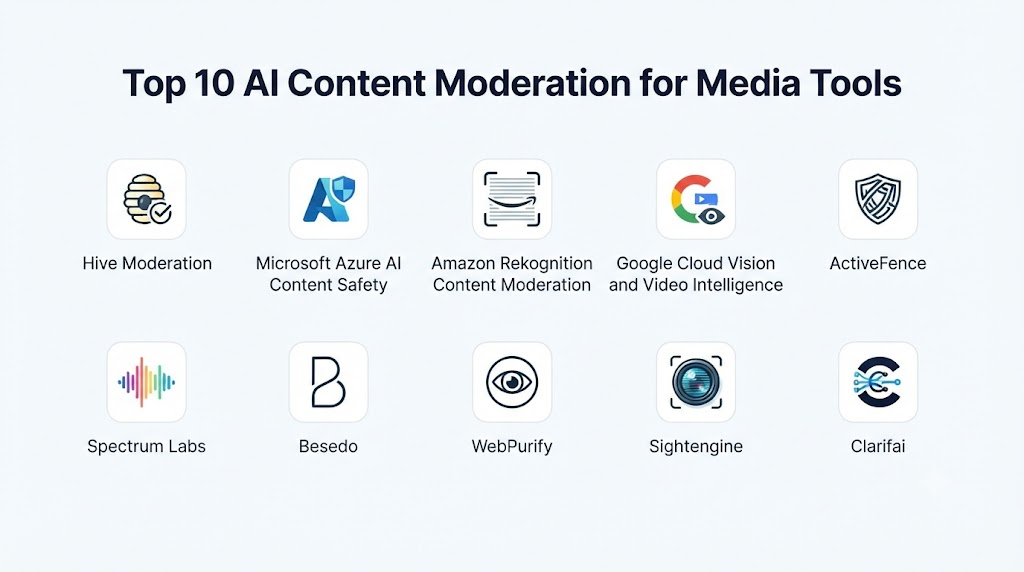
Top 10 AI Content Moderation for Media Tools
1. Hive Moderation
Hive Moderation is a multimodal moderation platform designed to analyze visual, audio, and text-based media. It supports images, videos, GIFs, audio, and live-streaming workflows through API-based integration.
Key Features
- Image moderation
- Video moderation
- Audio moderation
- Live-stream screening
- Text classification
- Custom policy analysis
- AI-generated media detection
- Deepfake detection
- Confidence scoring
- Real-time APIs
Pros
- Broad multimodal coverage
- Suitable for high-volume platforms
- Strong visual moderation capabilities
- Supports synthetic-media analysis
- Unified API approach
Cons
- Enterprise pricing is not fully public
- Requires policy tuning
- Human review remains necessary for ambiguous content
Platforms
Web APIs, cloud services, moderation dashboard, and custom platform integrations.
Deployment or Support
Cloud-based API deployment.
Security & Compliance
Enterprise controls are available, but exact requirements should be confirmed during procurement.
Integrations & Ecosystem
Social platforms, streaming services, marketplaces, gaming platforms, media applications, and custom moderation pipelines.
Support & Community
Enterprise onboarding, technical documentation, API resources, and customer support.
2. Microsoft Azure AI Content Safety
Microsoft Azure AI Content Safety detects potentially harmful text and image content in applications and services. It includes APIs and an interactive studio for testing moderation workflows. (Microsoft Learn)
Key Features
- Text moderation
- Image moderation
- Severity classification
- Configurable safety thresholds
- Prompt and output safety
- Content Safety Studio
- API integration
- Custom blocklists
- Enterprise monitoring
- Azure ecosystem integration
Pros
- Strong enterprise cloud ecosystem
- Suitable for application and generative-AI safety
- Configurable severity controls
- Useful testing interface
- Enterprise identity and governance options
Cons
- Native coverage is strongest for text and images
- Video and audio workflows may require additional services
- Best fit for Azure-based architectures
Platforms
Azure cloud, APIs, SDKs, and Content Safety Studio.
Deployment or Support
Cloud deployment through Microsoft Azure.
Security & Compliance
Enterprise security and compliance vary according to Azure configuration and region.
Integrations & Ecosystem
Azure AI services, application platforms, data services, generative-AI applications, monitoring tools, and enterprise workflows.
Support & Community
Microsoft documentation, technical support, partner ecosystem, and developer community.
3. Amazon Rekognition Content Moderation
Amazon Rekognition Content Moderation uses machine learning to classify potentially inappropriate or unwanted content in images and videos. It supports moderation labels, confidence scores, and integration with human-review workflow
Key Features
- Image moderation
- Video moderation
- Hierarchical moderation labels
- Confidence scores
- Timestamped video results
- Batch processing
- API access
- Human review integration
- Amazon S3 integration
- Workflow automation
Pros
- Strong image and video analysis
- Scalable AWS infrastructure
- Useful hierarchical labels
- Supports human-review pipelines
- Integrates with broader cloud workflows
Cons
- Text and audio moderation require additional AWS services
- Configuration may require cloud engineering expertise
- Usage-based costs can increase at high volume
Platforms
AWS cloud, SDKs, command-line tools, and APIs.
Deployment or Support
Cloud-native deployment.
Security & Compliance
AWS security and compliance capabilities vary by architecture, account configuration, and region.
Integrations & Ecosystem
Amazon S3, AWS Lambda, Amazon Augmented AI, event-processing services, analytics platforms, and media pipelines.
Support & Community
AWS documentation, support plans, partner network, and developer community.
4. Google Cloud Vision and Video Intelligence
Google Cloud provides visual analysis capabilities that can help classify explicit or potentially unsafe material in images and videos. It is suitable for organizations building custom moderation pipelines within Google Cloud.
Key Features
- Image analysis
- Safe-search classification
- Video analysis
- Explicit-content detection
- Frame and segment analysis
- API access
- Batch processing
- Cloud storage integration
- Custom machine-learning workflows
- Scalable processing
Pros
- Strong cloud infrastructure
- Useful image and video APIs
- Suitable for custom pipelines
- Integrates with analytics and AI services
- Supports enterprise-scale processing
Cons
- Full moderation workflows require custom development
- Text and audio may require separate services
- Human-review tooling is not the platform’s primary focus
Platforms
Google Cloud APIs, SDKs, and managed cloud services.
Deployment or Support
Cloud-native deployment.
Security & Compliance
Enterprise controls depend on Google Cloud configuration, data region, and selected services.
Integrations & Ecosystem
Cloud Storage, data analytics, machine-learning platforms, serverless workflows, and custom media applications.
Support & Community
Technical documentation, enterprise support, partners, and developer resources.
5. ActiveFence
ActiveFence is a trust and safety platform designed to help digital services detect harmful activity, policy violations, and emerging online threats. It combines automated detection, intelligence, and operational support.
Key Features
- Harmful-content detection
- Threat intelligence
- Policy enforcement support
- Multilingual analysis
- Platform-risk monitoring
- Adversarial-behavior detection
- Trust and safety workflows
- Investigation support
- Custom policy categories
- Emerging-risk analysis
Pros
- Strong trust and safety specialization
- Useful for complex online threats
- Supports global operations
- Combines detection with risk intelligence
- Suitable for large digital platforms
Cons
- Enterprise-focused deployment
- Pricing is not publicly stated
- May require significant operational integration
Platforms
Cloud platform, APIs, dashboards, and managed trust and safety services.
Deployment or Support
Cloud and enterprise service delivery.
Security & Compliance
Enterprise-grade controls are available; exact certifications should be confirmed.
Integrations & Ecosystem
Social media, streaming, gaming, marketplaces, communication platforms, and trust and safety operations.
Support & Community
Enterprise implementation and specialist support.
6. Spectrum Labs
Spectrum Labs provides contextual moderation for conversations and online communities. It is particularly relevant to platforms that need to analyze text interactions, comments, chats, voice transcripts, and behavioral patterns.
Key Features
- Contextual text moderation
- Toxicity detection
- Harassment detection
- Hate-speech analysis
- Grooming-risk detection
- Spam detection
- Community-health analytics
- Configurable policies
- Real-time classification
- Human-review support
Pros
- Strong contextual language analysis
- Suitable for gaming and community platforms
- Supports real-time conversation workflows
- Helps identify behavior across multiple messages
- Customizable moderation categories
Cons
- Less focused on advanced visual moderation
- Best results require community-specific calibration
- Enterprise pricing is not publicly stated
Platforms
Cloud APIs and enterprise integrations.
Deployment or Support
Cloud-based service.
Security & Compliance
Not publicly stated for every deployment.
Integrations & Ecosystem
Gaming, social communities, chat platforms, media comments, customer communication, and trust and safety workflows.
Support & Community
Enterprise support, onboarding, and technical integration assistance.
7. Besedo
Besedo combines AI-powered moderation with human review services. It is designed for marketplaces, online communities, dating services, classifieds, and other platforms managing high volumes of user-generated content.
Key Features
- Text moderation
- Image moderation
- Listing review
- Spam detection
- Scam detection
- Human moderation services
- Custom policy workflows
- Multilingual support
- Case escalation
- Moderation reporting
Pros
- Combines automation with human expertise
- Strong multilingual operations
- Flexible policy implementation
- Suitable for complex user-generated content
- Useful managed-service option
Cons
- Human services can increase cost
- Implementation depends on workflow requirements
- Less suitable for teams seeking only a self-service API
Platforms
Cloud platform, APIs, dashboards, and managed services.
Deployment or Support
Cloud and managed moderation operations.
Security & Compliance
Enterprise controls vary by service agreement.
Integrations & Ecosystem
Marketplaces, social communities, dating platforms, classifieds, media sites, and custom applications.
Support & Community
Managed moderation teams, implementation support, and enterprise services.
8. WebPurify
WebPurify provides automated and human-assisted moderation for text, images, and video. It is useful for applications needing profanity filtering, visual screening, and scalable review services.
Key Features
- Text moderation
- Profanity filtering
- Image moderation
- Video moderation
- Human review
- Custom wordlists
- Multilingual filtering
- API access
- Real-time processing
- Moderation escalation
Pros
- Straightforward API integration
- Supports several media formats
- Combines AI and human review
- Useful multilingual filtering
- Suitable for developers and growing platforms
Cons
- Advanced contextual intelligence may require customization
- Public enterprise details are limited
- Complex policies need human oversight
Platforms
Cloud APIs and managed moderation services.
Deployment or Support
Cloud-based deployment.
Security & Compliance
Not publicly stated for all service levels.
Integrations & Ecosystem
Mobile applications, social platforms, media communities, marketplaces, and custom websites.
Support & Community
Developer documentation and customer support.
9. Sightengine
Sightengine offers APIs for moderating images, videos, text, and user-generated content. It provides configurable detection models for media safety, identity risks, visual quality, and platform policies.
Key Features
- Image moderation
- Video moderation
- Text moderation
- Nudity detection
- Violence detection
- Weapons detection
- Alcohol and drug classification
- Spam analysis
- Face and identity checks
- Custom workflow integration
Pros
- Developer-friendly API
- Broad media classification
- Configurable thresholds
- Suitable for automated pipelines
- Useful for growing digital platforms
Cons
- Requires custom user interfaces and case workflows
- Contextual policy decisions remain challenging
- Human moderation is not its primary differentiator
Platforms
Cloud APIs and SDK integrations.
Deployment or Support
Cloud-based API service.
Security & Compliance
Not publicly stated for every plan.
Integrations & Ecosystem
Applications, websites, marketplaces, social platforms, storage systems, and automated upload workflows.
Support & Community
API documentation, technical support, and developer resources.
10. Clarifai
Clarifai is a computer vision and AI platform that can be configured for image and video classification, visual moderation, custom model development, and workflow automation.
Key Features
- Image classification
- Video analysis
- Visual moderation
- Custom models
- Object detection
- Workflow orchestration
- Model evaluation
- API integration
- Cloud deployment
- Private deployment options
Pros
- Highly customizable
- Strong computer vision capabilities
- Supports custom policy models
- Flexible deployment choices
- Suitable for specialized media categories
Cons
- Requires technical implementation
- Out-of-the-box moderation may need tuning
- Costs depend on deployment and processing volume
Platforms
Cloud, APIs, SDKs, and supported enterprise deployment environments.
Deployment or Support
Cloud, private, and customized enterprise deployment options.
Security & Compliance
Enterprise capabilities vary by deployment model.
Integrations & Ecosystem
Media platforms, cloud storage, custom applications, data pipelines, and enterprise AI systems.
Support & Community
Technical documentation, enterprise support, SDKs, and developer resources.
Comparison Table
| Tool Name | Best For | Platform(s) Supported | Deployment | Standout Feature | Public Rating |
|---|---|---|---|---|---|
| Hive Moderation | Multimodal media moderation | APIs and web dashboard | Cloud | Images, video, audio, and live-stream coverage | N/A |
| Microsoft Azure AI Content Safety | Enterprise text and image safety | Azure, APIs, SDKs | Cloud | Configurable severity classification | N/A |
| Amazon Rekognition Content Moderation | Image and video pipelines | AWS, APIs, SDKs | Cloud | Hierarchical moderation labels | N/A |
| Google Cloud Vision and Video Intelligence | Custom cloud moderation | Google Cloud APIs | Cloud | Scalable visual analysis | N/A |
| ActiveFence | Trust and safety intelligence | APIs and dashboards | Cloud | Emerging-threat intelligence | N/A |
| Spectrum Labs | Community and conversation moderation | APIs | Cloud | Contextual behavioral analysis | N/A |
| Besedo | AI plus human moderation | APIs and managed services | Cloud | Managed multilingual review | N/A |
| WebPurify | Developer-friendly moderation | APIs | Cloud | Automated and human-assisted review | N/A |
| Sightengine | Custom media screening | APIs and SDKs | Cloud | Configurable visual moderation | N/A |
| Clarifai | Custom computer vision moderation | APIs, SDKs, enterprise systems | Cloud or private | Custom visual models | N/A |
Weighted Evaluation
The scores below are editorial estimates rather than independently verified benchmarks. Buyers should test the shortlisted products using representative media and policy scenarios.
| Tool Name | Core Features 25% | Ease of Use 15% | Integrations & Ecosystem 15% | Security & Compliance 10% | Performance & Reliability 10% | Support & Community 10% | Price/Value 15% | Total |
|---|---|---|---|---|---|---|---|---|
| Hive Moderation | 24 | 13 | 14 | 8 | 10 | 8 | 12 | 89 |
| Microsoft Azure AI Content Safety | 22 | 13 | 15 | 10 | 9 | 10 | 12 | 91 |
| Amazon Rekognition Content Moderation | 22 | 12 | 15 | 10 | 10 | 10 | 12 | 91 |
| Google Cloud Vision and Video Intelligence | 21 | 11 | 15 | 10 | 10 | 9 | 12 | 88 |
| ActiveFence | 23 | 11 | 13 | 9 | 9 | 9 | 10 | 84 |
| Spectrum Labs | 21 | 12 | 12 | 8 | 9 | 8 | 11 | 81 |
| Besedo | 21 | 13 | 12 | 8 | 9 | 9 | 11 | 83 |
| WebPurify | 19 | 14 | 11 | 7 | 8 | 8 | 13 | 80 |
| Sightengine | 20 | 14 | 12 | 7 | 9 | 8 | 13 | 83 |
| Clarifai | 22 | 11 | 14 | 9 | 9 | 9 | 11 | 85 |
Which AI Content Moderation Platform Is Right for You?
Choose Hive Moderation when you need unified moderation across images, videos, audio, animated files, and live streams.
Choose Microsoft Azure AI Content Safety when your organization operates in the Microsoft ecosystem and needs text, image, and generative-AI safety controls.
Choose Amazon Rekognition Content Moderation when image and video uploads are already stored and processed within AWS.
Choose Google Cloud Vision and Video Intelligence when you need custom visual moderation pipelines within Google Cloud.
Choose ActiveFence when emerging threats, harmful networks, and complex trust and safety risks are the primary concern.
Choose Spectrum Labs when community conversations, comments, chats, or gaming interactions require contextual moderation.
Choose Besedo when you need AI screening combined with managed human moderation.
Choose WebPurify when you want straightforward APIs and optional human review for text, image, and video content.
Choose Sightengine when developers need configurable visual and text moderation through an accessible API.
Choose Clarifai when your organization needs custom computer vision models or private deployment options.
Implementation Playbook
First Phase: Define the Policy
- Identify prohibited and restricted categories.
- Separate legal requirements from internal brand policies.
- Define age, geography, and content-type differences.
- Establish severity levels.
- Document exceptions for journalism, education, health, and public-interest content.
Second Phase: Build the Data Set
- Collect representative approved and rejected examples.
- Include difficult borderline cases.
- Cover supported languages and regions.
- Include images, video, audio, captions, and metadata.
- Remove unnecessary personal data from testing sets.
Third Phase: Configure the Workflow
- Set confidence thresholds.
- Define automatic approval and rejection rules.
- Route uncertain cases to human reviewers.
- Create urgent escalation paths.
- Connect moderation results to publishing and account systems.
Fourth Phase: Test for Quality
- Measure false positives and false negatives.
- Test adversarial uploads.
- Evaluate different languages and cultural contexts.
- Review model performance by category.
- Track disagreement between AI and human decisions.
Fifth Phase: Launch Gradually
- Start with silent monitoring.
- Compare AI decisions with existing review outcomes.
- Enable automation for high-confidence cases.
- Maintain appeals and rollback procedures.
- Review results continuously.
Common Mistakes
- Using one policy for every country and audience
- Automatically removing all flagged content
- Ignoring documentary and journalistic context
- Failing to test different languages
- Relying only on visual frames without analyzing audio
- Using fixed thresholds for every media category
- Neglecting appeals
- Providing insufficient moderator wellbeing support
- Retaining sensitive files longer than necessary
- Failing to monitor model drift
FAQs
1. What are AI Content Moderation for Media Tools?
They are AI-powered platforms that classify and flag potentially harmful or policy-violating content across images, videos, audio, captions, comments, and live streams.
2. Can AI moderate videos automatically?
Yes. Video moderation systems can inspect frames, scenes, objects, spoken audio, captions, and metadata. Complex cases still require human review.
3. Can these tools moderate live streams?
Some platforms support live or near-real-time moderation. Performance depends on stream latency, processing architecture, moderation categories, and escalation workflows.
4. Can AI detect deepfakes?
Some platforms provide synthetic-media and deepfake detection. Results should be treated as probability-based signals rather than absolute proof.
5. Can AI replace human moderators?
No. AI can classify obvious cases and prioritize queues, but contextual, legal, cultural, and high-impact decisions should remain subject to trained human review.
6. Which platform is best for multimodal media?
Hive is a strong option for broad media coverage, while major cloud platforms are useful when moderation must be integrated into existing cloud infrastructure.
7. How accurate are moderation models?
Accuracy varies by category, language, media quality, cultural context, and policy definition. Buyers should run controlled tests using representative content.
8. How should false positives be handled?
Platforms should provide human review, appeals, decision logs, threshold adjustments, and policy-specific exceptions.
9. How is sensitive media protected?
Organizations should use encryption, restricted access, audit logging, regional data controls, retention limits, and carefully reviewed vendor agreements.
10. What should companies evaluate before adoption?
Evaluate modality coverage, accuracy, custom policies, latency, integrations, human-review workflows, explainability, privacy, security, pricing, and operational support.
Conclusion
AI Content Moderation for Media Tools help organizations inspect large volumes of images, videos, audio, live streams, captions, and user interactions without requiring every item to be reviewed manually.Hive Moderation offers broad multimodal coverage. Microsoft Azure AI Content Safety, Amazon Rekognition Content Moderation, and Google Cloud services are strong options for organizations building moderation into existing cloud environments. ActiveFence and Spectrum Labs focus on broader trust and safety risks, while Besedo and WebPurify combine automation with human review. Sightengine offers accessible moderation APIs, and Clarifai supports customized computer vision deployments.
