Introduction
Linux Fleet Management Tools are software solutions that help organizations manage, monitor, and secure large numbers of Linux endpoints across enterprise environments. In plain English, they streamline patching, configuration, software deployment, inventory tracking, and compliance enforcement for Linux servers and desktops.
Managing Linux fleets is critical for IT teams in enterprises, cloud environments, and hybrid infrastructures. These tools ensure consistency, reduce downtime, improve security, and provide visibility into system health.
Real-world use cases include:
- Automating software deployment and updates across Linux servers.
- Monitoring performance and system health for production workloads.
- Enforcing configuration policies and security compliance.
- Tracking hardware and software inventory across distributed fleets.
- Remediating vulnerabilities and misconfigurations proactively.
Evaluation criteria for buyers include:
- Patch management and update automation
- Remote monitoring and troubleshooting
- Configuration management capabilities
- Security and compliance enforcement
- Integration with ITSM and DevOps tools
- Scalability across servers, locations, and users
- Inventory management and reporting
- AI-assisted insights and predictive analytics
- Deployment flexibility (cloud, on-prem, hybrid)
- Ease of use and total cost of ownership
Best for: IT administrators, DevOps teams, and organizations with large Linux server or workstation fleets.
Not ideal for: Small organizations with few Linux endpoints or limited IT staff where simpler tools suffice.
Key Trends in Linux Fleet Management Tools
- AI-powered predictive maintenance and anomaly detection
- Unified monitoring of Linux servers across cloud and on-prem environments
- Automation-first design for patching, deployments, and configuration
- Integration with DevOps pipelines and ITSM platforms
- Security and compliance automation for GDPR, SOC 2, and ISO standards
- Real-time dashboards for system health and performance
- Container and orchestration awareness (Kubernetes, Docker)
- Mobile and web interfaces for remote administration
- Flexible subscription and licensing models
- Multi-distribution support (Ubuntu, CentOS, Red Hat, SUSE)
How We Selected These Tools
- Evaluated market adoption and enterprise recognition
- Assessed feature completeness for patching, inventory, and monitoring
- Reviewed reliability, performance, and system impact signals
- Analyzed security posture and compliance capabilities
- Examined integration ecosystem and API support
- Considered scalability across servers, geographies, and workloads
- Evaluated suitability for SMB, mid-market, and enterprise segments
- Checked support quality, documentation, and community engagement
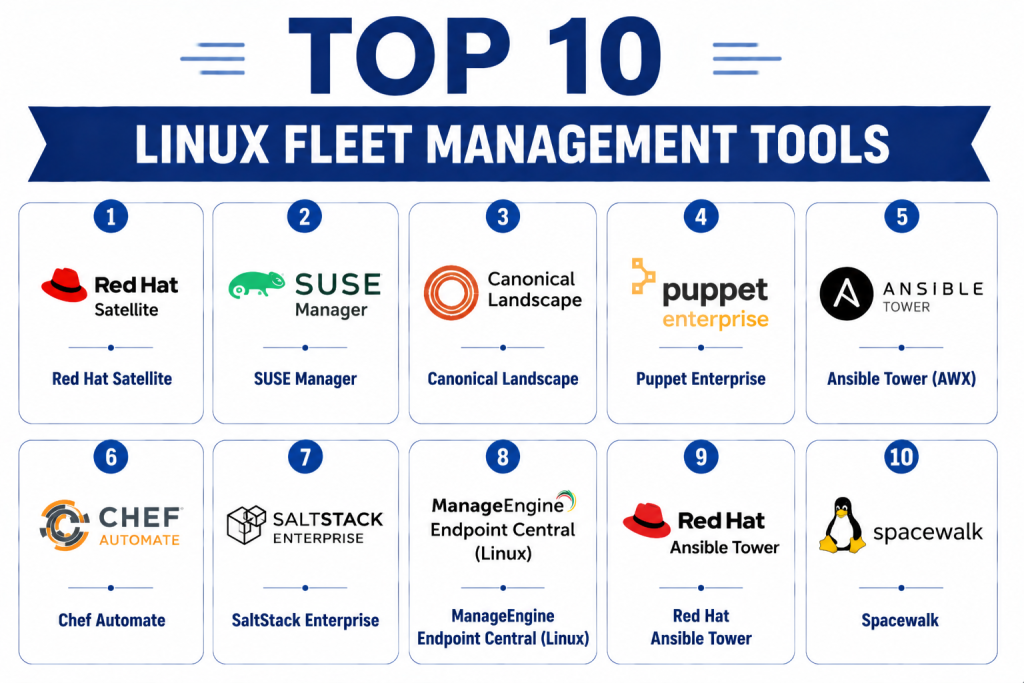
Top 10 Linux Fleet Management Tools
1- Red Hat Satellite
Short description: Provides centralized management for Red Hat Enterprise Linux systems, including patching, provisioning, and configuration compliance.
Key Features
- Patch and update automation
- System provisioning
- Configuration management
- Compliance reporting
- Lifecycle management
Pros
- Deep integration with Red Hat systems
- Enterprise-grade reliability
Cons
- Best for Red Hat only
- Premium pricing
Platforms / Deployment
- Linux
- Cloud / On-premises
Security & Compliance
- SSO, encryption, audit logs
- Not publicly stated
Integrations & Ecosystem
- Red Hat Ansible Automation
- Satellite APIs for customization
- ITSM integration
Support & Community
- Red Hat enterprise support
- Active community forums
2- SUSE Manager
Short description: Manages SUSE Linux Enterprise systems with patching, configuration, and monitoring for large fleets.
Key Features
- Patch and software management
- System provisioning
- Configuration enforcement
- Monitoring and reporting
- Multi-distribution support
Pros
- Strong support for SUSE systems
- Multi-server scalability
Cons
- Limited non-SUSE support
- Complex setup
Platforms / Deployment
- Linux
- Cloud / On-premises
Security & Compliance
- SSO, encryption, audit logs
- Not publicly stated
Integrations & Ecosystem
- SaltStack integration
- API access
- ITSM connectors
Support & Community
- Enterprise support tiers
- SUSE user community
3- Canonical Landscape
Short description: Ubuntu-focused fleet management tool offering patching, package deployment, monitoring, and compliance reporting.
Key Features
- Automated patch management
- Package and software deployment
- System monitoring
- Compliance enforcement
- Reporting dashboards
Pros
- Native Ubuntu support
- Simple web-based interface
Cons
- Limited non-Ubuntu support
- Enterprise features may require subscription
Platforms / Deployment
- Linux
- Cloud / On-premises
Security & Compliance
- Not publicly stated
Integrations & Ecosystem
- Juju orchestration
- MAAS provisioning
- APIs for automation
Support & Community
- Canonical support
- Ubuntu community forums
4- Puppet Enterprise
Short description: Automates Linux server configuration, patching, and compliance at scale with code-driven infrastructure management.
Key Features
- Infrastructure as code
- Automated configuration management
- Patch deployment automation
- Compliance auditing
- Reporting dashboards
Pros
- Strong automation and scalability
- Multi-distribution support
Cons
- Learning curve for infrastructure code
- Requires dedicated resources
Platforms / Deployment
- Linux / Windows / macOS
- Cloud / On-premises
Security & Compliance
- SSO, encryption
- Not publicly stated
Integrations & Ecosystem
- ITSM tools
- CI/CD pipelines
- APIs and modules
Support & Community
- Vendor support tiers
- Active community and modules
5- Ansible Tower (AWX)
Short description: Provides enterprise automation for Linux fleets via playbooks, configuration management, and remote orchestration.
Key Features
- Automated configuration management
- Remote command execution
- Playbook scheduling
- Role-based access control
- Monitoring and reporting
Pros
- Strong automation with Ansible
- Flexible workflow management
Cons
- Requires scripting knowledge
- Less GUI-focused than competitors
Platforms / Deployment
- Linux / Windows / macOS
- Cloud / On-premises
Security & Compliance
- RBAC, encryption
- Not publicly stated
Integrations & Ecosystem
- ITSM integration
- Cloud provider connectors
- APIs
Support & Community
- Red Hat support for Tower
- Active AWX community
6- Chef Automate
Short description: Provides automation for Linux system configuration, patching, compliance, and visibility at enterprise scale.
Key Features
- Infrastructure as code
- Compliance and auditing
- Patch and configuration automation
- Continuous monitoring
- Reporting dashboards
Pros
- Scalable and robust automation
- Multi-platform support
Cons
- Complex initial setup
- Requires coding skills
Platforms / Deployment
- Linux / Windows / macOS
- Cloud / On-premises
Security & Compliance
- SSO, audit logs
- Not publicly stated
Integrations & Ecosystem
- Cloud providers
- CI/CD pipelines
- ITSM and monitoring tools
Support & Community
- Enterprise support tiers
- Chef community and forums
7- SaltStack Enterprise
Short description: Provides real-time configuration, patching, and monitoring of Linux fleets with event-driven automation.
Key Features
- Configuration management
- Patch deployment
- Real-time monitoring
- Compliance enforcement
- Automated remediation
Pros
- Event-driven automation
- Multi-distribution support
Cons
- Setup complexity
- Smaller ecosystem than Puppet/Chef
Platforms / Deployment
- Linux / Windows / macOS
- Cloud / On-premises
Security & Compliance
- SSO, encryption
- Not publicly stated
Integrations & Ecosystem
- ITSM tools
- Cloud connectors
- APIs for custom workflows
Support & Community
- Vendor support
- SaltStack community
8- ManageEngine Endpoint Central (Linux)
Short description: Manages Linux endpoints with patching, software deployment, compliance, and monitoring for mid-market to enterprise.
Key Features
- Patch and software management
- Remote administration
- Configuration enforcement
- Asset inventory
- Reporting dashboards
Pros
- Cost-effective for mid-market
- Easy to deploy
Cons
- Limited advanced automation
- GUI may be basic for enterprise
Platforms / Deployment
- Linux / Windows / macOS
- Cloud / On-premises
Security & Compliance
- Not publicly stated
Integrations & Ecosystem
- ITSM and monitoring tools
- APIs
Support & Community
- Documentation and vendor support
9- Red Hat Ansible Tower
Short description: Enables Linux fleet automation with playbook orchestration, scheduling, and role-based access control.
Key Features
- Configuration management
- Remote orchestration
- Scheduling and workflows
- RBAC and security
- Reporting and logging
Pros
- Strong automation capabilities
- Scales well for enterprise environments
Cons
- Requires learning Ansible scripts
- Premium subscription
Platforms / Deployment
- Linux / Windows
- Cloud / On-premises
Security & Compliance
- RBAC, encryption
- Not publicly stated
Integrations & Ecosystem
- ITSM tools
- Cloud connectors
- APIs
Support & Community
- Red Hat support
- Active community
10- Spacewalk
Short description: Open-source Linux systems management tool for patching, provisioning, and monitoring servers at scale.
Key Features
- Software and patch management
- System provisioning
- Monitoring and alerts
- Configuration management
- Reporting dashboards
Pros
- Open-source and cost-effective
- Supports multiple Linux distributions
Cons
- Limited enterprise features
- Community-based support
Platforms / Deployment
- Linux
- On-premises
Security & Compliance
- Not publicly stated
Integrations & Ecosystem
- ITSM and monitoring integrations via APIs
Support & Community
- Community forums and documentation
Comparison Table (Top 10 Linux Fleet Management Tools)
| Tool Name | Best For | Platform(s) Supported | Deployment | Standout Feature | Public Rating |
|---|---|---|---|---|---|
| Red Hat Satellite | Red Hat environments | Linux | Cloud / On-prem | Enterprise patching & lifecycle | N/A |
| SUSE Manager | SUSE Linux fleets | Linux | Cloud / On-prem | Configuration & compliance | N/A |
| Canonical Landscape | Ubuntu fleets | Linux | Cloud / On-prem | Software deployment & monitoring | N/A |
| Puppet Enterprise | Multi-distro Linux | Linux / Windows / macOS | Cloud / On-prem | Infrastructure as code | N/A |
| Ansible Tower (AWX) | Multi-distro automation | Linux / Windows / macOS | Cloud / On-prem | Playbook orchestration | N/A |
| Chef Automate | Multi-distro automation | Linux / Windows / macOS | Cloud / On-prem | Compliance & visibility | N/A |
| SaltStack Enterprise | Multi-distro real-time | Linux / Windows / macOS | Cloud / On-prem | Event-driven automation | N/A |
| ManageEngine Endpoint Central | Mid-market Linux fleets | Linux / Windows / macOS | Cloud / On-prem | Remote administration | N/A |
| Red Hat Ansible Tower | Enterprise automation | Linux / Windows | Cloud / On-prem | RBAC & scheduling | N/A |
| Spacewalk | Open-source Linux | Linux | On-prem | Cost-effective management | N/A |
Evaluation & Scoring of Linux Fleet Management Tools
| Tool Name | Core (25%) | Ease (15%) | Integrations (15%) | Security (10%) | Performance (10%) | Support (10%) | Value (15%) | Weighted Total (0–10) |
|---|---|---|---|---|---|---|---|---|
| Red Hat Satellite | 9 | 7 | 9 | 9 | 9 | 8 | 7 | 8.6 |
| SUSE Manager | 8 | 7 | 8 | 7 | 8 | 8 | 7 | 7.8 |
| Canonical Landscape | 7 | 8 | 7 | 7 | 7 | 7 | 8 | 7.4 |
| Puppet Enterprise | 9 | 6 | 8 | 8 | 9 | 8 | 7 | 8.2 |
| Ansible Tower (AWX) | 8 | 7 | 8 | 7 | 8 | 7 | 7 | 7.8 |
| Chef Automate | 8 | 7 | 8 | 7 | 8 | 7 | 7 | 7.8 |
| SaltStack Enterprise | 8 | 7 | 7 | 7 | 8 | 7 | 7 | 7.6 |
| ManageEngine Endpoint Central | 7 | 8 | 6 | 7 | 7 | 7 | 7 | 7.0 |
| Red Hat Ansible Tower | 8 | 7 | 8 | 7 | 8 | 7 | 7 | 7.8 |
| Spacewalk | 6 | 8 | 6 | 6 | 7 | 7 | 8 | 7.0 |
Interpretation: Weighted totals reflect the comparative strengths in automation, integration, security, and overall management efficiency.
Which Linux Fleet Management Tool Is Right for You?
Solo / Freelancer
Spacewalk or Canonical Landscape for lightweight, cost-effective management.
SMB
ManageEngine Endpoint Central or SUSE Manager for cost-effective automation and monitoring.
Mid-Market
Ansible Tower or Puppet Enterprise for multi-distro automation and configuration.
Enterprise
Red Hat Satellite, Chef Automate, or SaltStack Enterprise for scalable, enterprise-grade Linux fleet management.
Budget vs Premium
Budget-conscious teams may use Spacewalk or ManageEngine Endpoint Central. Premium enterprises benefit from Red Hat Satellite or Chef Automate.
Feature Depth vs Ease of Use
Complex enterprise environments require Red Hat Satellite, Puppet Enterprise, or Chef Automate. Simpler deployments work well with Canonical Landscape or Spacewalk.
Integrations & Scalability
Red Hat Satellite, Puppet, and Ansible Tower offer extensive integrations and scale across multiple server distributions.
Security & Compliance Needs
Enterprises requiring SOC 2, ISO 27001, or GDPR should prioritize Red Hat Satellite, Puppet Enterprise, or Chef Automate.
Frequently Asked Questions (FAQs)
1- What is a Linux Fleet Management Tool?
It is software that enables IT teams to manage, monitor, and secure large numbers of Linux endpoints, ensuring patching, compliance, and configuration consistency.
2- Can these tools manage multiple Linux distributions?
Yes, most enterprise solutions support Ubuntu, Red Hat, SUSE, CentOS, and other common distributions.
3- Do these tools integrate with DevOps pipelines?
Yes, tools like Ansible, Puppet, and Chef integrate with CI/CD and ITSM platforms to automate operations.
4- Are these tools suitable for small Linux environments?
Yes, lightweight tools like Spacewalk or Canonical Landscape work well for small fleets.
5- How do they handle patching and updates?
They automate OS and software updates, schedule deployments, and report compliance status.
6- Can they monitor remote Linux servers?
Yes, most tools provide remote monitoring, alerting, and configuration management across networks.
7- Are these tools secure?
Enterprise tools offer encryption, RBAC, audit logs, and SSO. Certifications like SOC 2 or ISO may vary.
8- Do they provide reporting and dashboards?
Yes, all tools provide inventory, compliance, and health dashboards to visualize fleet status.
9- What are common adoption challenges?
Challenges include learning curves, integration complexity, scaling for large fleets, and automation setup.
10- Are there open-source alternatives?
Yes, tools like Spacewalk or AWX provide open-source Linux fleet management capabilities.
Conclusion
Linux Fleet Management Tools help organizations maintain secure, compliant, and optimized Linux environments. Selection depends on scale, distribution diversity, automation needs, and integration requirements. SMBs may prefer simpler, cost-effective solutions, while enterprises require scalable, AI-driven, and integrated tools. Shortlist , run pilots, and validate security and integrations before full deployment.
