Introduction
Thin Client Management Tools are specialized platforms designed to help enterprises manage and secure thin clients—lightweight computing devices that rely on centralized servers for processing. These tools allow IT teams to monitor device health, enforce security policies, deploy updates, and maintain compliance across distributed endpoints efficiently.
Real-world use cases include:
- Managing software and firmware updates for enterprise thin client fleets.
- Enforcing access, security, and authentication policies across all endpoints.
- Monitoring device performance and usage for proactive troubleshooting.
- Simplifying remote support and device configuration.
- Ensuring compliance with corporate and regulatory standards.
What buyers should evaluate:
- Multi-vendor and multi-platform support.
- Policy management, enforcement, and automation capabilities.
- Security and compliance features including SSO, MFA, and encryption.
- Telemetry, analytics, and reporting dashboards.
- Integration with virtualization platforms, ITSM, and endpoint security.
- Scalability for SMB, mid-market, and enterprise deployments.
- Ease of deployment and centralized control.
- Patch and update automation.
- Remote monitoring and troubleshooting capabilities.
Best for: IT administrators, enterprise IT teams, and organizations with distributed or virtualized computing environments.
Not ideal for: Organizations with minimal thin client use or single-vendor limited deployments.
Key Trends in Thin Client Management Tools
- AI-assisted predictive maintenance and performance monitoring.
- Cloud-based centralized management dashboards for hybrid workforces.
- Integration with VDI platforms like VMware Horizon, Citrix, and Microsoft RDS.
- Automated firmware, OS, and software updates.
- Security enforcement across devices and virtualized environments.
- Multi-device and multi-OS management capabilities.
- Detailed telemetry and analytics for operational insights.
- Role-based access and delegated administration features.
- Compliance and audit-ready reporting for regulatory needs.
- Subscription-based and outcome-oriented pricing models.
How We Selected These Tools (Methodology)
- Market adoption and enterprise recognition.
- Feature completeness including policy management, telemetry, and security.
- Reliability and performance in enterprise-scale deployments.
- Security posture including encryption, SSO, MFA, and RBAC.
- Integration with virtualization, ITSM, and endpoint security platforms.
- Scalability for SMB, mid-market, and large enterprise organizations.
- Automation and AI capabilities for predictive management and enforcement.
- Support, onboarding, and documentation quality.
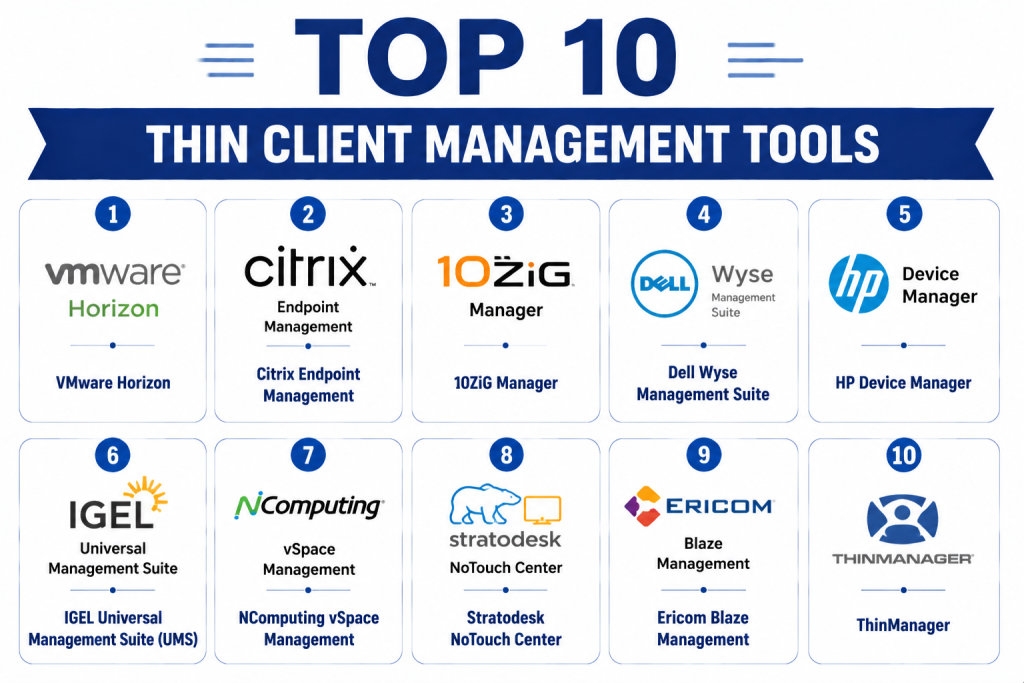
Top 10 Thin Client Management Tools
1- VMware Horizon
Short description: VMware Horizon is a comprehensive platform that provides centralized management of thin clients within virtual desktop infrastructures (VDI), enabling policy enforcement, telemetry, and secure access for enterprise users.
Key Features
- Centralized device configuration and policies
- Integration with VMware VDI solutions
- Security and access policy enforcement
- Device telemetry and performance monitoring
- Remote troubleshooting and support
- Role-based management
Pros
- Tight integration with VMware ecosystem
- Enterprise-grade security
- Comprehensive monitoring and reporting
Cons
- Premium pricing
- Steep learning curve
- Best suited for VMware environments
Platforms / Deployment
- Windows, Linux thin clients
- Cloud / Hybrid
Security & Compliance
- SSO, MFA, encryption, RBAC
- SOC 2, ISO 27001
Integrations & Ecosystem
- VMware Horizon VDI
- ITSM platforms
- APIs for automation
Support & Community
- Enterprise support tiers
- Documentation and training
- Active VMware IT community
2- Citrix Endpoint Management
Short description: Citrix Endpoint Management enables centralized administration of thin clients, integrating seamlessly with Citrix Virtual Apps and Desktops for policy enforcement, monitoring, and remote management.
Key Features
- Centralized configuration and policies
- VDI integration with Citrix Virtual Apps
- Security policy enforcement
- Firmware and software update management
- Device telemetry and analytics dashboards
- Remote troubleshooting
Pros
- Deep integration with Citrix ecosystem
- Scalable for large enterprise environments
- Strong security controls
Cons
- Higher licensing costs
- Limited support for non-Citrix environments
- Initial setup complexity
Platforms / Deployment
- Windows, Linux thin clients
- Cloud / On-prem
Security & Compliance
- SSO, encryption, RBAC
- Not publicly stated
Integrations & Ecosystem
- Citrix VDI
- Endpoint security and ITSM
- APIs for automation
Support & Community
- Documentation and tutorials
- Enterprise support tiers
- Active user forums
3- 10ZiG Manager
Short description: 10ZiG Manager is a thin client management platform offering centralized monitoring, configuration, policy enforcement, and real-time analytics for enterprise deployments.
Key Features
- Device provisioning and configuration
- Remote monitoring and troubleshooting
- Firmware and OS update automation
- Inventory and performance analytics
- Policy enforcement and access control
Pros
- Affordable mid-market solution
- Real-time device monitoring
- Intuitive administrative interface
Cons
- Limited advanced analytics
- Cloud features limited
- Works best with 10ZiG hardware
Platforms / Deployment
- Windows, Linux thin clients
- Cloud / On-prem
Security & Compliance
- SSO, encryption, RBAC
- Not publicly stated
Integrations & Ecosystem
- VDI platforms
- ITSM tools
- APIs for automation
Support & Community
- Documentation and tutorials
- Standard support tiers
- Online forums
4- Dell Wyse Management Suite
Short description: Dell Wyse Management Suite offers enterprise-grade management of Dell thin clients, including configuration, monitoring, security enforcement, and firmware updates.
Key Features
- Device provisioning and configuration
- Firmware and OS updates
- Security policy enforcement
- Device monitoring and telemetry
- Remote support and troubleshooting
- Role-based administration
Pros
- Tight integration with Dell hardware
- Scalable for large deployments
- Cloud and on-prem management
Cons
- Limited support for non-Dell devices
- Premium pricing for enterprise
- Initial setup complexity
Platforms / Deployment
- Windows, Linux thin clients
- Cloud / On-prem
Security & Compliance
- SSO, encryption, RBAC
- Not publicly stated
Integrations & Ecosystem
- VDI and virtualization platforms
- ITSM systems
- Endpoint security tools
Support & Community
- Documentation and tutorials
- Enterprise support tiers
- Dell IT admin community
5- HP Device Manager
Short description: HP Device Manager allows centralized management of HP thin clients, providing policy enforcement, firmware updates, telemetry, and reporting for enterprise environments.
Key Features
- Centralized device configuration
- Firmware and OS updates
- Policy enforcement and security
- Remote device monitoring
- Telemetry and reporting dashboards
- VDI integration
Pros
- Designed for HP hardware
- Streamlined remote management
- Scalable for enterprise deployments
Cons
- Limited non-HP support
- Premium pricing
- Complex configuration for mixed environments
Platforms / Deployment
- Windows, Linux thin clients
- Cloud / On-prem
Security & Compliance
- SSO, encryption, RBAC
- Not publicly stated
Integrations & Ecosystem
- HP ecosystem integration
- ITSM and endpoint security tools
- APIs for automation
Support & Community
- Documentation and tutorials
- Enterprise support tiers
- Community forums
6- IGEL Universal Management Suite (UMS)
Short description: IGEL UMS is a comprehensive management tool for IGEL thin clients, enabling centralized monitoring, policy deployment, and firmware management across enterprises.
Key Features
- Centralized device configuration
- Firmware and OS update automation
- Security and policy enforcement
- Telemetry and usage analytics
- Remote troubleshooting
- Multi-tenant management
Pros
- Strong IGEL hardware integration
- Cloud and on-prem deployment options
- Scalable for large enterprises
Cons
- Limited support for non-IGEL devices
- Advanced analytics require expertise
- Premium pricing
Platforms / Deployment
- Windows, Linux thin clients
- Cloud / On-prem
Security & Compliance
- SSO, encryption, RBAC
- Not publicly stated
Integrations & Ecosystem
- VDI and endpoint security
- ITSM systems
- APIs for automation
Support & Community
- Documentation and guides
- Enterprise support tiers
- Active IGEL community
7- NComputing vSpace Management
Short description: NComputing vSpace Management provides centralized management of NComputing thin clients, enabling policy enforcement, firmware updates, and performance monitoring.
Key Features
- Centralized device configuration
- Firmware and software update automation
- Security policies enforcement
- Telemetry and analytics dashboards
- Remote device management
Pros
- Optimized for NComputing devices
- Scalable for classrooms and enterprises
- Real-time device monitoring
Cons
- Limited multi-vendor support
- Advanced analytics features restricted
- On-prem focused deployment
Platforms / Deployment
- Windows, Linux thin clients
- Cloud / On-prem
Security & Compliance
- Encryption, RBAC, SSO
- Not publicly stated
Integrations & Ecosystem
- VDI platforms
- ITSM tools
- API integration
Support & Community
- Documentation and tutorials
- Support tiers available
- Community forums
8- Stratodesk NoTouch Center
Short description: Stratodesk NoTouch Center offers enterprise thin client management with remote monitoring, firmware updates, and configuration management for virtual desktop environments.
Key Features
- Centralized device management
- Firmware and OS updates
- Policy enforcement and compliance
- Device telemetry and reporting
- Remote troubleshooting
Pros
- Cross-platform support
- Scalable for enterprises
- Strong VDI integration
Cons
- Limited SMB pricing options
- Advanced analytics require configuration
- Cloud deployment optional
Platforms / Deployment
- Windows, Linux thin clients
- Cloud / On-prem
Security & Compliance
- SSO, encryption, RBAC
- Not publicly stated
Integrations & Ecosystem
- ITSM tools
- VDI solutions
- API for automation
Support & Community
- Documentation and onboarding
- Support tiers available
- Active community
9- Ericom Blaze Management
Short description: Ericom Blaze Management provides thin client management for virtualized environments with centralized policy control, telemetry, and firmware updates.
Key Features
- Device provisioning and configuration
- Policy enforcement
- Firmware and software updates
- Telemetry and analytics dashboards
- Remote management
Pros
- Integration with Ericom virtual desktops
- Strong monitoring capabilities
- Scalable for enterprise deployments
Cons
- Limited support for non-Ericom devices
- Advanced analytics require setup
- Premium pricing
Platforms / Deployment
- Windows, Linux thin clients
- Cloud / On-prem
Security & Compliance
- SSO, encryption, RBAC
- Not publicly stated
Integrations & Ecosystem
- VDI solutions
- ITSM platforms
- API integration
Support & Community
- Documentation and tutorials
- Enterprise support
- Community forums
10- ThinManager
Short description: ThinManager is an enterprise-grade thin client management tool that enables centralized configuration, monitoring, and policy enforcement across mixed thin client environments.
Key Features
- Centralized device management
- Firmware and OS updates
- Policy enforcement and security
- Telemetry and reporting dashboards
- Remote troubleshooting
Pros
- Supports mixed vendor thin clients
- Scalable for global enterprises
- Comprehensive monitoring
Cons
- Complex initial deployment
- Premium pricing
- Advanced features may require training
Platforms / Deployment
- Windows, Linux thin clients
- Cloud / On-prem
Security & Compliance
- SSO, MFA, encryption, RBAC
- Not publicly stated
Integrations & Ecosystem
- ITSM and endpoint security tools
- VDI platforms
- API access for automation
Support & Community
- Documentation and guides
- Enterprise support tiers
- Community forums
Comparison Table (Top 10)
| Tool Name | Best For | Platform(s) Supported | Deployment | Standout Feature | Public Rating |
|---|---|---|---|---|---|
| VMware Horizon | Enterprise | Windows, Linux | Cloud / Hybrid | VDI integration & monitoring | N/A |
| Citrix Endpoint Management | Enterprise | Windows, Linux | Cloud / On-prem | Citrix ecosystem integration | N/A |
| 10ZiG Manager | SMB/Mid-market | Windows, Linux | Cloud / On-prem | Real-time monitoring | N/A |
| Dell Wyse Management Suite | Enterprise | Windows, Linux | Cloud / On-prem | Dell hardware integration | N/A |
| HP Device Manager | Enterprise | Windows, Linux | Cloud / On-prem | Firmware & OS updates | N/A |
| IGEL UMS | Enterprise | Windows, Linux | Cloud / On-prem | Multi-tenant management | N/A |
| NComputing vSpace | SMB | Windows, Linux | Cloud / On-prem | Optimized for NComputing devices | N/A |
| Stratodesk NoTouch Center | Enterprise | Windows, Linux | Cloud / On-prem | VDI integration & telemetry | N/A |
| Ericom Blaze Management | Enterprise | Windows, Linux | Cloud / On-prem | Centralized virtual desktop control | N/A |
| ThinManager | Enterprise | Windows, Linux | Cloud / On-prem | Mixed vendor support & monitoring | N/A |
Evaluation & Scoring of Thin Client Management Tools
| Tool Name | Core (25%) | Ease (15%) | Integrations (15%) | Security (10%) | Performance (10%) | Support (10%) | Value (15%) | Weighted Total |
|---|---|---|---|---|---|---|---|---|
| VMware Horizon | 9 | 7 | 9 | 9 | 9 | 8 | 6 | 8.4 |
| Citrix Endpoint Management | 8 | 8 | 8 | 8 | 8 | 7 | 7 | 7.8 |
| 10ZiG Manager | 7 | 8 | 7 | 7 | 7 | 7 | 8 | 7.4 |
| Dell Wyse Management Suite | 8 | 7 | 8 | 8 | 8 | 7 | 6 | 7.7 |
| HP Device Manager | 7 | 7 | 7 | 7 | 7 | 7 | 7 | 7.0 |
| IGEL UMS | 8 | 7 | 8 | 8 | 8 | 7 | 6 | 7.7 |
| NComputing vSpace | 7 | 8 | 6 | 7 | 7 | 6 | 8 | 7.0 |
| Stratodesk NoTouch | 7 | 8 | 7 | 7 | 7 | 6 | 7 | 7.0 |
| Ericom Blaze | 7 | 7 | 7 | 7 | 7 | 6 | 7 | 6.9 |
| ThinManager | 8 | 7 | 8 | 8 | 8 | 7 | 6 | 7.7 |
Interpretation: Weighted totals provide a comparative overview of feature set, usability, integrations, security, performance, support, and value. Selection should align with enterprise size, deployment model, and workflow requirements.
Which Thin Client Management Tool Is Right for You?
Solo / Freelancer
- NComputing vSpace or 10ZiG Manager for lightweight, small-scale thin client management.
SMB
- 10ZiG Manager, NComputing vSpace, Stratodesk NoTouch for mid-market affordable solutions.
Mid-Market
- Dell Wyse Management Suite, HP Device Manager, IGEL UMS for enhanced policy enforcement and telemetry.
Enterprise
- VMware Horizon, Citrix Endpoint Management, ThinManager, Ericom Blaze for advanced monitoring, policy, and VDI integration.
Budget vs Premium
- Budget: 10ZiG Manager, NComputing vSpace, Stratodesk
- Premium: VMware Horizon, Citrix Endpoint Management, ThinManager, Ericom Blaze
Feature Depth vs Ease of Use
- Feature-rich: VMware Horizon, Citrix, ThinManager
- Ease of adoption: 10ZiG Manager, NComputing vSpace, Stratodesk
Integrations & Scalability
- Enterprise-grade: VMware, Citrix, ThinManager
- SMB/mid-market: 10ZiG, NComputing, Stratodesk
Security & Compliance Needs
- Enterprise: VMware, Citrix, IGEL, ThinManager
- SMB: 10ZiG, NComputing, Stratodesk
Frequently Asked Questions (FAQs)
1- What is a Thin Client Management Tool?
It is software that allows IT teams to centrally configure, monitor, and secure thin clients across enterprise networks.
2- Can it automate updates?
Yes, most tools automate firmware, OS, and software updates across managed devices.
3- Are multi-vendor devices supported?
Some tools like ThinManager and Stratodesk support multiple hardware vendors, while others focus on specific manufacturers.
4- Do these tools support VDI integration?
Yes, leading platforms integrate with VMware, Citrix, and Microsoft virtual desktop infrastructures.
5- Is security enforced centrally?
Yes, all platforms provide policy enforcement, SSO/MFA, encryption, and RBAC to maintain secure environments.
6- Are these tools scalable for large enterprises?
Yes, enterprise-grade platforms like VMware, Citrix, and ThinManager scale to thousands of devices globally.
7- What are common pricing models?
Subscription-based, per-device, or feature-tiered pricing depending on deployment size and vendor.
8- How complex is deployment?
SMB-focused platforms deploy quickly, while enterprise solutions require planning and configuration.
9- Can they monitor performance?
Yes, all tools provide telemetry, usage analytics, and real-time monitoring dashboards.
10- Are there open-source options?
Few open-source solutions exist, generally requiring technical expertise and limited support.
Conclusion
Thin Client Management Tools are essential for enterprises to secure, monitor, and manage thin client deployments. SMBs can adopt 10ZiG Manager, NComputing vSpace, or Stratodesk for cost-effective solutions, while enterprises benefit from VMware Horizon, Citrix Endpoint Management, ThinManager, or Ericom Blaze for advanced telemetry, VDI integration, and policy enforcement. Organizations should shortlist , pilot deployments, validate integrations and security, and scale for enterprise-wide management.
