Introduction
Change Management Tools (ITIL) are software solutions that help organizations manage and control IT and business changes systematically. They ensure that modifications to systems, applications, or processes are planned, approved, and implemented with minimal disruption, while adhering to ITIL best practices. In , as enterprises increasingly rely on complex digital infrastructures, effective change management is critical to maintaining service continuity, reducing risk, and aligning IT initiatives with business goals.
Real-world use cases include:
- Planning and executing infrastructure upgrades or patches without impacting services.
- Managing software release cycles and deployments across multiple environments.
- Coordinating changes in multi-cloud or hybrid IT environments.
- Tracking and auditing change requests for compliance and regulatory needs.
- Streamlining approvals and communication between IT, business units, and external vendors.
What buyers should evaluate:
- Workflow automation and approval processes.
- Integration with ITSM, DevOps, and monitoring tools.
- AI capabilities for risk analysis and predictive impact.
- Reporting, dashboards, and audit trails.
- Security features, access control, and compliance certifications.
- Scalability across departments and geographies.
- Mobile and remote accessibility.
- Ease of use and adoption.
- Vendor support, training, and community ecosystem.
Best for: IT departments, DevOps teams, enterprise organizations, regulated industries, and mid-to-large businesses seeking structured, compliant change management.
Not ideal for: Small businesses with simple IT environments or teams already using lightweight ticketing systems without need for formal change workflows.
Key Trends in Change Management Tools (ITIL)
- AI-driven predictive risk assessment for proposed changes.
- Low-code platforms for creating and modifying workflows without IT intervention.
- Cloud-first and hybrid deployment models for global accessibility.
- Integration with DevOps pipelines for automated approvals and CI/CD orchestration.
- Enhanced audit and compliance reporting for regulatory frameworks like SOC 2, GDPR, and ISO 27001.
- Mobile-first interfaces to enable on-the-go approvals and updates.
- Service-level impact analytics to minimize disruption.
- Self-service portals for end-users to request changes with guided workflows.
- Automation of routine change tasks to reduce manual intervention.
- Subscription and consumption-based pricing for flexibility in scaling usage.
How We Selected These Tools (Methodology)
- Market adoption and mindshare in enterprise and mid-market segments.
- Feature completeness across ITIL-aligned change processes.
- Reliability and performance signals from customer case studies and reviews.
- Security posture assessment, including SSO, RBAC, encryption, and audit capabilities.
- Integration and ecosystem support for ITSM, DevOps, and monitoring platforms.
- Customer fit for SMB, mid-market, and enterprise organizations.
- Innovation and roadmap, including AI and low-code workflow capabilities.
- Support, documentation, and community engagement levels.
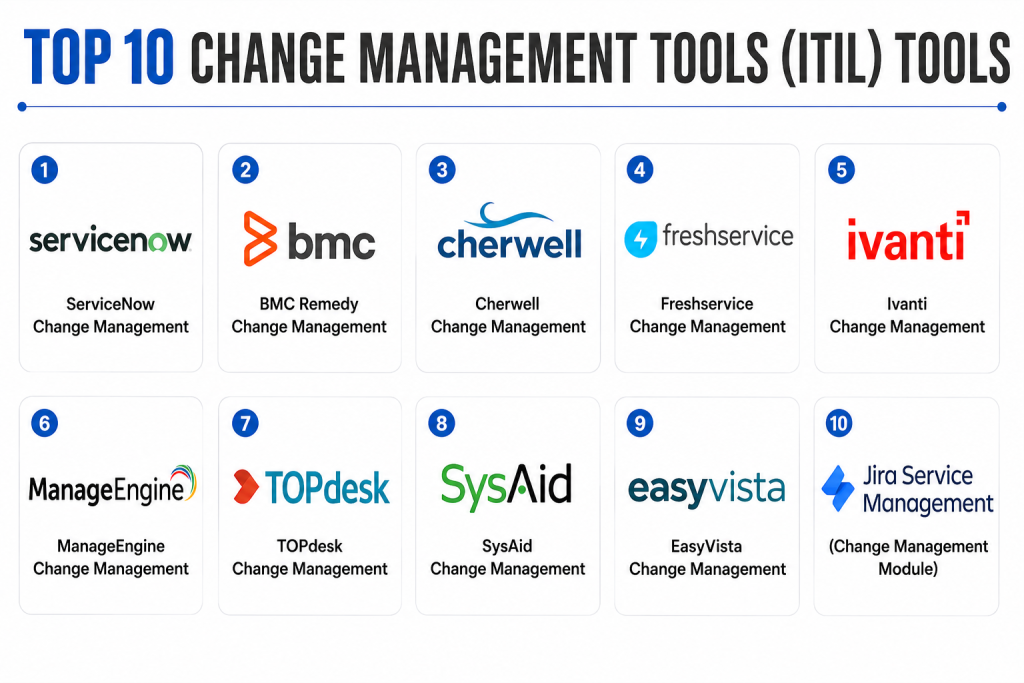
Top 10 Change Management Tools (ITIL) Tools
1- ServiceNow Change Management
Short description : ServiceNow Change Management is a comprehensive ITIL-aligned platform for planning, approving, and implementing IT and business changes. It is targeted at large enterprises and provides AI-driven risk assessment, workflow automation, and integration with the broader ServiceNow ITSM ecosystem.
Key Features
- Automated change workflows with AI risk scoring.
- Predictive analytics for impact assessment.
- Approval and notification automation.
- Integration with ITSM, DevOps, and monitoring tools.
- Mobile and web self-service interfaces.
- Audit-ready reporting and dashboards.
- Role-based access and governance controls.
Pros
- Enterprise-grade scalability.
- Advanced AI and analytics capabilities.
- Strong integration ecosystem.
Cons
- Complex deployment and onboarding.
- High cost for smaller teams.
- Customization may require IT expertise.
Platforms / Deployment
- Web, iOS, Android
- Cloud / Hybrid
Security & Compliance
- SSO/SAML, MFA, RBAC, encryption
- SOC 2, ISO 27001, GDPR
Integrations & Ecosystem
Integrates widely across ITSM, monitoring, and DevOps tools.
- Jira, GitHub, Slack
- ERP and HR systems
- API-driven workflow extensions
Support & Community
- Extensive enterprise documentation.
- Professional training and support tiers.
- Active user community and knowledge base.
2- BMC Remedy Change Management
Short description: BMC Remedy provides ITIL-aligned change management capabilities focused on large enterprises. It enables automated workflows, risk-based approvals, and integration with IT operations management for end-to-end change visibility.
Key Features
- Risk assessment and impact analysis.
- Workflow automation and approvals.
- Integration with ITOM and ITSM modules.
- SLA tracking and reporting dashboards.
- Mobile and self-service portal access.
- Role-based security and audit logs.
- Change collision detection and conflict resolution.
Pros
- Strong enterprise feature set.
- Mature ITIL-aligned workflows.
- Advanced reporting and analytics.
Cons
- Steep learning curve.
- High total cost of ownership.
- Complex configuration for multi-departmental deployment.
Platforms / Deployment
- Web, Windows, iOS, Android
- Cloud / On-premises / Hybrid
Security & Compliance
- SSO, RBAC, MFA, encryption
- Not publicly stated for certifications
Integrations & Ecosystem
- ITSM, DevOps, monitoring, ERP
- API support for custom workflow automation
- Collaboration platforms integration
Support & Community
- Comprehensive documentation and enterprise support.
- Active customer community.
- Professional training available.
3- Cherwell Change Management
Short description (: Cherwell Change Management provides low-code, ITIL-aligned change management workflows for mid-market and enterprise organizations. Its flexibility allows rapid configuration and AI-assisted risk assessment.
Key Features
- Low-code workflow builder.
- Automated approvals and notifications.
- AI-assisted risk scoring and impact analysis.
- Integration with ITSM, DevOps, and monitoring tools.
- Reporting dashboards and analytics.
- Mobile access for approvals.
- Role-based access control.
Pros
- Rapid deployment through low-code.
- Flexible workflow configuration.
- AI-assisted decision-making.
Cons
- Less suitable for very large enterprises.
- Advanced features may require consulting.
- Limited native integrations compared to ServiceNow.
Platforms / Deployment
- Web, Windows, iOS, Android
- Cloud / Self-hosted / Hybrid
Security & Compliance
- SSO/SAML, encryption, RBAC
- Not publicly stated
Integrations & Ecosystem
- Jira, Slack, Microsoft Teams
- ERP and ITSM integrations
- API for custom extensions
Support & Community
- Documentation, support tiers, and online community.
- Moderate adoption in mid-market organizations.
- Training available for configuration.
4- Freshservice Change Management
Short description : Freshservice Change Management is a simplified ITIL tool designed for SMBs and mid-market organizations. It offers automated workflows, AI recommendations, and easy-to-use interfaces for handling routine and emergency changes.
Key Features
- AI-based change risk suggestions.
- Automated approvals and notifications.
- Pre-defined templates for IT, HR, and facilities.
- SLA and reporting dashboards.
- Mobile self-service portal.
- Integration with collaboration and monitoring tools.
- Role-based access management.
Pros
- Fast deployment and user-friendly.
- Affordable for SMBs.
- AI recommendations for risk management.
Cons
- Limited enterprise-level customization.
- Integrations may require configuration.
- Less sophisticated AI than enterprise platforms.
Platforms / Deployment
- Web, iOS, Android
- Cloud
Security & Compliance
- SSO, encryption, audit logs
- Not publicly stated
Integrations & Ecosystem
- Slack, Microsoft Teams
- Jira and GitHub
- API access for custom workflows
Support & Community
- Documentation and email support.
- Active online community.
- Onboarding guides included.
5- Ivanti Change Management
Short description : Ivanti Change Management is an enterprise-grade tool supporting complex ITIL workflows. It provides AI-driven risk assessment, automated approvals, and integration with ITOM and ITSM systems.
Key Features
- AI-based risk and impact analysis.
- Multi-department change workflows.
- Integration with ITSM and ITOM tools.
- SLA tracking and reporting.
- Mobile and web portals.
- Role-based access and governance.
- Automated notifications and alerts.
Pros
- Enterprise-scale capabilities.
- Strong automation and AI features.
- Integration with IT operations.
Cons
- Complex implementation.
- High cost for smaller organizations.
- Requires dedicated IT staff.
Platforms / Deployment
- Web, iOS, Android
- Cloud / On-premises / Hybrid
Security & Compliance
- SSO, MFA, RBAC, encryption
- Not publicly stated
Integrations & Ecosystem
- ITSM, DevOps, monitoring tools
- API support for workflows
- Collaboration platform integration
Support & Community
- Enterprise-level support and training.
- Active professional community.
- Comprehensive documentation.
6- ManageEngine Change Management
Short description : ManageEngine Change Management provides ITIL-aligned workflows for mid-market organizations, focusing on automation, risk analysis, and integration with ITSM modules.
Key Features
- Automated change workflows.
- Risk and impact assessment.
- SLA and reporting dashboards.
- Self-service portal for approvals.
- Integration with ITSM and collaboration tools.
- Mobile accessibility.
- Role-based access control.
Pros
- Affordable and reliable.
- Integration with broader ITSM suite.
- Simple to deploy and use.
Cons
- Limited AI capabilities.
- Not as scalable for very large enterprises.
- UI is functional but less modern.
Platforms / Deployment
- Web, Windows, iOS, Android
- Cloud / On-premises / Hybrid
Security & Compliance
- SSO, RBAC, encryption
- Not publicly stated
Integrations & Ecosystem
- Jira, Slack, Teams
- ITSM modules integration
- API support
Support & Community
- Documentation, live support, and online forums.
- Moderate adoption globally.
- Training resources available.
7- TOPdesk Change Management
Short description : TOPdesk Change Management provides structured ITIL-aligned change workflows, designed for mid-market and enterprise organizations with self-service and mobile capabilities.
Key Features
- Automated approval workflows.
- Self-service portal for change requests.
- SLA monitoring and reporting.
- Integration with ITSM and collaboration tools.
- Knowledge base for recurring changes.
- Mobile app access.
- Role-based access.
Pros
- Intuitive and easy to adopt.
- Strong self-service functionality.
- Flexible deployment options.
Cons
- Limited AI features.
- Moderate integration options.
- Advanced customization may require IT staff.
Platforms / Deployment
- Web, iOS, Android
- Cloud / On-premises / Hybrid
Security & Compliance
- SSO, encryption, RBAC
- Not publicly stated
Integrations & Ecosystem
- Slack, Microsoft Teams
- Jira and GitHub
- API for custom workflows
Support & Community
- Documentation and support tiers.
- Community forums available.
- Moderate adoption globally.
8- SysAid Change Management
Short description : SysAid Change Management provides ITIL-compliant workflows for SMBs and mid-market organizations. Focused on simplicity, automation, and end-user self-service, it streamlines change approval and tracking.
Key Features
- Automated change requests and approvals.
- SLA dashboards and reporting.
- Mobile-friendly portal.
- Knowledge base integration.
- Workflow automation.
- Role-based security.
- Integration with ITSM tools.
Pros
- Easy to use and deploy.
- Affordable for SMBs.
- Reduces manual approval workload.
Cons
- Limited enterprise scalability.
- Less advanced AI.
- Fewer integrations.
Platforms / Deployment
- Web, Windows, iOS, Android
- Cloud / Self-hosted
Security & Compliance
- SSO, RBAC, encryption
- Not publicly stated
Integrations & Ecosystem
- ITSM tools and collaboration platforms.
- API for custom workflows
- Slack, Teams
Support & Community
- Documentation and ticket support.
- Moderate online community.
- Onboarding guides included.
9- EasyVista Change Management
Short description : EasyVista provides low-code, ITIL-aligned change management for SMB and mid-market organizations, emphasizing automation, AI suggestions, and self-service capabilities.
Key Features
- Low-code change workflow design.
- AI-assisted change risk assessment.
- SLA monitoring and reporting.
- Mobile self-service portal.
- Integration with ITSM and collaboration tools.
- Role-based access control.
- Notifications and alerts automation.
Pros
- Rapid deployment and adoption.
- Affordable and simple.
- AI suggestions for decision support.
Cons
- Limited enterprise-grade capabilities.
- Integrations are moderate.
- Basic reporting compared to enterprise tools.
Platforms / Deployment
- Web, iOS, Android
- Cloud / Hybrid
Security & Compliance
- SSO, encryption, RBAC
- Not publicly stated
Integrations & Ecosystem
- Collaboration tools: Slack, Teams
- ITSM integration
- API support
Support & Community
- Documentation, live support, community forums.
- Moderate adoption.
- Training guides available.
10- Jira Service Management (Change Management Module)
Short description: Jira Service Management provides ITIL-aligned change management integrated with Jira for DevOps teams and mid-market organizations. It allows collaborative planning, risk analysis, and automated approvals for software and infrastructure changes.
Key Features
- Workflow automation with approvals.
- Integration with Jira DevOps pipelines.
- Risk and impact assessment.
- SLA tracking and reporting dashboards.
- Mobile and web portals.
- Role-based access control.
- Notifications and alerts.
Pros
- DevOps-centric and flexible.
- Strong integration with Jira and CI/CD tools.
- Affordable for mid-market teams.
Cons
- Limited enterprise-level scalability.
- UI may be complex for non-technical users.
- AI automation is basic compared to enterprise tools.
Platforms / Deployment
- Web, iOS, Android
- Cloud / Self-hosted / Hybrid
Security & Compliance
- SSO, RBAC, encryption
- Not publicly stated
Integrations & Ecosystem
- Jira, GitHub, GitLab
- Slack, Teams
- API for custom workflows
Support & Community
- Extensive documentation and Jira community.
- Standard support tiers.
- Active DevOps user base.
Comparison Table (Top 10)
| Tool Name | Best For | Platform(s) Supported | Deployment | Standout Feature | Public Rating |
|---|---|---|---|---|---|
| ServiceNow | Enterprise | Web, iOS, Android | Cloud / Hybrid | AI-driven risk assessment | N/A |
| BMC Remedy | Enterprise | Web, Windows, iOS, Android | Cloud / On-prem / Hybrid | Integrated ITOM/ITSM | N/A |
| Cherwell | Mid-market | Web, Windows, iOS, Android | Cloud / Self-hosted / Hybrid | Low-code workflow builder | N/A |
| Freshservice | SMB/Mid-market | Web, iOS, Android | Cloud | AI suggestions for changes | N/A |
| Ivanti | Enterprise | Web, iOS, Android | Cloud / On-prem / Hybrid | Enterprise-grade AI and automation | N/A |
| ManageEngine | Mid-market | Web, Windows, iOS, Android | Cloud / On-prem / Hybrid | ITSM integration | N/A |
| TOPdesk | Mid-market | Web, iOS, Android | Cloud / On-prem / Hybrid | Self-service portal | N/A |
| SysAid | SMB/Mid-market | Web, Windows, iOS, Android | Cloud / Self-hosted | Simple automation | N/A |
| EasyVista | SMB/Mid-market | Web, iOS, Android | Cloud / Hybrid | Low-code AI-assisted workflows | N/A |
| Jira Service Management | Mid-market | Web, iOS, Android | Cloud / Self-hosted / Hybrid | DevOps pipeline integration | N/A |
Evaluation & Scoring of Change Management Tools (ITIL)
| Tool Name | Core (25%) | Ease (15%) | Integrations (15%) | Security (10%) | Performance (10%) | Support (10%) | Value (15%) | Weighted Total (0–10) |
|---|---|---|---|---|---|---|---|---|
| ServiceNow | 9 | 7 | 9 | 9 | 9 | 8 | 6 | 8.4 |
| BMC Remedy | 9 | 6 | 8 | 8 | 8 | 7 | 6 | 7.9 |
| Cherwell | 8 | 8 | 7 | 8 | 8 | 7 | 7 | 7.8 |
| Freshservice | 7 | 9 | 6 | 7 | 7 | 7 | 8 | 7.4 |
| Ivanti | 9 | 6 | 8 | 8 | 8 | 7 | 6 | 7.7 |
| ManageEngine | 8 | 7 | 8 | 8 | 8 | 7 | 7 | 7.7 |
| TOPdesk | 7 | 8 | 7 | 7 | 7 | 6 | 7 | 7.1 |
| SysAid | 6 | 8 | 6 | 7 | 7 | 6 | 8 | 7.0 |
| EasyVista | 7 | 9 | 6 | 7 | 7 | 6 | 8 | 7.3 |
| Jira Service Management | 8 | 7 | 8 | 8 | 8 | 7 | 7 | 7.7 |
Interpretation: Weighted scores compare platforms across core features, usability, integrations, security, performance, support, and value. Higher totals indicate stronger overall capabilities, but selection should account for company size, complexity, and adoption readiness.
Which Change Management Tool Is Right for You?
Solo / Freelancer
- Freshservice or Jira Service Management for lightweight change management and quick adoption.
SMB
- Freshservice, SysAid, EasyVista for ease of use, affordability, and basic automation.
Mid-Market
- Cherwell, ManageEngine, TOPdesk for configurable workflows and moderate enterprise integration.
Enterprise
- ServiceNow, BMC Remedy, Ivanti for full-scale, AI-enabled, ITIL-compliant change management.
Budget vs Premium
- Budget-conscious: Freshservice, SysAid, EasyVista.
- Premium, enterprise-grade: ServiceNow, BMC Remedy, Ivanti.
Feature Depth vs Ease of Use
- High feature depth: ServiceNow, BMC Remedy, Ivanti.
- Ease of use: Freshservice, SysAid, EasyVista.
Integrations & Scalability
- Extensive integrations and scalability: ServiceNow, BMC Remedy, Ivanti.
- SMB-focused: Freshservice, SysAid.
Security & Compliance Needs
- Strong enterprise security: ServiceNow, BMC Remedy, Ivanti.
- Basic SMB security: Freshservice, SysAid, EasyVista.
Frequently Asked Questions (FAQs)
1- What is ITIL change management?
ITIL change management is a framework for controlling IT and business changes to minimize disruption, manage risk, and ensure compliance. Tools help enforce structured approvals and tracking.
2- How complex is implementation?
Implementation varies. SMB tools can be set up in days or weeks; enterprise platforms may require months, IT staff, and consulting support.
3- Are AI features included?
Enterprise platforms often include AI for risk assessment, predictive impact, and automation. SMB tools may offer basic AI suggestions.
4- What integrations are essential?
Key integrations include ITSM, DevOps, monitoring, ERP, and collaboration tools. API support enables custom workflows.
5- Can these tools scale with organization size?
Yes. Enterprise-grade tools support multi-department, multi-site, and global change management. SMB tools are optimized for smaller teams.
6- How is security handled?
Most platforms provide SSO, MFA, RBAC, encryption, and audit logs. Certifications vary, and enterprise platforms may support SOC 2, ISO, or GDPR.
7- Are mobile apps available?
Yes, nearly all platforms provide web and mobile access for change approvals, notifications, and request tracking.
8- How is pricing structured?
Pricing depends on deployment type, users, and feature tiers. SMB platforms are subscription-based, enterprise platforms may include premium licenses.
9- Common mistakes organizations make?
Overcomplicating workflows, insufficient integration planning, ignoring end-user experience, and lack of proper training are common errors.
10- Are open-source change management tools viable?
Open-source tools exist but typically require IT expertise, manual customization, and limited vendor support, making them less practical for SMBs.
Conclusion
Change Management Tools (ITIL) are critical for structured, compliant, and risk-aware modifications to IT and business systems. Selection should consider organization size, IT complexity, budget, and compliance requirements. SMBs benefit from easy-to-use, affordable platforms like Freshservice or SysAid, while enterprises gain from advanced AI, analytics, and integration offered by ServiceNow, BMC Remedy, and Ivanti. To start, shortlist 2–3 platforms, run pilots to test workflows, validate security and integrations, then scale adoption to enhance operational efficiency and minimize disruption.
