Introduction
Personal finance budgeting apps help individuals and households manage money more effectively. They track income, expenses, and savings while offering insights into spending habits. By consolidating multiple accounts and automating financial tracking, these apps make budgeting less stressful and more accurate.
People use budgeting apps to:
- Monitor daily, weekly, and monthly expenses automatically
- Set and achieve financial goals
- Track investments and net worth
- Avoid overspending and late fees
- Generate reports for taxes or personal planning
Best for: Individuals, freelancers, small business owners, and households who want clear insights and automation for money management.
Not ideal for: People who prefer manual tracking, cash-only households, or those seeking highly specialized financial planning tools.
Key Trends in Personal Finance Budgeting Apps
- AI-driven spending insights and predictive recommendations
- Automatic bill payment reminders and tracking
- Integration with multiple bank accounts and digital wallets
- Cross-platform synchronization (mobile, desktop, wearable devices)
- Strong security protocols: encryption, MFA, and audit logging
- Gamification features to encourage saving and budgeting habits
- Subscription models, freemium, and premium tiers
- Personalized dashboards with charts and goal tracking
- Improved mobile app performance and offline access
- Custom categorization of transactions with AI automation
How We Selected These Tools (Methodology)
- Evaluated market adoption and popularity among users
- Assessed feature completeness, including tracking, reporting, and automation
- Reviewed reliability and performance, such as syncing accuracy
- Considered security and compliance measures
- Checked integration support with banks, wallets, and third-party apps
- Tested usability and interface clarity
- Verified pricing models and customer fit
- Evaluated support and community presence
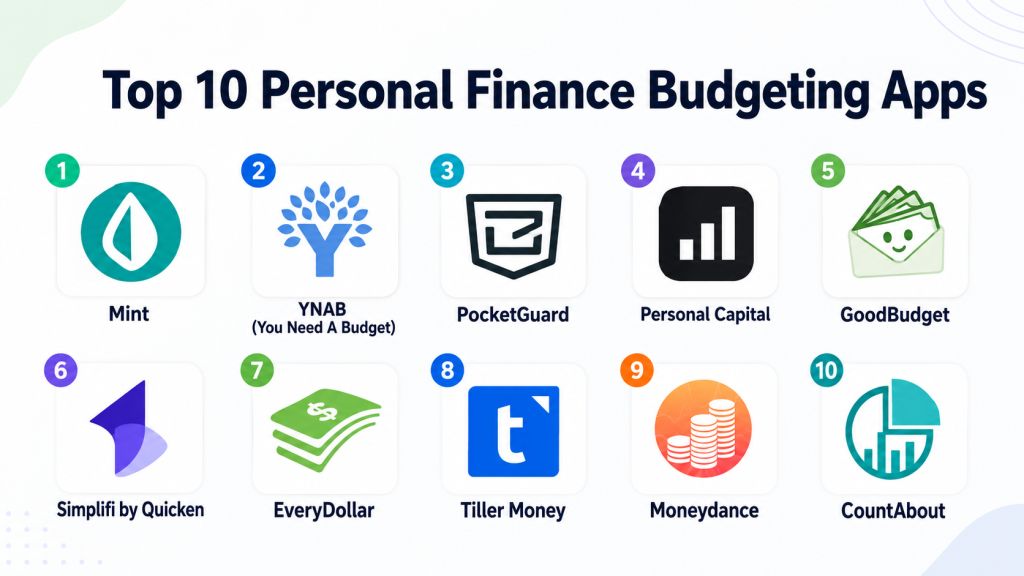
Top 10 Personal Finance Budgeting Apps
#1 — Mint
Short description: Mint is a user-friendly app for tracking expenses, budgets, and financial goals. It automatically imports bank and credit card transactions. The app provides alerts and spending insights. Ideal for beginners seeking a consolidated financial overview.
Key Features
- Automatic account syncing
- Budget creation with categorized spending
- Bill reminders and alerts
- Credit score monitoring
- AI-driven financial insights
Pros
- Easy setup and navigation
- Real-time alerts on spending
- Consolidates multiple accounts
Cons
- Limited investment tracking
- Occasional syncing delays
- Ads in free version
Platforms / Deployment
- Web / iOS / Android
- Cloud
Security & Compliance
- Multi-factor authentication
- Encryption at rest and in transit
- SOC 2
Integrations & Ecosystem
- Supports major banks
- PayPal integration
- Export data to CSV
- API access for third-party tools
Support & Community
- Knowledge base
- Email and chat support
- Active user forums
#2 — YNAB (You Need A Budget)
Short description: YNAB uses a zero-based budgeting method to assign every dollar a job. It helps users plan expenses, manage debt, and save. Works well for freelancers and households aiming for financial discipline.
Key Features
- Zero-based budgeting
- Goal tracking
- Expense categorization
- Bank syncing
- Reports and trend visualization
Pros
- Promotes financial discipline
- Detailed reporting
- Educational resources
Cons
- Paid subscription required
- Learning curve for beginners
- Limited offline features
Platforms / Deployment
- Web / iOS / Android
- Cloud
Security & Compliance
- Two-factor authentication
- Encryption
- Not publicly stated
Integrations & Ecosystem
- Bank syncing
- Export to CSV and QuickBooks
- PayPal support
Support & Community
- Tutorials and workshops
- Email support
- Active online community
#3 — PocketGuard
Short description: PocketGuard simplifies budgeting by showing disposable income. It tracks expenses, categorizes spending, and helps save money. Ideal for users seeking simplicity and real-time clarity.
Key Features
- “In My Pocket” calculations
- Automatic expense categorization
- Bill tracking and reminders
- Savings targets
- AI insights
Pros
- Simple interface
- Quick overview of disposable income
- Real-time tracking
Cons
- Limited reporting features
- Premium needed for advanced options
- Fewer customizations
Platforms / Deployment
- Web / iOS / Android
- Cloud
Security & Compliance
- MFA and encryption
- Not publicly stated
Integrations & Ecosystem
- Bank and credit card syncing
- PayPal integration
- Limited third-party apps
Support & Community
- Email support
- Knowledge base
- Community forum
#4 — Personal Capital
Short description: Personal Capital combines budgeting with investment tracking. It calculates net worth, monitors portfolios, and provides retirement planning. Suitable for individuals managing both personal and investment finances.
Key Features
- Expense tracking
- Investment portfolio monitoring
- Retirement planning
- Net worth calculation
- Alerts and notifications
Pros
- Investment tracking included
- Detailed reporting
- Free basic features
Cons
- Steep learning curve
- Premium advisory services expensive
- Mobile app less intuitive
Platforms / Deployment
- Web / iOS / Android
- Cloud
Security & Compliance
- MFA and encryption
- SOC 2
Integrations & Ecosystem
- Bank and investment accounts
- Brokerages integration
- API access for exports
Support & Community
- Email, chat, phone support
- Tutorials and webinars
- Active forums
#5 — GoodBudget
Short description: GoodBudget uses the envelope system to allocate money. It tracks spending, shares budgets with family, and monitors goals. Best for couples and households managing joint finances.
Key Features
- Envelope budgeting
- Sync across devices
- Expense tracking
- Goal tracking
- Import/export data
Pros
- Encourages disciplined spending
- Easy family sharing
- Simple interface
Cons
- Limited bank syncing
- Manual entry for some accounts
- Basic reporting
Platforms / Deployment
- Web / iOS / Android
- Cloud
Security & Compliance
- Not publicly stated
Integrations & Ecosystem
- Bank statement import
- CSV export
- PayPal support
Support & Community
- Email support
- Knowledge base
- Small online community
#6 — Simplifi by Quicken
Short description: Simplifi offers a modern interface for budgeting and tracking. It provides real-time insights, alerts, and visualizations. Designed for users seeking simplicity and actionable insights.
Key Features
- Automatic transaction tracking
- Spending and budget planning
- Alerts for bills
- Goal setting
- Reports and charts
Pros
- Clean UI
- Real-time tracking
- Easy goal monitoring
Cons
- Paid subscription required
- Limited investment insights
- Reporting basic
Platforms / Deployment
- Web / iOS / Android
- Cloud
Security & Compliance
- MFA and encryption
- Not publicly stated
Integrations & Ecosystem
- Bank syncing
- Credit card tracking
- Export options
Support & Community
- Email support
- Knowledge base
- Community forum
#7 — EveryDollar
Short description: EveryDollar is zero-based budgeting software. Users can assign every dollar a purpose and track spending. Ideal for beginners and those following strict budgets.
Key Features
- Zero-based budgeting
- Expense tracking
- Goal setting
- Custom categories
- Recurring transactions
Pros
- Simple interface
- Encourages disciplined spending
- Easy to track goals
Cons
- Limited free version
- Minimal automation
- No investment tracking
Platforms / Deployment
- Web / iOS / Android
- Cloud
Security & Compliance
- Encryption and MFA
- Not publicly stated
Integrations & Ecosystem
- Bank syncing (premium)
- CSV export
- Limited APIs
Support & Community
- Email support
- Guides and tutorials
- Community forum
#8 — Tiller Money
Short description: Tiller Money automates data import into spreadsheets. Users can customize budgets, track goals, and analyze trends. Suitable for spreadsheet-savvy users seeking flexibility.
Key Features
- Automatic bank feed import
- Spreadsheet templates
- Goal tracking
- Category tagging
- Custom dashboards
Pros
- Highly customizable
- Supports advanced analytics
- Works within familiar spreadsheets
Cons
- Learning curve
- Paid subscription
- Spreadsheet interface may intimidate
Platforms / Deployment
- Web / Google Sheets / Excel
- Cloud
Security & Compliance
- MFA, encryption
- Not publicly stated
Integrations & Ecosystem
- Bank connections
- Google Sheets / Excel
- API for custom apps
Support & Community
- Email support
- Knowledge base
- Active spreadsheet community
#9 — Moneydance
Short description: Moneydance offers offline budgeting and finance management. It tracks expenses, investments, and multiple currencies. Ideal for users preferring desktop-first solutions.
Key Features
- Offline budgeting
- Expense tracking
- Investment monitoring
- Bill reminders
- Reports and charts
Pros
- Works offline
- Supports multiple currencies
- Detailed reporting
Cons
- Desktop-focused
- Dated UI
- Paid software
Platforms / Deployment
- Windows / macOS / Linux
- Self-hosted
Security & Compliance
- Encryption
- Not publicly stated
Integrations & Ecosystem
- Bank imports via OFX/QFX
- Export to CSV/PDF
- Investment tracking
Support & Community
- Email support
- Knowledge base
- Small forum
#10 — CountAbout
Short description: CountAbout allows importing from Mint and Quicken. Users can track expenses, create custom categories, and generate reports. Good for migrating from other finance apps.
Key Features
- Expense tracking
- Import from Mint/Quicken
- Recurring transactions
- Custom categories
- Reports and charts
Pros
- Easy migration
- Custom categories
- Web + mobile support
Cons
- Limited free version
- Sync issues reported
- Smaller community
Platforms / Deployment
- Web / iOS / Android
- Cloud
Security & Compliance
- MFA and encryption
- Not publicly stated
Integrations & Ecosystem
- Bank syncing
- Credit card tracking
- Import from other apps
Support & Community
- Email support
- Help center
- Small community
Comparison Table (Top 10)
| Tool Name | Best For | Platform(s) Supported | Deployment | Standout Feature | Public Rating |
|---|---|---|---|---|---|
| Mint | Beginners | Web / iOS / Android | Cloud | AI insights | N/A |
| YNAB | Budget discipline | Web / iOS / Android | Cloud | Zero-based budgeting | N/A |
| PocketGuard | Quick disposable income | Web / iOS / Android | Cloud | “In My Pocket” | N/A |
| Personal Capital | Finance + investments | Web / iOS / Android | Cloud | Portfolio monitoring | N/A |
| GoodBudget | Family/shared budgets | Web / iOS / Android | Cloud | Envelope budgeting | N/A |
| Simplifi | Streamlined UI | Web / iOS / Android | Cloud | Real-time overview | N/A |
| EveryDollar | Zero-based budgeting | Web / iOS / Android | Cloud | Simple budgeting | N/A |
| Tiller Money | Spreadsheet users | Web / Google Sheets / Excel | Cloud | Spreadsheet automation | N/A |
| Moneydance | Offline budgeting | Windows / macOS / Linux | Self-hosted | Desktop finance | N/A |
| CountAbout | Migration from Mint/Quicken | Web / iOS / Android | Cloud | Data import | N/A |
Evaluation & Scoring of Personal Finance Budgeting Apps
| Tool Name | Core (25%) | Ease (15%) | Integrations (15%) | Security (10%) | Performance (10%) | Support (10%) | Value (15%) | Weighted Total (0–10) |
|---|---|---|---|---|---|---|---|---|
| Mint | 9 | 9 | 8 | 9 | 9 | 8 | 9 | 8.95 |
| YNAB | 8 | 8 | 7 | 8 | 8 | 8 | 8 | 8.0 |
| PocketGuard | 7 | 9 | 7 | 8 | 8 | 7 | 7 | 7.65 |
| Personal Capital | 9 | 8 | 8 | 9 | 9 | 8 | 8 | 8.5 |
| GoodBudget | 7 | 8 | 6 | 8 | 8 | 7 | 7 | 7.35 |
| Simplifi | 8 | 9 | 7 | 8 | 8 | 7 | 8 | 8.0 |
| EveryDollar | 7 | 8 | 6 | 8 | 8 | 7 | 7 | 7.35 |
| Tiller Money | 8 | 7 | 8 | 8 | 8 | 7 | 8 | 7.9 |
| Moneydance | 8 | 7 | 7 | 8 | 8 | 7 | 8 | 7.8 |
| CountAbout | 7 | 7 | 7 | 8 | 8 | 7 | 7 | 7.3 |
Interpretation: Higher weighted total suggests stronger overall capability, but the best choice depends on user needs, platform preference, and budget.
Which Personal Finance Budgeting App Is Right for You?
Solo / Freelancer
- Mint, PocketGuard, Simplifi: easy setup, automated tracking, and quick insights.
SMB
- YNAB, EveryDollar, GoodBudget: shared budgets, cash flow tracking, simple collaboration.
Mid-Market
- Personal Capital, Tiller Money: reporting, investment tracking, goal monitoring.
Enterprise
- Moneydance, CountAbout: offline and desktop support, data migration, advanced analysis.
Budget vs Premium
- Freemium apps like Mint are low-cost. Premium tools like YNAB and Simplifi unlock advanced insights and AI-driven features.
Feature Depth vs Ease of Use
- YNAB and Tiller Money offer depth but have a learning curve. Mint and PocketGuard prioritize simplicity.
Integrations & Scalability
- Personal Capital and Simplifi provide robust integrations with banks, credit cards, and other financial services.
Security & Compliance Needs
- Ensure encryption and MFA. Mint, Personal Capital, and Simplifi provide clear security measures suitable for sensitive data.
Frequently Asked Questions (FAQs)
1. What pricing models do these apps use?
Most apps offer free, subscription, or premium tiers. Free versions provide basic features; premium unlocks advanced insights and goals.
2. Can I import data from banks?
Yes. Most apps automatically sync with banks, credit cards, and digital wallets. Manual import is possible for Tiller Money, GoodBudget, and Moneydance.
3. Are these apps secure for sensitive financial data?
Top apps use encryption and multi-factor authentication. SOC 2 or ISO compliance is noted for some, but some tools are Not publicly stated.
4. How difficult is onboarding?
Mint and PocketGuard are beginner-friendly. YNAB and Tiller Money require time to learn budgeting methods.
5. Can I track investments?
Personal Capital and Moneydance allow tracking investments. Mint provides basic tracking, while simpler apps do not.
6. Are mobile apps available?
Most tools have iOS and Android apps. Moneydance focuses more on desktop and offline access.
7. Can multiple users collaborate?
GoodBudget and YNAB support shared accounts. Mint and Personal Capital are mostly single-user but allow multiple account monitoring.
8. Can I export data?
Yes. CSV, Excel, or PDF exports are supported by most apps, especially Tiller Money, Moneydance, and CountAbout.
9. Do apps offer bill reminders?
Yes. Mint, PocketGuard, and Simplifi provide notifications for bills and recurring payments.
10. What are common mistakes using these apps?
- Overcomplicating budgets with too many categories
- Forgetting to sync regularly
- Ignoring personal review of AI suggestions
Conclusion
Personal finance budgeting apps simplify money management by providing structure, automation, and insights. Beginners may prefer Mint or PocketGuard for simplicity, while advanced users benefit from Personal Capital or Tiller Money for investment and detailed analysis. Choosing the right app depends on personal goals, technical comfort, and security needs. A practical next step is to shortlist apps, test features, and validate usability and integrations for your financial workflow.
