Introduction
Plagiarism Detection Tools are software solutions designed to identify copied or unoriginal content across documents, assignments, or publications. They use AI, text-matching algorithms, and database comparisons to detect similarities and ensure content originality.
In the digital age, where online content creation, academic submissions, and professional publications have surged, plagiarism detection is crucial to maintain credibility, prevent intellectual property theft, and uphold quality standards. Educational institutions, content agencies, and businesses rely on these tools to safeguard originality and academic integrity.
Real-world use cases:
- Academic institutions verifying assignments, theses, and dissertations
- Content marketing agencies checking originality of articles and blogs
- Corporate compliance teams auditing internal reports and whitepapers
- Publishers screening manuscripts for originality
- Freelancers and writers validating their content before submission
Buyer evaluation criteria:
- Accuracy and comprehensiveness of detection
- Support for multiple content types (text, code, PDFs, web pages)
- Integration with LMS or content management systems
- Reporting and analytics features
- Real-time monitoring and alerts
- Scalability for large volumes of content
- Ease of use and interface design
- Security and compliance with data protection standards
- Pricing and licensing flexibility
Best for: Universities, publishers, content agencies, freelance writers, corporations managing IP.
Not ideal for: Small-scale casual content checking or personal reference where formal verification is unnecessary.
Key Trends in Plagiarism Detection Tools
- AI-powered semantic analysis to detect paraphrased content
- Integration with LMS, CMS, and cloud storage platforms
- Multi-language support for global content checks
- Real-time detection and alerts during content creation
- Cloud-first deployment for scalability and accessibility
- Increased focus on data security and GDPR/SOC 2 compliance
- Support for academic, corporate, and web content databases
- API-driven ecosystems for automation
- Automated reporting and analytics dashboards
- Subscription and usage-based pricing models for flexibility
How We Selected These Tools (Methodology)
- Evaluated market adoption across educational and corporate sectors
- Assessed feature completeness, including AI detection, reporting, and multi-format support
- Reviewed reliability and performance metrics across large content volumes
- Analyzed security posture including encryption, access control, and compliance certifications
- Considered integrations with LMS, CMS, and publishing platforms
- Evaluated suitability for different user sizes: solo, SMB, mid-market, enterprise
- Reviewed user experience and administrative workflows
- Balanced accuracy, scalability, and cost-effectiveness
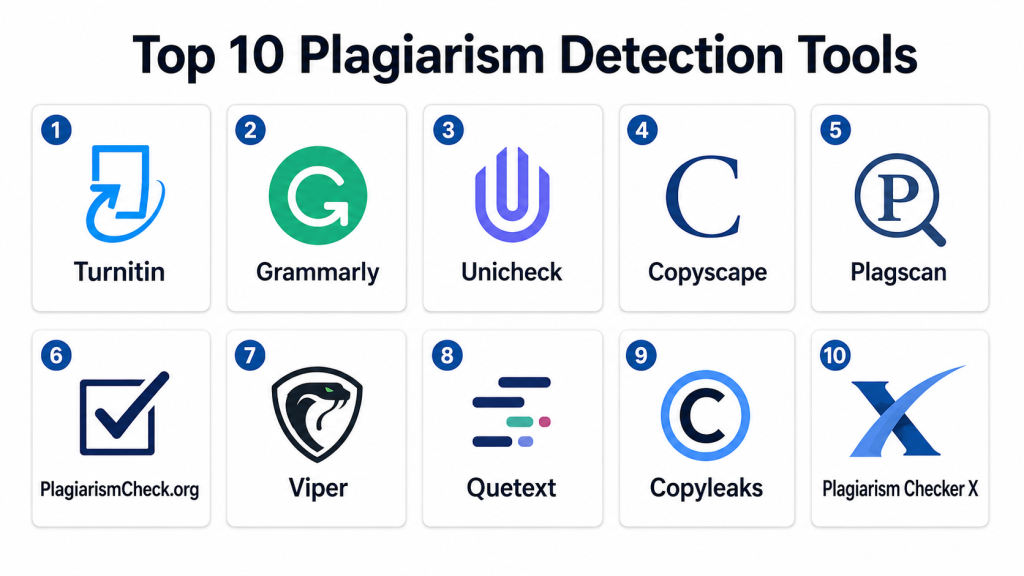
Top 10 Plagiarism Detection Tools
#1 — Turnitin
Short description: Turnitin is a widely recognized academic plagiarism detection tool, used by universities to check assignments, theses, and dissertations for originality.
Key Features
- AI-powered content similarity detection
- Extensive academic and web database comparison
- Integration with LMS platforms
- Detailed originality reports with match sources
- Citation and reference checking
- Feedback tools for educators
Pros
- High accuracy and comprehensive database
- Seamless LMS integration
- Trusted globally in academia
Cons
- Premium pricing
- Limited support for non-academic content
Platforms / Deployment
- Web
- Cloud
Security & Compliance
- Encryption, SSO
- SOC 2, GDPR
Integrations & Ecosystem
- LMS (Canvas, Blackboard, Moodle)
- API for reporting
- Citation tools and grading integrations
Support & Community
- Extensive documentation and training
- Customer support via email and chat
- Active academic user community
#2 — Grammarly
Short description: Grammarly provides plagiarism detection as part of its AI-powered writing assistant, suitable for content writers and academic users.
Key Features
- Real-time text checking for plagiarism
- Grammar and style suggestions
- Cross-platform text analysis
- Integration with word processors and web browsers
- AI-based similarity detection
- Reporting for detected issues
Pros
- Combines writing enhancement with plagiarism detection
- User-friendly interface
- Fast real-time checking
Cons
- Limited in-depth reporting for large academic content
- Subscription-based for full features
Platforms / Deployment
- Web / Windows / macOS / iOS / Android
- Cloud
Security & Compliance
- Encryption
- GDPR
Integrations & Ecosystem
- Microsoft Word and Google Docs
- Browser extensions
- API support for content platforms
Support & Community
- Tutorials and documentation
- Email support
- Online user community
#3 — Unicheck
Short description: Unicheck is an academic and corporate plagiarism detection tool offering cloud-based originality verification for text documents.
Key Features
- AI and algorithm-based text analysis
- Real-time scanning against web and academic databases
- Integration with LMS
- Detailed reports highlighting matches
- Multi-language support
- API for bulk processing
Pros
- Accurate detection across multiple sources
- LMS integration
- Supports large document processing
Cons
- Pricing per user can be high for large institutions
- Limited offline capabilities
Platforms / Deployment
- Web / Windows / macOS
- Cloud
Security & Compliance
- Encryption, MFA
- GDPR
Integrations & Ecosystem
- Canvas, Moodle, Google Classroom
- API for bulk scanning
- Reporting dashboards
Support & Community
- Documentation and tutorials
- Email support
- Online community
#4 — Copyscape
Short description: Copyscape is a widely used web content plagiarism checker that scans online content to detect duplicate material.
Key Features
- Web-based plagiarism detection
- Batch search for multiple URLs or documents
- Copy content alerts
- Integration with website CMS
- Detailed reports highlighting duplicate content
Pros
- Ideal for website and content marketing checks
- Easy to use
- Fast scanning for online content
Cons
- Limited academic database
- Paid plans for bulk checking
Platforms / Deployment
- Web
- Cloud
Security & Compliance
- Encryption
- Not publicly stated
Integrations & Ecosystem
- WordPress CMS integration
- API for content verification
- Batch checking tools
Support & Community
- Documentation
- Email support
- User forums
#5 — Plagscan
Short description: Plagscan offers online plagiarism detection for academic, corporate, and publishing sectors, combining AI and database checks.
Key Features
- Document and web scanning
- AI-based similarity detection
- Integration with LMS and content platforms
- Detailed originality reports
- Multi-language support
Pros
- Accurate and fast detection
- Supports multiple document formats
- LMS integration available
Cons
- Pricing may vary for large volumes
- Reporting interface can be complex
Platforms / Deployment
- Web / Windows / macOS
- Cloud
Security & Compliance
- Encryption, MFA
- GDPR
Integrations & Ecosystem
- LMS integration
- API access for batch processing
- Cloud storage integration
Support & Community
- Tutorials and documentation
- Email support
- Online forums
#6 — PlagiarismCheck.org
Short description: PlagiarismCheck.org provides advanced AI-driven plagiarism detection for academic and corporate content.
Key Features
- AI similarity detection
- Web and document scanning
- Reporting dashboards
- Multi-language support
- LMS integration
Pros
- Accurate AI detection
- Fast scanning for large documents
- Cloud-based and scalable
Cons
- Limited offline support
- Paid plans for premium features
Platforms / Deployment
- Web / Windows / macOS
- Cloud
Security & Compliance
- Encryption
- GDPR
Integrations & Ecosystem
- Canvas, Moodle
- API support
- Reporting and analytics
Support & Community
- Documentation and tutorials
- Email support
#7 — Viper
Short description: Viper is a cloud-based plagiarism detection tool for academic papers and publications, designed for universities and content creators.
Key Features
- AI-assisted content scanning
- Cross-database checks
- Document management
- Detailed originality reports
- Multi-language support
Pros
- Fast and comprehensive detection
- Supports multiple file types
- Scalable for institutions
Cons
- Less integration flexibility
- Premium subscription for large scans
Platforms / Deployment
- Web / Windows / macOS
- Cloud
Security & Compliance
- Encryption
- Not publicly stated
Integrations & Ecosystem
- LMS and academic tools
- API for batch scanning
- Document management support
Support & Community
- Documentation
- Email support
#8 — Quetext
Short description: Quetext offers AI-powered plagiarism detection for students, educators, and content writers to ensure originality.
Key Features
- DeepSearch AI for semantic analysis
- Real-time text checking
- Reporting and highlighting
- Multi-language support
- Integration with word processors
Pros
- Fast AI detection
- User-friendly interface
- Ideal for small to mid-scale usage
Cons
- Limited enterprise features
- Paid plan required for large documents
Platforms / Deployment
- Web
- Cloud
Security & Compliance
- Encryption
- Not publicly stated
Integrations & Ecosystem
- Word processors integration
- API access limited
- Reporting dashboards
Support & Community
- Documentation
- Email support
#9 — Copyleaks
Short description: Copyleaks provides AI-powered plagiarism detection for academic and commercial content with multi-language support.
Key Features
- AI semantic analysis
- Web and document scanning
- Multi-language support
- LMS and API integration
- Detailed originality reports
Pros
- Accurate AI detection
- Scalable for multiple documents
- Supports diverse content formats
Cons
- Complex reporting for beginners
- Subscription-based premium features
Platforms / Deployment
- Web / Windows / macOS
- Cloud
Security & Compliance
- Encryption, MFA
- GDPR
Integrations & Ecosystem
- LMS integration
- API access
- Reporting dashboards
Support & Community
- Documentation, tutorials
- Email support
#10 — Plagiarism Checker X
Short description: Plagiarism Checker X is a desktop and web-based tool for educators and writers to detect duplicate content across online and offline sources.
Key Features
- Document and web scanning
- Multi-language plagiarism detection
- Side-by-side comparison reports
- Batch processing for multiple documents
- Detailed analytics
Pros
- Desktop and web options
- Supports multiple formats
- Cost-effective for small to mid-scale users
Cons
- Interface may feel outdated
- Limited AI detection capabilities
Platforms / Deployment
- Windows / macOS
- Cloud / Self-hosted
Security & Compliance
- Not publicly stated
Integrations & Ecosystem
- LMS and content management integration
- Batch processing tools
- Reporting support
Support & Community
- Documentation
- Email support
Comparison Table (Top 10)
| Tool Name | Best For | Platform(s) Supported | Deployment | Standout Feature | Public Rating |
|---|---|---|---|---|---|
| Turnitin | Academic Institutions | Web | Cloud | Extensive academic database | N/A |
| Grammarly | Writers & Students | Web / Windows / macOS / iOS / Android | Cloud | AI-powered writing + plagiarism | N/A |
| Unicheck | Academic & Corporate | Web / Windows / macOS | Cloud | Real-time detection | N/A |
| Copyscape | Content Marketing | Web | Cloud | Web content scanning | N/A |
| Plagscan | Academic & Corporate | Web / Windows / macOS | Cloud | Multi-format scanning | N/A |
| PlagiarismCheck.org | Academic & Corporate | Web / Windows / macOS | Cloud | AI detection | N/A |
| Viper | Universities & Content Creators | Web / Windows / macOS | Cloud | Cross-database scanning | N/A |
| Quetext | Students & Writers | Web | Cloud | AI semantic analysis | N/A |
| Copyleaks | Academic & Commercial | Web / Windows / macOS | Cloud | AI + LMS integration | N/A |
| Plagiarism Checker X | Educators & Writers | Windows / macOS | Cloud / Self-hosted | Batch and desktop scanning | N/A |
Evaluation & Scoring of Plagiarism Detection Tools
| Tool Name | Core (25%) | Ease (15%) | Integrations (15%) | Security (10%) | Performance (10%) | Support (10%) | Value (15%) | Weighted Total (0–10) |
|---|---|---|---|---|---|---|---|---|
| Turnitin | 9 | 8 | 8 | 9 | 9 | 8 | 7 | 8.4 |
| Grammarly | 8 | 9 | 7 | 7 | 8 | 8 | 7 | 7.9 |
| Unicheck | 8 | 8 | 8 | 8 | 8 | 7 | 7 | 7.9 |
| Copyscape | 7 | 8 | 7 | 7 | 7 | 7 | 7 | 7.3 |
| Plagscan | 8 | 8 | 7 | 8 | 8 | 7 | 7 | 7.8 |
| PlagiarismCheck.org | 8 | 7 | 7 | 8 | 8 | 7 | 7 | 7.7 |
| Viper | 7 | 8 | 7 | 7 | 7 | 7 | 7 | 7.3 |
| Quetext | 7 | 8 | 6 | 7 | 7 | 7 | 7 | 7.2 |
| Copyleaks | 8 | 7 | 7 | 8 | 8 | 7 | 7 | 7.7 |
| Plagiarism Checker X | 7 | 7 | 6 | 7 | 7 | 7 | 7 | 7.0 |
Interpretation: Higher weighted totals indicate better overall balance across detection accuracy, usability, integrations, and value. Institutions should choose based on content type, volume, and required reporting.
Which Plagiarism Detection Tool Is Right for You?
Solo / Freelancer
Quetext or Plagiarism Checker X are suitable for individual writers and students checking small content volumes.
SMB
Plagscan or Copyleaks can handle mid-scale content for agencies or small institutions.
Mid-Market
Grammarly or Unicheck provide AI-powered detection with LMS integration for medium-scale academic or corporate needs.
Enterprise
Turnitin, Viper, and Copyleaks Enterprise handle large-scale academic, corporate, or publishing workflows.
Budget vs Premium
Quetext and Copyscape are cost-effective; Turnitin and Plagscan deliver enterprise-grade features.
Feature Depth vs Ease of Use
Grammarly and Quetext are easy to adopt; Turnitin and Plagscan offer deeper reporting and analytics.
Integrations & Scalability
Turnitin, Unicheck, and Copyleaks integrate with LMS, content management, and corporate systems for high-volume deployments.
Security & Compliance Needs
Turnitin, Plagscan, and Copyleaks provide encryption, SOC 2, GDPR, and MFA for secure content management.
Frequently Asked Questions (FAQs)
1. What is a Plagiarism Detection Tool?
It is software that scans content for similarity against databases and online sources to identify copied or unoriginal material.
2. How much do these tools cost?
Costs vary from free or low-cost options for small users to premium subscriptions for enterprise-level detection.
3. What types of content can be checked?
Text, PDFs, academic papers, web content, and corporate reports depending on the platform.
4. Are these tools accurate?
Most modern tools use AI and extensive databases to detect exact matches and paraphrased content with high accuracy.
5. Can they integrate with LMS?
Yes, many tools like Turnitin, Unicheck, and Copyleaks integrate with LMS platforms for automated checking.
6. Are these tools secure?
Top platforms implement encryption, MFA, SSO, and comply with GDPR or SOC 2 standards.
7. Do they support multi-language detection?
Many tools including Plagscan, Copyleaks, and Quetext offer multi-language support for global users.
8. How long does scanning take?
Scanning time depends on document size, content volume, and platform capabilities. Cloud-based AI tools usually process results quickly.
9. Can these tools detect paraphrasing?
Yes. Advanced AI algorithms can identify paraphrased or reworded content in addition to direct copying.
10. How do I choose the right tool?
Consider your use case, volume of content, required integrations, budget, and reporting needs to select the most suitable plagiarism detection solution.
Conclusion
Plagiarism Detection Tools are essential for maintaining originality and integrity in academic, corporate, and content creation environments. The “best” tool depends on the user’s context, volume, and security requirements. Institutions and individuals should shortlist platforms, test them on sample content, and validate integrations and reporting capabilities before full adoption.
