Upgrade & Secure Your Future with DevOps, SRE, DevSecOps, MLOps!

We spend hours on Instagram and YouTube and waste money on coffee and fast food, but won’t spend 30 minutes a day learning skills to boost our careers.
Master in DevOps, SRE, DevSecOps & MLOps!

Learn from Guru Rajesh Kumar and double your salary in just one year.

Get Started Now!

What is Time Tracking Apps and How to Use Time Tracking Apps?

Introduction

Do you ever feel like there aren’t enough hours in the day to get everything done? As a student, you have to juggle classes, homework, extracurricular activities, and maybe even a part-time job. It can be overwhelming! But don’t worry, there are tools out there to help you manage your time more effectively.

Time Tracking Apps

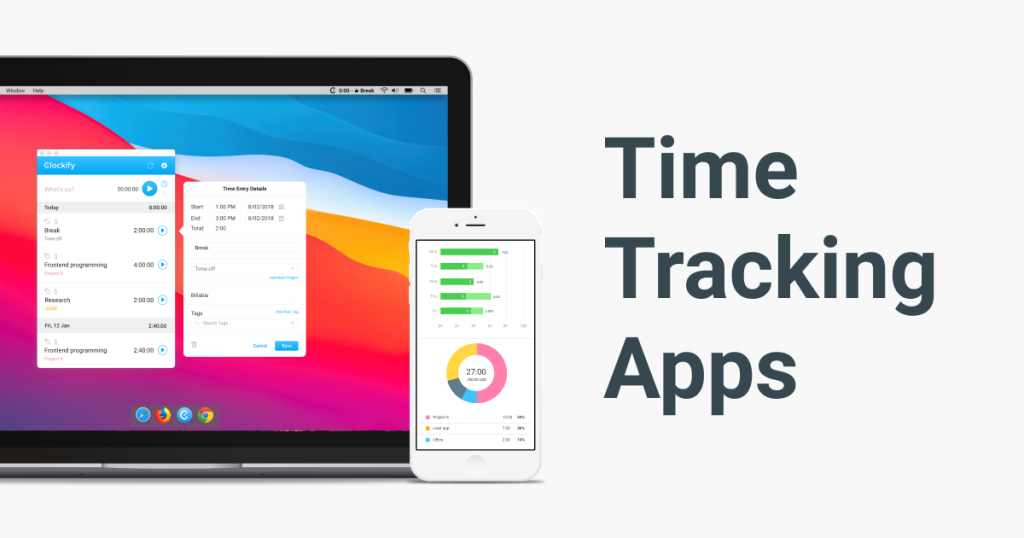
One type of tool you can use is a time tracking app. These apps allow you to track how much time you spend on different tasks throughout the day. Some popular time tracking apps include Toggl, RescueTime, and Harvest.

How to Use Time Tracking Apps

To use a time tracking app, simply download it onto your phone or computer and start tracking your time. You can create different categories for different tasks, such as “homework,” “studying,” or “extracurriculars.” Then, as you go about your day, you can start and stop the timer for each task. At the end of the day, you can see how much time you spent on each task and adjust your schedule accordingly.

Planner Apps

Another type of tool you can use is a planner app. These apps allow you to create a schedule for your day, week, or month. Some popular planner apps include Google Calendar, Todoist, and Trello.

How to Use Planner Apps

To use a planner app, simply create an account and start adding tasks to your schedule. You can set reminders for each task and even color-code them to make them easier to see. You can also set recurring tasks, such as “study for math test every Monday and Wednesday at 7pm.” With a planner app, you can see your entire schedule at a glance and make sure you’re staying on track.

Conclusion

Managing your time as a student can be tough, but with the right tools, it’s definitely doable. Time tracking apps and planner apps are just two examples of tools you can use to stay organized and make the most of your time. Give them a try and see how they work for you!

Related Posts

Exploring CKEditor: Features, Customizations, and Integration Tips

CKEditor is a popular web-based text editor used in web applications to provide rich text formatting capabilities. It’s highly customizable and can be integrated into various web Read More

Read More

What is an E-commerce Platform and what are the Types of E-commerce Platforms?

Introduction to E-commerce Platforms If you’re an entrepreneur looking to start an online business or an established retailer looking to expand your reach, an e-commerce platform can Read More

Read More

What is a full-stack development framework?

Introduction to Full-Stack Development Frameworks As technology evolves, the demand for full-stack developers has increased significantly. Full-stack development frameworks are essential tools for developers as they offer Read More

Read More

What are AR and VR Development Tools?

Introduction to AR and VR Development Tools Augmented Reality (AR) and Virtual Reality (VR) technologies are transforming the way people experience digital content. These immersive technologies have Read More

Read More

What are Game Development Frameworks?

Introduction to Game Development Frameworks If you’re interested in creating your own video games, you might be wondering where to start. One important aspect to consider is Read More

Read More

What are Social Media Platforms and what are the Most Popular Social Media Platforms?

Introduction to Social Media Platforms In today’s digital age, social media platforms have become an integral part of our everyday lives. Whether it’s connecting with friends and Read More

Read More
Subscribe
Notify of
guest
0 Comments
Oldest
Newest Most Voted
Inline Feedbacks
View all comments
0
Would love your thoughts, please comment.x
()
x