Introduction
Package Managers help developers, DevOps teams, system administrators, and platform engineers install, update, configure, publish, and manage software dependencies in a structured way. They reduce the manual effort of downloading libraries, resolving versions, tracking transitive dependencies, and keeping development environments consistent across machines, teams, and deployment pipelines.
Modern software depends heavily on open-source packages, internal libraries, container images, build tools, runtime frameworks, and operating system utilities. Without a reliable package manager, teams face dependency conflicts, inconsistent builds, security gaps, slow onboarding, and difficult release management. Package managers now play a major role in software supply chain security, reproducible builds, monorepo workflows, CI/CD automation, vulnerability management, and developer productivity.
Real World Use Cases
- Installing application dependencies for JavaScript, Python, Java, Ruby, PHP, Rust, Go, and other ecosystems
- Managing system-level packages on developer laptops and servers
- Creating reproducible builds across local, CI, staging, and production environments
- Publishing internal packages for reuse across engineering teams
- Automating dependency updates in CI/CD pipelines
- Managing monorepo dependencies and workspace packages
- Reducing dependency conflicts across large projects
- Supporting software supply chain security and dependency governance
Evaluation Criteria for Buyers
- Language and ecosystem compatibility
- Dependency resolution quality
- Lockfile and reproducibility support
- Speed and installation performance
- Security features and vulnerability awareness
- Private registry and enterprise package support
- Monorepo and workspace capabilities
- CI/CD integration quality
- Cross-platform support
- Community adoption and long-term stability
Best for: developers, DevOps teams, platform engineers, SRE teams, software vendors, enterprise engineering organizations, open-source maintainers, and IT teams managing application or system dependencies.
Not ideal for: non-technical users who only install software through app stores or teams with very small dependency footprints. Package managers are most valuable when dependency tracking, repeatable builds, automation, and software delivery consistency are important.
Key Trends in Package Managers
- Software supply chain security is making dependency provenance, lockfiles, signatures, and vulnerability checks more important.
- Monorepo support is becoming a major requirement for large engineering teams.
- Package managers are becoming faster through content-addressable storage, caching, parallel installs, and smarter dependency resolution.
- Private registries are now common in enterprises that publish internal libraries and reusable platform components.
- Reproducible builds are becoming essential for regulated industries and DevSecOps pipelines.
- AI-assisted coding is increasing dependency usage, making package governance and security review more important.
- Developers are choosing ecosystem-specific tools that improve workflow speed instead of relying only on default package managers.
- Container-based development is changing how teams think about system packages and language packages together.
- Dependency update automation is becoming part of continuous security operations.
- Organizations are treating package managers as part of software supply chain risk management rather than only developer convenience.
How We Selected These Tools
The tools in this list were selected using a practical software engineering and DevOps evaluation framework.
- Adoption across major programming and operating system ecosystems
- Dependency management maturity and reliability
- Support for reproducible builds and lockfiles
- Developer experience and workflow simplicity
- CI/CD and automation compatibility
- Enterprise and private registry support
- Security posture and dependency governance capabilities
- Community strength, documentation quality, and long-term ecosystem relevance
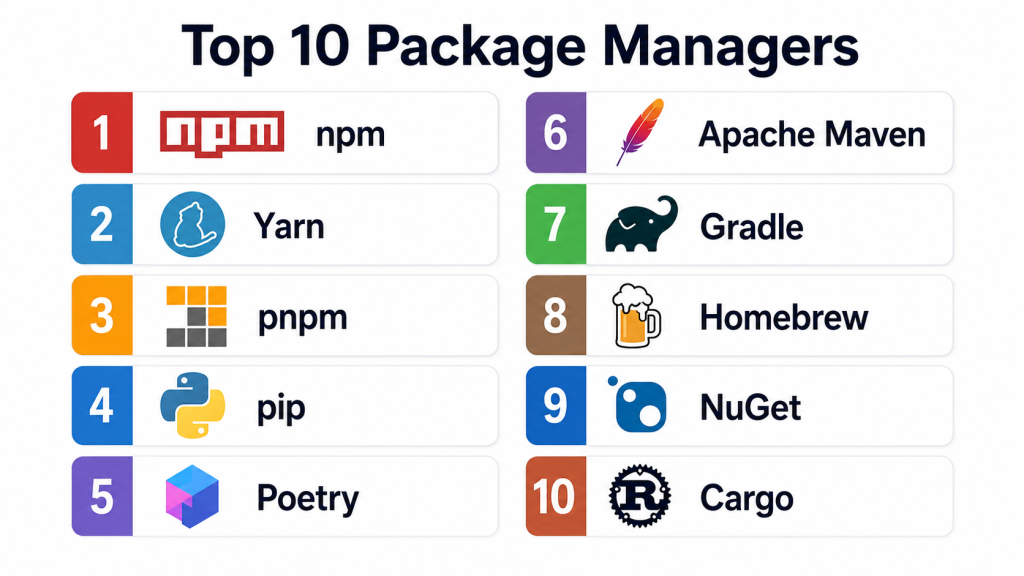
Top 10 Package Managers
1- npm
Short description:
npm is the default package manager for the Node.js ecosystem and one of the most widely used tools for JavaScript and frontend development. It helps developers install, publish, update, and manage packages from the npm registry. npm is used across web applications, backend Node.js services, frontend frameworks, CLI tools, and enterprise JavaScript projects. It includes lockfile support, scripts, dependency management, and integration with private packages. For teams building JavaScript applications, npm remains a standard baseline because of its ecosystem size and default availability with Node.js.
Key Features
- JavaScript and Node.js dependency management
- Access to the npm registry
- Package publishing support
- Lockfile support for reproducible installs
- Script automation through package manifests
- Private package and organization support
- Broad CI/CD compatibility
Pros
- Massive package ecosystem
- Default tool for Node.js projects
- Strong compatibility with JavaScript tooling
Cons
- Dependency trees can become large
- Security review is important due to ecosystem scale
- Some teams prefer faster alternatives for large projects
Platforms / Deployment
- Windows / macOS / Linux
- Cloud / Self-hosted / Hybrid through registries and CI/CD pipelines
Security & Compliance
- Lockfile support
- Package integrity checks
- Private package support
- MFA support for publishing accounts
- Audit workflows available
- Enterprise compliance depends on registry and governance setup
Integrations & Ecosystem
npm integrates deeply with JavaScript development, CI/CD systems, and package registries.
- Node.js
- React
- Angular
- Vue
- GitHub Actions
- GitLab CI
- Private npm registries
Support & Community
npm has extensive documentation, a very large developer community, broad ecosystem support, and strong compatibility with JavaScript frameworks and build tools.
2- Yarn
Short description:
Yarn is a JavaScript package manager designed to improve dependency installation, workspace management, and project consistency. It became popular among frontend and Node.js teams seeking faster installs, stronger lockfile behavior, and monorepo-friendly workflows. Yarn supports workspaces, offline cache patterns, dependency constraints, and modern project management features. It is especially useful for teams maintaining large JavaScript codebases, frontend monorepos, and complex dependency graphs. Yarn is often chosen when teams want more control over dependency structure than the default npm workflow.
Key Features
- JavaScript package management
- Workspace and monorepo support
- Lockfile-based reproducibility
- Offline cache support
- Dependency constraints
- Script execution workflows
- Plug and Play support in modern versions
Pros
- Strong workspace management
- Good for large JavaScript projects
- Mature alternative to npm
Cons
- Version differences can confuse teams
- Plug and Play may require tooling adjustments
- Migration from npm requires planning
Platforms / Deployment
- Windows / macOS / Linux
- Cloud / Self-hosted / Hybrid through CI/CD and registries
Security & Compliance
- Lockfile support
- Dependency integrity checks
- Private registry support
- Security auditing depends on ecosystem configuration
Integrations & Ecosystem
Yarn integrates with modern frontend and JavaScript build environments.
- Node.js
- npm registry
- React
- Next.js
- Monorepo tools
- CI/CD platforms
Support & Community
Yarn has strong community adoption and good documentation, especially among frontend and monorepo engineering teams.
3- pnpm
Short description:
pnpm is a fast and disk-space-efficient package manager for JavaScript and Node.js projects. It uses a content-addressable store to avoid duplicating packages across projects, which makes it especially valuable for monorepos and large engineering environments. pnpm is known for strict dependency handling, strong workspace support, and efficient installs. Teams choose pnpm when npm-compatible workflows are needed but speed, storage efficiency, and dependency discipline are priorities. It is increasingly popular among modern frontend, backend, and full-stack JavaScript teams.
Key Features
- Fast dependency installation
- Disk-space-efficient package store
- Strict dependency resolution
- Workspace and monorepo support
- npm registry compatibility
- Lockfile-based reproducibility
- CI-friendly installation workflows
Pros
- Excellent installation performance
- Strong monorepo support
- Reduces duplicate package storage
Cons
- Some legacy tools may assume npm-style node_modules layout
- Migration requires testing
- Developers may need to learn stricter dependency behavior
Platforms / Deployment
- Windows / macOS / Linux
- Cloud / Self-hosted / Hybrid through CI/CD and registries
Security & Compliance
- Lockfile support
- Strict dependency resolution
- Package integrity checks
- Private registry support
- Security governance depends on registry and CI/CD setup
Integrations & Ecosystem
pnpm integrates well with JavaScript frameworks, build tools, and monorepo platforms.
- Node.js
- npm registry
- Vite
- Next.js
- Turborepo
- Nx
- CI/CD platforms
Support & Community
pnpm has strong documentation, active development, and growing adoption among performance-focused JavaScript teams.
4- pip
Short description:
pip is the standard package installer for Python projects. It helps developers install and manage Python packages from package indexes and private repositories. pip is widely used across web development, automation, data science, machine learning, DevOps scripting, and backend services. It works with requirements files, virtual environments, and Python packaging standards. For Python teams, pip remains the default foundation for dependency installation, even when combined with higher-level tools for environment and lockfile management.
Key Features
- Python package installation
- Support for package indexes
- Requirements file workflows
- Virtual environment compatibility
- Source and wheel package support
- Private repository support
- CI/CD dependency installation
Pros
- Default and widely understood Python tool
- Works across almost every Python environment
- Simple for basic dependency installation
Cons
- Dependency locking requires additional workflows or tools
- Environment management is separate
- Large projects may need stronger dependency resolution tooling
Platforms / Deployment
- Windows / macOS / Linux
- Cloud / Self-hosted / Hybrid through package indexes and CI/CD
Security & Compliance
- Hash checking workflows available
- Private index support
- Dependency security depends on package governance
- Compliance depends on environment and repository controls
Integrations & Ecosystem
pip integrates with Python development, automation, and deployment workflows.
- PyPI
- Virtual environments
- Docker
- CI/CD systems
- Private package indexes
- Python build tools
Support & Community
pip has broad Python community support, extensive documentation, and strong compatibility across the Python ecosystem.
5- Poetry
Short description:
Poetry is a Python dependency management and packaging tool that improves project reproducibility, publishing, and dependency resolution. It helps teams define dependencies, manage virtual environments, lock versions, and build packages in a structured workflow. Poetry is popular among Python developers who want a more modern experience than requirements-only workflows. It is especially useful for application teams, library maintainers, and organizations that need consistent dependency management across local and CI environments.
Key Features
- Python dependency management
- Lockfile support
- Virtual environment handling
- Package build and publishing workflows
- Project metadata management
- Dependency resolution
- Private repository support
Pros
- Strong reproducibility for Python projects
- Cleaner project configuration
- Good packaging and publishing workflow
Cons
- Adds another layer beyond pip
- Some enterprise workflows still rely on requirements files
- Migration from older Python projects may take effort
Platforms / Deployment
- Windows / macOS / Linux
- Cloud / Self-hosted / Hybrid through registries and CI/CD
Security & Compliance
- Lockfile support
- Private repository support
- Dependency governance depends on index and CI controls
- Compliance depends on organization policy
Integrations & Ecosystem
Poetry integrates with Python project management and package publishing workflows.
- PyPI
- Private Python indexes
- Virtual environments
- Docker
- CI/CD pipelines
- Python build systems
Support & Community
Poetry has strong adoption among modern Python developers and good community documentation.
6- Apache Maven
Short description:
Apache Maven is a build automation and dependency management tool widely used in Java and JVM-based projects. It uses a project object model to manage dependencies, build lifecycle, testing, packaging, and documentation. Maven is popular in enterprise Java environments because of its maturity, predictable structure, and integration with artifact repositories. It is especially useful for backend services, enterprise applications, libraries, and large Java codebases that need repeatable builds and standardized project conventions.
Key Features
- Java dependency management
- Project object model configuration
- Build lifecycle automation
- Plugin ecosystem
- Artifact repository support
- Multi-module project support
- Testing and packaging workflows
Pros
- Mature and enterprise-proven
- Strong Java ecosystem support
- Excellent artifact repository compatibility
Cons
- XML configuration can feel verbose
- Less flexible than some modern build tools
- Large projects may require careful dependency management
Platforms / Deployment
- Windows / macOS / Linux
- Cloud / Self-hosted / Hybrid through repositories and CI/CD
Security & Compliance
- Repository controls
- Dependency version management
- Private artifact repository support
- Compliance depends on repository governance and build policies
Integrations & Ecosystem
Maven integrates deeply with Java development and enterprise artifact workflows.
- Maven Central
- Nexus Repository
- Artifactory
- Jenkins
- GitHub Actions
- GitLab CI
- Java IDEs
Support & Community
Maven has long-standing community support, extensive documentation, and deep enterprise adoption.
7- Gradle
Short description:
Gradle is a flexible build and dependency management tool used across Java, Kotlin, Android, and JVM ecosystems. It is known for powerful build scripting, incremental builds, caching, and multi-project support. Gradle is widely used by Android developers, enterprise Java teams, and organizations with complex build requirements. It provides more flexibility than traditional convention-heavy tools while supporting modern performance optimization. Teams often choose Gradle when build speed, customization, and scalable multi-module workflows are important.
Key Features
- JVM dependency management
- Build automation
- Incremental builds
- Build caching
- Multi-project support
- Android ecosystem support
- Plugin-based extensibility
Pros
- Highly flexible build model
- Strong performance optimization features
- Excellent Android and Kotlin support
Cons
- Build scripts can become complex
- Requires build engineering discipline
- Learning curve can be higher than Maven
Platforms / Deployment
- Windows / macOS / Linux
- Cloud / Self-hosted / Hybrid through repositories and CI/CD
Security & Compliance
- Dependency verification support
- Repository governance support
- Private artifact repository compatibility
- Compliance depends on build and repository controls
Integrations & Ecosystem
Gradle integrates broadly with JVM, Android, and CI/CD ecosystems.
- Maven repositories
- Android Studio
- Kotlin
- Jenkins
- GitHub Actions
- Artifactory
- Nexus Repository
Support & Community
Gradle has strong documentation, enterprise support options, and deep adoption across Android and JVM development.
8- Homebrew
Short description:
Homebrew is a package manager for macOS and Linux that helps developers and system administrators install command-line tools, libraries, services, and desktop applications. It is widely used on developer workstations because it simplifies setup for compilers, databases, CLIs, language runtimes, DevOps tools, and productivity utilities. Homebrew is especially valuable for onboarding developers consistently across macOS environments. It is also useful in Linux and WSL scenarios where teams want a user-level package manager outside traditional distribution repositories.
Key Features
- macOS and Linux package installation
- Command-line tool management
- Formula and cask support
- Developer workstation setup
- Version and update management
- User-level installation model
- Large package ecosystem
Pros
- Very easy for developer workstation setup
- Large ecosystem of developer tools
- Strong macOS adoption
Cons
- Less suitable as an enterprise server package standard
- Package versions may differ from operating system repositories
- Governance requires additional controls in managed environments
Platforms / Deployment
- macOS / Linux / WSL
- Local / Self-hosted workstation environments
Security & Compliance
- Package formula review model
- User-level installation workflows
- Compliance depends on device management and internal governance
- Not publicly stated for enterprise certifications
Integrations & Ecosystem
Homebrew fits developer setup, local tooling, and workstation automation workflows.
- macOS development environments
- Linux developer environments
- DevOps CLIs
- Language runtimes
- Databases
- Shell automation
Support & Community
Homebrew has a very large community, extensive documentation, and strong adoption among developers using macOS and Linux.
9- NuGet
Short description:
NuGet is the package manager for the .NET ecosystem. It helps developers install, publish, restore, and manage dependencies for .NET applications, libraries, services, and enterprise software projects. NuGet is deeply integrated with Visual Studio, .NET CLI, Azure DevOps, and Microsoft development workflows. It is especially useful for teams building C#, F#, ASP.NET, desktop, cloud, and enterprise applications. NuGet supports public and private packages, versioning, restore workflows, and package publishing for internal reuse.
Key Features
- .NET package management
- Public and private package support
- Package restore workflows
- Visual Studio integration
- .NET CLI integration
- Version management
- Enterprise artifact repository support
Pros
- Deep .NET ecosystem integration
- Strong enterprise development fit
- Works well with Microsoft tooling
Cons
- Mainly useful for .NET environments
- Enterprise repository setup requires governance
- Dependency conflicts still require careful version management
Platforms / Deployment
- Windows / macOS / Linux
- Cloud / Self-hosted / Hybrid through registries and CI/CD
Security & Compliance
- Package restore controls
- Private feed support
- Package signing support in supported workflows
- Compliance depends on registry, feed, and policy configuration
Integrations & Ecosystem
NuGet integrates deeply with Microsoft development and enterprise delivery workflows.
- Visual Studio
- .NET CLI
- Azure DevOps
- GitHub Packages
- Artifactory
- TeamCity
- CI/CD platforms
Support & Community
NuGet has strong Microsoft ecosystem support, extensive documentation, and deep enterprise adoption.
10- Cargo
Short description:
Cargo is the package manager and build tool for Rust. It helps developers manage dependencies, compile projects, run tests, build packages, publish crates, and maintain reproducible Rust workflows. Cargo is highly valued because it combines package management and build automation in a cohesive developer experience. It is used across systems programming, backend services, WebAssembly projects, CLI tools, embedded development, and performance-sensitive applications. For Rust teams, Cargo is central to productivity, consistency, and ecosystem adoption.
Key Features
- Rust package management
- Build automation
- Dependency resolution
- Lockfile support
- Testing workflows
- Package publishing
- Workspace support
Pros
- Excellent developer experience
- Strong reproducibility support
- Integrated build and package workflow
Cons
- Rust-specific ecosystem
- Large dependency graphs require review
- Enterprise private registry workflows may need planning
Platforms / Deployment
- Windows / macOS / Linux
- Cloud / Self-hosted / Hybrid through registries and CI/CD
Security & Compliance
- Lockfile support
- Dependency integrity through registry workflows
- Private registry support
- Compliance depends on package governance and CI/CD controls
Integrations & Ecosystem
Cargo integrates deeply with Rust development and modern build pipelines.
- crates.io
- Rust toolchain
- GitHub Actions
- GitLab CI
- WebAssembly workflows
- Embedded development workflows
Support & Community
Cargo has strong Rust community support, excellent documentation, and broad usage across Rust projects.
Comparison Table
| Tool Name | Best For | Platform Supported | Deployment | Standout Feature | Public Rating |
|---|---|---|---|---|---|
| npm | JavaScript and Node.js projects | Windows, macOS, Linux | Cloud / Self-hosted / Hybrid | Massive JavaScript ecosystem | N/A |
| Yarn | JavaScript monorepos | Windows, macOS, Linux | Cloud / Self-hosted / Hybrid | Workspace and dependency control | N/A |
| pnpm | Fast JavaScript dependency installs | Windows, macOS, Linux | Cloud / Self-hosted / Hybrid | Disk-space-efficient package store | N/A |
| pip | Python package installation | Windows, macOS, Linux | Cloud / Self-hosted / Hybrid | Standard Python package installer | N/A |
| Poetry | Reproducible Python projects | Windows, macOS, Linux | Cloud / Self-hosted / Hybrid | Python lockfile and packaging workflow | N/A |
| Apache Maven | Enterprise Java builds | Windows, macOS, Linux | Cloud / Self-hosted / Hybrid | Project object model and lifecycle | N/A |
| Gradle | JVM and Android builds | Windows, macOS, Linux | Cloud / Self-hosted / Hybrid | Flexible build automation | N/A |
| Homebrew | Developer workstation setup | macOS, Linux, WSL | Local / Self-hosted | macOS and Linux tool installation | N/A |
| NuGet | .NET development | Windows, macOS, Linux | Cloud / Self-hosted / Hybrid | Microsoft ecosystem integration | N/A |
| Cargo | Rust development | Windows, macOS, Linux | Cloud / Self-hosted / Hybrid | Integrated Rust build and package workflow | N/A |
Evaluation and Scoring of Package Managers
| Tool Name | Core 25% | Ease 15% | Integrations 15% | Security 10% | Performance 10% | Support 10% | Value 15% | Weighted Total |
| npm | 9 | 8 | 10 | 8 | 8 | 9 | 10 | 8.9 |
| Yarn | 8 | 8 | 9 | 8 | 8 | 8 | 9 | 8.3 |
| pnpm | 9 | 8 | 9 | 8 | 10 | 8 | 10 | 8.9 |
| pip | 8 | 9 | 9 | 7 | 8 | 9 | 10 | 8.5 |
| Poetry | 8 | 8 | 8 | 8 | 8 | 8 | 9 | 8.2 |
| Apache Maven | 9 | 7 | 9 | 8 | 8 | 9 | 9 | 8.4 |
| Gradle | 9 | 7 | 9 | 8 | 9 | 9 | 8 | 8.4 |
| Homebrew | 8 | 9 | 8 | 7 | 8 | 9 | 10 | 8.4 |
| NuGet | 8 | 8 | 9 | 8 | 8 | 9 | 9 | 8.4 |
| Cargo | 9 | 9 | 8 | 8 | 9 | 9 | 10 | 8.9 |
These scores are comparative and depend heavily on ecosystem fit. npm, pnpm, and Yarn are most relevant for JavaScript teams. pip and Poetry are best for Python workflows. Maven and Gradle serve Java and JVM teams, while NuGet is strongest for .NET. Homebrew is more suitable for developer workstations than application dependency locking. Cargo provides one of the most cohesive package and build experiences for Rust projects.
Which Package Manager Is Right for You?
Solo / Freelancer
Solo developers should choose the package manager that matches their programming ecosystem. JavaScript developers can start with npm and move to pnpm if speed and disk efficiency become important. Python developers can use pip for simple projects and Poetry for more structured dependency management. Rust developers should use Cargo because it is the default and most integrated Rust workflow. macOS and Linux developers can use Homebrew to simplify local tool installation.
SMB
SMBs should prioritize simplicity, consistency, and easy onboarding. npm, pip, Maven, NuGet, and Cargo are strong default choices because they align with their ecosystems. Teams with growing JavaScript monorepos should evaluate pnpm or Yarn. Python teams building production services should consider Poetry for reproducibility. SMBs should also define rules for lockfiles, private packages, vulnerability checks, and CI/CD dependency installs early.
Mid-Market
Mid-market organizations usually need stronger dependency governance, private package repositories, CI/CD automation, and reproducible builds. pnpm, Yarn, Maven, Gradle, NuGet, Poetry, and Cargo can all support mature workflows when properly configured. These organizations should standardize package manager versions, enforce lockfiles, integrate dependency scanning, and use private registries for internal packages. Build performance and dependency review become more important at this stage.
Enterprise
Enterprises should treat package managers as part of software supply chain governance. They need private registries, access controls, approved dependency sources, vulnerability management, package signing where available, auditability, and automated policy enforcement. Maven, Gradle, NuGet, npm, pnpm, pip, Poetry, and Cargo can all fit enterprise environments when paired with repository managers, CI/CD controls, and security review workflows. Homebrew may also be used for workstation tooling, but enterprise device governance is important.
Budget vs Premium
Most package managers are open-source or free to use, but enterprise dependency management has hidden costs. Teams may need private registries, artifact repositories, vulnerability scanners, policy engines, developer training, and build optimization. Free tools are enough for many projects, but commercial registry platforms and repository managers become valuable when teams need governance, scale, and support.
Feature Depth vs Ease of Use
npm, pip, Homebrew, and Cargo are easy to adopt because they are default or highly familiar in their ecosystems. pnpm, Yarn, Poetry, Gradle, and Maven provide deeper control or build structure but may require more team alignment. The best choice should match project size, dependency complexity, team experience, and CI/CD requirements.
Integrations & Scalability
Scalability depends on how well a package manager integrates with CI/CD, private registries, artifact repositories, caches, containers, vulnerability scanners, and developer workstations. Large teams should validate cache strategies, lockfile discipline, workspace support, and dependency update automation. Monorepos require especially careful evaluation because install speed and dependency isolation can affect productivity significantly.
Security & Compliance Needs
Security-focused teams should enforce lockfiles, use trusted registries, require MFA for publishing, scan dependencies, monitor licenses, review transitive dependencies, and restrict unapproved package sources. Package managers are not enough by themselves. They should be combined with SBOM generation, vulnerability scanning, artifact signing, provenance tracking, and CI/CD policy enforcement.
Frequently Asked Questions
1. What is a package manager?
A package manager is a tool that installs, updates, removes, publishes, and manages software dependencies. It helps developers avoid manual downloads and keeps project dependencies organized and repeatable across environments.
2. Why are package managers important for modern software development?
Modern applications depend on many external and internal packages. Package managers help resolve versions, install dependencies, automate builds, and improve consistency across local development, testing, CI/CD, and production workflows.
3. Which package manager is best for JavaScript?
npm is the default and most widely recognized option for Node.js projects. pnpm is strong for speed and disk efficiency, while Yarn is useful for teams that need mature workspace and monorepo workflows.
4. Which package manager is best for Python?
pip is the standard Python package installer and works well for simple projects. Poetry is better for teams that need stronger dependency resolution, lockfiles, packaging workflows, and repeatable project environments.
5. Which package managers are best for enterprise Java?
Apache Maven and Gradle are the most common choices for Java and JVM projects. Maven is valued for convention and maturity, while Gradle is valued for flexibility, performance, and Android ecosystem support.
6. Do package managers improve security?
Package managers can improve security through lockfiles, integrity checks, private registry support, and dependency audit workflows. However, they must be combined with vulnerability scanning, access controls, package review, and software supply chain governance.
7. What is a lockfile?
A lockfile records exact dependency versions and resolved packages used by a project. It helps ensure that developers, CI systems, and deployment environments install the same dependency versions consistently.
8. What is a private package registry?
A private package registry stores internal packages that are only accessible to authorized users or teams. It helps organizations reuse code securely while controlling access, publishing, and dependency governance.
9. Can one organization use multiple package managers?
Yes. Most organizations use multiple package managers because different teams work with different languages and platforms. The important step is to standardize governance, security checks, and CI/CD practices across all ecosystems.
10. What mistakes should teams avoid when choosing package managers?
Teams should avoid ignoring lockfiles, mixing package managers in the same project without rules, skipping dependency scanning, allowing uncontrolled public package usage, and failing to standardize package manager versions in CI/CD.
Conclusion
Package Managers are foundational tools for modern software development, helping teams install dependencies, manage versions, automate builds, publish packages, and create repeatable software delivery workflows. npm, Yarn, and pnpm serve JavaScript teams with different strengths around ecosystem reach, workspaces, and performance. pip and Poetry support Python workflows from simple installations to reproducible packaging. Maven and Gradle remain essential for Java and JVM development, while NuGet anchors .NET dependency management, Cargo delivers a strong integrated Rust experience, and Homebrew simplifies developer workstation setup. The best package manager depends on language ecosystem, team size, build complexity, security expectations, and CI/CD requirements. A practical next step is to standardize package manager usage per ecosystem, enforce lockfiles, configure trusted registries, add dependency scanning, and test build reproducibility across local and CI environments before scaling governance across the organization.
