Introduction
SSH Clients are software tools that allow users to securely connect to remote systems, servers, cloud environments, network devices, and development infrastructure through the Secure Shell protocol. These tools are widely used by system administrators, DevOps engineers, developers, security professionals, and IT operations teams for remote command execution, file transfers, tunneling, automation, and infrastructure management.
In modern environments, SSH clients have evolved far beyond basic terminal access. Organizations now expect features such as multi-session management, cloud integrations, automation workflows, secure credential storage, MFA support, session recording, and AI-assisted productivity capabilities. As hybrid infrastructure, Kubernetes clusters, edge computing, and remote administration continue to expand, SSH tools remain critical for operational efficiency and secure infrastructure access.
Real-world use cases include:
- Managing Linux cloud servers remotely
- Accessing Kubernetes nodes and containers
- Securely transferring files across environments
- Automating infrastructure administration tasks
- Troubleshooting production systems and network devices
Evaluation criteria buyers should consider include:
- Security and encryption standards
- Multi-session and tab management
- Cross-platform compatibility
- Automation and scripting capabilities
- File transfer support
- Cloud and DevOps integrations
- Performance and stability
- Ease of onboarding and usability
- Enterprise access control features
- Licensing and long-term value
Best for: DevOps teams, system administrators, cloud engineers, cybersecurity professionals, infrastructure teams, MSPs, and developers managing Linux or remote infrastructure.
Not ideal for: Users who only require occasional browser-based server access or organizations heavily dependent on GUI-only administration tools without command-line workflows.
Key Trends in SSH Clients
- AI-assisted terminal workflows are becoming more common, helping users generate commands, troubleshoot errors, and automate repetitive tasks.
- Secure credential vault integration is increasingly expected for enterprise-grade SSH management.
- Cloud-native SSH management is growing with direct integrations for AWS, Azure, Kubernetes, and Google Cloud.
- Zero Trust access models are reshaping remote infrastructure access strategies.
- Browser-based SSH environments are gaining traction for distributed teams and remote workforces.
- Multi-protocol management is becoming standard, combining SSH, SFTP, RDP, Telnet, and serial connections in unified interfaces.
- Session recording and auditing capabilities are increasingly required for compliance-sensitive industries.
- Open-source SSH clients continue to compete strongly with commercial enterprise platforms.
- Cross-platform synchronization between desktop and mobile environments is improving rapidly.
- Infrastructure automation integrations with Ansible, Terraform, Docker, and Kubernetes ecosystems are becoming essential.
How We Selected These Tools
The following SSH clients were selected using a balanced evaluation methodology focused on real-world infrastructure management needs.
- Evaluated overall market adoption and long-term industry presence
- Considered cross-platform compatibility and deployment flexibility
- Assessed feature depth for enterprise and DevOps environments
- Reviewed usability for both beginners and advanced administrators
- Compared file transfer, tunneling, and session management capabilities
- Evaluated security posture including MFA, encryption, and credential handling
- Considered automation, scripting, and cloud integration support
- Balanced enterprise-grade platforms with lightweight developer-focused options
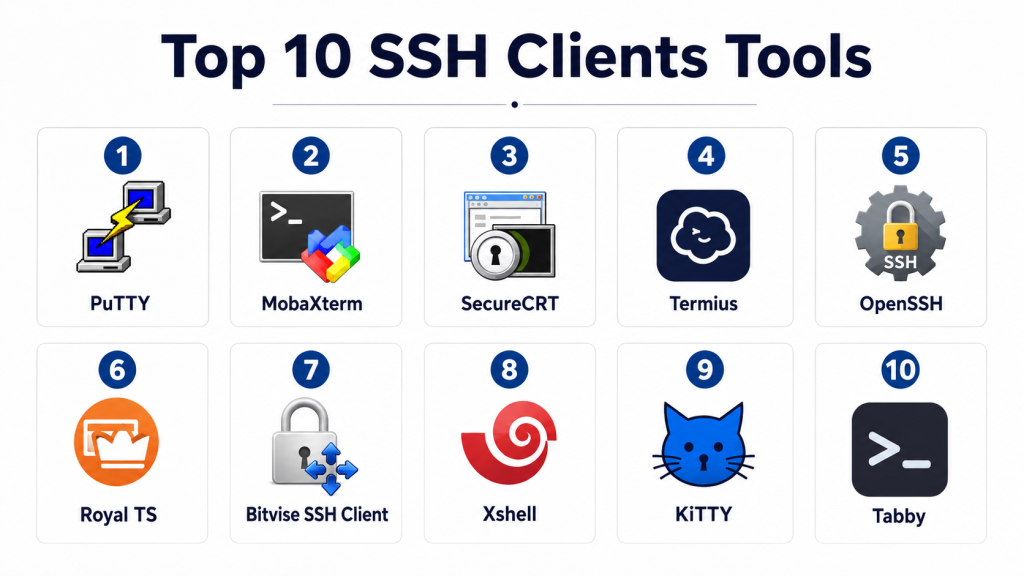
Top 10 SSH Clients Tools
#1 — PuTTY
Short description:
PuTTY is one of the most recognized SSH clients in the industry and has remained a widely used tool for Windows-based remote access environments. It is lightweight, highly reliable, and suitable for administrators managing Linux servers, networking devices, and remote systems. PuTTY is especially popular among IT teams looking for a simple yet dependable SSH solution without heavy resource requirements. Despite its minimalist interface, it continues to serve as a foundational tool in enterprise infrastructure operations. Its portability and open-source nature make it appealing for educational, enterprise, and freelance environments alike.
Key Features
- SSH, Telnet, serial, and raw protocol support
- Lightweight standalone executable
- Secure remote terminal access
- Public/private key authentication
- Session saving and profile management
- Port forwarding and tunneling
- SCP and SFTP support through companion tools
Pros
- Extremely lightweight and stable
- Easy deployment with no complex installation
- Strong long-term community trust
Cons
- Outdated user interface
- Limited modern workflow automation
- Primarily optimized for Windows environments
Platforms / Deployment
- Windows / Linux
- Self-hosted
Security & Compliance
- SSH encryption
- Public key authentication
- MFA support varies through integrations
- Compliance certifications not publicly stated
Integrations & Ecosystem
PuTTY integrates well with scripting environments and third-party SSH utilities. It is commonly paired with WinSCP and automation workflows.
- WinSCP
- Pageant authentication agent
- Linux server environments
- Networking infrastructure devices
- Automation scripts
Support & Community
PuTTY benefits from one of the largest SSH communities globally. Documentation is extensive, though official enterprise support is limited.
#2 — MobaXterm
Short description:
MobaXterm combines SSH functionality with an advanced all-in-one remote management environment for IT professionals. It includes terminal tabs, X11 forwarding, file transfer tools, remote desktop support, and Unix command-line utilities within a single interface. It is highly popular among DevOps engineers and administrators managing mixed infrastructure environments. MobaXterm balances usability and advanced functionality effectively, making it suitable for both SMB and enterprise operations. Its integrated ecosystem reduces dependency on multiple standalone tools.
Key Features
- Multi-tab SSH management
- Integrated SFTP browser
- X11 forwarding support
- Unix command-line utilities
- RDP, VNC, and FTP support
- Session macros and automation
- Portable edition support
Pros
- Feature-rich all-in-one environment
- Excellent multi-protocol support
- Strong productivity features
Cons
- Free version limitations
- Windows-focused deployment
- Interface can feel crowded
Platforms / Deployment
- Windows
- Self-hosted
Security & Compliance
- SSH encryption
- Password vault support
- MFA varies by deployment
- Audit/compliance capabilities vary
Integrations & Ecosystem
MobaXterm supports broad infrastructure interoperability and works well across enterprise remote access environments.
- SSH and SFTP
- Docker and Kubernetes environments
- RDP and VNC
- Unix command-line tooling
- Session automation workflows
Support & Community
Documentation is strong, and the product has an active administrator community. Commercial support is available for enterprise editions.
#3 — SecureCRT
Short description:
SecureCRT is an enterprise-grade SSH client focused on secure remote access, session management, and scripting automation. It is widely used in enterprise IT, telecom, networking, and cybersecurity environments where reliability and auditability are critical. SecureCRT provides advanced terminal emulation, credential management, and scripting support for large-scale administration tasks. Its mature feature set makes it ideal for complex operational environments requiring high stability and compliance-focused workflows.
Key Features
- Advanced session management
- Secure credential storage
- Script automation support
- Multi-platform support
- Terminal emulation
- Secure file transfer capabilities
- Session recording support
Pros
- Enterprise-grade stability
- Strong scripting functionality
- Excellent session organization
Cons
- Higher licensing costs
- Learning curve for advanced features
- Interface feels technical for beginners
Platforms / Deployment
- Windows / macOS / Linux
- Self-hosted
Security & Compliance
- MFA support
- Strong encryption
- Session logging
- Role-based security controls
- Compliance details vary
Integrations & Ecosystem
SecureCRT integrates effectively into enterprise administration workflows and automation ecosystems.
- SFTP workflows
- Python scripting
- Enterprise networking devices
- DevOps automation
- Secure credential tools
Support & Community
Commercial support is well regarded, with extensive technical documentation and enterprise onboarding resources.
#4 — Termius
Short description:
Termius is a modern SSH client designed for cross-platform infrastructure management. It focuses heavily on usability, synchronization, team collaboration, and mobile accessibility. The platform supports secure host management, terminal workflows, and cloud synchronization across devices. It is especially attractive for DevOps engineers, startups, and remote teams requiring infrastructure access from multiple operating systems and mobile devices. Its polished interface helps reduce onboarding friction for newer administrators.
Key Features
- Cross-device synchronization
- SSH key management
- Mobile SSH access
- Team collaboration support
- Multi-tab terminal interface
- Command snippets
- Encrypted vault storage
Pros
- Modern and intuitive UI
- Excellent mobile support
- Strong synchronization features
Cons
- Advanced enterprise features limited
- Subscription model may not suit all teams
- Offline workflows can be restrictive
Platforms / Deployment
- Windows / macOS / Linux / iOS / Android
- Cloud / Hybrid
Security & Compliance
- End-to-end encryption
- Secure credential storage
- MFA support
- Compliance certifications not publicly stated
Integrations & Ecosystem
Termius integrates well with modern infrastructure and developer workflows.
- AWS environments
- Linux servers
- Team vault sharing
- Cloud infrastructure
- SSH automation snippets
Support & Community
The platform provides polished onboarding experiences, active updates, and growing community engagement.
#5 — OpenSSH
Short description:
OpenSSH is the industry-standard open-source SSH implementation widely used across Linux, Unix, and cloud-native environments. It serves as the default SSH infrastructure component for many operating systems and enterprise environments. OpenSSH prioritizes security, reliability, and protocol integrity. While it lacks a graphical interface, it remains foundational for DevOps automation, server administration, cloud management, and secure remote connectivity across virtually every infrastructure ecosystem.
Key Features
- Open-source SSH implementation
- Strong encryption standards
- Secure tunneling and forwarding
- Key-based authentication
- SCP and SFTP support
- Extensive scripting compatibility
- Native Linux integration
Pros
- Extremely secure and reliable
- Industry-standard implementation
- Free and open-source
Cons
- Command-line focused
- Limited GUI management
- Steeper learning curve for beginners
Platforms / Deployment
- Linux / macOS / Windows
- Self-hosted
Security & Compliance
- Strong encryption support
- Public key authentication
- MFA integration support
- Extensive security hardening options
Integrations & Ecosystem
OpenSSH powers countless automation, cloud, and DevOps workflows globally.
- Linux infrastructure
- Kubernetes
- Docker
- CI/CD pipelines
- Infrastructure automation tools
Support & Community
Large global open-source community with extensive enterprise adoption and documentation.
#6 — Royal TS
Short description:
Royal TS is a centralized remote connection management platform supporting SSH, RDP, VNC, and other protocols. It is designed for administrators managing large remote infrastructure estates with shared credentials, team workflows, and centralized access management. Royal TS focuses heavily on collaboration and operational efficiency for infrastructure teams handling multiple environments simultaneously.
Key Features
- Centralized connection management
- Team credential sharing
- Multi-protocol support
- Secure document storage
- SSH and SFTP support
- Dynamic credential handling
- Team collaboration tools
Pros
- Excellent team collaboration
- Strong credential organization
- Broad remote access support
Cons
- Enterprise complexity for small teams
- Licensing costs may increase
- Requires setup planning
Platforms / Deployment
- Windows / macOS
- Hybrid
Security & Compliance
- Credential encryption
- MFA support
- Role-based permissions
- Audit capabilities vary
Integrations & Ecosystem
Royal TS integrates well into enterprise remote infrastructure environments.
- Active Directory
- Credential managers
- RDP and SSH ecosystems
- Team vault workflows
- Infrastructure management tools
Support & Community
Commercial support quality is generally strong with enterprise-oriented onboarding.
#7 — Bitvise SSH Client
Short description:
Bitvise SSH Client is a Windows-focused SSH and SFTP client known for strong tunneling, forwarding, and advanced security capabilities. It provides reliable performance for administrators requiring flexible SSH connectivity and graphical SFTP workflows. The platform balances ease of use with advanced networking functionality suitable for IT professionals and infrastructure administrators.
Key Features
- Advanced tunneling support
- Integrated SFTP client
- Graphical SSH management
- Dynamic port forwarding
- Secure authentication methods
- Terminal console support
- Automated login capabilities
Pros
- Strong tunneling capabilities
- Reliable Windows performance
- Integrated graphical file transfer
Cons
- Primarily Windows-centric
- Limited collaboration tools
- Interface less modern than newer tools
Platforms / Deployment
- Windows
- Self-hosted
Security & Compliance
- Strong SSH encryption
- Public key authentication
- MFA support varies
- Compliance certifications not publicly stated
Integrations & Ecosystem
Bitvise works effectively within traditional infrastructure management workflows.
- Windows administration
- Linux server environments
- Secure tunneling workflows
- SFTP transfers
- SSH automation scripts
Support & Community
Documentation is detailed and technically focused with reliable long-term product maintenance.
#8 — Xshell
Short description:
Xshell is a professional SSH terminal emulator designed for enterprise network management and secure remote administration. It is commonly used in networking, telecommunications, and enterprise server environments. Xshell provides advanced session handling, scripting, and terminal management capabilities optimized for infrastructure professionals.
Key Features
- Multi-tab session management
- Secure SSH connections
- Session scripting support
- Terminal customization
- Dynamic tunneling
- File transfer support
- Session synchronization
Pros
- Strong enterprise administration features
- Stable terminal performance
- Effective session management
Cons
- Commercial licensing model
- Primarily desktop-focused
- Learning curve for advanced workflows
Platforms / Deployment
- Windows
- Self-hosted
Security & Compliance
- SSH encryption
- Secure credential storage
- MFA varies
- Compliance details not publicly stated
Integrations & Ecosystem
Xshell integrates into enterprise networking and server administration workflows.
- Linux servers
- Networking devices
- SFTP workflows
- Terminal scripting
- Infrastructure automation
Support & Community
Enterprise support is available, and the platform has a long-standing infrastructure administration user base.
#9 — KiTTY
Short description:
KiTTY is an enhanced fork of PuTTY designed to extend usability and productivity for Windows SSH users. It adds session filters, automation, portability, and interface improvements while maintaining PuTTY compatibility. KiTTY is often used by administrators seeking a lightweight but more flexible PuTTY alternative.
Key Features
- PuTTY compatibility
- Session automation
- Portable deployment
- Session filtering
- Script support
- Secure SSH connectivity
- Lightweight resource usage
Pros
- Familiar PuTTY foundation
- Additional automation capabilities
- Portable and lightweight
Cons
- Windows-only focus
- Limited enterprise features
- Smaller ecosystem
Platforms / Deployment
- Windows
- Self-hosted
Security & Compliance
- SSH encryption
- Key authentication
- Security controls vary
- Compliance certifications not publicly stated
Integrations & Ecosystem
KiTTY primarily integrates within traditional Windows-based SSH workflows.
- PuTTY ecosystem
- Windows administration
- SSH automation scripts
- Linux infrastructure
- SFTP tools
Support & Community
Community-driven support with active user discussions and lightweight documentation.
#10 — Tabby
Short description:
Tabby is a modern open-source terminal and SSH client focused on extensibility, modern UI experiences, and developer productivity. It supports SSH connectivity alongside local terminal workflows and plugin-based customization. The platform is increasingly popular among developers and DevOps engineers seeking flexible terminal environments with cross-platform support.
Key Features
- Modern terminal interface
- Plugin architecture
- SSH connectivity
- Cross-platform support
- Split-pane terminal workflows
- Custom themes and extensions
- GPU-accelerated rendering
Pros
- Modern developer experience
- Open-source flexibility
- Strong customization options
Cons
- Smaller enterprise footprint
- Plugin ecosystem still evolving
- Advanced compliance features limited
Platforms / Deployment
- Windows / macOS / Linux
- Self-hosted
Security & Compliance
- SSH encryption
- Secure credential handling varies
- Compliance certifications not publicly stated
Integrations & Ecosystem
Tabby emphasizes extensibility and developer-focused workflows.
- Plugin ecosystem
- Local shell environments
- SSH servers
- Developer tooling
- Cross-platform workflows
Support & Community
Growing open-source community with active development and modern documentation resources.
Comparison Table (Top 10)
| Tool Name | Best For | Platform(s) Supported | Deployment | Standout Feature | Public Rating |
|---|---|---|---|---|---|
| PuTTY | Lightweight Windows SSH access | Windows / Linux | Self-hosted | Minimal resource usage | N/A |
| MobaXterm | All-in-one remote administration | Windows | Self-hosted | Integrated Unix tools | N/A |
| SecureCRT | Enterprise infrastructure management | Windows / macOS / Linux | Self-hosted | Advanced scripting | N/A |
| Termius | Cross-platform modern SSH workflows | Windows / macOS / Linux / Mobile | Hybrid | Device synchronization | N/A |
| OpenSSH | Linux and cloud-native infrastructure | Linux / macOS / Windows | Self-hosted | Industry-standard SSH | N/A |
| Royal TS | Team-based infrastructure management | Windows / macOS | Hybrid | Centralized remote access | N/A |
| Bitvise SSH Client | Secure tunneling workflows | Windows | Self-hosted | Advanced forwarding | N/A |
| Xshell | Enterprise terminal management | Windows | Self-hosted | Multi-session productivity | N/A |
| KiTTY | Enhanced PuTTY workflows | Windows | Self-hosted | PuTTY compatibility | N/A |
| Tabby | Modern developer terminal workflows | Windows / macOS / Linux | Self-hosted | Plugin extensibility | N/A |
Evaluation & Scoring of SSH Clients
| Tool Name | Core (25%) | Ease (15%) | Integrations (15%) | Security (10%) | Performance (10%) | Support (10%) | Value (15%) | Weighted Total |
| PuTTY | 8 | 7 | 6 | 8 | 9 | 8 | 10 | 8.0 |
| MobaXterm | 9 | 8 | 8 | 8 | 8 | 8 | 8 | 8.2 |
| SecureCRT | 9 | 7 | 8 | 9 | 9 | 9 | 7 | 8.4 |
| Termius | 8 | 9 | 8 | 8 | 8 | 8 | 7 | 8.0 |
| OpenSSH | 10 | 6 | 9 | 10 | 10 | 9 | 10 | 9.0 |
| Royal TS | 8 | 7 | 8 | 8 | 8 | 8 | 7 | 7.8 |
| Bitvise SSH Client | 8 | 8 | 7 | 8 | 8 | 7 | 8 | 7.8 |
| Xshell | 8 | 7 | 7 | 8 | 8 | 8 | 7 | 7.7 |
| KiTTY | 7 | 7 | 6 | 7 | 8 | 6 | 9 | 7.2 |
| Tabby | 8 | 9 | 7 | 7 | 8 | 7 | 9 | 8.0 |
These scores are comparative rather than absolute and are designed to help buyers evaluate tools against common operational priorities. Enterprise teams may prioritize security and integrations more heavily, while freelancers may care more about simplicity and pricing. Open-source tools often score strongly on value but may require more technical expertise. Commercial enterprise platforms typically deliver stronger support and governance capabilities. Buyers should validate scores against their own infrastructure requirements and operational maturity.
Which SSH Client Tool Is Right for You?
Solo / Freelancer
Freelancers and independent administrators often benefit from lightweight and affordable tools. PuTTY, KiTTY, and Tabby are strong choices for users prioritizing simplicity, flexibility, and low operational overhead. OpenSSH is also ideal for Linux-focused workflows.
SMB
Small and medium businesses usually need balanced usability and operational efficiency. MobaXterm and Termius offer excellent productivity features, easier onboarding, and broad protocol support suitable for growing infrastructure teams.
Mid-Market
Mid-market organizations managing hybrid infrastructure environments may benefit from SecureCRT, Royal TS, or Xshell. These tools offer better session organization, scripting, and centralized management capabilities.
Enterprise
Large enterprises typically require governance, auditing, credential security, and collaboration workflows. SecureCRT and Royal TS are particularly strong for enterprise administration, compliance-focused operations, and large infrastructure estates.
Budget vs Premium
OpenSSH, PuTTY, KiTTY, and Tabby provide strong value with minimal licensing costs. Premium platforms like SecureCRT and Royal TS justify costs through enterprise-grade management, automation, and support features.
Feature Depth vs Ease of Use
Termius and MobaXterm balance modern usability with strong functionality. OpenSSH delivers exceptional depth but requires technical expertise. SecureCRT offers advanced functionality but involves a steeper learning curve.
Integrations & Scalability
Cloud-native environments benefit from OpenSSH and Termius integrations. Enterprise collaboration environments may scale better with Royal TS or SecureCRT.
Security & Compliance Needs
Organizations with strict governance requirements should prioritize tools supporting MFA, audit logging, encrypted credential storage, and role-based access controls. SecureCRT and enterprise-focused SSH management platforms generally perform better in regulated environments.
Frequently Asked Questions (FAQs)
1. What is an SSH client used for?
An SSH client is used to securely connect to remote servers, cloud environments, networking devices, and Linux systems. It enables administrators and developers to manage infrastructure remotely using encrypted communication channels.
2. Are SSH clients still important in cloud-native environments?
Yes. Even in Kubernetes and cloud-native ecosystems, SSH remains essential for troubleshooting, infrastructure maintenance, server access, and operational recovery workflows.
3. What is the difference between SSH and SFTP?
SSH provides secure remote terminal access, while SFTP is used for secure file transfer over the SSH protocol. Many SSH clients support both functionalities together.
4. Which SSH client is best for beginners?
Termius and MobaXterm are often easier for beginners because they provide graphical interfaces, saved sessions, and modern usability features compared to command-line-only tools.
5. Is OpenSSH better than commercial SSH clients?
OpenSSH is extremely reliable and widely trusted, but commercial tools may provide additional usability, enterprise collaboration, centralized management, and automation capabilities.
6. Are SSH clients secure?
Most reputable SSH clients provide strong encryption and secure authentication mechanisms. However, organizations should still enforce MFA, proper key management, and credential security policies.
7. Can SSH clients support cloud environments?
Yes. Modern SSH clients commonly support AWS, Azure, Google Cloud, Kubernetes nodes, Docker hosts, and hybrid infrastructure environments.
8. What are common mistakes when using SSH tools?
Common mistakes include weak password practices, poor SSH key management, disabled MFA, excessive root access usage, and insufficient session auditing.
9. Do SSH clients support automation?
Many advanced SSH clients support scripting, macros, automation workflows, and integration with infrastructure management tools such as Ansible and Terraform.
10. How should organizations choose the right SSH client?
Organizations should evaluate security needs, operating system support, collaboration requirements, automation capabilities, infrastructure scale, and long-term operational workflows before selecting a platform.
Conclusion
SSH clients continue to play a foundational role in infrastructure administration, DevOps operations, cloud management, and secure remote access workflows. While lightweight tools like PuTTY and OpenSSH remain highly relevant for traditional administration, modern platforms such as Termius, MobaXterm, and SecureCRT now offer richer collaboration, automation, and productivity capabilities suited for hybrid infrastructure environments. The right choice ultimately depends on operational complexity, security expectations, team size, and workflow preferences. Organizations prioritizing enterprise governance may benefit from advanced commercial platforms, while developers and smaller teams may find open-source or lightweight tools more practical. Before making a final decision, shortlist two or three platforms, test them in real-world operational scenarios, validate security and integration requirements, and evaluate long-term usability for your infrastructure teams.
